Why Is My Bluetooth Not Working in My Car? Head Unit Fixes
When Bluetooth fails in a car, most guides tell you to fiddle with your phone. But if your phone connects to a speaker, earbuds and a friend’s car without any trouble, the fault is usually on the car side: a head unit that needs a restart, a paired-device list that is full or corrupted, outdated infotainment software, a microphone problem, or an aftermarket stereo or adapter that behaves differently from the factory unit. This guide covers those car-side fixes, using steps taken from the manufacturers’ own support pages and owner manuals.
If your car’s Bluetooth is not working and your phone works with other devices, restart the head unit, delete your phone from the car’s paired list (and the car from your phone), re-pair from scratch, and check for an infotainment software update. Do all of it while parked. Choppy sound, no-mic calls and aftermarket stereo problems have their own fixes below.
Why Is My Bluetooth Not Working in My Car? Check the Car Side First
Bluetooth is a two-sided connection, so a fault can sit in either device. A quick test tells you which side to work on: try your phone with a speaker or headphones, then try a second phone with your car. If your phone is fine elsewhere and a second phone also fails in your car, the head unit is the likely problem. If you would rather start with the phone-side pairing flow, start with the phone-side pairing and connection fixes and come back here if the car still refuses to cooperate.
Best Wired Fallback Pick
|
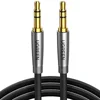
UGREEN 3.5mm Audio Cable, Nylon Braided, Male to Male, 3 ft If your head unit has an AUX jack, a plain wired link takes Bluetooth out of the equation while you sort out the car-side fix.
As an Amazon Associate we earn from qualifying purchases. Price and availability change; check the listing. Product details come from the Amazon listing; we have not tested this cable. |
Do every step in this guide with the car parked. Hyundai’s owner’s manual says to stop your vehicle in a safe location before using functions that require multiple operations, and Honda’s manual says you cannot pair a phone while the vehicle is moving. Resetting an infotainment screen on the move is not worth a crash.
Symptom, Likely Cause and Car-Side Fix
Use this table to jump to the fix that matches what your car is doing. The causes are drawn from the manufacturer sources linked in the sections below, and they are the usual suspects rather than a guarantee for every model.
| What you see | Likely car-side cause | Car-side fix to try (parked) |
|---|---|---|
| Car does not show up on the phone, or phone does not show on the car | Head unit glitch, or the paired list holds an old or corrupted record | Restart the head unit, then delete the phone from the car and the car from the phone, and pair again |
| Pairing option is greyed out or refuses a new phone | Car is moving (Honda), or another device is already connected (Hyundai) | Park and disconnect the connected device first; on Honda, an active CarPlay connection also blocks pairing extra devices |
| Connects once, then forgets the phone after the car is turned off | Stale pairing record | Delete both sides, switch the car off, open and close the door, wait about two minutes, then pair again (Chevrolet’s sequence) |
| Connected but no music, or music through the phone speaker | Wrong audio source, or the phone is not allowed to send media audio | Select the Bluetooth audio source on the head unit; check the media audio permission in the phone’s Bluetooth settings |
| Calls work but music does not, or the reverse | One of the two Bluetooth profiles was not granted in the pairing | Delete and re-pair, and accept every permission prompt on the phone |
| Music cuts out, stutters or sounds tinny | Radio interference in the crowded 2.4 GHz band, a weak link, or a low-quality adapter | Move other wireless gadgets away, then try USB or an AUX cable as a wired fallback |
| Caller cannot hear you or voice commands fail | Cabin noise reaching the microphones, or contacts not synced | Close windows and aim vents away from the microphones; allow contact sharing |
| Contact names missing or wrong on the screen | Phonebook permission not granted | Re-pair and allow contact access; Ford suggests contacts should have both a first and last name for voice recognition |
| Problem started after an aftermarket stereo or adapter was fitted | Adapter or stereo handles Bluetooth differently from the factory unit | Test with the factory unit or a wired link, and check the adapter’s instructions |
Restart the Head Unit First
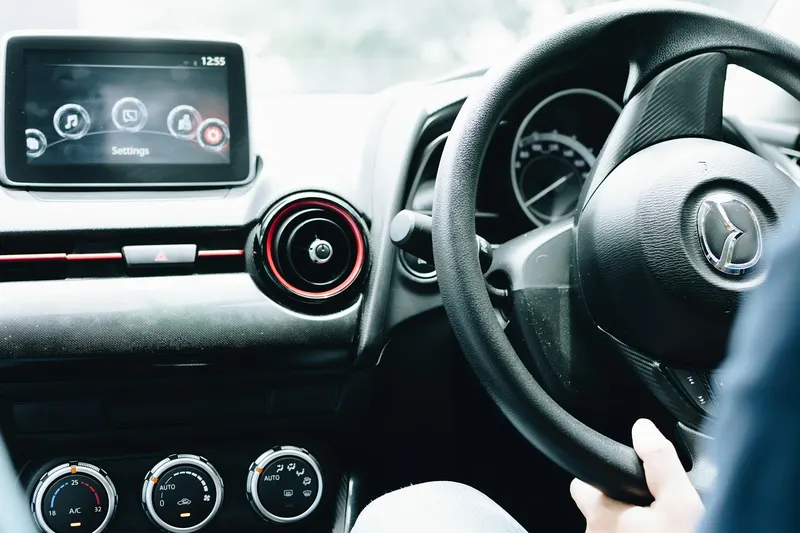
A head unit is a small computer, and like any computer it can hang. A restart clears that without touching your saved settings, so it is always the first car-side step. Methods differ by manufacturer, so check your own owner’s manual for the exact one.
- Ford SYNC: Ford’s SYNC troubleshooting page says to turn the ignition off, open and close the driver’s door, wait for SYNC to shut down completely, wait 30 seconds, then turn the ignition on and wait for SYNC to restart fully (Ford support).
- Chevrolet: after removing the phone from both lists, Chevrolet says to turn the vehicle off, open and close the door, and wait two minutes (Chevrolet support).
- Hyundai (2023 Palisade manual): the control panel has a Reset button that restarts the system (owner’s manual). Check your own model before pressing anything.
Restart is not the same as a factory reset
A master or factory reset is a last resort. Ford states that its master reset erases all system information, including phone book data, call history, text messages, paired devices, saved addresses and navigation history, and you must re-pair devices afterwards. If you are heading that way, write down saved addresses and presets first.
Clear the Car’s Paired-Device List
This is the car-side fix that solves the most stubborn cases. The head unit stores a record for every phone it has met. If that record is damaged, or the list is full, the car can reject the phone even though nothing is wrong with the phone. Chevrolet’s support page walks through the cleanest version of this fix: delete the phone from the vehicle’s Bluetooth list, delete the vehicle from the phone’s Bluetooth list, then power-cycle the car before pairing again.
- Delete the phone on the car: with the car on and parked, open the Bluetooth settings on the screen, select the phone, and choose Delete (Chevrolet). Honda’s HandsFreeLink path in the 2023 Ridgeline manual is Phone settings, Bluetooth Device List, select the phone, Delete, then confirm (Honda manual).
- Delete the car on the phone: open the phone’s Bluetooth settings, find the car’s name, and choose Forget or Delete.
- Power-cycle the car: switch it off, open and close the door, and wait before turning it on again.
- Pair again and accept every prompt: confirm the pairing code on both screens, and allow contacts and media audio when the phone asks.
Check the car’s device limits and rules
Cars follow different rules, and these quirks explain a lot of “it was working yesterday” complaints. Every item here comes from the manual named.
- Honda (2023 Ridgeline): up to six phones can be paired, and you cannot pair while the vehicle is moving. If there is an active Apple CarPlay connection, pairing additional Bluetooth devices is unavailable.
- Hyundai (2023 Palisade): the system connects to one device for Bluetooth hands-free and up to two devices at a time for Bluetooth audio. While a device is connected via Bluetooth you cannot pair another one, and a phone already on the Bluetooth list must be deleted from it before it can be added to the phone projection list.
Check for Head Unit Software Updates
Chevrolet’s support page says that if a device is not pairing, you should first check that both your device and the infotainment system software are up to date, and it gives a path for checking the vehicle: Settings, System, Vehicle Software, Updates. Not every car works this way. Some may need a dealer visit or a USB download, so look up your model on the manufacturer’s owner site or in the manual. We have not verified update steps for every brand, so treat the manufacturer as the authority.
Audio Dropouts, Stutter and Distorted Sound
When the connection holds but the sound is bad, the link itself is struggling. According to the Bluetooth SIG, classic Bluetooth, the radio used for audio streaming in cars, sends data across 79 channels in the 2.4 GHz unlicensed ISM band, hopping between channels (Bluetooth SIG overview). That band is shared with other gadgets, so a crowded cabin can matter.
- Declutter the cabin: move spare phones, tablets and hotspots away from the head unit and see whether the stutter changes.
- Forget and re-pair if the problem began after a phone update, which gives the car a fresh record.
- Switch to a wired link: a USB connection or an AUX cable removes the wireless link as a variable. If the wired sound is clean, the fault is in the Bluetooth connection, not the speakers.
Microphone and Hands-Free Calls Not Working
Hands-free calling uses a different Bluetooth profile from music streaming. The Bluetooth SIG’s Hands-Free Profile specification covers using a phone with a hands-free device, including voice connections (Hands-Free Profile). That is why music can be fine while calls fail. Work through these in order:
- Confirm the car is set to use the phone for calls, not only for media audio.
- Honda’s manual says to aim the vents away from the ceiling and close the windows, because noise from them may interfere with the microphones. Speak clearly after the beep, and note that if the microphones pick up other voices, a command can be misinterpreted.
- Make sure contacts synced. Ford notes that contacts with both first and last names help voice recognition.
- Do not rely on an AUX cable for calls. An AUX cable is an audio path only, and the listing for the cable in our box says it does not support a microphone.
Aftermarket Stereos and Bluetooth Adapters
If a previous owner installed a touchscreen stereo, or you added a Bluetooth adapter to an older car, the factory troubleshooting steps may not match what is in your dash. Aftermarket units use their own menus and pairing rules, so the right manual is the stereo maker’s, not the car maker’s. Practical points:
- Check the stereo’s own Bluetooth settings for a paired-device list and clear it, just as you would on a factory unit.
- Plug-in adapters that feed the AUX port or transmit over an FM frequency depend on the adapter, not your car. If the sound is full of static on an FM transmitter, the cause is usually interference on the chosen frequency, so try a different one. This point is general knowledge, not taken from a manual.
- If you are choosing an adapter, see our guide to the best Bluetooth adapters for cars for how AUX receivers and FM transmitters differ.
Recalls, Technical Service Bulletins and When to See a Dealer
If you have been through the head unit reset, paired-list clearing and update check and the problem persists, book a dealer or an audio shop. Before you do, check whether the manufacturer already knows about the issue. NHTSA says you can enter your VIN at nhtsa.gov/recalls to find open recalls, and the vehicle search results include a link to manufacturer communications, which is where technical service bulletins appear. A Bluetooth glitch is rarely a safety recall, but a bulletin can tell the dealer exactly which update or part applies to your car.
- Take your VIN, the infotainment software version if the settings screen shows it, and a short description of when the problem occurs.
For the basics of connecting by Bluetooth, USB and CarPlay, our guide to how to sync your phone to your car covers every connection type.
Frequently Asked Questions
Why is my car Bluetooth not connecting even though my phone works with other devices?
That points to the car side. Restart the head unit, delete your phone from the car’s paired list, delete the car from your phone, and pair again while parked. If a second phone also fails, check for an infotainment software update or see a dealer.
How do I reset my car’s Bluetooth?
Start with a restart. On Ford SYNC, turn the ignition off, open and close the driver’s door, wait for SYNC to shut down, wait 30 seconds and turn the ignition on again. A full master reset erases paired devices, contacts and saved addresses, so use it last and check your owner’s manual first.
Is there a limit to how many phones my car can pair with?
Yes, it varies by car. Honda’s 2023 Ridgeline manual says up to six phones can be paired, and Hyundai’s 2023 Palisade manual describes one device for hands-free and two for Bluetooth audio at a time. Check your own manual.
Why can people not hear me on hands-free calls?
Cabin noise can reach the microphones. Honda’s manual advises closing the windows and aiming vents away from the ceiling. Also check that the phone is set to use the car for calls and that you are not using an audio-only AUX cable.
Can I pair my phone while driving?
No. Honda’s manual says you cannot pair while the vehicle is moving, and Hyundai’s manual says to stop in a safe location before using functions that need multiple steps. Park first.
Is a Bluetooth problem ever covered by a recall?
Occasionally a manufacturer issues a recall or a technical service bulletin that touches the infotainment system. You can check recalls by VIN on NHTSA’s website and look for manufacturer communications in the vehicle search results.
Products related to this article
Sponsored / affiliate links. As an Amazon Associate I earn from qualifying purchases. I may earn additional commission from eligible campaigns.