Bluetooth Not Connecting to Your Car? 9 iPhone and Android Fixes
If Bluetooth is not connecting to your car, the cause usually sits on the phone: a stale saved pairing, a crowded saved-device list, or audio routed to a different device. Work through the nine phone-side steps below in order, pair while parked, and use the symptom table to jump to your exact problem on iPhone or Android. If every phone fails in the same car, the head unit is the suspect, which is a separate fix.
Bluetooth Not Connecting to Your Car? Start With the Phone
Pairing is a handshake between two devices, and each one keeps its own memory of the other. When that memory goes out of sync, for example after a phone update or after a second phone gets paired, the phone says it is paired while the car refuses to connect, or the reverse. Most of the fixes that follow clear or rebuild the phone’s half of that memory, which is free and takes a few minutes. The first three steps are the ones both Apple and Google recommend before anything else.
Best Wired Fallback Pick | |
 |
CONMDEX 3ft USB-A to USB-C Cable, 2-Pack: $9.99 If you have run every phone-side step below and wireless still fails, a short data cable gives Android Auto or Apple CarPlay a wired route that skips Bluetooth pairing.
|
As an Amazon Associate we earn from qualifying purchases. Price checked on Amazon on 2026-10-08 and may change. | |
Pair While Parked, Not While Driving
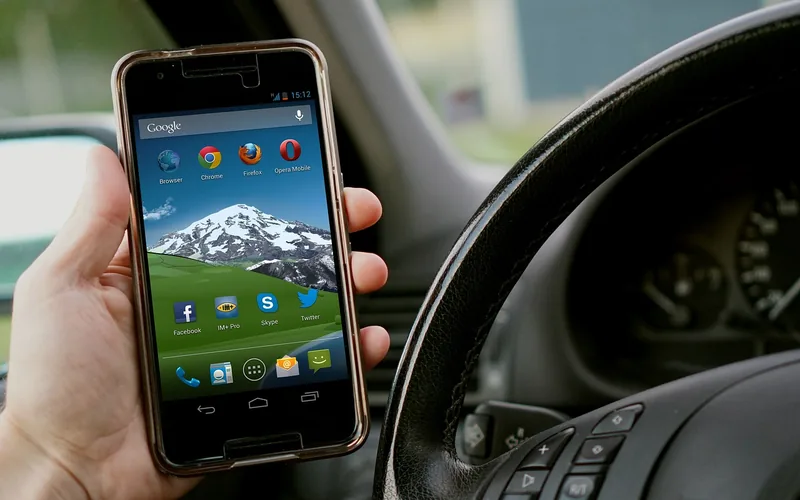
Every step in this guide involves tapping through settings, so do it with the car in park. NHTSA reports that 3,208 people died in crashes involving distracted drivers in 2024, and it puts the crash risk of using a handheld phone at about 3.6 times that of not using one. If the connection fails mid-drive, leave the phone alone until you stop, or let a passenger handle it.
The 9-Step Phone-Side Fix Order
The order matters. Each step is less disruptive than the one after it, so you only reach the heavier resets if the light ones fail.
1. Turn Bluetooth off and on
Android Help lists this as its first basic step, and it re-establishes the phone’s Bluetooth radio without touching any saved pairing. On iPhone, use Settings, then Bluetooth, and flip the switch; on Android, swipe down and tap the Bluetooth tile. Some people also toggle airplane mode on and off for the same effect. That is a common habit rather than a step either company documents, so treat it as a cheap extra.
2. Restart the phone and the car
Restart both. Android Help says to restart your devices, and Apple’s CarPlay help page gives the same advice: restart your iPhone and your car. Turn the car fully off, open and close the driver’s door so the electronics power down, then start it again before reconnecting.
3. Put the car in pairing mode and look from the phone
If you have not paired this phone before, the car has to be discoverable first. Apple Support says to place the accessory in discovery mode if you haven’t paired before, and keep the phone and the accessory close together. On most cars this means opening the Phone or Bluetooth menu on the head unit and choosing the add-device option, then scanning from the phone.
4. Forget the car on your phone and pair again
A stale record is the most common cause of a phone that used to work and suddenly does not. Remove the car completely, then pair it as if it were new.
- iPhone: Settings, Bluetooth, tap the info (i) button next to the car, then Forget This Device and confirm. Apple’s instructions are on its Bluetooth accessory page.
- Android: Settings, Connected devices, Saved devices, tap the settings gear next to the car, then Forget and Forget device. Menu names vary a little between phone makers.
Do not stop at the phone. Apple tells you to unpair the accessory, and Google’s car guidance says to clear your phone from the car’s memory too, so delete the phone from the head unit’s device list as well. How you do that differs by car, so check the owner’s manual.
5. Clean out the phone’s saved-device list
Phones keep every Bluetooth device they have ever met: old earbuds, a rental car, a speaker. Android Help suggests clearing unused devices from the phone’s Bluetooth memory under Saved devices. This matters for a reason most guides skip. A phone with several paired devices nearby may auto-connect to the wrong one, such as headphones in your bag, and then never offer the car a turn. Google lists this as a cause: make sure no other paired device is intercepting the audio.
6. Check the audio toggles for the car
Connecting and playing audio are separate permissions on Android. Open the car’s entry under Saved devices and make sure both switches are on: Media audio for music and navigation voice, and Phone audio for calls. Google specifically names these two settings when music or calls fail over a connected device. Under the hood, Bluetooth treats calls and music as different profiles. The Bluetooth SIG’s Hands-Free Profile is what lets a phone work with a hands-free device installed in a car, and stereo music uses a separate audio profile. If one profile is off or failed, you get calls with no music, or music with no calls.
7. Check Bluetooth permissions: a myth worth correcting
Many guides tell iPhone users to open Settings, Privacy and Security, Bluetooth and enable the car. That screen lists apps, not cars. Apple’s page points there only when an accessory needs its own app, so for a car stereo with no companion app, nothing on that screen will change the result. Look at it only if a companion app (a dash cam app, for example) cannot find its device. On Android, the closest equivalent is the Media audio and Phone audio switches from step 6.
8. Update the phone’s software
An old operating system can break pairing with a newer head unit. On iPhone, go to Settings, General, Software Update, as Apple documents. On Android, look under Settings, System, Software update, though the exact path depends on the maker. Connect to Wi-Fi and power before installing, and do not start an update right before you need to leave.
9. Reset settings, last
If nothing has worked, a reset is the final phone-side option. On iPhone, Reset All Settings (Settings, General, Transfer or Reset iPhone, Reset) removes Bluetooth pairings along with other settings, but not your photos, messages or apps. You will need to pair every Bluetooth device again, set up Wi-Fi again, and re-check your preferences, so try this only after the first eight steps. Android phones usually have a similar option that clears Wi-Fi, mobile and Bluetooth settings under the reset options, but the name differs by brand.
Symptom, Phone, Fix: Where to Look First
Find what your car is actually doing, then go to the row for your phone. This table compresses the steps above into the one most likely fix for each symptom.
| What happens | iPhone fix | Android fix | Likely cause |
|---|---|---|---|
| Phone cannot see the car | Make sure the car is in pairing mode, stay close, then toggle Bluetooth | Same, and check Bluetooth is on and you are scanning from Pair new device | Car not discoverable, or phone radio stuck |
| Car found, pairing fails | Forget the car in Settings, Bluetooth, then pair again | Forget the car under Saved devices, then pair again | Stale pairing record on one side |
| Pairs, but will not reconnect on its own | Forget the car, delete the phone from the car, pair again | Same, then remove unused Saved devices | Old record, or another saved device connecting first |
| Connected, calls work, no music | No switch for this: restart both and re-pair | Turn on Media audio for the car | Music profile off or failed |
| Connected, music works, calls do not | Restart both and re-pair | Turn on Phone audio for the car | Call profile off or failed |
| Wrong thing plays audio | Disconnect headphones or other accessories, then reconnect the car | Remove unused Saved devices, check no earbuds are connected | Phone connected to another device first |
| CarPlay or Android Auto will not start | Settings, General, CarPlay, Forget This Car; check Screen Time restrictions; try another cable and port | Try a different cable and port; check the car supports it | Wireless link broken, or cable fault |
The two audio rows show why connected does not mean working. A phone and a car can be linked for calls while the music path is switched off, and it looks identical on the screen until you press play.
Using a Wired Connection While You Sort It Out
If the car supports Apple CarPlay or Android Auto, a USB cable is a legitimate fallback while you troubleshoot. It still gives you maps, music and calls through the car screen. Apple’s CarPlay help page advises that for a wired connection you try a different USB cable and a different USB port, and that some combinations of adapters, cables and car systems can disrupt the wired connection, in which case a direct cable connection works best. If you want the full set of options for linking a phone to a car, our guide on how to sync your phone to your car with Bluetooth, USB or CarPlay walks through each one.
If CarPlay itself will not start, Apple’s list also includes making sure CarPlay is not restricted under Screen Time, Content and Privacy Restrictions, Allowed Apps, and updating the stereo’s firmware from the car maker. Bad cables are a common culprit, so swap the cable before you swap anything else.
When the Phone Is Not the Problem
Test with a second phone if you can. If a different phone pairs and plays normally, your phone’s settings were the issue. If every phone fails in the same way, the problem has moved to the car, and our guide to car-side Bluetooth fixes such as head-unit resets and audio dropouts covers that side. Connects but then drops? See why Bluetooth keeps disconnecting in your car. A dealer or an audio shop is the right next stop if the head unit will not enter pairing mode at all, or if it needs a software update only the manufacturer can supply.
Frequently Asked Questions
1. Why can’t my phone find my car’s Bluetooth?
Usually the car is not in pairing mode, or the phone’s Bluetooth radio needs a reset. Put the car’s Bluetooth menu in add-device mode, keep the phone close, turn Bluetooth off and on, and scan again. If you have paired before, forget the car on the phone first, as Apple Support and Android Help both recommend.
2. Do I need to delete the car on my phone and the phone on the car?
Yes, for a stubborn problem. Apple says to unpair the accessory and pair again, and Google’s car guidance covers both sides: remove the car from the phone’s saved devices and clear the phone from the car’s memory. Doing only one side can leave a stale record that blocks the new pairing.
3. Why does my phone connect to my headphones instead of my car?
Phones reconnect to saved devices automatically, and a nearby pair of earbuds can win. Disconnect or switch off the headphones, then connect the car. On Android, also remove old devices under Saved devices so the phone has fewer choices.
4. Why is my Bluetooth connected but there is no sound from my car?
On Android, check that Media audio is turned on for the car under its Saved devices entry, and that no other paired device is taking the audio. On iPhone, restart the phone and car and re-pair the car. If sound still fails on every phone, the head unit is the likely cause.
5. Does Reset All Settings on iPhone delete Bluetooth pairings?
Yes. Apple says Reset All Settings removes Bluetooth pairings along with other settings, but it does not delete your photos, messages or apps. Use it only after forgetting the car, restarting and updating have failed.
6. Is it safe to pair my phone while driving?
No. Pair while parked. NHTSA reports that using a handheld phone raises crash risk about 3.6 times compared with not using one, and that distracted driving killed 3,208 people in 2024. If something fails on the road, wait until you have stopped.
Conclusion
Work the phone-side fixes in order: toggle Bluetooth, restart, pair in discovery mode, forget and re-pair both sides, clear saved devices, check the audio switches, update, and reset last. Keep a short cable in the car as a wired backup, and always pair while parked.
Products related to this article
Sponsored / affiliate links. As an Amazon Associate I earn from qualifying purchases. I may earn additional commission from eligible campaigns.