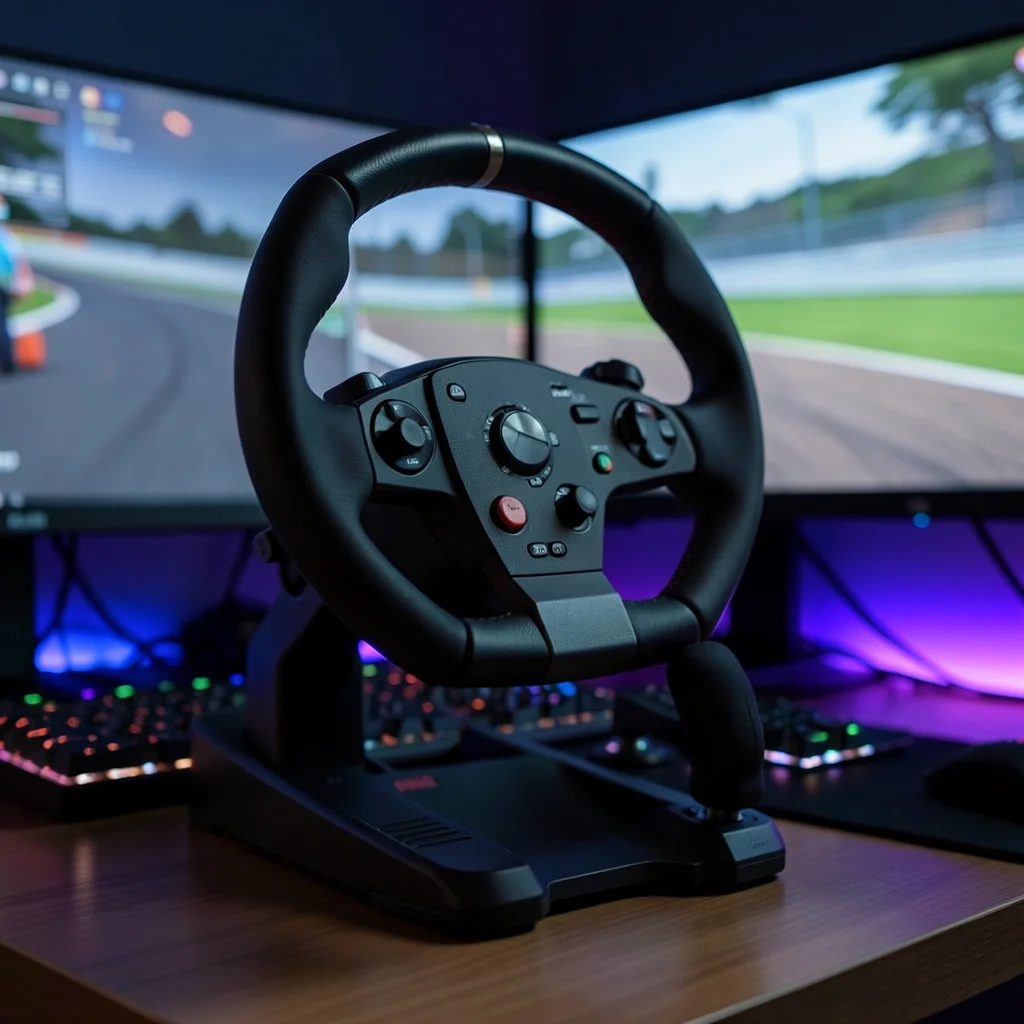
Car Games for Steering Wheel: Best Racing Wheels by Platform
Buy by platform first: PC generally supports the widest range of wheels, while PlayStation and Xbox need console-compatible bases; many sim-cade players do well with a force-feedback belt or geared wheel, and serious sim racers often target direct drive around 5–8 Nm. Pick the wrong ecosystem and you can lose force feedback, button support, or console access, which turns a good wheel into a poor buy. This guide compares the best racing wheels for PC, PlayStation, Xbox, and different play styles, from budget starter kits to direct-drive upgrades.
Top pick and quick picks


Top pick for most players: Thrustmaster T300 RS. Its belt-driven force feedback, 4Nm rating, 1080-degree rotation, and three-pedal bundle make it the most balanced fit here for sim-cade and entry sim play, especially if you want an upgrade path later.
Best pick for PC and console flexibility: Logitech G923 for players who want a straightforward wheel with force feedback, 900-degree rotation, three pedals, and TruForce support in supported games.
Best budget pick: Thrustmaster T128. It is the cheapest clear entry point in this group, with 2.3Nm belt-driven force feedback and two pedals.
Best direct-drive value pick: Fanatec CSL DD QR2 Ready2Race Bundle for players who want direct drive without jumping all the way to premium pricing.
| Pick | Platform support | Feedback type | Pedals | Rotation | Best fit | Avoid this if |
|---|---|---|---|---|---|---|
| Thrustmaster T300 RS | PC, PlayStation 5, PlayStation 4 | Belt-driven force feedback, 4Nm | 3 | 1080 degrees | Sim-cade, sim | You want native Xbox support or a very small desk setup |
| Logitech G923 | PC, PlayStation 5, PlayStation 4, Xbox Series X/S, Xbox One | Gear-driven force feedback, TruForce support | 3 | 900 degrees | Arcade, sim-cade | You want the smoothest feel or the strongest feedback |
| Thrustmaster T128 | PC, PlayStation 5, PlayStation 4, Xbox Series X/S, Xbox One | Belt-driven force feedback, 2.3Nm | 2 | 900 degrees | Arcade, sim-cade | You want three pedals or the most detailed road feel |
| Fanatec CSL DD QR2 Ready2Race Bundle | PC, console-adjacent purchase consideration | Direct drive | Check the bundle listing | Adjustable steering lock | Sim | You need plug-and-play console certainty on day one |
| Nacon Revosim RS Pure bundle | Check the bundle listing | Direct drive | Check the bundle listing | Adjustable steering lock | Sim, truck/farm | You want a basic starter wheel rather than a higher-end feel |
| Logitech G Pro Racing Wheel | PC and console compatible | Direct drive | Check the bundle listing | Adjustable steering lock | Sim | You are buying for casual arcade racing or a tight budget |
| MOZA Racing ES-Xbox Steering Wheel | Xbox optimized, check PC support on the listing | Check the manufacturer’s listing for your model | Check the manufacturer’s listing for your model | Check the manufacturer’s listing for your model | Xbox racing games | You want a wheel for PlayStation-first play |
| Generic direct-drive console bundle | PS5 or Xbox only if the base is licensed for that platform | Direct drive | Check the bundle listing | Adjustable steering lock | Sim | You mostly play casual car games and want low noise |
Racing wheel compatibility
This matrix is the quickest way to narrow the field. Platform support comes before pedal count, wheel rim material, or force-feel tuning, because the wrong base can block console use or cut off feedback features entirely. Use it to match the wheel class to the game type you actually play.
What the table compares
The columns focus on the details that change the buying decision: platform support, force-feedback type, pedal count, rotation, best-fit game category, and the one scenario where the wheel becomes a poor choice. That last column matters. A strong sim wheel can still be a bad fit for a shallow desk or a player who mainly wants arcade drifting.
How to read platform support
PC usually gives you the widest compatibility, but console support is stricter. A wheel built for PlayStation 5 may not work on Xbox Series X/S, and the reverse is also true unless the base is licensed for both. Mac support is more limited and should be checked on the specific listing before you buy.
Console licensing matters because the wheel base, not only the rim, has to talk to the system correctly. Adapters can add complications, and some can trim button mapping or feedback features. If you want the simplest path, buy a bundle built for your exact platform.
How to read game-fit notes
Arcade racers ask less of a wheel. Sim-cade games sit in the middle and reward better force feedback, but they do not demand the cost or space of a full sim setup. Truck and farm games benefit from steadier steering lock and the ability to hold long, slow inputs without feeling twitchy.
Is a force-feedback wheel worth it?
Yes, for most players. Force feedback is the feature that makes the wheel resist, tug, and center itself in response to the game, which turns a controller replacement into a driving device. If you only want simple steering input, a non-feedback wheel can work, but it gives up most of the realism people buy a wheel for.
Force feedback vs no feedback
No-feedback wheels are lighter, cheaper, and usually quieter, but they do little to communicate grip loss, kerb texture, or self-centering force. That matters in cornering and braking. A force-feedback wheel also helps you catch slides sooner, which is useful even in casual racing games.
Force feedback is not always the right answer. If you play in a bedroom late at night, gear-driven units can sound harsher than belt-driven ones, and direct drive can be more force than a small desk or budget clamp wants to handle. In that case, a lower-powered belt or gear wheel is the safer buy.
When gear, belt, or direct drive makes sense
Gear-driven wheels fit the lowest-cost end of the market and are easy to understand. The Logitech G923 is the clearest example here, with 900 degrees of rotation, three pedals, leather wheel material, and TruForce support in games that can use it.
Belt-driven wheels usually feel smoother than gears and are the right middle ground for most sim-cade players.
Direct drive sends motor force straight to the shaft, which is why it feels more immediate and detailed. It also asks more from your mounting surface and your budget. For casual players, that extra force is often more than the game library or desk setup can justify.
When stronger feedback becomes too much
Suppose you mostly play arcade racers on a fold-up desk and you have to move the wheel after every session. A high-force direct-drive base can become annoying, not rewarding, because the clamp flexes, the desk shifts, and the setup takes longer than the race itself. That is a setup problem, not a hardware failure.
Picture a player moving from controller drift events to Gran Turismo. A moderate belt wheel can be the better first step because it adds feedback without demanding a cockpit rig right away. If the rest of the setup is basic, the wheel should match that reality.
Best racing wheels by platform
The best wheel depends on the platform first, then the game style. That is why the same wheel can be a smart buy for one player and a poor one for another. A console-only racer and a PC sim player should not start from the same shortlist.
Best for PC
For PC, the strongest all-around pick is the Thrustmaster T300 RS if you want a balance of feel, rotation, and upgrade room. PC support also makes direct drive easier to justify because you are not boxed in by console licensing. If your library leans hard toward full sim racing, the Fanatec CSL DD QR2 Ready2Race Bundle becomes more attractive.
PC also gives you the broadest use of accessories such as separate shifters, handbrakes, and different rim shapes. That matters if you plan to build a setup over time instead of buying the final version on day one.
Best for PlayStation 5 and PlayStation 4
For PlayStation 5 and PlayStation 4, the Thrustmaster T300 RS is the best fit here because it is listed for PlayStation use and offers enough feedback strength and rotation for sim-cade and sim racing. If you want a higher-end direct-drive route, choose a base that is explicitly licensed for PlayStation support rather than assuming a PC bundle will transfer cleanly.
Gran Turismo players should favor a wheel with clear console support, strong force feedback, and sensible rotation. That narrows the field quickly, which is useful because PlayStation compatibility can be stricter than PC compatibility.
Best for Xbox Series X/S and Xbox One
For Xbox Series X/S and Xbox One, the Logitech G923 is the clearest match in this group because it is built for Xbox support and keeps the setup simple. The Thrustmaster T128 is the cheaper route if you only need an entry wheel and do not mind two pedals.
If your game list is mostly Xbox racing titles, do not buy a PlayStation-first base and hope an adapter will solve it. Console support should be native unless the manufacturer says otherwise.
Best for Mac and cross-platform play
Mac support is the hardest category to buy for because many wheel listings focus on Windows and consoles first. Check the manufacturer’s listing for your model before you assume Mac works. For cross-platform play, the safest approach is still a PC-first wheel with verified support for the systems you use most.
Cross-platform shoppers should think less about the most powerful base and more about the most predictable ecosystem. A wheel that supports the right platform and the right games is worth more than a stronger wheel you cannot fully use.
Which wheel fits your game type?
Separate the game type before you compare price. Arcade racers, sim-cade racers, full sims, truck sims, and farm games all reward different steering behavior. Buying for the wrong category is how people end up with a wheel that feels too heavy, too noisy, or too fiddly.
Arcade and sim-cade racers
Arcade racers and sim-cade games usually fit a belt or gear wheel best. The Logitech G923 is a sensible choice because it is accessible, has 900 degrees of rotation, and comes with three pedals. The Thrustmaster T128 is the budget path when you want force feedback without paying for a more advanced base.
These games rarely need the full detail of a premium direct-drive system. If your library is mostly casual racing, drifting, or mixed driving challenges, you will notice the added realism from force feedback long before you notice the upper limits of a stronger motor.
Full sim racing
Full sim racing is where direct drive earns its keep. The Fanatec CSL DD QR2 Ready2Race Bundle and the Logitech G Pro Racing Wheel sit in that lane, because direct drive gives more immediate response and better detail. The tradeoff is cost, mounting demand, and the chance that the wheel is more than you need for casual play.
A common first-timer mistake is buying a premium base before checking the rest of the setup. If the cockpit is flexible, the desk is shallow, or the pedals slide, the wheel will not feel good no matter how advanced it is.
Truck and farm games
Truck and farm games reward stable steering more than rapid wheel flicks. A larger rotation range and a smoother force-feedback feel help here, especially in long-haul driving or slow field work. That makes the Thrustmaster T300 RS a useful middle ground, while a direct-drive base can be overkill unless the player also uses the same rig for sim racing.
How rotation range changes the feel
Rotation range changes how much wheel turn it takes to reach full steering lock. A 270-degree wheel feels quicker and more arcade-like, but it can also feel twitchy in sim racing and less natural in truck or farm games.
Many direct-drive systems let you adjust steering lock in software or through the game. That is useful when one wheel needs to cover both road cars and heavy machinery, because you can tune the response instead of buying a second base.
What specs should you compare?
Start with compatibility, then compare feedback type, pedal count, rotation, and ecosystem support. Those are the specs that change how the wheel feels in the games you actually play. Material, button layout, and shifter support matter too, but they come after the fundamentals.
Force-feedback type and strength
Gear-driven wheels are simpler and usually the cheapest. Belt-driven wheels are smoother and often quieter. Direct drive is the most immediate and detailed, but it also tends to cost more and ask more from the mount and the rest of the rig.
Use the number and type together. The Thrustmaster T128 is rated at 2.3Nm and uses belt-driven force feedback, which places it at the entry level. The Thrustmaster T300 RS is rated at 4Nm and has a more capable feel for players who want more texture and resistance.
Pedals, shifters, and rims
Three pedals are more versatile than two because they support clutch use where the game and setup allow it. If you plan to add a shifter later, check whether the ecosystem supports it without extra adapters.
Wheel rims matter because some ecosystems let you swap them later. That is why upgradeability is more than a marketing word. It changes whether your first purchase is a dead end or the start of a larger setup.
Rotation range and steering lock
Look for 900 degrees or 1080 degrees if you want a wheel that can suit more than one genre. Adjustable steering lock is especially useful for direct drive systems, because the software can better match the car or vehicle in the game. Lower rotation can be fine for arcade play, but it narrows the range of use.
Mounting, clamp stability, and desk space
Do not skip the physical fit. A wheel can be technically compatible and still be a poor buy if the desk edge is too thick, the clamp is too shallow, or the pedals slide away on carpet. Measure the workspace before you order.
Check whether the base can sit flat, whether the clamp can reach your desk lip, and whether there is room for a pedal tray. If the setup has to move in and out of storage every night, a lighter belt wheel often makes more sense than a heavy direct-drive base.
Upgrade paths and ecosystem support
Upgrade paths matter most if you expect to expand later. A good ecosystem lets you move from the stock rim and pedals to better parts without replacing the whole wheel base. That is one reason the Thrustmaster T300 RS remains a smart buy: the ecosystem is built for growth.
Wheel bases and rim changes
Swappable rims make one base useful across different games. A round rim suits road cars and truck games better than a small formula-style wheel. If a manufacturer offers multiple rim shapes, you get more value from the same base over time.
Pedal upgrades
Pedal upgrades matter almost as much as the wheel itself. Better brake feel helps more in lap-time consistency than a flashy rim finish. If the bundle you want starts with two pedals, check whether the ecosystem supports a better set later.
Shifters, handbrakes, and console limits
Shifters and handbrakes are worth adding only if the games support them and the wheel base does too. Console setups can be more limited here than PC setups. If you want a handbrake for rally or drifting, confirm support before buying the base.
Keep in mind that console licensing can limit which accessories work cleanly. PC usually gives the broadest accessory support, but the final decision still depends on the manufacturer’s software and the game’s own input support.
How to choose
Start with your platform, then your game library, then your desk or cockpit. If you play mostly on Xbox, buy an Xbox-compatible base. If you are on PlayStation and want a balanced midrange wheel, the Thrustmaster T300 RS is the most practical fit here. If you want direct drive and play full sim titles, move up to a licensed direct-drive bundle.
- Pick the platform first: PC, PlayStation 5, PlayStation 4, Xbox Series X/S, Xbox One, or Mac.
- Match the wheel to the game type: arcade, sim-cade, sim, truck, or farm.
- Choose the feedback system: gear for budget, belt for balance, direct drive for sim focus.
- Check pedal count and whether the bundle supports a clutch or later pedal upgrades.
- Measure the desk, clamp clearance, and pedal space before you buy.
- Look for upgrade paths if you expect to add a shifter, handbrake, or better pedals later.
For a new player on a tight budget, the safest starting point is usually a force-feedback belt or gear wheel. For a player building toward a rig, the direct-drive path makes sense only when the game library and mounting setup can use it properly. The wheel should fit the platform and the play style, not the other way around.
Frequently asked questions
What is the best racing wheel for PC, PlayStation, or Xbox?
There is no single best wheel for every platform. On PC and PlayStation, the Thrustmaster T300 RS is the best balanced choice here. On Xbox, the Logitech G923 is the clearest fit. If you want the highest-end feel and already play sim titles, a licensed direct-drive bundle becomes more attractive.
Which steering wheels work across multiple platforms?
Cross-platform support depends on the base, not just the rim. The Logitech G923 comes in platform-specific versions for PC plus PlayStation or Xbox, while the Thrustmaster T300 RS is aimed at PC and PlayStation. Always check the manufacturer’s platform listing before you count on multi-system use.
Do I need force feedback for a racing wheel?
You do not absolutely need it, but you lose most of the value if you skip it. Force feedback gives you self-centering resistance, road texture, and slip cues that plain steering cannot provide. For most players, it is the first feature to prioritize, even before pedal count or rim material.
What is the best budget racing wheel for beginners?
The Thrustmaster T128 is the budget starter here. It uses belt-driven force feedback, is rated at 2.3Nm, and includes two pedals. If you want a slightly more complete feel and can spend more, the Logitech G923 adds three pedals.
Which racing wheel is best for Gran Turismo or Xbox racing games?
For Gran Turismo on PlayStation, the Thrustmaster T300 RS is the best fit in this group because it pairs PlayStation support with 1080 degrees and a stronger middle-ground force feedback setup. For Xbox racing games, the Logitech G923 is the cleaner choice because it is built for Xbox compatibility.
What specs should I compare before buying a steering wheel?
Compare platform support, force-feedback type, pedal count, rotation, and upgrade support first. Then check mounting, clamp stability, and desk space. If you play more than one genre, a wheel with 900 or 1080 degrees and a flexible ecosystem is usually safer than a cheaper but narrower option.
Are direct drive wheels worth it for casual gamers?
Usually not at the start. Direct drive is best when you care about detailed sim racing and can support the cost, mounting, and software setup. Casual players often get better value from a belt or gear wheel, because it is easier to mount, quieter, and more forgiving.
Which racing wheel is best if I want upgrade options later?
The Thrustmaster T300 RS is the strongest upgrade-friendly choice here because it has an ecosystem built around later changes to rims, pedals, and accessories. If you expect to build a full sim setup over time, start with a base that can grow instead of replacing the whole system.
Products related to this article
Sponsored / affiliate links. As an Amazon Associate I earn from qualifying purchases. I may earn additional commission from eligible campaigns.