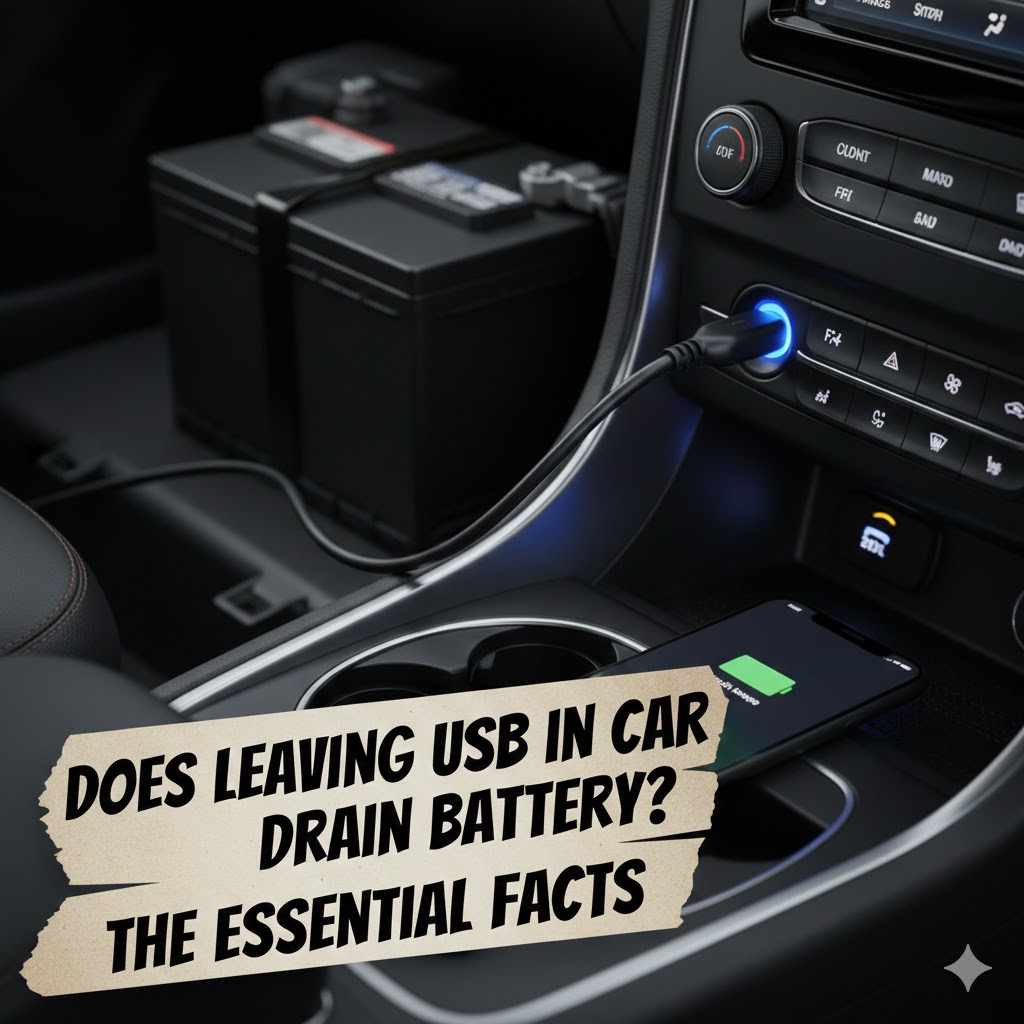
Does Leaving USB in Car Drain Battery? The Essential Facts
In most modern cars, leaving a standard USB device like a phone charger or flash drive plugged in will not drain the battery. This is because the car’s computer automatically shuts off power to the USB ports when the engine is off. However, in some older vehicles or if a high-power device is used, a very slow drain is possible.
Have you ever left your phone charger plugged into your car and returned later, wondering if you just made a big mistake? It’s a common worry. You picture yourself stranded with a dead battery, all because of a tiny USB cable. It’s frustrating to feel unsure about something so simple. But don’t worry, you’re in the right place to get a clear answer. I’m here to walk you through it, step by step, without any confusing mechanic talk. Together, we’ll figure out exactly how your car’s USB ports work and put your mind at ease. Let’s get started!
We’ve all done it. You turn off your car, grab your things, and walk away, completely forgetting the phone charger, dash cam cable, or USB flash drive still plugged into the port. A little while later, a nagging thought pops into your head: “Is that thing draining my car battery?”
It’s a valid question, and the answer is both simple and a little bit complex. For most drivers, it’s nothing to lose sleep over. But understanding the “why” will give you the confidence to know exactly what’s happening with your car’s electrical system. Let’s break it down in a way that anyone can understand.
The Short Answer: It Depends on Your Car
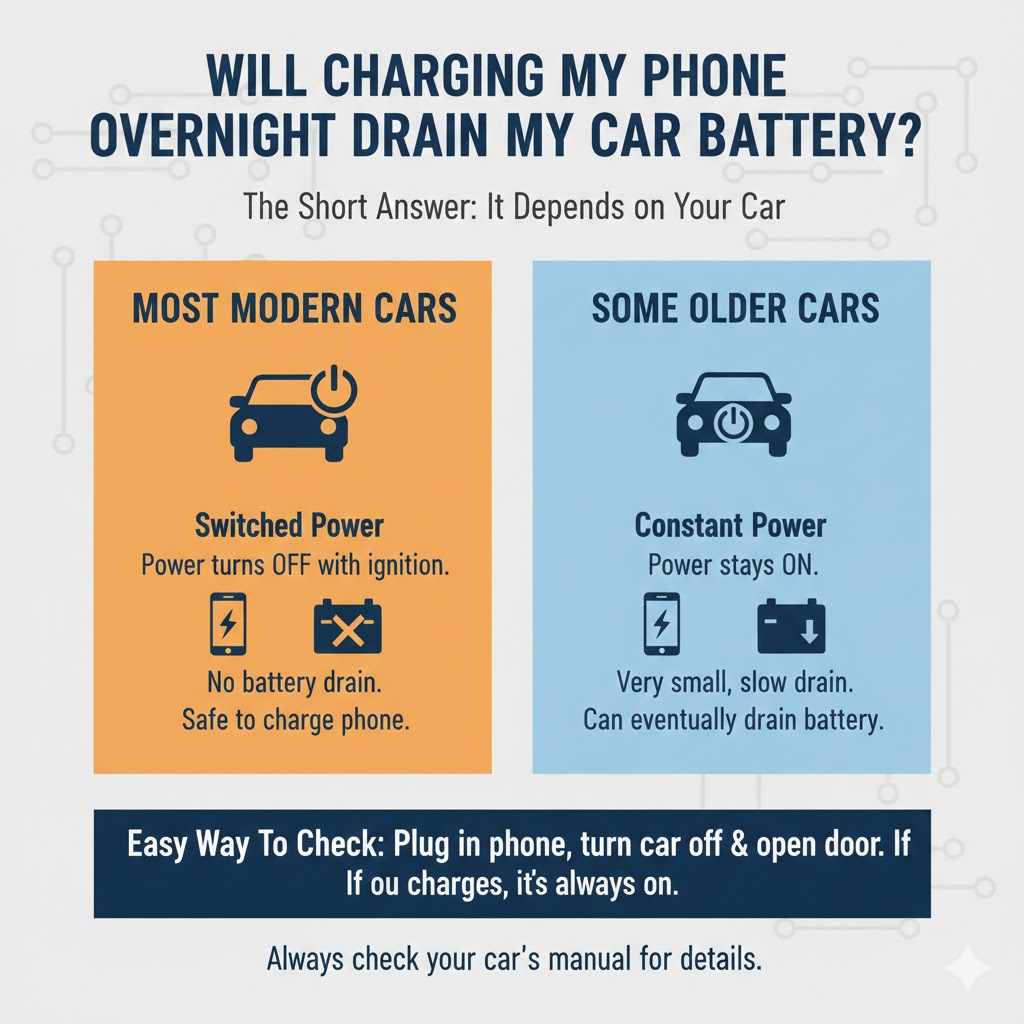
The number one factor that determines if a USB device will drain your battery is your car itself. Vehicle manufacturers design their electrical systems differently. Here’s the main difference:
- Most Modern Cars (Switched Power): In the majority of cars made in the last decade, the USB ports are connected to “switched” power. This is a fancy way of saying the power to the ports is switched off when you turn off the ignition. The car’s main computer, the Body Control Module (BCM), manages this to prevent battery drain. Once you turn the car off and open the door, the power to the radio, USB ports, and other accessories is cut.
- Some Cars (Constant Power): A smaller number of vehicles, often older models or certain trucks and utility vehicles, have USB ports or 12V “cigarette lighter” outlets that are always on. This is for convenience, allowing you to charge a device even when the car is off. In this case, leaving something plugged in will cause a very small, continuous drain on the battery.
So, the big question isn’t just if a USB drains the battery, but if your car allows it to. Luckily, there’s an easy way to find out.
How to Tell if Your USB Port Stays On (A 2-Minute Test)
You don’t need any special tools for this. You can check how your car’s USB ports behave with this simple test. It will give you a definite answer and peace of mind.
- Plug in a Device with a Light: Find a standard phone charging cable and plug it into your phone. Or, use a USB flash drive that has an indicator light. A small USB-powered light or fan also works perfectly.
- Turn Your Car On: Start the engine or turn the key to the “Accessory” position. You should see the device begin to charge or the light on the flash drive turn on. This confirms the port is working.
- Turn Your Car Off Completely: Now, turn the ignition completely off. Remove the key and, for good measure, open and close the driver’s side door (as this signals to many cars that it’s time to shut everything down).
-
Observe the Device: Go back and look at the device you plugged in.
- Is your phone still charging?
- Is the indicator light on the USB stick still on or flashing?
- Is the small USB fan still spinning?
- Wait a Few Minutes: Some cars have a delay. They might keep accessories powered for a few minutes or until a door is opened. Give it about 5 to 10 minutes and check again. If the device is still powered on after this time, your USB port provides constant power. If it turned off right away or after a few minutes, your port is switched and won’t drain your battery.
This simple test removes all the guesswork. Now you know for sure how your car operates.
Understanding Your Car’s Power System (The Simple Version)
To really feel confident, it helps to know a little about what’s happening under the hood. Think of your car battery like a rechargeable power bank. When the engine is running, the alternator (your car’s generator) recharges the battery and powers all the electronics. When the engine is off, the battery takes over.
Every car has a tiny, constant power drain called a “parasitic draw.” This is the small amount of electricity needed to keep things like your car’s clock, alarm system, and computer memory running. A healthy car battery is designed to handle this normal draw for weeks without issue.
When you plug something into a USB port that stays on, you are adding to this parasitic draw. The key question is: how much are you adding? And is it enough to cause a problem?
Which Devices Drain the Most Power? A Quick Comparison
Not all USB devices are created equal. A simple phone charger with nothing connected to it draws a minuscule amount of power. A device that is actively working, like a small fan or a charging tablet, will draw more. However, even then, the amount is incredibly small compared to what your battery can handle.
Let’s put it in perspective. The standard USB port in a car provides power at 5 volts and typically between 0.5 to 2.1 amps. This is a very low power output.
Here’s a table to show how little power these devices actually use:
| USB Device | Typical Power Draw | Impact on a Healthy Car Battery |
|---|---|---|
| USB Flash Drive | Extremely Low (around 0.1 amps) | Negligible. It would take many months, possibly over a year, to drain a healthy battery. |
| Phone Charger (Phone Not Connected) | Almost Zero (microamps) | Virtually no impact. The LED light on the charger uses more power than the circuit itself. |
| Smartphone (Actively Charging) | Low (0.5 to 2.0 amps) | Minimal. It would still take many days or weeks to drain a healthy battery. |
| Small USB Fan or Light | Low (around 0.5 amps) | Very low. It would likely take several weeks to have a noticeable effect on a healthy battery. |
| Dash Cam (in Parking Mode) | Low but Continuous (varies) | This is a bigger concern. Dash cams are designed to draw power when the car is off. Most require a special hardwire kit with a voltage cutoff to prevent them from draining the battery. |
As you can see, for most common devices, the power draw is so small that it’s highly unlikely to cause a problem with a healthy battery, even if left for a few days.
The Real Culprits Behind a Drained Car Battery
If you find yourself with a dead battery, the humble USB port is almost certainly not the primary cause. There are far more common and powerful culprits to investigate. According to the U.S. Department of Transportation, proper vehicle maintenance is key to safety and reliability, and that includes your electrical system.
Here are the usual suspects for battery drain:
- Old or Weak Battery: Car batteries don’t last forever. After 3-5 years, they lose their ability to hold a full charge. A weak battery can’t handle even the normal parasitic draw and may die overnight.
- Leaving Lights On: This is the classic battery killer. A single dome light or headlight left on can drain a battery in just a few hours.
- Faulty Alternator: If the alternator isn’t working correctly, it won’t recharge the battery while you drive. You’re essentially running the car on battery power alone, which will drain it quickly.
- A True Parasitic Drain: Sometimes, a component in the car malfunctions and draws more power than it should when the car is off. This could be a faulty radio, a stuck relay, or a bad sensor. This requires a mechanic to diagnose.
- Short, Infrequent Drives: If you only take very short trips, the alternator doesn’t have enough time to fully recharge the battery from the energy used to start the car. Over time, the battery charge will get lower and lower.
- Hardwired Accessories: Aftermarket accessories like powerful sound systems, alarms, or dash cams (without a proper voltage cutoff kit) are common sources of significant battery drain.
When Should You Worry About Your USB Port?
While a USB device is rarely the main problem, there are a few specific scenarios where you should be more cautious:
- Your Battery is Old or Weak: If you know your battery is over four years old or has been giving you trouble starting, you shouldn’t risk any extra drain, no matter how small. An old battery has a much lower reserve capacity and can be pushed over the edge by a tiny, constant draw.
- You’re Leaving the Car Parked for a Long Time: Are you going on vacation for three weeks? Parking your car at the airport? In this case, it’s wise to unplug everything. While a phone charger might not drain a battery in a few days, over several weeks, it contributes to the slow drain that could leave you stranded upon your return.
- You’re Using a High-Power Device: Plugging in a small phone charger is one thing. Plugging in a power-hungry device like a portable cooler, a power inverter, or a string of lights through a 12V-to-USB adapter is another. These devices can draw significantly more power and should not be left on when the engine is off.
Best Practices for Using Your Car’s USB Ports
To keep your car’s battery happy and avoid any potential issues, just follow these simple, common-sense tips.
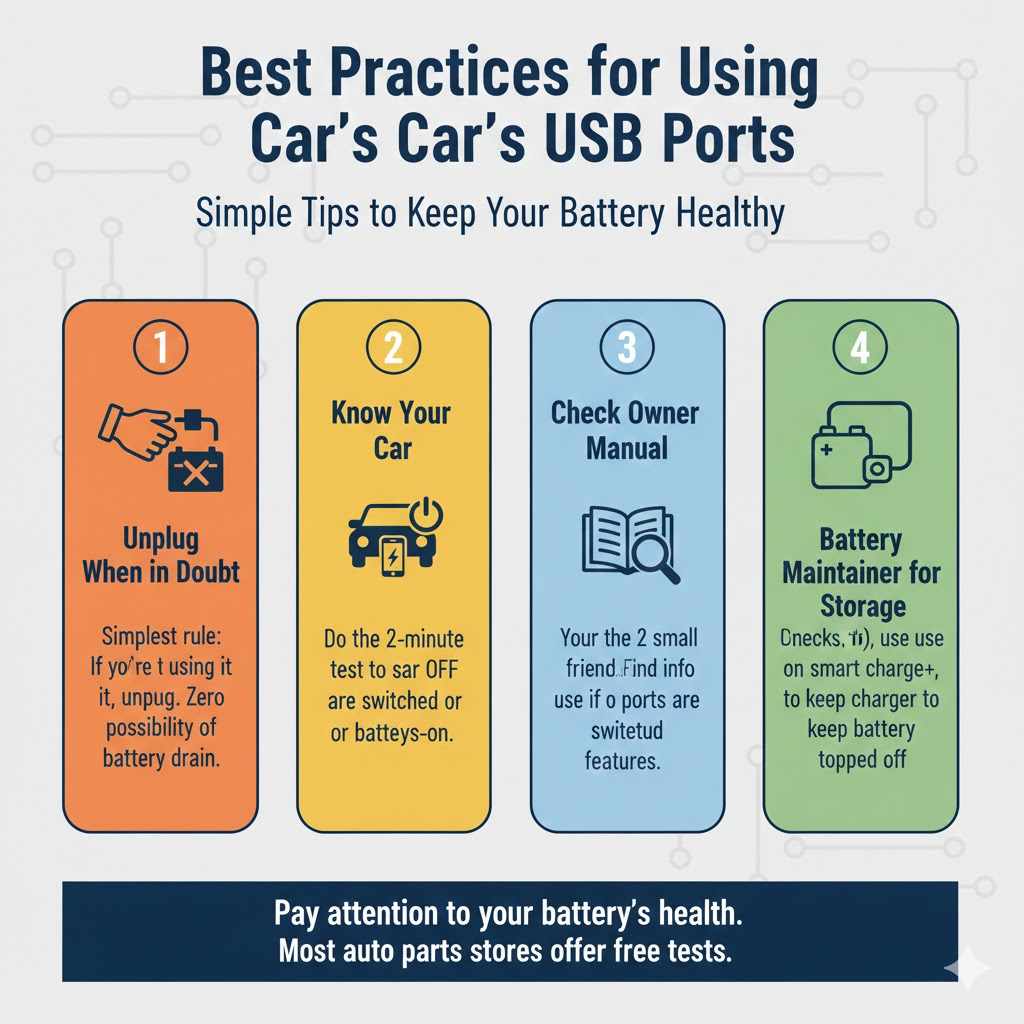
- Unplug When in Doubt: The simplest rule is the best one. If you’re not using it, unplug it. It takes two seconds and removes any possibility of battery drain. Make it a habit, just like grabbing your wallet or house keys.
- Know Your Car: Perform the 2-minute test described above. Knowing whether your ports are switched or always-on gives you the power to make informed decisions.
- Check Your Owner’s Manual: Your car’s manual is your best friend. It will often explicitly state how the accessory power ports work and may include a timeout feature you weren’t aware of.
- Use a Battery Maintainer for Long-Term Storage: If you know you’ll be storing your car for more than a couple of weeks, the best solution is a battery maintainer (or trickle charger). This device provides a very small, smart charge to keep the battery topped off and healthy.
- Pay Attention to Your Battery’s Health: Look for signs of a weak battery, such as slow engine cranking, dimming headlights at idle, or a battery warning light on your dash. Most auto parts stores will test your battery for free.
Frequently Asked Questions (FAQ)
Can a USB flash drive drain a car battery?
Technically, yes, but the amount of power it draws is so incredibly small that it would take many months, or even over a year, to drain a healthy car battery. For all practical purposes, a USB flash drive is not a concern.
What about a phone charger with no phone attached?
An empty phone charger plugged into a USB port draws a negligible amount of power, often measured in microamps. The tiny LED light on the charger is often the biggest power user. It poses absolutely no threat to your car battery.
How long can I leave something plugged into my car’s USB port?
If your car has “switched” ports that turn off with the ignition, you can leave it plugged in indefinitely. If your port is “always-on,” it depends on the device and your battery’s health. For a small device like a charger, you’re likely safe for weeks. For long-term storage (a month or more), it’s best to unplug everything.
Is it better to use a 12V adapter (cigarette lighter) than the USB port?
Both ports can be either “switched” or “always-on,” depending on your car’s design. One is not inherently safer than the other. The 12V port is capable of delivering more power, so it’s more important to be mindful of what you leave plugged into it (like a power inverter or portable cooler).
Will a USB hub draw more power?
A USB hub by itself draws very little power. The total power draw is determined by the devices you plug into the hub. A hub simply allows you to connect more devices, so if you plug in three phones to charge at once, the total drain will be higher than just one. However, the car’s USB port can only supply a limited amount of power, so it can’t be overloaded.
Can I jump-start a car with a dead battery from a USB port?
Absolutely not. This is a dangerous myth. USB ports operate at a very low voltage (5V) and amperage. A car battery operates at 12V and requires hundreds of amps to start the engine. Attempting to force that kind of power through a USB system would damage the electronics and could be a fire hazard.
How do I know if my car battery is weak?
Common signs of a weak battery include the engine turning over slowly when you try to start it (a “rur-rur-rur” sound instead of a quick crank), headlights that dim when the engine is idling, and a battery warning light on your dashboard. If your car is more than 3-4 years old and you experience these symptoms, it’s a good idea to have the battery tested.
Conclusion: Don’t Sweat the Small Stuff
So, does leaving a USB device in your car drain the battery? The simple answer is: it’s extremely unlikely to be a problem for most people.
In modern cars, the power to the ports shuts off automatically. Even in cars where the port stays on, the power draw from a typical USB gadget is tiny—far too small to drain a healthy battery in a short amount of time. You’re far more likely to face a dead battery from leaving a dome light on or simply from an old battery that’s ready for retirement.
By taking two minutes to test your ports, you can know for sure how your car works. By following a few simple best practices, like unplugging devices during long-term parking, you can have complete peace of mind. You are in control. You now have the knowledge to stop worrying about that little charging cable and focus on the road ahead. Happy driving!