GMC Terrain Green Light: The Essential Answer
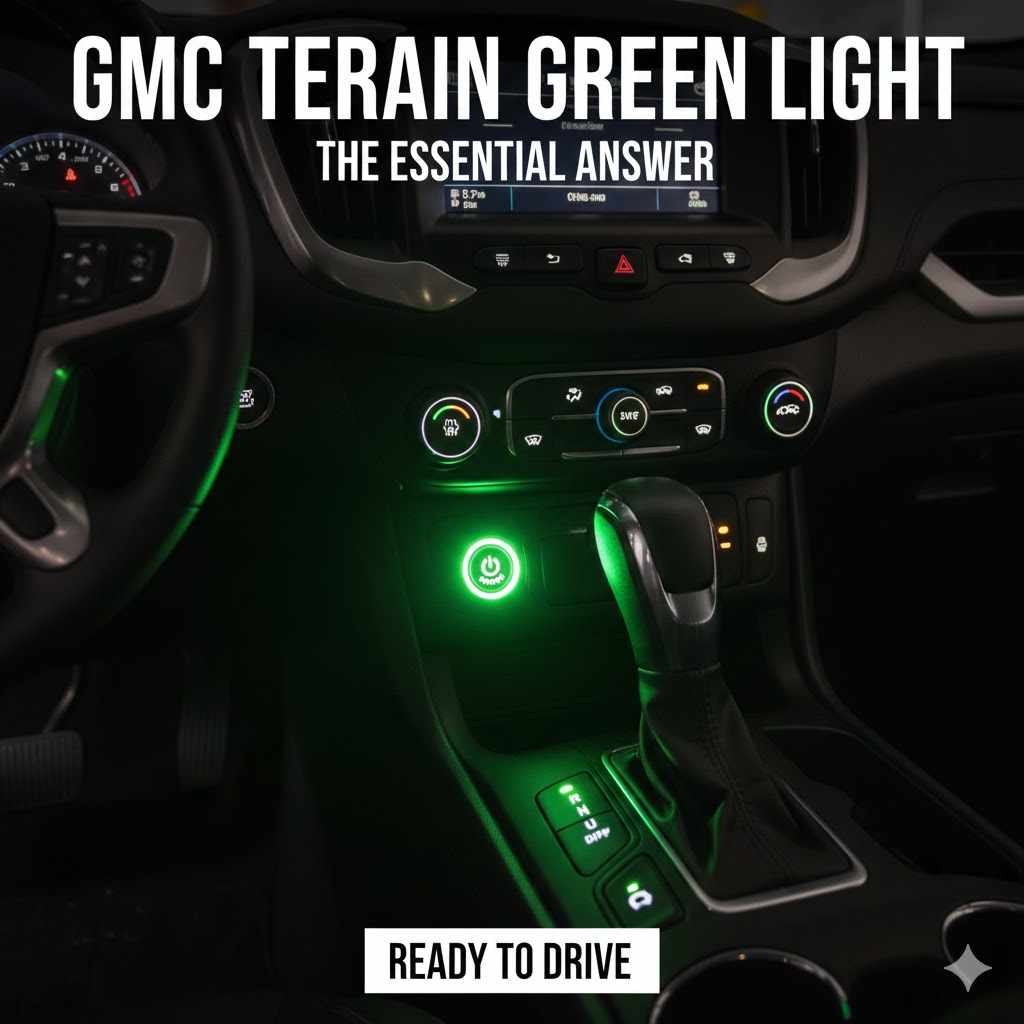
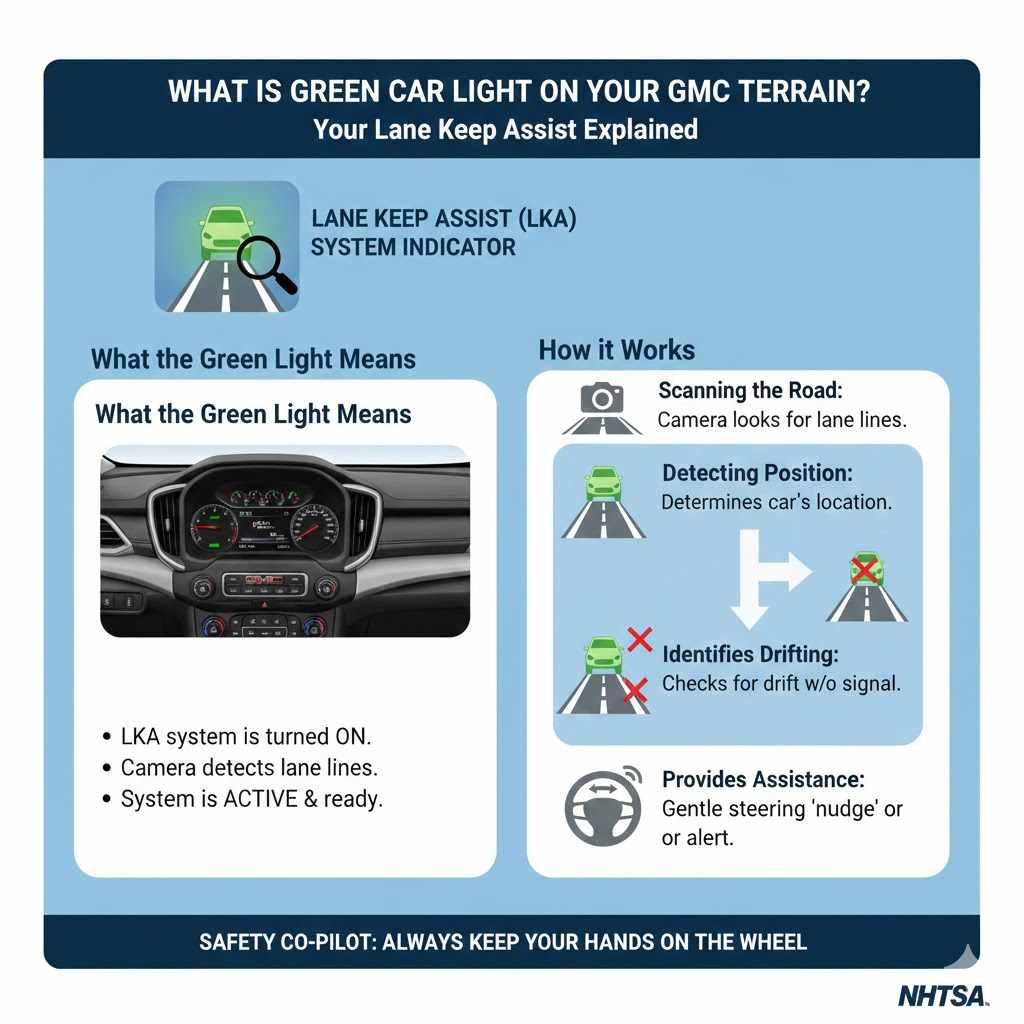
The green car light on your GMC Terrain dashboard means the Lane Keep Assist (LKA) system is active and has detected the lane markings on the road. This driver-assistance feature is ready to help guide your vehicle back into its lane if you start to drift unintentionally. It is a normal indicator, not a warning light.
Seeing a new light pop up on your dashboard can be a little stressful. You wonder, “Is something wrong? Do I need to pull over?” It’s a common feeling, especially with modern cars full of advanced technology. That glowing green car symbol on your GMC Terrain is one of those lights that often causes confusion.
But here’s the good news: you can relax! This particular light is not a warning sign. In fact, it’s telling you that a helpful safety feature is working exactly as it should. In this guide, I’ll walk you through everything you need to know about the GMC Terrain green light. We’ll cover what it means, how it helps you, and how to control it, all in simple, easy-to-understand steps. Let’s get you feeling confident behind the wheel again.
What is the Green Car Light on a GMC Terrain?
The green light shaped like a car between two lines is the official symbol for your vehicle’s Lane Keep Assist (LKA) with Lane Departure Warning (LDW) system. Think of it as your digital co-pilot, designed to make highway driving safer and less stressful.
This isn’t a fault or an error code. It’s an indicator light, similar to the light that shows your high beams or cruise control is on. Its job is simply to communicate the status of this specific safety feature.
When you see this light turn green, your GMC Terrain is telling you:
- The Lane Keep Assist system is turned on.
- Its forward-facing camera has successfully identified the painted lane lines on the road.
- The system is now active and ready to provide gentle steering assistance if needed.
In short, a green light means the system is armed and ready to help keep you safely centered in your lane. It’s a sign that your car’s safety technology is online and looking out for you.
How Does Lane Keep Assist Actually Work?
Understanding how this technology works can make it feel much less mysterious. Your GMC Terrain has a small camera mounted near the top of the windshield, typically behind the rearview mirror. This camera is constantly scanning the road ahead.
Here’s the process in simple steps:
- Scanning the Road: The camera looks for the painted lines (solid or dotted) that define your driving lane.
- Detecting Your Position: Sophisticated software analyzes the camera feed to determine your vehicle’s position relative to those lines.
- Identifying Unintentional Drifting: If the system sees you drifting toward a lane line without your turn signal being active, it assumes the drift is unintentional.
- Providing Assistance: It will then provide a gentle, brief “nudge” to the steering wheel to guide you back toward the center of the lane. It may also provide an audible alert or a vibration in the driver’s seat (Safety Alert Seat).
This system is primarily designed for well-marked roads like highways and freeways. It’s an assistance tool, not a self-driving feature. You must always keep your hands on the wheel and your attention on the road.
Understanding the Different Colors of the Lane Assist Light
The Lane Keep Assist symbol doesn’t just appear in green. It can change colors to communicate different statuses. Knowing what each color means is key to understanding what your car is doing.
| Light Color | What It Means | Action Required |
|---|---|---|
| Green | The system is active and has detected lane markings. It is ready to provide steering assistance. | None. Continue driving normally. The system is ready to help. |
| Amber (or Yellow) | The system is actively intervening. It has detected a lane departure and is either providing a steering nudge or has just issued a warning. | Pay attention and correct your lane position. The system is currently helping you. |
| White (or Gray) | The system is turned on but cannot detect the lane markings. It is standing by but is not active. | None. The system will turn green automatically when it can see the lines again. |
So, if you’re driving on a city street with faded lines or in heavy rain, the light might be white. Once you merge onto a clearly marked highway, it will likely turn green. If you then get distracted and drift, it will flash amber as it corrects your path.
When and Why Does the Green Light Appear?
The green Lane Keep Assist light doesn’t stay on all the time. It will only illuminate under specific conditions where the system can operate effectively. You are most likely to see the green light when:
- You Are Driving at Sufficient Speed: The LKA system is designed for higher-speed driving. It typically activates only when you are traveling above a certain speed, usually around 37 mph (60 km/h). Below this speed, the light will remain white or off.
- The Road Has Clear Lane Markings: The camera needs to see well-defined painted lines on both sides of the car. If the lines are faded, covered by snow, or non-existent (like on a rural country road), the system won’t activate.
- Weather and Lighting Conditions are Good: Heavy rain, thick fog, snow, or direct sun glare can interfere with the camera’s ability to see the lane lines. In these situations, the light will likely switch from green to white.
- The Windshield is Clean: The camera looks through the windshield. If the area in front of the camera is blocked by dirt, mud, ice, or even a poorly placed sticker, it cannot function properly.
The system is smart enough to know when it can and cannot work. The green light is your confirmation that all the necessary conditions have been met for it to be effective.
How to Turn Lane Keep Assist On and Off
While Lane Keep Assist is a fantastic safety feature, you have full control over it. There may be times you prefer to drive without it, such as on winding roads or in construction zones. Turning it on or off is simple.
Follow these steps to control the LKA system:
- Locate the Button: Find the Lane Keep Assist button. In most GMC Terrains, this button is located on the steering wheel. It will have the same icon as the dashboard light: a car between two lines.
- Press to Activate/Deactivate: Simply press the button to toggle the system on or off.
- Check the Dashboard for Confirmation: When you press the button, a message will usually appear on your Driver Information Center (the screen in your instrument cluster) confirming that the system is on or off. The corresponding white or green dashboard light will appear when it’s on and disappear when it’s off.
Many drivers choose to leave the system on all the time, allowing it to activate automatically when conditions are right. Others prefer to turn it on manually only for long highway trips. The choice is yours!
Is it Safe to Drive with the Green Light On?
Absolutely. In fact, it’s safer. The green light indicates that an advanced safety feature is active and ready to protect you. It is not a warning light like the “Check Engine” light or the oil pressure light, which require immediate attention.
However, it is crucial to remember that Lane Keep Assist is a driver-assistance technology, not a replacement for an attentive driver. The National Highway Traffic Safety Administration (NHTSA) emphasizes that these systems are designed to support the driver, not to take over the task of driving. Always keep your hands on the wheel, your eyes on the road, and be prepared to take full control of your vehicle at all times.
Troubleshooting: Why Isn’t My Lane Assist Light Turning Green?
Sometimes you might expect the green light to come on, but it stays white or doesn’t appear at all. This usually doesn’t mean the system is broken. Most of the time, it’s because one of the required operating conditions isn’t being met.
Here is a checklist of common reasons why the LKA light may not be green:
- The System is Turned Off: The most common reason! You might have accidentally pressed the button on the steering wheel. Try pressing it again to ensure the system is enabled.
- You’re Driving Too Slowly: Remember, the system generally requires a speed of at least 37 mph (60 km/h) to activate.
- Poor Road Markings: The camera cannot find clear lines to track. This happens frequently in construction zones, on roads with very old, faded paint, or after a fresh snowfall has covered the lines.
- Bad Weather: Heavy rain, snow, or fog can obscure the camera’s vision, preventing it from detecting lane lines.
- Dirty Windshield: Check the area of the windshield in front of the rearview mirror. Is it covered in dirt, bugs, or frost? A quick wipe with a clean cloth can often solve the problem.
- Driving into Direct Sunlight: If you are driving directly into a low, bright sun (like at sunrise or sunset), the glare can temporarily blind the camera.
- Towing a Trailer: On some vehicles, advanced safety systems like LKA are automatically disabled when you are towing a trailer.
If you have checked all these things and the system still refuses to activate under ideal conditions (clear day, clean windshield, well-marked highway, speed above 40 mph), then it may be time to have it inspected by a certified GMC technician.
Other Common Green Lights on Your Dashboard
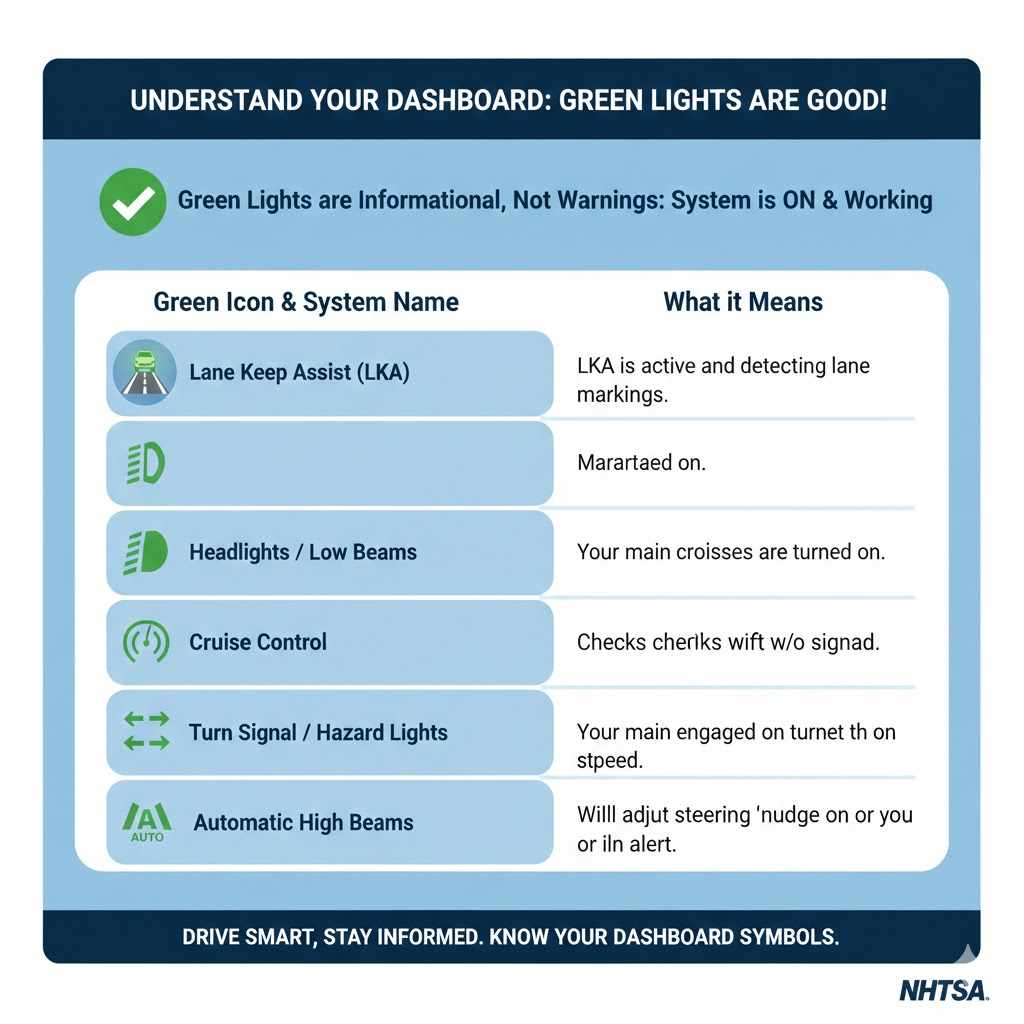
The green car icon for Lane Keep Assist is just one of several green lights you might see. Green dashboard lights are almost always informational—they tell you a system is on and working correctly. They are not warnings.
Here’s a quick guide to differentiate the LKA light from other common green indicators.
| Green Icon | System Name | What it Means |
|---|---|---|
| Car Between Lines | Lane Keep Assist (LKA) | LKA is active and detecting lane markings. |
| Headlight with Lines | Headlights / Low Beams | Your main headlights are turned on. |
| Speedometer with Arrow | Cruise Control | Cruise control is engaged and maintaining a set speed. |
| Flashing Arrow (Left or Right) | Turn Signal / Hazard Lights | Your turn signal or hazard lights are active. |
| Headlight with “AUTO” or “A” | Automatic High Beams | Your automatic high beam system is on and will adjust the beams for you. |
Understanding these different symbols helps you quickly interpret the messages your car is sending, building your confidence and making you a more informed driver.
Frequently Asked Questions (FAQ)
1. Is the GMC Terrain green car light a warning?
No, it is not a warning light. The green car light is an indicator that your Lane Keep Assist (LKA) system is active and ready to help. It’s a positive signal that a safety feature is working correctly.
2. Can I still drive if the light is white or amber?
Yes. A white light simply means the system is on but can’t detect lane lines, so it’s in a standby mode. An amber light means the system is actively helping you steer back into your lane. In all cases, the vehicle is perfectly safe to drive.
3. Does Lane Keep Assist steer the car for me?
No, it does not steer for you in the way a self-driving car would. It provides small, temporary steering adjustments to nudge you back into your lane if you drift. You must always maintain full control of the steering wheel.
4. Why does my green car light turn on and off while I’m driving?
The light will switch between green and white as driving conditions change. It will be green on well-marked roads and turn white if the lines become unclear, you slow down below the activation speed, or weather conditions worsen. This is normal behavior.
5. How do I clean the sensor for the Lane Keep Assist system?
The “sensor” is actually a camera located behind your windshield, near the rearview mirror. To clean it, simply clean your windshield thoroughly, paying special attention to that area. Use a quality glass cleaner and a clean microfiber towel.
6. Does using Lane Keep Assist use more fuel?
No, the Lane Keep Assist system uses a negligible amount of electrical power and has no measurable impact on your vehicle’s fuel economy. It’s an electronic system that works with the existing power steering.
7. Is this green light feature standard on all GMC Terrains?
Lane Keep Assist with Lane Departure Warning is part of the standard “GMC Pro Safety” package on most modern GMC Terrain models, including the 2021 model and newer. However, on some older models or base trim levels, it may have been an optional feature.
Conclusion: Your Guide to Driving with Confidence
That little green car on your GMC Terrain’s dashboard is a friend, not a foe. It’s a quiet confirmation that your vehicle is equipped with modern technology designed to keep you safer on the road. By now, you know that this light means your Lane Keep Assist system is active, watching the road, and ready to offer a helping hand if you get distracted.
You’ve learned what the different colors mean, why the light appears, and how to control the system with the touch of a button. More importantly, you’ve taken a step toward better understanding your vehicle, and that knowledge is the key to becoming a more confident and empowered driver.
So the next time that green light appears as you merge onto the highway, you can smile. It’s just your GMC Terrain letting you know it’s got your back. Happy and safe driving!