How Do I Get Satellite Radio In My Car? Easy Setup Guide
Satellite radio provides commercial-free music and diverse talk channels nationwide through a dedicated satellite network. Setting it up involves choosing a subscription plan and ensuring your vehicle has a compatible receiver, often requiring a simple antenna installation.
Understanding Satellite Radio
Satellite radio is a way to listen to radio stations from space. It’s different from the regular FM and AM radio you might be used to. These stations come through satellites orbiting the Earth.
This means you can listen to the same channels no matter where you are in the country. It’s like having your favorite radio shows with you on a long road trip.
Think about your current radio. You might get static when you drive far from a city. You might have to switch stations a lot.
Satellite radio solves this. It uses special receivers and antennas. These pick up signals from the satellites directly.
This gives you a very clear sound. Most importantly, many of the music channels play songs without any commercials. This is a big draw for many people.
There are usually two main providers for satellite radio. The most well-known in the U.S. is SiriusXM.
They offer hundreds of channels. These include a wide mix of music genres. There are also news channels, sports channels, and comedy shows.
You can find channels dedicated to specific music artists or eras. You can also get live sports commentary and analysis.
The service works on a subscription basis. You pay a monthly fee. This fee covers the cost of broadcasting and the content.
Content creators, like musicians and talk show hosts, are paid. This allows them to create unique shows for the service. You won’t find these specific shows on regular radio.
My Own Satellite Radio Adventure
I remember when I first got serious about improving my car’s sound system. I was driving from California to Texas. That’s a long drive!
I started noticing my usual FM stations fading out. It was so annoying. I’d try to find something good to listen to, but it was mostly static or ads.
I was really starting to get frustrated with the drive.
Then I remembered hearing about satellite radio. My friend had it in his truck. He told me how he never lost signal.
He could listen to the same cool music channels the whole way. I decided to look into it. I found out my car actually had the receiver built-in!
I just needed an antenna and a subscription. It felt like unlocking a new world of sound for my trip. The setup was easy, and that drive became so much more enjoyable.
No more static!
Satellite Radio Basics: What You Need
Receiver: This is the part that picks up the satellite signal. It’s either built into your car or a separate unit you add. Many newer cars have this already.
Older cars might need a special adapter or a portable unit.
Antenna: This special antenna is designed to connect to satellites. It’s usually a small, magnetic piece that sits on your car’s roof. It needs a clear view of the sky to work best.
Subscription: You’ll need to sign up for a service plan. This gives you access to the channels. Plans vary in price and what channels they include.
You can often choose based on your interests, like music or sports.
Activation: Once you have the hardware and a subscription, you need to activate the service. This links your receiver to your account. It’s usually done online or over the phone.
Types of Satellite Radio Receivers
When you’re looking at getting satellite radio, the receiver is key. This is the box or system that tunes into the satellite channels. There are a few main ways this happens for your car.
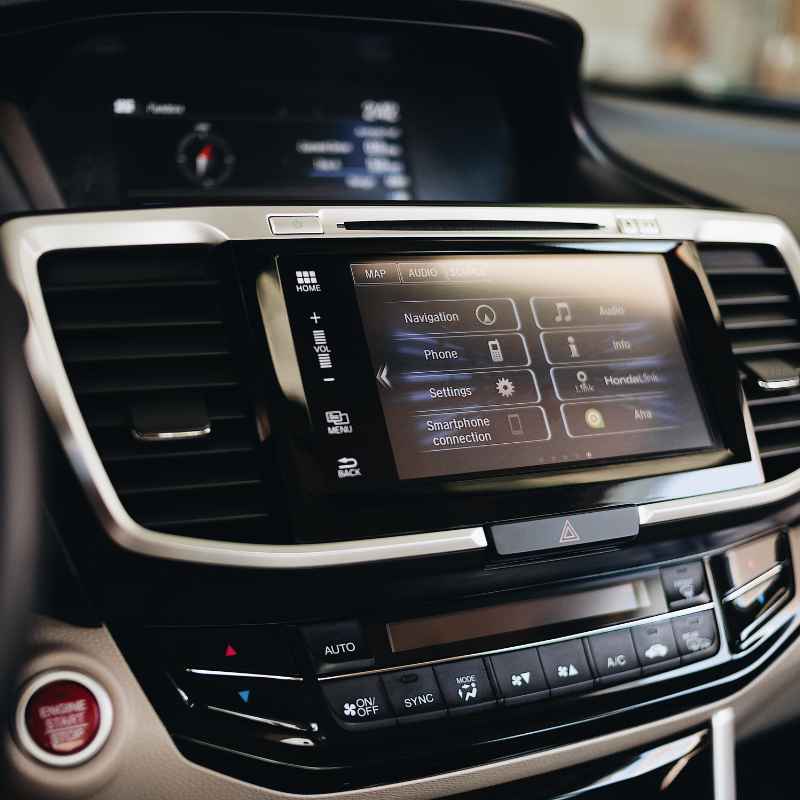
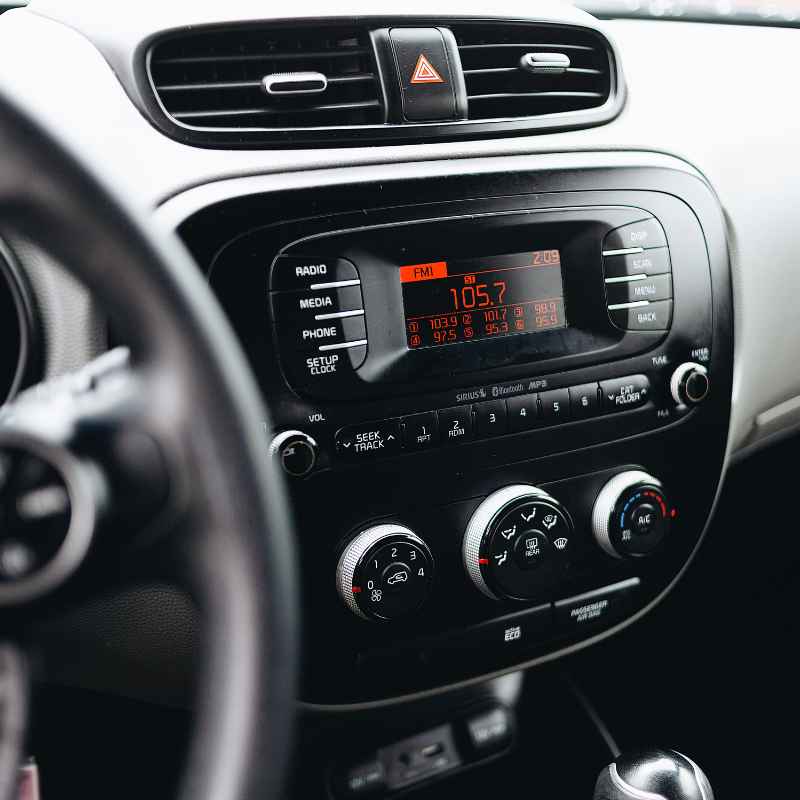
Many cars made in the last 10-15 years have a built-in satellite radio receiver. You might see a small shark-fin antenna on the roof. Or you might see a SiriusXM button on your radio display.
If your car has this, you are already halfway there! You just need to subscribe and activate the service. The car’s existing stereo system will handle playing the sound.
For cars without a built-in receiver, you have other choices. One popular option is a portable satellite radio. These are devices you can buy that come with their own antenna and a suction cup mount.
You can use them in multiple cars or even at home with a home kit. They plug into your car’s power outlet and connect to your car’s audio system. This connection can be through an FM transmitter or an auxiliary (AUX) cable if your car has one.
Another option is a satellite radio car kit. These kits are designed to add satellite radio to an existing car stereo. They typically include a receiver unit and an antenna.
The receiver is often installed discreetly. It then sends the audio signal to your car’s radio via a wire or a built-in FM transmitter. This can give a more integrated feel than a portable unit.
When choosing a receiver, think about how you want to use it. Do you want a permanent solution in one car? A built-in or car kit might be best.
Do you want flexibility? A portable unit is a good choice. Always check that the receiver is compatible with the satellite radio service you want.
SiriusXM is the main one in the U.S.
Choosing Your Satellite Radio Subscription
Once you have a receiver, the next big step is picking a subscription plan. Satellite radio services, like SiriusXM, offer different packages. These packages are designed to fit various listening needs and budgets.
It’s important to choose one that matches what you want to hear.
Most plans will fall into a few main categories. There are plans focused heavily on music. These might give you access to all the genre-specific music channels.
You’ll find everything from classic rock to hip-hop, country to jazz. Many of these music channels are completely commercial-free. This is a major selling point for many listeners.
Other plans might include more talk radio. This could be news from various sources, sports analysis, comedy shows, and celebrity interviews. If you enjoy listening to podcasts or live sports broadcasts, these plans are for you.
Some packages combine music and talk channels. They offer a broad selection of everything.
When you look at subscriptions, pay attention to the details. What channels are included in each tier? Are there any hidden fees?
How long is the initial promotional period? Many services offer discounted rates for the first few months or a year.
It’s also wise to consider your listening habits. Do you mostly listen to music while driving? Or do you prefer listening to sports or news updates?
Do you have a favorite artist or show that you want to be able to listen to anywhere? Answering these questions will help you narrow down the best plan for your needs.
Don’t be afraid to shop around or ask questions. Customer service can help you understand the differences between plans. Sometimes they can even offer custom deals.
Many people find that a year-long subscription offers the best value. You can usually renew it later, though rates might change.
Subscription Plan Snapshot (Example Tiers)
Music & Entertainment: Access to all music channels, many commercial-free. Includes select entertainment and comedy talk channels.
All Access: Includes everything in Music & Entertainment plus all talk, news, sports, and dedicated channels. Often includes streaming access online and on mobile devices.
News, Sports & Talk: Focuses on live sports, news from major outlets, and popular talk shows. May have fewer music channels.
Specialty Packs: Sometimes offered for specific interests like Howard Stern or a particular sports package.
Setting Up Your Satellite Radio Antenna
The antenna is the vital link between your receiver and the satellites in space. For satellite radio to work well, the antenna needs a clear view of the sky. This is why its placement is so important.
Most antennas are magnetic and designed to be easy to install.
For cars with a factory-installed receiver, the antenna is usually already in place. It’s often a small fin on the roof. If you ever notice a loss of signal, check that the antenna isn’t covered by something.
Snow, ice, or even a large tree branch can block the signal. Keep it clean.
If you are using a portable satellite radio or a car kit, you will likely need to attach an external antenna. The most common type is a small, magnetic-based antenna. These are designed to sit on the metal roof of your car.
The metal surface helps to ground the antenna and improve its reception.
Placement is key: You want the antenna as close to the center of the roof as possible. This gives it the best all-around view of the sky. Avoid placing it directly above large metal parts that might interfere.
Some people worry about water getting in if they have to run a cable. However, most portable kits are designed so the cable can run through a door seal without causing leaks.
When you first place the antenna, give it a good push. Make sure it’s firmly attached. You don’t want it flying off while you’re driving!
If you are installing a more permanent car kit, follow the manufacturer’s instructions carefully. They often involve routing wires under trim panels.
It’s a good idea to test the reception in different locations. Drive around your neighborhood or a nearby open area. See how well the channels come in.
If you experience a lot of dropouts, you might need to adjust the antenna’s position slightly. Sometimes moving it just a few inches can make a difference.
Remember that even with perfect placement, there will be times you lose signal. Driving under a very thick overpass or in a deep canyon can temporarily block the satellites. This is normal.
The system is designed to reconnect quickly once the signal is restored.
Antenna Placement Tips
- Center of the Roof: This is usually the best spot.
- Clear View: Ensure no large objects are directly overhead.
- Magnetic Mount: Stick it firmly to a clean, metal surface.
- Cable Routing: Gently guide cables through door seals if needed.
- Test Reception: Drive around to check for signal quality.
Activating Your Satellite Radio Service
You’ve got your receiver, you’ve picked your subscription, and you’ve installed your antenna. The next step is to bring it all to life: activation. This is the process that connects your specific satellite radio hardware to your chosen service plan.
Most satellite radio providers make activation pretty straightforward. You can usually do it online through their website. Or, you can call their customer service number.
Many people find the online process to be the quickest. You’ll typically need to have your radio ID or ESN (Electronic Serial Number) handy. This is a unique number for your receiver.
Where do you find this number? It’s usually printed on the receiver itself. For built-in car systems, you can often find it displayed on the radio screen.
You might need to navigate through a menu like “Settings” or “Info.” Sometimes, the service provider will send you a card with this number when you buy the radio.
When you go through the activation process, you’ll be asked to enter your radio ID. You’ll also confirm your subscription package and provide payment information. Once this is done, the service typically takes a few minutes to activate.
Sometimes it can take up to an hour.
A common tip is to position your antenna in a place with a clear view of the sky while you activate. This ensures the receiver can communicate with the satellites. You might even see a message on your radio screen saying “Activation in Progress” or “Initializing.”
What if it doesn’t activate right away? Don’t panic. Sometimes it takes a bit longer.
Try turning your car off and on again. You can also try rescanning for channels. If you’re still having trouble, calling customer support is the best next step.
They can check your account and troubleshoot the issue remotely.
It’s also worth noting that many new cars come with a free trial of satellite radio. This is a great way to test it out before committing to a long-term subscription. Make sure you know when the trial ends and what you need to do if you don’t want to be charged.
Activation Checklist
- Find your Radio ID/ESN: Check the receiver or radio display.
- Choose Activation Method: Online or by phone.
- Confirm Subscription: Make sure you selected the right plan.
- Provide Payment Info: Have your credit card ready.
- Wait for Activation: Allow some time for the signal to go through.
- Test Channels: Scan for your favorite stations.
Enjoying Your New Satellite Radio Experience
Congratulations! You’ve gone through the steps, and your satellite radio should now be up and running. The best part is exploring all the channels and features now available to you.
It’s like having a whole new entertainment system in your car.
Take some time to browse through the different categories. Many systems allow you to set favorite channels. This makes it easy to jump to your preferred stations without scrolling through dozens of others.
You can often set up alerts for your favorite artists or shows, too.
Consider the benefits. You’ll experience clear, consistent sound wherever you drive. This is a game-changer for long road trips.
You’ll also have access to a vast library of music and talk content. Many channels offer exclusive shows you can’t find anywhere else. For example, some channels are dedicated to specific musicians and play their entire catalog.
Think about the variety. Are you a sports fan? You can catch live play-by-plays of many major leagues.
Do you love comedy? There are channels dedicated just to that. Want to learn something new?
There are news and educational channels. It’s a fantastic way to make your daily commute or any drive more engaging and enjoyable.
Keep in mind that satellite radio subscriptions often include streaming access. This means you can listen to satellite radio content on your smartphone, tablet, or computer. This is perfect for when you’re away from your car.
You can continue to enjoy your favorite shows and music.
It’s also a good idea to periodically check for new channels or programming. Satellite radio providers are always adding new content. You might discover a new favorite artist or talk show host.
Tips for the Best Satellite Radio Experience
Explore Diverse Channels: Don’t just stick to what you know. Try out different genres.
Set Favorites: Save your top channels for quick access.
Use Streaming Access: Listen on other devices when you’re not driving.
Check for Updates: Stay informed about new channels and shows.
Keep Antenna Clear: Ensure it has a good view of the sky.
Troubleshooting Common Satellite Radio Issues
Even with a smooth setup, you might run into a hiccup now and then. Most satellite radio problems are pretty easy to fix. The key is to know what to look for.
No Sound or “Acquiring Signal”: This is the most common issue. It usually means the antenna isn’t getting a clear signal from the satellites. First, check the antenna’s placement.
Is it on a metal surface? Is it clear of obstructions? If you’re in a parking garage or under a very dense tree cover, this can happen.
Move the vehicle to an open area. If it persists, try power cycling the receiver (turn the car off, wait a minute, then turn it back on). If it’s a portable unit, unplug it, then plug it back in.
Intermittent Signal Loss: This can happen when driving through certain areas like tunnels, under large overpasses, or in deep valleys. It’s usually temporary. If it happens frequently in familiar areas, check your antenna again.
Make sure it’s securely attached and not damaged.
Channels Not Working / “Subscription Required” Message: This often means your subscription has expired or there was an issue with activation. Double-check your subscription status online or by calling customer service. If you recently activated, it might just need a little more time.
Try rescanning the channels. A full power cycle of the receiver often helps.
Poor Audio Quality: While satellite radio is known for clarity, sometimes background noise can be perceived. Ensure your car’s audio settings are not causing distortion. If you are using an FM transmitter, try a different FM frequency.
A direct AUX connection usually provides better sound quality if your car has the port.
Receiver Not Turning On: For portable units, check if it’s properly plugged into the power source. Try a different power outlet. For built-in systems, there might be a fuse issue.
Consult your car’s manual or a mechanic if you suspect this. Make sure the receiver itself isn’t physically damaged.
If you’ve tried these basic steps and are still experiencing problems, it’s time to contact the satellite radio provider’s customer support. They have tools to diagnose issues remotely and can guide you through more advanced troubleshooting or arrange for repairs if needed. Remember, a little patience can often solve many of these small annoyances.
Quick Fixes for Common Problems
Problem: No Signal / Acquiring Signal
Check: Antenna placement, clear sky view.
Try: Move to open area, power cycle receiver.
Problem: Intermittent Signal Loss
Check: Antenna security, obstructions.
Try: Adjust antenna, check for known dead spots.
Problem: Subscription Issues
Check: Subscription status, activation time.
Try: Rescan channels, contact provider.
Frequently Asked Questions About Satellite Radio
Is satellite radio free?
No, satellite radio services like SiriusXM operate on a subscription basis. You pay a monthly or annual fee to access their programming. Some new cars may come with a free trial period.
Do I need a special car for satellite radio?
Not necessarily. Many modern cars come with satellite radio receivers built-in. If your car doesn’t have one, you can add satellite radio using a portable receiver or a car kit.
These connect to your car’s existing audio system.
How do I install the satellite radio antenna?
Most antennas are magnetic and attach to the metal roof of your car for best reception. For portable units, the cable can often be routed through a door seal without causing leaks. Always follow the specific installation instructions for your device.
Can I listen to satellite radio on my phone?
Yes, most satellite radio subscriptions include streaming access. This means you can listen to your favorite channels on your smartphone, tablet, or computer through an app or website.
What happens if I lose signal?
Signal loss can occur in areas with heavy obstructions like tunnels, parking garages, or dense forests. This is usually temporary. The receiver will automatically reconnect once it gets a clear view of the satellites again.
How do I know if my car has satellite radio?
Check your car’s radio display for a “SiriusXM” button or logo. You might also see a small shark-fin antenna on the roof. Your car’s owner’s manual can also confirm if it has a factory-installed satellite radio receiver.
Final Thoughts on Getting Satellite Radio
Getting satellite radio in your car is a straightforward process. It brings a world of clear, commercial-free entertainment to your drives. From choosing the right receiver to picking a subscription and setting up the antenna, each step is manageable.
Enjoying your favorite music and talk shows nationwide is now within reach. It truly enhances the driving experience.
Products related to this article
Sponsored / affiliate links. As an Amazon Associate I earn from qualifying purchases. I may earn additional commission from eligible campaigns.