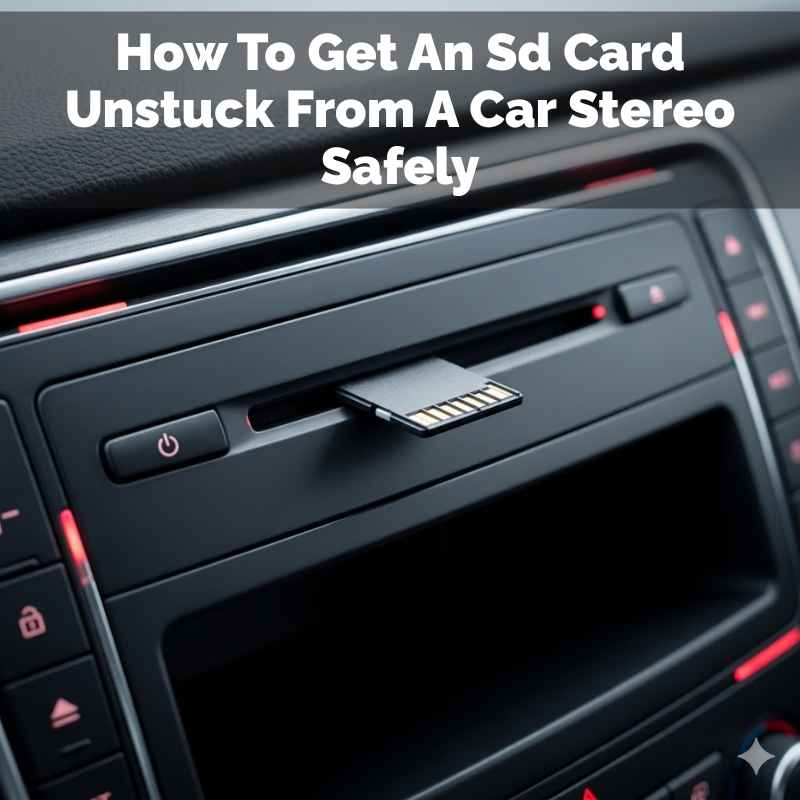
How To Get An Sd Card Unstuck From A Car Stereo Safely
You can often get an SD card unstuck from a car stereo by using gentle tools like tweezers or a thin blade to carefully pry it. If that doesn’t work, try blowing compressed air into the slot to dislodge dust. Sometimes, a slight push on the card’s edge helps. Always work slowly and avoid force.
Understanding Why SD Cards Get Stuck
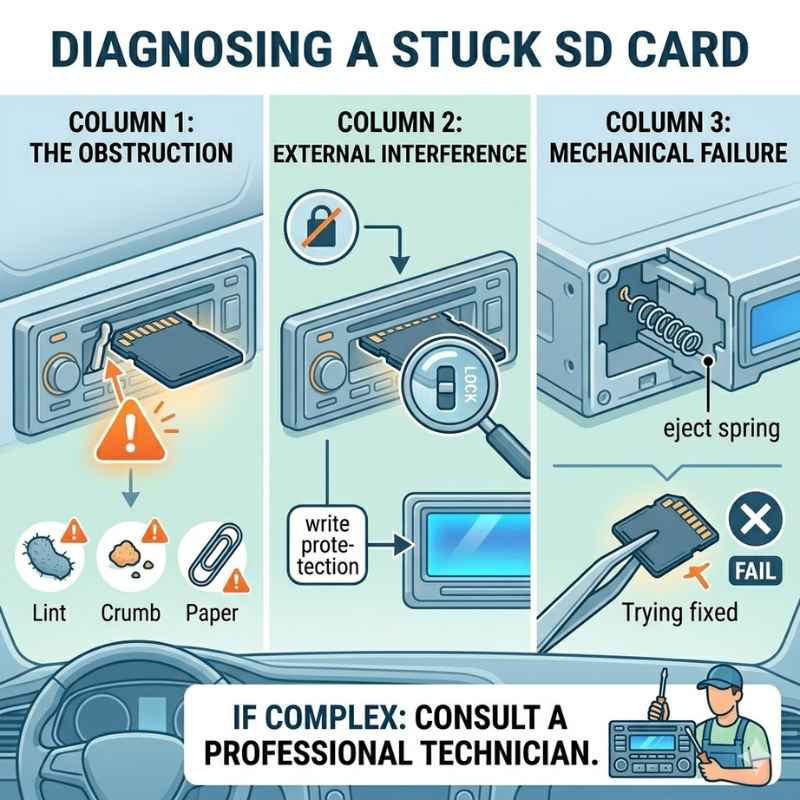
SD cards are small. They fit into tight slots. Sometimes, tiny pieces of dust or debris can get inside.
This can wedge the card in place. Other times, the card might not have been inserted perfectly straight. This can cause it to catch on the internal pins.
The metal contacts inside the slot can also get bent. This might happen if the card was forced in. Or, over time, the slot itself might loosen a bit.
This can make the card fit more snugly. It’s rare, but moisture can also play a role. If it gets into the slot, it can cause a sticky feeling.
My Own SD Card Scare
I remember one time, it was a sweltering July afternoon. I was driving home from a long trip. I wanted to switch to my favorite podcast playlist.
I reached for the SD card in my car stereo. I pushed the eject button, but nothing happened. I tried to pull it out.
It just wouldn’t budge.
My heart sank a little. I pictured the tiny pins inside the stereo getting bent. I imagined spending a fortune to fix it.
I sat there for a moment, just staring at the little card. It felt like it was mocking me. I knew I had to be patient.
Forcing it would be the worst thing to do.
Common Causes for Stuck SD Cards
Dust and Debris: Tiny particles can build up. They act like glue or wedges.
Improper Insertion: Not lining up the card perfectly can cause it to snag.
Bent Pins: Forceful insertion or removal can bend the delicate pins inside the slot.
Wear and Tear: Over time, the slot mechanism can become loose.
Moisture: Liquids can create a sticky residue.
Gentle Approaches: The First Line of Defense
When your SD card is stuck, patience is your best friend. Start with the easiest methods. Avoid any actions that require significant force.
Think of it like coaxing a shy cat out from under the sofa. You don’t want to scare it more.
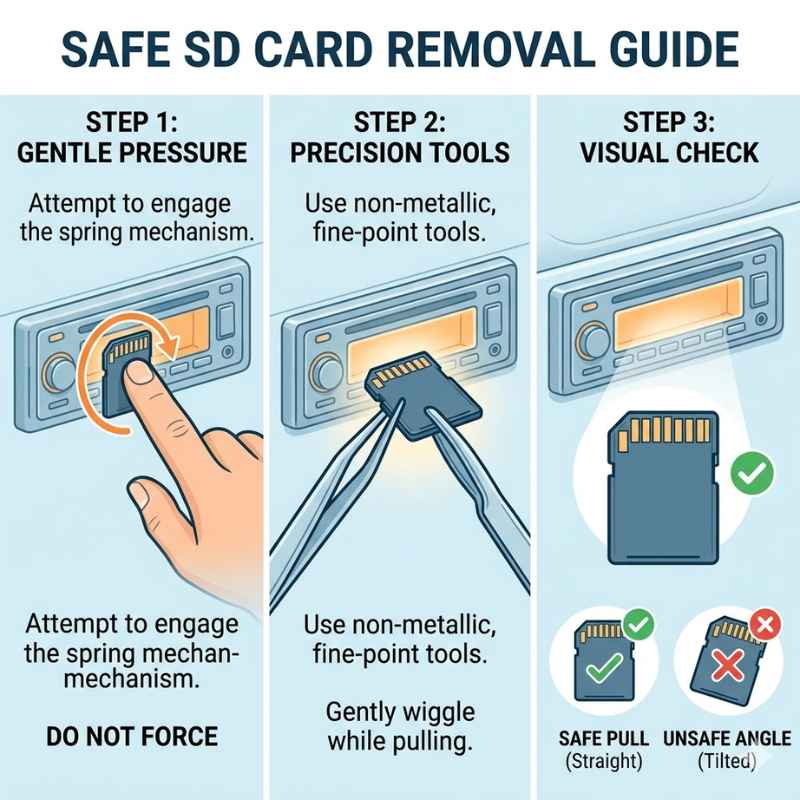
Most car stereos have a small button or lever. This is meant to release the SD card. Make sure you are pressing this release mechanism correctly.
Sometimes, you need to press it firmly. Other times, a gentle, sustained press is better. Try pressing it while gently tugging on the card.
Using Tweezers for a Gentle Grip
If the card still won’t move, a pair of fine-tipped tweezers can help. You want tweezers that are long and slender. They should have a good grip.
Carefully try to grasp the edge of the SD card. Make sure you are only touching the plastic part of the card.
Avoid touching the metal contacts on the card. Also, be super careful not to touch anything inside the stereo slot. Once you have a good grip, try to pull the card straight out.
Don’t twist or bend it. A slow, steady pull is key. Sometimes, this slight extra grip is all it needs.
Quick Scan: Tools for Retrieval
| Tool | How to Use | Caution |
|---|---|---|
| Fine-tipped Tweezers | Grasp card edge, pull straight out. | Avoid metal contacts and slot internals. |
| Thin Plastic Pry Tool | Gently slide along card edge, ease out. | Do not force; use only if slot allows. |
| Compressed Air Can | Short bursts into slot, then try ejecting. | Hold can upright; avoid spraying liquid. |
| Thin Paperclip (unbent) | Gently nudge card edge. | Use extreme care not to scratch internals. |
When Gentle Isn’t Enough: Air and Light Pressure
Sometimes, the problem is a tiny bit of dust. Or maybe the card is just slightly misaligned. Compressed air can be a lifesaver here.
Get a can of compressed air made for electronics. Make sure you hold the can upright.
Use the small straw attachment. Aim it at the sides of the SD card slot. Give it a few short bursts.
Don’t spray for too long. You don’t want to cool the components down too much. After using the air, try the eject button again.
You might hear a slight pop as the card frees up.
The “Push and Pull” Technique
This method requires a very light touch. Sometimes, pushing gently on the edge of the SD card that is facing you can help. This might shift it just enough.
You are trying to overcome a slight snag. Do this while simultaneously trying to pull the card out.
Think of it as nudging it back into alignment. This is delicate work. You only want to apply the smallest amount of pressure.
If you feel resistance, stop immediately. This is not about brute force. It’s about subtle manipulation.
Myth vs. Reality: SD Card Retrieval
Myth: Just yank the card out with all your might.
Reality: This can easily damage the card slot or the card itself. Patience and gentle methods are best.
Myth: You need to disassemble the car stereo.
Reality: For most stuck SD card issues, this is unnecessary and can void warranties.
Myth: A stuck SD card always means an expensive repair.
Reality: Often, simple, non-invasive methods can solve the problem.
Using Thin Tools for Leverage
If tweezers don’t work, you might consider a very thin, flat object. Think of a plastic shim or a thin credit card. Some people use a guitar pick.
The idea is to slide something thin between the SD card and the slot.
This can help create a tiny bit of space. You want to slide it along the edges of the card. Work your way around it.
This might dislodge whatever is causing the jam. Be extremely careful not to scratch the internal components of the stereo. Plastic is usually safer than metal for this.
The “Wiggle and Jiggle” (Carefully!)
Sometimes, a very slight side-to-side wiggle can help. This is different from forceful twisting. You are applying minimal movement.
It’s about finding the card’s natural play. Try a tiny wiggle while gently pulling.
This often works best after trying compressed air. The air might have loosened a particle. A gentle wiggle can then dislodge it completely.
Always do this with the release button pressed. The goal is to free it, not to bend anything.
When is it Too Risky?
Don’t force it: If you feel significant resistance, stop. You risk breaking the card or the stereo.
Don’t use sharp metal: Avoid knives or sharp objects that can scratch or bend internal parts.
Don’t use liquids: Never spray water or cleaning solutions into the slot.
If it’s not budging: It might be time to seek professional help.
When to Call in the Professionals
If you’ve tried all the gentle methods and the SD card is still firmly stuck, it’s time to consider professional help. There’s a point where trying further could cause more damage. This is especially true if your car stereo is expensive or integrated into the car’s system.
A good car audio shop or an electronics repair service can often help. They have specialized tools and experience. They know the internal workings of car stereos.
They can usually remove the card without harming your equipment. It might cost a bit, but it’s often cheaper than replacing the whole stereo.
Understanding the Risks of Force
The biggest risk of using too much force is permanent damage. You could bend or break the delicate pins inside the SD card slot. These pins are essential for the card to work.
If they are damaged, the stereo won’t be able to read any SD card.
You could also damage the SD card itself. This means losing your music or data. In some cases, forcing the card could even affect other parts of the stereo system.
It’s always better to be safe than sorry when dealing with electronics.
Observational Flow: What to Do Step-by-Step
- Assess the situation: Is the card slightly loose or completely jammed?
- Try the eject button again: Make sure you’re pressing it correctly.
- Gentle pull: Try pulling the card straight out with your fingers.
- Compressed air: Use short bursts to clear debris.
- Fine-tipped tweezers: Gently grip the card edge and pull.
- Thin plastic tool: Carefully slide along the edges to create space.
- Light push/pull: Gently nudge the card’s edge while pulling.
- Seek professional help: If none of the above works.
Preventing Future SD Card Jams
Once you get your SD card out, you’ll want to avoid this problem in the future. The best way to prevent jams is to be careful when inserting and removing cards. Always make sure the card is perfectly aligned before you push it in.
You should hear a satisfying click when it’s fully inserted. When removing it, press the eject button fully. Then, pull the card straight out.
Keep your car’s interior clean. Dust and crumbs can easily find their way into small openings like SD card slots.
Regular Maintenance Tips
Consider using a can of compressed air every few months. Give the SD card slot a quick blast. This can help prevent dust buildup.
Also, try to avoid leaving the SD card in the stereo all the time. Removing it when not in use can reduce wear and tear on the slot.
If you notice the slot feels loose or worn, be extra careful. This is a sign that the mechanism might be failing. At that point, it might be worth having it checked by a professional.
Stacked Micro-Sections: Best Practices
Mindful Insertion: Always align the SD card correctly before inserting. Never force it.
Full Ejection: Ensure the eject button is fully pressed before removal.
Clean Environment: Keep your car’s interior tidy to minimize debris.
Periodic Cleaning: Use compressed air to clean the SD card slot occasionally.
Reduce Wear: Remove the card when not actively using it.
When is a Stuck SD Card Normal?
It’s not always an emergency. Sometimes, an SD card might feel a bit tight. This can happen after a long period of it being in place.
Or if the weather has changed, causing slight expansion of materials. In these cases, a gentle nudge or a bit of compressed air might be all that’s needed.
The key is that it still moves somewhat. If it feels completely locked, or if you hear any crunching or grinding sounds, it’s not normal. That’s when you should pause and assess.
When to Seek Immediate Help
If you’ve tried the basic steps and the card is still jammed, or if you’ve accidentally applied too much force, it’s time to stop. Continuing to force it will only make the problem worse. If you notice any physical damage to the slot itself, that’s also a sign to get professional help.
The smell of burning plastic or any electrical smell is a critical warning sign. This indicates a potential electrical issue. In such cases, do not attempt further removal.
Disconnect the car battery if you know how and call a professional immediately.
Quick Tips for SD Card Ejection
- Always align the card perfectly before inserting.
- Press the eject button completely.
- Use fine-tipped tweezers for a better grip.
- Compressed air can dislodge dust.
- Gentle nudges are better than forceful pulls.
- If in doubt, consult a professional.
Frequently Asked Questions
Can I use a paperclip to get the SD card out?
You can try using a thin, unbent paperclip, but with extreme caution. Gently nudge the edge of the SD card. Do not poke deep into the slot.
The goal is to apply the slightest pressure to help it slide. Avoid scratching the internal components. Tweezers or a plastic tool are generally safer.
Is it safe to blow into the SD card slot?
Blowing with your mouth can introduce moisture and saliva. This is not ideal for electronics. It’s much better to use a can of compressed air.
Hold the can upright and use short bursts. This provides dry, powerful airflow without introducing moisture.
What if the SD card is bent or damaged?
If the SD card itself is visibly bent or damaged, it makes removal much harder and riskier. You might need a professional to extract it. Attempting to force a bent card could break it off inside the slot, making it even more difficult to retrieve.
How do I know if I’ve damaged the car stereo slot?
Signs of damage include crunching or grinding noises when you try to eject, visible cracks or bending of the slot edges, or the SD card no longer seating properly after removal (if you manage to get it out).
Can I take the car stereo out to get the card?
In some cars, it’s possible to remove the stereo unit. This might give you better access. However, this is a complex process.
It often requires special tools and knowledge. If you are not comfortable with car electronics, it’s best to leave this to a professional.
What kind of professional should I contact?
A reputable car audio installation shop or an electronics repair service is your best bet. They have experience with these kinds of issues and the right tools.
Final Thoughts on SD Card Retrieval
Getting an SD card stuck in your car stereo is a common annoyance. But it doesn’t have to be a disaster. By staying calm and using gentle, methodical steps, you can usually retrieve it safely.
Remember, patience and the right tools are your best allies. If all else fails, a professional can help.
Products related to this article
Sponsored / affiliate links. As an Amazon Associate I earn from qualifying purchases. I may earn additional commission from eligible campaigns.