How To Link Sirius To Your Car The Easy Way
To link SiriusXM to your car, you’ll typically need to activate your subscription by providing your radio’s ESN or VIN to SiriusXM. If your car has a pre-installed satellite radio, follow the on-screen prompts or your car’s manual. For newer systems, a simple connection via Bluetooth or USB might be needed after activation.
Understanding Your SiriusXM Car Setup
SiriusXM offers satellite radio service. This means it uses satellites to send signals to your car. Your car needs a special radio receiver to pick up these signals.
Most new cars come with this receiver already built in. Older cars might need an add-on unit. Knowing what kind of setup you have is the first step.
It helps you understand the process better. This service brings over 150 channels of music, sports, news, and talk. Many of these are commercial-free.
It’s a pretty great way to make your drives more enjoyable.
There are two main ways SiriusXM gets into your car. The first is through a factory-installed satellite radio. This is common in many vehicles made in the last 15-20 years.
The radio is part of your car’s dashboard. It has a small antenna on the roof. The second way is through a portable or home satellite radio device that you can use in your car.
These devices are separate units. They connect to your car’s audio system, often using an auxiliary input or a FM transmitter.
For factory-installed systems, linking your service usually involves activating your subscription. This means telling SiriusXM about your radio. They need a unique identifier from your car.
This is usually the ESN (Electronic Serial Number) or the VIN (Vehicle Identification Number). Once they have this, they can send a signal to your radio to unlock the channels you’ve subscribed to. This process is done online or over the phone.
It’s the most common way people get SiriusXM working in their cars.
If you have a portable SiriusXM device, the connection is a bit different. You still need to activate your subscription. But then, you connect the device to your car’s stereo.
This could be through a 3.5mm audio cable plugged into your car’s AUX port. Some devices use a FM transmitter. This turns the audio signal into an FM radio wave.
You then tune your car’s radio to a specific FM frequency to hear the SiriusXM audio. Bluetooth is also an option for many newer devices.
The experience is quite different between these two types. Factory-installed radios are seamless. They look like any other radio in your car.
Portable devices add a bit more complexity to your dashboard. But they offer flexibility if your car doesn’t have the built-in option. Understanding which one you have will guide you through the setup.
Let’s break down the steps for each.
My First SiriusXM Setup Struggle
I remember the first time I tried to set up SiriusXM in a car. It was a used car I had just bought. It had the little shark-fin antenna on the roof.
I was so excited about the idea of music channels without ads. I signed up for a trial subscription. Then came the daunting part: activation.
I found the ESN number hidden in the radio’s menu. I went to the SiriusXM website. I entered the number.
Then I waited. And waited. Nothing happened.
The screen just showed “Acquiring Signal.” I tried refreshing the page. I called customer service. The representative was nice but used a lot of jargon.
It felt like I was on hold forever. I was getting frustrated. The sun was starting to set.
I just wanted to hear some good tunes. Finally, after about an hour of back and forth, a signal finally came through. It was a small victory, but a victory nonetheless.
That experience taught me patience and the importance of following instructions carefully.
Activating Your SiriusXM Subscription: The Key Step
Activating your SiriusXM service is the most crucial part. It’s how you tell SiriusXM that you’re ready to listen. You’ll need some information about your radio.
This is usually found on the radio display itself. Look for options like “Menu,” “Settings,” or “Radio Info.” There, you should find your radio’s ESN or the VIN of your car. The ESN is a unique number for your satellite radio.
The VIN is unique to your car. SiriusXM uses these numbers to identify your radio and link it to your account.
Once you have your ESN or VIN, you have two main ways to activate. The first is online. Go to the SiriusXM website.
Look for a section that says “Activate Radio” or “Start Listening.” You’ll be guided through a process. You’ll enter your radio’s ESN or VIN. You’ll also need to provide your account information.
If you don’t have an account, you’ll create one. You’ll choose your subscription plan. The website usually guides you through this step by step.
It’s often the quickest method.
The second way is by phone. You can call the SiriusXM customer service number. This is usually found on their website or on any paperwork you received.
When you speak to a representative, tell them you need to activate your radio. Have your ESN or VIN ready. They will ask you for your subscription details.
They will then send an activation signal to your radio. They might tell you how long it will take. Sometimes it’s instant.
Other times, it can take a few minutes.
Activation Tips for a Smooth Start
Tip 1: Find Your ESN/VIN First. Don’t start the online process until you have this number. It’s usually on the radio screen itself. Press “Menu,” then “Settings,” then “Radio ID” or “ESN.” If it’s not there, check your car’s manual.
Some systems might use the car’s VIN. This is found on the driver’s side dashboard or doorjamb.
Tip 2: Choose Your Subscription. SiriusXM offers many plans. Think about what you want to listen to. Do you love music?
Sports? News? Comedy?
They have different packages. Look at their website to compare them. This will save you money and frustration later.
Tip 3: Be Patient with the Signal. After activation, your radio needs to receive the activation signal. This can take a few minutes. Tune to a specific SiriusXM channel (like Channel 1, or one in the preview channel list).
Keep the engine running. The radio needs to be on and looking for the signal. Sometimes, driving to an open area can help if you are in a place with poor reception.
During activation, it’s important to have your radio turned ON. It should be tuned to a specific SiriusXM channel. Often, Channel 1 is recommended.
This allows the radio to receive the activation signal from the satellites directly. If you turn the car off too soon, the signal might not reach your radio. This can cause delays or make it seem like the activation failed.
So, keep the engine running and the radio on until you are sure it’s working.
Sometimes, the activation signal might not go through immediately. This can happen for various reasons. Perhaps there was a temporary glitch in their system.
Or maybe your radio’s antenna wasn’t getting a clear signal at that moment. If you’ve waited a reasonable amount of time (say, 15-30 minutes) and still don’t have service, it’s best to contact SiriusXM customer support. They can often manually send the activation signal again.
They can also check your account to make sure everything is set up correctly on their end.
For Factory-Installed Systems: The Dashboard Experience
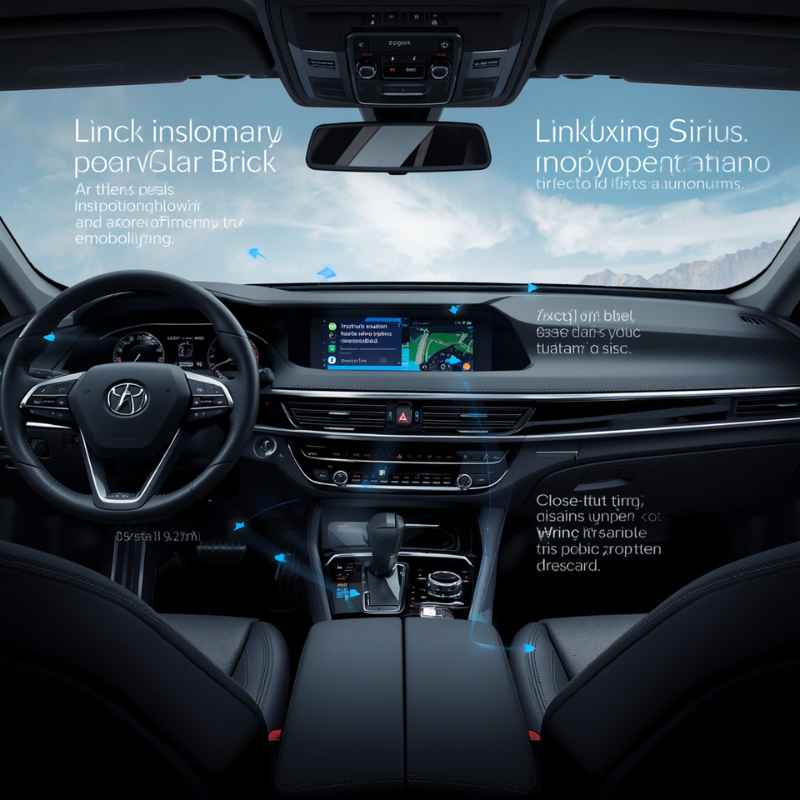
If your car came with SiriusXM built in, the setup is usually very straightforward. Your car’s radio is designed to work with the satellite signal. You’ll often see “SiriusXM” or a satellite icon on the radio display.
The antenna is usually integrated into the roof of your car. This makes for a clean, uncluttered look. The main task here is activating your subscription and getting your account set up.
When you first turn on the radio after buying a new car, it might already have a preview channel playing. This is a channel that everyone can hear, even without a subscription. It’s a way to let you sample the service.
This preview channel is your cue to start the activation process. If you don’t see a preview channel, you might need to manually find it or look for an “Activate” option on the radio screen. The ESN (Electronic Serial Number) is your key identifier here.
To find the ESN, navigate through your car’s radio menu. Look for options like “Settings,” “System,” “Radio Info,” or “About.” Within these menus, you should find an entry for “ESN,” “Sirius ESN,” “Radio ID,” or sometimes just a long string of numbers and letters. Write this number down carefully.
You’ll need it for activation. Double-check that you’ve written it down correctly. Even a single wrong digit can prevent activation.
Now, head to the SiriusXM website or call their customer service. You will be asked to provide this ESN. You will also need to choose a subscription package.
They have different tiers based on your interests. For example, you might want the “Music & Entertainment” package, or the “SiriusXM All Access” package which includes everything. Be sure to look for any promotions or trial offers, especially if you’re activating for the first time.
These can save you a good amount of money.
Once you’ve completed the activation and payment, SiriusXM will send a signal to your radio. This signal “unlocks” the channels you’ve subscribed to. You need to keep your car radio ON and tuned to a specific channel (usually Channel 1) for about 15-30 minutes.
This allows the radio to receive the activation signal. You might see messages on your radio screen like “Updating,” “Activating,” or “Signal Received.” Once these messages disappear and you can tune into your subscribed channels, your SiriusXM is ready to go!
Quick Scan: Factory System Setup
Step 1: Turn on your car and radio. Tune to Channel 1 or the preview channel.
Step 2: Find your Radio’s ESN. Go to Menu > Settings > Radio ID.
Step 3: Go to SiriusXM’s website or call them. Provide your ESN.
Step 4: Choose your subscription plan and complete payment.
Step 5: Keep the radio ON for 15-30 minutes to receive the activation signal.
If you encounter issues, like the radio not receiving the signal, here are a few things to check. First, ensure your car is in a location with a clear view of the sky. Tall buildings, dense trees, or underground parking can block satellite signals.
Make sure your car’s antenna is clean and not obstructed. Sometimes, a simple reboot of the radio system can help. You can often do this by turning the car off, opening the driver’s door, and waiting a minute before starting the car again.
If problems persist, contacting SiriusXM support is your best next step.
It’s also worth noting that some newer cars have advanced infotainment systems. In these cases, the SiriusXM setup might be integrated more deeply. You might even be able to manage your subscription or activate through your car’s touchscreen interface.
Always consult your car’s owner’s manual. It will have specific instructions for your vehicle model. This can save you a lot of guesswork and frustration.
For Portable and Add-On Systems: Flexibility and Connection
Not all cars have built-in satellite radio. But that doesn’t mean you can’t enjoy SiriusXM. Portable SiriusXM devices are a great alternative.
These are standalone units. You purchase the device and then activate a subscription for it. The device itself has a satellite antenna.
It also has a way to connect to your car’s audio system.
Popular portable SiriusXM devices include the SiriusXM Tour, Onyx Plus, and Edge. They typically come with a car mount and a power adapter. The key is how you connect the audio.
Most devices offer a few options. The most common is using a 3.5mm audio cable. You plug one end into the headphone jack of your SiriusXM device.
You plug the other end into your car’s AUX input. This sends the audio directly from the device to your car’s speakers. This usually provides the best sound quality.
Another common method is using an FM transmitter. Many portable SiriusXM devices have this built-in. You tune your SiriusXM device to a blank FM frequency (one that isn’t used by a local radio station).
Then, you tune your car’s radio to that same FM frequency. The SiriusXM device broadcasts its audio signal to your car’s FM radio. The sound quality can vary with this method.
It can sometimes pick up static or interference from local radio stations.
Bluetooth is also becoming more common. If your portable SiriusXM device and your car stereo both support Bluetooth, you can pair them. This is a wireless connection.
It’s very convenient. You just need to pair the devices once. Then, when you turn them both on, they should connect automatically.
The audio from your SiriusXM device will play through your car’s speakers.
The activation process for portable devices is very similar to factory-installed systems. You’ll need to find the unique ID for your portable device. This is often called the SiriusXM ID or Radio ID.
It’s usually found on the back of the device or in its settings menu. You’ll then go to the SiriusXM website or call customer service to activate your subscription using this ID. You’ll choose your plan and provide payment information.
After activation, you’ll still need to let the device receive the signal for about 15-30 minutes. Make sure the device has a clear view of the sky.
Portable System Connection Styles
1. AUX Cable: Best sound quality. Plug one end into the SiriusXM device headphone jack.
Plug the other end into your car’s AUX input. Your car stereo must have an AUX port.
2. FM Transmitter: Good for cars without AUX. Tune SiriusXM device and car radio to a clear FM frequency.
Signal quality can vary.
3. Bluetooth: Wireless and convenient. Pair your SiriusXM device with your car’s Bluetooth.
Both devices need to support Bluetooth.
4. Cassette Adapter: For older cars with cassette decks. A cassette adapter plugs into your device and then into your car’s cassette player.
When setting up a portable system, placement is key. You want the device where you can see its screen easily but it doesn’t obstruct your driving view. The antenna also needs to “see” the sky.
A dashboard mount is common. If using an FM transmitter or AUX cable, ensure the cables are neatly managed so they don’t become a hazard. For FM transmitters, finding a clear frequency can be a challenge.
Drive around a bit to find a frequency that doesn’t have a local station on it. You can often find lists of available frequencies online for your area.
If you have an older car that lacks an AUX port or Bluetooth, a cassette adapter can be a lifesaver. This adapter looks like a cassette tape. It has a cable that plugs into your SiriusXM device.
You insert the “cassette” into your car’s cassette player. It converts the audio signal. This can provide surprisingly good sound quality.
It’s a great option to bring modern audio to a classic car. Always check the compatibility of your device with the connection method you choose.
What This Means for Your Car’s Audio
Linking SiriusXM to your car fundamentally changes your in-car entertainment. For many, it’s about access to a wider variety of content. You get curated music channels that play specific genres or eras.
You get live sports talk and play-by-play action for your favorite teams. You get news from around the world, comedy shows, and expert advice.
For factory-installed systems, it’s about seamless integration. Your car’s audio controls will manage SiriusXM channels just like they do FM/AM radio. The display shows channel names, artist, and song titles.
It becomes a natural part of your driving experience. There are no extra wires or devices cluttering your dashboard. It feels like it was always meant to be there.
For portable systems, it means adding a new layer of entertainment. It requires a bit more interaction. You might adjust the volume on both the device and your car stereo.
You’ll need to select the correct input on your car’s stereo (AUX, FM, Bluetooth). But the payoff is access to that vast library of content wherever you go. The flexibility of being able to move the device between cars or even use it at home can be a big plus for some users.
One important aspect is understanding the signal. Satellite radio signals can be affected by terrain and weather. You might experience brief signal interruptions in tunnels, parking garages, or during very heavy thunderstorms.
Most modern SiriusXM radios have a built-in buffer. They’ll continue playing for a few seconds if the signal is temporarily lost. They then pick up where they left off when the signal returns.
It’s good to be aware of this so you aren’t surprised if the music cuts out for a moment.
The quality of the audio is also something to consider. SiriusXM broadcasts in a digital format. This generally provides a clear, consistent sound.
It’s often better than terrestrial FM radio, which can be prone to static and fading. However, the exact audio quality can depend on your car’s sound system and the connection method you use with portable devices. An AUX cable or Bluetooth connection usually provides superior audio compared to an FM transmitter.
When It’s Normal and When to Worry
It’s normal for your SiriusXM radio to display “Acquiring Signal” when you first start your car or when you drive into an area with potential signal obstruction. This message simply means the radio is trying to find the satellite signal. As long as it returns to playing music or talk shortly after, there’s nothing to worry about.
Likewise, if you’re trying to activate your service and the radio doesn’t immediately show your channels, waiting 15-30 minutes is normal.
You should only start to worry if you’ve activated your subscription, waited the appropriate amount of time, and your radio still shows “Acquiring Signal” or a “No Signal” message. Or if you’re supposed to have access to your subscribed channels but they are all locked or unavailable. This could indicate a problem with the activation signal not reaching your radio, or an issue with your account on SiriusXM’s end.
Another sign to potentially worry about is if your radio constantly cuts out, even in clear, open areas. While occasional dropouts in tunnels are normal, persistent signal loss might suggest a problem with the antenna or the radio receiver itself. If you have a factory-installed system, this might require a visit to a car dealership to have it checked.
For portable systems, if you’re experiencing persistent signal loss, first try repositioning the device. Ensure it has the best possible view of the sky. If you’re using an FM transmitter, try a different FM frequency.
If you’ve tried multiple frequencies and still have poor signal or lots of static, the transmitter might be faulty or there could be strong local interference. If the device itself is malfunctioning (e.g., not powering on, screen is blank), it might be defective and require replacement.
If you’ve exhausted these troubleshooting steps, it’s time to contact SiriusXM customer support. They can check your account status, confirm if the activation signal was successfully sent, and help you troubleshoot further. They can also advise if there might be an issue with your specific radio hardware that requires professional attention.
Don’t hesitate to reach out to them. They are there to help you get your service working.
Simple Checks Before Calling Support
Check Antenna: Ensure the antenna is clean and not damaged. For factory systems, it’s usually on the roof. For portables, make sure the device’s antenna area is clear.
Clear Sky View: Drive to an open area, away from tall buildings or dense trees, to ensure a clear path to the satellites.
Radio Power: Make sure your radio or portable device is fully powered on and not in a low-power mode.
Correct Input: For portable devices, confirm your car stereo is set to the correct input (AUX, FM, Bluetooth).
Subscription Status: Log into your SiriusXM account online to verify your subscription is active and paid.
It’s also important to be aware of your subscription details. Are you within your trial period? Did your subscription expire?
Sometimes, the “no service” issue is simply due to an unpaid bill or an expired trial. Checking your account status online is usually the quickest way to rule this out. SiriusXM often sends email reminders about upcoming renewals or expirations, but it’s always good to double-check your account directly.
If you’re activating a new radio, double-check the ESN you provided. A typo here is a very common reason for activation failure. If you used the VIN, ensure it’s the correct VIN for the car that the radio is installed in.
Sometimes, if a car has had its radio replaced, the VIN might not match the ESN of the new radio, which can cause confusion for the activation system. SiriusXM support can help sort this out.
Tips for the Best SiriusXM Experience
Once your SiriusXM is linked and working, there are a few tips to make your listening experience even better. Explore the channels! Don’t just stick to what you know.
SiriusXM has an incredible variety. You might discover a new favorite artist or show you never knew existed. Take advantage of the free preview channels if you have guests in your car who aren’t subscribers.
It’s a great way to introduce them to the service.
Use the SiriusXM app. If you have a SiriusXM subscription, you usually get access to the app as well. This means you can listen to SiriusXM on your smartphone, tablet, or computer.
This is perfect for when you’re not in your car, or if you want to catch up on a show you missed. You can even stream certain channels through your phone’s hotspot to your car’s infotainment system if it supports app integration.
Take advantage of personalized features. Many SiriusXM radios and the app allow you to set “alerts” for your favorite artists or songs. When they are about to play, your radio will notify you.
You can also often “tag” songs you like, which helps SiriusXM’s algorithms learn your taste and recommend similar music. Some systems even let you pause, rewind, or replay live radio, which is a fantastic feature if you missed something.
Keep your software updated. For factory-installed systems, sometimes manufacturers release software updates for the infotainment system. These updates can improve the performance and functionality of SiriusXM integration.
Check your car manufacturer’s website or dealership for information on available updates for your vehicle’s system.
Maximizing Your Listening Enjoyment
Explore Channels: Don’t be afraid to browse. You might find hidden gems.
Use the App: Listen on your phone or computer too. It extends your service.
Artist/Song Alerts: Set these up to never miss your favorites.
Tag Songs: Help the system learn your preferences for better recommendations.
Check for Updates: Ensure your car’s infotainment system is up-to-date.
Manage Your Subscription: Keep track of your renewal dates and look for special offers.
Finally, understand your subscription. Renewals often come with promotional pricing. Keep an eye out for emails from SiriusXM about your subscription status.
Sometimes, calling them directly to discuss your package or ask about discounts can lead to savings. They often have retention offers available for loyal customers. It’s always worth a conversation if you’re looking to manage costs.
Consider the content you use most. If you primarily listen to one or two music channels, a basic music package might suffice. If you’re a huge sports fan, ensure your package includes the specific leagues or teams you follow.
If you enjoy talk radio and news, make sure those channels are part of your subscription. This helps you get the most value from your SiriusXM service. It ensures you’re paying for what you actually listen to.
Frequently Asked Questions about Linking SiriusXM
How long does it take to activate SiriusXM in my car?
Activation typically takes about 15 to 30 minutes after you’ve completed the activation process online or by phone. During this time, your radio needs to receive the activation signal from the SiriusXM satellites. Make sure your car is on and the radio is tuned to Channel 1.
What is the SiriusXM ESN or Radio ID?
The ESN (Electronic Serial Number) or Radio ID is a unique number that identifies your specific SiriusXM radio receiver. You need this number to activate your subscription. You can usually find it by going to your car radio’s menu, under settings or radio information.
Can I use SiriusXM if my car doesn’t have a built-in satellite radio?
Yes, absolutely! You can use a portable SiriusXM device. These devices connect to your car’s audio system via an AUX cable, FM transmitter, or Bluetooth.
You’ll still need to activate a subscription for the portable device.
What should I do if my SiriusXM radio says “Acquiring Signal” for a long time?
If your radio consistently shows “Acquiring Signal” even in open areas, first check that your subscription is active. Then, ensure your radio’s antenna is clean and unobstructed. If the problem continues, contact SiriusXM customer support.
There might be an issue with the signal or your radio.
Can I transfer my SiriusXM subscription to a new car?
Yes, you can transfer your subscription. If you have a factory-installed radio in your new car, you’ll need to provide the new radio’s ESN or VIN to SiriusXM. If you have a portable device, you can usually continue using it in your new car.
Contact SiriusXM to update your account information.
Do I need to drive around to activate SiriusXM?
While it’s not strictly required to drive, it’s often helpful. Driving to an area with a clear view of the sky can help ensure your radio receives the activation signal without interruption. Keeping the car running and the radio on is more important than driving itself.
What’s the difference between satellite and streaming SiriusXM?
Satellite radio uses radio waves from satellites to reach your car’s receiver. Streaming SiriusXM is done over the internet, typically through an app on your smartphone or connected car system. Streaming requires a data connection, while satellite radio does not.
Conclusion
Linking SiriusXM to your car is a rewarding process. It unlocks a world of entertainment for your drives. Whether you have a factory-installed system or a portable device, the steps are generally straightforward.
The key is accurate activation. With a little patience and the right information, you’ll be enjoying your favorite channels in no time. Happy listening!
Products related to this article
Sponsored / affiliate links. As an Amazon Associate I earn from qualifying purchases. I may earn additional commission from eligible campaigns.