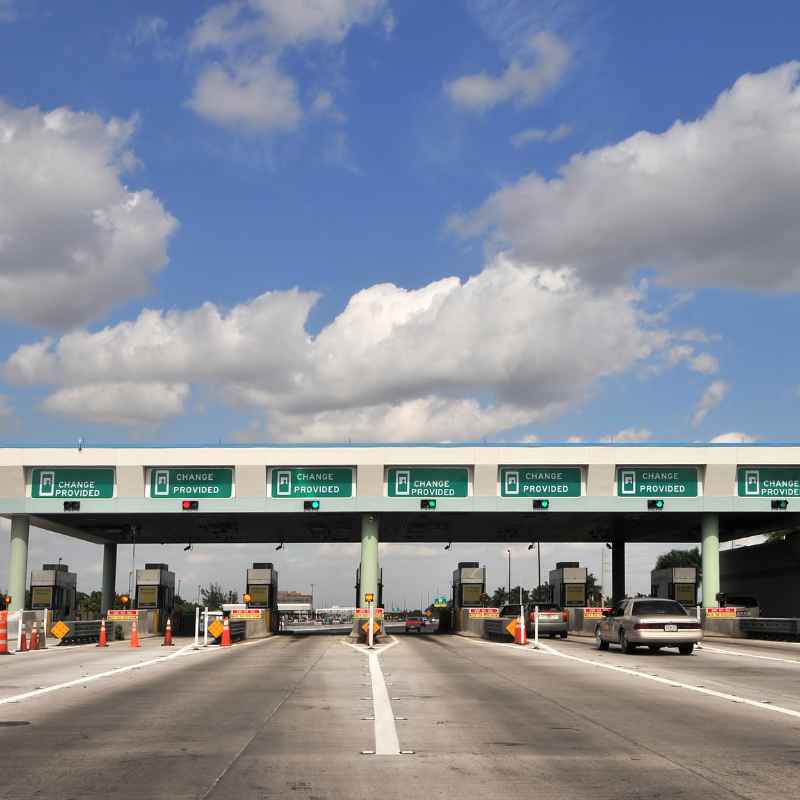
How to Pay Boston Tolls with a Rental Car Easily
Paying tolls in Boston with a rental car can seem complicated, but it doesn’t have to be. Rental companies often have their own toll payment plans, or you can explore direct payment options through toll authorities. This guide breaks down the easiest ways to manage tolls in Boston, ensuring you avoid surprise fees and keep your journey smooth.
Understanding your options upfront saves time and money, letting you focus on enjoying the city rather than worrying about violations.
Simply put, the easiest way to pay Boston tolls with a rental car is to enroll in the rental company’s toll payment program, though this can be more expensive. Alternatively, you can proactively set up an E-ZPass MA account or pay directly online within a set timeframe after using a toll road to avoid potential administrative fees from the rental agency.
Key Takeaways
- Rental car companies offer toll payment services, but these often come with higher administrative fees than direct payment methods.
- The Massachusetts Department of Transportation (MassDOT) primarily uses electronic toll collection through E-ZPass MA.
- You can set up your own E-ZPass MA account or pay tolls online after your trip, but you must act quickly to avoid late fees and rental company markups.
- Always confirm your rental agreement’s toll policy before driving off the lot to understand your obligations.
- Understanding the different tolling systems in place (like the Tobin Bridge, Sumner Tunnel, and Ted Williams Tunnel) is crucial for effective payment.
What Are Boston’s Tolling Systems?
Boston’s toll infrastructure is primarily managed by the Massachusetts Department of Transportation (MassDOT). Most tolls are now all-electronic, meaning there are no toll booths where you can pay with cash. Instead, your license plate is scanned or your transponder is read.
This system is designed for efficiency and speed, but it requires drivers to be proactive about payment.
The major toll points in and around Boston include the Tobin Memorial Bridge, the Sumner Tunnel, and the Ted Williams Tunnel. These routes are vital for navigating the city and its surrounding areas. Each has its own specific tolling setup, but they all feed into MassDOT’s electronic payment system.
Failing to pay tolls can result in significant fines and fees, often compounded by the rental car company adding their own administrative charges on top of the original toll and any penalties. These extra fees can quickly turn a small toll into a substantial bill, making it essential to have a clear understanding of how to settle your obligations promptly.
- Tobin Memorial Bridge: Connects Boston to Chelsea. It’s fully electronic.
- Sumner Tunnel: Connects East Boston to downtown Boston. Fully electronic.
- Ted Williams Tunnel: Connects East Boston to downtown Boston and points south. Fully electronic.
- Massachusetts Turnpike (I-90): While parts are outside the immediate city, it’s a major toll road and E-ZPass is accepted.
- Webb Memorial Bridge: Connects Weymouth to Hingham, also part of the electronic tolling system.
Rental Car Company Toll Programs
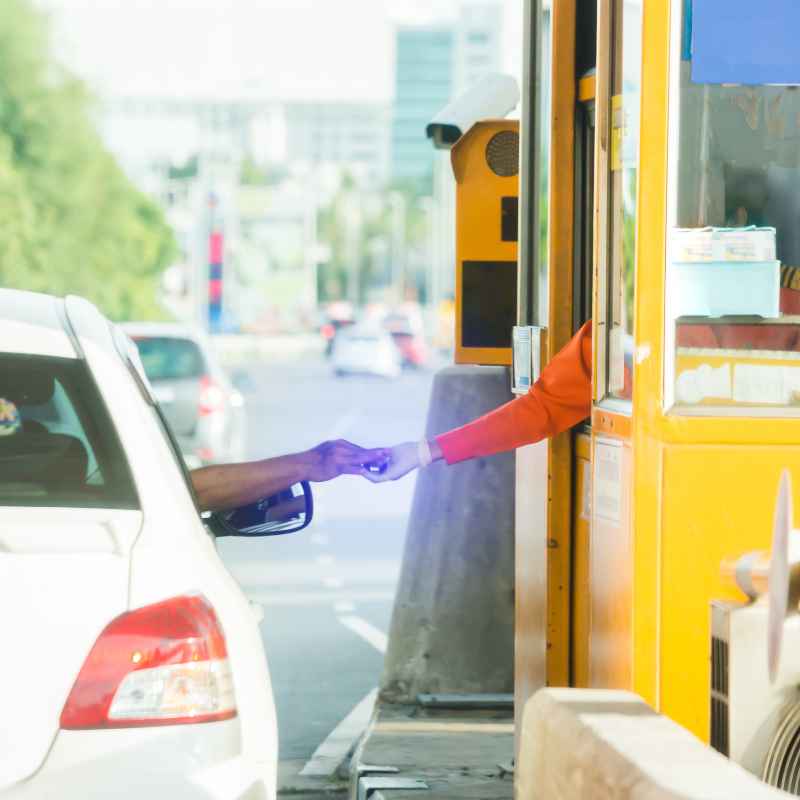
Most major rental car companies operating in Boston, such as Hertz, Avis, Enterprise, and Budget, offer convenience services for toll payment. These programs are often presented as a hassle-free way to manage tolls. When you pick up your rental car, you’ll likely be offered a “toll pass,” “toll program,” or similar service.
The core idea behind these programs is that the rental company handles all toll transactions for you. They will typically charge a daily or weekly fee for the service, plus the cost of the tolls incurred. This fee covers the rental company’s administrative costs and the use of their transponder, if they provide one.
While this option offers undeniable convenience, it often comes at a premium. The daily fees can add up quickly, especially if you are only crossing a few tolls. For example, a $3 toll could end up costing you $10-$20 once the rental company’s daily fee and administrative charges are applied.
It’s crucial to read the fine print of your rental agreement regarding tolls.
Pros of Rental Company Toll Programs:
- Convenience: No need to track tolls or pay them manually.
- Automatic Payment: Tolls are automatically deducted from your payment method.
- Peace of Mind: Avoids the risk of missed tolls and subsequent fines.
Cons of Rental Company Toll Programs:
- Higher Cost: Daily fees and administrative charges can significantly inflate the total cost.
- Lack of Transparency: It can sometimes be difficult to see exactly what tolls were charged and when.
- Limited Control: You are bound by the rental company’s terms and pricing.
Before opting in, always ask for a clear breakdown of the charges. If the daily fee is high and you anticipate only using tolls occasionally, exploring other options might be more cost-effective.
Setting Up Your Own E-ZPass MA Account
For the most cost-effective and transparent way to pay tolls, setting up your own E-ZPass MA account is highly recommended. E-ZPass is a widely accepted electronic toll collection system used in many states, including Massachusetts. By having your own transponder, you can bypass the rental company’s fees entirely.
To set up an E-ZPass MA account, you’ll need to visit the official E-ZPass MA website or contact their customer service. You can typically get a transponder mailed to you, or sometimes pick one up at a local retail location. Once you have your transponder, you will need to register it and link it to a payment method, such as a credit card or bank account.
When you rent a car, you can simply place your personal E-ZPass transponder in the vehicle, typically on the dashboard or windshield as instructed. The tolling system will read your transponder, and the toll will be automatically deducted from your E-ZPass account. This method ensures you pay the lowest possible toll rate without any additional administrative fees from the rental company.
It is crucial to ensure your E-ZPass transponder is properly functioning and securely placed in the rental car. Some rental companies may have policies about placing personal devices on the windshield, so it’s wise to check their guidelines if possible, though most do not object to a standard E-ZPass.
Steps to Set Up and Use E-ZPass MA:
- Visit the Official Website: Go to the E-ZPass MA website (ezpassma.com).
- Create an Account: Follow the prompts to create a new account. You’ll need to provide contact information and create a username and password.
- Order a Transponder: Request an E-ZPass MA transponder. There may be a small deposit or fee for the transponder itself, but ongoing use is cost-effective.
- Fund Your Account: Link a credit card, debit card, or bank account to your E-ZPass MA account for automatic replenishment.
- Install in Rental Car: Upon receiving your rental car, place your E-ZPass transponder in the designated spot on the windshield or dashboard.
- Drive Through Tolls: The transponder will be read automatically, and tolls will be deducted from your account.
Benefits of Using Your Own E-ZPass MA:
- Cost Savings: Avoids rental company daily fees and administrative markups.
- Lower Toll Rates: E-ZPass rates are typically the lowest available.
- Detailed Statements: You receive clear records of all tolls incurred.
- Convenience: Works across multiple states within the E-ZPass network.
While setting up your own account requires a little upfront effort, it offers significant advantages for frequent toll users or those looking to minimize expenses.
Pay-By-Mail or Online Payment Options
If you choose not to enroll in the rental company’s toll program and don’t have your own E-ZPass, there’s still a way to pay. Most toll authorities in Massachusetts, including MassDOT, offer a “pay-by-mail” or online payment option for vehicles without a transponder. This system captures your license plate information and sends a bill to the registered owner of the vehicle.
When you rent a car, the rental company is the registered owner. Therefore, they will receive the toll bill. The rental company will then typically charge your credit card on file for the toll amount, plus a substantial administrative fee for processing the payment.
This is why it’s crucial to pay these tolls directly if possible.
To avoid the rental company’s fees, you must pay the toll directly before the rental company processes the bill. This usually means visiting the toll authority’s website within a specific timeframe, often 7-10 days after incurring the toll. You’ll need your license plate number and the state it’s registered in.
The key to this method is prompt action. If you wait for the rental company to send you a notification, it’s usually too late to pay directly without incurring their fees. Keep a record of the toll roads you use and their approximate locations so you can easily identify them on the toll authority’s website.
How to Use Pay-By-Mail/Online Payment:
- Keep Track of Tolls: Note down the roads you’ve traveled on that are tolled.
- Identify the Toll Authority: For Boston, this is typically MassDOT.
- Visit the Payment Website: Go to the MassDOT toll payment portal (often found via Mass.gov or specific toll road sites).
- Enter License Plate Information: You’ll need the license plate number of the rental car and the state.
- Check for Unpaid Tolls: Search for any outstanding tolls associated with that plate.
- Pay Online: If tolls are found, follow the prompts to pay them directly using a credit card or debit card.
- Confirm Payment: Ensure you receive a confirmation of your payment.
| Payment Method | Pros | Cons | Estimated Cost (per toll) |
|---|---|---|---|
| Rental Company Program | Convenient, automatic. | Expensive, high admin fees. | $3 toll + $10-20 daily fee/admin charge |
| Personal E-ZPass MA | Most cost-effective, transparent. | Requires setup before trip. | $3 toll (direct from your account) |
| Pay-By-Mail / Online | Avoids rental fees if paid quickly. | Requires prompt action, risk of late fees. | $3 toll + potential processing fee if late |
This comparison highlights the significant cost differences, especially for frequent toll users.
Understanding Rental Agreement Fine Print
Before you even drive your rental car off the lot in Boston, take the time to carefully read the section of your rental agreement that pertains to tolls. This document is legally binding, and ignorance of its contents is not a valid defense against charges.
Rental companies are required to disclose their policies, but this information is often buried in lengthy contracts. Look for terms like “toll violations,” “toll recovery,” “administrative fees,” or specific details about their toll payment programs. Understanding these clauses will help you make an informed decision about how to handle tolls.
Important: If you are offered a toll program by the rental company, ask for a written explanation of the fees involved, including daily charges, per-toll administrative fees, and any surcharges for violations. Compare this to the cost of setting up your own E-ZPass MA.
Some rental agreements might even automatically enroll you in their toll program unless you explicitly opt-out. Be vigilant and ask questions if anything is unclear. It’s always better to clarify upfront than to be surprised by unexpected charges on your credit card statement days or weeks after returning the vehicle.
- Check for Opt-Out Clauses: Does the agreement require you to opt-in, or opt-out of their toll service?
- Daily vs. Per-Toll Fees: Understand how the rental company charges for toll usage.
- Administrative Fees: These are often the most significant hidden costs.
- Violation Procedures: What happens if a toll is missed and the company is not managing it?
- Contact Information: Note down the contact details for the rental company’s toll department.
Tips for Avoiding Unnecessary Tolls
While tolls are often unavoidable in metropolitan areas like Boston, especially when using tunnels or specific bridges, there are strategies to minimize their use. Planning your route in advance can make a significant difference in both your travel time and your expenses.
Utilize GPS navigation apps that allow you to set preferences for avoiding tolls. Most modern navigation systems, like Google Maps, Waze, and Apple Maps, offer this option. When planning your route, ensure that the “avoid tolls” setting is activated.
This will reroute you along alternative roads, even if they take slightly longer.
Consider the time of day you’ll be traveling. Sometimes, avoiding a toll during peak hours can be a strategic decision, even if it means a slightly longer route. In Boston, traffic can be a significant factor, and a toll road might save you time during rush hour, but during off-peak times, the savings might not be worth the cost.
If your rental is for a short duration and you plan to stay within specific city limits, you might be able to plan your itinerary to bypass major tolled areas altogether. For instance, if you’re only visiting attractions in downtown Boston and its immediate neighborhoods, you may not need to use the tunnels or the Tobin Bridge.
Route Planning Strategies:
- Use GPS with Toll Avoidance: Set your navigation app to avoid tolls.
- Plan Day Trips Carefully: If going outside the city, map your route in advance.
- Consider Local Roads: Sometimes, local roads are a viable alternative, albeit slower.
- Factor in Time vs. Cost: Weigh the cost of a toll against the time saved.
- Check Real-Time Traffic: Use apps to see current traffic conditions for the best route.
Common Toll Violations and How to Prevent Them
The most common toll violation occurs when a vehicle passes through a toll point without a functioning transponder or without the toll being paid within the specified timeframe. With Boston’s all-electronic tolling, this means either your E-ZPass didn’t read, you don’t have one, or you missed the online payment window.
Rental car companies are especially susceptible to violations because drivers may not be familiar with the local tolling system or might assume the rental company is handling everything. When a violation occurs, the toll authority issues a notice to the registered owner – the rental company. The company then processes this violation, adding their hefty administrative fees, and charges your credit card.
To prevent violations, the simplest and most effective method is to use a working E-ZPass. If you don’t have one, be meticulously diligent about paying tolls online. Keep a log of your travel and check the relevant toll websites within a few days of your trip.
Warning: Do not ignore toll notices or assume the rental company will simply absorb the cost. Unpaid tolls can escalate into significant fines, and rental companies have very little sympathy for drivers who fail to manage their toll obligations. The fees can quickly exceed the value of the rental car itself in extreme cases.
Another common mistake is assuming that because the license plate is from out of state, you won’t be tracked. Massachusetts electronic tolling systems are sophisticated and track all vehicles, regardless of their registration state.
Preventative Measures Checklist:
- Ensure your E-ZPass MA transponder is active and correctly mounted.
- If using pay-by-mail, mark your calendar for payment deadlines.
- Always check your rental agreement for toll policies.
- Use navigation apps with toll avoidance if you wish to bypass tolls.
- If you receive a violation notice, contact the toll authority immediately, not just the rental company.
- Double-check your credit card statements for any unexpected toll charges from the rental company.
Frequently Asked Questions
What happens if I don’t pay a toll in a rental car in Boston?
If you don’t pay a toll in a rental car, the toll authority will issue a violation notice to the registered owner, which is the rental company. The rental company will then typically charge you the original toll amount, plus a significant administrative fee, often multiplied for each violation. These fees can be very high.
Can I use my personal E-ZPass on a rental car in Boston?
Yes, absolutely. Using your personal E-ZPass MA (or an E-ZPass from another participating state) is the most recommended method. Simply place your transponder in the rental car, and tolls will be charged directly to your E-ZPass account, avoiding rental company fees.
How soon do I need to pay a toll if I’m using the pay-by-mail option?
You typically have a limited window, often 7-10 days, to pay a toll online or via mail before the rental company is notified and adds their administrative fees. It’s best to pay as soon as possible after incurring the toll.
Are there any toll discounts for rental cars?
Generally, rental cars do not receive special toll discounts. The most significant “discount” comes from avoiding the rental company’s administrative fees by using your own E-ZPass or paying tolls directly and promptly.
How can I check if I have any unpaid tolls from my rental car?
If you are concerned, you can check the MassDOT toll payment portal or contact the specific toll authority (e.g., Massport for tunnels and bridges) with your rental car’s license plate number. However, the most reliable way to know is to proactively manage your tolls or check your rental company’s invoice carefully.
Final Thoughts
Navigating Boston’s toll roads with a rental car is manageable with the right approach. Prioritize setting up your own E-ZPass MA account for the most cost-effective and transparent experience. If that’s not feasible, be prepared to pay tolls online promptly.
Always review your rental agreement thoroughly and understand the potential fees involved to ensure a smooth and affordable trip through the city.
Products related to this article
Sponsored / affiliate links. As an Amazon Associate I earn from qualifying purchases. I may earn additional commission from eligible campaigns.