If I Disconnect My Car Battery Will It Stay Charged? Genius
Yes, disconnecting your car battery will help it stay charged for much longer. When connected, your car constantly draws a small amount of power (called parasitic drain) for things like the clock and computer memory. By disconnecting it, you stop this drain. However, the battery will still slowly lose charge over time through a natural process called self-discharge.
Have you ever left your car sitting for a few weeks, only to return to a dreaded clicking sound and a dashboard that won’t light up? A dead battery is one of the most common and frustrating car problems. It always seems to happen at the worst possible time.
You might have heard a tip: just disconnect the battery! But does that really work? Will it keep its charge, ready for you when you return? You’re in the right place for a clear, simple answer.
I’m Md Meraj, and I’m here to make car care easy for everyone. In this guide, we’ll walk through exactly why batteries die, how disconnecting them helps, and the safe, step-by-step way to do it yourself. Let’s get your car ready for storage and give you peace of mind.
Why Car Batteries Die (Even When the Car Is Off)
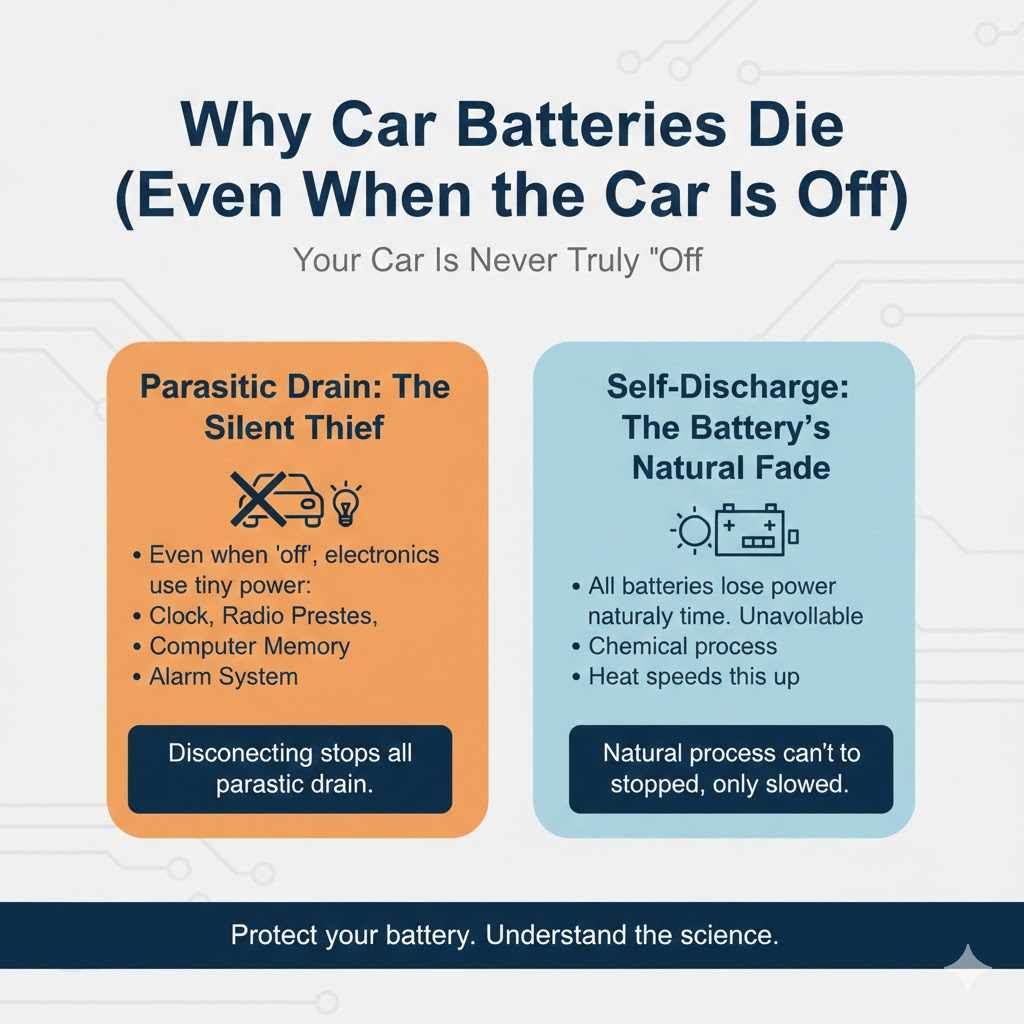
It seems strange, doesn’t it? If the car is off, the battery shouldn’t be doing anything. But that’s not quite true. Your car is never completely “asleep.” Modern vehicles have a lot of electronics that need a tiny bit of power all the time. This includes:
- The internal clock
- The radio station presets
- The car’s computer (ECU) memory
- The alarm system
This constant, tiny power draw is called a parasitic drain. Think of it like a very slow leak in a bucket of water. Over one or two days, you won’t notice it. But after a few weeks or a month, the bucket will be empty. For your car, that means a dead battery.
Disconnecting the battery completely stops this parasitic drain. It’s like putting a secure lid on the bucket. No more slow leaks!
The Real Answer: Does Disconnecting Keep It Charged?
Yes, disconnecting the battery is a genius move to prevent it from dying due to parasitic drain. It will hold its charge for months longer than it would if left connected in your car.
However, it’s not a perfect forever-solution. Every battery has a natural enemy called self-discharge. This is a slow, internal chemical process that causes the battery to lose a small amount of its charge every day, even when it’s not connected to anything.
So, while you’ve stopped the parasitic drain from the car, you can’t stop the self-discharge inside the battery itself. The good news is that this process is very slow, especially for a healthy battery stored in the right conditions.
Understanding Self-Discharge: The Battery’s Slow Fade
Self-discharge is like evaporation from our water bucket. Even with a lid on, a tiny amount of water might still turn to vapor and escape over a very long time. The speed of this “evaporation” depends on a few key factors:
- Temperature: Heat is the biggest enemy. A battery stored in a hot garage will self-discharge much faster than one stored in a cool basement. Cold temperatures slow down the chemical reactions, preserving the charge.
- Battery Age and Health: An older, weaker battery will lose its charge much faster than a new, healthy one. Its internal components are just not as efficient anymore.
- Battery Type: Standard lead-acid batteries have a higher self-discharge rate than modern AGM (Absorbent Glass Mat) batteries.
Here’s a simple table to show how temperature affects a typical lead-acid battery’s self-discharge rate.
| Storage Temperature | Approximate Self-Discharge Rate per Month |
|---|---|
| 95°F (35°C) | 15-25% |
| 77°F (25°C) | 5-8% |
| 50°F (10°C) | 3-5% |
| 32°F (0°C) | 2-3% |
As you can see, keeping the battery cool makes a huge difference in how long it will hold its charge.
How to Safely Disconnect Your Car Battery: A Step-by-Step Guide
Ready to do it yourself? It’s easier than you think! Follow these steps carefully, and you’ll have it done safely in just a few minutes. Safety is the most important thing here, so don’t skip the protective gear.
What You’ll Need:
- Safety Glasses: To protect your eyes from any potential sparks or acid.
- Gloves: To keep your hands clean and safe.
- A Wrench or Socket Set: Most battery terminals use a 10mm nut, but this can vary. An adjustable wrench will also work.
The Steps:
- Park on a Flat Surface and Turn Off the Car: Make sure the ignition is off and the keys are out. Let the car sit for a few minutes before you begin.
- Open the Hood and Locate the Battery: It’s usually a black box with two connection points, or terminals, on top. Some cars have the battery in the trunk or under a seat, so check your owner’s manual if you can’t find it.
- Identify the Positive (+) and Negative (-) Terminals: The positive terminal is usually marked with a “+” sign and may have a red plastic cover. The negative terminal is marked with a “-” sign and may have a black cover.
-
IMPORTANT: Disconnect the Negative Terminal First: Use your wrench to loosen the nut on the negative (-) terminal clamp. You don’t need to remove the nut completely, just loosen it enough so you can wiggle the cable clamp off the terminal post.
Why negative first? This is a critical safety step. Your car’s metal frame is connected to the negative terminal (it’s “grounded”). If your wrench touches the positive terminal and the car frame at the same time, it will create a big, dangerous spark. By disconnecting the negative terminal first, you break the circuit, making it safe to work on the positive side.
- Disconnect the Positive Terminal: Now that the negative is disconnected, it’s safe to loosen the nut on the positive (+) terminal. Wiggle the clamp off the post.
- Secure the Cables: Tuck the disconnected cable clamps to the side, making sure they cannot accidentally touch the battery terminals again. You can use a zip tie or a cloth to keep them out of the way.
That’s it! Your battery is now safely disconnected.
Best Practices for Storing Your Disconnected Battery
You can leave the battery in the car after disconnecting it, but for long-term storage (more than a month), it’s best to take it out and store it properly.
Where to Store It:
- Cool and Dry: The ideal spot is a cool, dry place like a basement or an insulated garage. Avoid places with extreme temperature swings, like a hot attic or a sunny spot.
- Off the Concrete (Maybe): You may have heard that you should never store a battery on a concrete floor. This was true for old-school batteries with porous rubber cases, as the damp concrete could slowly drain them. Modern batteries have sealed plastic cases, so it’s not really an issue anymore. Still, placing it on a piece of wood or a shelf doesn’t hurt!
How to Prepare It for Storage:
- Clean the Terminals: If you see any white or bluish corrosion (it looks like chalky powder), clean it off. A mix of baking soda and water works great. Use an old toothbrush to scrub it, then wipe it clean with a damp cloth and dry it thoroughly. Clean terminals ensure a good connection when you reinstall it.
- Give It a Full Charge: Before storing, it’s a great idea to fully charge the battery with a battery charger. A battery stored with a full charge will last much longer than one stored with a partial charge.
- Consider a Battery Tender: For very long-term storage (3 months or more), the best solution is a battery tender or trickle charger. This is a smart device that you leave connected to the battery. It monitors the charge and only adds a tiny bit of power when needed to keep it topped off at 100%. This completely eliminates self-discharge as a problem.
What to Expect When You Reconnect Your Battery
When you’re ready to use your car again, reconnecting the battery is just as easy. But don’t be surprised if a few things are different when you first start the car. Disconnecting the power source means your car’s short-term memory gets wiped.
Here’s what will likely be reset:
- Your Radio Presets: You’ll have to find your favorite stations again.
- The Clock: The time will need to be reset.
- Trip Odometer: Your trip mileage will be back to zero.
- Engine and Transmission Learning: Your car’s computer (ECU) constantly learns your driving style to optimize performance and fuel economy. After reconnecting the battery, it resets to its factory settings. The car may feel slightly different for the first 20-50 miles as it “relearns” how you drive. This is completely normal.
These are minor inconveniences and are a small price to pay for having a healthy, charged battery waiting for you.
How to Reconnect Your Car Battery Safely
Reconnecting is just the reverse of disconnecting, but the order is just as important for safety.
- Clean the Terminals and Clamps: Make sure both the battery posts and the inside of the cable clamps are shiny and clean for the best possible connection.
-
IMPORTANT: Connect the Positive Terminal First: Place the positive (+) cable clamp back onto the positive terminal post. Use your wrench to tighten the nut until it’s snug. Don’t overtighten it!
Why positive first? This is the reverse of the safety rule for disconnecting. If you connect the negative first, the whole car frame becomes “live.” Then, if your wrench touches the positive terminal and the car frame, you’ll get that dangerous spark again. By connecting the positive first, the frame remains neutral until the very last connection is made.
- Connect the Negative Terminal Last: Place the negative (-) cable clamp onto the negative terminal post and tighten it. You may see a very small, brief spark as you make this final connection. This is normal—it’s just the car’s electronics waking up.
- Check Your Work: Gently try to wiggle both cable clamps. They should not move. A tight connection is key to starting your car and keeping the battery charged.
- Start the Car: Close the hood, get in, and start your engine. It should fire right up! Let it run for a few minutes.
Alternatives to Disconnecting Your Battery
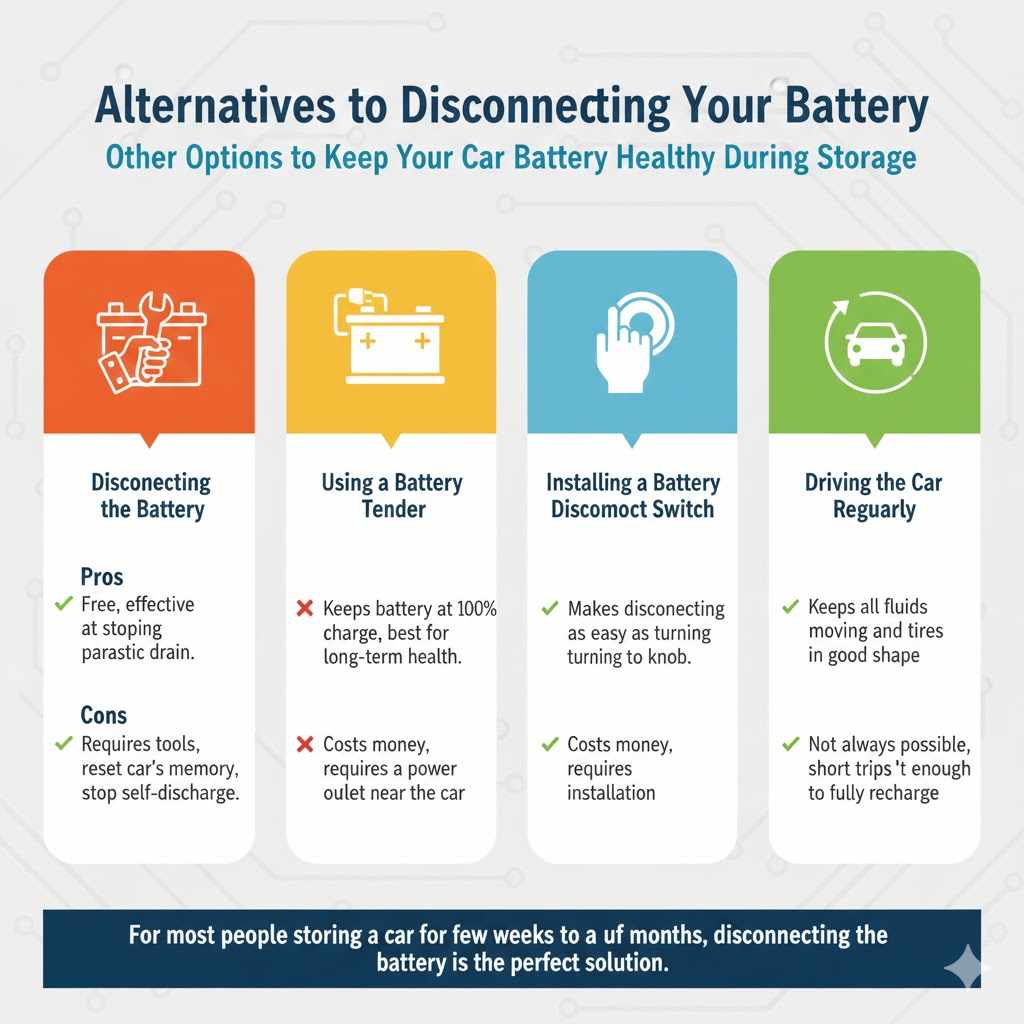
Disconnecting the battery is a great free option, but there are other ways to keep your battery healthy during storage. Here’s a quick comparison.
| Method | Pros | Cons |
|---|---|---|
| Disconnecting the Battery | Free, effective at stopping parasitic drain. | Requires tools, resets car’s memory, doesn’t stop self-discharge. |
| Using a Battery Tender | Keeps battery at 100% charge, best for long-term health. | Costs money, requires a power outlet near the car. |
| Installing a Battery Disconnect Switch | Makes disconnecting as easy as turning a knob. | Costs money, requires installation. |
| Driving the Car Regularly | Keeps all fluids moving and tires in good shape. | Not always possible, short trips aren’t enough to fully recharge. |
For most people storing a car for a few weeks to a couple of months, simply disconnecting the battery is the perfect solution. For longer periods, a battery tender is the gold standard. To learn more about battery recycling and care, the U.S. Environmental Protection Agency (EPA) provides excellent resources on handling old batteries responsibly.
Frequently Asked Questions (FAQ)
1. How long can a car battery stay disconnected and still hold a charge?
A healthy, fully charged battery stored in a cool place (around 50°F / 10°C) can hold a sufficient charge for 6 to 12 months. However, in a hot climate, it might only last 2 to 3 months before it needs recharging.
2. Is it bad to disconnect your car battery?
No, it is not bad for the battery itself. The only downside is that it will reset your car’s clock, radio stations, and computer memory. This is harmless and everything returns to normal after you reconnect it and drive for a bit.
3. Do I need to charge a battery after disconnecting it for storage?
It’s a very good idea to fully charge it before you store it. A fully charged battery resists self-discharge much better. When you’re ready to use it again, you likely won’t need to charge it if it was stored for less than a few months in a cool place.
4. Will disconnecting the battery reset the main computer (ECU)?
Yes, it will clear the “short-term memory” of the ECU, which stores data about your driving habits. It does not erase the fundamental programming of the computer. The car will simply relearn your driving style over the next 20-50 miles. This is perfectly safe and normal.
5. Which battery terminal do I disconnect first?
ALWAYS disconnect the negative (-) terminal first. This is the most important safety rule. It prevents accidental short circuits and dangerous sparks.
6. Can I just disconnect the negative terminal?
Yes, absolutely! Disconnecting only the negative terminal is enough to break the entire electrical circuit and stop any parasitic drain. If you’re looking for a quick and simple way to store your car for a few weeks, just disconnecting the negative cable is a great shortcut.
7. What tools do I need to disconnect a car battery?
In most cases, all you need is a single wrench or socket, usually 10mm. An adjustable wrench also works well. You should also have safety glasses and gloves for protection.
Conclusion: You’ve Got This!
So, will disconnecting your car battery keep it charged? Yes, it’s an effective and smart way to prevent your car’s electronics from draining it while it sits. While you can’t stop the slow, natural process of self-discharge, you are taking a huge step toward ensuring your car starts right up when you need it.
By following the simple, safe steps outlined here, you can confidently disconnect and reconnect your battery yourself. You don’t need to be a mechanic, and you don’t need to pay anyone to do it for you. This is one of those small car care tasks that saves you a big headache later on.
Taking control of your car’s maintenance builds confidence and saves money. Now you have one more skill in your toolbox to keep your vehicle reliable and ready for the road. Happy driving!