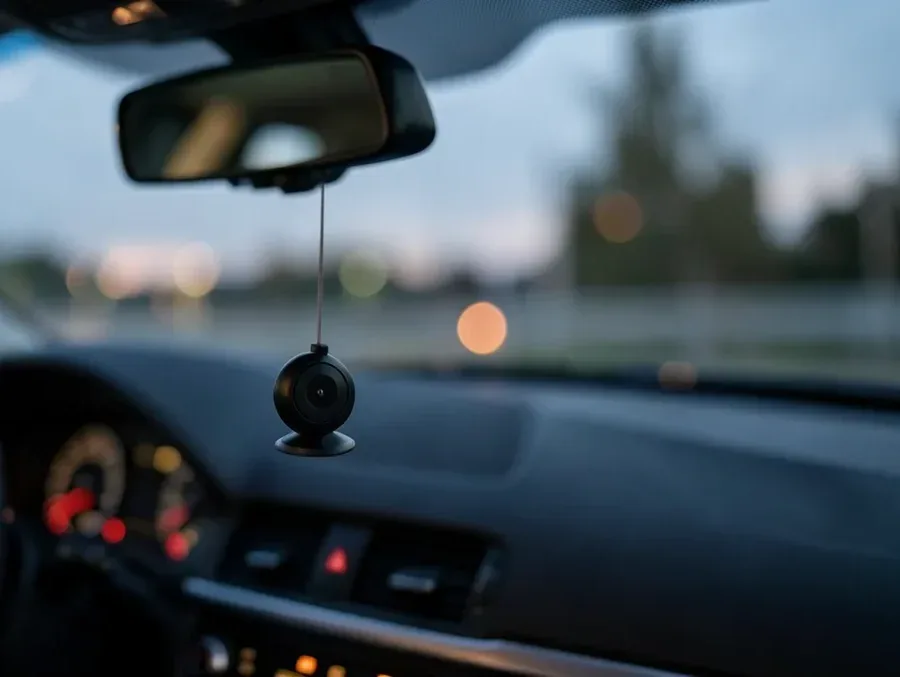
Mini Video Camera for Your Car: What to Know Before You Buy
A mini video camera for your car fits best when cabin clutter is low, windshield depth is short, or you want a hidden install. Even then, it is generally sensible to favor about 1080p or better, a wide field of view, and a heat-rated capacitor model. Pick poorly and you can get unreadable plates, missed clips, or a camera that quits in summer heat. This guide covers size, recording quality, mounting, power, storage, and climate before you buy.
What a mini dash cam
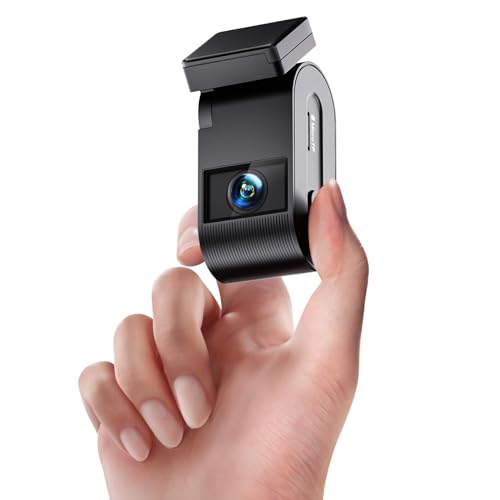
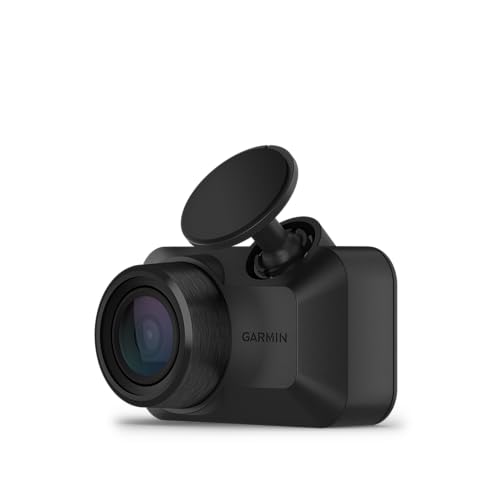

A mini dash cam is a smaller, more compact version of a standard in-car camera. It is usually less obtrusive in tight cockpits, and some units can hide behind the rear-view mirror. That smaller shell often brings tradeoffs in screen size, controls, and cooling space.
How it differs from a regular dash cam
The main difference is footprint. Mini models fit into tight glass areas more easily, while larger dash cams often give you a bigger display, more visible buttons, and sometimes easier playback on the unit itself.
Mini dash cams are often mounted with an adhesive pad or suction mount. That matters because placement must stay outside the driver’s sight line, especially if the camera sits near the top center of the windshield.
Where it fits best in the cabin
Mini models make the most sense when the windshield is short, the cabin is compact, or the mirror area has room for a hidden install. They also suit drivers who want the camera out of normal view after setup.
That benefit does not apply everywhere. If your vehicle has a steep windshield, a lot of sensor hardware behind the glass, or passengers in the back who need their own coverage, a larger system or a front-plus-rear package may fit the job better.
Mini dash cam fit table
| Cabin size | Windshield clutter | Parking mode need | Night-driving frequency | Heat exposure | Recommended feature priority | Buy mini? | Top compromise to accept |
|---|---|---|---|---|---|---|---|
| Small car or compact crossover | Low to moderate | Occasional | Sometimes | Moderate | Hidden mount, 1080p or better, loop recording | Yes | Small or no screen |
| Small car with a crowded windshield | High | Frequent | Often | High | Supercapacitor, strong night performance, parking mode | Yes | Setup may take longer without a large display |
| Truck or tall SUV with lots of glass | Moderate to high | Occasional | Sometimes | High | Wide view, heat tolerance, GPS | No | Choose a larger body or dual-camera system |
| Rideshare or fleet vehicle | Moderate | Frequent | Often | High | Easy playback, GPS, reliable power handling | No | More visible unit with easier controls |
| Rear-seat-heavy family vehicle | Moderate | Frequent | Sometimes | Moderate | Front-and-rear coverage, screen, app support | No | Less hidden placement |
Simple call: Yes for compact cabins and hidden front-only installs. No for trucks, rear-seat-heavy vehicles, and fleet use that needs easier review and broader coverage.
Can a mini dash cam fit behind the rear-view mirror?
Yes, many can. Some mini dash cams are small enough to sit behind the rear-view mirror, which is one of the main reasons drivers buy them. That placement can cut visual clutter, but only if the camera body, cable routing, and power lead stay outside the driver’s view.
Why hidden placement matters
A camera near the mirror is easier to forget about once installed. That helps in daily driving, and it can lower the chance that the device blocks a lane, a traffic signal, or a driver-assistance sensor area on the glass.
How mount style changes placement
Adhesive pads are common because they hold a compact body close to the glass. Suction mounts are easier to move, but they can sit farther from the windshield and may be bulkier.
A common first-timer mistake is mounting the camera too low because the lower glass feels easier to reach. That can put the unit in the driver’s line of sight and defeat the point of buying a mini model.
When mirror-line placement becomes a problem
Mirror-line placement can fail if the camera blocks the mirror itself, sits over a shaded or dotted band that weakens adhesion, or clashes with a thick sensor cluster. In those cases, the camera may still be small, but it is no longer a clean fit.
Which features matter most?
The features that matter most protect evidence first and keep the camera dependable second. For most buyers, that means resolution, low-light performance, a G-sensor, loop recording, and a mounting position that does not block the windshield. GPS and WiFi matter when you want better records and easier file handling.
Video resolution: 1080p vs 4K
1080p is common in budget models. 4K shows up in higher-end models, and it can help preserve more detail in moving scenes. That said, resolution alone does not make plates readable, especially at night, in rain, through dirty glass, or with glare from headlights.
Picture a commuter driving home on a wet two-lane road. A 4K camera can still miss a plate if the car ahead is bouncing in traffic and the windshield has streaks. The limit is not always pixel count; it is exposure, angle, and motion.
Night vision and low-light performance
Night vision matters because most dash cam disputes happen in conditions where contrast is poor. The real question is not whether the box says night vision, but whether the footage keeps plates legible after dark.
That means looking for actual low-light performance, not a vague claim. A camera should hold enough detail to identify vehicles, lane position, and nearby movement when headlights, streetlights, and reflections all compete.
G-sensor, loop recording, GPS, and WiFi
Loop recording is standard. It continuously overwrites old footage once storage fills up, so the card does not stop recording during an ordinary drive.
A G-sensor or emergency detection feature matters because it can save important clips after impact. That helps keep crash footage from being overwritten. GPS adds route and location data, which can help document where an event happened. WiFi or app connectivity is useful for changing settings and moving footage to a phone.
What are the downsides of a mini dash cam?
The main downsides are often usability and thermal margin. Many mini dash cams do not include a screen, and models that do may use a very small display. That can make setup, menu navigation, and clip review less convenient than on a larger camera.
No screen or a tiny screen
A screen helps during initial aiming and exposure checks. Without one, you depend more on the phone app or on trial-and-error placement. A tiny screen can still be useful, but it is not the same as a larger display when you are trying to confirm framing quickly.
Harder setup and menu use
Screen-free designs can be neat once installed, yet they can slow down setup. If the app connection is awkward or the buttons are small, changing a setting in a parking lot can become tedious.
Suppose you mount a mini dash cam behind the mirror and later find that the lens points too high. A screen-less unit may force you to check the angle through the phone app or repeated test clips, which takes longer than adjusting a larger front display.
Heat and reliability concerns
Heat exposure matters more than size. Parked cars can get extremely hot, and a compact body does not automatically mean better durability. In hot cabins, a supercapacitor-based model is often the safer choice than a battery-heavy design because it is generally better suited to thermal stress.
That tradeoff matters most if you park outdoors, live in a hot climate, or rely on parking mode. A camera that looks elegant on paper is still a poor buy if summer heat shortens its useful life.
Should I buy a mini dash cam for parking mode?
Yes, if your main goal is parked-car evidence and you can support the power setup. Parking mode can help capture scratches, break-ins, and hit-and-run events while the car is parked. It usually works best with motion or collision detection and wired power that can support longer monitoring.
What parking mode can capture
Parking mode is useful when the car is unattended. It may save footage if someone bumps the bumper, opens a door into your car, or moves near the vehicle in a suspicious way. Wirecutter reviewed one dash cam with 24-hour parking monitoring, which shows how central this feature has become for some buyers.
Motion and collision detection basics
Motion detection can start recording when the camera senses movement. Collision detection or impact detection can wake the camera after a hit and save the event. The key is not the label on the box; it is whether the system records enough lead-in and follow-up footage to explain what happened.
Power and battery considerations
Parking mode is not free. It can require hardwiring, and that means you should think about battery drain, cutoff protection, and how long the camera can run when the car is off. A mini dash cam can be a good parking camera, but only if the power plan is part of the purchase.
Do not assume small size fixes power issues. A compact body may fit neatly, yet parking mode still depends on storage, wiring, and the camera’s ability to survive long idle periods without overheating or draining the battery too far.
What should I know before buying a dash cam for a small cockpit?
For a small cockpit, buy for fit first and features second. The camera should stay out of your sight line, record clearly enough to identify events, and handle your climate. If the vehicle has a crowded windshield or you need passenger coverage, a mini front-only camera may be the wrong compromise.
- Measure the windshield area around the mirror and note any sensors, tint bands, or obstruction risks.
- Decide whether you need hidden front-only recording or front-and-rear coverage.
- Choose the priority between parking mode, night recording, and simple daily commuting clips.
- Check whether the camera uses adhesive or suction mounting and whether that fits your glass shape.
- Prefer 1080p or better, with stronger low-light performance if you drive after dark.
- Favor supercapacitor-based designs if the car will sit in heat.
- Make sure loop recording, G-sensor protection, and storage management are easy to understand.
The decision rule is simple. If you want a discreet front camera for commuting in a compact car, a mini dash cam makes sense. If you need easy review, rear-seat coverage, or fleet-style oversight, the smaller body can become a drawback rather than a benefit.
Frequently asked questions
What is a mini dash cam and how is it different from a regular dash cam?
A mini dash cam is a smaller and more compact version of a standard in-car camera. It is usually less obtrusive, can fit behind the rear-view mirror, and may give up a large display or large buttons to achieve that smaller footprint.
Do mini dash cams usually have a screen?
Many do not. Some have no screen at all, while others use a very small one. That can make setup and playback less convenient, so app support or good button layout becomes more important if you plan to adjust settings often.
Which features matter most in a mini dash cam?
Start with 1080p or better, night performance, a G-sensor, and loop recording. Then check whether you need GPS for route data, WiFi for phone transfers, and parking mode for parked-car evidence. Size matters, but only after those basics are covered.
Should I buy a mini dash cam for parking mode and night recording?
Only if the unit can handle both tasks well. Parking mode needs reliable power planning, and night recording depends on more than resolution alone. If your car is parked outdoors in heat, a supercapacitor model is the safer choice than a battery-heavy design.
What video resolution is worth paying for in a small dash cam?
1080p is the budget baseline, and 4K is common in higher-end models. 4K can preserve more detail, but it still cannot guarantee plate readability at night if motion blur, glare, rain, or dirty glass gets in the way.
Products related to this article
Sponsored / affiliate links. As an Amazon Associate I earn from qualifying purchases. I may earn additional commission from eligible campaigns.