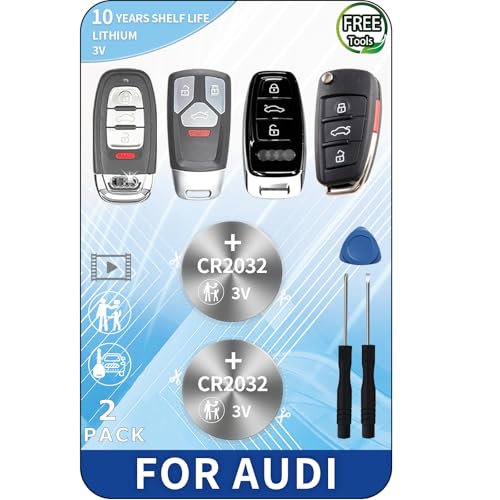
Remote Control Covers for Cars: Silicone Key Fob Cases
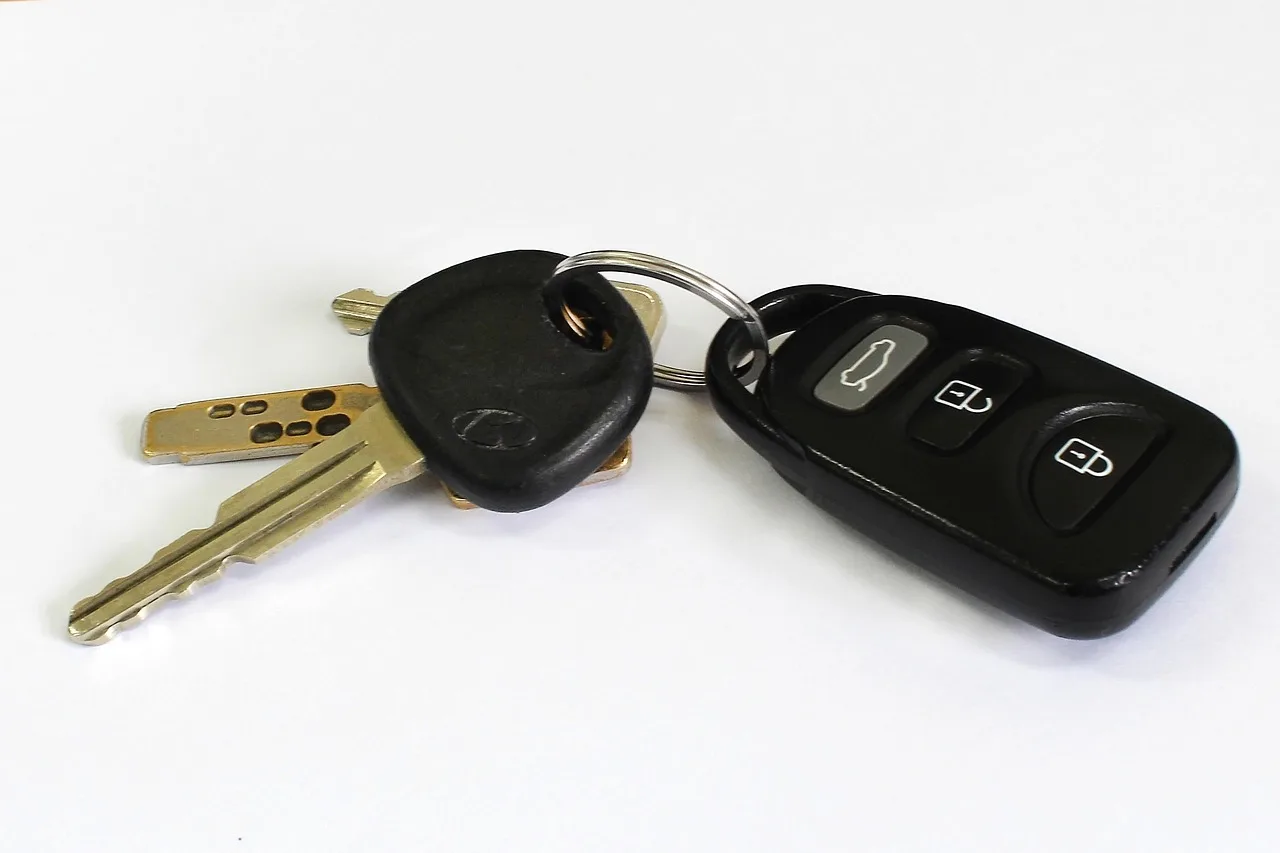
Choose a silicone key fob cover by matching the remote’s shape, button count, and any key-ring or flip-key cutouts; a close-looking case can block buttons or leave the battery door loose. A bad fit can trap buttons, weaken signal range, or slip off and leave the fob unprotected. This guide shows how to match covers by remote shape, button layout, and actual use.
What a silicone key fob cover actually does


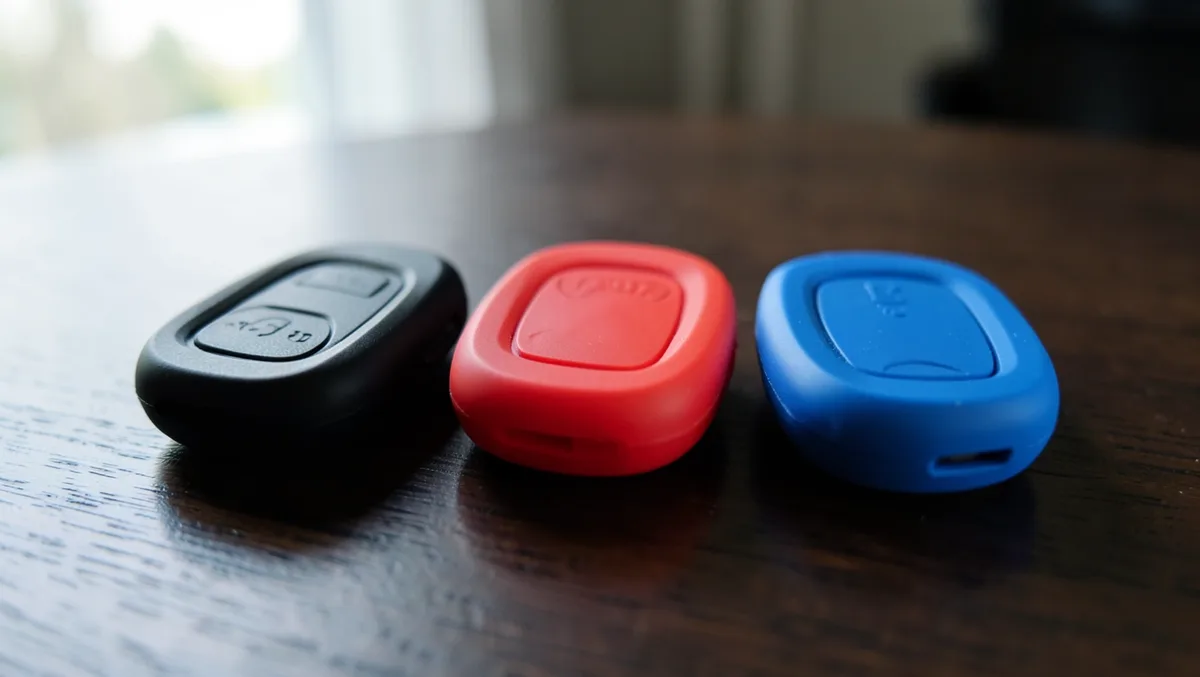
A silicone key fob cover is a removable outer layer that protects a remote keyless entry key from scratches, scuffs, and minor drop damage. Treat it as everyday protection, not a security device. The right cover keeps button access clear, fits the shell closely, and leaves the fob’s functions unchanged.
Scratch and drop protection
Silicone uses a flexible body that helps absorb impact and resists everyday wear. That matters most when the key rides in a pocket, bag, or cup holder with coins and other hard objects. A good cover also softens minor drops onto pavement or a garage floor.
Daily wear and button protection
Repeated rubbing can wear glossy fob shells, blur button icons, and nick the edges around the battery door. A snug silicone cover adds a layer between the remote and daily abrasion. It should still leave each button easy to press without needing extra force.
Style and color options without changing the fob itself
Silicone covers come in several colors and finish styles, but fit comes first. The best case is a custom-designed fit for the exact remote, not a generic sleeve. If the cutouts and profile do not match, the cover may look fine and still fail in use.
Does a silicone key fob case fit your remote?
Fit depends on the exact remote shape, button count, blade or emergency key placement, and battery access. A silicone key fob case is vehicle-specific, so a match by brand alone is not enough. Two remotes from the same make can use different shells, different button layouts, and different cutouts.
Check button count first
Start with the number of buttons. Many remote keyless entry keys use 3-button or 4-button layouts, but that is only the first filter. The cover must place each button opening in the right spot and allow clean travel when pressed.
Match the shell profile, not just the badge
Confirm the fob profile closely before buying. The outline, thickness, corner shape, and button spacing matter as much as the logo. If the shell is even slightly off, the silicone can stretch, wrinkle, or leave one side loose.
Confirm blade, emergency key, and battery-door placement
Check where the flip blade or emergency key sits, because many covers leave a side or top opening for that section. Also verify how the battery door opens. If the cover blocks the seam or wraps too tightly across it, battery access becomes awkward or impossible.
- Count the buttons on the remote.
- Identify whether it is a remote head key or smart key.
- Check the blade or emergency key location.
- Confirm battery-door access and seam placement.
- Buy only if the fob profile matches closely.
Key fob fitment checklist
This checklist shows how to sort fit risk before you buy. The practical rule is simple: confirm button count, check blade or emergency key placement, verify battery access, and choose a cover only if the fob profile matches closely. Generic make/model labels are not enough on their own.
| Remote type | Button count | Cover fit risk | Purchase check |
|---|---|---|---|
| Remote head key | 3-button | Medium if blade slot or seam is off | Confirm blade placement and battery-door access |
| Remote head key | 4-button | Medium to high if button spacing differs | Match button layout and shell outline closely |
| Smart key | 3-button | Medium if the profile is rounded differently | Verify the exact fob profile and lock/unlock cutouts |
| Smart key | 4-button | High if the start button or side seam differs | Check battery access and edge thickness before buying |
| Key with emergency blade | Varies | High if the blade opening is misplaced | Confirm blade, key-ring, and emergency release location |
Vehicle examples by make, model, and year
Fitment is model- and year-specific across Toyota, Honda, Ford, Lexus, Nissan, and BMW. A cover listed for one Toyota year may not fit the next year if the shell shape changed. The same caution applies to common Lexus smart keys and BMW comfort-access remotes.
Auto Room categorizes key cases by brand, including Audi, BMW, Land Rover, Mercedes-Benz, Nissan, Peugeot, Renault, and VW, and it lists 19 key case product types. That browsing helps narrow the search, but the final check still needs the exact remote profile and button layout.
Say your Toyota Camry key has 4 buttons and a side emergency blade. A cover made for the same make but a different trim can still miss the blade cutout or pinch the battery seam, which turns a cheap accessory into a poor fit.
When a close match is not close enough
A close-looking case can still fail if the fob shell has worn edges or a swollen battery door. Older remotes sometimes deform slightly from battery changes or repeated drops. In that situation, a tight cover may feel loose in one place and too tight in another.
A common first-timer mistake is buying by vehicle badge only, then finding the buttons sit under the wrong openings. That usually leads to accidental presses, a stretched cover, or a seam that no longer closes cleanly. The better move is to match the actual shell, not the marketing label.
How silicone covers compare with hard-shell cases
Silicone covers are flexible protectors. Hard-shell cases replace the exterior shell or wrap the remote in a rigid housing. Silicone is usually easier to install, easier to remove, and better for quick cosmetic protection. A hard shell is the better choice when the original housing is cracked or badly worn.
Flexible cover versus replacement shell
A silicone cover works over the existing key fob and relies on stretch fit. A hard-shell key case is a different product category and often changes the look and feel more dramatically. If the original shell is intact, silicone is usually the simpler option.
When a silicone cover makes more sense
Choose silicone when you want scratch protection, drop protection, and a little extra grip without changing the remote itself. It also makes sense for drivers who switch key storage between pockets, bags, and center consoles. The cover can be removed for cleaning or replacement.
When a hard shell is the better buy
If the original fob body is cracked, the button pad is torn, or the shell no longer closes firmly, a hard-shell replacement may be the better repair. Silicone will not fix a broken case. It only protects the remote you already have.
Can a key fob cover affect buttons or signal range?
A well-fit silicone cover should not change wireless range in normal use, but a poor fit can interfere with buttons or make the remote feel less precise. If the cover presses on a button continuously, the fob may seem stuck, and that can drain the battery faster. Signal-blocking cases are a separate product.
Button feel and accidental presses
Button feel depends on how closely the cover matches the switch locations. If the silicone is stretched over the wrong layout, the lock or unlock button may require extra force or may trigger too easily in a pocket. That is a fit problem, not a material flaw.
Wireless range and normal operation
Silicone itself does not act as an RFID blocker. Normal remote operation should remain intact when the cover fits correctly and does not distort the battery compartment or button pads. If range changes, check the battery, the cover alignment, and whether the fob is fully seated.
Why shielded cases are a different product
A shielded case solves a separate problem: blocking signals from keyless opening and starting systems. Kronium’s shielded case is for keyless opening and starting systems, and it blocks 125 / 134kHz, 13.56 MHz, 433 MHz, 868 MHz, 915 MHz, and 2.4 GHz. That is not the same job as a silicone protector.
Do not buy an RFID-blocking case if your only goal is to stop pocket scratches. Do not expect a silicone sleeve to stop relay-style theft. Those are different products with different purposes.
Installation should be simple: align the buttons, work the fob into the cover, and check that every edge sits flat. A quality silicone key fob cover should be easy to install and remove without tearing. After installation, test each button and inspect the battery seam.
Installation steps for a snug fit
- Clean dust from the remote shell.
- Line up the lock, unlock, and other button openings.
- Seat one end of the fob into the cover first.
- Stretch the silicone gently over the remaining corners.
- Check the blade, key-ring, and battery-door cutouts.
- Press every button once to confirm clean travel.
Cleaning, discoloration, and heat exposure
Silicone is easy to wipe clean with mild soap and water, but it can discolor over time. Dark pockets, sunscreen, hand oils, and road grime can all leave marks. Heat also matters. A closed car in strong sun can age the material faster and make the finish look tired sooner.
When to replace a worn cover
Replace the cover if it stretches out, feels loose, turns sticky, or no longer sits flush around the seams. A cover that slips during use stops doing its job. If button feel becomes inconsistent or the battery door becomes hard to reach, it is time for a new one.
Keyless City lists 44 silicone covers and shows 42 items on the page, with a silicone cover price shown starting at $2.80. It also shows a discounted price from $3.40 to $2.80. CarandTruckRemotes lists 77 remote cover products and prices remote covers starting from $9.95.
That spread shows how much pricing can vary by fit specificity, branding, and catalog depth. Auto Room lists some key cases at $18.00, which fits the same pattern: a more exact product line often costs more than a basic sleeve.
Frequently asked questions
What is the best silicone key fob cover for my car?
The best cover is the one that matches your exact remote shape, button count, blade placement, and battery-door location. Start with your vehicle year and trim, then compare the fob profile, not just the brand name. A close-looking universal cover is a common fit failure.
Will a silicone key fob case fit my exact remote?
It will fit only if the shell profile matches closely. Verify the number of buttons, the emergency key or flip blade position, and how the battery door opens. If any of those points differ, the case may press the wrong button or sit loose.
Do silicone key fob covers protect against drops and scratches?
Yes, that is the main use. Silicone covers protect against scratches, minor drops, and daily wear, especially in pockets and bags with hard objects. They are not meant to repair a broken fob, but they do add a useful layer of physical protection.
Which cars have compatible silicone key fob covers?
Compatibility is common across Toyota, Honda, Ford, Lexus, Nissan, and BMW, plus many other brands. The important point is that compatibility is year-specific and shell-specific. Two cars from the same brand can use different remotes, so check the exact fob before buying.
How do I install a silicone key fob cover on a remote?
Line up the buttons first, then stretch the silicone over the remote one end at a time. After installation, confirm that the key-ring opening, emergency blade cutout, and battery seam all stay clear. Finish by pressing each button to check feel and travel.
Are silicone key fob covers the same as hard shell key cases?
No. Silicone covers are flexible add-ons that protect the existing fob. Hard shell cases are a different product and may replace the outer housing or change the structure more significantly. Choose silicone for simple protection and a hard shell when the original case is damaged.
How much do silicone remote covers cost?
Prices vary by fit and catalog size. Examples include Keyless City starting at $2.80, CarandTruckRemotes starting from $9.95, and some Auto Room key cases at $18.00. A cheaper cover can be fine if the fit is exact; a higher price does not guarantee better compatibility.
Products related to this article
Sponsored / affiliate links. As an Amazon Associate I earn from qualifying purchases. I may earn additional commission from eligible campaigns.