
WeatherTech CupFone Review: Is It Worth It?
WeatherTech CupFone is worth it if you want a cup-holder phone mount with a rigid, adjustable grip and you are willing to match the variant to your vehicle’s cup holder and your phone setup. The better fit choices become clear once you factor in phone size, case thickness, and whether you want fixed vertical use, rotate-to-landscape use, or two-phone use. A poor fit can block controls, wobble on rough roads, or fail to hold a phone with a bulky case. This guide covers which CupFone variant fits which car, phone, and driving setup.
Which vehicles suit the WeatherTech CupFone mount?

Yes, if your car has a cup holder that can take a snug insert and you want a mount that stays within that space instead of clamping to vents or sticking to the dash. It works well for drivers who use map directions often and want fewer phone-handling moments. It can disappoint if your cup holder is shallow, oddly shaped, or sits too close to a shifter.
Where it fits best
CupFone fits best in a vehicle with a cup holder that is deep enough to seat the base and far enough from controls that the phone will not crowd the shifter, climate dials, or drive selector. It also works best when the phone can sit upright without leaning into the dash or center stack.
Where it can disappoint
It can disappoint in oversized or strangely shaped holders, and in cars where the cup holder sits low and forces you to look down more than you would like. Tall phones can wobble if the cradle height and case thickness are a poor match. That risk rises when the holder is too loose or the phone extends above the cradle more than expected.
What weatherTech CupFone
WeatherTech CupFone is a portable, universal car phone holder that sits within a vehicle’s existing cup holder. The main appeal is simple: it keeps the phone inside the car’s built-in storage space while supporting hands-free driving for navigation and call handling. The fit depends on the cup holder, not just the phone.
How it supports hands-free driving
By placing the phone in the cup holder, CupFone reduces the need to hold a device in your hand or rest it loosely on a console. That can make route-following and call answering easier to manage, especially on routine commutes. It is still a placement solution, so visibility and reach matter.
CupFone fit decision table
Use this table to check whether CupFone matches your vehicle and phone setup before you buy.
| Vehicle cup holder type | Phone size/case thickness | Best CupFone variant | Expected drawbacks | Portrait, sideways, or dual-phone use |
|---|---|---|---|---|
| Deep, round cup holder with a steady seat | Smaller phone with a slim case | Standard | Fixed vertical viewing only; less flexible if you want side-on viewing | Portrait makes the most sense |
| Deep cup holder with enough room for rotation | Mid-size phone with a normal case | Two View | Rotation can add another point to check when tightening; still depends on cup-holder stability | Portrait or landscape both make sense |
| Two adjacent cup holders or a setup used by two people | Two smartphones, one on each side | Duo | Takes more space and may crowd a tight center console | Dual-phone use makes sense |
| Shallow holder with a narrow opening | Thick case or wallet-style cover | Check the listing for your model | Higher chance of wobble, poor seating, or interference with the case | Portrait is usually the safer first choice |
| Oversized or oddly shaped holder | Any phone size | Check the listing for your model | Snug fit may be hard to achieve, even with cup-stack adjustment | Sideways use may add stability in some layouts, but fit comes first |
How the nesting-cup base works
The base uses tapered nesting cups, and the cups can be added or removed to match cup-holder diameter. That stackable design is what makes the fit work. The goal is a snug, steady fit inside the existing holder, not a loose drop-in that shifts every time the car moves.
Adjusting for cup-holder size
Start by matching the cup stack to the opening in your vehicle. A tighter stack helps in smaller holders; a shorter stack may suit larger holders if the fit would otherwise sit too high. The right stack should feel seated, not wedged in a way that rocks or tilts.
What to watch
Shallow holders can leave too little base depth for a steady seat. Oversized holders can let the cup stack move side to side. Weirdly shaped holders can create a false fit, where the mount looks installed but shifts when you brake, turn, or take a rough patch of road.
Say your sedan has a deep round cup holder but the phone is in a bulky wallet case. The base may seat fine, but the cradle can still be the limiting factor if the case pushes the phone outward and makes the top-heavy setup sway.
Which CupFone variant fits your setup?
The right version depends on how you use the phone, how much you care about orientation, and whether one or two people need access. Standard is often the simplest single-phone option. Two View adds rotation. Duo is the shared-use choice for two smartphones.
CupFone Standard
The Standard CupFone holds one phone vertically. That fixed orientation is the cleanest choice for drivers who only need upright navigation and do not plan to flip the screen to landscape. It is often the least complicated setup, which can be a plus in cars with a tight center console.
CupFone Two View
CupFone Two View can rotate to portrait or landscape and lock into either position. That makes it the better fit if your map app, video call layout, or dashboard preference changes from one drive to the next. It suits drivers who want more flexibility without moving away from the cup holder.
CupFone Duo
CupFone Duo is designed for two smartphones and is intended for driver and passenger use. It is the right pick when two devices need a home at once, or when both front-seat occupants want a dedicated place for their phones. Check spacing carefully if your center console is already crowded.
Pros and cons
The appeal is straightforward: CupFone keeps the phone in a defined place, uses the car’s existing cup holder, and gives you an adjustable base that can fit a range of holders. The downside is that fit is only as good as the cup holder, the phone size, and the way your interior is laid out.
Pros
- Uses an existing cup holder, so no dash adhesive or vent clip is needed.
- Tapered nesting cups let you change the base diameter.
- Standard, Two View, and Duo cover different use cases.
- Good fit can keep the phone steady for navigation and call handling.
- Portable design makes it easier to move between vehicles.
Cons
- Shallow cup holders may not seat the base well.
- Oversized or odd-shaped holders can leave the mount loose.
- Thick cases, wallets, or charging cables can interfere with the cradle.
- Tall phones may wobble if the fit is not tight enough.
- Low cup-holder placement can pull your eyes farther from the road.
Who it’s for
CupFone is best for daily navigation users, commuters who want a fixed place for a phone, and drivers whose cup holders are deep enough to support a steady base. It also makes sense for households that want a portable mount they can move between vehicles. It is less suitable for cars with blocked cup holders, awkward console layouts, or a strong need for dash-level screen placement.
Best for daily navigation
If your main use is map directions and quick call checks, the Standard or Two View model is usually the best match. The phone stays in one location, and the mount lives inside the car’s existing cup holder instead of taking up a vent or windshield position.
Best for thicker cases
Thicker cases are where fit matters most. Choose the variant whose cradle and holder spacing best match the phone after the case is on, and confirm that charging cables will still reach without forcing the phone sideways. If the case turns the phone into a tight fit, check the manufacturer’s listing for your model.
Best for shared use
CupFone Duo is the clear fit when two front-seat occupants want their own mount point. It can also help if one phone stays on the driver side for navigation while the passenger keeps another device close by. Just make sure the center console has room for both heads without crowding controls.
Picture a compact SUV with two cup holders tucked close to the shifter. Duo may fit the physical space, but the phones can still get in the way if the heads sit too high or the cords sweep across the controls. In that setup, the fit question is about the whole console, not just the cup holder.
How do you install and adjust it?
Installation is a matter of choosing the right cup stack, seating the base in the cup holder, and setting the phone orientation that matches your driving setup. The goal is a snug, steady fit with enough clearance for the phone, the cable, and the surrounding controls.
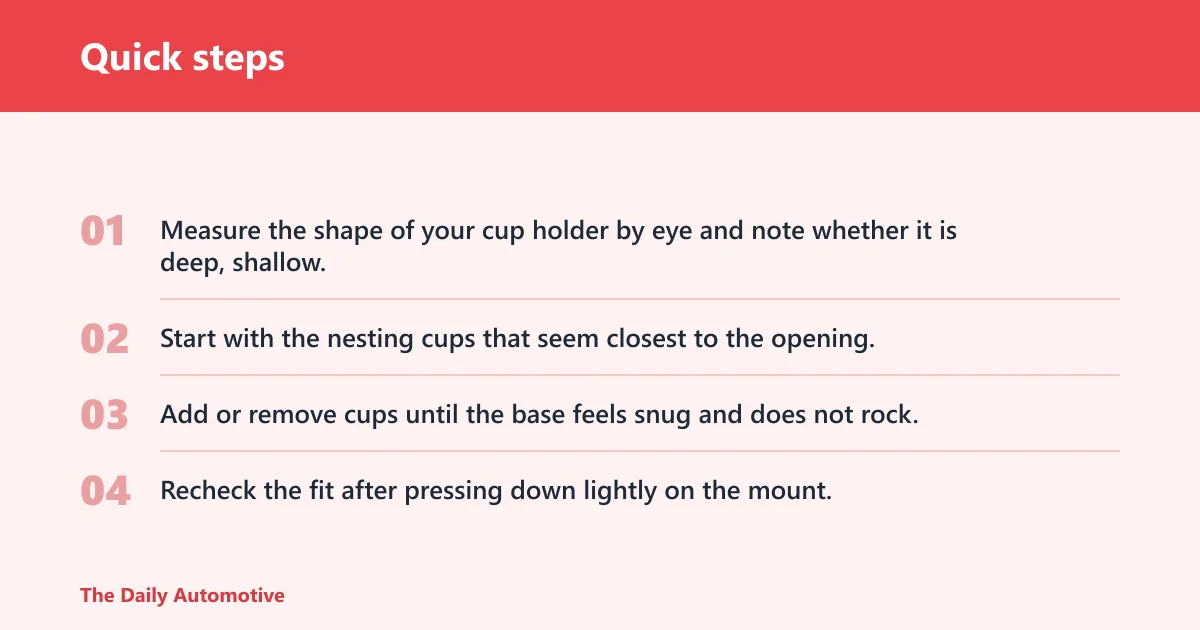
Pick the right base stack
- Measure the shape of your cup holder by eye and note whether it is deep, shallow, or tapered.
- Start with the nesting cups that seem closest to the opening.
- Add or remove cups until the base feels snug and does not rock.
- Recheck the fit after pressing down lightly on the mount.
Seat it in the cup holder
Place the base into the existing cup holder and make sure it sits straight. If the holder is shallow, watch for the mount sitting too high or tilting. If it sits too loosely, adjust the cup stack before adding the phone, since the phone’s weight can make a borderline fit feel worse.
Set portrait or landscape
With Standard, the phone stays vertical. With Two View, rotate the cradle until the position matches your map layout or app view, then lock it in place. If you use charging, check that the cable reaches without pulling the phone off-center or lifting the base.
Frequently asked questions
How do I use weatherTech cupFone?
Place the base in your vehicle’s existing cup holder, fit the nesting cups until the base feels snug, then place the phone in the cradle. Use the Standard model for vertical viewing, Two View for portrait or landscape, and Duo if two smartphones need to sit in the front row.
How do I install WeatherTech CupFone?
Choose the cup-stack pieces that best match your holder, seat the base in place, and confirm that it does not rock or sit loosely. After that, set the phone in the cradle and check for clearance around the shifter, dash, and charging cable before you drive.
How do I adjust WeatherTech CupFone?
Adjust it by adding or removing the tapered nesting cups until the base fits the holder snugly. Then set the cradle position that matches your model. If you use Two View, lock the phone in portrait or sideways as needed.
What is weatherTech cupFone two View?
Two View is the version that can rotate and lock into portrait or landscape. It is the best pick when you want more screen-angle flexibility than the Standard model offers. It still depends on the same cup-holder fit, so the base needs to sit steady first.
Does WeatherTech CupFone work with an extension?
If you mean an accessory that raises or changes the mounting position, check the manufacturer’s listing for your model. The fit question is whether the cup holder can still hold the base snugly and whether the added height would interfere with shifters, controls, or cable routing.
Where can I buy WeatherTech cup phone?
Check WeatherTech’s own product listing or an authorized retailer that shows the exact variant you want. Match the listing to your car’s cup holder, your phone size, and whether you need Standard, Two View, or Duo before you buy.
What is the WeatherTech CupFone best price?
The best price is the one attached to the exact variant you need, because Standard, Two View, and Duo are not the same product. Compare current listings from authorized sellers, then weigh the cost against whether you need fixed vertical use, rotation, or two-phone support.
Products related to this article
Sponsored / affiliate links. As an Amazon Associate I earn from qualifying purchases. I may earn additional commission from eligible campaigns.