What Stereo Fits My Car? A Complete Guide
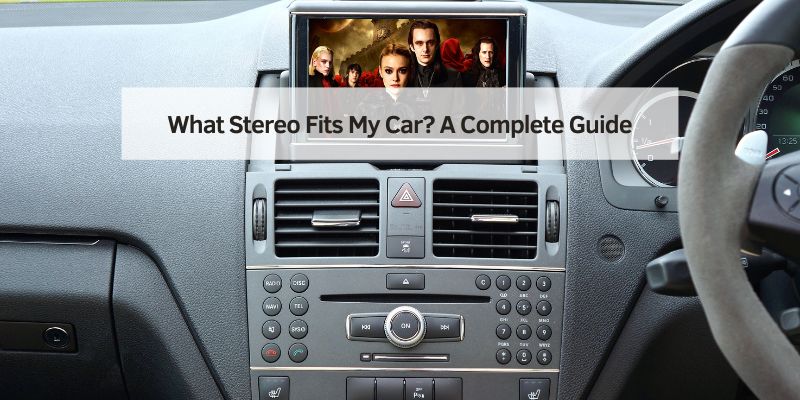
Hey there! So, you’re thinking about upgrading your car’s stereo and wondering, “What stereo fits my car?” I totally get it—nothing beats cruising with your favorite tunes blasting through a crisp, clear sound system. A couple of years ago, I decided to swap out the outdated stereo in my old Honda Civic, and let me tell you, it was a game-changer. But figuring out which stereo would fit was a bit of a puzzle at first.
I’ve spent hours researching, talking to car audio experts, and even installing a stereo myself, so I’m excited to share everything I’ve learned. Let’s sit down together, and I’ll walk you through how to find the perfect stereo for your car, what to consider, and how to make it happen. By the end, you’ll be ready to pick a stereo that fits like a glove and sounds amazing. Ready? Let’s dive in!
Why Upgrade Your Car Stereo?
Before we get into finding the right stereo, let’s talk about why you might want to upgrade. When I got my Civic, the factory stereo was okay, but it sounded flat and couldn’t handle my playlists at high volume. A new stereo can transform your driving experience. Here’s why I decided to make the switch:
- Better Sound Quality: Modern stereos have clearer sound and stronger bass. My new stereo made every song sound like a live concert.
- More Features: New stereos come with Bluetooth, USB ports, and smartphone integration like Apple CarPlay or Android Auto. I love streaming music from my phone without messy cables.
- Customization: You can tweak the sound with equalizers or add subwoofers. I played around with the settings to get the perfect balance for my music.
- Value Boost: A good stereo can make your car feel newer and more appealing if you ever sell it. My Civic felt like a premium ride after the upgrade.
Upgrading your stereo isn’t just about music—it’s about making every drive more enjoyable.
What Does “Fit” Mean for a Car Stereo?
When I started looking for a stereo, I kept hearing about “fit.” It’s not just about whether the stereo physically fits in your car’s dashboard. It’s also about compatibility with your car’s wiring, features, and design. Here’s what I learned about what “fit” really means:
- Physical Size: Stereos come in standard sizes, like single DIN or double DIN. I had to measure my Civic’s dashboard to know which size to get.
- Wiring Compatibility: Your car’s wiring harness needs to match the stereo’s connections. I found out my car needed an adapter to make it work.
- Mounting: The stereo needs to sit securely in the dashboard. My Civic required a mounting kit to hold the new stereo in place.
- Features: The stereo should work with your car’s controls, like steering wheel buttons. I made sure my new stereo supported my car’s Bluetooth controls.
Getting the right fit means checking all these boxes to avoid headaches during installation.
Understanding Car Stereo Sizes
One of the first things I figured out was that stereos come in different sizes. This was a big “aha” moment for me. Most cars use one of two standard sizes:
- Single DIN: These are smaller, about 2 inches tall and 7 inches wide. My Civic had a single DIN stereo, which is common in older cars.
- Double DIN: These are taller, about 4 inches high and 7 inches wide. They’re popular in newer cars with bigger dashboards and touchscreens.
Some cars have odd-sized or custom dashboards, so you might need a special mounting kit. I measured my dashboard with a tape measure and checked my car’s manual to confirm the size. If you’re not sure, you can look up your car’s specs online or ask at an auto parts store.
How to Find Out What Stereo Fits Your Car
Finding the right stereo for your car takes a bit of detective work, but it’s not hard. Here’s how I did it for my Civic:
- Check Your Car’s Manual: The owner’s manual often lists the stereo size and wiring details. Mine said my Civic used a single DIN stereo.
- Look Up Your Car Online: Websites like Crutchfield or CarID have fitment tools. I entered my car’s make, model, and year, and they showed me compatible stereos.
- Visit an Auto Parts Store: I went to a local shop, and they checked their database to find stereos that fit my car. They also suggested adapters I’d need.
- Ask a Professional Installer: I called a car audio shop, and they confirmed what would work based on my car’s specs.
- Check the Dashboard: I popped off the trim around my stereo to see the size and shape of the slot. This helped me avoid buying the wrong unit.
Using these steps, I found a Pioneer single DIN stereo that fit perfectly and had all the features I wanted, like Bluetooth and a USB port.
Tools and Accessories You Might Need
When I upgraded my stereo, I realized it’s not just about the stereo itself. You might need some extras to make it fit and work right. Here’s what I used:
- Mounting Kit: My Civic needed a plastic kit to hold the new stereo in the dashboard. It cost about $15.
- Wiring Harness Adapter: This connects the new stereo to your car’s wiring. I paid $10 for one that matched my Civic.
- Antenna Adapter: Some cars need this to connect the radio antenna. Mine was $5 and easy to plug in.
- Dash Trim Kit: If your car has a custom dashboard, this makes the stereo look seamless. I didn’t need one, but they’re about $20-$50.
- Tools: I used a screwdriver, pliers, and a trim removal tool to pop off the dashboard panel. A socket wrench helped with some bolts.
- Installation Guide: Many stereos come with instructions, but I also watched YouTube videos for my car model.
Having these ready made the installation smooth and saved me from extra trips to the store.
Step-by-Step Guide to Choosing and Installing a Stereo
Once I knew what stereo fit my car, I was ready to buy and install it. Here’s how I did it, step by step:
Step 1: Research Compatible Stereos
I used Crutchfield’s fitment tool to find stereos for my 2010 Honda Civic. I picked a Pioneer DEH-S4220BT for $120 because it had Bluetooth, USB, and good reviews. Make sure the stereo matches your car’s size and wiring.
Step 2: Compare Features
I wanted Bluetooth, a USB port, and steering wheel control compatibility. Some stereos have touchscreens, Apple CarPlay, or Android Auto, but those are pricier ($200-$500). I stuck with a simple unit since my budget was tight.
Step 3: Buy the Stereo and Accessories
I bought my stereo, a wiring harness adapter, and a mounting kit from an online retailer. The total was about $145. Check if your car needs an antenna adapter or dash kit, too.
Step 4: Gather Tools
I grabbed a screwdriver, pliers, a trim removal tool, and electrical tape. I also wore gloves to avoid scratches. Having everything ready saved time.
Step 5: Remove the Old Stereo
I turned off my car and removed the key. Using the trim tool, I popped off the dashboard panel. I unscrewed the old stereo, unplugged the wiring harness and antenna, and pulled it out. It took about 15 minutes.
Step 6: Connect the New Stereo
I connected the wiring harness adapter to the new stereo’s wires, matching colors (red to red, black to black, etc.). I plugged in the antenna adapter and secured the mounting kit in the dashboard. This part was like a puzzle but fun.
Step 7: Install and Test
I slid the new stereo into the mounting kit, screwed it in, and snapped the dashboard panel back on. I turned on the car, tested the radio, Bluetooth, and USB, and adjusted the sound settings. It worked perfectly, and I was grinning ear to ear.
Step 8: Fine-Tune
I tweaked the equalizer to boost the bass and paired my phone via Bluetooth. I also checked that my steering wheel controls worked with the new stereo.
Here’s a table summarizing the process:
| Step | Action | Tools Needed |
|---|---|---|
| Research | Find compatible stereos | Computer, car manual |
| Compare Features | Pick desired features | Budget, preference list |
| Buy Accessories | Get stereo, harness, mounting kit | Money, online store |
| Gather Tools | Collect screwdriver, pliers, etc. | Basic tools, gloves |
| Remove Old Stereo | Take out old unit | Trim tool, screwdriver |
| Connect New Stereo | Wire harness and antenna | Wiring harness, electrical tape |
| Install and Test | Mount and test new stereo | Screwdriver, car key |
| Fine-Tune | Adjust sound and settings | Stereo controls, phone |
This took me a Saturday afternoon, but the results were worth it.
Common Features to Look for in a Car Stereo
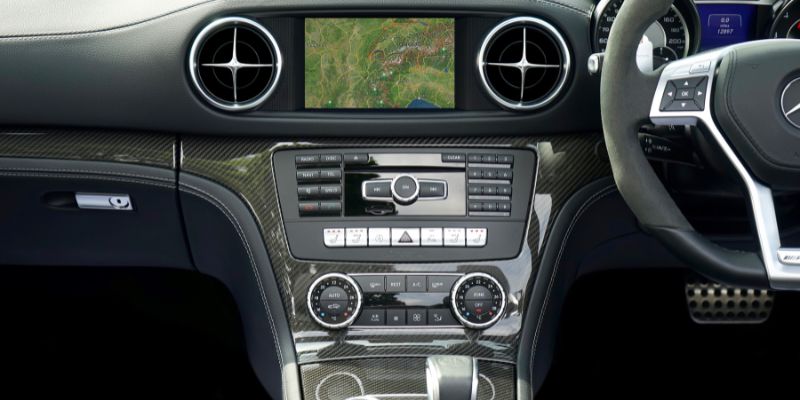
When I was shopping for my stereo, I learned there are tons of features to consider. Here’s what I looked at:
- Bluetooth: Lets you stream music and take calls hands-free. I use it every day for Spotify.
- USB/Aux Ports: For connecting phones or USB drives. I plug in a USB stick with my favorite playlists.
- Apple CarPlay/Android Auto: These let your phone’s apps show on the stereo’s screen. I didn’t need this, but it’s great for navigation.
- Radio Options: AM/FM is standard, but some stereos have HD Radio or SiriusXM. I stuck with FM since I stream most music.
- Sound Controls: Equalizers and bass boost let you customize the sound. I tweaked mine for extra bass on rock songs.
- Steering Wheel Controls: Make sure the stereo works with your car’s buttons. Mine did, and it’s so convenient.
I chose features that fit my budget and needs, but you can go all-out with touchscreens or premium sound if you want.
Where to Buy a Car Stereo
I shopped around to find the best place to buy my stereo. Here are the options I considered:
- Online Retailers: Crutchfield, Amazon, and Sonic Electronix have wide selections and fitment tools. I bought mine from Crutchfield because they included a free wiring harness.
- Auto Parts Stores: Best Buy, AutoZone, and Walmart carry stereos and accessories. I checked Best Buy for deals but found better prices online.
- Car Audio Shops: Local shops often sell and install stereos. I visited one for advice, and they offered installation for $50-$100.
- Big Box Stores: Target or Costco sometimes have basic stereos, but the selection is limited. I didn’t find what I needed there.
Online was easiest for me, but local stores are great if you want to see the stereo in person.
DIY vs. Professional Installation
Installing my stereo myself was a fun challenge, but it’s not for everyone. Here’s how I weighed DIY versus professional installation:
- DIY Pros: It’s free, and you learn about your car. I saved $50 by doing it myself and felt proud.
- DIY Cons: It takes time (2-3 hours for me) and can be tricky if you’re not handy. I messed up the wiring once and had to redo it.
- Professional Pros: It’s quick (1-2 hours) and done right. A pro would’ve saved me the wiring hassle.
- Professional Cons: It costs $50-$150, depending on the shop. That’s a chunk of change if you’re on a budget.
I went DIY because I like tinkering, but a pro is worth it if you’re not confident or short on time.
Cost of Upgrading Your Car Stereo
Cost was a big factor for me. Here’s what I spent and what to expect in the U.S.:
- Stereo: Basic single DIN units cost $50-$150; double DIN with touchscreens run $200-$500. Mine was $120.
- Accessories: Wiring harness, mounting kit, and antenna adapter cost $5-$50 each. I spent $25 total.
- Tools: If you don’t have a screwdriver or trim tool, expect $10-$30. I already had tools at home.
- Installation: DIY is free; professional installation is $50-$150. I saved by doing it myself.
My total was about $145, but you could spend $100-$700 depending on the stereo and installation choice.
Common Mistakes to Avoid
I made a few mistakes when upgrading my stereo, so here’s what to watch out for:
- Buying the Wrong Size: Double-check your car’s DIN size. I almost got a double DIN that wouldn’t fit my Civic.
- Skipping Adapters: Without a wiring harness, you’ll have to cut wires, which is messy. I’m glad I got one.
- Ignoring Features: Make sure the stereo has what you need, like Bluetooth. I almost bought one without it.
- Poor Installation: Loose connections can cause static or failure. I tightened everything to avoid issues.
- Not Testing: Test the stereo before snapping the dashboard back on. I caught a loose wire just in time.
Learning from my mistakes made the process smoother.
Environmental Benefits of Upgrading Your Stereo
Upgrading your stereo can be good for the planet. I recycled my old stereo at an electronics recycling center to avoid landfill waste. Many new stereos are energy-efficient, using less power from your car’s battery, which can slightly improve fuel efficiency. I also chose a brand with eco-friendly packaging to reduce waste. It’s a small way to make your car greener.
Why I Love My New Stereo
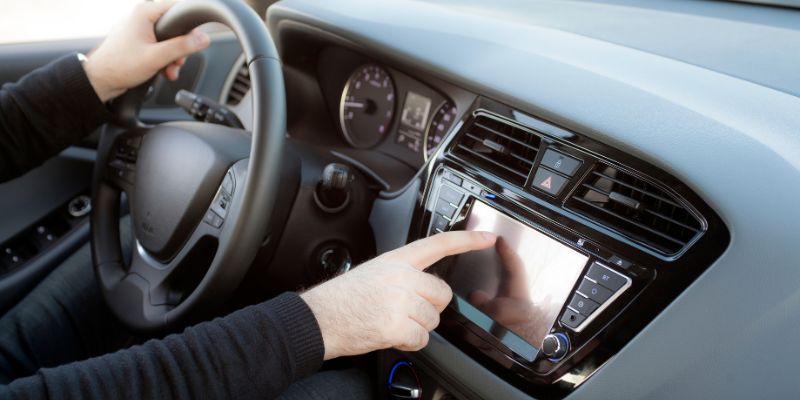
Switching out my old stereo was one of the best upgrades I’ve made. The sound is crisp, Bluetooth makes life easy, and my car feels modern. Every drive is more fun now, whether I’m jamming to music or listening to a podcast. Plus, I saved money by doing it myself and learned a new skill. It’s a win all around.
Wrapping It Up
Figuring out what stereo fits your car doesn’t have to be a headache. I went from a dull factory stereo to a sleek, feature-packed unit that makes every drive a blast. By checking your car’s specs, picking the right features, and deciding between DIY or professional installation, you can get the perfect stereo for your ride. Whether you’re a music lover or just want a better driving experience, a new stereo is worth it. So, grab your tools or call a pro, and get ready to enjoy your favorite tunes like never before. Your car—and your ears—will thank you!
FAQs
How do I know what stereo size fits my car?
Check your car’s manual or measure the dashboard slot. Single DIN is 2 inches tall; double DIN is 4 inches. I used a website like Crutchfield to confirm my Civic’s size.
Can I install a car stereo myself?
Yes, if you’re handy and have tools like a screwdriver and pliers. I did it in 2 hours with a YouTube video. If you’re unsure, a pro can do it for $50-$150.
What features should I look for in a car stereo?
Bluetooth, USB ports, and steering wheel control compatibility are great. I picked a stereo with Bluetooth for easy streaming. Touchscreens or CarPlay are nice but pricier.
Where’s the best place to buy a car stereo?
Online stores like Crutchfield or Amazon have great selections and fitment tools. I bought mine online for $120. Auto parts stores like Best Buy work, too.
How much does a car stereo upgrade cost?
Expect $100-$700 total, including the stereo ($50-$500) and accessories ($20-$100). I spent $145 on mine, including a wiring harness and mounting kit.