When Did Bluetooth Come Out In Cars? A Simple Journey Through Time
I’ll never forget the first time I connected my phone to my car’s stereo using Bluetooth. It was like magic—no wires, just music streaming from my phone to the speakers! That got me curious about when did Bluetooth come out in cars. In this article, I’ll take you through the history of Bluetooth in cars, explain how it works, and share simple tips to use it like a pro. Whether you’re new to cars or a tech enthusiast, I’ve got you covered with easy examples, fun facts, and practical advice.
What Is Bluetooth in Cars?
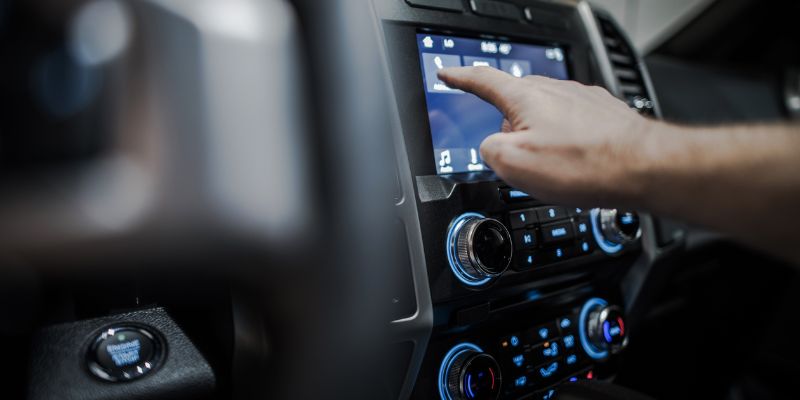
Bluetooth is a wireless technology that lets devices, like your phone, talk to your car’s system. It’s like a super short phone call between gadgets, but without wires! In cars, Bluetooth connects your phone to the stereo for music, calls, or even navigation. It’s safe, easy, and makes driving more fun.
Why does it matter? Bluetooth keeps your hands on the wheel. No fumbling with cords or buttons. It also lets you stream music or podcasts, making road trips a breeze. Plus, it’s in most cars now, so you’re likely already set to use it!
When Did Bluetooth First Show Up in Cars?
Bluetooth started in 1998, but it didn’t hit cars right away. The first Bluetooth hands-free car kits came out in 2001. These were simple devices, like a clip-on speaker for your visor, that let you take calls without holding your phone. By 2003, carmakers like BMW and Toyota began building Bluetooth into car stereos for hands-free calls. My first car, a 2005 Honda, had one of these early systems—it was clunky but cool!
By 2007, Bluetooth became more common in mid-range cars, not just fancy ones. Streaming music through Bluetooth started around 2008, when systems like Ford’s SYNC made it easy to play your tunes wirelessly. Today, almost every new car has Bluetooth, and it’s better than ever.
| Year | Bluetooth Milestone in Cars |
|---|---|
| 2001 | First hands-free car kits |
| 2003 | Built-in Bluetooth in luxury cars |
| 2008 | Music streaming becomes common |
Table 1: Key moments when Bluetooth entered cars.
How Does Bluetooth Work in Cars?
Bluetooth uses radio waves to connect devices over a short distance, like 30 feet. Your phone and car “pair” by sharing a special code, like a secret handshake. Once paired, they talk to each other automatically. It’s a piece of cake!
Here’s a simple example: Imagine you’re in your car, and your phone plays music through the speakers. If a call comes in, the music pauses, and you hear the call through the car’s speakers. After the call, the music starts again. That’s Bluetooth making life easy!

Why Bluetooth in Cars Is Awesome
Bluetooth changed driving for the better. Here are some reasons why:
- Safer driving: Hands-free calls mean you keep your eyes on the road.
- No wires: Stream music or podcasts without messy cables.
- Easy to use: Pair once, and your car remembers your phone.
But it’s not perfect. Sometimes, pairing fails, or the sound cuts out. Older systems might not stream music well. Still, the pros outweigh the cons for most drivers.
How to Use Bluetooth in Your Car: A Step-by-Step Guide
Want to try Bluetooth in your car? Here’s a simple guide to get started:
- Turn on Bluetooth: Go to your phone’s settings and switch Bluetooth on.
- Find your car: In your car’s audio system, look for a Bluetooth menu. It might say “Pair Device” or “Connect Phone.”
- Pair them up: Select your car on your phone’s Bluetooth list. Enter a code if asked (check your car’s screen).
- Test it: Play music or make a call to ensure it works.
Pro tip: If pairing fails, turn Bluetooth off and on again. It’s like restarting a grumpy computer!
| Step | Action | Tip |
|---|---|---|
| 1 | Turn on Bluetooth | Check phone and car are on |
| 2 | Find car’s Bluetooth | Look in audio settings |
| 3 | Pair devices | Use code if needed |
| 4 | Test connection | Play a song or call |
Table 2: Steps to connect Bluetooth in your car.
Common Mistakes to Avoid
I’ve made my share of Bluetooth blunders! Here are mistakes to skip:
- Forgetting to pair: Always check your phone is paired before driving.
- Low battery: Bluetooth drains your phone’s battery, so keep it charged.
- Old software: Update your phone and car’s system for better connections.
Once, I tried pairing my phone while driving—big mistake! It was distracting and didn’t work. Pair at home or when parked to stay safe.
Fun Ways to Use Bluetooth in Your Car
Bluetooth isn’t just for calls. Here are cool ways to use it:
- Stream playlists: Create a road trip playlist on your phone and play it through your car’s speakers.
- Listen to podcasts: Long drives fly by with a good story or podcast.
- Use navigation: Apps like Google Maps can send directions to your car’s speakers.
Try this: Make a playlist of your favorite songs and test it on a short drive. It’s like having your own radio station!
Visual idea: A simple diagram showing a phone connecting to a car’s stereo via Bluetooth waves would make this clear. Another idea is a timeline graphic of Bluetooth’s history in cars.
Tips from My Experience
As someone who’s used Bluetooth in cars for years, here are my top tips:
- Keep it simple: Pair one device at a time to avoid mix-ups.
- Check compatibility: Older cars might need a Bluetooth adapter. I got one for $20, and it worked like a charm!
- Update regularly: Newer Bluetooth versions (like 5.0) connect faster and sound better.
When I got my first Bluetooth adapter, I was amazed at how easy it was to add modern tech to my old car. It’s a cheap way to upgrade!
Comparing Bluetooth Systems: Old vs. New
Not all Bluetooth systems are the same. Here’s a quick comparison:
| Feature | Older Systems (2003-2010) | Newer Systems (2015+) |
|---|---|---|
| Call Quality | Okay, sometimes choppy | Clear, reliable |
| Music Streaming | Limited or none | High-quality, seamless |
| Pairing Speed | Slow, manual | Fast, automatic |
Table 3: Comparing old and new Bluetooth systems in cars.
Newer systems are better, but even older ones get the job done. If your car’s Bluetooth is outdated, a $15-30 adapter can bring it up to speed.
Alternatives to Bluetooth
Bluetooth isn’t the only way to connect your phone to your car. Here are other options:
- Aux cable: Plug your phone into the car’s aux port. It’s cheap but wired.
- USB connection: Some cars let you connect via USB for music or charging.
- FM transmitter: A small device that plays your phone’s audio through the radio.
I tried an aux cable before Bluetooth, but it was annoying to plug in every time. Bluetooth is way more convenient!
Visual idea: A chart comparing Bluetooth, aux, and USB connections would help readers pick the best option.
Conclusion
Bluetooth in cars started in 2001 with hands-free kits and grew into a must-have feature for music, calls, and more. It’s easy to use, makes driving safer, and adds fun to every trip. Try pairing your phone to your car’s Bluetooth for your next drive—it’s a game-changer! Got a cool Bluetooth trick or story? Share it with friends or try a fun playlist project. Driving should be fun, so crank up the tunes and enjoy the ride!
Frequently Asked Questions
When Did Bluetooth First Appear in Cars?
Bluetooth first appeared in cars in 2001 with hands-free car kits for safe calling. Luxury cars like BMW added built-in systems by 2003.
Can Older Cars Use Bluetooth?
Yes, older cars can use Bluetooth with adapters that plug into the aux port or cigarette lighter. They cost $15-30 and work great.
Why Does My Bluetooth Keep Disconnecting?
Bluetooth may disconnect due to low battery, old software, or interference. Update your phone and car system, and keep devices close.
Is Bluetooth Safe for Driving?
Bluetooth is safe for driving because it allows hands-free calls and music, reducing distractions. Always pair devices before driving.
Can I Stream Music with Bluetooth?
Yes, you can stream music through Bluetooth in most cars since 2008. Pair your phone, select a playlist, and enjoy!
What’s the Difference Between Bluetooth Versions?
Newer Bluetooth versions (like 5.0) are faster and have better sound than older ones (like 2.1). Update your devices for the best experience.
How Do I Add Bluetooth to a Car Without It?
Add Bluetooth with an adapter. Plug it into your car’s aux port or lighter, pair your phone, and you’re set for calls and music.