Where is Your Car’s Backup Camera? Find It Now!
Finding your car’s backup camera is crucial for safe and easy reversing, especially in tight parking spots. While most modern vehicles come equipped with this essential safety feature, its exact location can vary significantly between makes and models — see our related guides, Can FordPass Find My Car? Subscription Facts Explained and How to Parallel Park a Car: Step-by-Step Guide.
This guide will help you pinpoint the typical spots where backup cameras are integrated, ensuring you can utilize this technology to its fullest potential and enhance your driving awareness.
Simply put, backup cameras are most commonly found integrated into the rear of the vehicle, often near the license plate, trunk handle, or bumper. Their exact placement depends on the car’s manufacturer and model, but they are always designed to provide a clear view behind the car when reversing.
Key Takeaways
- Backup camera location varies by vehicle, but typically on the rear of the car.
- Common placements include the trunk lid, tailgate, rear bumper, or above the license plate.
- These cameras are designed for optimal rearward visibility for safe reversing.
- Understanding your specific car’s camera placement enhances its safety benefits.
- Consulting your owner’s manual is the definitive way to find your car’s backup camera location.
What is a Backup Camera and Why It’s Important
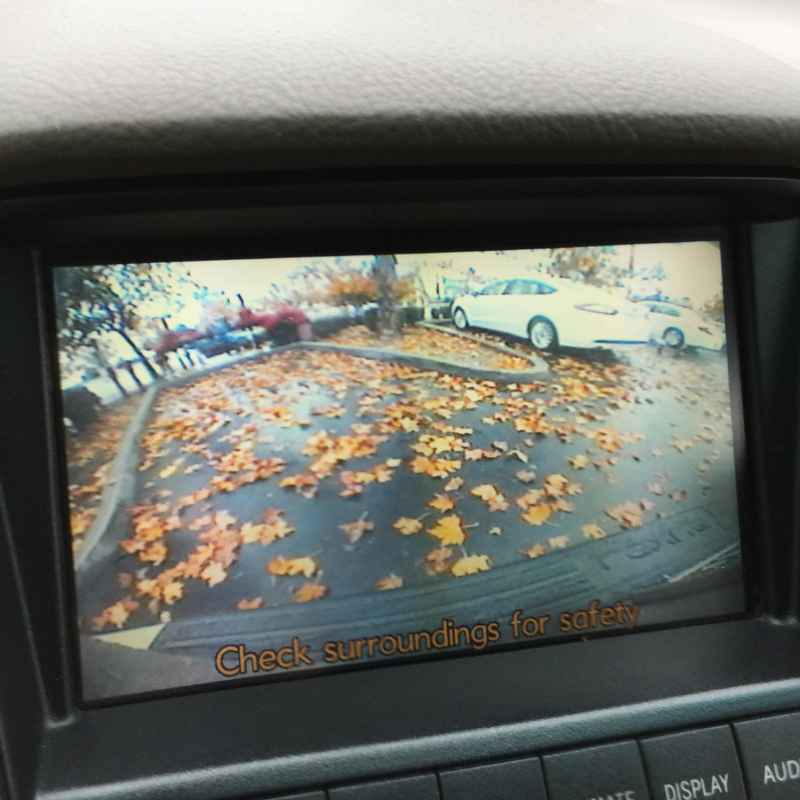
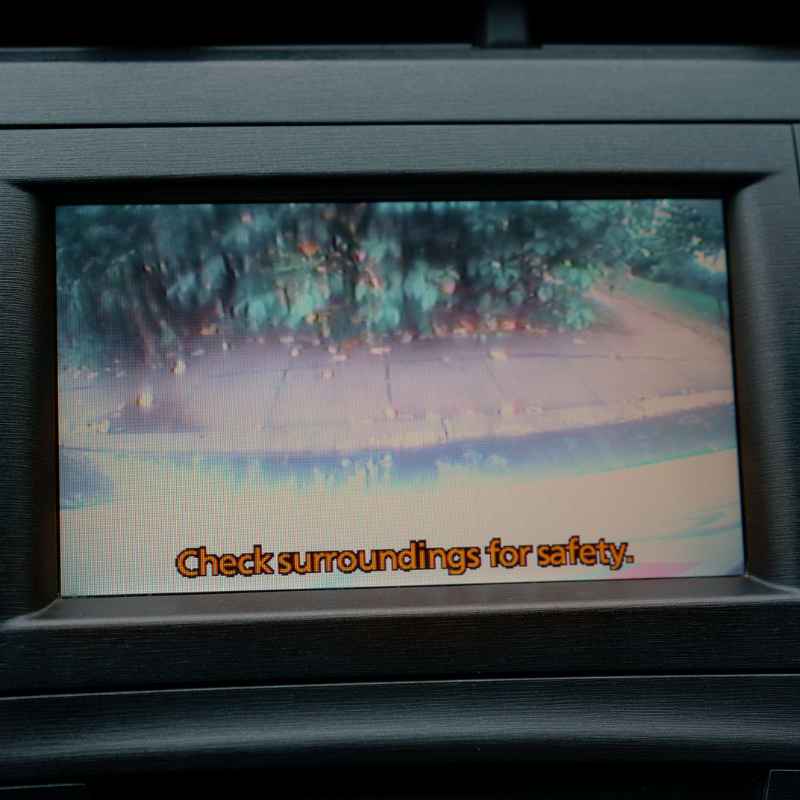
A backup camera, also known as a reversing camera, is a type of video camera that is mounted on the rear of a vehicle. Its primary function is to display a wide-angle view of the area behind the car to the driver, typically on a screen located in the dashboard or center console.
This feature significantly enhances driving safety. It helps drivers to see obstacles, pedestrians, children, or other vehicles that might be in their blind spot while reversing. Studies have shown that backup cameras can reduce the likelihood of backing-up accidents by as much as 7% — see our related guide, Does a 2013 Ford Fusion Have a Backup Camera? By Trim.
The U.S. government mandated backup cameras on all new passenger vehicles sold after May 1, 2018, highlighting their critical role in preventing collisions.
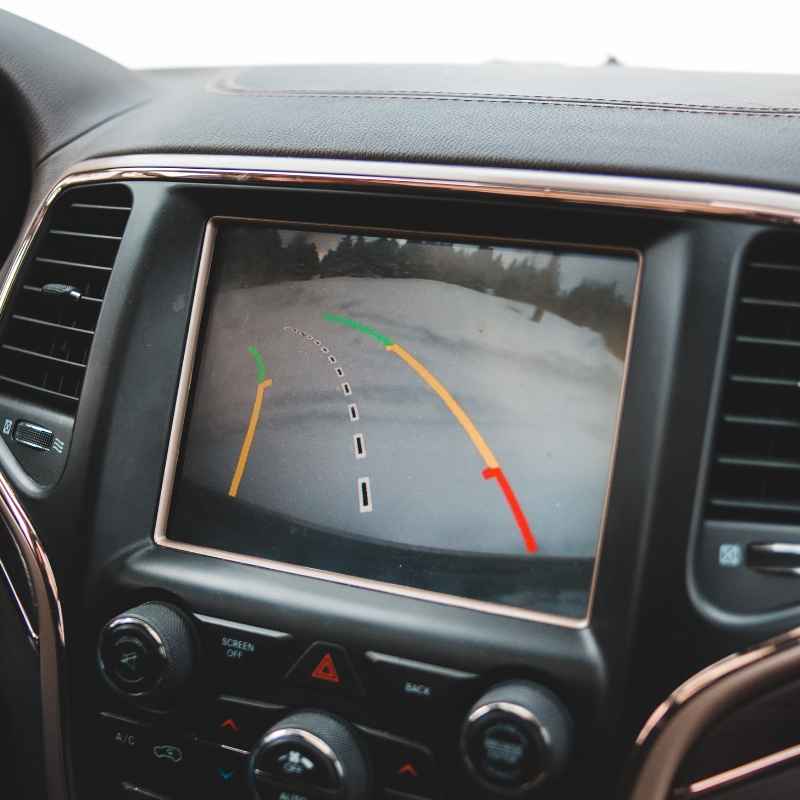
The technology works by transmitting a video feed from the camera to a display screen in real-time. Many systems also include dynamic guidelines that move with the steering wheel, indicating the projected path of the vehicle, further assisting drivers in navigating tight spaces and avoiding potential hazards.
Common Backup Camera Placements on Cars
The design and manufacturing of vehicles dictate where the backup camera is most logically and effectively integrated. While there’s no single universal spot, several areas on the rear of a car are consistently used by automakers.
One of the most frequent locations is around the license plate area. This could be directly above the license plate, centered for a balanced view, or integrated into the trim piece that surrounds the plate. Some manufacturers embed the camera within the license plate frame itself, making it nearly invisible.
Another very common spot is on the trunk lid or tailgate. For SUVs, minivans, and hatchbacks, the camera is often placed in the center of the tailgate, typically above the rear window or license plate, offering a direct view downwards. For sedans, it’s usually on the trunk lid itself, often near the release handle.
- Above the License Plate: A popular choice for sedans and some SUVs, offering a central view.
- On the Trunk Lid/Tailgate: Frequently seen on larger vehicles, usually in the middle section.
- Integrated into Rear Bumper: Less common, but some models have cameras subtly built into the plastic of the rear bumper.
- Within the Rear Handle/Emblem: Some luxury vehicles or specific models might hide the camera within a chrome handle or a brand emblem.
- Above the Rear Window: Common on SUVs and vans, providing a higher vantage point.
The goal is always to position the camera to minimize obstruction from the vehicle’s body while providing the widest possible field of view of the immediate rear area. Manufacturers also consider protecting the camera from weather and dirt as much as possible.
How to Locate Your Specific Vehicle’s Backup Camera
Even with the common locations outlined, finding the exact spot on your own car requires a direct inspection. The most reliable method is to consult your vehicle’s owner’s manual. It will precisely detail the location and functionality of the backup camera system.
If you don’t have the manual handy, a visual inspection of the rear of your vehicle is the next best step. Walk around the back of your car and look for a small, lens-like object, often dark or black, that doesn’t look like a reflector or a light. It’s typically no larger than a coin and might be recessed into the bodywork.
Pay close attention to the areas mentioned previously: the trunk lid, tailgate, rear bumper, above and around the license plate, and any prominent rear trim pieces or handles.
| Method | Description | Ease of Use |
|---|---|---|
| Owner’s Manual | Refer to the vehicle’s official manual for exact camera location. | High |
| Visual Inspection | Systematically examine the rear of the vehicle for the camera lens. | Medium |
| Online Search | Search for ” backup camera location” online. | Medium |
| Dealership Assistance | Contact or visit your car dealership for confirmation. | High |
Using a combination of these methods will ensure you find your backup camera quickly and efficiently.
Backup Camera Types and Integration Styles
Backup cameras aren’t just one-size-fits-all. Manufacturers employ various designs and integration styles to suit the aesthetics and functionality of different car models. Understanding these can help you identify the camera even if it’s subtly blended in.
Some cameras are discretely hidden within a larger component, like a handle for opening the trunk or tailgate. This design maintains a clean rear appearance. Others are more overtly visible but are styled to match the vehicle’s trim, often appearing as a small black or dark gray plastic housing.
The field of view and resolution can also differ. Newer vehicles often feature higher-definition cameras with wider angles. Some advanced systems incorporate night vision capabilities, making them more effective in low-light conditions.
- Surface Mount: The camera is attached to the exterior surface, often in a small housing.
- Flush Mount: The camera is integrated so it’s flush with the car’s bodywork, appearing almost seamless.
- Pop-Up/Hidden: The camera is concealed and may only extend or become visible when the vehicle is put into reverse.
- Integrated into Emblem: Some manufacturers cleverly embed the camera within the car’s badge or emblem.
- Within Rear Handle: Often seen on SUVs or trucks, integrated into the tailgate handle.
The choice of integration style often reflects the vehicle’s overall design philosophy, from rugged utility to sleek luxury. For instance, performance cars might have very minimalist camera designs to avoid disrupting aerodynamics, while work trucks might prioritize durability and ease of cleaning.
Troubleshooting Common Backup Camera Issues
While generally reliable, backup cameras can sometimes experience issues. Understanding common problems and their potential causes can help you address them quickly.
A frequent issue is a blank screen when reversing. This could be due to a loose connection, a blown fuse, or a faulty camera itself. Sometimes, dirt or debris obscuring the lens can also lead to a blank or distorted image.
Simple cleaning can often resolve this.
Another problem is distorted or fuzzy video. This might indicate a damaged camera cable, internal camera damage, or interference. If the guidelines on the screen are not appearing or are misaligned, it could be a system calibration issue or a software glitch.
Common Troubleshooting Steps:
- Clean the Lens: Use a soft, damp cloth to wipe away dirt, dust, or water spots.
- Check Fuses: Consult your owner’s manual to locate and inspect the fuse for the backup camera system.
- Inspect Wiring: Look for any visible damage or disconnections in the wiring harness around the camera and display.
- Reset the System: Sometimes, turning the vehicle off and on again can resolve minor glitches.
- Check for Obstructions: Ensure nothing is physically blocking the camera’s view.
If these basic steps don’t resolve the issue, it’s best to consult a qualified mechanic or the dealership. They have the specialized tools and knowledge to diagnose and repair more complex problems, such as replacing a faulty camera module or repairing internal wiring. According to AAA, diagnostic fees for car issues can range from $50 to $150, with repairs varying widely based on the component.
Can I Add a Backup Camera to My Car?
Absolutely! If your car wasn’t originally equipped with a backup camera, there are many aftermarket options available that can be installed. This is a great way to enhance the safety of an older vehicle. See our full guide to backup cameras for old cars for what to buy and how installation works.
Aftermarket backup camera systems typically include the camera unit, a display screen (which might be a small standalone monitor or a
When choosing an aftermarket system, consider the camera’s field of view, its mounting options, and the type of display you prefer. Some systems integrate with your existing infotainment screen if it has video input capabilities. A professional installation can cost anywhere from $100 to $400, depending on the complexity of the system and the vehicle.
Aftermarket System Considerations:
- Camera Type: Universal cameras or those specific to license plate frames.
- Display Type: Standalone monitor, mirror monitor, or integration with existing screen.
- Wireless vs. Wired: Wireless systems are easier to install but can be prone to interference; wired systems are more reliable.
- Night Vision: Look for cameras with good low-light performance if you frequently drive at night.
- Guidelines: Many aftermarket systems offer adjustable or fixed guidelines.
Adding a backup camera is a significant safety upgrade that can pay for itself by preventing accidents. Many reputable brands offer reliable aftermarket solutions.
Backup Camera Features and Technologies
Beyond just providing a visual feed, backup cameras have evolved with advanced features. These technologies aim to offer even greater assistance and clarity to the driver.
Dynamic or predictive guidelines are a common advanced feature. Unlike static lines, these adjust their angle based on the steering wheel’s position, giving a more accurate representation of where the car will travel. This is incredibly helpful for maneuvering in tight spaces.
Some systems offer bird’s-eye view or 360-degree camera systems. These combine multiple cameras (front, rear, sides) to create a composite overhead view of the vehicle and its surroundings, providing unparalleled situational awareness. These are often found on higher-end vehicles but are becoming more accessible.
Advanced Features to Look For:
- Dynamic/Predictive Guidelines: Show the projected path of the vehicle.
- Wide-Angle Lens: Offers a broader view of the rear area.
- High-Resolution Display: Provides a clearer, more detailed image.
- Low-Light Performance/Night Vision: Improves visibility in dark conditions.
- Object Detection Alerts: Some systems can alert you to moving objects in the camera’s view.
- Multiple Camera Inputs: For 360-degree or front/rear camera switching.
These technologies not only enhance safety but also make parking and reversing a less stressful experience. The National Highway Traffic Safety Administration (NHTSA) supports the integration of such advanced driver-assistance systems (ADAS) to reduce accidents.
Frequently Asked Questions
Where is the camera usually located on a truck tailgate?
On most truck tailgates, the backup camera is typically integrated into the tailgate handle itself or positioned just above the license plate. This placement allows for a clear view of the area directly behind the truck.
Do all cars have backup cameras?
No, not all cars have backup cameras as standard. However, due to government regulations in many countries, all new vehicles manufactured after a certain date (May 1, 2018, in the U.S.) are required to have them. Older vehicles may not have this feature unless it was an optional upgrade.
What is the difference between a backup camera and a 360-degree camera system?
A backup camera provides a view solely of the area directly behind your vehicle. A 360-degree camera system uses multiple cameras (front, rear, and sides) to create an overhead composite view of the entire vehicle and its surroundings, offering much broader situational awareness.
How can I tell if my car has a backup camera?
Look for a small lens on the rear of your vehicle, typically above the license plate, on the trunk lid, or integrated into the bumper. You should also have a display screen on your dashboard that shows an image when you put the car in reverse. Your owner’s manual is the definitive source.
Are backup cameras waterproof?
Yes, backup cameras are designed to be waterproof and weather-resistant. They are exposed to the elements, including rain, snow, and car washes, so they are sealed to prevent water damage and ensure reliable operation in various conditions.
Final Thoughts
Understanding where your car’s backup camera is located is key to leveraging its safety benefits. Whether integrated discreetly or a standard feature, these cameras are invaluable for preventing accidents. Always refer to your owner’s manual for specifics and consider aftermarket options if your vehicle lacks this essential technology.
Products related to this article
Sponsored / affiliate links. As an Amazon Associate I earn from qualifying purchases. I may earn additional commission from eligible campaigns.