3 Best Car Backup Cameras for Older Cars and SUVs
The 3 best car backup cameras in 2026 match your vehicle and wiring first: a mirror-display kit for older cars with no factory screen, a hardwired wide-angle kit for long vehicles, and a wireless kit for simpler DIY installs. Pick the wrong layout and you can face extra adapters, more trim work, or blind spots that make tight parking harder.
Best overall pick for older cars with no factory screen


Wolfbox G840S is the best overall pick because it combines a large 12.0-inch mirror display with a 4K dashcam and a 1080p rear camera, which makes it a strong retrofit for older vehicles that need both a screen and a rear view. Car and Driver names it the top overall pick. (Caranddriver)
This is the cleanest answer for drivers who have no built-in display and want one unit to replace the mirror while adding reverse video. Mirror-display kits keep the screen high in your field of view, which matters more than a small dash screen when you are lining up a parking spot or backing into a narrow driveway.
Pros
- 12.0-inch mirror display gives a large, easy-to-read view.
- Rear camera plus dashcam in one setup reduces clutter.
- Good fit for older cars that need a display from scratch.
Cons
- Mirror-mounted systems still need 12-volt power.
- Install is more involved than a simple camera-only kit.
- The mirror form factor is not ideal if you already have a good factory screen.
📊 Since 2018, U.S. production vehicles must offer a backup camera as standard. Source: Caranddriver.
Best wired pick for trucks and long vehicles
PIXELMAN PMD2A-S is the best wired pick for buyers who care more about stable video than convenience. Wired systems are still the safer choice for long vehicles, trailers, and heavier daily use because they give you a zero-delay video signal and are less likely to suffer from pairing lag or interference.
That matters on a full-size truck or a van, where the camera has to stay reliable over a longer run from the rear of the vehicle to the front. A wired kit takes more routing work, but it usually gives the steadier result once installed.
Pros: best match
- Best match for long-term stability.
- Lower latency than cheaper wireless kits.
- Better choice when the vehicle is long, tall, or used for towing.
Cons: requires cable routing through
- Requires cable routing through the vehicle.
- Install takes longer than wireless.
- Hidden labor is often in trim removal, not the camera itself.
Best wireless pick for simpler DIY installs
EWay camera is the best truly wireless pick. Car and Driver names it the best truly wireless option, and that matters because wireless cuts out a long video cable run through the cabin. It is still not “no wiring,” though. The camera still needs power.
Wireless kits work best when the run from the rear bumper to the cabin is not extreme and when the install goal is simple, not perfect. They are a practical choice for many sedans, crossovers, and shorter SUVs, especially if you want a faster retrofit than a full wired setup.
Pros: less cable routing than wired
- Less cable routing than wired kits.
- Good for simpler retrofits and smaller vehicles.
- Useful when you want a quicker install than a hardwired kit.
Cons: still needs power
- Still needs power at the camera.
- Video reliability can vary by vehicle length and interference.
- Wireless convenience can hide extra setup work.
Quick picks by vehicle
- Older car with no screen: Wolfbox G840S. The mirror display solves the “no factory monitor” problem in one move.
- Truck, SUV, or van: PIXELMAN PMD2A-S. Wired video is the safer bet when cable length and long-term stability matter.
- Trailer or RV setup: PIXELMAN PMD2A-S if you want the most stable link; wireless can work, but long runs are where signal issues show up first.
- Lowest-install-effort choice: EWay camera. Wireless trims down the routing work, but it still needs power.
Backup camera decision matrix
This table maps the real buying decision: vehicle length, cabin layout, existing display, and install tolerance. Those factors matter more than raw resolution on the box.
| Vehicle type | Cabin length | Existing display | Install tolerance | Best architecture | Best pick |
|---|---|---|---|---|---|
| Older sedan or compact SUV | Short | No factory screen | Low to moderate | Mirror display kit | Wolfbox G840S |
| Pickup, van, or RV | Long | May or may not have a display | Moderate to high | Wired kit | PIXELMAN PMD2A-S |
| Daily driver crossover or smaller SUV | Short to medium | No screen or basic screen | Low | Wireless kit | EWay camera |
| Trailer-towing setup | Long | Separate monitor often helps | Moderate | Wired kit with dedicated display | PIXELMAN PMD2A-S |
Say your 2012 hatchback has no factory screen and you only want a rear view for grocery-store parking. A mirror display kit is the cleanest retrofit because it puts the screen where you already look. By contrast, a full-size pickup with a topper and trailer use is a better wired candidate, since cable routing is harder but signal stability matters more.
Which camera is easiest to install?
The easiest backup camera to install is usually the wireless one, but “easy” still means you need to mount the camera, provide power, and place the monitor or pair it with the display. Wireless removes a long video cable run, yet it does not remove wiring altogether.
What the install actually requires
Most kits still need a reverse-gear trigger or another power source so the camera wakes when the vehicle shifts into reverse. Some systems also need a separate monitor mounted on the dash or built into the mirror. That is why the install effort is often about power access and trim removal, not just camera placement.
Hidden wiring and power steps
Even wireless backup cameras need power at the rear camera. If the kit uses a separate screen, that screen also needs power. On older cars, that often means a 12-volt tap, a fuse tap, or a dedicated accessory circuit.
Wireless is best when you want to avoid routing video cable through the whole cabin. It is not best when you want zero wiring. That is a common misunderstanding.
What matters more than resolution?
Night vision and low-light performance matter more than raw resolution in real parking use. A 1080p image can still be hard to use if the camera blows out in glare, washes out in a dark driveway, or leaves the bumper edge unclear at night.
Night vision and low-light performance
Look for starlight or strong low-light behavior if you often back out before sunrise or into unlit parking lots. The point is not cinematic detail. The point is seeing the curb, a pole, or a child-sized obstacle clearly enough to stop in time.
Glare, parking-lot use, and driveway reversing
Bright sun at the rear of the vehicle can be just as hard on a camera as darkness. A camera that handles headlight glare, backlit pavement, and reflective wet ground is more useful than one with a bigger resolution number but weaker exposure control.
Best backup camera display types
Display choice affects comfort as much as image quality. Older vehicles often need a separate monitor, while newer cabins may work better with a mirror overlay or a dash-mounted screen. A good display should stay readable in sunlight and not wash out in glare.
Mirror display units
Mirror displays are useful when you want the screen near eye level and do not want a separate dash unit. They often run on 12-volt power and can double as a normal mirror when the screen is inactive. That is useful in cars where dash space is already crowded.
Dashboard monitors
Dashboard monitors commonly come in sizes such as 4.3-inch, 7-inch, and 12-inch formats. Smaller screens take up less space, while larger screens are easier to read when backing a truck or trailer. Some kits also support split-screen layouts for multiple camera angles.
Brightness and anti-glare needs
Anti-glare coating and high brightness matter in real use, especially if the display sits low on the dash or faces windshield reflection. A dim screen can be harder to read than a lower-resolution screen that stays bright and clean in direct sun.
Camera fitment and hidden costs
Hidden costs are where many retrofit budgets slip. Extra cable length, power taps, mounting hardware, adapters, and weather sealing often cost more time and money than the camera itself.
- Wolfbox G840S: budget for mirror power routing, mounting straps, and any adapter needed for your vehicle’s mirror layout.
- PIXELMAN PMD2A-S: allow for longer cable runs, trim clips, a fuse tap or reverse-light tap, and weatherproof sealing at the rear mount.
- EWay camera: plan for camera power, monitor power if your setup uses one, and any display compatibility parts your vehicle lacks.
Weatherproofing and mounting
Exterior-mounted cameras should be weatherproof enough for rain, spray, and car washes. IP69 or IP69K ratings are the kind of spec that matter here, especially on tailgate mounts, bumper mounts, and trailer positions that take direct road splash.
Second-camera support
If you may add a trailer or cargo view later, check second-camera support before buying. Split-screen support is useful on larger monitors, but only if the kit actually handles a second feed without awkward switching.
Are wired or wireless backup cameras better?
Wired backup cameras are usually better for long-term stability, while wireless cameras are better for simpler installs. Wired systems give you a zero-delay signal and tend to hold up better over long vehicles. Wireless systems are easier to route, but signal reliability can vary with vehicle length and interference.
Latency and signal stability
If you back into tight spaces, a small delay can matter. Wired systems avoid the pairing lag that some wireless kits introduce. That makes wired the better choice when you want the display to match the vehicle’s movement as closely as possible.
Interference risks
Wireless links can be affected by the vehicle body, other electronics, and the distance between the camera and screen. The farther the signal has to travel, the more likely you are to notice dropouts or instability, especially on longer vehicles.
Best use cases by vehicle length
Shorter cars and crossovers can do well with wireless. Trucks, vans, RVs, and trailers are where wired systems usually earn their keep. Long cable runs are annoying, but they are often the price of consistent video.
How to choose
Start with the vehicle, not the spec sheet. If you have an older car with no screen, pick a mirror-display kit. If you drive a truck, van, trailer, or RV, choose wired if you want the most stable view. If you want the easiest retrofit for a shorter vehicle, wireless is the practical shortcut.
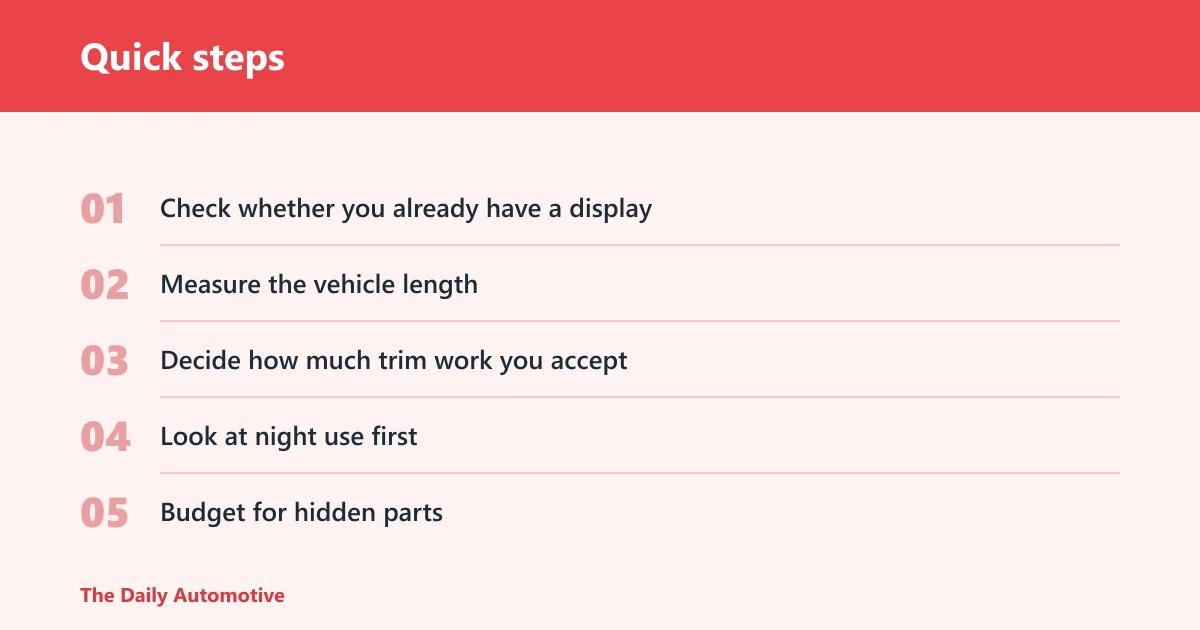
- Check whether you already have a display. If not, factor in a monitor or mirror unit.
- Measure the vehicle length. Longer vehicles put more stress on wireless reliability.
- Decide how much trim work you accept. More tolerance opens the door to wired kits.
- Look at night use first. Low-light behavior matters more than a big resolution claim.
- Budget for hidden parts. Power taps, adapters, mounts, and weather sealing are part of the real cost.
A common first-timer mistake is buying a wireless camera for a long van because it looks simpler on paper. The install may be faster, but the signal can be the weak point later. A second common mistake is buying a camera with a sharp spec number and ignoring how the image behaves in a dark driveway.
Frequently asked questions
What are the 3 best car backup cameras in 2026?
The three strongest picks here are the Wolfbox G840S for older cars without a screen, the PIXELMAN PMD2A-S for wired stability in trucks and long vehicles, and the EWay camera for simpler wireless installs. Those choices are based on fitment and install reality, not just resolution or marketing language.
Is a wired or wireless backup camera better for my car?
Wired is better if you want the steadiest video and your vehicle is long or trailer-heavy. Wireless is better if you want less routing work and your car is shorter. If you hate trim removal, wireless is often the easier path, but not the most stable one.
Do backup cameras still need hardwiring even if they’re wireless?
Yes. Wireless usually means the video signal is wireless, not the power. The camera still needs power, and some kits also need a monitor or display connection. That is why wireless installs still involve wiring work, just less of it.
What backup camera works best for older cars without a factory screen?
A mirror display kit is usually the best match because it adds the screen where you already look. The Wolfbox G840S fits that use case well with its 12.0-inch mirror display. It avoids the problem of adding a separate dash screen to an older cabin.
How important is night vision versus 1080p resolution in a backup camera?
Night vision is often more important than 1080p resolution in a backup camera. A 1080p camera that struggles in low light is less useful than a slightly lower-resolution unit that stays clear in a dark driveway or parking lot. Focus on exposure handling, glare control, and the rear view you can actually trust.
Can I use a backup camera for a truck, SUV, or trailer?
Yes. Trucks, SUVs, vans, and trailers are common backup camera use cases. Long vehicles usually favor wired systems because the signal is more stable over distance. If you tow often, the best setup is the one that stays readable when the rear end is far from the cab.
Products related to this article
Sponsored / affiliate links. As an Amazon Associate I earn from qualifying purchases. I may earn additional commission from eligible campaigns.