Car Battery Charger Green Light: Meaning Explained
Sometimes, figuring out what those little lights on your car battery charger mean can be tricky, especially if you’re new to car care. You see the green light, and you wonder, “What does that really tell me?” It’s a common question, and many folks find it a bit confusing. But don’t worry!
This guide will make it super simple. We’ll walk through what that green light means, step by step, so you’ll know exactly what’s happening with your car’s battery. Let’s get started and clear things up.
Understanding Your Car Battery Charger Green Light
This section aims to demystify the common indicators on a car battery charger, focusing on the significance of the green light. Many car owners encounter different light patterns on their chargers and seek clear, straightforward explanations to ensure their battery is charging correctly and safely. Understanding these signals is key to maintaining your car’s battery health and preventing unexpected issues.
We will explore the typical meanings of charger lights, with a special focus on the green light, often the most positive signal.
What Does a Green Light on a Charger Mean?
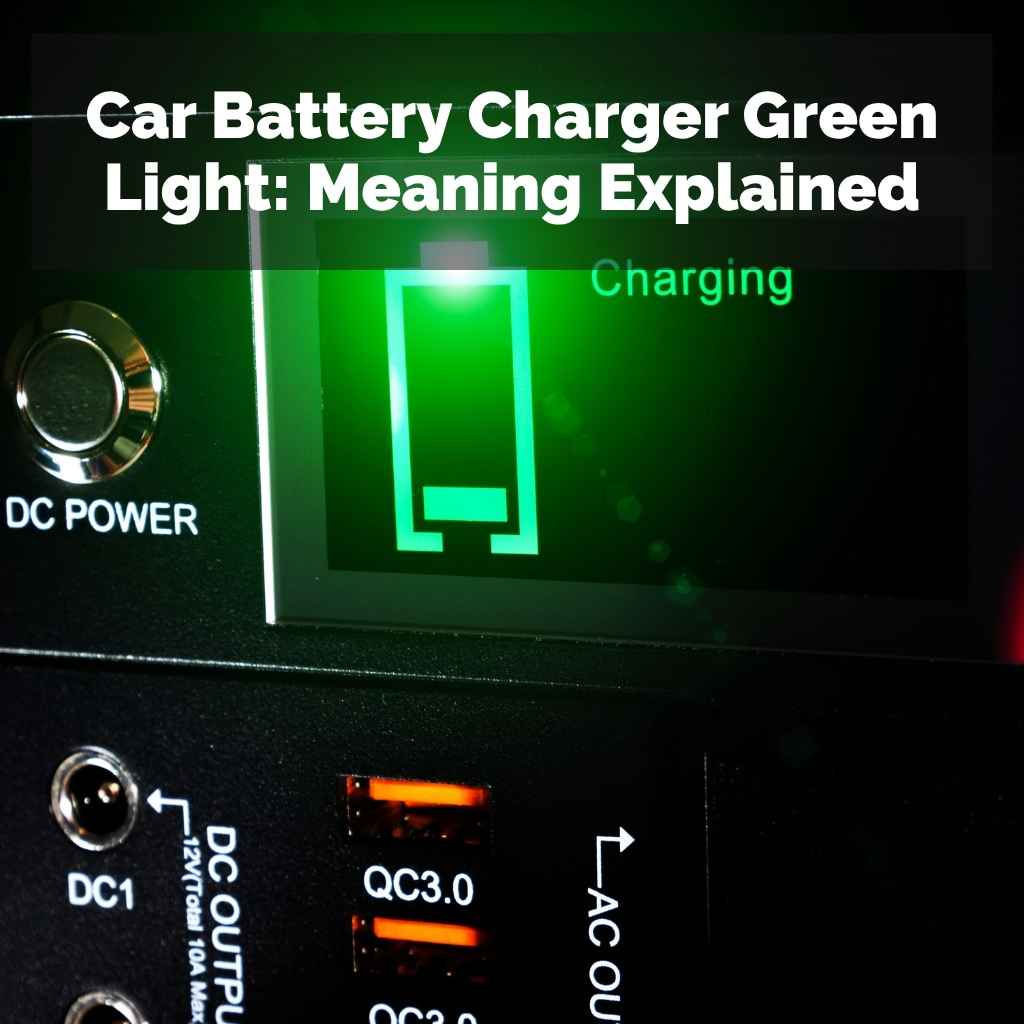
When you see a green light illuminate on your car battery charger, it generally signifies that the charging process is complete. This is the ideal state you want to see. It means the charger has successfully brought your car battery up to its full charge capacity.
The charger has detected that the battery is no longer accepting a significant amount of power, indicating it’s ready to be used or disconnected. It’s a confirmation that your battery is powered up and good to go.
This green light acts as a visual cue, providing peace of mind. Instead of guessing or constantly checking voltage, you can rely on this simple indicator. It saves you time and prevents potential overcharging, which could harm your battery.
Modern chargers are designed to be smart, and this light is their way of communicating a successful outcome. It’s important to note that different charger models might have slight variations in their light indicators, but a steady green light is almost universally understood as a positive sign of a full charge.
Full Charge Indication: The primary meaning of a steady green light is that the battery has reached its optimal charge level. The charger’s internal circuitry monitors the battery’s voltage and amperage. Once these readings indicate a full charge, the charger shifts to a maintenance mode or shuts off, and the green light activates. This prevents unnecessary electricity flow into an already full battery, which can cause damage over time.
Maintenance Mode: In many intelligent chargers, a green light signifies that the charger has switched to a “trickle charge” or “maintenance” mode. This mode delivers a very small amount of electricity to keep the battery topped off without overcharging it. This is particularly useful if you won’t be using your car for an extended period, as it ensures the battery remains ready for use and prevents natural self-discharge from draining it too much.
Battery Health Confirmation: While primarily indicating a full charge, a green light can sometimes also suggest that the battery is in good health and capable of holding a charge. If a charger repeatedly fails to reach the green light stage or stays on a different indicator for an unusually long time, it might signal a problem with the battery itself, such as an inability to hold a charge.
Common Charger Light Indicators Beyond Green
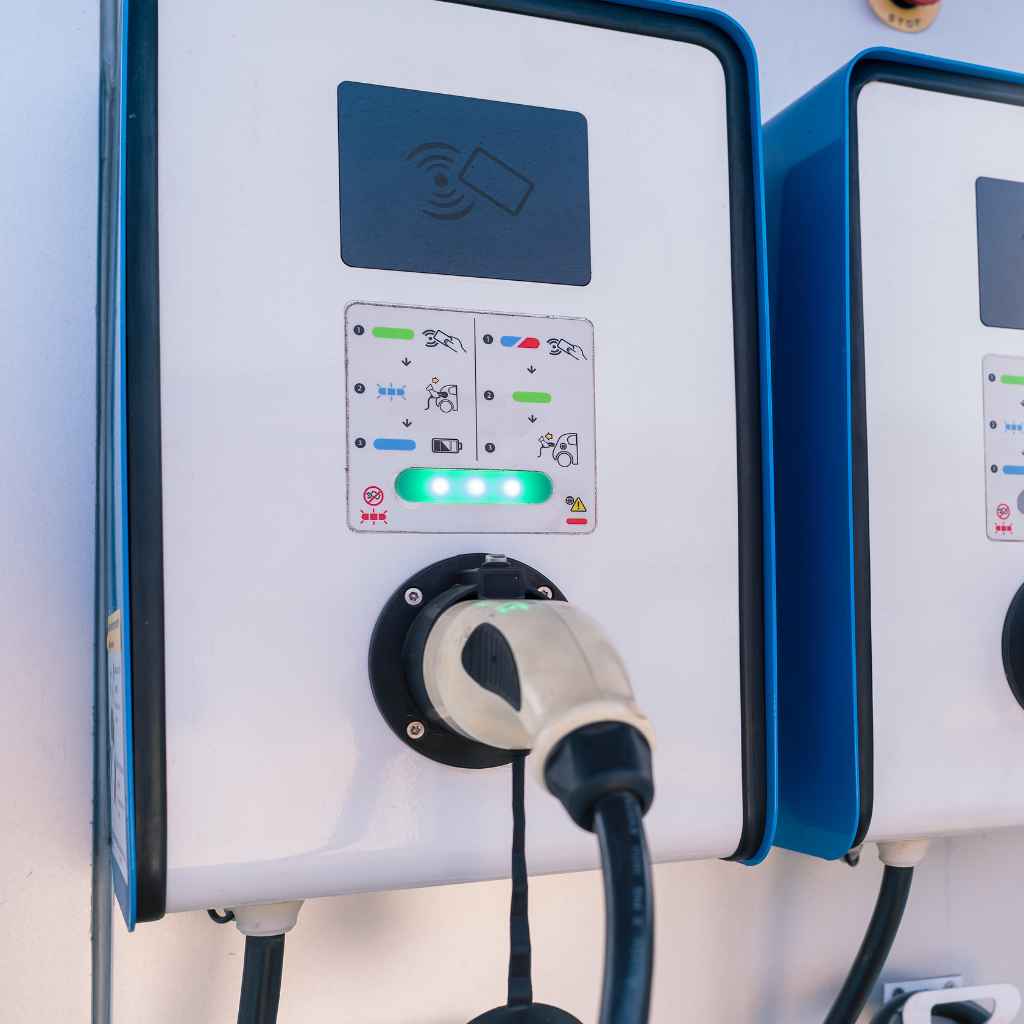
While the green light is the most desirable, battery chargers often use a spectrum of colors and patterns to communicate the charging status. Understanding these other lights is just as important for a complete picture of your battery’s charging journey. Most chargers will cycle through different lights or flash specific colors to indicate stages like charging, error, or low battery.
Familiarizing yourself with these will help you troubleshoot any issues and ensure you’re using your charger effectively.
For example, a red light often indicates that the charger is actively supplying power to the battery. This is a normal part of the charging process before it reaches completion. Sometimes, a flashing red light might signal a problem, like a reverse polarity connection, which is a safety concern.
Amber or yellow lights usually signify that the battery is still charging but is not yet full, or that it’s in a stage of equalization, a deeper charging process for some battery types. Recognizing these different signals allows for proactive battery management.
Red Light: A steady red light typically indicates that the charger is in the active charging phase. This means it is supplying a significant amount of power to the battery. This is normal, especially at the beginning of the charging cycle when the battery is significantly depleted. The charger is working hard to replenish the battery’s energy reserves.
Amber/Yellow Light: An amber or yellow light often means the battery is partially charged or is undergoing a specific charging stage, such as equalization. This might be a longer phase for some chargers. It signifies that charging is still in progress and the battery is not yet at full capacity. It’s a signal to continue waiting.
Flashing Lights: Flashing lights, regardless of color, usually indicate a warning or an error. This could mean incorrect connection (like reversed battery terminals), a faulty battery, or an issue with the charger itself. Always consult your charger’s manual if you see flashing lights to understand the specific error code.
Troubleshooting Common Green Light Scenarios
Occasionally, you might encounter situations where the green light appears, but you’re unsure if the battery is truly ready. For instance, what if the green light comes on very quickly? This could mean the battery had a small amount of charge already, or, in some cases, it might suggest the battery cannot hold a charge effectively.
It’s important to investigate further if you have any doubts about the battery’s condition or the charger’s reading.
Another scenario is if the green light turns on, but then the battery seems to die quickly after being disconnected. This is a strong indicator of a battery that is no longer able to retain its charge. The charger might signal a full charge based on voltage, but a failing battery’s voltage can drop rapidly once the charging source is removed.
In such cases, the issue likely lies with the battery itself rather than the charger.
Quick Green Light: If the green light illuminates almost immediately after connecting the charger, it could be due to several reasons. The battery might have had a residual charge. Alternatively, if the battery is severely degraded, its voltage might spike quickly but then drop, leading the charger to incorrectly believe it’s fully charged.
Green Light Followed by Rapid Discharge: This is a classic sign of a failing battery. The charger indicates a full charge, but as soon as the battery is disconnected, its voltage plummets, and it quickly loses its ability to power your car. The charger’s job is to supply power; it cannot magically fix a battery that has lost its internal capacity to hold that power.
Intermittent Green Light: If the green light flickers on and off, it might suggest an unstable charge or a weak connection. Double-check that all charger clamps are securely attached to the correct battery terminals. Also, ensure the charger is on a stable surface and not overheating, as extreme temperatures can affect performance.
This section provides an exhaustive look into the Car Battery Charger Green Light Meaning: Expert Guide, offering detailed explanations for users seeking a profound understanding. Beyond the basic “fully charged” signal, we will explore the underlying technology and potential nuances associated with this indicator. Understanding these details helps users make informed decisions about their battery maintenance and
How Smart Battery Chargers Work
Modern car battery chargers are far more sophisticated than their predecessors. They utilize microprocessors to manage the charging process, adapting to the battery’s specific needs. This intelligent approach ensures optimal charging while protecting the battery from damage.
Understanding the different charging stages helps demystify why a green light eventually appears.
The charging process typically begins with a “bulk” phase, where the charger delivers maximum current to quickly restore the battery’s charge. This is often indicated by a red light. As the battery reaches about 80% charge, the charger enters an “absorption” phase, reducing the current and increasing the voltage to fill the remaining capacity.
This might be indicated by an amber light. Finally, the charger enters the “float” or “maintenance” phase, delivering a very low current to keep the battery at 100% without overcharging. This is when the green light usually activates.
Bulk Charging Phase: In this initial stage, the charger delivers high amperage to rapidly recharge a deeply discharged battery. The charger’s output is designed to be as high as safely possible for the battery type, aiming to restore a significant portion of its capacity quickly. This phase is crucial for reviving batteries that have been drained significantly.
Absorption Charging Phase: Once the battery reaches a certain voltage threshold (typically around 80% charged), the charger shifts to the absorption phase. The voltage is held constant, while the current gradually decreases. This allows the battery to absorb the remaining charge evenly and fully, ensuring all cells are charged to their maximum potential without overheating.
Float Charging Phase: This is the final stage, often signaled by a green light. The charger reduces the voltage and current to a minimal level, just enough to counteract the battery’s natural self-discharge. This keeps the battery fully charged indefinitely without causing damage or overcharging. It’s a passive state that maintains optimal battery health.
Types of Battery Chargers and Their Indicators
Not all battery chargers are created equal. Different types employ various technologies and offer distinct indicator systems. Understanding the type of charger you have is essential for correctly interpreting its signals.
From basic, older models to advanced multi-stage chargers, the way they communicate status can vary.
For example, a simple, non-smart charger might only have a single indicator that is either on (charging) or off (complete). More advanced chargers, often called “smart chargers” or “trickle chargers,” incorporate multi-stage charging and provide more detailed feedback through various lights. Some even feature digital displays that show exact voltage and amperage readings, offering a level of precision that goes beyond simple colored lights.
| Charger Type | Typical Indicators | Explanation |
|---|---|---|
| Basic Manual Charger | On/Off Switch, Ammeter | Requires manual monitoring. The ammeter shows current flow; when it drops significantly, the battery is nearing full. No dedicated “green light” for completion. |
| Automatic/Trickle Charger | Single Light (often Red/Green combo) | Light might turn green when charging is complete or switch to a lower-power maintenance mode. Simple but effective for basic needs. |
| Multi-Stage Smart Charger | Multiple LEDs (Red, Amber, Green) or Digital Display | Indicates different charging stages (charging, absorption, float). Offers advanced charging logic for optimal battery health. Green light signifies float/maintenance stage. |
| Battery Maintainer | Often a single green light | Designed for long-term storage. Maintains a full charge without overcharging. Green light usually means it’s connected and maintaining the battery. |
Understanding Your Charger’s Manual
Despite general conventions, the most reliable way to understand your specific charger’s indicator lights is to consult its user manual. Manufacturers design their chargers with unique operational parameters and display systems. What might be a green light for one brand could have a slightly different implication for another.
The manual is your definitive guide.
Your charger’s manual will detail each light, color, and flashing pattern, along with their precise meanings. It will also provide instructions on how to connect the charger, safety precautions, and troubleshooting tips for common issues. Never assume the meaning of a light; always refer to the documentation provided by the manufacturer for accurate information specific to your device.
Battery Health and Charger Indicators
The charger’s green light is not just about power; it can also offer clues about the health of your battery. A battery that is nearing the end of its lifespan may behave differently during the charging process, potentially affecting the indicators. Recognizing these subtle differences can help you anticipate battery replacement needs.
For instance, a battery that quickly reaches the green light and then fails to hold a charge after disconnection is a strong sign of a worn-out battery. This is because older batteries often have reduced capacity and internal resistance, which can mislead the charger into thinking a full charge has been achieved when it hasn’t truly reached its designed capacity. A healthy battery will maintain its charge for a reasonable period after charging.
Reduced Capacity Batteries: A battery with reduced capacity may charge faster but won’t hold that charge for long. The charger might show a green light, but the battery’s actual energy storage capability is diminished. This means the battery will drain quickly when used, leading to frequent recharging needs.
Increased Internal Resistance: As batteries age, their internal resistance increases. This can cause them to heat up more during charging and may lead the charger to prematurely indicate a full charge. A healthy battery has lower internal resistance, allowing for more efficient charging and discharging.
Sulfation Issues: If a battery has developed sulfation (a buildup of lead sulfate crystals on the plates), it can impede the charging process. While some smart chargers have desulfation modes, a heavily sulfated battery might struggle to reach or maintain a full charge, potentially affecting the indicator lights.
When a Green Light Might Be Misleading
While a green light is generally a positive sign, it’s not always a foolproof guarantee of a perfectly healthy and fully charged battery. Certain conditions can cause the charger to display a green light even when the battery’s condition is compromised. Being aware of these exceptions allows for more accurate battery assessment.
One common reason for a misleading green light is when a battery has experienced a rapid voltage spike. This can happen with some battery chemistries or in specific fault conditions. The charger detects the high voltage and assumes a full charge, even if the battery’s actual ampere-hour capacity hasn’t been fully restored.
Similarly, a very short charging session might result in a green light if the battery already had some charge.
Voltage Spikes: Some batteries, especially those with internal issues, might show a quick voltage increase that tricks the charger into thinking it’s fully charged. The charger’s algorithm relies heavily on voltage readings to determine the charge state.
Insufficient Charging Time: If you disconnect the charger shortly after the green light appears, you might not be giving the battery enough time to complete its full absorption phase, even if the float stage has been reached. For best results, let the charger complete its full cycle.
Charger Calibration Issues: Though rare, a faulty or improperly calibrated charger could provide inaccurate readings, leading to a premature green light indication. If you suspect this, try using the charger on a different, known-good battery.
Practical Examples and Scenarios
To better illustrate the meaning of a green light, let’s look at a couple of real-world scenarios. These examples show how interpreting the green light, in conjunction with other observations, can lead to the right actions.
Scenario 1: The Weekend Warrior’s Car
A car owner only drives their vehicle on weekends. During the week, the battery sits unused, leading to natural self-discharge.
To ensure the battery is always ready, they connect a smart battery maintainer to it.
The maintainer’s green light stays illuminated, indicating it’s in float mode, keeping the battery at full charge.
When the owner needs to drive, the car starts immediately, confirming the battery is well-maintained. The green light signifies successful, ongoing battery care.
Scenario 2: The Unexpected Dead Battery
A driver finds their car won’t start one morning. They connect their smart charger.
The charger’s red light stays on for several hours, indicating a deep discharge.
Eventually, the light turns amber, and after some more time, it turns green.
The car starts successfully. The green light here signifies the charger completed its multi-stage process, bringing the deeply discharged battery back to full operational status.
Maintenance Tips for Your Car Battery
Proper maintenance can significantly extend the life of your car battery and ensure it charges effectively. Following simple tips can save you from unexpected breakdowns and costly replacements. Regular checks and the right charging practices are key.
Keep the battery terminals clean and free from corrosion. Corrosion can impede electrical flow, affecting both charging and starting. You can clean them with a wire brush and a mixture of baking soda and water.
Ensure the charger is always connected correctly to the terminals, observing the positive (+) and negative (-) markings.
Terminal Cleaning: Regularly inspect battery terminals for any white or bluish powdery buildup. This is corrosion. Use a wire brush and a solution of baking soda and water to clean them thoroughly. Rinse with clean water and dry completely before reconnecting.
Secure Connections: Ensure the charger’s clamps are securely attached to the battery terminals. Loose connections can lead to intermittent charging, sparking, or an inability for the charger to communicate properly with the battery. Always double-check the clamps after connecting.
Environmental Factors: Extreme temperatures can affect battery performance and charging. Avoid charging in direct sunlight or excessively cold environments if possible. Batteries perform best within a moderate temperature range.
The green light on your car battery charger is a reassuring signal, primarily meaning your battery has reached a full charge and is ready for use or is being maintained. This guide has demystified its meaning, exploring how smart chargers work, other common indicators, and how battery health influences these signals. Understanding these cues helps you maintain your car’s battery effectively.
Frequently Asked Questions
Question: What should I do if the green light comes on but the car still won’t start
Answer: If the green light appears, indicating a full charge, but your car still won’t start, the issue is likely with the battery itself. It might be unable to hold a charge or have other internal problems. You should have the battery tested professionally.
It might need to be replaced.
Question: Can a battery charger’s green light mean the battery is bad
Answer: Not directly, but a green light can sometimes appear on a failing battery. This happens if the battery’s voltage spikes quickly but it can’t actually hold the charge. If the car dies again soon after charging, the battery is likely the problem.
Question: Is it safe to leave my car battery charger connected when the green light is on
Answer: Yes, most smart chargers are designed for this. When the green light is on, the charger is in a maintenance or float mode, providing a tiny charge to keep the battery full without overcharging it. This is safe for extended periods.
Question: My charger has a green light and a red light. When should I see green
Answer: Typically, the red light indicates active charging, meaning the battery is drawing significant power. The green light usually comes on after the red light, signifying that charging is complete or the charger has entered a maintenance mode. You’ll see green when the battery is full.
Question: Does a green light mean my battery is brand new
Answer: No, a green light means the battery is fully charged, not necessarily brand new. A healthy battery, regardless of its age, should be able to reach and maintain this full charge state when connected to a functioning charger.
Conclusion
The green light on your car battery charger is your signal for a job well done. It means your battery is charged and ready. This guide walked you through its meaning and what it tells you about your battery’s health.
Always check your charger’s manual for specifics. Keep those terminals clean and connections secure. You now have the knowledge to confidently interpret your charger’s indicators.
Products related to this article
Sponsored / affiliate links. As an Amazon Associate I earn from qualifying purchases. I may earn additional commission from eligible campaigns.