
Car Tracking, Privacy and Connected Services
A connected car can collect at least five separate data streams—location, driving behavior, cabin/app activity, diagnostics, and account identifiers—and each has a different off switch, with telematics and phone-app permissions usually changing collection most. Leave them untouched, and manufacturers, app vendors, insurers, data brokers, and the next owner may still receive more data than you expect. This guide maps each stream to the exact setting, fuse, subscription, or reset that actually changes collection versus settings that only limit sharing, marketing, or account visibility.
What connected-car tracking actually includes
Telematics, infotainment, phone pairing, and cloud services are different systems
A connected car is a vehicle with its own data link beyond the dashboard, usually a built-in cellular modem or telematics control unit tied to GPS, onboard computers, Bluetooth, microphones, cameras, and app services. That setup lets the car send data straight to the manufacturer or service providers even when your phone is not doing the work.
AAA says cars now track personal data through onboard computers, sensors and connected apps. That matters because one screen can sit on top of several separate paths: local vehicle logs, Bluetooth transfers from a phone, app account data, and cellular uploads from the car itself.
Some vehicles transmit driving data as frequently as every three seconds. That path supports navigation, remote start, diagnostics, emergency calling, and stolen vehicle recovery, but it also creates a route for location history, trip events, and account-linked records.
Local storage versus transmitted data
Local data stays in the vehicle unless another system exports it. That can include recent destinations, saved home and work labels, paired phones, contact lists copied over Bluetooth, seat and mirror profiles, and some driver-monitoring settings.
Transmitted data leaves the car. Common routes are phone-to-car sync, car-to-cloud upload over cellular, and onward sharing to vendors, insurers, brokers, or other service partners.
Clearing the navigation history on the screen may remove local entries while leaving cloud-backed records in the account portal. Deleting the phone app may stop that app from sending fresh phone-side data while leaving the car’s own modem active.
Why the cellular modem or TCU matters more than the app icon
The modem or TCU is the car’s direct line out. If it stays active, the vehicle can still report status, diagnostics, crash notifications, parked-car location, and in some cases trip or location data even when the companion app is removed from the phone.
By contrast, an app icon is only one control surface. It affects app permissions, alerts, and remote commands. It does not automatically disable the hardware in the vehicle.
Follow the vehicle manual before changing any connected-services hardware or fuse.
What does my car track about me?
Most connected cars track several categories at once: precise GPS coordinates, route and stop history, speed and braking events, fault codes and battery state, paired-phone contacts and call records, voice-assistant requests, and in some models driver-monitoring camera signals. Modern connected vehicles collect GPS coordinates, driving behavior, voice commands, contact lists, biometric data, and more, but each category follows a different path and needs a different control.
Location, trip history, and geofencing data
GPS location usually exposes the most because it can show exact coordinates over time, full route history, repeated stop locations, home and work patterns, geofencing alerts, parked-car finder records, and emergency or stolen-vehicle location functions.
If the car supports remote vehicle finder, live traffic routing, or family-driver boundary alerts, location is often leaving the car through the modem. If the navigation system also stores recent destinations locally, wiping the history from the screen removes only part of the record.
Home and work labels deserve attention. Those labels often sit in local navigation memory, cloud account sync, or both.
Driving behavior, scoring inputs, and diagnostics
Driving behavior data can include speed, hard braking, acceleration, cornering, seatbelt usage, trip length, and time of day. These signals can feed driver scoring programs and may affect insurance pricing when a driver opts into a telematics program or when data moves through partners or brokers.
Diagnostics are different. Fault codes, battery state, tire pressure, odometer, charging history for EVs, and crash notifications are usually service-related, and some may remain active for safety, warranty, or roadside-support functions.
Sensitivity is not equal here. Precise location and behavior scoring sit in a higher-risk category than a tire-pressure alert or battery state report.
Contacts, call logs, texts, voice commands, and cabin data
Bluetooth phone sync can copy contact lists, call logs, text metadata, and sometimes recent destinations imported from the phone. Pairing a phone for calls is not the same as granting contacts and messages access, and those permissions are often separate both on the phone and in the car.
Voice assistant systems can collect voice commands, wake-word interactions where offered, and cloud speech-processing records. Some systems keep transcripts or allow audio review for service improvement or training, which is usually controlled in the account portal or privacy menu rather than in the navigation screen alone.
Picture a rental car where one phone is paired for hands-free calling, then contacts sync automatically because the phone prompt was accepted once. The next driver may not see the cloud account, but the local address book can still remain in the car until it is removed.
Driver-monitoring cameras, biometrics, and profile recognition
Driver-monitoring systems can watch eye movement, head position, facial expression, or attention state. Some vehicles also support face-based profile recognition or cabin camera features tied to driver identity.
Biometric and camera-derived data sit in the most sensitive category with precise location. Unlike an oil-life estimate, a face template or attention log can be hard to change once collected and linked to an account.
The average new vehicle sold in 2026 ships with microphones, cameras, GPS modules, and a permanent internet connection. That hardware mix is why the privacy question is now a systems map, not a single toggle.
Where your car data goes
Manufacturer servers, service providers, and cloud processing
After data leaves the car, it often lands first with the manufacturer or a connected-services provider. From there it may support remote commands, map search, live traffic, diagnostics, roadside support, speech recognition, account login, and profile backup.
That split explains a common surprise: an infotainment reset can erase local history while the account portal still shows the vehicle, service status, and certain cloud-synced settings.
Insurers, telematics programs, and scoring partners
Insurance access is usually conditional, not automatic. An insurer may receive data through an opt-in telematics program, an app-based driving monitor, a manufacturer partnership, a connected-services enrollment, or a brokered report.
That means the right question is not “can insurers see car data” in general. It is “which program has consent, which partner has the feed, and is the score built from the car, the phone, or a broker profile?”
Data brokers such as LexisNexis and Verisk
PrivacyOn says major manufacturers including GM, Honda, Kia, Subaru, Hyundai, and Ford have shared driving data with brokers. LexisNexis and Verisk are named as data brokers receiving vehicle data.
Those firms can aggregate vehicle-linked records into consumer profiles and resell reports or scoring products to insurers and others. That does not mean every insurer gets a live feed from every car, but broker collection can extend the data trail beyond the vehicle brand and app.
The FTC reached a settlement with General Motors and OnStar in January 2025 over location and driving data. Regulatory action has also targeted opt-out friction: California fined Ford in March 2026 for making its data opt-out process difficult.
Law enforcement and legal requests
Stored account data, location records, crash-related records, and emergency assistance data may be subject to warrants, subpoenas, court orders, or emergency requests, depending on the company and jurisdiction. Retention and disclosure practices vary.
There is no comprehensive federal automotive privacy law in the U.S. The legal picture is piecemeal, and the next step depends on where the data sits: in the car, in the app, with the automaker, with a broker, or with an insurer.
Which privacy control changes what?
Infotainment settings and in-car privacy toggles
The in-car privacy menu usually controls local and cloud-facing features tied to the vehicle profile: location sharing, voice data review, navigation history, driver profile sync, connected search, and sometimes driver-monitoring options.
These settings are often the first place to limit collection without disabling the whole modem. They are also the place most likely to leave safety and emergency functions active.
Phone app permissions and operating-system controls
The companion app has its own exposure. Check location permission, precise location, Bluetooth permission, contacts permission, background refresh, mobile-data access, and push notifications on the phone itself.
If the app can always access precise location, it may continue collecting parked-car location, trip start reminders, or proximity-based alerts even after some in-car settings are reduced. Turning off app location can change that behavior without touching the vehicle modem.
Account portal opt-outs and privacy requests
The web account portal is usually where optional sharing, marketing, data-sale opt-outs, and profile deletion requests live. Opting out there can reduce onward sharing while leaving the car fully connected for remote start or roadside services.
Account cancellation is different from a deletion request. One ends service access. The other asks the company to remove or stop using certain personal data, subject to legal and service exceptions.
Subscription cancellation versus modem or TCU disablement
These are the three controls competitors often blur together.
- Opt-out of data sharing: usually limits certain sharing or analytics while many core connected functions remain on.
- Cancel connected-services subscription: usually ends paid features such as remote start, live concierge features, or stolen-vehicle support, but it may not erase old records or shut down all cellular communication.
- Disable or remove the modem/TCU: this is the device-level step most likely to stop routine cloud transmission from the vehicle, but it can also disable emergency calling, remote diagnostics, app control, and recovery services.
Suppose a driver cancels a premium remote-start package but leaves the vehicle enrolled in the brand account with the modem active. The app may lose start and unlock commands, yet diagnostics, crash-related services, or baseline connectivity can still remain.
How do I stop my car from tracking my location?
To reduce location tracking, start with the exact feature using GPS: in-car location sharing, app precise-location permission, cloud route-history sync, and account-level sharing controls. If those steps are still not enough, only modem or TCU disablement reliably stops the vehicle from sending fresh location data, though that can also disable emergency, recovery, and remote features.
Turn off location-sharing features without guessing
- Open the car’s privacy or connected-services menu before changing the phone app.
- Disable location sharing, route-history sync, parked-car finder, geofencing, and driver alerts where listed.
- Clear recent destinations, saved favorites, and home/work labels if the vehicle is being shared or sold.
- In the phone settings, set the car app’s location access to a lower level or disable precise location.
- In the account portal, opt out of optional location sharing and review whether remote vehicle finder stays enabled.
That sequence matters. It separates local navigation memory, app-side permissions, and cloud sharing instead of treating them as one switch.
What still works after location sharing is limited
Offline navigation, local recent-destination storage, and basic GPS positioning for the car’s own map display may still work. So can Bluetooth calling and media playback.
What often breaks are live traffic overlays, parked-car finder in the app, geofence alerts, remote locate, some usage-based insurance features, and stolen-vehicle recovery that depends on cloud location.
What still does not stop with app deletion alone
Deleting the app from the phone often stops phone-side collection and remote commands, but it does not shut off the vehicle modem. If the car remains logged into a connected-services account, some cloud communication may continue from the vehicle itself.
A factory reset can remove local navigation and profile data, but it does not automatically erase manufacturer cloud records, broker files, or insurer-linked reports.
When only modem or TCU disablement changes the result
If the aim is to stop the vehicle from sending fresh location records over cellular, hardware-level disablement is the control that changes the underlying path. This is the highest-impact step and the one with the biggest tradeoff.
Expect loss of remote app functions, live traffic, emergency calling, stolen-vehicle location, over-the-air services, and some diagnostics. Follow the owner’s manual and manufacturer procedures before making any hardware change.
Can you keep connected services without sharing everything?
Sometimes yes, but only if the vehicle separates optional sharing from service-required telemetry. Many brands let drivers limit marketing, broker sharing, transcript review, or app permissions while still keeping remote start or roadside support. Features that rely on live location, crash response, or constant modem contact usually need more data to stay on.
Features that need cloud connectivity
Remote start from the app, remote unlock, live traffic, cloud search, over-the-air services, roadside dispatch, emergency calling, and stolen-vehicle recovery usually depend on the modem and account platform.
Those services need at least account identifiers and some vehicle-state reporting. Several also depend on precise location.
Features that can stay local to the vehicle
AM/FM audio, USB media, many Bluetooth audio functions, local navigation history, seat memory, and some offline map functions can remain local. A phone can still stream music over Bluetooth without granting contacts or message access.
A common first-timer mistake is pairing a phone for audio and tapping “allow” on contacts, messages, and call history prompts that were not needed. The car then stores more personal data than the driver meant to share.
The usual tradeoffs
If optional sharing is disabled but the modem stays active, many convenience features still work. If the subscription is canceled, paid features may stop while some baseline telematics remain. If the modem is disabled, the broadest collection usually stops, and so do most cloud-connected functions.
The key is predicting the breakage before changing the setting. Location controls affect finder and geofencing first. Voice cloud settings affect assistant quality and transcript history. App permission changes affect phone-side exposure more than the car’s built-in modem.
Privacy control matrix
| Data type | Main examples | Primary control surface | What likely remains active | Likely tradeoff if disabled |
|---|---|---|---|---|
| Location | Precise coordinates, trip history, stop history, geofencing, parked-car finder | Infotainment privacy toggle, app precise-location permission, account portal sharing controls, modem/TCU disablement | Local map positioning may remain; emergency and service logs may still exist unless modem is disabled | Loss of remote locate, geofence alerts, live traffic, stolen-vehicle recovery, some emergency features |
| Driving score | Speed, braking, acceleration, cornering, seatbelt use, trip length, time of day | Account portal opt-out, insurer program opt-out, subscription cancellation in some programs, modem/TCU disablement | Basic diagnostics and odometer reporting may remain | Loss of driver-score features, coach reports, possible insurance discount program access |
| Contacts and calls | Contact lists, call logs, text metadata, imported recent destinations | Phone Bluetooth and contacts permissions, infotainment paired-device settings, local delete/reset | Hands-free audio can remain if only contacts/messages are denied | Caller-name display, address-book dialing, text readout, message reply features may stop |
| Voice audio | Voice commands, transcripts, cloud speech processing, audio review/training | Infotainment voice privacy menu, account portal review/training settings, subscription cancellation in some assistants | Push-to-talk may still work locally in limited form | Reduced voice assistant accuracy, loss of cloud search, no transcript history |
| Camera and biometric | Eye movement, head position, facial expression, face ID, attention monitoring | Driver-monitoring setting in vehicle, profile settings, account portal where offered | Required safety alerts may remain if the system is tied to mandatory driver-assist behavior | Loss of attention alerts, personalized profile recognition, some convenience login features |
| Diagnostics | Fault codes, battery state, tire pressure, odometer, charging history, crash notification | Subscription cancellation for remote diagnostics, account portal controls, modem/TCU disablement | Local warning lights and onboard service reminders remain | Loss of remote health reports, service scheduling prompts, app battery status, roadside integration |
What to check first in a new, shared, rented, or sold car
New-car setup checklist before you pair a phone
- Open the vehicle privacy menu before signing into any connected account.
- Decide whether cloud backup and profile sync are worth keeping on.
- Decline optional sharing where available, especially location history, transcript review, and marketing sharing.
- Create driver profiles carefully if more than one person uses the car.
- Inspect the phone app’s permissions before granting precise location, contacts, Bluetooth, and background refresh.
That order prevents the common problem where the phone pushes contacts, messages, and account identifiers into the car before privacy settings are reviewed.
Family drivers, teen profiles, and shared accounts
Shared accounts create failure cases that broad privacy summaries miss. A parent may disable app notifications but leave trip scoring enabled for a teen profile. A spouse may sign out of the app without removing the car from the portal, so remote locate still works for another authorized user.
Use separate profiles where the platform allows it. Check who can see trip history, who receives alerts, and whether geofencing is active for all drivers or only one.
Rental, loaner, valet, and temporary-use risks
Rental cars and dealer loaners are local-data traps. Pairing a phone can leave contact lists, call records, and home destinations behind even when the app account was never linked.
Valet use is different. It usually does not create a cloud account issue, but it can expose local destinations on the screen unless recent-history storage is cleared or the navigation profile is locked.
Trade-in, resale, and return steps to clear data
- Sign out of the vehicle profile and the connected-services account in the car.
- Remove paired phones and delete imported contacts and text history.
- Clear navigation destinations, favorites, and home/work labels.
- Factory-reset infotainment profiles if the owner manual calls for it.
- Remove the vehicle from the phone app and account portal.
- Confirm connected-services transfer or cancellation steps with the manufacturer.
These steps clear local access and account control. They do not guarantee deletion of older cloud records or broker records, which may require a separate privacy request.
What your state privacy rights may let you do
Right to know, access, delete, and opt out where available
State rules vary, but some residents can ask what categories of personal data were collected, request deletion in certain cases, correct some information, or opt out of sale or sharing. California’s CCPA/CPRA gives residents the right to know and opt out of sale.
Virginia passed a bill in February 2026 that bans the sale of precise geolocation data. That does not mean every vehicle record falls under the same rule, but it shows why precise location gets special treatment.
Why vehicle and insurer data can fall under different rules
A carmaker account, a connected-services vendor, a data broker, and an insurer may each sit under different legal duties or exemptions. A deletion request to the automaker may not touch the insurer’s telematics file. An opt-out of sale may not cancel a paid connected subscription.
Why state-by-state variation changes the next step
The best next move depends on the driver’s state, the company holding the data, and whether the request targets access, deletion, correction, or opt-out. The BIS Connected Vehicles Rule became effective on March 17, 2025, but it is not a general nationwide consumer-privacy code for all vehicle data practices.
Frequently asked questions
What car data can insurance companies see?
Insurers may see data through opt-in telematics programs, phone-based monitoring apps, manufacturer partnerships, broker reports, or consumer disclosures. They do not always get direct live access from the car. The route depends on consent, contracts, and whether firms such as LexisNexis or Verisk are in the chain.
How do I turn off location sharing in my car app?
Start in the phone’s operating-system settings, not only inside the app. Change location access, disable precise location if offered, and review background refresh and Bluetooth permissions. Then check the automaker account portal, because app permission changes may stop phone-side location while the vehicle modem still reports from the car.
Does disabling the app stop the car from tracking me?
No, not by itself in many cases. Removing or disabling the app usually stops remote commands and some phone-side data collection, but the car can keep sending information through its built-in cellular modem or telematics unit if connected services remain active.
What data do Bluetooth, navigation, and voice assistants collect?
Bluetooth can transfer contacts, call logs, text metadata, and sometimes recent destinations from the phone. Navigation can store recent searches, favorites, and home/work labels locally or in the cloud. Voice assistants can collect commands, transcripts, and cloud speech-processing records, depending on settings and subscription status.
Can law enforcement get connected-car data from the manufacturer?
Yes, in some cases, through legal requests such as warrants, subpoenas, court orders, or emergency disclosures. What exists to request depends on the system: local car logs, account records, cloud location history, crash data, or app records. Retention and disclosure paths vary by company and jurisdiction.
What happens if I cancel connected services but keep the car?
Paid features such as remote start, live concierge services, or stolen-vehicle assistance may stop, but some baseline functions or records may remain. Cancellation is not the same as data deletion, and it is not the same as disabling the modem. Local infotainment data also stays until it is cleared or reset.
Products related to this article
Sponsored / affiliate links. As an Amazon Associate I earn from qualifying purchases. I may earn additional commission from eligible campaigns.
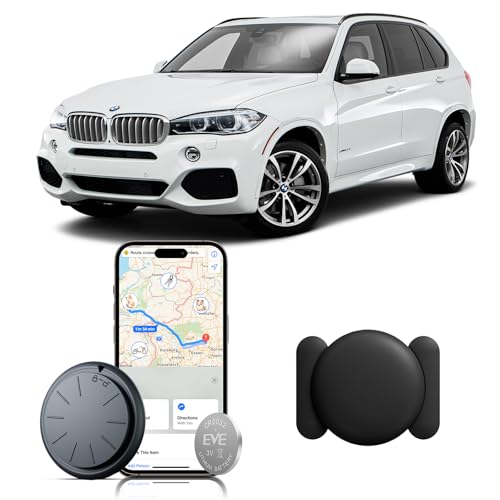 ZFSJTAG Car GPS Tracking Device for Vehicles, 1PCS Real Time GPS Tracker for Car, Work with Find My (iOS Only),Hidden Mini GPS Tracker,No Monthly Fee (Black Tracker, Black Magnetic Case)
 ZFSJTAG Car GPS Tracking Device for Vehicles, 1PCS Real Time GPS Tracker for Car Work with Find My (iOS Only), No Monthly Fee GPS Tracker (White Tracker, White Magnetic Case)