Is There a Tracking Device on My Car? How to Check Step by Step
A hidden car tracker is usually a small magnetic GPS unit, a plug-in device in the OBD-II port, or a Bluetooth tag such as an AirTag. The fastest way to check is a short sweep in this order: the OBD-II port, the wheel wells and bumpers, your phone’s unknown-tracker scan, and then an RF detector for anything that transmits. If you find something you did not place, document it first and talk to police before removing it.
Quick Answer
Check the OBD-II port, all four wheel wells and both bumpers, then run your phone’s unknown-tracker scan and sweep the car with an RF detector. No single method finds every type, and if you think you are being stalked, call police or the National Domestic Violence Hotline at 1-800-799-7233 before you remove anything.
Where Do Hidden GPS Trackers Usually Hide on a Car?
| Best Tracker Sweep Pick | |
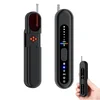 |
Hidden Camera and GPS Tracker Detector (RF Scanner with Magnetic Sensor) Pocket-size RF scanner with an extendable antenna, 6 sensitivity levels, a magnetic-field sensor and an LED light, per the maker’s listing.
|
As an Amazon Associate we earn from qualifying purchases. This is a spec-based pick from the listing, not a hands-on test.
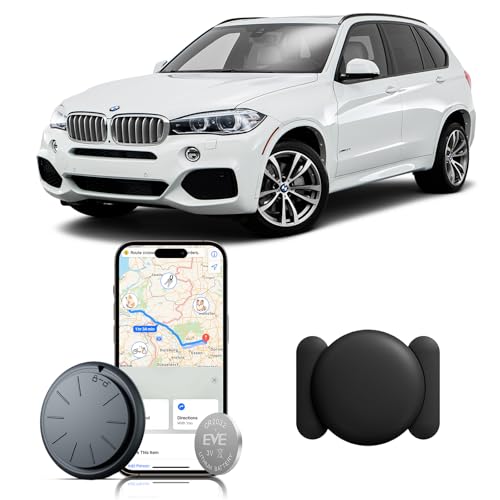
A hidden tracker is a small locating device attached to a vehicle without being part of the car’s own electronics. Many run on their own battery in a magnetic case, so they can sit in places that are easy to reach and rarely inspected. A plug-in unit sits in the diagnostic port, and a Bluetooth tag can be tucked almost anywhere inside the cabin or trunk.
- OBD-II port: usually under the dash on the driver’s side. A plug-in tracker sits directly in this port, so it is the quickest place to check.
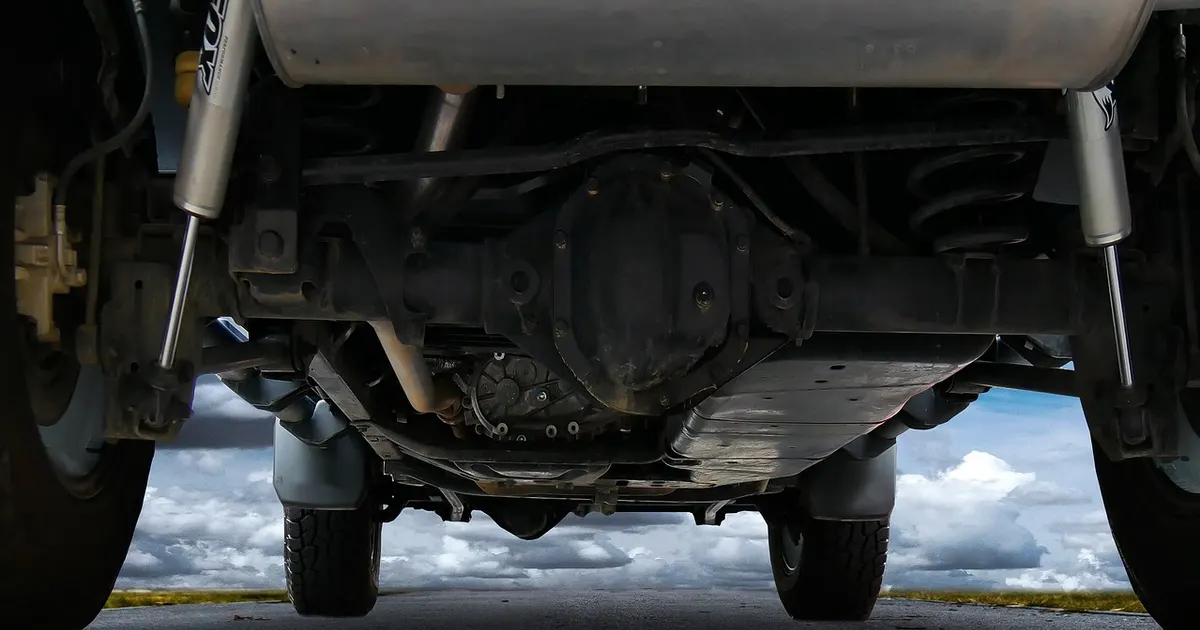
- Wheel wells and undercarriage: run your hand along the inside of each wheel well and along the frame rails. A magnetic unit feels like a small, hard box.
- Bumpers and grille: the hollow space behind a bumper cover is large enough to hide a small unit.
- Spare-tire well and trunk trim: lift the liner and look behind panels.
- Glovebox, seats and dash: simple installs, and Bluetooth tags, often end up inside the cabin.
| Hiding spot | Tracker type often found there | How to check |
|---|---|---|
| OBD-II port | Plug-in cellular tracker | Look under the dash near the steering column |
| Wheel wells and undercarriage | Magnetic GPS unit | Hand and flashlight along frame rails and wheel wells |
| Bumpers and grille | Magnetic or taped unit | Check the hollow space behind the bumper cover |
| Spare-tire well and trunk | Battery or hardwired unit | Lift the liner and spare tire |
| Anywhere within Bluetooth range | AirTag or similar tag | Run the phone scan described below |
How to Check Your Car for a Hidden Tracker (Step by Step)
Combine a physical inspection with a phone scan and, if you are still unsure, an RF detector. No single method catches every type of tracker, which is the main thing most guides gloss over.
- Inspect the OBD-II port: get down and look under the dash for anything plugged in that is not a dash cam or dongle you recognize.
- Run a hand and flashlight along the undercarriage: check all four wheel wells, both bumpers, the exhaust area and the frame rails for anything held on by a magnet.
- Scan your phone for unknown Bluetooth trackers: use the steps in the next section.
- Sweep with an RF detector: move slowly around the interior and exterior, and re-check any spot where the reading jumps. Detectors only find units that are transmitting at that moment.
- Ask a shop or a professional sweep service if you are still unsure: a mechanic can safely deal with anything wired into the car.

How to run the iPhone and Android unknown-tracker scans
Both platforms can warn you about a Bluetooth tracker that is traveling with you, and both let you scan on demand. These steps come from Apple’s and Google’s support pages.
- iPhone: alerts need iOS or iPadOS 17.5 or later with Location Services, Bluetooth and notifications on and Airplane Mode off. For a manual check, open Find My, tap the Items tab, scroll to the bottom and tap Unknown Items Detected with You.
- Android: works on Android 6.0 and later. Go to Settings, Safety and Emergency, Unknown tracker alerts, then Scan now. A scan takes about 10 seconds. Google says a tracker found this way may simply be misplaced, and you get at most one alert per tracker per day.
- Play a sound: both systems can make the tracker beep so you can find it. Google says playing the sound does not notify the owner.
What each method can and cannot find
| Method | Can find | Can miss |
|---|---|---|
| Hand and flashlight sweep | Magnetic or taped units, plug-in OBD-II devices | Anything hidden behind panels or inside the dash |
| Phone unknown-tracker scan | Bluetooth tags on the Apple or Google networks, per Apple and Google | Standalone cellular or hardwired GPS units |
| RF detector | Units that are actively transmitting during the sweep | Units that are idle, asleep or off at that moment |
| Shop inspection | Hardwired devices tapped into the car’s wiring | Little, but it costs time and money |
Warning signs worth a closer look
No single sign proves a tracker is present, but these are reasons to do the sweep above:
- Your phone shows an unknown-tracker alert.
- An unfamiliar device is plugged into the OBD-II port.
- Someone knows where you have been without you telling them.
- You find unfamiliar wiring or a taped or magnet-mounted box in the places listed above.
Why Might Someone Put a Tracking Device on Your Car?
A tracker on your car is not always hostile, but it should always be explainable. These are the common sources, and the first step is to rule out the ones you agreed to:
- Lenders and dealers: if your car is financed, check your loan paperwork for a tracking or starter-interrupt disclosure.
- Employers: a company-owned vehicle may be tracked by the company.
- Rental companies: rental agreements often disclose tracking, so check the fine print.
- Family members: a parent may track a car a teen drives, so ask before assuming the worst.
- Theft recovery: some owners install a tracker themselves, or a previous owner did.
- An unauthorized person: a stalker, ex-partner or acquaintance placing a tracker without your knowledge is the case that calls for police.
| Who might be tracking | Why | What to check |
|---|---|---|
| Lender or dealer | Repossession or loan monitoring | Loan or lease paperwork |
| Employer or fleet | Routes and company-vehicle use | Company policy and vehicle ownership |
| Rental company | Theft prevention | Rental agreement |
| Family | Teen driver or shared car | Ask directly |
| Previous owner or you | Theft recovery | Ask the seller and check old receipts |
| Unauthorized person | Surveillance or stalking | Document it, then contact police |

Is It Legal to Put a Tracking Device on Someone Else’s Car?
Laws differ by state. In general, secretly tracking a person who does not know about the device can be treated as stalking or harassment, and installing a device on a vehicle you have no legal interest in is the clearest problem. Whether a lender, an employer or a parent may track a vehicle depends on who owns it, what the contract says and what your state allows. We did not verify individual state statutes against official sources for this page, so if you need a definite answer, ask local police or a lawyer in your state.
If you believe someone with no right to track you placed a device, do not remove it yet. Photograph it where it sits, save any serial number or device ID, and contact local police so it can be handled as possible evidence. Apple says that if you feel unsafe, local law enforcement can work with Apple, and Google notes that law enforcement may ask for the tracker and its device ID. If you are in danger, call 911. For confidential support, the National Domestic Violence Hotline is free and available 24/7 at 1-800-799-7233, or text START to 88788.
Myths worth correcting: turning off Bluetooth or Location Services on your own phone does not stop an AirTag’s owner from seeing where it is, per Apple. And disabling a tracker is not always harmless: Google notes that some trackers are factory reset when switched off, which can cut off law enforcement’s ability to identify the owner, so save the details first.
Built-In Telematics vs. a Hidden Tracker: What’s the Difference?
Many newer cars have built-in connected services that use the car’s location for features like emergency calling, remote start and stolen-vehicle help. Those systems are tied to your account and are described in your owner’s manual or purchase paperwork, which is the opposite of a covert tracker placed by someone else.
- You can often limit them: most connected-services systems let you change location and data-sharing settings in the car or the companion app.
- They are disclosed: look in the owner’s manual, the purchase agreement or the connected-services section of your account.
- Data may be shared: check your automaker’s privacy policy for who receives driving data.
If you drive a BMW, see our dedicated breakdowns: Does My BMW Have a Tracking Device? and Why Is My BMW 330e Fitted with a Tracker? For what these devices look like, see What Does a GPS Tracker on a Car Look Like?, and for a broader walkthrough read Does My Car Have a GPS Tracker?
Can I Remove or Block a Tracking Device?
- Check your paperwork first: if the tracker is part of a loan or lease, removing it may breach the contract.
- Document before removing: photograph it and save any serial number, as both Apple and Google advise.
- Do not pull anything wired into the car: a hardwired unit tapped into the electrics can damage other systems if yanked out. Let a shop remove it.
- Signal jammers are not an option: the FCC says jamming cell phone and GPS signals is against federal law, and marketing or selling jammers is also prohibited.
- Disable an AirTag the supported way: Apple’s Instructions to Disable, for example removing the battery, stops location updates. Save the details first.
How to Protect Your Car From Unwanted Tracking
- Do a quick visual check every few months of the OBD-II port, wheel wells and bumpers.
- Keep Bluetooth and Location Services on and notifications allowed so your phone’s unknown-tracker alerts can reach you.
- Review your connected-services privacy settings and limit sharing you are not comfortable with.
- Be careful who has unsupervised access to your car and keys.
- Read loan, lease and rental agreements so you know what tracking is disclosed.
Frequently Asked Questions
Can a tracking device drain my car’s battery?
It can in some setups. A tracker wired into the car’s electrical system draws a small current, while a magnetic unit usually runs on its own battery. Many other things drain a car battery more often, so treat a dead battery as a reason to look, not as proof of a tracker. If you find a wired-in device, have a shop remove it rather than pulling wires yourself.
How much does a GPS tracker cost?
Prices vary widely by device type and by whether it needs a paid data plan, so check current listings instead of trusting a fixed number. The more useful question is how each type is found: a Bluetooth tag, a plug-in OBD-II unit and a hardwired cellular unit all behave differently and need different checks.
Can I use my phone to find a hidden tracker?
Partly. iPhones running iOS or iPadOS 17.5 or later and Android 6.0 or later phones can alert you to unknown Bluetooth trackers that travel with you, and both let you run a manual scan. Per Apple and Google, these alerts cover trackers on their Find My-style networks, so a standalone cellular or hardwired GPS unit will not trigger them.
Is it legal to track someone’s car without their permission?
Laws differ by state, and secretly tracking a person who does not know about the device can be treated as stalking or harassment. Whether a lender, employer or parent may track a vehicle depends on ownership, the contract and your state’s law. We did not verify individual state statutes for this page, so ask local police or an attorney about your situation.
Can I block a tracking device?
Not with a signal jammer. The FCC says jamming cell phone and GPS signals is against federal law, including operating one, and it also prohibits marketing and selling them. If you find an unauthorized tracker, the safer route is to document it and report it to police.
Do all new cars have tracking systems?
Many new cars include connected services that use location, but what is active varies by automaker, model and your account settings. Check the owner’s manual and the connected-services section of your account or the car’s privacy settings to see what your car reports.
What should I do if I find a tracker on my car?
If it should not be there, do not throw it away or smash it. Photograph it where it sits, save any serial number or device ID, and contact local police, especially if you think an ex-partner or someone else is tracking you. If you feel unsafe, go to a public place first and call 911 if you are in immediate danger.
Whether a tracker came from a lender or from someone you do not trust, the goal is the same: know what is on your car and why. Check the common spots, run the phone scan, and call the police or the hotline if something feels wrong.
Products related to this article
Sponsored / affiliate links. As an Amazon Associate I earn from qualifying purchases. I may earn additional commission from eligible campaigns.