Do Cars Come With Dash Cam? Essential Guide
No, most new cars do not come with a dash cam pre-installed. While some premium models might offer it as an optional add-on or part of a package, it’s not a standard feature. This guide will help you understand why and what your options are.
Ever wondered if that shiny new car slipping off the dealership lot includes a tiny camera watching the road? It’s a common question, especially with all the talk about dash cams for safety and evidence. Many drivers assume modern cars would bundle this tech. But here’s the simple truth: most cars do not come with a dash cam already installed.
You might find them included in very high-end luxury vehicles as a special package, or perhaps offered as an optional accessory by the dealership. However, for the vast majority of cars, from compacts to SUVs, a dash cam isn’t a standard piece of equipment. This can be a little frustrating if you’re eager to hit the road with that extra layer of security. Don’t worry, though! Understanding why this is the case and what your options are is straightforward. We’ll walk you through everything you need to know, making it easy to decide if a dash cam is right for you and how to get one.
Why Dash Cams Aren’t Standard in Most Cars
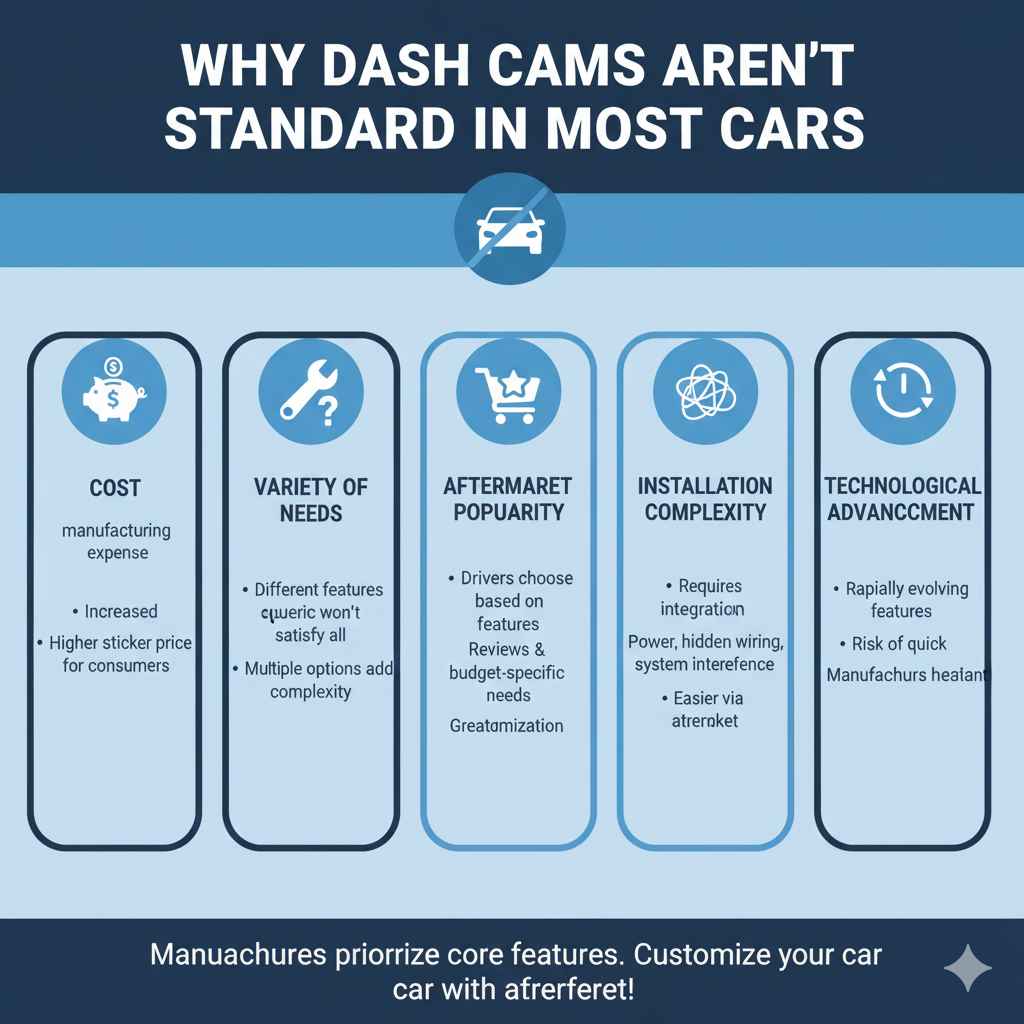
It might seem like a no-brainer for manufacturers to include dash cams given their growing popularity. However, there are several key reasons why they aren’t a standard feature on most vehicles:
- Cost: Adding a built-in dash cam, including its integration into the car’s electrical system and user interface, would increase the manufacturing cost. This would inevitably lead to higher sticker prices for consumers, which most buyers prefer to avoid.
- Variety of Needs: Dash cams come with vastly different features, recording quality, and price points. What one driver needs might be overkill for another. A manufacturer would have to choose a generic model, which might not satisfy anyone fully, or offer multiple options, adding complexity.
- Aftermarket Popularity: The aftermarket for accessories is huge. Many drivers prefer to choose their own dash cams based on reviews, specific features they want (like parking mode, GPS, or dual-lens systems), and their budget. This allows for greater customization.
- Installation Complexity: Integrating a dash cam seamlessly into a car’s electronics and dashboard can be complex. It requires professional installation to ensure it’s powered correctly, hidden neatly, and doesn’t interfere with other vehicle systems. This is easier done by aftermarket installers or by the driver themselves.
- Technological Advancement: Dash cam technology is rapidly evolving. Features that are cutting-edge today might be standard or even outdated in a few years. Manufacturers might be hesitant to lock into a specific technology that could quickly become obsolete.
What Dash Cams Are and Why You Might Want One
A dash cam, short for dashboard camera, is a small video camera that is mounted on the dashboard or windshield of a vehicle. Its primary purpose is to continuously record video footage of the road ahead while the car is in motion. Think of it as a black box for your car, but one that captures everything you see and hear.
The benefits of having a dash cam are numerous, making them increasingly popular among drivers worldwide.
Key Benefits of Using a Dash Cam
- Evidence in Accidents: This is often the biggest reason people get dash cams. If you’re involved in an accident, the footage can clearly show who was at fault, protecting you from false accusations and insurance claim disputes.
- Deterrent to Bad Driving: Knowing you’re being recorded can encourage more cautious and responsible driving. It can also help catch aggressive drivers or hit-and-run incidents.
- Proof Against False Claims: Some individuals try to stage accidents or make false claims against drivers. Dash cam footage can be invaluable in proving your innocence in such situations.
- Security While Parked: Many dash cams offer a parking mode. This means they can continue recording or detect motion even when your car is turned off, capturing any bumps, scratches, or vandalism that might occur while you’re away.
- Capturing Memorable Moments: Beyond safety, dash cams can capture scenic routes, unexpected wildlife encounters, or other interesting events on the road, creating unique travel memories.
- Insurance Discounts: In some regions and through certain insurance providers, installing a dash cam might even qualify you for a discount on your car insurance premium, as it can help verify accident details and reduce claim processing time and costs.
Types of Dash Cams Available
Since cars don’t typically come with them, you’ll be looking at the aftermarket. Thankfully, there’s a wide variety to choose from, catering to different budgets and needs. Here’s a breakdown of common types:
1. Single-Lens Dash Cams
These are the most basic and common type. They record video only from the front of the vehicle. They are generally the most affordable and easiest to install.
2. Dual-Lens Dash Cams
These cameras have two lenses, allowing them to record from multiple angles simultaneously.
- Front and Interior: One lens faces forward, covering the road, while the other faces into the cabin, capturing the driver and passengers. This is useful for ride-share drivers or parents wanting to monitor their children.
- Front and Rear: One lens records the road ahead, and the other records the road behind the car. This provides comprehensive coverage of your vehicle’s surroundings.
3. Three-Channel Dash Cams
Even more comprehensive, these systems usually include a front-facing camera, an interior-facing camera, and a rear-facing camera, offering 360-degree protection around your vehicle.
4. Wi-Fi Enabled Dash Cams
These cameras connect to your smartphone via Wi-Fi. This allows you to easily view live footage, download recordings, and change settings directly from your phone without needing to remove the camera or connect it to a computer.
5. GPS Enabled Dash Cams
Dash cams with GPS capability can record your vehicle’s speed, location, and route information along with the video. This data can be crucial evidence in accident investigations or disputes.
6. Dash Cams with Parking Mode
Essential for security, parking mode dash cams can detect motion or impact when your car is parked and switched off. They usually require a hardwiring kit to connect to your car’s battery, ensuring continuous power.
Choosing the Right Dash Cam: Key Features to Consider
With so many options, how do you pick the best one for your needs? Here are the essential features to look out for:
- Video Resolution: Look for at least 1080p (Full HD) for clear footage. Higher resolutions like 1440p or 4K offer even more detail, which can be critical for capturing license plates or fine details.
- Field of View (FOV): This determines how wide an area the camera can see. A wider FOV (e.g., 140-170 degrees) captures more of the periphery.
- Night Vision/Low-Light Performance: Crucial for recording at night or in poor weather. Look for cameras with good sensors and features like infrared (IR) LEDs for interior cabin recording.
- Loop Recording: This feature automatically overwrites the oldest footage when the memory card is full, ensuring you always have space for new recordings.
- G-Sensor (Impact Sensor): If the camera detects a sudden impact (like in an accident), it will automatically lock the current footage to prevent it from being overwritten, ensuring it’s saved as evidence.
- Storage: Most dash cams use microSD cards. Check the maximum card capacity supported and whether a card is included. Fast cards (U3 or V30) are recommended for higher resolutions.
- Ease of Installation: Some cameras simply plug into a 12V socket and use a suction cup or adhesive mount. Others require hardwiring for parking mode, which can add complexity.
- User Interface and App: Is the camera easy to operate? If it has Wi-Fi, is the companion app user-friendly for managing footage?
How to Install a Dash Cam (A Beginner’s Guide)
Installing a dash cam can seem daunting, but for most basic setups, it’s quite manageable. Here’s a step-by-step guide for a typical plug-and-play installation.
Step 1: Choose a Location
The best spot is usually on the windshield, near the rearview mirror. This placement typically provides a clear, unobstructed view of the road and is often less conspicuous. Make sure it doesn’t block your view while driving – check your local laws on windshield obstructions.
Step 2: Mount the Camera
Clean the area on the windshield where you plan to attach the mount. Most mounts use either a suction cup or an adhesive pad. Press the mount firmly onto the glass and ensure it’s secure. Attach the dash cam unit to the mount.
Step 3: Connect Power
Most basic dash cams come with a power cable that plugs into your car’s 12V accessory socket (often called a cigarette lighter port). Plug one end into the dash cam and the other into the socket.
Tip: If you want a cleaner look and the ability to use parking mode, you might need a hardwiring kit. This connects the dash cam directly to your car’s fuse box. This is a bit more involved and might be best done by a professional or if you’re comfortable working with car fuses. You can often find fuse tap adapters that make this process much simpler. For information on using fuse taps, resources like this guide from the AutoZone website can be very informative.
Step 4: Route the Power Cable
Carefully tuck the power cable along the edges of your car’s interior trim and headliner. Use the included clips or zip ties to keep the cable tidy and out of the way. The goal is to make it look as seamless as possible, avoiding dangling wires that can be a distraction or safety hazard.
Step 5: Configure Settings
Once powered on, the dash cam will likely prompt you to set the date and time. Follow the on-screen instructions or use the companion app (if available) to configure your preferred settings. This includes video quality, loop recording duration, and G-sensor sensitivity.
Step 6: Test the Camera
Start your car’s engine. The dash cam should turn on automatically and begin recording. Check the recording to ensure the view is clear and that the camera is functioning correctly. Make a short test drive and review the footage on your phone or computer.
Using a Hardwiring Kit for Advanced Features
As mentioned, if you want to utilize parking mode or simply prefer a cleaner installation without a visible cable running to the 12V socket, a hardwiring kit is the way to go. This is a slightly more advanced process but is achievable for many DIYers.
What is a Hardwiring Kit?
A hardwiring kit connects your dash cam directly to your car’s electrical system, typically by tapping into the fuse box. It usually includes a control box that allows the dash cam to monitor battery voltage and shut off automatically to prevent draining your car battery.
Steps for Hardwiring (Simplified):
- Locate Fuse Box: Find your car’s fuse box, often located under the dashboard, in the glove compartment, or under the hood. Consult your car’s owner’s manual for its exact location.
- Identify Fuses: You’ll need to connect to two types of circuits: one that remains powered even when the car is off (for parking mode) and one that only powers up when the car is on (to prevent battery drain). Use a fuse tester or consult your manual.
- Install Fuse Taps: These adapters allow you to safely add a new circuit to your fuse box without disrupting existing ones. You’ll insert one tap into the “always-on” circuit and another into the “ignition-on” circuit, connecting them to the hardwiring kit’s cables.
- Connect Ground Wire: The kit will have a ground wire that needs to be attached to a clean, unpainted metal surface in your car’s chassis. This is crucial for the electrical system to function correctly.
- Connect to Dash Cam: Connect the power cable from the hardwiring kit to your dash cam.
- Test: Turn on your car and check if the dash cam powers up. Then, turn off the car to ensure parking mode activates (if applicable) and that the voltage monitor functions correctly to prevent battery drain.
Disclaimer: Working with your car’s electrical system can be complex. If you are not comfortable or unsure at any step, it is always best to seek assistance from a professional automotive technician. Incorrect wiring can potentially damage your car’s electrical system or lead to other issues.
Dash Cam vs. Built-in Car Systems: A Comparison
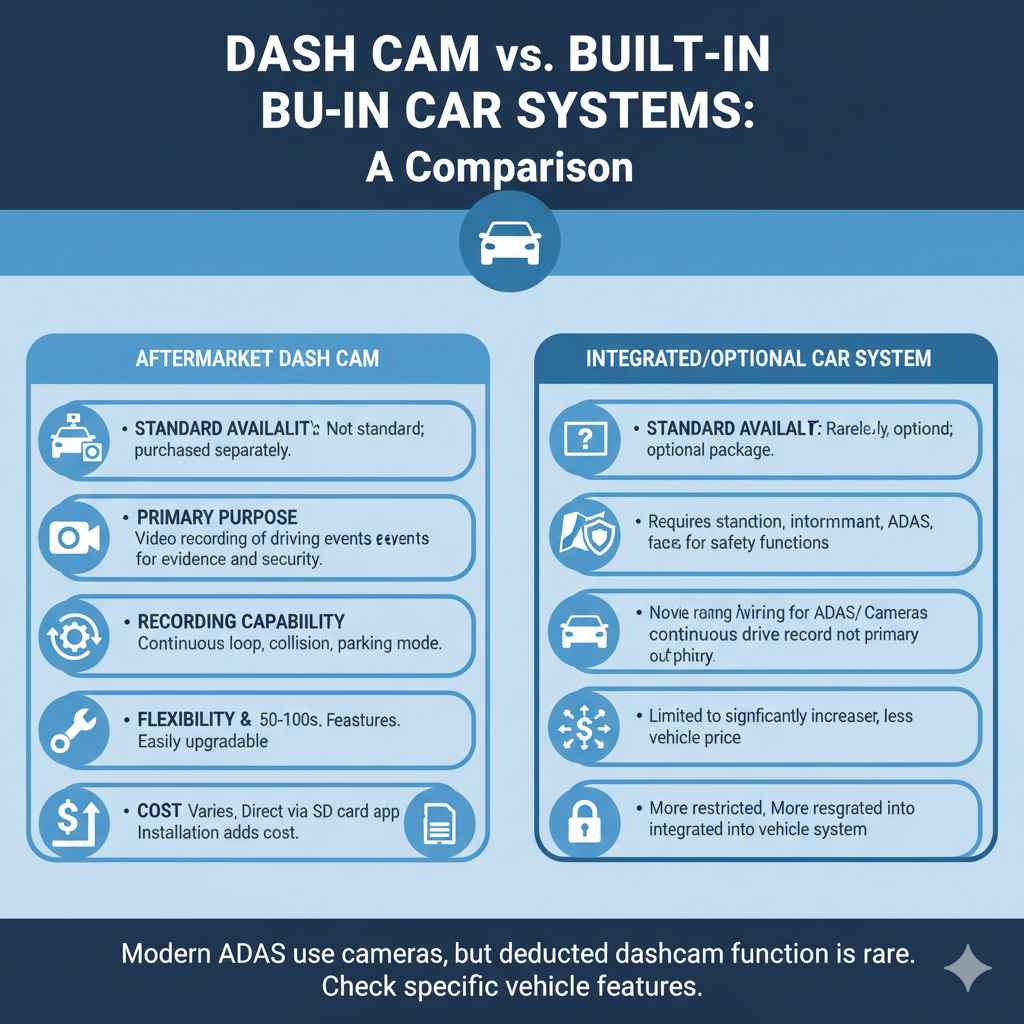
While cars don’t typically come with dash cams, some advanced driver-assistance systems (ADAS) might offer similar functionalities or integrate with optional dash cam systems. Here’s a quick comparison:
| Feature | Aftermarket Dash Cam | Integrated/Optional Car System |
|---|---|---|
| Standard Availability | Not standard; purchased separately. | Rarely standard; might be an optional add-on or part of premium packages. |
| Primary Purpose | Video recording of driving events for evidence and security. | Navigation, infotainment, and advanced safety features (lane keeping, adaptive cruise control). May include camera for specific functions. |
| Recording Capability | Continuous loop recording, collision event recording, parking mode. | Cameras primarily for ADAS; continuous driving record not usually a primary function unless a dedicated dash cam is integrated. |
| Flexibility & Choice | Wide range of models, features, and price points. Easily upgradeable. | Limited to manufacturer’s offerings; typically less customizable. |
| Cost | Varies widely, from under $50 to several hundred dollars. Installation can add cost. | Can significantly increase vehicle price or be very expensive as an option. |
| Data Access | Direct access to footage via SD card or app. | Footage access may be more restricted or integrated into vehicle’s infotainment system. |
Some modern vehicles do have cameras as part of their ADAS, like those used for lane keeping assist or traffic sign recognition. In very rare, high-end cases, a manufacturer might integrate a dash cam system. For example, Tesla offers a “Dashcam” feature that uses its Autopilot cameras to record, but this often requires a USB drive to be inserted by the owner.
Legal Considerations for Dash Cams
While dash cams are legal to own and operate in all 50 U.S. states, there are some nuances to be aware of, especially regarding privacy and recording conversations.
- Recording Outside the Car: It is generally legal to record the road and public spaces from your vehicle. However, privacy laws can vary by state, and recording individuals without their consent, especially in private settings, can be problematic.
- Recording Inside the Car: Be mindful of laws regarding audio recording. Many states have “one-party consent” laws, meaning you only need your own consent to record conversations. However, “two-party consent” states require all parties involved in a conversation to agree to be recorded. If you’re operating a business (like a taxi or rideshare), check specific regulations. You can learn more about state-specific laws on recording from resources like the Federal Communications Commission (FCC), though they focus mainly on telephone calls, the principles of consent are relevant.
- Sharing Footage: Be cautious when sharing footage online, especially if it contains identifiable individuals or private property. It’s often best to blur faces or license plates if privacy is a concern.
Always check your local and state laws regarding recording to ensure you are compliant.
Frequently Asked Questions About Dash Cams
Q1: Do all cars come with a dash cam?
A1: No, the vast majority of cars do not come with a dash cam pre-installed. It is an aftermarket accessory that you typically purchase and install yourself or have installed by a professional.
Q2: Are dash cams expensive?
A2: Dash cam prices vary widely. You can find basic models for under $50, while advanced models with multiple lenses, high resolutions, and advanced features can cost several hundred dollars.