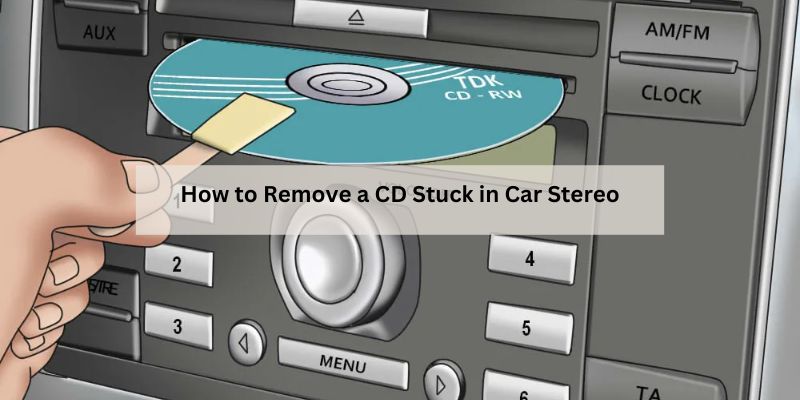
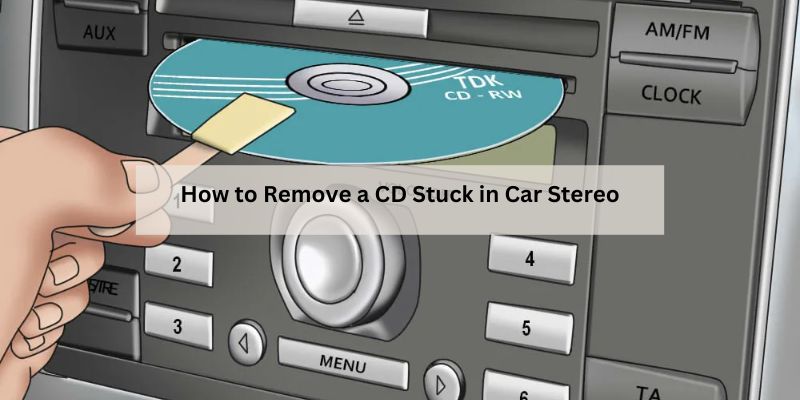
How to Remove a CD Stuck in Car Stereo
Hey there, fellow car owner! Picture this: you’re cruising down the road, ready to jam to your favorite tunes, but when you pop your CD into the car stereo, it refuses to come back out. Frustrating, right? I’ve been there, and I know how annoying it can be when your beloved CD gets stuck in the player. Whether it’s an old mixtape or your go-to road trip album, a stuck CD can throw a wrench in your plans.
Don’t worry, though—I’ve explored this issue inside and out, and I’m here to share practical, tried-and-true methods to get that CD out safely. In this article, I’ll walk you through every step, from simple tricks to more advanced solutions, so you can get your stereo back in action without breaking the bank or your patience. Let’s dive in and fix this problem together!
Understanding Why CDs Get Stuck in Car Stereos
Before we jump into the solutions, let’s talk about why CDs get stuck in the first place. Knowing the cause can help you avoid this headache in the future. Over the years, I’ve learned that car stereos are sensitive pieces of equipment. Dust, dirt, or even a tiny scratch on your CD can mess with the player’s mechanism. Sometimes, the issue is with the stereo itself—worn-out gears, a misaligned disc tray, or even a power glitch can trap your CD inside.
Older car stereos, especially those from the early 2000s, are more prone to this problem. The internal rollers or eject mechanisms can wear out over time, making it harder for the stereo to eject the CD. Another common culprit? Using homemade or poorly labeled CDs. Those sticky labels can peel off inside the player, gumming up the works. Even temperature changes in your car, like leaving it in the scorching sun or cold, can cause the CD or stereo components to warp slightly, leading to a jam.
By understanding these causes, you’ll not only know how to free your CD but also how to keep it from happening again. Let’s move on to some practical ways to tackle this issue.
Safety First: Preparing to Remove the Stuck CD
I can’t stress this enough: safety comes first when you’re messing with your car’s electronics. Before you start poking around your stereo, take a moment to prep. Trust me, I’ve learned this the hard way after accidentally shorting a fuse while trying to fix a stereo issue.
Start by turning off your car’s ignition. This cuts power to the stereo and reduces the risk of electrical damage. If you’re working with tools, make sure they’re non-conductive—like plastic tweezers or a wooden stick—to avoid any shocks or damage to the stereo’s circuits. Park your car in a shaded, flat area so you’re comfortable while working. If your stereo has a detachable faceplate, remove it to get a better view of the CD slot. Keep a clean cloth and some rubbing alcohol handy in case you need to clean the CD or the slot later.
Having everything ready before you start will make the process smoother and safer. Now, let’s get to the good stuff—getting that CD out.
Method 1: The Power Cycle Trick
This is the first thing I try whenever my CD gets stuck—it’s simple and doesn’t require any tools. Sometimes, your stereo just needs a quick reset to nudge the CD out. Here’s how to do it:
- Turn off your car completely. Make sure the ignition is off and the stereo isn’t powered on.
- Wait for about 30 seconds. This gives the stereo’s internal system a chance to reset.
- Turn the ignition back on, but don’t start the engine. Just set it to the accessory mode so the stereo powers up.
- Press and hold the eject button on your stereo for about 10 seconds. If you hear any whirring or clicking, that’s a good sign—the stereo is trying to push the CD out.
I’ve had this method work about half the time, especially if the issue is a temporary glitch. If it doesn’t work, don’t panic. There are plenty of other tricks to try.
Method 2: Using Another CD to Nudge It Out
This one sounds a bit weird, but it’s worked for me more times than I can count. The idea is to use a second CD to gently push or guide the stuck CD out of the slot. Here’s how I do it:
- Grab a blank or unimportant CD. You don’t want to risk damaging a favorite album.
- Gently insert the second CD into the slot, but don’t force it in. You’re just trying to slide it about a quarter of an inch into the slot.
- Wiggle the second CD up and down while pressing the eject button on the stereo. The goal is to nudge the stuck CD into a position where the eject mechanism can grab it.
- If you feel resistance, stop immediately. You don’t want to jam both CDs!
I’ve found this method works best when the stuck CD is slightly misaligned inside the player. Be patient, and don’t rush it. If this doesn’t work, let’s try something a bit more hands-on.
Method 3: The Tweezers Technique
When the power cycle and second CD trick don’t work, I reach for a pair of thin, non-metal tweezers. This method requires a steady hand, but it’s a lifesaver when the CD is visible in the slot. Here’s what I do:
- Get a pair of plastic or rubber-coated tweezers. Metal ones can scratch the CD or damage the stereo.
- Shine a flashlight into the CD slot to locate the edge of the disc. If you can see it, you’re in luck.
- Carefully insert the tweezers into the slot and gently grip the edge of the CD. Don’t squeeze too hard—you don’t want to crack the disc.
- Slowly pull the CD out while pressing the eject button. The combination of pulling and the stereo’s eject mechanism can often do the trick.
I’ve used this method successfully on older stereos where the CD was just barely stuck. But be warned: if you’re not careful, you could push the CD further in or damage the stereo. If this feels too risky, let’s move on to another approach.
Method 4: Disconnecting the Car Battery
This is a bit more advanced, but it’s worked for me when nothing else would. Disconnecting the car battery resets the entire electrical system, including the stereo, which can sometimes force the CD to eject. Here’s how I do it safely:
- Park your car in a safe, flat spot and turn off the ignition. Pop the hood.
- Locate your car’s battery. It’s usually under the hood, but check your owner’s manual if you’re unsure.
- Use a wrench to loosen the negative terminal (the black one, marked with a “-”). Remove the cable and let it sit for 10-15 minutes.
- Reconnect the battery, tighten the terminal, and close the hood.
- Turn on the ignition to accessory mode and press the eject button.
This method worked for me once when my stereo was acting glitchy after a long road trip. Just be aware that resetting the battery might clear your radio presets or other settings, so you’ll need to reprogram them afterward.
Method 5: Checking the Fuse
Sometimes, a blown fuse is the reason your stereo won’t eject the CD. I learned this after hours of frustration with a friend’s car stereo that just wouldn’t cooperate. Here’s how to check:
- Find your car’s fuse box. It’s usually under the dashboard or in the engine compartment—check your owner’s manual for the exact location.
- Look for the fuse labeled “radio” or “stereo.” Your manual will have a diagram showing which fuse controls the stereo.
- Pull the fuse out with a fuse puller or tweezers. Check if the metal strip inside is broken. If it is, replace it with a new fuse of the same amperage.
- Once the fuse is replaced, try ejecting the CD again.
This method is a bit technical, but it’s worth a shot if you suspect an electrical issue. If the fuse looks fine, or replacing it doesn’t help, it might be time to get creative with some tools.
Method 6: Using Compressed Air or a Cleaning Disc
Dust and debris inside the stereo can cause CDs to get stuck, especially in older cars. I’ve had success using compressed air or a cleaning disc to clear out the gunk. Here’s what I do:
- Get a can of compressed air with a thin nozzle. You can find these at any electronics or auto parts store.
- Hold the can upright and spray short bursts into the CD slot. Keep the nozzle a few inches away to avoid damaging the stereo.
- Try ejecting the CD after a few bursts. If it doesn’t work, you can try a CD player cleaning disc, which has tiny brushes to clean the internal lens and rollers.
- Insert the cleaning disc and follow its instructions—usually, you just play it for a minute or two.
This method is great for preventative maintenance, too. I now use a cleaning disc every few months to keep my stereo in top shape.
When to Call a Professional
If none of these methods work, it might be time to admit defeat and call in a pro. I’ve been there—sometimes the CD is stuck too deep, or the stereo’s internal mechanisms are broken. A professional car audio technician can disassemble the stereo and retrieve the CD without causing further damage. This is especially important if your car has a high-end or factory-installed stereo that’s tricky to repair.
To find a reliable technician, check reviews online or ask for recommendations at your local auto parts store. Expect to pay anywhere from $50 to $150, depending on the complexity of the job. If your stereo is old, you might even consider upgrading to a new one with Bluetooth or USB capabilities—trust me, it’s a game-changer.
Preventing Future CD Jams
Once you’ve got your CD out, you’ll want to keep this from happening again. Here are some tips I’ve picked up over the years:
- Use high-quality CDs: Cheap or homemade CDs are more likely to get stuck. Stick to name-brand discs.
- Avoid labels: Sticky labels can peel off inside the player, causing jams.
- Keep it clean: Use a cleaning disc regularly to remove dust from the stereo.
- Check the weather: Extreme heat or cold can warp CDs, so store them in a cool, dry place.
- Go digital: If your stereo supports it, switch to USB drives or Bluetooth for music. It’s less hassle and sounds just as good.
By following these tips, you can keep your stereo running smoothly and avoid another stuck CD situation.
Troubleshooting Table: Quick Reference Guide
Here’s a handy table summarizing the methods I’ve shared, along with when to use them and what you’ll need:
| Method | Best For | Tools Needed | Difficulty Level |
|---|---|---|---|
| Power Cycle | Temporary glitches | None | Easy |
| Second CD Trick | Misaligned CDs | Blank CD | Easy |
| Tweezers Technique | Visible CDs in slot | Plastic tweezers, flashlight | Moderate |
| Battery Disconnect | Electrical resets | Wrench | Moderate |
| Fuse Check | Electrical issues | Fuse puller, replacement fuse | Moderate |
| Compressed Air/Cleaning Disc | Dust or debris issues | Compressed air, cleaning disc | Easy |
This table is my go-to when I’m troubleshooting a stuck CD. Keep it bookmarked for quick reference!
My Personal Experience with a Stuck CD
Let me share a quick story. A few years ago, I borrowed my buddy’s old Honda Civic for a weekend trip. I popped in a classic rock CD, but when I tried to eject it, nothing happened. I tried the power cycle—no luck. The second CD trick didn’t work either. I was starting to panic, thinking I’d have to explain to my friend why his stereo was now a permanent CD holder. Finally, I grabbed some plastic tweezers from my toolkit, carefully fished the CD out, and saved the day. It was a stressful moment, but it taught me a lot about patience and persistence. Hopefully, my experience will help you avoid the same stress!
Conclusion: Don’t Let a Stuck CD Ruin Your Drive
Dealing with a stuck CD in your car stereo can feel like a major hassle, but with the right approach, you can get it out and get back to enjoying your music. From simple resets to carefully using tweezers, I’ve shared the methods that have worked for me over the years. Start with the easiest fixes, like the power cycle or second CD trick, and work your way up to more involved solutions if needed. If all else fails, don’t hesitate to call a professional—they’re worth their weight in gold when your stereo’s on the fritz.
The key is to stay patient and methodical. Rushing or forcing the CD out can damage your stereo or the disc itself. And once you’ve got that CD out, take steps to prevent it from happening again—trust me, you don’t want to go through this twice. So, next time you’re cruising down the highway, you can focus on the music, not a stuck CD. Got any other car stereo tips? I’d love to hear them! Keep rocking those tunes, and happy driving!
Frequently Asked Questions
Why does my car stereo keep rejecting CDs?
Your stereo might be rejecting CDs due to dust, a dirty lens, or a worn-out mechanism. Try using a cleaning disc to clear out debris. Also, check if the CDs are scratched or have sticky labels, as these can cause issues.
Can a stuck CD damage my car stereo?
Yes, if the CD is forced out or left stuck for too long, it could damage the internal rollers or motor. Be gentle when trying to remove it, and avoid using metal tools that could scratch the disc or stereo.
What if my car stereo doesn’t have an eject button?
Some modern stereos rely on touchscreens or voice commands. Check your car’s manual for specific instructions. You can also try resetting the stereo by disconnecting the battery or checking the fuse.
Is it safe to use tweezers to remove a stuck CD?
Yes, as long as you use non-metal tweezers and work carefully. Avoid forcing the tweezers in, and stop if you feel resistance to prevent damaging the stereo or CD.
Should I replace my old car stereo if CDs keep getting stuck?
If your stereo is old and keeps having issues, it might be worth upgrading to a modern one with Bluetooth or USB support. Newer models are less likely to jam and offer more music options.
Can extreme temperatures cause CDs to get stuck?
Absolutely. Heat can warp CDs, and cold can make the stereo’s components sluggish. Store CDs in a cool, dry place, and avoid leaving them in the car during extreme weather.