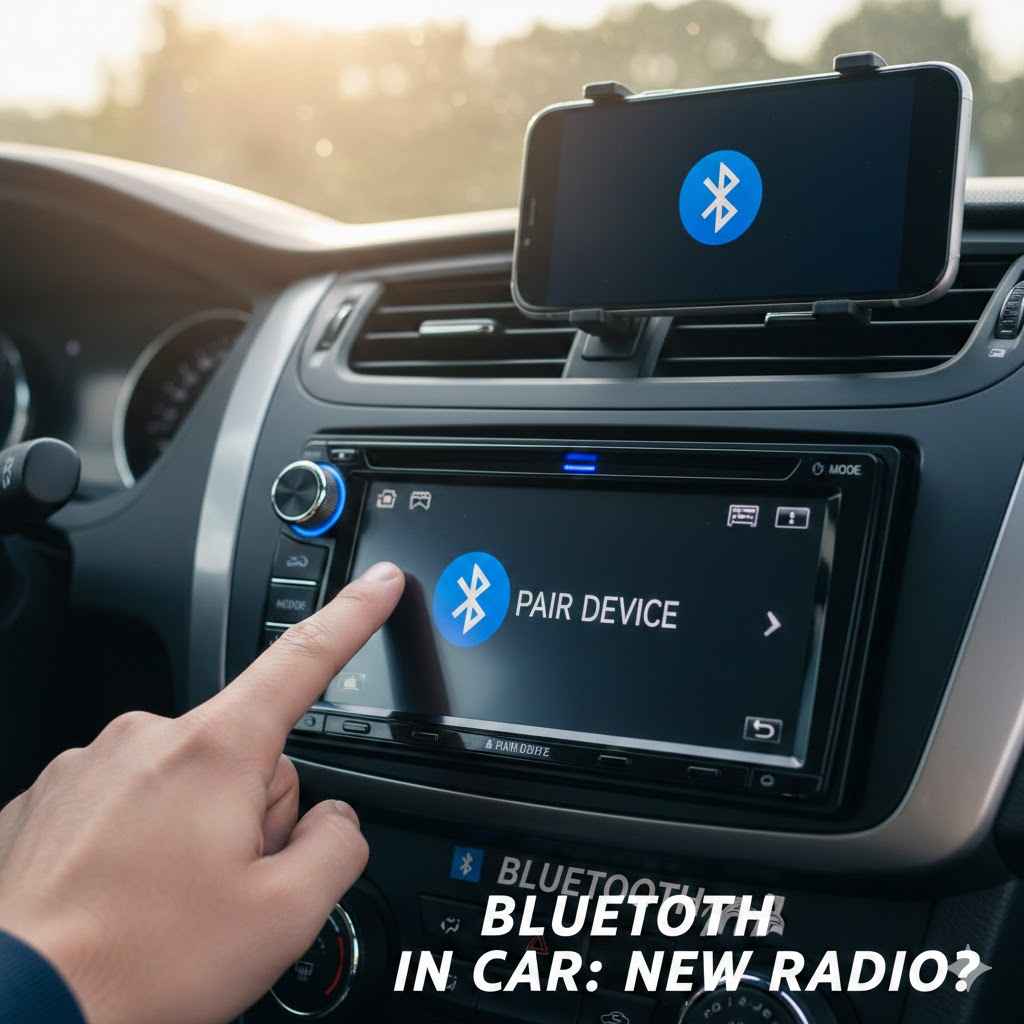
Bluetooth In Car Do You Need A New Radio
Many car owners wonder if they need to swap out their car radio just to get Bluetooth. It can feel tricky to figure out, especially if you’re not super tech-savvy. This question pops up a lot because having Bluetooth in your car makes life so much easier for calls and music.
Don’t worry, we’ll break it down simply. We’ll show you exactly what to look for and when a new radio might be your best bet.
So, you’re thinking about upgrading your car’s sound system for Bluetooth. This is a common thought for many drivers. Having a Bluetooth connection means you can stream music from your phone or take calls hands-free.
It makes driving safer and more enjoyable. We’ll look at why this is a big deal and what options you have. You’ll learn if your current car radio can get Bluetooth or if a new one is the way to go.
This guide will help you make a smart choice.
What Is Bluetooth And How Does It Work
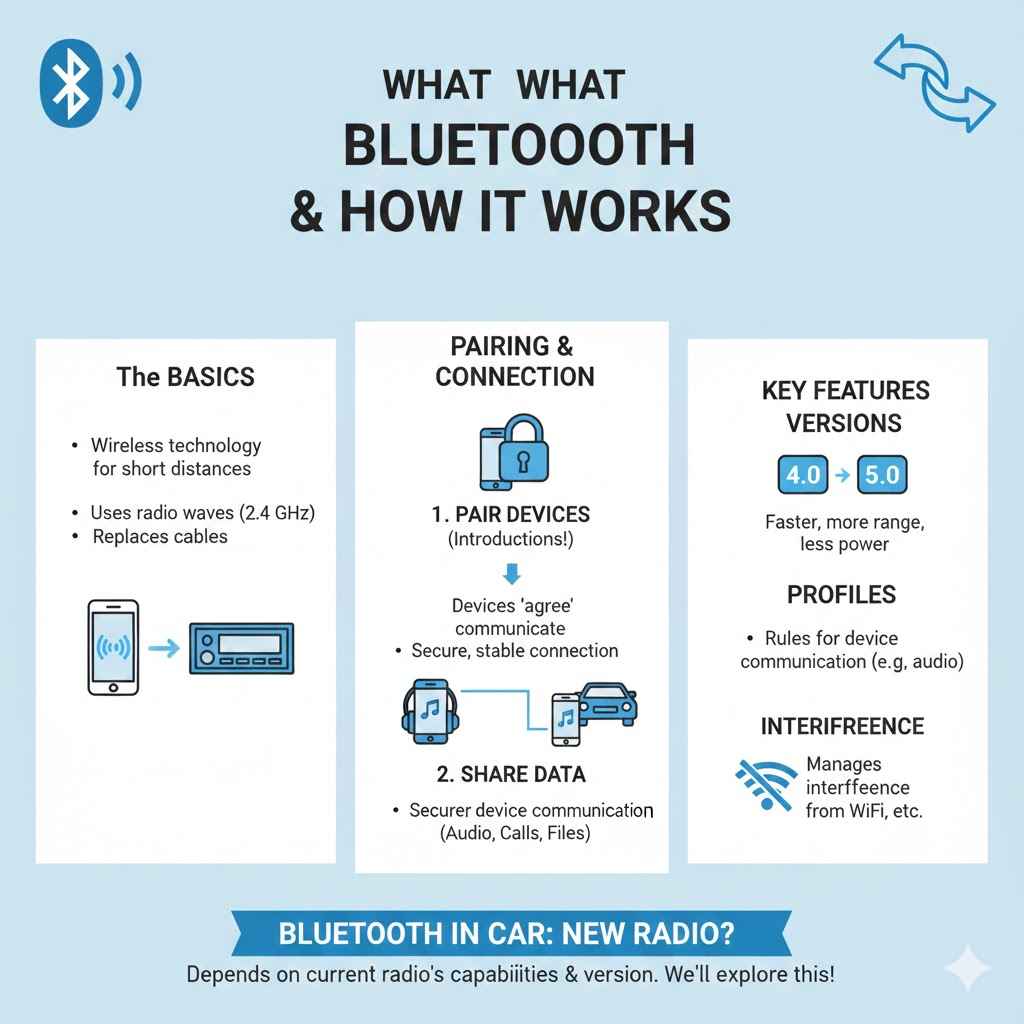
Bluetooth is a wireless technology that lets devices talk to each other over short distances. Think of it like a small, invisible cable connecting your phone to your car radio. It uses radio waves to send data.
This means you don’t need any wires to link your gadgets. It’s great for things like playing music or making phone calls without holding your phone.
The technology works by using radio frequencies in the 2.4 GHz band. Two devices, like your phone and car, must be “paired” first. This is like them getting to know each other and agreeing to communicate.
Once paired, they can share audio or other information. This connection is secure and designed for everyday use. It’s what makes your wireless headphones work or lets you send a file from your phone to your computer.
There are different versions of Bluetooth, like Bluetooth 4.0 or 5.0. Newer versions are faster, use less power, and can connect over longer distances. For your car, any modern Bluetooth version will work well for audio streaming and calls.
The key is that both devices support the same basic Bluetooth profiles, which are sets of rules for how devices communicate.
A common concern is interference. Because Bluetooth uses the same frequency as Wi-Fi and microwaves, sometimes other devices can cause issues. However, Bluetooth has ways to manage this and usually provides a stable connection.
It’s a very common and reliable technology found in millions of devices worldwide.
Bluetooth in Car: Do You Need a New Radio? depends on what your current car radio can do. Some older cars never came with it. Others might have it but it’s not very good.
We’ll explore all of this. You’ll see what makes a good Bluetooth connection and how to tell if yours is up to par. This information helps you decide if a new stereo is really needed.
Why You Might Want Bluetooth In Your Car
Having Bluetooth in your car brings a lot of benefits. The biggest one is safety. You can make and receive calls without taking your hands off the steering wheel.
This keeps your eyes on the road. It’s much safer than fumbling with your phone while driving.
Another great reason is music. You can stream any song, podcast, or audiobook from your phone directly to your car speakers. No more CDs or fiddling with auxiliary cables.
Your entire music library is instantly available. This makes every drive more enjoyable, whether you’re on a long road trip or just commuting to work.
It also makes navigation easier. Many navigation apps use Bluetooth to send voice directions through your car speakers. This is much clearer than trying to hear your phone’s speaker.
You get turn-by-turn directions without distractions. The convenience factor is huge for daily driving.
Bluetooth also allows for voice control. You can tell your car to call someone, play a specific song, or get directions. This further reduces the need to touch your phone or car stereo.
It’s about making your driving experience smoother and less stressful.
Hands-Free Calling Convenience
The ability to make and take calls without holding your phone is a major safety feature. When you’re driving, your focus should be on the road. Bluetooth allows you to connect your phone wirelessly to your car’s audio system.
This means you can answer a call with the press of a button on your steering wheel or dashboard. Likewise, you can dial a number using voice commands or by selecting a contact from your phone’s paired list on your car’s screen.
This feature is especially helpful during long drives or in busy traffic. It prevents the dangerous distraction of trying to manage a phone call while navigating. Many modern cars integrate this seamlessly, displaying caller ID on the car’s display and allowing for easy call management.
It’s a core reason why people consider Bluetooth upgrades for their vehicles.
Seamless Music Streaming
Gone are the days of burning CDs or dealing with tangled auxiliary cords. Bluetooth music streaming transforms your car’s audio experience. You can access your entire digital music library, including playlists, podcasts, and audiobooks, directly from your smartphone.
Your car’s stereo becomes the speaker for your phone.
The process is straightforward. Once your phone is paired with the car’s Bluetooth, you simply select your phone as the audio source on the car stereo. You can then control playback – play, pause, skip tracks – using the car’s radio controls or steering wheel buttons.
This offers a level of convenience and choice that was previously unavailable in many vehicles.
Enhanced Navigation Experience
Navigation apps on smartphones have become incredibly advanced. Bluetooth integration takes this a step further by delivering navigation prompts directly through your car’s speakers. This is significantly clearer and less distracting than trying to listen to your phone’s small speaker.
When you use an app like Google Maps or Waze, the turn-by-turn voice directions will play through your car’s audio system. This means you can keep your phone placed conveniently and still hear all the instructions clearly. The car stereo might even mute the music slightly when a direction is being given, ensuring you don’t miss a beat.
This unified audio experience makes following directions much simpler.
Understanding Your Current Car Radio’s Capabilities
Before you decide if you need a new radio, it’s important to know what your current one can do. Most cars made in the last 10-15 years have some form of audio system. Some might have advanced features, while others are quite basic.
You can usually find information about your radio in your car’s owner’s manual. It will list all the features your stereo system has. If you don’t have the manual, you can often find it online by searching for your car’s make, model, and year.
Check if your radio has a button with the Bluetooth symbol. This is a small, stylized ‘B’ that looks like a cross. If you see this button, it might have Bluetooth.
You can also look for options in the radio’s menu. Many car stereos have a “Source” or “Audio” button that lets you cycle through different inputs like FM, AM, CD, AUX, and sometimes Bluetooth.
If your radio doesn’t have a dedicated Bluetooth button or menu option, it’s unlikely to have built-in Bluetooth. This doesn’t mean you’re out of luck, though. There are often ways to add Bluetooth functionality to older systems.
We’ll explore those later in this guide.
Identifying Built-In Bluetooth Features
The easiest way to know if your car radio has Bluetooth is to look for the Bluetooth symbol (often a stylized ‘B’) on the radio’s faceplate or steering wheel controls. You can also check the radio’s display screen. Many radios will have a “Phone” or “Bluetooth” option in their menu.
Pressing the “Source” or “Mode” button might cycle through available inputs, and “Bluetooth” might appear in the list.
If you find a Bluetooth option, your car likely supports it. You’ll then need to pair your phone. This usually involves putting the car’s system into “pairing mode” and then searching for it from your phone’s Bluetooth settings.
Follow the on-screen prompts on both your phone and your car’s display.
Some cars might have Bluetooth only for hands-free calling and not for audio streaming. This is less common with newer systems but was a feature in some earlier models. If you can make calls but can’t play music, your Bluetooth might be limited.
Bluetooth in Car: Do You Need a New Radio? depends heavily on whether yours is already equipped. A quick check of your radio’s buttons and menu is the first step. If you’re unsure, your car’s owner’s manual is the best resource.
Checking Your Owner’s Manual
Your car’s owner’s manual is a treasure trove of information about your vehicle’s features, including its audio system. If you still have the physical manual that came with your car, find the section related to the infotainment system or audio. It should clearly state whether your car is equipped with Bluetooth technology.
If you’ve misplaced the physical manual, don’t worry. Most car manufacturers offer digital versions of their owner’s manuals on their official websites. You can usually download a PDF version by searching for your car’s make, model, and year.
Once you have the manual, look for keywords like “Bluetooth,” “phone,” “audio streaming,” or “hands-free calling.”
The manual will often provide step-by-step instructions on how to activate and use Bluetooth features, including how to pair your phone. This is the most reliable way to confirm your car’s capabilities without guesswork.
Using Phone Integration Features
Some cars, even without explicit Bluetooth buttons, might support phone integration through systems like Apple CarPlay or Android Auto. These systems use a USB connection to mirror your phone’s interface onto your car’s display. While not strictly Bluetooth, they offer similar functionalities like calls, music, and navigation.
If your car has a USB port that the manual says is for “phone connection” or “data,” it’s worth checking if it supports CarPlay or Android Auto. You’ll need a compatible smartphone and a USB cable. Once connected, your phone’s familiar apps will appear on your car’s screen, allowing for seamless control of calls, music, and more.
These systems are often more advanced than basic Bluetooth, offering a richer user experience. If your car supports them, you might not need a new radio even if it lacks traditional Bluetooth. It’s a different path to a connected driving experience.
Options To Add Bluetooth To Your Car
If your car’s radio doesn’t have built-in Bluetooth, you still have several good options to add this feature. You don’t always need to replace the entire stereo system. These solutions can be much more affordable and easier to install.
One popular method is using a Bluetooth adapter. These small devices plug into your car’s auxiliary (AUX) input if it has one. They then stream audio from your phone wirelessly to the adapter, which sends it to your car speakers through the AUX cable.
Some adapters also include a microphone for hands-free calling.
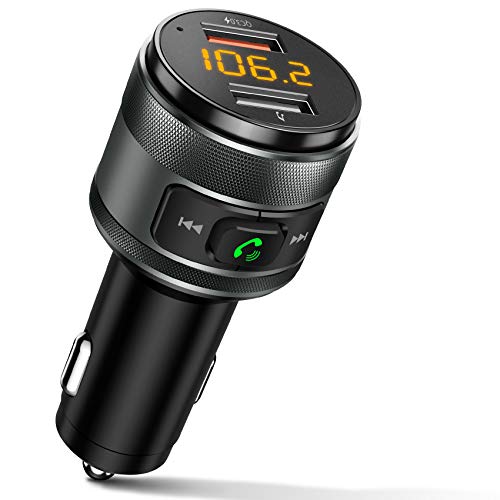
Another option is a Bluetooth FM transmitter. This device connects to your car’s cigarette lighter or USB port. It broadcasts your phone’s audio over an unused FM radio frequency.
You then tune your car radio to that specific frequency to hear your music or calls. The quality can vary depending on the transmitter and radio signal.
For those who want a more integrated solution, replacing the car radio with an aftermarket unit that has Bluetooth is a great choice. Modern aftermarket stereos offer a wide range of features, including advanced Bluetooth connectivity, larger touchscreens, and smartphone integration. This is a more involved installation but provides the best overall experience.
Bluetooth Adapters For AUX Inputs
If your car has an auxiliary (AUX) input jack, this is often the simplest way to add Bluetooth. An AUX input is a small, round headphone-like port. Many cars made in the early to mid-2000s have them, even if they lack Bluetooth.
Bluetooth AUX adapters are small, portable devices. You plug one end into your car’s AUX port and the other end (often a USB cable) into a power source, like a USB charger plugged into your cigarette lighter. The adapter itself has Bluetooth built in.
You pair your smartphone to the adapter just like you would to any other Bluetooth device. Once paired, the audio from your phone – music, podcasts, calls – will play through your car speakers. Many of these adapters also come with a built-in microphone, allowing for hands-free calls.
You might need to position the microphone for best results.
The quality of sound from an AUX adapter is generally very good, as it’s a direct analog connection from the adapter to your car’s audio system. It’s a cost-effective solution that offers full Bluetooth functionality without replacing your car’s original stereo. The main requirement is that your car must have that AUX port.
Bluetooth FM Transmitters
For cars that don’t have an AUX input, a Bluetooth FM transmitter is a common alternative. These devices plug into your car’s 12V power outlet (the cigarette lighter socket) or sometimes a USB port. They then broadcast a Bluetooth signal.
You pair your phone with the FM transmitter via Bluetooth. The transmitter then takes that audio and broadcasts it as an FM radio signal. You then tune your car’s radio to a specific FM frequency that the transmitter is using.
The best practice is to choose an unused or very weak station to avoid interference from actual radio broadcasts.
The quality of sound with an FM transmitter can vary. It depends on the quality of the transmitter, the strength of the FM signal in your area, and the chosen frequency. While convenient, it might not offer the same pristine audio quality as a direct AUX connection or a new stereo.
However, they are very affordable and widely available.
Many FM transmitters also support hands-free calling and include USB ports for charging your phone. Some even support playing music from a USB drive or microSD card inserted into the transmitter itself. For many drivers, this is a perfectly acceptable way to get Bluetooth functionality.
Replacing Your Car Radio
If you’re looking for the most comprehensive and integrated solution, replacing your car’s existing radio with an aftermarket unit is the way to go. This is a more significant undertaking and usually involves more cost than the adapter options, but it offers the best functionality and aesthetic integration.
When choosing a new radio, look for one that specifically lists Bluetooth connectivity. Most modern aftermarket stereos include Bluetooth for both hands-free calling and audio streaming. You’ll want to consider the size of the unit (single-DIN or double-DIN) to ensure it fits your car’s dashboard opening.
Beyond Bluetooth, new radios can offer a wealth of features like larger touchscreens, Apple CarPlay, Android Auto, built-in GPS navigation, backup camera support, and more. If you’re planning to upgrade, it’s worth exploring all the options to find a system that perfectly suits your needs and budget.
Installation can be done yourself if you’re comfortable with car electronics, or by a professional installer. A professional installation ensures everything is connected correctly and safely. This is often the most satisfying upgrade for adding modern technology to an older vehicle.
Considering Aftermarket Head Units
Aftermarket head units, or car stereos, are designed to replace your factory-installed radio. They come in standard sizes (single-DIN and double-DIN) to fit most car dashboards. When you’re looking to add Bluetooth, a new head unit is a great choice.
Many of these units come with Bluetooth built-in as a standard feature. This means you get reliable hands-free calling and high-quality audio streaming. You’ll often find advanced Bluetooth versions that offer better range and faster pairing.
Some also support multiple phone connections simultaneously.
The advantage of a new head unit is that it often includes other modern features. You might get a larger touchscreen display, which makes it easier to navigate menus and use apps. Features like Apple CarPlay and Android Auto are also common, allowing you to use your smartphone’s interface directly on the car’s screen.
This provides a seamless and user-friendly experience.
While this option usually costs more and requires more complex installation, it’s a long-term solution that can significantly enhance your car’s technology and overall driving experience. It’s like giving your car a technology facelift.
How To Install Or Connect Bluetooth Devices
Connecting Bluetooth devices to your car is usually a straightforward process. The steps might vary slightly depending on the specific device or car stereo you have, but the general idea is the same. It often involves pairing.
First, make sure your car’s Bluetooth system is turned on and discoverable, or that your adapter/transmitter is powered on and ready to pair. Then, on your smartphone, go to the Bluetooth settings. You’ll see a list of available devices.
Select your car’s Bluetooth name or the name of your adapter/transmitter from the list.
Your phone might ask you to confirm a pairing code or enter one. This is a security step to ensure you’re connecting to the correct device. Once confirmed, your phone and car system will be paired.
You should see a confirmation message on both devices.
For aftermarket radios, installation is more involved. It typically requires removing the old radio, disconnecting the wiring harness, connecting the new radio’s harness (often using an adapter specific to your car model), and then reassembling the dash. If you’re not comfortable with this, professional installation is recommended.
The Pairing Process Step-By-Step
Pairing your phone with your car’s Bluetooth system is usually a simple, guided process. Here’s a typical step-by-step breakdown:
- Turn on your car and start the engine. Make sure the car’s infotainment system is powered on.
- On your car stereo or infotainment screen, navigate to the Bluetooth settings. Look for an option like “Pair Device,” “Add Phone,” or “Bluetooth Setup.”
- Activate “pairing mode” on your car’s system. The screen might show a device name and a PIN code, or it will simply state that it’s searching for devices.
- On your smartphone, open the Settings app and go to the Bluetooth menu. Make sure Bluetooth is turned on.
- Your phone will scan for available Bluetooth devices. Look for your car’s Bluetooth name in the list. It’s often something like “My Car,” “Car Multimedia,” or a specific model name.
- Tap on your car’s name from the list on your phone.
- If prompted, confirm the pairing code displayed on both your phone and your car’s screen. Alternatively, you might need to enter a PIN code (often 0000 or 1234, but check your car’s manual if unsure).
- Once paired, your phone and car system should indicate a successful connection. You might see your phone’s name listed under connected devices in the car’s menu.
For Bluetooth adapters or FM transmitters, the pairing process is similar, but you’ll be pairing your phone with the adapter/transmitter itself, which will have its own unique Bluetooth name.
DIY Installation Of Bluetooth Adapters
Installing a Bluetooth adapter for an AUX input is usually a plug-and-play affair. There’s no complex wiring involved.
First, locate the AUX input jack in your car. It’s typically found on the dashboard, in the center console, or near the stereo.
Plug the Bluetooth adapter’s connector into the AUX port. If the adapter requires external power (most do), plug its USB cable into a compatible USB charger or port in your car.
Once powered on, the adapter will usually enter pairing mode automatically. Follow the pairing steps for your smartphone as outlined above, searching for the adapter’s Bluetooth name.
It’s that simple. You’ll now be able to stream audio from your phone through your car speakers. Many adapters have small buttons for play/pause or skipping tracks.
The microphone for calls is often integrated into the adapter or a small cord you can position closer to you.
Professional Installation Services
If you opt to
A professional installer has the tools and expertise to remove your old stereo safely, wire the new one correctly, and ensure all components are securely fitted into your dashboard. They understand the specific wiring harnesses and dash kits needed for your car model.
This service not only saves you time and potential headaches but also ensures that your new stereo is installed to meet safety standards and perform optimally. It’s particularly important for complex installations involving new speakers, amplifiers, or integrated systems. Most installers offer a warranty on their work, giving you peace of mind.
When To Consider Upgrading Your Radio
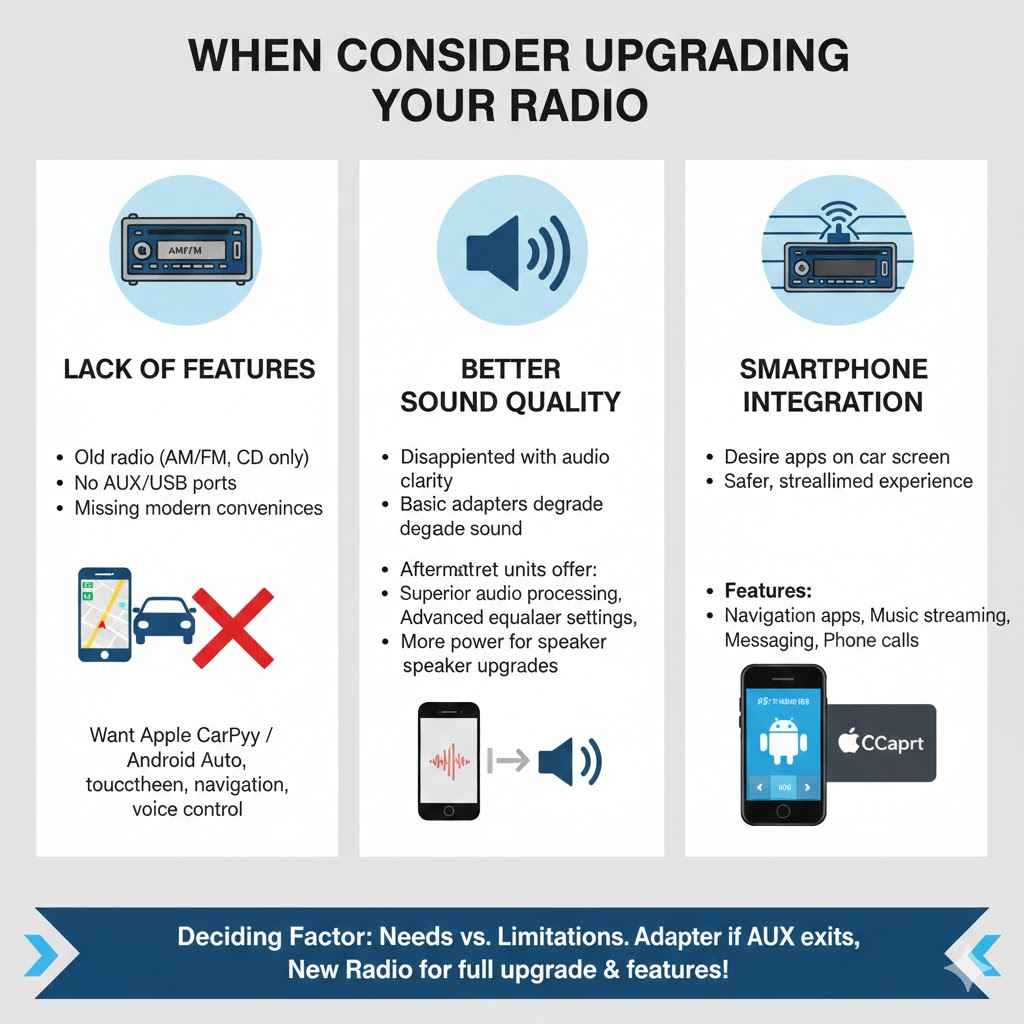
The decision of whether to upgrade your car radio often comes down to your specific needs and the limitations of your current system. If your primary goal is simply to add Bluetooth and your car has an AUX port, an adapter might be sufficient and much cheaper than a new radio.
However, there are several scenarios where upgrading your entire car radio is the better or only option. If your car lacks an AUX port and you want better sound quality than an FM transmitter can provide, a new radio is the way to go. Similarly, if you desire features beyond basic Bluetooth, such as Apple CarPlay, Android Auto, a larger touchscreen, or a built-in navigation system, a new head unit is necessary.
You might also consider an upgrade if your current stereo is old and malfunctioning. A new radio can breathe new life into your car’s interior and entertainment system. Think about how you use your car and what features would truly enhance your driving experience.
Your Current System Lacks Features
If your existing car radio feels outdated or lacks the modern conveniences you’re looking for, it might be time for an upgrade. For instance, if your car only has an AM/FM radio and a CD player, and no AUX or USB inputs, adding Bluetooth functionality requires more than just a simple adapter.
Modern cars come with sophisticated infotainment systems that offer seamless smartphone integration, advanced navigation, and voice control capabilities. If your current system doesn’t offer these, and you desire them, a new head unit is the most effective solution. It’s about bringing your car’s technology up to speed with your expectations for convenience and connectivity.
You Want Better Sound Quality
While Bluetooth itself doesn’t directly dictate sound quality (the audio source and the car’s speakers are major factors), the way Bluetooth is implemented can affect it. Simple Bluetooth adapters or FM transmitters might introduce some level of audio degradation compared to a direct connection or a high-quality aftermarket stereo.
If you’re an audiophile or simply someone who appreciates clear, rich sound, a new car stereo can often provide superior audio processing and output. Many aftermarket units are designed with better audio components than factory radios, and they offer more advanced equalizer settings and sound customization options. Combined with Bluetooth streaming, this can significantly improve your listening experience.
Furthermore, if you plan on upgrading your car’s speakers, an aftermarket head unit can often provide more power and better control over those new speakers, unlocking their full potential.
Integrating Smartphone Technologies
For many people today, their smartphone is central to their digital life, and they want that integration in their car. If your current radio doesn’t support modern smartphone integration technologies like Apple CarPlay or Android Auto, you’re missing out on a very convenient way to use your phone while driving.
These systems allow you to display and control your phone’s navigation apps, music apps, messaging, and phone calls directly from your car’s touchscreen display. It’s a much more streamlined and safer experience than trying to use your phone’s native interface or basic Bluetooth features alone.
If your car’s radio predates these technologies or simply doesn’t have the capability, a new head unit that supports CarPlay and Android Auto is a significant upgrade. It brings your car into the modern era of connectivity and makes your daily drives much more functional and enjoyable.
Bluetooth In Car Do You Need A New Radio Conclusion
Deciding if you need a new car radio for Bluetooth is about checking what you have and what you want. If your car has an AUX port, a simple adapter is often enough. For cars without it, an FM transmitter is an affordable option.
Upgrading your radio is best for added features or better sound. You have many ways to get Bluetooth in your car.
Frequently Asked Questions
Question: Can I add Bluetooth to any car radio?
Answer: While you can add Bluetooth functionality to most cars, the method depends on your car’s existing features. Cars with an AUX input can use Bluetooth adapters. Cars without an AUX input might use FM transmitters.
If neither of those work, replacing the car radio is an option.
Question: Will a Bluetooth adapter work if my car doesn’t have an AUX port?
Answer: If your car lacks an AUX port, a standard Bluetooth adapter won’t work. In this case, you would need to use a Bluetooth FM transmitter or consider replacing your car’s head unit with one that has built-in Bluetooth.
Question: How does a Bluetooth FM transmitter work?
Answer: A Bluetooth FM transmitter connects to your car’s power source. You pair your phone to it via Bluetooth. The transmitter then broadcasts your phone’s audio as an FM radio signal.
You tune your car radio to that specific frequency to hear the audio.
Question: Is replacing my car radio the only way to get Apple CarPlay or Android Auto?
Answer: Yes, generally speaking, if your car’s factory radio does not support Apple CarPlay or Android Auto, you will need to
Question: How much does it cost to add Bluetooth to a car?
Answer: Costs vary greatly. Bluetooth adapters can range from $20-$50. FM transmitters are usually $20-$60.
Replacing a car radio can cost anywhere from $100-$500 or more, plus installation fees which can add another $100-$300.
Final Thoughts
Deciding if you need a new radio for Bluetooth is easier now. Check for an AUX port first for adapter use. If not, an FM transmitter is a good alternative.
If you want more features, a new radio is the best path. You can easily add Bluetooth and enjoy connected driving.