Bluetooth Jack for Car: How It Works, Setup & Top Picks
A Bluetooth jack for a car is a Bluetooth receiver or adapter that sends your phone’s audio to the stereo through AUX, USB audio, cassette, or FM, and the best choice is the one that fits your car’s input. Pick the wrong type and you get hiss, weak volume, dropouts, or no sound at all. This guide explains the signal path from phone to speakers, setup steps, and the adapters that fit each factory stereo and failure mode.
How the signal travels from phone to car speakers
A Bluetooth car adapter takes audio from your phone, receives it over Bluetooth, and sends that signal to the car in one of several common ways: direct analog audio through AUX, radio rebroadcast through FM, tape-deck playback through a cassette shell, or digital handoff through a wired CarPlay or Android Auto USB connection. Calls and navigation prompts follow the same path, but the adapter’s microphone and the car’s stereo controls affect how clearly they come through.
The phone pairs to the adapter first. After that, the adapter becomes the audio bridge, and the car stereo usually stays in charge of final volume. That is why the same phone can sound clean in one car and thin or distorted in another: the input path, power source, and frequency match all matter.
Phone to speakers signal path
For AUX adapters, the path is simple: phone to Bluetooth receiver, receiver to 3.5mm AUX input, then to the head unit and speakers. FM transmitters work differently. They broadcast Bluetooth audio on a radio frequency, such as 87.9 FM, and the car radio must tune to that same station. Cassette adapters move the signal through the tape mechanism. Wired CarPlay or Android Auto dongles do not replace the head unit; they sit on top of a system that already supports wired projection.
That difference explains most setup problems. If the car has no 3.5mm AUX input, an AUX receiver cannot do its job. If the radio is already occupied by a strong local station, an FM transmitter can sound fuzzy or cut out. If the car does not support wired CarPlay or Android Auto, a wireless dongle will not help.
Calls and navigation audio
Many adapters include a built-in microphone for hands-free calls, and navigation apps like Google Maps and Waze route directions through the adapter. The quality of those prompts depends on the adapter and the car’s speakers, but the chain is the same: phone audio in, adapter processes it, stereo plays it back. Cheaper microphones often sound thin or pick up more cabin noise.
Suppose your phone is set to max volume and the car stereo is also turned up high. The music may distort even though pairing worked. Lowering the phone to about 60% to 80% and letting the car stereo handle the final loudness usually keeps the signal cleaner.
Do you need AUX, FM, or USB?
You need to match the adapter to the input that the car actually has. A 3.5mm AUX input points you toward an AUX Bluetooth adapter. No AUX jack but a working 12V auxiliary power outlet points you toward an FM transmitter. A USB-A or USB-C port only helps if the car already supports wired CarPlay or Android Auto, because wireless dongles depend on that existing system.
3.5mm AUX input
AUX Bluetooth adapters plug into a 3.5mm aux port and usually sound cleaner than FM because they send audio directly to the head unit instead of broadcasting over radio. That direct path also removes FM interference problems. Many current AUX receivers use Bluetooth 5.0, and some battery-powered models rely on USB or a small internal battery for power.
If the car has a real AUX jack, this is usually the first choice for commuting, rideshare use, or daily driving. Setup is simpler, and you do not have to hunt for an empty radio frequency.
12V auxiliary power outlet
FM transmitters often plug into the 12V auxiliary power outlet, also called the cigarette lighter socket. They need that power source because they do more than receive Bluetooth audio: they also broadcast it on an unused FM station. Many current FM transmitter models use Bluetooth 5.3 and often add faster charging or multiple ports.
This option fits older cars with no AUX port and no cassette deck. It is also the most sensitive to local radio traffic, so city driving can expose weak spots fast.
USB-A or USB-C for wireless CarPlay and Android Auto
Wireless CarPlay and Android Auto dongles plug into USB-A or USB-C, but they require a car that already supports wired CarPlay or Android Auto. The phone side is different too: these dongles use both Bluetooth and Wi‑Fi. If the car only has a plain charging USB port, a dongle will not create CarPlay or Android Auto by itself.
A common first-timer mistake is buying a wireless dongle for a car with no wired projection support. The box may still power on, but the head unit cannot negotiate the right connection, so nothing appears on the screen.
Bluetooth adapter decision matrix
| Product | Badge | Best for | Price | ||
|---|---|---|---|---|---|
 |
Anker Soundsync A3352 Bluetooth Receiver for MusicAnker | Our pick | Bluetooth 5.0 · Renewed · Car receiver | $29.99
Price as of 31 Oct 2026
|
View |
 |
UGREEN Aux to Bluetooth 6.0 Adapter 3.5mm BluetoothUGREEN | Budget pick | Bluetooth 6.0 · AUX · Hands-free receiver | $12.99
Price as of 31 Oct 2026
|
View |
 |
BESIGN BK01 Bluetooth Car Kit, Wireless Aux Receiver forBESIGN | Also great | Bluetooth 5.3 · AUX · Noise filter | $19.99
Price as of 31 Oct 2026
|
View |
 |
COMSOON Bluetooth Receiver for Car, 3.5mm AUX Bluetooth CarCOMSOON | Also great | Bluetooth 5.0 · Battery · AUX receiver | $16.99
Price as of 31 Oct 2026
|
View |
 |
OQIMAX Bluetooth Transmitter Receiver 2 in 1, Aux BluetoothOQIMAX | Pair with it | Bluetooth 5.3 · 2-in-1 · Aux adapter | $9.99
Price as of 31 Oct 2026
|
View |
| Car input available | Best adapter type | Expected audio quality | Setup steps | Common failure mode | Fix |
|---|---|---|---|---|---|
| 3.5mm AUX input | AUX Bluetooth adapter | Cleaner than FM, usually the best fit for daily music | Plug into AUX, power from USB or 12V, pair in phone settings, select AUX on the stereo | No sound because the stereo is on the wrong source | Switch the head unit to AUX and confirm the cable is fully seated |
| 12V auxiliary power outlet only | FM transmitter | Good in quiet radio areas, variable in crowded markets | Plug into 12V power, tune to an unused FM station, set the car radio to the same frequency, pair the phone | Static or fuzzy audio from frequency conflict | Change to a clearer station and retune the radio |
| Cassette deck | Cassette adapter | Usually better than noisy FM, but tied to tape-deck behavior | Insert the cassette shell, power or pair the adapter if needed, select tape mode | Deck stops or reverses because the player misreads the cassette | Check tape orientation and confirm the deck accepts the adapter type |
| USB-A or USB-C with wired CarPlay or Android Auto | Wireless CarPlay / Android Auto dongle | High, if the head unit and phone are compatible | Plug into the correct USB port, confirm wired CarPlay or Android Auto already works, then pair phone Bluetooth and Wi‑Fi | Nothing launches because the car is not wired-ready | Use the vehicle’s supported USB port and verify wired projection first |
| No audio input, but a 12V auxiliary power outlet is available | FM transmitter | Acceptable for loaner cars and short trips | Power from 12V, choose an empty FM frequency, match the radio, then pair | Dropouts when another station is near the chosen frequency | Move farther from crowded stations or pick a different channel |
Must-have
Start with the adapter path your car can actually support. For older cars without Bluetooth, an FM transmitter is the fallback when no AUX jack exists, while an AUX Bluetooth adapter is usually the better pick when a 3.5mm port is present. Wireless CarPlay or Android Auto dongles only belong on cars that already support wired projection.
 Budget pick
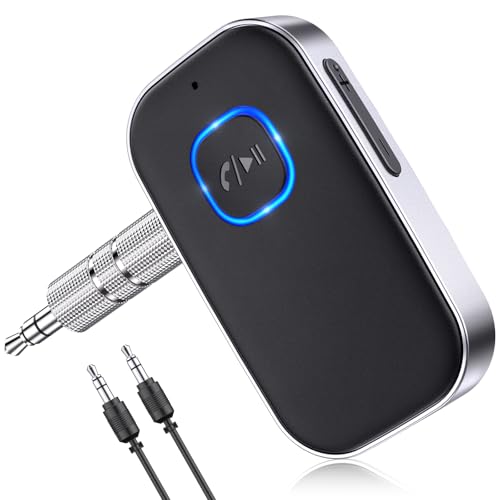
UGREEN · Bluetooth 6.0 · AUX · Hands-free receiver
Budget pick
UGREEN · Bluetooth 6.0 · AUX · Hands-free receiver
- Adds Bluetooth to AUX inputs
- Built-in microphone for calls
- Stores multiple paired devices
Drawback: Needs a working 3.5mm AUX input
$12.99
Price as of 31 Oct 2026
View on Amazon →
As an Amazon Associate we earn from qualifying purchases. Prices and availability are accurate as of the date shown and are subject to change.
- Adds Bluetooth to AUX inputs
- Built-in microphone for calls
- Stores multiple paired devices
UGREEN AUX Bluetooth 6.0 adapter
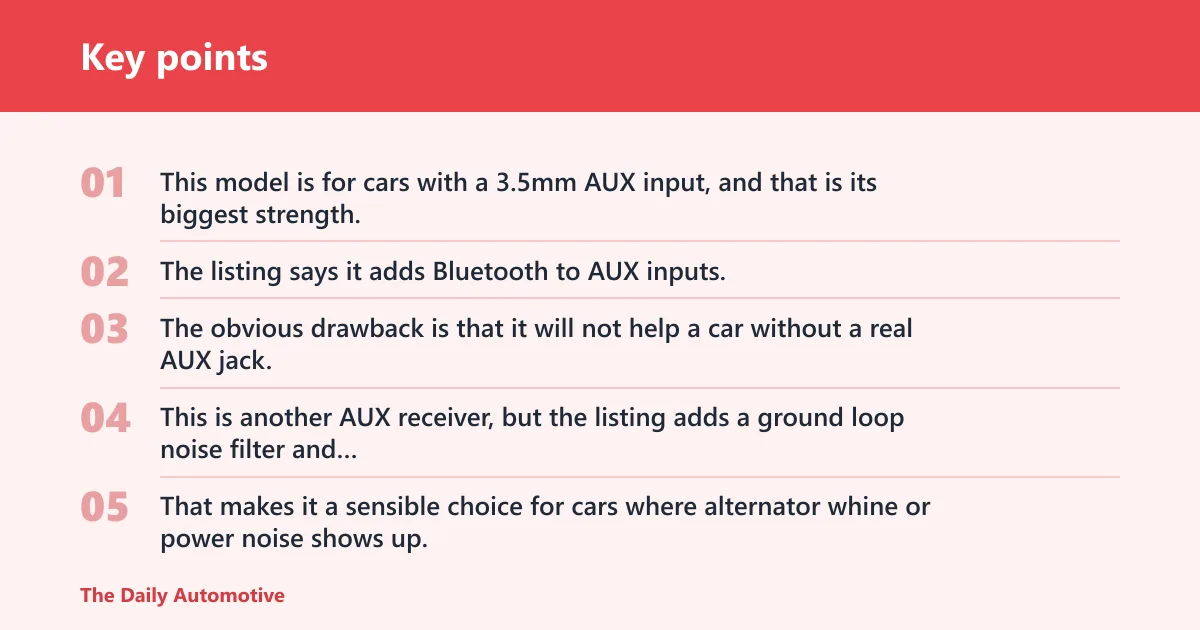
Brand: UGREEN. This model is for cars with a 3.5mm AUX input, and that is its biggest strength. The listing says it adds Bluetooth to AUX inputs, includes a built-in microphone for calls, and stores multiple paired devices. The obvious drawback is that it will not help a car without a real AUX jack.
Also great
BESIGN · Bluetooth 5.3 · AUX · Noise filter
- Auto-on and auto-connect
- Includes a ground loop noise filter
- Plug-and-play setup
Drawback: Only works with cars that have AUX and USB power
$19.99
Price as of 31 Oct 2026
View on Amazon →
As an Amazon Associate we earn from qualifying purchases. Prices and availability are accurate as of the date shown and are subject to change.
- Auto-on and auto-connect
- Includes a ground loop noise filter
- Plug-and-play setup
BESIGN BK01 Bluetooth car kit
Brand: BESIGN. This is another AUX receiver, but the listing adds a ground loop noise filter and auto-on, auto-connect behavior. That makes it a sensible choice for cars where alternator whine or power noise shows up. The tradeoff is the same as any AUX-only unit: no AUX port means no use case.
Our pick
Anker · Bluetooth 5.0 · Renewed · Car receiver
- Streams music to non-Bluetooth audio
- Hands-free calling support
- Dual-device connection
Drawback: Renewed unit may not include original packaging
$29.99
Price as of 31 Oct 2026
View on Amazon →
As an Amazon Associate we earn from qualifying purchases. Prices and availability are accurate as of the date shown and are subject to change.
- Streams music to non-Bluetooth audio
- Hands-free calling support
- Dual-device connection
Anker SoundSync A3352 Bluetooth receiver
Brand: Anker. This renewed Bluetooth 5.0 receiver is aimed at streaming music to non-Bluetooth audio systems and supports hands-free calling plus dual-device connection. It is a straightforward fit for older stereos with AUX input. The drawback is battery dependence, so you need to keep charging in mind.
Nice-to-have
These are the details that separate a workable adapter from a frustrating one. Bluetooth 5.4 appears in several 2026 adapters and is linked with more stable pairing than older versions, while Bluetooth 5.3 shows up in current FM transmitter models and Bluetooth 5.0 is common in AUX receivers. Charging layout, microphone quality, and physical buttons matter more than many buyers expect.
Also great
COMSOON · Bluetooth 5.0 · Battery · AUX receiver
- Noise reduction for calls
- Up to 16 hours of battery life
- Dual-device connection
Drawback: Requires a car stereo with AUX input
$16.99
Price as of 31 Oct 2026
View on Amazon →
As an Amazon Associate we earn from qualifying purchases. Prices and availability are accurate as of the date shown and are subject to change.
- Noise reduction for calls
- Up to 16 hours of battery life
- Dual-device connection
COMSOON Bluetooth receiver for car
Brand: COMSOON. This Bluetooth 5.0 AUX receiver is battery powered and advertises noise reduction for calls plus up to 16 hours of battery life. That makes it a nice fit for drivers who want portable use between vehicles. The drawback is that battery charging adds one more thing to manage.
Pair with it
OQIMAX · Bluetooth 5.3 · 2-in-1 · Aux adapter
- Works as transmitter or receiver
- Supports Bluetooth audio streaming
- Portable with built-in battery
Drawback: Battery life may vary with transmit or receive mode
$9.99
Price as of 31 Oct 2026
View on Amazon →
As an Amazon Associate we earn from qualifying purchases. Prices and availability are accurate as of the date shown and are subject to change.
- Works as transmitter or receiver
- Supports Bluetooth audio streaming
- Portable with built-in battery
OQIMAX Bluetooth transmitter receiver
Brand: OQIMAX. This 2-in-1 adapter can work as a transmitter or receiver, and the listing says it supports Bluetooth audio streaming with a built-in battery. It is useful when the same unit needs to serve a car, wired headphones, or a home audio setup. The drawback is that 2-in-1 products usually ask you to check the mode carefully before use.
Consumables and spares
Keep a spare cable or power path ready if the listing depends on one. For many adapters, that means an extra USB lead, an AUX cable if one is included, or the manufacturer’s own replacement accessory. A dead cable can look like a pairing failure when the real problem is power or physical connection.
For FM transmitters, a spare 12V power cable matters because the 12V auxiliary power outlet is part of the whole system. For AUX units, a bent plug or loose socket can mimic Bluetooth trouble. Check the manufacturer’s listing for model-specific accessories before buying extras.
Budget setups
For budget shopping, match the car input first, then decide how much sound quality and convenience you need. The table below uses the listed prices and keeps the use case tied to the adapter path.
| Use case | Product | Price | Why it fits | One drawback |
|---|---|---|---|---|
| Loaner car or no-input older car | OQIMAX Bluetooth transmitter receiver | $9.99 | Useful when you need a portable adapter that can work in more than one audio role | Mode switching can be confusing if you are in a hurry |
| City-driving car with AUX port | UGREEN AUX Bluetooth 6.0 adapter | $12.99 | Direct AUX connection avoids FM congestion and usually sounds cleaner | Needs a real 3.5mm AUX input |
| Older car with AUX and frequent call use | COMSOON Bluetooth receiver for car | $16.99 | Battery power and noise reduction make it practical for daily commuting | Battery charging adds maintenance |
| Car with AUX port and noisy power system | BESIGN BK01 Bluetooth car kit | $19.99 | Ground loop noise filter can help when alternator whine is part of the problem | Still depends on the AUX input |
| Older stereo and dual-device household use | Anker SoundSync A3352 Bluetooth receiver | $29.99 | Dual-device connection is useful when more than one phone needs access | Renewed status and battery charging may matter to some buyers |
Picture a commuter in a 2008 sedan with an AUX jack. An AUX receiver is the cleanest fit. Picture a loaner SUV with no AUX port but a free 12V socket. An FM transmitter is the practical backup, as long as the chosen station stays clear.
How do I set up a Bluetooth car adapter in my car?
Most setups take about two minutes once you know the input type. Pair the phone, connect power, select the right stereo source, and confirm volume staging before you drive. The exact order changes by adapter, but the pattern stays the same: input first, pairing second, sound check last.
Setup steps that work in most cars
- Identify the car input: AUX, 12V power outlet, cassette deck, or wired CarPlay/Android Auto USB.
- Plug in the adapter and power it from the source it expects.
- Turn on Bluetooth on the phone and pair from Bluetooth settings.
- If the listing asks for a PIN, try 0000 or 1234.
- Select the correct stereo mode: AUX, FM, tape, or the projection app screen.
- Set phone volume around 60% to 80% and use the car stereo for final loudness.
- Save the device so it can auto-reconnect later.
Common setup mistakes
The most common error is skipping the car stereo source change. A second mistake is leaving the phone volume too high, which can push distortion into the adapter or head unit. FM users also miss station matching, then blame the adapter when the radio is simply on the wrong frequency.
Why does my Bluetooth car adapter have static or dropouts?
Static, fuzzy sound, and stutter usually point to a mismatch between the adapter path and the car’s environment. FM static often means a frequency conflict. AUX hiss can come from loose plugs, bad ground noise, or distorted phone volume. Dropouts can be caused by weak power, interference, or a poor Bluetooth link.
On FM, crowded radio markets are the main problem. On AUX, the problem is more often physical: a half-seated plug, a noisy 12V power path, or a cable that moves when the car hits a bump. If the sound cuts only when the phone switches between apps, the issue may be Bluetooth connection stability rather than the car stereo.
Symptom-by-symptom fixes
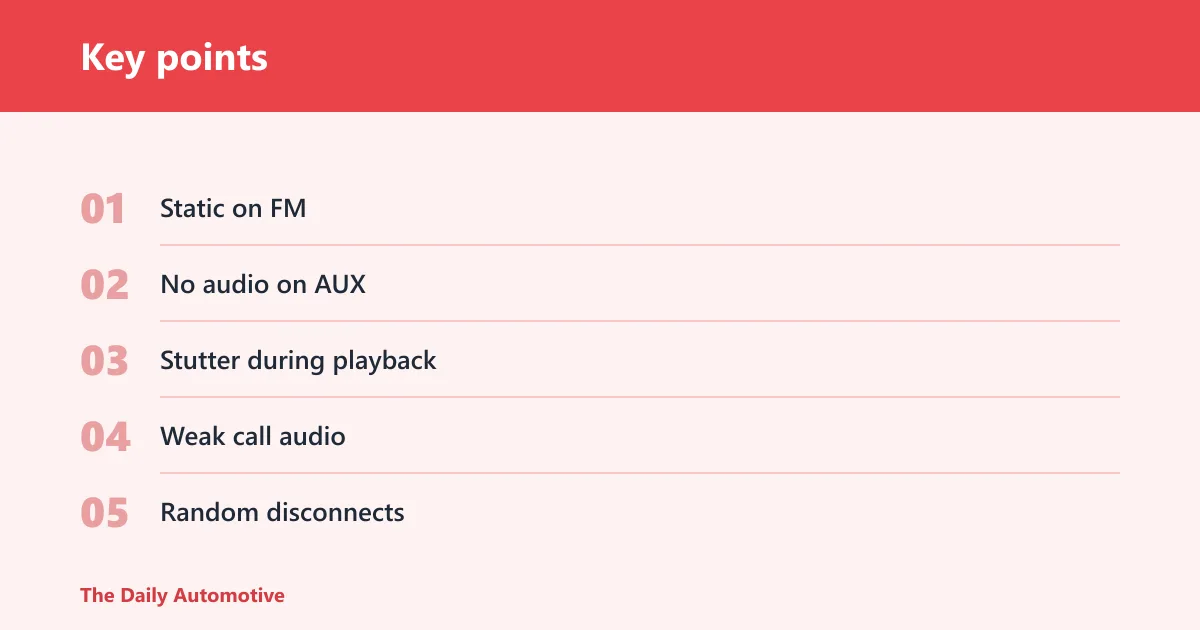
- Static on FM: move to a clearer station and retune the radio to match.
- No audio on AUX: check that the stereo is on AUX and that the plug is fully inserted.
- Stutter during playback: reduce phone volume, shorten cable runs, and check for power interruptions.
- Weak call audio: move the microphone away from vents and test a quieter cabin position.
- Random disconnects: forget the device on the phone and pair again, then save it for auto-reconnect.
What’s the difference between FM transmitter and AUX Bluetooth adapters?
FM transmitters send Bluetooth audio over a radio frequency, so they work without an AUX jack but are more exposed to interference. AUX Bluetooth adapters send audio straight into the 3.5mm AUX input, which usually gives cleaner sound and fewer dropouts. If both are available, AUX is usually the better audio choice.
FM still has a place when the car has no AUX port. It is the fallback for older vehicles, rental cars, and short-term setups. AUX is the better long-term answer when the car has the jack, because it skips the radio band entirely.
Frequently asked questions
How does a Bluetooth jack for a car work?
It receives audio from your phone over Bluetooth, then passes that audio to the car through AUX, FM, cassette, or USB-based projection. The adapter is the bridge, not the speaker system. Once paired, the car stereo plays the sound and usually handles the final volume.
Do I need AUX, FM, or USB for a Bluetooth car adapter?
Use AUX if the car has a 3.5mm input, FM if it only has a 12V auxiliary power outlet and a radio, and USB only for wireless CarPlay or Android Auto dongles on cars that already support wired projection. The wrong input means no sound, weak sound, or a setup that will not complete.
What is the best Bluetooth car adapter for an older car?
If the car has AUX, an AUX receiver is usually the best balance of sound and simplicity. If the car has no AUX but does have a cassette deck, a cassette adapter is the better fit. If neither exists, use an FM transmitter and tune to an open station.
Can I use a Bluetooth car adapter for hands-free calls and navigation?
Yes. Many adapters include a microphone for hands-free calls, and navigation apps like Google Maps and Waze can route directions through the adapter. Call quality varies more than music quality, so microphone placement and cabin noise matter. Cheaper units often have weaker mic performance.
Will a Bluetooth car adapter work in any vehicle?
No. It depends on the input path. AUX adapters need a 3.5mm jack, FM transmitters need a usable radio and a 12V power outlet, cassette adapters need a tape deck, and wireless CarPlay or Android Auto dongles need a car that already supports wired CarPlay or Android Auto.
What volume should I set on my phone for a Bluetooth car adapter?
A common setup is to keep phone volume around 60% to 80% and use the car stereo for the rest. That helps prevent distortion and clipping before the signal reaches the speakers. If the sound is harsh or thin, lower the phone first before changing the car volume.
Products related to this article
Sponsored / affiliate links. As an Amazon Associate I earn from qualifying purchases. I may earn additional commission from eligible campaigns.