Do Car Batteries Have a Date on Them? How to Check the Code
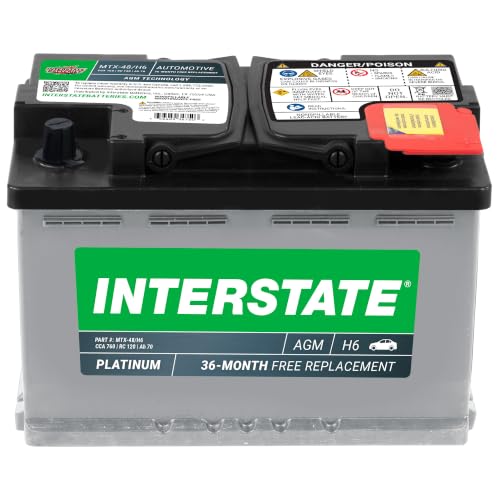
Yes, most car batteries carry a date code, but there is no single format. Interstate’s FAQ describes a stamped code such as C3 for March 2023, while OPTIMA uses a ten-digit serial whose first four digits give the year and day of production. Reading one maker’s code with another maker’s rules can make a battery look a year or more older or newer than it is, so this guide covers where to look, how three makers’ codes decode, why the receipt beats the code for warranty, and how to handle the battery safely while you check.
Do Car Batteries Have a Date on Them?
Best Terminal Protector Pick

|
Johnsen’s 4605 Battery Terminal Protector, 7.5 oz An aerosol coating listed as lead-free and made to protect battery terminals from corrosion, handy once you have cleaned the terminals while checking the date code.
As an Amazon Associate we earn from qualifying purchases. Spec-based pick from the listing, not a hands-on test. |
Most do, but the date is not always a calendar date you can read at a glance. Makers use a stamped code on the case, a label on the side or top, or a serial number that hides the production date inside it. Interstate’s FAQ tells owners to look for a stamped date code on the case, and OPTIMA points to a label on the side of its batteries. Because the formats differ, the first job is to find out which maker made your battery, and the second is to read the code with that maker’s rules.
The code answers one question: roughly when was this battery made. It does not say how many charge cycles the battery has had, how hot your climate is, or whether it will start the car tomorrow. OPTIMA states this directly, noting that date codes help identify age but do not reveal how much a battery has been used. For actual condition, see our guide on how to check car battery health.
Common Places To Find The Date Code
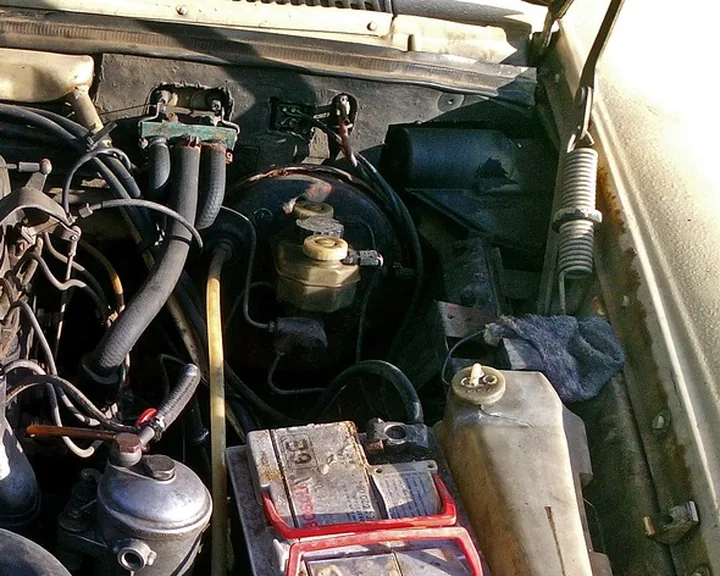
Work through these spots in order, with the car off and the key out of the ignition. Wipe grime off with a dry paper towel rather than spraying anything on the battery.
- The case, top or side: Interstate’s FAQ describes a stamped date code on the case. Stamped codes are small and can be filled with dirt, so angle a flashlight across the surface instead of looking straight on.
- A label on the side or top: OPTIMA says the easiest place on its batteries is the white 1 inch by 3 inch Non-Spillable label, typically on the side. EnerSys’s sheet places Odyssey date labels on the top or back and NorthStar labels on the back.
- The serial number: OPTIMA and Odyssey both build the production date into the serial or label code rather than printing a plain date, so a long row of digits can still be a date.
- Round stickers: Treat these with care. OPTIMA calls its round stickers inventory stickers that are easily taken on and off, can mean different things depending on the retailer, and can differ from the real production date by a year or more.
Do not unbolt or lift the battery just to read a label. A phone camera or a small mirror often reads a side label without moving anything.
Decoding The Date Code
The table below lists only the formats confirmed on maker pages read for this update. Where a maker is not listed, its page was not read, so the honest answer is to check that maker’s own site or call its support line with the part number and the full code.
| Maker | Where to look | Format | Example decoded | Source |
|---|---|---|---|---|
| Interstate | Stamped on the case | Letter for the month, digit for the year | C3 = March 2023 | Interstate FAQ on battery lifespan |
| OPTIMA | White 1 x 3 inch label, typically on the side | Ten-digit serial: first digit is the last digit of the year, next three are the day of the year | 6086xxxxxx = day 86 of 2026 (March 27) | OPTIMA date code page |
| Odyssey (top label) | Label on top of the battery | 12-digit code, last four digits are month and year | 0220 = February 2020 | EnerSys sheet |
| Odyssey and NorthStar (back label) | Label on the back side | One letter plus one digit. The letter is the month, the digit is the last digit of the year | NorthStar: M0 = November 2020 | EnerSys sheet |
| Duralast, EverStart, ACDelco, Exide, DieHard and others | Not confirmed here | Maker page not read this session | Check the maker’s site | None |
The sources are OPTIMA’s date code page and EnerSys’s Odyssey and NorthStar date code sheet, plus Interstate’s own FAQ. Notice how different these are: one maker prints a letter and a digit, another hides the day of the year inside a serial, a third prints month and year as digits. That is why a generic chart copied from a forum is risky.
A Letter Table That Skips Letters
It is tempting to assume A is January, B is February and so on straight through the alphabet. Interstate’s example fits that pattern, since C is the third letter and March the third month. But the EnerSys sheet for NorthStar and Odyssey back labels uses A for January through D for April, then jumps to F for May, with the letters E and I not used at all, ending with N for December. Counting straight through the alphabet on that scheme would put May at E, which never appears.
There is also a caution in the same sheet: its Odyssey back-label example reads K0 as November 2020, yet its own table assigns K to September and M to November. When a maker’s printed example and table disagree, do not decode by guesswork. Send the full code to the maker and ask.
Reading An OPTIMA-Style Day Number
OPTIMA’s examples show that the three digits after the year digit count days from January 1. Our own arithmetic, for a non-leap year, gives these day numbers for the first day of each month; in a leap year add one to every month from March on.
| Month starts on day | Jan | Feb | Mar | Apr | May | Jun | Jul | Aug | Sep | Oct | Nov | Dec |
|---|---|---|---|---|---|---|---|---|---|---|---|---|
| Day of year (non-leap) | 1 | 32 | 60 | 91 | 121 | 152 | 182 | 213 | 244 | 274 | 305 | 335 |
Check: day 86 of 2026 is 26 days after March 1 (day 60), so March 27, matching OPTIMA’s example. This table is our arithmetic, not a maker chart.
The One-Digit Year Problem
A single digit for the year repeats every ten years, so a 3 could mean 2013 or 2023. Nothing in the maker pages read here resolves that for you, so use common sense: a battery with fresh-looking plastic and a clean label is far more likely to be the newer year, and a warranty sticker or the purchase receipt will settle it. If the battery looks old and the digit suggests the recent year, treat the age as uncertain and test it.

Shipping, Manufacture and Purchase Dates: What the Code Really Tells You
- Production date: OPTIMA describes its serial as indicating the year and day of production, and EnerSys’s sheet says its codes indicate when the battery was manufactured.
- The date on a retailer’s sticker: OPTIMA says its round stickers may differ from production by a year or more and are not a reliable production date.
- Purchase date: OPTIMA says its warranty begins on the date of the original purchase and does not reset with a warranty replacement.
Because wording differs by maker, do not assume a code is a manufacture date, a ship date, or a sell-by date unless that maker says which. Interstate’s FAQ simply calls it a date code you can use to find the battery’s age.
Understanding Battery Warranty Stickers
The date code is not your warranty. OPTIMA says warranty coverage runs from the original purchase, and that it asks for proof of purchase from an authorized retailer, so it suggests photographing the receipt and emailing it to yourself. The practical rule is simple: the code tells you how old the battery was when you bought it, and the receipt proves when your coverage started.
When you buy a new battery, compare date codes on the shelf: no maker page read here gives a limit for shelf months, but if two identical batteries are available, taking the later code costs nothing. See what a battery replacement costs and our Duralast battery review if you are choosing between brands.
What If You Can’t Find A Date Code
- Look again with a flashlight at a low angle: stamped codes can be shallow and packed with dirt.
- Check every face you can see without moving the battery, including the top corners and the side labels.
- Look for your receipt, invoice or the retailer’s account history, which records the purchase date even when the battery itself is unreadable.
- If the battery is very corroded or the case is cracked or leaking, stop reading labels. A leaking battery is a safety problem, not a paperwork one.
Why the Date Matters: Age, Testing and When to Replace
A date code is a starting point for a health check, not a verdict. Interstate’s FAQ advises regular testing once a battery is around three years old, using a digital multimeter or a free load test at an auto parts store. Our reading of that advice is simple: if the code puts your battery near or past that age, book a load test before a cold morning does it for you.
Age is only one input: a date code does not record heat, short trips or drains. Our guide to why a car battery dies so fast covers those causes, and our AAA battery review covers one battery line.
- Code says about three years or more: schedule a load test (Interstate’s FAQ suggests regular testing at that age).
- Code says newer, but the car cranks slowly: test it anyway. The code does not measure condition, as OPTIMA notes.
- No readable code: test it and keep the purchase receipt as your age record.
Safety First: Acid, Hydrogen and Live Terminals
Reading a label sounds harmless, but a lead-acid battery holds sulfuric acid and can release hydrogen. The OSHA forklift battery eTool states that flammable hydrogen gas is always present during recharging, that it is potentially explosive if allowed to build up in a closed area, and that batteries contain highly corrosive sulfuric acid that can cause severe burns. Those statements are about forklift batteries in workplaces, but the chemistry is the same for the lead-acid battery under your hood.
- Keep open flames, sparks and cigarettes away from any battery, since OSHA lists open flames, sparks and electric arcs as hazards in charging areas and prohibits smoking there.
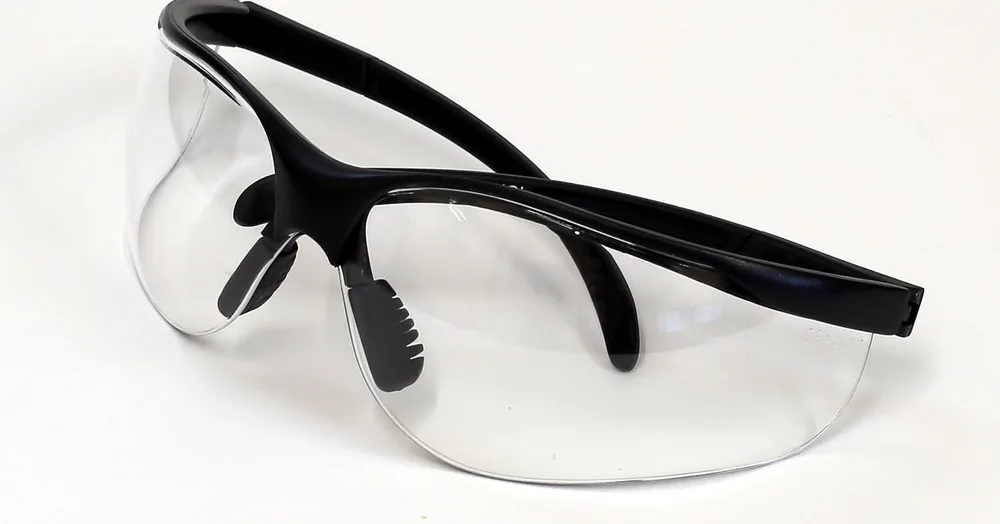
- Wear chemical splash goggles or a face shield with safety glasses, as OSHA’s page advises for battery work, and do not rely on ordinary glasses.
- Never lean a metal tool or watch across the two terminals. That is our own caution, not a quoted source: a short across live terminals can burn skin and damage the battery.
- Do not charge or jump a battery in a closed garage. OSHA calls for adequate ventilation during charging.
For terminal cleaning and disconnecting, follow the order in which terminal to connect first and the install-order guide. For charging, see how to charge a car battery.
Stop and See a Professional If
- The case is cracked, bulging or leaking, or acid has reached your skin or eyes. Treat that as a medical and safety matter, not a cleaning job.
- You cannot tell the battery type, such as an AGM or a battery in a hybrid, and the owner’s manual does not explain how to access it. See whether your car needs an AGM battery.
- The date code, label and receipt disagree and the car is struggling to start. A shop can load test it in minutes.
This page is general information, not a repair manual. It has been flagged for human safety review, and your owner’s manual and the battery maker’s instructions come first.
Frequently Asked Questions
Is the date on a car battery an expiration date?
No maker page read here calls it one. The date code identifies when the battery was made or shipped, according to the maker, and OPTIMA says it does not show how much the battery has been used. Treat it as an age marker, then test the battery.
What does a date code like C3 mean on a battery?
In Interstate’s FAQ, a stamped date code such as C3 means March 2023: C for the month, 3 for the year. That reading applies to Interstate. Other makers use different layouts, so confirm yours before decoding.
Where is the date code usually located on a battery?
It varies by maker. Interstate describes a stamped code on the case. OPTIMA points to a white label on the side, and EnerSys places Odyssey and NorthStar labels on the top or back. Retailer round stickers are not a reliable production date.
Does the date code start my battery warranty?
No. OPTIMA says its warranty begins on the date of original purchase and asks for proof of purchase from an authorized retailer. Keep the receipt with your records.
What if my code is a long string of digits?
Some makers do use long codes: OPTIMA uses a ten-digit serial and Odyssey a 12-digit code. If yours does not match a maker page you have read, send the full code and part number to the maker rather than guessing.
Should I replace a battery just because the date code is old?
Not automatically. Use the code to decide when to test it. Interstate’s FAQ suggests regular testing at around three years old, and a weak load test result is the real signal to replace.
Final Thoughts
Yes, your battery almost certainly has a date, but only the maker can tell you how to read it. Find the code, match it to that maker’s format, keep the receipt for warranty, test the battery once it is a few years old, and handle it with goggles on and sparks away.
Products related to this article
Sponsored / affiliate links. As an Amazon Associate I earn from qualifying purchases. I may earn additional commission from eligible campaigns.