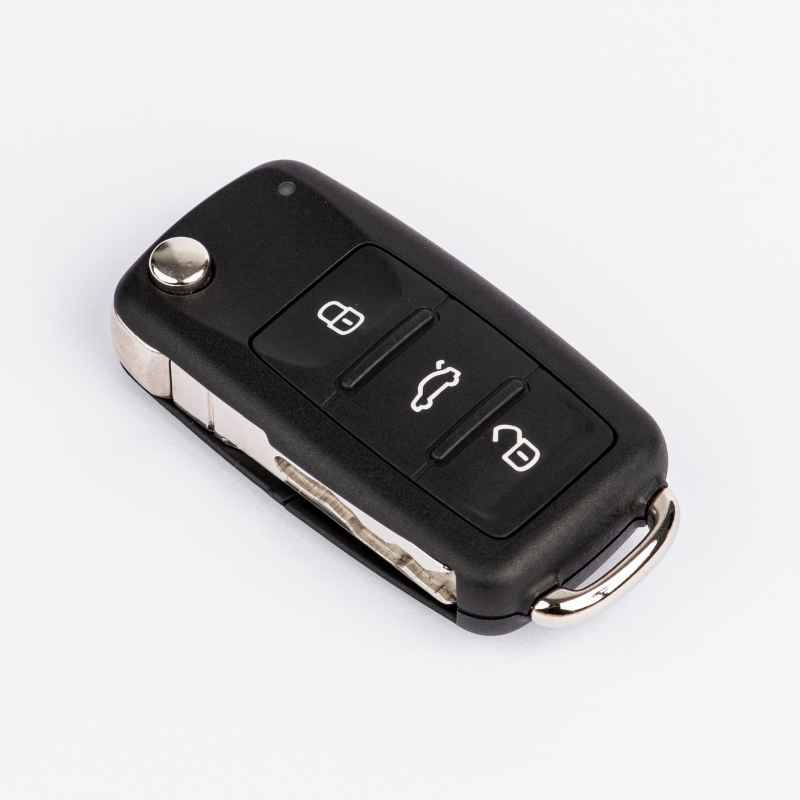
Do Smart Keys Contain Lithium Batteries? Here Is The Truth
It’s one of those things you don’t think about until it stops working. Your car key fob. That little magic wand that unlocks your doors and starts your engine.
But what happens when that little light on your key fob stops blinking? Or worse, when it just stops working altogether? You start to wonder, “What kind of battery is even inside this thing?” It’s a common question, and many people are curious about the battery type in their smart car keys.
Many people assume all small electronic devices use the same kind of battery. This is not always true. Batteries come in many shapes and sizes.
Each type is made for specific uses. Your car key fob has its own needs. It needs a battery that is small but powerful.
It also needs to last a good while. This is where understanding the battery inside becomes important. Let’s dive into the truth about smart keys and the batteries they use.
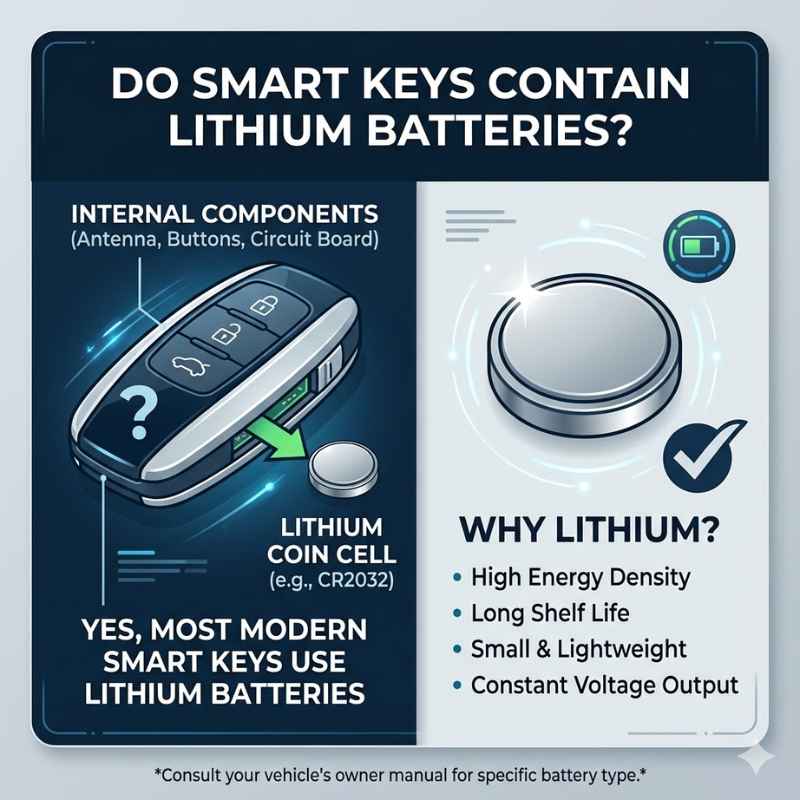
Yes, most modern smart car keys and key fobs do contain lithium batteries. Specifically, they typically use small, coin-shaped lithium coin cells, often referred to as lithium button cells. These are chosen for their high energy density, long lifespan, and compact size, making them ideal for the limited space within a key fob.
What Makes a Smart Key “Smart”?
Your car key has changed a lot over the years. Old keys were simple metal. They just fit into a lock.
Now, many keys are very high-tech. They are often called key fobs or smart keys. These devices do more than just unlock your car.
They can also start the engine without you putting the key in a slot. Some can even roll down your windows or open the trunk with a button press.
How do they do all this? They use radio waves. The key fob sends a signal to your car.
Your car listens for this signal. When it gets the right signal, it unlocks or starts. This communication needs power.
That power comes from a battery. The battery needs to be strong enough to send that signal reliably. It also needs to last for a long time because most people don’t want to change their key fob battery every few months.
The “smart” part is the electronics inside. There’s a small circuit board. It has a tiny computer chip.
This chip stores a unique code. This code is for your specific car. When you press a button, the chip tells the radio transmitter to send that code.
The car has a receiver. It checks if the code is correct. It’s like a secret handshake between your key and your car.
This whole process is very low power. But it needs a consistent power source.
The Battery Inside Your Smart Key
So, what kind of battery can power this small, complex device? For many years, small devices used alkaline batteries. These are common and cheap.
Think of AA or AAA batteries. But for small fobs, these don’t work well. They are too big.
They also don’t last as long. They need a lot of power for their size. This is why car makers moved to different battery types for key fobs.
The most common battery you’ll find is a lithium coin cell. These are small, round, and flat. They look like coins.
That’s why they are called coin cells. The “lithium” part is important. Lithium batteries are known for holding a lot of energy in a small space.
They also tend to last for many years. This is much longer than older types of batteries.
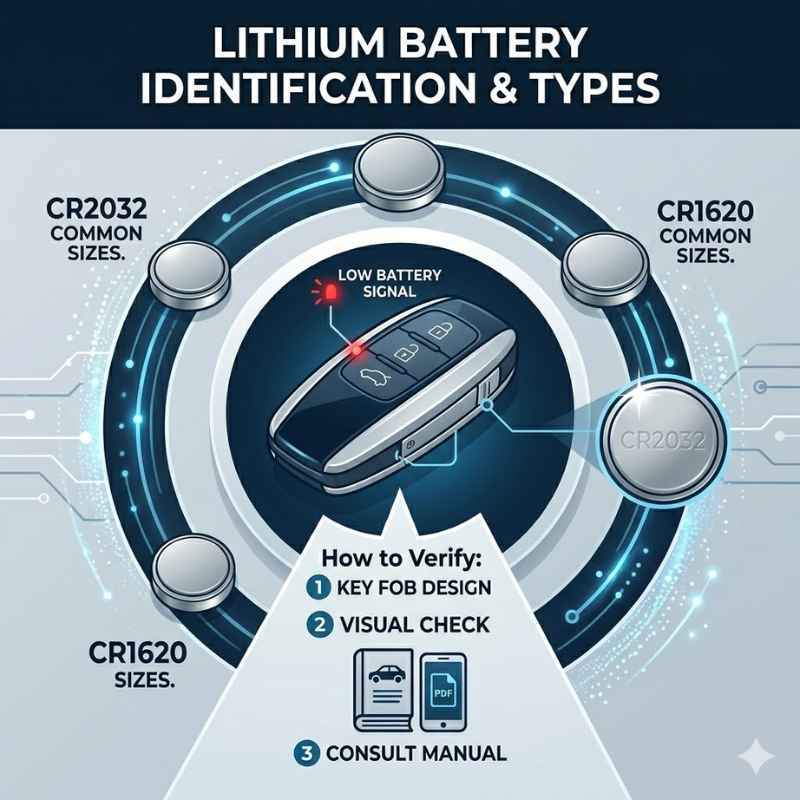
You might see numbers like “CR2032” or “CR2025” on the battery. These numbers tell you a lot. The “CR” means it’s a lithium battery.
The first two digits, like “20,” tell you its diameter in millimeters. The next two digits, like “32” or “25,” tell you its height in tenths of a millimeter. So, a CR2032 is 20mm wide and 3.2mm thick.
This size is perfect for fitting inside a small key fob.
These lithium coin cells are also very stable. They don’t leak easily. They can work in a wide range of temperatures.
This is good for a car key. A car might be in a very hot place or a very cold place. The battery needs to keep working no matter what.
Why Lithium Coin Cells Are Popular
- Compact Size: They are very small and thin. This lets them fit into tiny spaces like a key fob.
- High Energy: They pack a lot of power for their size. This means a long battery life.
- Long Shelf Life: They can sit for years before being used and still have power.
- Stable Performance: They work well in different temperatures. They are reliable.
- Safety: Modern lithium coin cells are designed to be safe. They are less likely to leak.
When Did Smart Keys Become Common?
It’s interesting to think about when this technology started. Keyless entry systems have been around for a while. But they were often separate devices.
You had a remote for unlocking doors. Then you had a separate key to start the car. The “smart key” is when these things merged into one device.
In the late 1990s, car makers started offering keyless entry and ignition systems. These were usually on luxury cars first. They were seen as a premium feature.
The idea was to make getting into and starting your car easier. No more fumbling for keys in the dark. Just press a button.
This was a big step up from older systems.
By the early 2000s, these smart keys became more common. More car models included them. The technology improved.
The signals became more secure. The batteries inside also got better. They went from needing changes every year to lasting several years.
The lithium coin cell really helped with this. It provided the right balance of power and size.
Today, it’s hard to find a new car that doesn’t have some form of smart key or key fob. Even basic models often come with them. It’s just part of what people expect now.
The technology has become standard. And that means understanding the batteries inside them is also standard knowledge for car owners.
My Own Key Fob Story
I remember the first time my key fob died. I was rushing to a meeting. It was raining.
I reached for my car door handle, and nothing happened. No unlock sound. No flashing lights.
I pressed the button again. Still nothing. Panic started to set in.
I thought I had locked my keys inside the car. Or maybe the car was broken. I tried the physical key.
It was hidden inside the fob, but I could still use it.
That’s when I realized the battery must be dead. I had to dig out the old metal key. It felt so… primitive.
I finally got into my car. But the “start engine” button didn’t work either. I was stuck.
It took me a while to find a spare battery in a local convenience store. It was a CR2032. I had to look up how to change it.
I fumbled with a small screw. Then I pried the fob open. The old battery was still there.
I popped in the new one.
It worked! The car started. The doors unlocked.
It was such a relief. That experience taught me a lot. It showed me how much I relied on that little device.
It also made me realize that I should pay attention to these things. Knowing what battery is inside is the first step. Then I can be prepared next time.
Key Fob Battery Life: What to Expect
Typical Lifespan: 3 to 5 years
Factors Affecting Life:
- Frequency of Use: More button presses mean more battery drain.
- Battery Quality: Higher quality batteries last longer.
- Environmental Conditions: Extreme heat or cold can reduce lifespan.
- Signal Strength: Older or weaker batteries might need more power to transmit.
How Long Do These Lithium Batteries Last?
One of the best things about lithium coin cells is their longevity. You’re not usually changing these batteries every year. Most manufacturers estimate that a key fob battery will last anywhere from three to five years.
Some might even go longer!
What affects how long they last? Several things play a role. The number of times you use the buttons on your fob matters.
If you’re constantly unlocking and locking doors, or using the panic button, the battery drains faster. The quality of the battery itself is also a factor. Cheaper batteries might not hold their charge as long as premium brands.
Extreme temperatures can also impact battery life. If your car sits in a very hot garage in Arizona during the summer, or in a freezing garage in Minnesota during winter, it can put a strain on the battery. The car’s interior can get very hot or very cold.
This can affect how well the battery performs over time.
Sometimes, it’s not just the battery wearing out. The car’s system might be older. It might take more power for the fob to communicate with the car.
Or, the fob itself might have an older design. It could be less efficient with power use. But generally, you can expect several years of reliable service from a good lithium coin cell in your smart key.
Understanding the Battery Numbers: CR2032 vs. CR2025
You’ve probably seen these numbers on batteries. CR2032 and CR2025 are very common. They are both lithium coin cells.
They have the same diameter, 20mm. This means they will fit into the same battery tray in your key fob.
The difference is in their thickness. The “32” in CR2032 means it’s 3.2 millimeters thick. The “25” in CR2025 means it’s 2.5 millimeters thick.
So, a CR2032 is a bit thicker and taller than a CR2025.
Why does this matter? Because the space inside your key fob is designed for a specific size. If your fob uses a CR2032, it’s built to hold that slightly thicker battery.
Trying to force a CR2025 into a slot meant for a CR2032 might not make good contact. The circuits might not connect properly. The fob might not work.
On the other hand, if your fob is designed for a CR2025, you definitely cannot use a CR2032. It’s too thick. It won’t fit.
It could even damage the fob. The best rule is always to check what battery your key fob currently uses. Look at the old battery before you buy a new one.
Or check your car’s owner’s manual. It will tell you the exact battery type needed.
Quick Battery Check: CR2032 vs CR2025
CR2032:
Diameter: 20mm
Thickness: 3.2mm
Voltage: 3V
CR2025:
Diameter: 20mm
Thickness: 2.5mm
Voltage: 3V
Key Takeaway: Always use the exact battery type specified for your key fob. The thickness is crucial for a proper fit.
Why Not Use Rechargeable Batteries?
This is a question I get asked a lot. “Can’t I just use a rechargeable battery in my key fob?” It sounds like a good idea. You save money and help the environment.
But for key fobs, it’s usually not practical or recommended. Here’s why.
Most rechargeable batteries are larger. They need a charging circuit built into the device. Your key fob is tiny.
There’s no room for a charging port or the complex electronics needed to recharge a battery. The lithium coin cells used are designed to be disposable. They are meant to be replaced when they die.
Also, rechargeable batteries often have a lower voltage. This could affect how well your key fob works. The system might not get enough power to send a strong signal.
This could lead to unreliable performance. You might find your car doesn’t always recognize the fob.
While rechargeable technology is amazing for things like smartphones and laptops, it’s not the best fit for a small, always-on device like a key fob. The convenience and reliability of a long-lasting, simple coin cell outweigh the benefits of rechargeables in this specific application.
What to Do When Your Key Fob Battery Is Low
How do you know your key fob battery is getting weak? Most modern cars will give you a warning. The first sign is often that the key fob doesn’t work from as far away.
You might have to be closer to your car to unlock it.
Sometimes, you’ll see a warning light on your car’s dashboard. It might say “Key Fob Battery Low” or something similar. Your car’s computer knows when the fob’s signal is getting weak.
It’s smart enough to tell you it needs attention.
Another sign is that the buttons feel less responsive. You might have to press them harder or hold them down longer. This is because the battery doesn’t have enough power to send a quick, strong signal.
In some cases, a completely dead battery means your car won’t start or unlock at all.
Don’t wait until it’s completely dead. If you notice any of these signs, it’s time to think about replacing the battery. It’s much better to do it before you’re stranded.
You can usually buy replacement batteries at auto parts stores, electronics stores, or even some supermarkets and drugstores.
Replacing the Battery: A Simple Guide
Replacing the battery in your key fob is usually a pretty straightforward process. You don’t typically need a mechanic. Most people can do it themselves with just a few common tools.
The exact method varies by car model, but here’s a general idea:
First, you need to find the right replacement battery. As we discussed, check your car’s owner’s manual. It will specify the exact battery number.
You can also often find the number printed on the old battery itself. Once you have the battery, you’ll need a small tool. A small Phillips head screwdriver or a flathead screwdriver often works.
Some fobs have a tiny slot where you can gently pry them open. A guitar pick or a plastic trim tool can also be useful.
Carefully look for a seam around the edge of the key fob. Many fobs have a small notch or slot. Insert your small flathead screwdriver or pry tool into this notch.
Gently twist or pry to separate the two halves of the fob. Be careful not to force it too much, as you could break the plastic. Once it’s open, you’ll see the circuit board and the battery.
Note how the old battery is positioned. There’s usually a small clip or a metal contact that holds it in place. Remove the old battery.
Some are easier to pop out than others. Then, insert the new lithium coin cell. Make sure it’s facing the correct way.
The positive (+) side usually faces up, but check your fob’s design. It should snap or click into place.
Once the new battery is in, snap the two halves of the key fob back together. Make sure they are sealed tightly. Then, test it.
Press the lock and unlock buttons. See if your car responds. If it does, you’ve successfully replaced the battery!
Key Fob Battery Replacement Steps
- Identify the Correct Battery: Check your owner’s manual or the old battery (e.g., CR2032).
- Gather Tools: You might need a small flathead screwdriver or a pry tool.
- Open the Fob: Look for a seam or notch. Gently pry open the two halves.
- Remove Old Battery: Note its orientation.
- Insert New Battery: Ensure the positive (+) side is facing correctly.
- Close the Fob: Snap the two halves back together securely.
- Test: Press buttons to ensure the fob works.
What If My Car Doesn’t Recognize the New Battery?
Sometimes, even after replacing the battery, the key fob might not work. This can be frustrating. But don’t panic.
There are a few reasons this might happen. And most of them are easy to fix.
First, double-check the battery. Is it the right type? Is it inserted correctly?
The positive (+) and negative (-) sides need to be in the right place. Most fobs have clear indicators. Make sure the battery is making good contact with the metal terminals inside the fob.
Sometimes, a bit of corrosion on the terminals can prevent contact.
Did you close the fob properly? The casing needs to be snapped shut tightly. If it’s loose, the internal components might not be connected correctly.
Ensure all the clips are engaged.
If everything looks good with the battery and the fob itself, the issue might be with the car’s system. Your car might need to “re-learn” the key fob. This process is called key fob programming or synchronization.
The way to do this varies greatly by car manufacturer and model.
Often, there’s a specific sequence of actions you need to perform. This might involve turning the ignition key on and off a certain number of times. Or pressing buttons on the fob in a particular order.
Your owner’s manual is the best place to find these instructions. If you can’t find them there, a quick online search for your car’s make, model, and year plus “key fob programming” usually yields results. Sometimes, you might need to visit a dealership or an automotive locksmith for this step.
Security and Your Smart Key
Smart keys offer great convenience, but they also bring new security considerations. The codes transmitted by your key fob are unique and encrypted. This makes them very hard to copy.
However, like any electronic device, there are potential vulnerabilities.
One concern is “relay attacks.” Criminals can use devices to capture the signal from your key fob, even if it’s inside your home. They can then relay this signal to your car, tricking it into thinking the key is nearby. This allows them to unlock and start your car.
This is more common with keyless entry systems that are always on.
To protect against this, some newer key fobs have a motion sensor. They go into a “sleep mode” when they haven’t been moved for a while. This deactivates the signal.
You can also buy “Faraday pouches.” These are small bags made of special material. They block all radio signals. When you’re not using your key fob, you can store it in one of these pouches.
This prevents relay attacks.
Another aspect is the physical security of the fob. If you lose your key fob, it’s like losing your car keys and your ignition key all in one. Modern cars can be programmed to disable a lost fob.
But it’s still important to keep track of it. Many people attach a bright tag or a Tile tracker to their key fob. This makes it easier to find if it gets misplaced.
Protecting Your Smart Key
- Use a Faraday Pouch: Store your fob when not in use to prevent relay attacks.
- Check for Sleep Mode: Newer fobs may have this feature; consult your manual.
- Secure Your Spare: Keep spare fobs in a safe place.
- Report Lost Fobs: If you lose a fob, have it deactivated by a dealer or locksmith immediately.
- Consider Tracking Devices: Attach a small tracker to help locate a lost fob.
The Future of Car Keys
What’s next for car keys? Technology is always advancing. We’re seeing more integration with smartphones.
Many newer cars allow you to use your phone as a digital key. You can unlock and start your car using an app. This is very convenient, as most people always have their phone with them.
These digital keys often use Bluetooth or NFC (Near Field Communication) technology. They still rely on your phone’s battery, of course. But it means you might not need a physical key fob at all for some cars.
We might also see even more advanced biometric authentication. Imagine your car recognizing your fingerprint or even your face to grant access. This would be extremely secure and convenient.
The battery needs inside these future systems will likely continue to be small and efficient. But the form factor might change dramatically.
For now, though, the trusty lithium coin cell in your key fob is here to stay. It’s a small but vital component. Understanding it helps keep you on the road.
And it demystifies a piece of technology we all use every day.
Is It Normal for My Smart Key to Feel Warm?
Sometimes, when you hold your smart key for a while, it might feel a little warm. This is generally normal. It’s usually due to the battery emitting a very small amount of heat as it powers the internal electronics.
Think of it like your phone getting slightly warm when you use it for a long time.
The key fob is always on standby, ready to communicate with your car. This constant readiness requires a tiny bit of power, and that can create minimal heat. As long as the key fob isn’t uncomfortably hot to the touch, or you aren’t seeing any other issues with its function, a slight warmth is usually not a cause for concern.
It just means the battery is doing its job.
What Does the “RKE” Sticker Mean on My Fob?
You might have seen a small sticker inside your key fob or on the packaging that says “RKE.” This stands for Remote Keyless Entry. It’s just a technical term used by manufacturers to identify the function of the device. It doesn’t affect the battery type or how you use it.
It simply tells you that this fob is designed to operate your car’s remote keyless entry system.
Knowing what RKE means can be helpful if you ever need to order
Can I Use a Different Brand of Lithium Battery?
Yes, generally, you can use a different brand of lithium coin cell as long as it is the exact same model number (e.g., CR2032) and voltage (typically 3V). Brands like Energizer, Duracell, Panasonic, and Sony all produce reliable lithium coin cells that are suitable for key fobs.
What’s important is the specification. Always match the number (CR2032, CR2025, etc.) and the voltage. Avoid brands that seem suspiciously cheap, as they might not last as long or perform as reliably.
Sticking to well-known battery manufacturers is usually a safe bet for consistent performance and longevity.
How to Dispose of Old Key Fob Batteries
When it’s time to replace your key fob battery, it’s important to dispose of the old one properly. Lithium coin cells, like most batteries, should not be thrown directly into the regular trash. They contain chemicals that can be harmful to the environment if not handled correctly.
Many electronic stores, supermarkets, and recycling centers have designated battery recycling drop-off points. You can also check with your local waste management services for guidance on hazardous waste disposal in your area. Proper disposal helps ensure these materials are recycled or handled in an environmentally friendly way, rather than ending up in landfills.
Conclusion
So, to wrap it up, your smart key fob most likely contains a lithium coin cell battery, like the CR2032 or CR2025. These batteries are chosen for their size, power, and long life. They are what make the magic of keyless entry and ignition possible.
Knowing the type of battery and how to replace it can save you hassle and keep you moving. It’s a small part of your car, but an important one.
Products related to this article
Sponsored / affiliate links. As an Amazon Associate I earn from qualifying purchases. I may earn additional commission from eligible campaigns.