Does The Bmw X3 Have Adaptive Cruise Control? Full Answer
Yes, many BMW X3 models come equipped with Adaptive Cruise Control (ACC), sometimes called Active Cruise Control with Stop & Go function. This advanced system helps maintain a set speed and distance from the car ahead. Its availability often depends on the specific model year and the packages or options selected when the vehicle was purchased.
What Is Adaptive Cruise Control?
Think of Adaptive Cruise Control, or ACC, as a super-smart cruise control. Regular cruise control just keeps your car at one speed. ACC does more.
It also watches the car in front of you. It can speed up or slow down automatically. This helps keep a safe space between your BMW X3 and the vehicle ahead.
This system uses sensors and cameras. These are usually on the front of the car. They look for other cars.
When ACC is active, it will match the speed of the car in front. If that car slows down, your BMW X3 slows down too. If the car speeds up or moves out of the way, ACC will go back to your set speed.
It’s designed to make highway driving feel much smoother. It also helps a lot in traffic. Stop-and-go traffic can be tiring.
ACC can handle the constant braking and accelerating for you. This can reduce driver fatigue. It also adds a layer of safety by helping maintain a consistent distance.
The Tech Behind ACC in the BMW X3
The magic of ACC in your BMW X3 comes from a blend of technologies. It’s not just one thing. It’s several systems working together.
Radar sensors are key. You can often see these behind the BMW emblem on the front grille. These sensors send out radio waves.
These waves bounce off objects ahead.
The system then reads these returning waves. It can tell how far away other cars are. It also knows how fast they are moving.
Cameras are also used. These are usually mounted near the rearview mirror. They help the system see lane markings.
They also help identify other vehicles. They work with the radar to create a full picture.
All this information goes to a central computer. This computer is like the brain of the system. It decides when to brake, when to accelerate, and when to hold speed.
It then sends signals to the car’s engine and brakes. This is all happening very quickly. It’s designed to react faster than a human often can.
The “Stop & Go” function is a big part of ACC on modern BMWs. This means it can bring your car to a complete stop if needed. If traffic ahead stops, your X3 will stop.
Then, if traffic starts moving again, you just need a small tap on the accelerator or a button. The system will then resume its operation.
My Own Experience with ACC
I remember the first time I really relied on ACC. It was a long drive from Chicago to Denver. The highway was busy.
Cars were merging and changing lanes constantly. I had set the ACC on my X3 to about 70 mph. I also set a nice, comfortable following distance.
A semi-truck ahead of me suddenly slowed down. I felt a slight pressure on my brake pedal, but it wasn’t me. The X3 was already slowing itself.
It smoothly matched the truck’s speed. I watched the distance indicator on my dashboard. It showed we were maintaining a good space.
Then, a car in the next lane sped up and passed the truck. As soon as the lane ahead of me was clear, I felt a gentle push. The X3 accelerated back up to my set speed of 70 mph.
It felt so natural. It was much less stressful than I expected. I arrived feeling much less drained from the constant micro-adjustments that I usually make.
This experience really sold me on the convenience. It’s not about taking your attention away from driving. It’s about reducing the mental load.
It lets you focus more on the road and less on the immediate actions of speed and braking. It felt like a co-pilot had joined me on the drive.
ACC vs. Standard Cruise Control
Standard Cruise Control:
- Sets a constant speed.
- Does not react to other vehicles.
- Requires driver to brake and accelerate manually.
Adaptive Cruise Control (ACC):
- Sets a speed and a following distance.
- Uses sensors to detect vehicles ahead.
- Automatically adjusts speed to maintain distance.
- Can often stop and resume (with Stop & Go).
When Was ACC Introduced in the BMW X3?
The availability of Adaptive Cruise Control in the BMW X3 has changed over the years. It wasn’t a standard feature from day one. BMW has been a leader in driver assistance technology.
They started offering ACC as an option on many of their models around the mid-2010s.
For the BMW X3, you’ll find ACC becoming more common on models from the 2017 model year and newer. However, it’s important to check. Some earlier models might have had it as a very expensive option.
Later models, especially those with packages like the Driving Assistance Plus package, are much more likely to have it.
If you’re looking at a used X3, always verify the exact features. Don’t just assume. The window sticker or a VIN decoder can help.
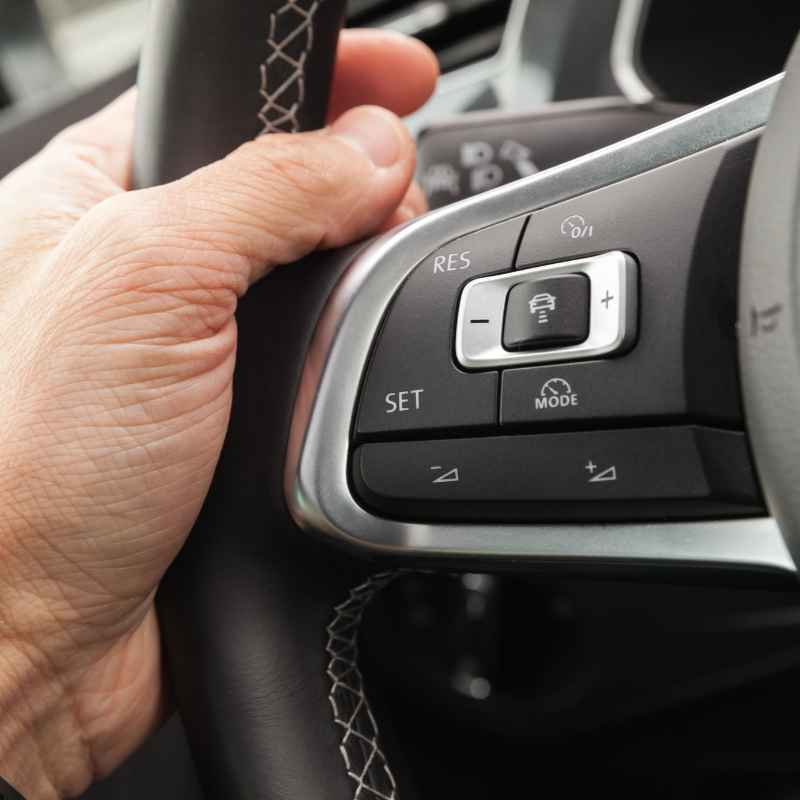
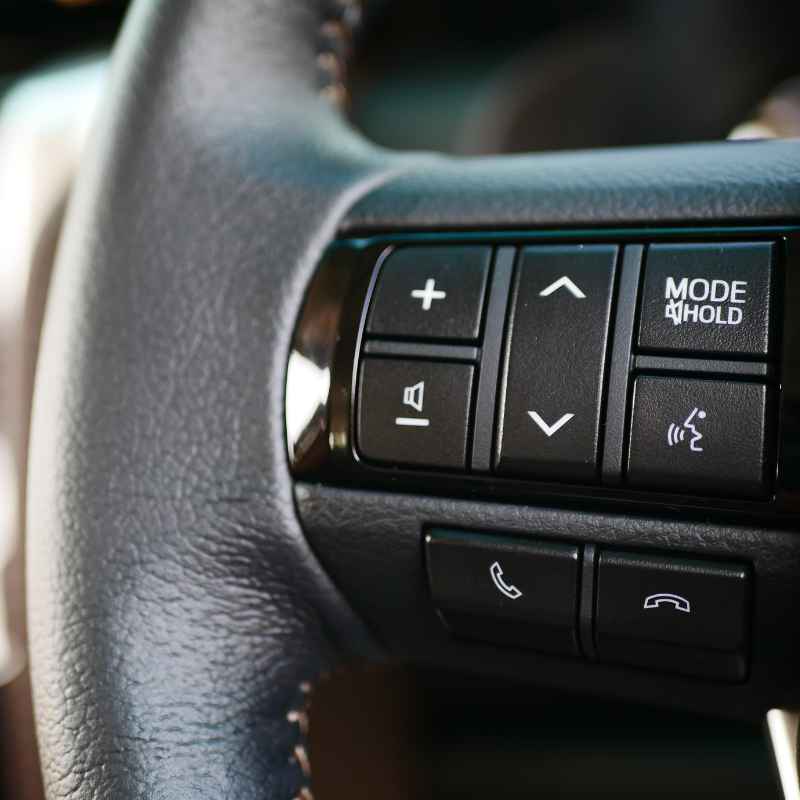
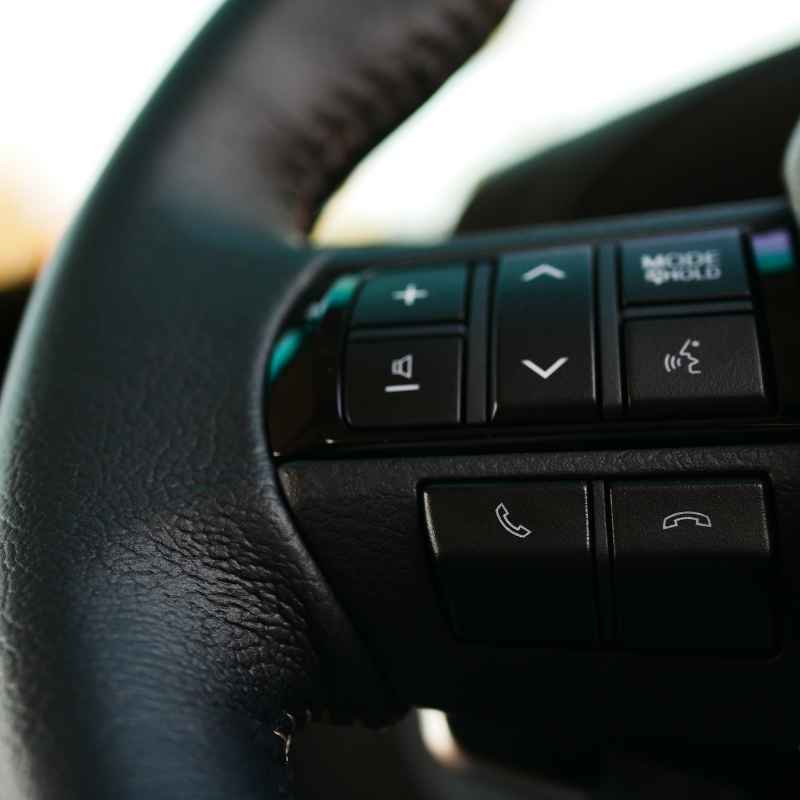
You can also look for the buttons on your steering wheel. ACC controls are usually on the left side. You’ll often see buttons for setting speed, resuming speed, and adjusting the following distance.
The technology has also improved. Early ACC systems were sometimes a bit jerky. Newer systems are much smoother.
They react more naturally to traffic flow. BMW continues to refine these systems with software updates and hardware improvements. This makes driving a modern BMW X3 a more comfortable experience.
Model Year Guide for ACC
2011-2016 (First Generation X3 – F25):
- Rare. Might be found on some highly optioned models.
- Often referred to as “Active Cruise Control.”
2017-2023 (Second Generation X3 – G01):
- Widely available as an option or part of packages.
- “Active Cruise Control with Stop & Go” is common.
- Look for Driving Assistance Plus package.
2024+ (Third Generation X3 – G01 LCI / Future Models):
- Standard on many trims or part of advanced driver aids.
- Expect more sophisticated versions of ACC.
How to Use Adaptive Cruise Control in Your X3
Using ACC in your BMW X3 is quite straightforward. Once you know where the buttons are, it becomes second nature. First, you need to be driving at a speed above a certain threshold.
Usually, this is around 15-20 mph. You also need a clear road ahead.
Locate the cruise control buttons on your steering wheel. They are typically on the left side. You’ll see a main button to turn the system on or off.
There will be buttons to set your desired speed. There’s also a button to resume a previously set speed. You’ll also find buttons to increase or decrease the set speed.
To activate ACC, press the ON button. Then, while driving at your desired speed, push the SET button. Your speed will now be locked.
You will see an indicator light on your dashboard or instrument cluster. It will show that cruise control is active. If it’s ACC, it will likely show a car icon.
Now, you’ll see an indicator for the following distance. This is usually shown as bars or segments. There are usually several levels to choose from.
Press a dedicated button (often with arrows or a car icon and bars) to cycle through these options. A shorter distance means the car will follow more closely. A longer distance gives more space.
When the system detects a car ahead, it will automatically adjust your speed. You’ll see the speed displayed change. If you need to brake manually, just press the brake pedal.
This will disengage ACC. If the car ahead stops completely, ACC with Stop & Go will bring your X3 to a halt. To restart, you usually just need to tap the gas pedal lightly or press the RES button.
To disengage ACC completely, you can either press the OFF button or the brake pedal. It’s always best to be familiar with these actions. Practice in a safe area first.
This ensures you feel comfortable using it.
Steering Wheel Button Guide (Typical Layout)
Top Left Button: Cycle through settings (e.g., speed limit info, ACC status).
2nd Button Down (often a circle with arrow): ON/OFF for cruise control.
3rd Button Down (often a minus sign): SET speed. Press and hold to decrease speed.
4th Button Down (often a plus sign): SET speed. Press and hold to increase speed.
Bottom Button (often a curved arrow): RESUME set speed.
Separate Button (often car icon with bars): Adjust following distance.
When ACC Is Most Helpful
ACC shines brightest in specific driving conditions. It’s not meant for every situation, but where it’s useful, it’s a game-changer. Highways are its natural habitat.
Long drives become less tiring. You can maintain speed and distance without constant effort.
Traffic jams are another prime spot. Stop-and-go traffic can be a nightmare. ACC with the Stop & Go feature makes this much more bearable.
Your car handles the slow crawl. You can relax a bit more. You still need to pay attention, of course.
Commuting on busy roads can also benefit. Even if it’s not a full highway, roads with consistent speeds and some traffic can be managed. It helps prevent you from accidentally creeping up on the car in front.
It can also help you maintain a steady pace when following a slower vehicle.
It’s also helpful for drivers who might be less confident with speed control. It can help them stay within legal limits more easily. It provides a steady, consistent speed.
This can also lead to slightly better fuel economy in some cases, as acceleration is smoother.
When You Should NOT Use ACC
While ACC is great, it’s not a substitute for attentive driving. There are many times when you should turn it off. Using it inappropriately can be dangerous.
Always use your judgment.
In bad weather is a big one. Heavy rain, snow, or fog can interfere with the sensors. The system might not be able to see cars ahead clearly.
This can lead to inaccurate readings or system failure. It’s best to rely on your own senses in these conditions.
On winding roads, ACC can be tricky. The system is designed for straight or gently curving roads. Sharp turns can confuse the sensors.
The car might brake too hard or not brake enough. It’s safer to drive these roads manually.
In construction zones, ACC can also be problematic. Traffic patterns change rapidly. Lane markings might be unclear or temporary.
The sensors might misinterpret temporary barriers or cones as vehicles. Stick to manual control here.
When merging into traffic, especially at high speeds, it’s often best to be in manual control. The system needs a moment to react to the car in front. You can often merge more smoothly and safely by controlling it yourself.
If you are feeling tired or distracted, ACC can be a comfort. But it can also lead to over-reliance. Never let ACC lull you into a false sense of security.
Always keep your eyes on the road and your hands near the wheel. Be ready to take over at any moment.
ACC: A Tool, Not an Autopilot
ACC’s Strengths:
- Reduces fatigue on long drives.
- Smooths out stop-and-go traffic.
- Helps maintain consistent speed.
ACC’s Limitations:
- Can be affected by weather.
- Struggles with sharp turns and complex roads.
- Requires driver supervision.
- Cannot handle all driving scenarios.
Checking if Your BMW X3 Has ACC
So, how do you know for sure if your specific BMW X3 is equipped with Adaptive Cruise Control? There are a few easy ways to check. The most obvious is to look at your steering wheel.
As mentioned, the buttons for ACC are usually distinct. Look for the speed setting and following distance adjustment buttons.
Another clue is the front of your car. Check the grille area. Do you see a radar sensor behind the BMW logo?
It might be a black, somewhat flat panel. This is a strong indicator that ACC is present. Some cars might also have sensors mounted lower down in the bumper.
If you have the original window sticker, it will list all the options. Look for terms like “Active Cruise Control,” “Adaptive Cruise Control,” or specific package names like “Driving Assistance Plus” or “Driving Assistant Professional.”
Your car’s iDrive infotainment system is also a great resource. Navigate through the vehicle settings. You should find a menu for driver assistance systems.
If ACC is installed, you will see options to configure it there. This is often where you can adjust settings like the following distance and turn the system on or off.
Finally, you can always check your owner’s manual. It will describe all the features your car has, including ACC if it’s equipped. If you bought the car new, the dealership would have gone over the features.
If you bought it used, try to get the full spec sheet from the seller or a VIN decoder online. Many websites offer free VIN decoding services.
Quick ACC Checklist
Steering Wheel: Look for speed set/resume and following distance buttons.
Front Grille: Check for a radar sensor behind the BMW emblem.
Infotainment System: Browse driver assistance settings in iDrive.
Owner’s Manual: Consult your car’s manual for feature descriptions.
Window Sticker/VIN Decoder: Review original equipment list.
Related Features and Packages
Adaptive Cruise Control is often part of a larger suite of driver assistance technologies. BMW bundles these into packages. Understanding these can help you identify if your X3 has ACC and what other helpful features you might have.
The Driving Assistance Package is common. This usually includes features like blind-spot detection, lane departure warning, and forward collision warning with automatic emergency braking. ACC is often an upgrade or a separate package from this.
The Driving Assistance Plus Package is where you’ll most likely find ACC. This package typically builds on the standard Driving Assistance Package. It adds Active Cruise Control with Stop & Go functionality.
It might also include features like Active Lane Keeping Assistant or Traffic Jam Assist, which work hand-in-hand with ACC.
Some higher trims or later models might have the Driving Assistant Professional package. This is the most comprehensive option. It often includes a more advanced ACC that can handle steering assistance on highways.
It can even help with automatic lane changes in some situations. This is the closest thing to semi-autonomous driving that BMW offers.
When looking at BMW X3s, especially newer ones, these packages are key. They tell you not just if you have ACC, but also how advanced it is. A model with the Professional package will offer a more seamless experience than one with just basic ACC.
It’s also worth noting that the names of these packages can sometimes change slightly between model years. Always confirm the specific features included with the package for the year you are interested in.
Common BMW Driver Assistance Packages
Driving Assistance Package:
- Blind Spot Detection
- Lane Departure Warning
- Forward Collision Warning
- Automatic Emergency Braking
Driving Assistance Plus Package:
- Includes features from Driving Assistance Package.
- Active Cruise Control with Stop & Go.
- Active Lane Keeping Assistant (may vary).
Driving Assistant Professional:
- Includes features from Driving Assistance Plus Package.
- Enhanced ACC with Steering and Lane Control.
- Automatic Lane Change.
What if My X3 Doesn’t Have ACC?
If you’ve checked your BMW X3 and found that it doesn’t have Adaptive Cruise Control, don’t despair. It’s a fantastic feature, but driving without it is still perfectly safe and enjoyable, especially with standard cruise control.
First, ensure you’re comfortable using your car’s standard cruise control. It’s a great tool for highway driving. It helps you maintain speed and can save you from speeding tickets.
Just remember to always keep your foot near the brake pedal.
If you frequently find yourself wishing for the convenience of ACC, especially in traffic, consider future vehicle purchases. When you’re ready to upgrade, look specifically for models equipped with this feature. It’s becoming more common.
You might find it as an option or standard on newer X3 models.
For your current X3, focus on safe driving habits. Be extra mindful of following distances. Anticipate traffic flow.
Keep your focus on the road. Sometimes, the simpler systems encourage more driver engagement, which can be a good thing.
You can also look into aftermarket solutions, though they are less common and often not as integrated as factory systems. For most drivers, if ACC isn’t standard, enjoying the X3’s other great features and driving manually is the best approach. The core driving experience of the X3 is still excellent, with or without ACC.
The Future of Cruise Control in BMWs
The evolution of cruise control, especially Adaptive Cruise Control, is a fascinating part of automotive technology. BMW, as a premium brand, is always pushing the boundaries. We’re already seeing systems that are incredibly sophisticated.
The trend is towards more integration. ACC is becoming standard on more models. The systems are getting smarter, with better object recognition and smoother operation.
We’re also seeing these systems work more closely with navigation data. Imagine ACC using your GPS route to anticipate curves and speed changes even better.
The development towards semi-autonomous driving continues. Features like Traffic Jam Assist are a stepping stone. They can handle steering, braking, and acceleration in specific, low-speed scenarios.
This hints at a future where cars can handle much more of the driving task.
BMW is also investing heavily in connectivity. Cars will talk to each other (V2V) and to infrastructure (V2I). This will allow ACC systems to anticipate traffic jams or hazards far in advance.
It could lead to incredibly smooth and safe journeys.
So, while your current BMW X3 might have a great ACC system, the technology is constantly advancing. Future BMWs will likely offer even more advanced forms of adaptive cruise control and other driver assistance features. This will continue to make driving more comfortable and safer.
Frequent Questions About BMW X3 Adaptive Cruise Control
Is Adaptive Cruise Control standard on all BMW X3 models?
No, Adaptive Cruise Control is not standard on all BMW X3 models. Its availability depends heavily on the model year and the specific packages or optional extras selected when the vehicle was purchased. Newer models are more likely to have it, either standard or as part of an optional package like the Driving Assistance Plus or Driving Assistant Professional.
Can I add Adaptive Cruise Control to my BMW X3 if it didn’t come with it?
Generally, adding factory Adaptive Cruise Control to a BMW X3 that wasn’t originally equipped with it is very difficult and often not feasible. The system relies on integrated sensors, cameras, and complex wiring that is installed during manufacturing. Aftermarket solutions are rare and may not offer the same level of integration or safety assurance.
How do I adjust the following distance for ACC on my BMW X3?
You can usually adjust the following distance for ACC using a dedicated button on your steering wheel. This button often features an icon of a car with lines or bars. Pressing this button will cycle through the available distance settings, typically ranging from closest to furthest.
The selected setting will be shown on your instrument cluster.
What happens if a car cuts into my lane while ACC is active?
If a car cuts into your lane while ACC is active, the system will detect the new vehicle. It will then automatically adjust your speed to maintain the set following distance. If the cut-in is very sudden and close, the system’s reaction time might be slightly slower than a human’s, so always be prepared to brake manually if needed.
Does ACC in my BMW X3 work in heavy traffic?
Yes, many BMW X3 models equipped with ACC also have the “Stop & Go” function, which is specifically designed for heavy traffic. This allows the system to bring the car to a complete stop if traffic halts and then resume driving when traffic starts moving again, often with a simple tap of the accelerator or a button press.
Is Adaptive Cruise Control the same as Autopilot?
No, Adaptive Cruise Control is not the same as Autopilot. ACC is a driver assistance feature that helps manage speed and distance to vehicles ahead. Autopilot, a term used by some manufacturers, refers to more advanced systems that can potentially handle steering, acceleration, and braking for extended periods under specific conditions.
ACC requires constant driver supervision and intervention, whereas some advanced Autopilot features aim for less direct supervision, though still requiring driver readiness to take over.
Conclusion
The question of “Does the BMW X3 have adaptive cruise control?” is a crucial one for many drivers. As we’ve explored, the answer is often yes, but it depends on the specific vehicle. ACC is a sophisticated system that enhances comfort and safety on the road.
It’s a testament to modern automotive engineering. It makes long drives and traffic jams far less taxing. Knowing how it works, when to use it, and when to avoid it is key.
Always prioritize your attention and judgment when driving.
Products related to this article
Sponsored / affiliate links. As an Amazon Associate I earn from qualifying purchases. I may earn additional commission from eligible campaigns.