How to Cancel Your Moo Moo Car Wash Unlimited Membership: A Step-by-Step Guide
Hey there! So, you’ve been enjoying the sparkling clean car that comes with your Moo Moo Car Wash Unlimited Membership, but now you’re thinking it’s time to part ways. Maybe you’re moving, cutting back on expenses, or just not using the service as much as you thought. Whatever the reason, I’ve been there, and I know canceling a subscription can feel like a maze. Don’t worry, though—I’ve explored every angle of this process, and I’m here to guide you through it like a friend sitting right beside you.
In this article, I’ll walk you through exactly how to cancel your Moo Moo Car Wash Unlimited Membership, share tips to make it smooth, and even toss in some insights from my own experience. Let’s get started!
Quick Answer
Cancel your Moo Moo Car Wash Unlimited Membership by calling 1-855-280-9274, logging into the customer portal at moomoocarwash.com, or visiting the location where you signed up. Cancel at least 24 hours before your next billing date — there are no cancellation fees, but unused time is not refunded.
Understanding the Moo Moo Car Wash Unlimited Membership
Before we dive into the cancellation steps, let’s talk about what the Moo Moo Car Wash Unlimited Membership is all about. Moo Moo Express Car Wash, part of Express Wash Concepts, is a popular chain in the USA, especially in Ohio and nearby states. Their Unlimited Wash Club lets you wash your car as often as you want for a flat monthly fee. It’s super convenient if you’re someone who loves a clean ride without the hassle of paying per wash. They offer different tiers—Basic, Better, and Best—with prices typically ranging from $19.99 to $40 per month, depending on the package. Each tier comes with perks like tire shine, hot wax, or ceramic coating.
The membership is tied to your vehicle’s license plate or an RFID tag on your windshield, so it’s vehicle-specific. You can’t use it for multiple cars unless you sign up separately for each one. The catch? It’s an auto-renewing subscription, meaning your credit or debit card gets charged monthly until you cancel. Knowing this upfront helps you understand why canceling requires a bit of attention to detail.
Why You Might Want to Cancel
I get it—sometimes life changes, and a car wash membership doesn’t fit anymore. Here are a few reasons why you might be looking to cancel:
- Budget Concerns: Monthly subscriptions add up, and cutting non-essential costs is a smart move if you’re tightening your belt.
- Infrequent Use: Maybe you thought you’d wash your car weekly, but you’re barely making it once a month. A single wash might make more sense.
- Relocation: If you’ve moved out of Moo Moo’s service area, the membership isn’t practical anymore.
- Service Issues: Perhaps you’re not thrilled with the wash quality or had a bad experience at a location.
- Switching Providers: You might have found another car wash that suits your needs better.
Whatever your reason, canceling is straightforward if you know the steps. Let’s explore the different ways you can do it.
Methods to Cancel Your Moo Moo Car Wash Membership
Moo Moo offers a few ways to cancel your Unlimited Wash Club membership. I’ve tried a couple of these methods myself, and I’ll break them down so you can pick the one that works best for you. The key is to act at least 24 hours before your next billing date to avoid being charged for another month.
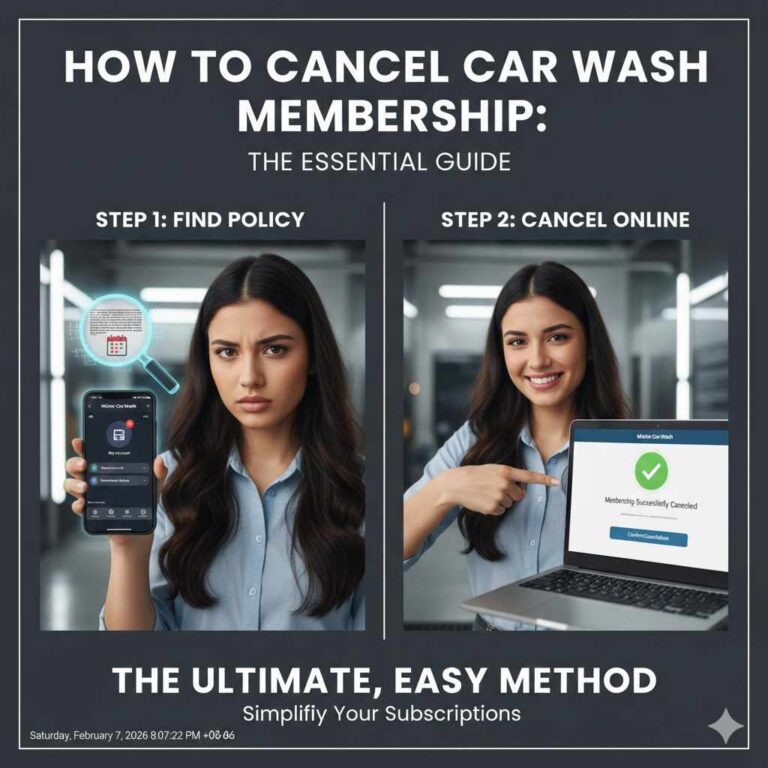
Canceling Online Through the Moo Moo Website
Canceling online is often the most convenient option, especially if you’re busy or don’t want to deal with a phone call. Here’s how I did it:
- Visit the Official Website: Head to www.moomoocarwash.com. You’ll need to log into your account, so have your registered email, phone number, or the last four digits of your credit card ready.
- Access the Membership Portal: Look for a section like “Manage My Membership” or “My Account.” It’s usually at the bottom of the homepage or under a menu.
- Find the Cancellation Option: Once you’re in the membership dashboard, look for “Cancel Membership” or “Edit Billing.” Follow the prompts to submit your request.
- Confirm Your Cancellation: You’ll likely need to confirm your details, like your license plate or RFID tag number. Make sure everything matches.
- Check for Confirmation: After submitting, you should get an email confirmation within 24-48 hours. Save this for your records.
One thing to note: not all locations support online cancellation, especially if it’s a franchise. If you don’t see the option, don’t panic—you’ve got other ways to cancel.
Canceling by Phone
If online cancellation isn’t available or you prefer talking to someone, calling customer service is a solid choice. I found this method quick and reliable. Here’s what to do:
- Call the Right Number: Moo Moo’s official customer service number is 1-855-280-9274. Be cautious of other phone numbers you might find in search results or third-party “cancellation help” sites claiming to help you cancel — several of these are unrelated to Moo Moo and appear to be scam or spam listings. Always use the number listed on moomoocarwash.com.
- Have Your Info Ready: Be prepared to share your name, address, phone number, license plate, or RFID tag number. This helps them find your account quickly.
- Request Cancellation: Politely tell the representative you want to cancel your membership. They might offer you a discount to stay—happened to me once—but just restate your request if you’re sure.
- Ask for Confirmation: Request an email or text confirmation. I always jot down the date, time, and the representative’s name, just in case there’s an issue later.
The customer service team is available Monday to Saturday from 7 AM to 8 PM and Sunday from 8 AM to 8 PM. Mid-morning on weekdays tends to have shorter wait times.
Canceling In-Person at a Moo Moo Location
If you’re someone who likes handling things face-to-face, visiting a Moo Moo Car Wash location is a great option. I did this once when I was already at a location for a wash. Here’s how it works:
- Find a Location: Use the location finder on www.moomoocarwash.com to find the nearest Moo Moo. It’s best to visit the location where you signed up, especially for franchise spots.
- Bring Your Details: Have your account info handy—name, phone number, license plate, or RFID tag number.
- Speak to a Staff Member: Let them know you want to cancel your membership. They’ll guide you through the process or direct you to a manager.
- Request Confirmation: Ask for written or email confirmation. Some locations might deactivate your RFID tag on the spot.
Not all locations have staff who can process cancellations, so call ahead to confirm. Also, check the hours—most are open Monday to Saturday from 7 AM to 8 PM and Sunday from 8 AM to 8 PM.
Canceling by Email
Emailing is another option if you prefer a written record. I haven’t used this method myself, but it’s straightforward. Here’s how:
- Compose Your Email: Write to [email protected] or [email protected] with the subject “Membership Cancellation Request – [Your Name].”
- Include Key Details: Mention your full name, phone number, address, license plate, and RFID tag number (if applicable). Clearly state you want to cancel your membership.
- Send and Follow Up: Send the email and check for a response within 24-48 hours. If you don’t hear back, follow up with a call to 1-855-280-9274.
Canceling by Mail
If you’re old-school or want a formal approach, you can send a cancellation letter. I haven’t tried this, but it’s an option for those who prefer it. Here’s what to do:
- Write a Letter: Include your name, address, phone number, license plate, and a clear request to cancel your membership.
- Send to the Right Address: Mail it to Express Wash Concepts, 13375 National Road SW, Suite D, Etna, OH 43068.
- Use Certified Mail: This ensures you have proof of sending. Keep a copy of the letter for your records.
- Follow Up: Check your email or call customer service after a week to confirm they received and processed your request.
This method takes longer, so plan ahead to avoid another billing cycle.
Important Things to Know Before Canceling
Before you cancel, there are a few things I learned that can save you headaches:
- Billing Cycle: Your membership stays active until the end of your current billing period. No refunds are given for unused time, so use your washes until the cycle ends.
- No Pause Option: Moo Moo doesn’t offer a way to pause your membership. You’ll need to cancel and rejoin later if needed.
- RFID Tag: If your car has an RFID tag, it may need to be deactivated. Ask about this when you cancel.
- Franchise vs. Corporate: Policies can vary slightly between corporate and franchise locations. If you signed up at a franchise, it’s best to cancel there or confirm with customer service.
- No Cancellation Fees: Most monthly plans don’t have fees for canceling, but check your agreement, especially if you signed up for a promotional or annual plan.
Tips to Avoid Common Pitfalls
I’ve made a few mistakes in the past when canceling subscriptions, so here are some tips to keep things smooth:
- Cancel Early: Submit your request at least 7-10 days before your billing date. This gives enough time for processing, especially if you’re mailing or emailing.
- Double-Check Confirmation: Always get confirmation in writing. I once thought I’d canceled a subscription, only to get charged because I didn’t follow up.
- Monitor Your Bank Statement: After canceling, check your credit card statement to ensure no further charges. If you see one, call customer service immediately.
- Be Polite but Firm: Customer service might try to keep you with offers. If you’re set on canceling, politely stick to your request.
What Happens After You Cancel?
Once your cancellation is processed, here’s what to expect:
- Access Until Billing Cycle Ends: You can still use your unlimited washes until the end of your current billing period.
- No More Charges: Your card won’t be charged again after the cycle ends.
- RFID Deactivation: If your membership used an RFID tag, it’ll be deactivated, so you won’t accidentally get scanned at a location.
- Confirmation Email: You should receive an email within 24-48 hours confirming the cancellation. If not, reach out to customer service.
If you change your mind later, you can always sign up again at a kiosk or online. Moo Moo makes it easy to rejoin, and you might even snag a promotional deal.
Comparing Cancellation Methods
To help you decide which method is best, here’s a quick comparison:
| Method | Pros | Cons |
|---|---|---|
| Online | Convenient, can be done anytime, no need to talk to anyone | May not be available at all locations, requires internet access |
| Phone | Quick, direct, reliable, can clarify questions on the spot | Possible wait times, limited to business hours |
| In-Person | Immediate, personal, can confirm RFID deactivation | Requires a trip, not all locations handle cancellations |
| Provides a written record, good for those who prefer writing | Slower response time, may need follow-up | |
| Formal, trackable with certified mail | Slowest method, requires mailing costs and planning ahead |
My Personal Experience with Moo Moo Cancellation
When I decided to cancel my Moo Moo membership, I went with the phone method because I wanted it done fast. I called 1-855-280-9274, and the representative was friendly but tried to offer me a discounted rate to stay. I explained I was moving out of state, and they processed the cancellation in about five minutes. I got an email confirmation the next day, and my card wasn’t charged again. The only hiccup was that I forgot to use my remaining washes before the billing cycle ended—don’t make that mistake!
Why Moo Moo’s Membership Might Still Be Worth Keeping
Before you cancel, consider if the membership still has value. Moo Moo’s Unlimited Wash Club is a great deal if you wash your car often. Their eco-friendly washes save over 100 gallons of water compared to washing at home, and the free vacuums are a nice perk. If you’re pausing because of cost, you could downgrade to a cheaper tier instead of canceling. But if it’s not working for you, no judgment—canceling is your call!
Conclusion
Canceling your Moo Moo Car Wash Unlimited Membership doesn’t have to be a chore. Whether you choose to cancel online, by phone, in-person, email, or mail, the process is straightforward if you follow the steps I’ve shared. From my own experience, I know how satisfying it is to wrap up a subscription cleanly and avoid extra charges. Just make sure to act early, keep your account details handy, and confirm your cancellation in writing. If you’re still on the fence, weigh the benefits of keeping the membership versus switching to single washes.
Whatever you decide, I hope this guide makes the process as smooth as a freshly waxed car. Got more questions? Check out the FAQs below, and feel free to reach out to Moo Moo’s customer service if you need extra help. Happy driving!
FAQs
Can I Cancel My Moo Moo Membership Anytime?
Yes, you can cancel anytime, but it’s best to do it at least 24 hours before your next billing date to avoid another charge. The membership stays active until the end of your current billing cycle.
Will I Get a Refund for Unused Washes?
No, Moo Moo doesn’t offer refunds for unused portions of the month. You can keep using your washes until the billing cycle ends, so make the most of it!
Can I Pause My Membership Instead of Canceling?
Unfortunately, Moo Moo doesn’t offer a pause option. You’d need to cancel and sign up again later if you want to resume.
What If I Don’t Get a Confirmation Email?
If you don’t receive a confirmation within 48 hours, call 1-855-280-9274 or email [email protected] to follow up. It’s rare, but sometimes confirmations get delayed.
Can I Cancel at Any Moo Moo Location?
You can usually cancel at corporate locations, but for franchises, it’s best to visit the location where you signed up. Call ahead to confirm.
What Happens to My RFID Tag After Cancellation?
Your RFID tag will be deactivated so it no longer works at Moo Moo locations. Some locations may ask you to remove it or deactivate it in-person.
Products related to this article
Sponsored / affiliate links. As an Amazon Associate I earn from qualifying purchases. I may earn additional commission from eligible campaigns.