How to Change the Battery in a Keyless Car Remote (CR2032 Steps)
The battery in a keyless car remote is a 3-volt coin cell, and the three owner’s manuals read for this guide (2019 Chevrolet Malibu, 2020 Chevrolet Tahoe/Suburban and 2020 Hyundai Kona) all name the same size: CR2032. The opening method and the battery side that faces up differ by remote, so this guide lays out each manual’s sequence, compares coin-cell sizes from Energizer datasheets, and covers what to do if the car does not respond and why a loose coin cell is a child-safety hazard.
Tools Needed
Each manual names a plain tool. The 2020 Tahoe/Suburban manual says to separate the back cover with a flat, thin object, such as a coin. The 2019 Malibu manual calls for a flat tool near the key slot. The 2020 Kona manual says to pry the cover open with a slim tool and to use a screwdriver to remove the battery cover on its remote key. You also need a new battery of the type your own manual lists.
Best Spare CR2032 Coin Cell Pick
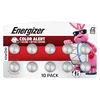 |
Energizer CR2032 Batteries (10 Pack), 3V Lithium Coin Batteries, $15.32 A 10-pack of the CR2032 size that the Chevrolet and Hyundai manuals read for this guide name for their remotes.
|
As an Amazon Associate we earn from qualifying purchases. Spec-based pick from the listing, not a hands-on test.
Identifying Battery Type
The type is on the battery page of your owner’s manual and is engraved on the battery itself; Poison Control notes these cells can be recognized by their imprint of engraved numbers and letters.
| Vehicle manual | Remote | Battery stated |
|---|---|---|
| 2019 Chevrolet Malibu | RKE transmitter | CR2032 or equivalent |
| 2020 Chevrolet Tahoe/Suburban | RKE transmitter (Key Access and Keyless Access) | CR2032 or equivalent |
| 2020 Hyundai Kona | Remote key and Smart Key | CR2032 |
The Chevrolet manuals do not define “equivalent.” The maker figures for the three common sizes are below (Energizer datasheets).
| Datasheet figure | CR2032 | CR2025 | CR1620 |
|---|---|---|---|
| Diameter (mm) | 19.70 to 20.00 | 19.70 to 20.00 | 15.90 to 16.00 |
| Height (mm) | 2.90 to 3.20 | 2.20 to 2.50 | 1.80 to 2.00 |
| Nominal voltage | 3.0 V | 3.0 V | 3.0 V |
| Typical capacity | 235 mAh | 170 mAh | 81 mAh |
Arithmetic from those figures: a CR2025 is at most 0.7 mm thinner than a CR2032 (3.20 minus 2.50) at the same diameter, with about 28 percent less typical capacity (170 against 235 mAh). In all three datasheets the first two digits of the code match the diameter in millimeters and the last two match the maximum height in tenths of a millimeter; that is a pattern in the figures, not a maker rule. Use the type your manual states.
Opening The Remote
The three manuals show five different openings. Find your remote.
| Remote | How the manual says to open it |
|---|---|
| 2019 Malibu RKE transmitter | Press the button on the side near the bottom and pull the key out (never without pressing it), then separate the halves with a flat tool near the key slot. |
| 2020 Tahoe/Suburban, Key Access | Separate and remove the back cover with a flat, thin object such as a coin. |
| 2020 Tahoe/Suburban, Keyless Access | Press the side button and pull the key out (never without pressing it), then insert a flat, thin object in the center to separate and remove the back cover. |
| 2020 Kona remote key | Insert a slim tool into the slot and gently pry the cover open, then use a screwdriver to remove the battery cover. |
| 2020 Kona Smart Key | Remove the mechanical key (slide the release lever in the arrow direction and pull the key outward), then pry open the rear cover with a slim tool. |
Both Chevrolet manuals carry the same caution: do not touch any of the circuitry on the transmitter, because static from your body could damage it.
Removing The Old Battery
- Slide: on the Malibu, push on the battery and slide it toward the bottom of the transmitter. On the Tahoe/Suburban Key Access transmitter, press and slide it down toward the pocket, in the direction of the key ring.
- Lift: on the Tahoe/Suburban Keyless Access transmitter, lift the battery with a flat object.
- Kona: both procedures say only to remove the old battery and insert the new one.
Battery Won’t Come Out of the Remote
None of the three manuals gives a separate procedure for a stuck battery, so follow the release motion in your own manual. The Tahoe/Suburban Key Access steps add “Do not use a metal object” to the slide step. The Kona manual says that if you suspect your remote key is damaged, contact an authorized Hyundai dealer.
Handling the Old Coin Cell
The Hyundai manual says an inappropriately disposed battery can be harmful to the environment and human health, and to dispose of it per local law. Poison Control says batteries to be recycled belong out of sight and reach of young children, that unrecyclable used batteries should be wrapped securely, and that taping a button battery before disposal can decrease or stop it from causing injury without affecting recycling.
Installing The New Battery
Polarity is where these manuals disagree, so read the row for your remote.
| Remote | Which way the battery goes | Closing it up |
|---|---|---|
| 2019 Malibu | Positive side facing the back cover; push down until held in place (CR2032 or equivalent). | Snap the battery cover back on. |
| 2020 Tahoe/Suburban, Key Access | Positive side facing up (CR2032 or equivalent). | Push the back cover together top side first, then the bottom toward the key ring. |
| 2020 Tahoe/Suburban, Keyless Access | Positive side toward the back cover (CR2032 or equivalent). | Push the transmitter together, then reinsert the key. |
| 2020 Kona remote key | Make sure the battery position is correct; no side is stated. | Reinstall the battery cover and key cover in reverse order of removal. |
| 2020 Kona Smart Key | Make sure the battery position is correct; no side is stated. | Reinstall the rear cover. |
One Tahoe/Suburban transmitter says “positive side facing up” and the other “toward the back cover,” and the Hyundai manual names no side, so the polarity line in your own manual is the one to follow.

Will the Remote Need to Be Reprogrammed After a Battery Change?
The battery steps in the three manuals contain no programming step; the Chevrolet pages end with reassembly and the Hyundai pages with reinstalling the cover. Programming is covered separately:
- The 2020 Tahoe/Suburban manual says only RKE transmitters programmed to the vehicle will work, that a replacement can be programmed through the dealer, that up to eight can be programmed, and to see the dealer for programming.
- The 2019 Malibu manual has a procedure for programming without recognized transmitters that takes approximately 30 minutes. It says that after the third repetition of one step, all previously known transmitters will no longer work with the vehicle, and the remaining ones can be relearned in the next steps.
- The 2020 Kona manual says a maximum of two Smart Keys can be registered to a single vehicle.
This guide gives no programming steps.
If the Car Does Not Respond After the Swap
Check the Conditions the Manuals List
The 2020 Kona manual says the remote key will not work if the key is in the ignition switch, you exceed the operating distance limit (about 90 feet or 30 m), the battery is weak, other vehicles or objects block the signal, the weather is extremely cold, or the key is close to a radio transmitter such as a radio station or an airport. It adds that a mobile phone close to the key can block the signal, particularly while the phone is active. For its smart key, it says a metal object such as a key chain, or another smart key device, can stop the vehicle recognizing the key, to remove them before trying again, and to contact the dealer if the key coding is repeatedly not recognized.
For reduced range, the Tahoe/Suburban manual lists three checks: the distance, the location (other vehicles or objects may block the signal) and the transmitter’s battery. If it is still not working correctly, it says to see your dealer or a qualified technician.
Backup Ways In and Start
- 2020 Kona: if the key does not operate normally, the driver’s door can be locked or unlocked with the mechanical key. If the smart key battery is weak, the engine can be started by pressing the Engine Start/Stop button with the smart key, in the direction shown in the manual’s picture.
- 2019 Malibu: a weak battery or interference may bring up NO REMOTE DETECTED or REPLACE BATTERY IN REMOTE KEY. Open the center console, place the transmitter in the pocket with the buttons facing the rear, and with the vehicle in P or N, press the brake pedal and ENGINE START/STOP. The manual says to replace the battery as soon as possible.
- 2020 Tahoe/Suburban: the Keyless Access manual gives the same pocket procedure and the same advice to replace the battery as soon as possible.
Keep Coin Cells Away From Children
This is the safety-critical part of the job. Poison Control (National Capital Poison Center) says swallowed batteries can burn through a child’s esophagus in just 2 hours, leading to surgery and even death, that 20 mm, 3-volt lithium coin cells are the most hazardous because they get stuck and burn faster, and that keyless entry fobs are among the household items that contain batteries. The Energizer CR2032 datasheet says the same: keep out of reach of children, because swallowing may lead to serious injury or death in as little as 2 hours.
If a Battery May Have Been Swallowed
- Call the 24-hour National Battery Ingestion Hotline at 1-800-498-8666, or your poison center at 1-800-222-1222, immediately. Poison Control says not to wait for symptoms.
- Poison Control says not to induce vomiting, and that a battery stuck in the esophagus must be removed as quickly as possible. A battery in the nose or ear also needs immediate removal.
- If readily available, give the battery identification number found on the package or from a matching battery.
Prevention Steps From the Sources
- Poison Control says not to insert or change batteries in front of small children, never to leave batteries sitting out, and to store spares out of sight and reach.
- Check that device battery compartments are secured shut; Poison Control says to use strong tape on compartments that children can open.
- The Energizer datasheet says compartments should need a tool such as a screwdriver or coin to open, or two independent, simultaneous movements by hand.
This is general safety information from the sources named, not medical advice. In an emergency, call the numbers above.
Which Coin Cell to Keep as a Spare
For a remote whose manual says CR2032, the Energizer datasheet lists a self-discharge of about 1% per year and an operating range of -30C to 60C. The pick above is Energizer’s 10-pack of that size, priced at $15.32 on the listing when this page was updated. The listing says the Child Shield (Color Alert, a bitter coating and secure packaging) is only on select packs, and it claims up to 12 years of storage life; that is the seller’s claim, not a measured result.
Related Key Fob Guides
- How to change a car key battery
- How to replace the battery in a Chevy key fob
- How to open a car key fob
- Starting a car with a dead fob
- How to reset a car key fob
- How to turn on a car with a bad ignition switch
Frequently Asked Questions (FAQ)
How do I change the battery in a keyless car remote?
Follow the battery page of your owner’s manual, because the opening method differs by remote. The 2019 Chevrolet Malibu manual has you press the side button, pull the key out, split the halves with a flat tool, slide the battery out and fit a CR2032 or equivalent, positive side toward the back cover.
What battery does a keyless car remote use?
The three manuals read for this guide (2019 Chevrolet Malibu, 2020 Chevrolet Tahoe/Suburban, 2020 Hyundai Kona) name a CR2032; the Chevrolet manuals say “CR2032 or equivalent.” Other vehicles may differ, so check your own manual.
Do I need to reprogram my remote after changing the battery?
The battery steps in those manuals include no programming step. Programming is covered separately, and the Tahoe/Suburban manual says to see the dealer for transmitter programming.
Why won’t my car recognize the remote after I changed the battery?
The 2020 Kona manual lists a key in the ignition, a distance beyond about 90 feet (30 m), a weak battery, blocked signals, extremely cold weather and nearby radio transmitters. For its smart key it adds that metal objects or other keys nearby can prevent recognition.
Is a key fob battery dangerous to children?
Yes. Poison Control says a swallowed battery can burn through a child’s esophagus in as little as 2 hours. If one may have been swallowed, call the National Battery Ingestion Hotline at 1-800-498-8666 or a poison center at 1-800-222-1222 immediately.
What This Guide Does Not Cover
- Battery types and steps for vehicles other than the three manuals named; check your own manual.
- Programming or resync steps; the manuals say to see the dealer.
Conclusion: Follow Your Own Manual’s Battery Page
Changing the battery in a keyless car remote is a short job, but the manuals read here show that the opening method and the polarity differ, even within one vehicle line. Match your remote to its row, use the battery type your manual states, keep old and spare cells away from children, and work through the manual’s own checks before seeing a dealer.
Products related to this article
Sponsored / affiliate links. As an Amazon Associate I earn from qualifying purchases. I may earn additional commission from eligible campaigns.