How to Reset a Car Key Fob: Ford, Honda, Toyota & More
Resetting a car key fob almost never means opening it and pressing an internal “reset button” — that step doesn’t exist on most vehicles. Instead, nearly every brand uses an ignition-cycle resync you do from the driver’s seat, though the exact number of cycles and timing window differs by make: Ford uses 8 cycles, Honda uses 3, Toyota uses 3 key insertions plus 2 door cycles. This guide covers the real resync steps by brand, when you actually need to open the fob, and battery lifespan facts.
Quick Answer
Most car key fobs reset (resync) via an ignition-cycle sequence done from the driver’s seat, not a physical button inside the fob. The exact cycle count and timing window vary by brand — see the table below for Ford, Honda, Toyota, Chevrolet, and Hyundai.
What Is A Car Key Fob
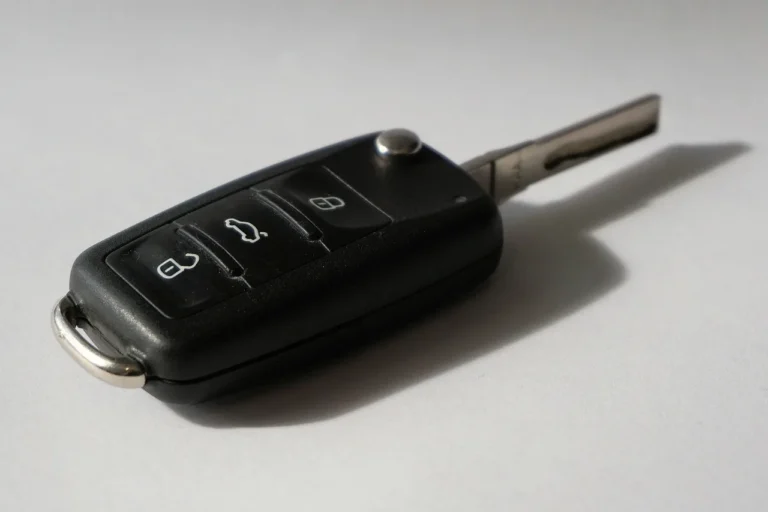
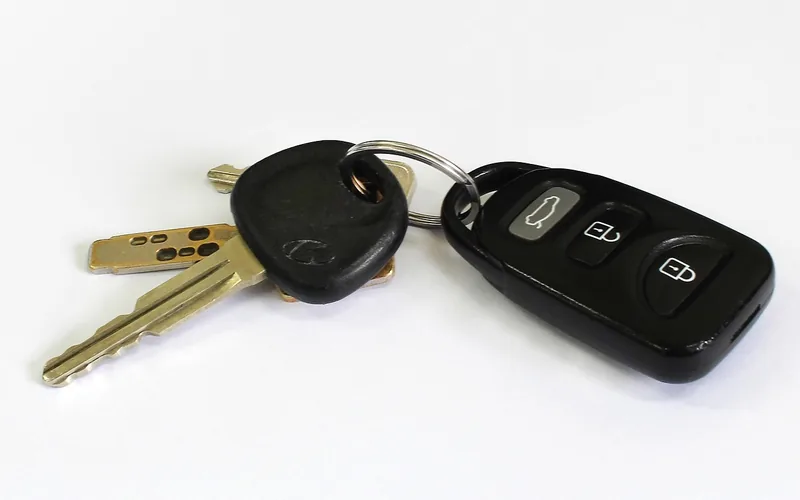
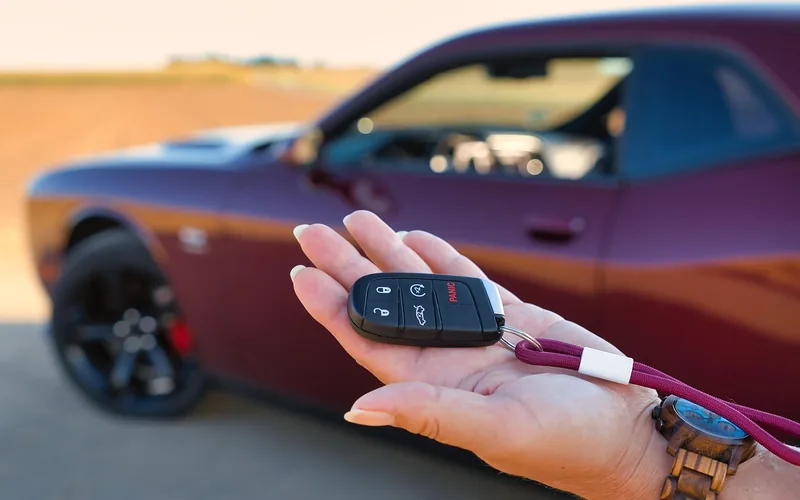
A car key fob is a small, handy device. It controls car functions remotely. Locking and unlocking doors becomes easy. Starting the car engine is possible too. This gadget is like a small remote.
Many modern cars use these fobs. They provide convenience and security. No need to insert a key into the car door. Simply press a button on the fob.
Some fobs have extra features. They can roll down windows or open the trunk. Different cars have different fob designs. Each fob is unique to its car. If lost, replacement can be costly.
Common Reasons For Resetting
Car key fobs often need resetting after a battery replacement. The fob might lose its connection with the car. This happens because the power source changes. The new battery might not connect right away. Resetting ensures the fob works properly again. It’s a simple process. It avoids confusion later. Always use the right battery type. This helps maintain the fob’s function.
Synchronization issues can cause trouble with car key fobs. Sometimes, the fob loses sync with the car’s system. This can happen after a battery change. It may also occur due to interference from other devices. Resetting the fob can fix these issues. Ensuring sync helps the fob communicate with the car. It’s important for security and ease of use.
Buttons on a car key fob can malfunction sometimes. This might be due to wear and tear. Sometimes, dust can block the button’s function. Resetting the fob can often fix button issues. It helps restore the normal function. Ensure the buttons are clean. This can prevent future problems. Regular maintenance of the fob is important.
Best Key Fob Battery Pick
CR2032 Key Fob Battery Replacement (2-Pack)
Fits most Honda, Toyota, Nissan, Subaru, and other CR2032-based fobs, with an install video guide included.
- Best for: Most common CR2032 fobs across major brands
- Why we picked it: Comes with a video install guide for first-timers
- Main drawback: Confirm your fob uses CR2032, not the thinner CR2025, before buying
Compare more key fob repair essentials
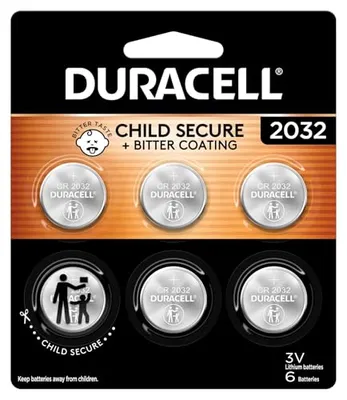 Option 1 Duracell 2032 Lithium Battery, 6 Count, AirTag & Key Fob, CR2032 3V Cell
|
 Option 2 Precision Screwdriver Set
|
 Option 3 Amazon Basics 10-Pack
|
As an Amazon Associate we earn from qualifying purchases.
Tools Needed
A small screwdriver helps open the key fob. It’s important to have the right size. A paper clip or needle can be useful too. This helps press small buttons. A new battery is often required. Check the type before buying. Patience is key. Take your time to avoid breaking parts. Always work on a clean surface. This prevents losing small pieces. A soft cloth can keep everything clean. Keep the user manual nearby. It’s helpful for specific instructions. Knowing the car model is crucial. Different models may need different steps.
Preparation Steps
Find the car’s manual first. Check the glove box or storage area. Manuals often hide in these spots. The manual has important instructions. Read the reset section carefully. It tells you how to reset the key fob. Every car is different. Follow steps meant for your car model.
Have all tools ready for the task. A small screwdriver is usually needed. Sometimes you need a new battery. Look for a replacement battery in advance. Take tools that help open the fob. Be gentle to avoid damage. Some cars need special tools. Check the manual for any special tools.
Step-by-step Reset Process
Open the car key fob to access its battery compartment. Use a small screwdriver to gently pry it open. Be careful not to break the plastic casing. Once open, locate the battery inside. Check if the battery needs replacement. If needed, replace it with a new one. Ensure the new battery is placed correctly.
Most fobs don’t have an internal “reset button” — opening the case is only needed for a battery swap. Once the battery is back in and the fob is closed, the actual resync happens from inside the car (next step), not by pressing anything inside the fob housing.
This is the actual resync step: sit in the driver’s seat with all doors closed, insert the key into the ignition, and turn it to the ON position without starting the engine. Press the lock button on the fob, then turn the ignition off and back on, repeating the cycle. The exact number of cycles is brand-specific — see the table below for Ford, Honda, Toyota, Chevrolet, and Hyundai. The locks or a dashboard chime typically confirm success.
Testing The Key Fob
Press each button on the key fob. Watch the car’s response. Does the car lock or unlock? Does the trunk open? If any button does not work, it might need fixing. Ensure the battery is fresh. Old batteries can cause problems.
Hold the fob close to the car. Press the lock button. Listen for a click sound. This shows the fob is synchronized. If it doesn’t work, try again. Sometimes it needs a few tries. Make sure you are close to the car.
Key Fob Resync Steps by Brand (Ford, Honda, Toyota, Chevy, Hyundai)
The universal method above works in principle, but the exact cycle count, timing window, and door requirements genuinely differ by manufacturer. Here’s the real sequence for five common brands:
| Brand | Resync Sequence | Timing Window |
|---|---|---|
| Ford | Close doors, press UNLOCK on driver’s door, cycle ignition OFF→RUN 8 times ending on RUN, then press any fob button | Within 10 seconds per cycle |
| Honda (pre-2013 keyed models) | Turn key ON, press LOCK on fob, turn OFF — repeat for 3 full cycles, then a 4th ON turn + LOCK press confirms programming | Within 5 seconds per step |
| Toyota | Insert/remove key from ignition 3 times quickly, then open/close driver’s door twice, then press any fob button | Within a 40-second window |
| Chevrolet/GM | Hold UNLOCK on driver’s door while turning key ON, then cycle OFF-ON-OFF quickly, release; then hold LOCK+UNLOCK together on the fob until locks cycle | Quick cycles, no fixed window published |
| Hyundai | Turn ignition to ACC, hold Unlock/Open on the fob for 15–20 seconds until the locks cycle (newer push-button Smart Key models usually need a dealer or locksmith) | 15–20 seconds held |
Push-button Smart Key/proximity fobs on newer Honda and Toyota models generally can’t be resynced this way at all — they require a dealer scan tool or an already-paired working fob to add a new one, unlike the older keyed remotes above.
Troubleshooting Common Issues
The car key fob might not work sometimes. Check the battery first. It might be dead. Replace it with a new one. Also, examine the buttons. They can get stuck. Clean them gently if needed. Ensure you are close to the car. The fob needs to be in range.
Other devices can block the signal. Nearby electronics might cause this. Try moving away from them. Large metal objects can also interfere. Avoid standing near them. If the problem persists, reset the fob. Follow the car manual for steps.
Sometimes, the fob needs reprogramming. Make sure the car is in the right mode. Follow the steps in your manual. Check each step carefully. A small mistake can cause errors. Repeat the process if needed. It might take a few tries.
When To Seek Professional Help
Facing difficulties with resetting your car key fob? Consider seeking professional help if it’s unresponsive or frequently malfunctioning. Experts can diagnose complex issues, ensuring your key fob works reliably.
Complex Issues
Car key fobs sometimes have complex issues. These problems might be tough for you to fix at home. Professional help is often needed. Experts understand the intricate workings of a car key fob. They have tools to diagnose the problem correctly. This ensures your car key fob gets fixed properly.
Persistent Malfunctions
If your car key fob malfunctions persistently, consider consulting a professional. They can identify underlying problems. Professionals provide solutions to ensure your car key fob works reliably. Persistent issues might signal deeper electrical faults. These faults can affect your car’s security systems. Seeking professional help guarantees the fob is fixed safely and efficiently.
Tips For Maintenance
Resetting a car key fob can be simple. First, check the battery for any issues. Then, follow the specific instructions for your vehicle model to reprogram it, ensuring proper synchronization with your car’s system. Regular maintenance helps avoid future problems.
Regular Battery Checks
Checking the battery occasionally is very important. A weak battery can make the fob stop working. Most fobs use a CR2032 (typically lasts 3–5 years) or the thinner CR2025 (typically 2–3 years) — real lifespan depends on how often you use remote start or panic buttons. If the fob stops working, check the battery first. It’s easy and quick.
📊 CR2032 batteries typically last 3–5 years in a key fob; the thinner CR2025 typically lasts only 2–3 years — Source: SlashGear battery lifespan analysis
Keeping Fob Clean
Keeping the fob clean helps it last longer. Use a soft cloth to wipe it. Avoid using water. Water can damage the fob. Remove dirt and dust gently. A clean fob looks nice and works better. Cleaning once a month is a good habit. Keep the fob away from sticky hands.
Frequently Asked Questions
How Do I Reset My Car Key Fob?
Two methods work depending on the problem: if the fob buttons feel unresponsive, remove the battery for 10 seconds, replace it, then press any button. If the car doesn’t recognize the fob at all, use the brand-specific ignition-cycle resync from the table above instead. Always check your owner’s manual for the exact sequence.
Why Is My Key Fob Not Working?
A non-functioning key fob could be due to a dead battery, signal interference, or damaged circuitry. Replace the battery first, as it’s often the simplest solution. If it still doesn’t work, consider reprogramming it or consulting a professional for further diagnosis.
Can I Reset My Key Fob Without A Mechanic?
Yes, you can often reset your key fob without a mechanic. Follow your vehicle’s manual instructions, usually involving battery removal and reinstallation. If unsure, check online tutorials specific to your car model. If problems persist, professional assistance might be necessary.
What Are Signs My Key Fob Needs Resetting?
Signs your key fob needs resetting include unresponsiveness, intermittent function, or failure to lock/unlock doors. If the vehicle doesn’t start with the fob, a reset might be needed. Resetting can often resolve these issues and restore proper functionality.
How Long Does a Key Fob Battery Really Last?
A CR2032 battery typically lasts 3–5 years in a key fob; the thinner CR2025 typically lasts only 2–3 years. Real-world lifespan depends on how often you use remote start, panic buttons, or keep the fob near other electronics — not a fixed annual replacement schedule.
Does Every Car Use the Same Resync Steps?
No. Ford uses 8 ignition cycles, Honda uses 3, and Toyota uses 3 key insertions plus 2 door cycles — each within a different timing window. Newer push-button Smart Key models on Honda and Toyota generally can’t be resynced this way at all and need a dealer or locksmith.
Conclusion
Resetting your car key fob can seem tricky at first. But with patience, it becomes manageable. Follow the steps outlined in this guide closely. Ensure you have your car’s manual handy for extra help. Remember, the process can vary between car models.
If issues persist, contact a professional for assistance. Regular maintenance and care of your key fob are essential. This ensures it functions well over time. By understanding these steps, you’ll save time and avoid frustration. Feel confident in handling your key fob reset now.
Enjoy your driving experience with a smoothly functioning key fob!
Products related to this article
Sponsored / affiliate links. As an Amazon Associate I earn from qualifying purchases. I may earn additional commission from eligible campaigns.