How to Play Music in Your Car: A Comprehensive Guide to Enjoying Your Tunes on the Road
Hey there! If you’re like me, music is the heartbeat of any car ride. Whether I’m cruising down the highway or stuck in city traffic, the right song can turn a mundane drive into an adventure. Playing music in your car should be easy and fun, but with so many options out there, it can feel overwhelming. Don’t worry—I’ve spent years tinkering with car audio systems, from old-school setups to the latest tech, and I’m here to share everything I’ve learned. In this guide, I’ll walk you through all the ways to play music in your car, step by step, so you can enjoy your favorite tunes no matter where the road takes you. Let’s dive in and make your drives sound amazing!
Why Music in the Car Matters
I can’t imagine a road trip without music. It sets the mood, keeps me energized, and makes long drives feel shorter. A good playlist can turn a boring commute into a mini concert. But getting music to play in your car isn’t just about hitting play—it’s about finding the best method for your setup, your budget, and your vibe. Whether you’re rocking a vintage car with a basic stereo or a modern ride with a fancy infotainment system, there’s a way to make your music sound great. I’ve tried every method under the sun, and I’ll break them down for you so you can pick what works best.
Understanding Your Car’s Audio System
Before we get into the how-to, let’s talk about your car’s audio system. Knowing what you’re working with is key. When I got my first car—a beat-up sedan with a tape deck—I had no clue how to play my CDs. Over time, I learned that every car’s audio setup is different. Some have basic radios, others have CD players, and newer models come with touchscreens, Bluetooth, or even built-in apps like Spotify.
Take a peek at your car’s dashboard. Does it have a USB port, an auxiliary (AUX) jack, or maybe a CD slot? Is there a Bluetooth symbol on the stereo? If you’re driving a newer model, you might have Apple CarPlay or Android Auto. Older cars might only have an FM radio or cassette player. Don’t worry if your setup feels outdated—I’ve got solutions for every type of system. Let’s explore the most common ways to play music in your car.
Using Bluetooth to Play Music
Bluetooth is my go-to for playing music in the car. It’s wireless, easy, and works with almost any smartphone. Most cars made after 2010 have Bluetooth built into the stereo. If yours does, here’s how I get it set up.
First, I turn on Bluetooth on my phone. Then, I go to the car’s audio system and select “Bluetooth” or “Pair Device.” The car’s screen usually shows a code, which I enter on my phone to connect. Once paired, I open my music app—Spotify, Apple Music, or even YouTube—and hit play. The sound comes through the car’s speakers, and I can control everything from my phone.
If your car doesn’t have Bluetooth, don’t sweat it. I’ve used a Bluetooth car adapter before, and it’s a game-changer. You plug it into your car’s AUX port or cigarette lighter, pair it with your phone, and boom—wireless music. These adapters cost anywhere from $15 to $50, and they’re worth every penny. Just make sure to pick one with good reviews for sound quality.
Connecting with an Auxiliary Cable
Sometimes, I go old-school with an auxiliary cable. It’s a simple 3.5mm cable that plugs into your phone’s headphone jack and your car’s AUX port. I love this method because it’s reliable and doesn’t need batteries or pairing. The sound quality is solid, too, since it’s a direct connection.
Here’s how I do it: I plug one end of the cable into my phone and the other into the car’s AUX port. Then, I switch the car’s audio source to “AUX.” I play music from my phone, and it flows through the car’s speakers. If your phone doesn’t have a headphone jack (looking at you, newer iPhones), you’ll need a dongle or adapter, like a USB-C to 3.5mm converter. It’s a small hassle, but it works like a charm.
One tip: keep a spare AUX cable in your glovebox. They’re cheap, and you never know when you’ll need one. I learned this the hard way when my cable broke during a road trip!
Playing Music via USB
USB is another favorite of mine, especially for long drives. Most modern cars have a USB port that can connect to your phone or a flash drive. I’ve used both, and each has its perks.
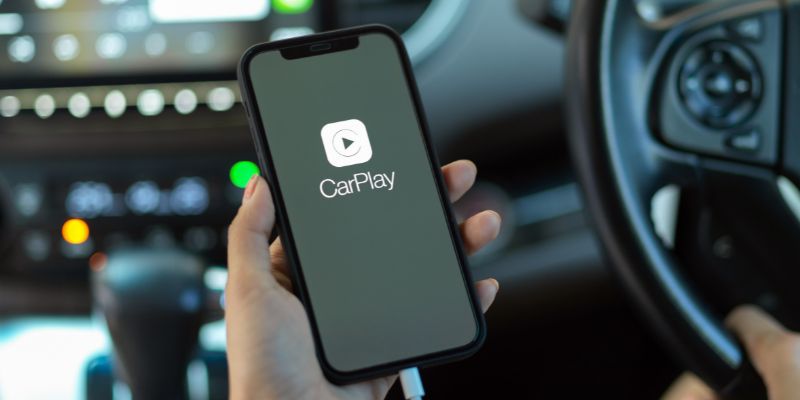
For a phone, I plug it into the car’s USB port with a charging cable. The car’s system usually recognizes the phone, and I can play music from my apps. Some cars even let you control the music from the car’s touchscreen, which feels fancy. If your car supports Apple CarPlay or Android Auto, it’s even better—you get a slick interface to browse your music.
If you’re like me and have a ton of MP3s, a USB flash drive is perfect. I load mine with playlists, plug it into the car, and select “USB” as the audio source. The car reads the files, and I can scroll through songs on the stereo. Pro tip: organize your music into folders on the flash drive. It makes finding songs way easier.
Using CDs for Music
I know, CDs feel like a throwback, but I still have a soft spot for them. If your car has a CD player, this is a no-fuss option. I used to burn mix CDs for road trips, and there’s something nostalgic about popping one in.
To play a CD, just insert it into the car’s CD slot. The stereo should start playing automatically. If you don’t have CDs, you can burn your own using a computer. I use free software like iTunes or Windows Media Player to create custom playlists and burn them onto blank CDs. They’re cheap, and you can fit about 80 minutes of music on one.
If your car doesn’t have a CD player, you can buy a portable CD player and connect it to your car’s AUX port. I did this with an old car, and it worked surprisingly well.
FM Transmitters for Older Cars
Older cars without Bluetooth or AUX ports can still play music with an FM transmitter. I’ve used these in my dad’s old pickup, and they’re a lifesaver. An FM transmitter plugs into your phone’s headphone jack or connects via Bluetooth, then broadcasts your music to an FM radio frequency.
Here’s how I set it up: I plug the transmitter into my phone and tune it to an unused FM frequency (like 88.1 FM). Then, I set my car’s radio to the same frequency. The music plays through the car’s speakers, no wires needed. The sound quality isn’t as crisp as Bluetooth or AUX, but it gets the job done. Look for a transmitter with strong signal strength to avoid static.
Streaming Apps and Services
Streaming apps are my music lifeline. I use Spotify, but Apple Music, Pandora, and YouTube Music are great too. These apps let you stream millions of songs, create playlists, or listen to radio stations. Most work seamlessly with Bluetooth, AUX, or USB connections.
For offline listening, I download playlists to my phone. This is perfect for areas with spotty cell service. If your car has Apple CarPlay or Android Auto, you can access these apps directly on the car’s screen, which makes picking songs safer while driving. Just a heads-up: streaming uses data, so check your phone plan if you’re not on Wi-Fi.
Using a Car’s Built-in Infotainment System
Newer cars often come with infotainment systems that have built-in music apps. My friend’s SUV has Spotify integrated right into the dashboard. You log in with your account, and the car’s screen lets you browse playlists or albums. It’s super convenient, especially with voice controls.
If your car has this, check the manual to see which apps are supported. You might need to connect your phone or set up an account. Some systems even let you store music on an internal hard drive. I’ve seen this in luxury cars, and it’s like having a jukebox on wheels.
Playing Music from a Smart Speaker
This one’s a bit unconventional, but I’ve tried it! If you have a portable smart speaker, like an Amazon Echo or Google Home Mini, you can bring it into your car. I connect it to my phone via Bluetooth and place it on the passenger seat. The speaker plays music, and the sound is decent for small cars.
This works best for short trips or if your car’s speakers are shot. Just make sure the speaker is charged, and be careful about distractions while driving.
Comparing Music Playback Methods
Here’s a quick table to help you choose the best method for your car:
| Method | Pros | Cons | Best For |
|---|---|---|---|
| Bluetooth | Wireless, easy, good sound quality | Needs pairing, not in older cars | Modern cars, tech-savvy drivers |
| AUX Cable | Reliable, great sound, no setup | Wired, needs headphone jack | Budget-friendly setups |
| USB | Versatile, charges phone, offline option | May need formatting for flash drives | Long drives, MP3 collectors |
| CD | Nostalgic, no phone needed | Limited storage, outdated | Older cars, physical media fans |
| FM Transmitter | Works in any car with a radio | Lower sound quality, static possible | Vintage cars, no AUX/Bluetooth |
| Streaming Apps | Endless music, customizable playlists | Uses data, needs internet | App users, modern systems |
| Infotainment System | Seamless, built-in controls | Only in newer cars, setup required | High-tech cars, convenience |
| Smart Speaker | Portable, no car system needed | Bulky, battery-dependent | Temporary or low-budget setups |
Tips for Better Car Audio Experience
Over the years, I’ve picked up some tricks to make car music sound better. First, check your car’s equalizer settings. I tweak the bass and treble to match the music I listen to—more bass for hip-hop, less for classical. If your car’s speakers are old, consider upgrading them. I swapped out my car’s stock speakers for $100, and the difference was night and day.
Keep your phone’s volume at about 75% when using Bluetooth or AUX to avoid distortion. Clean your car’s speakers regularly—dust can muffle the sound. And if you’re using a streaming app, go for the highest audio quality setting if your data plan allows.
Safety is huge, too. I never mess with my phone while driving. If I need to change a song, I use the car’s controls or voice commands. Apple CarPlay and Android Auto are great for hands-free operation.
Troubleshooting Common Issues
I’ve run into my fair share of hiccups. If Bluetooth won’t connect, try restarting your phone or unpairing and re-pairing the device. For AUX, check that the cable is plugged in fully—sometimes it’s loose. If your USB drive isn’t working, make sure it’s formatted to FAT32, as some cars don’t read other formats.
If you hear static with an FM transmitter, try a different frequency. And if your music sounds flat, double-check your car’s audio settings or your app’s equalizer.
Upgrading Your Car’s Audio System
If none of these methods give you the sound you want, it might be time for an upgrade. I added an aftermarket stereo to my old car for about $200, and it brought Bluetooth, USB, and better sound quality. If you’re on a budget, new speakers or a small amplifier can make a big difference. For serious audiophiles, a subwoofer adds that deep bass punch.
Installation can be tricky, so I recommend a professional unless you’re handy with car wiring. It’s an investment, but a good audio system makes every drive more enjoyable.
My Personal Favorites
After trying all these methods, Bluetooth is my top pick for convenience and quality. I love the freedom of going wireless, and it’s easy to switch between my phone and my partner’s. For older cars, an AUX cable or FM transmitter is a solid backup. I keep a USB drive with my favorite playlists in my glovebox for long trips—it’s like my musical security blanket.
Conclusion
Playing music in your car doesn’t have to be complicated. Whether you’re streaming Spotify over Bluetooth, popping in a CD, or using an FM transmitter in your classic ride, there’s a method that fits your car and your style. I’ve spent years figuring out what works best, and I hope this guide helps you find your perfect setup. Music transforms a drive into an experience, so take the time to get it right. Pick a method, crank up your favorite song, and hit the road with a smile. Happy driving, and keep the tunes flowing!
FAQs
How do I play music in a car without Bluetooth or AUX?
You can use an FM transmitter or a cassette adapter if your car has a tape deck. Plug the device into your phone, tune your car’s radio to the right frequency, and play your music. CDs or portable speakers are other options.
Can I play music from a USB drive in any car?
Most cars with a USB port can read music from a flash drive, but it needs to be formatted to FAT32. Check your car’s manual to confirm. Some cars only play MP3 or WMA files, so stick to those formats.
Why does my Bluetooth music sound choppy?
Choppy sound usually comes from a weak Bluetooth signal. Move your phone closer to the car’s stereo, avoid interference from other devices, or restart the connection. Updating your car’s firmware can help, too.
Is it safe to use my phone for music while driving?
It’s safe if you set up your music before driving or use hands-free controls like Apple CarPlay, Android Auto, or voice commands. Avoid touching your phone while driving to stay focused on the road.
How can I improve my car’s music sound quality?
Adjust your car’s equalizer settings for better bass or treble. Upgrade your speakers or add an amplifier for richer sound. Use high-quality audio files or streaming settings, and keep your speakers clean.