How to Switch On the Lights in a Car: Headlights, Fog, Dome
To switch on the lights in a car, use the exterior light control for headlights and the dome light buttons or switch for the cabin. The 2019 Chevrolet Malibu manual, for example, describes off, AUTO, parking lamp and headlamp settings, and other makes differ in the control, symbols and behavior. This guide uses named owner’s manuals to show where the controls are, what each setting does, and when the law says your lights must be on.
Lights are a safety item, so the details below come from the 2019 Chevrolet Malibu, 2024 and 2022 Honda Civic Sedan and 2022 Mazda MX-5 manuals and from Florida Statute 316.217. Your own owner’s manual always takes priority.
How to Locate the Light Controls in Your Car
Manuals describe the exterior light control in different ways. The 2019 Chevrolet Malibu owner’s manual says the exterior lamp control is on the instrument panel to the left of the steering column, with the high-beam control on the turn signal lever. The 2024 Honda Civic Sedan owner’s manual describes a light switch that you rotate and a lever that you push or pull for the beams.
Best Headlight Lens Restoration Pick
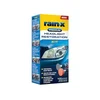 |
Rain-X 610153 Headlight Restoration Kit with Sanding and Polishing Drill Attachments and Sealant Wipe, $17.73 A lens restoration kit for headlights that look cloudy or scratched once you have switched them on.
|
As an Amazon Associate we earn from qualifying purchases. Spec-based pick from the listing, not a hands-on test.
The kit above is a related product, not a light control. Its listing says it is meant to improve night driving with clearer headlights.
| Vehicle and manual | Exterior light control | Beam and interior controls |
|---|---|---|
| 2019 Chevrolet Malibu | Exterior lamp control on the instrument panel, left of the steering column; positions are off, AUTO, parking lamps and headlamps | High beams on the turn signal lever; dome lamp controls in the overhead console; instrument panel illumination knob beside the steering column |
| 2024 Honda Civic Sedan | Light switch you rotate; positions include AUTO | High beams with the lever pushed forward until it clicks; fog light switch on models that have fog lights |
| 2022 Mazda MX-5 | Headlight switch; models with auto-light control (except Canada) have an AUTO position next to OFF | A lights-on indicator light in the instrument cluster turns on when the lights are on |
Types of Car Lights and Their Functions
Manuals separate the lights into groups, and the group decides which switch you use.
- Headlights: low beams and high beams. The Malibu manual says to push the turn signal lever away from you and release it to turn the high beams on, and a high-beam indicator light comes on in the instrument cluster.
- Parking lamps: the Malibu manual says its parking lamp setting turns on the parking lamps, including all lamps except the headlamps.
- Daytime running lights (DRL): the Malibu manual says DRL can make it easier for others to see the front of your vehicle during the day. See also what running lights on a car are.
- Fog lights: the Civic manual lists fog lights as not available on all models.
- Interior lights: dome lamps, courtesy lamps and reading lamps in the Malibu manual; map lights and interior lights in the Honda manuals. For lamp types, see what a map light is.
One detail worth knowing: the Malibu manual says that when the DRL are on, the taillamps, sidemarker lamps, instrument panel lights and other lamps will not be on. In other words, daytime running lights are not the same as switching on your headlights.
Step-by-Step Guide to Switching On Your Car’s Headlights
- Find the exterior light control described in your manual (see the table above).
- Pick a position. Rotating the Civic’s light switch turns the lights on and off regardless of the power mode setting. The Mazda MX-5 manual says turning the headlight switch turns the headlights and other exterior lights on or off, and a lights-on indicator in the cluster turns on.
- For high beams, follow your manual: the Civic manual says push the lever forward until you hear a click, and pull it back to return to low beams. In the Malibu, push the turn signal lever away and release, then push it again or pull it toward you to return to low beams.
- Check the indicator light in the instrument cluster, which shows the lights or the high beams are on.
| Setting | What the manual says |
|---|---|
| Off (Malibu) | Turns the exterior lamps off and deactivates the AUTO mode; turn to off again to reactivate AUTO. In Canada, the headlamps automatically reactivate when the vehicle is shifted out of P. |
| Parking lamps (Malibu) | Turns on the parking lamps, including all lamps except the headlamps. |
| Headlamps (Malibu) | Turns on the headlamps together with the parking lamps and instrument panel lights. |
| AUTO (Malibu) | Turns the exterior lamps on and off automatically depending on outside lighting. |
| Lights off mode (Civic) | Turning the lever to OFF while the shift lever is in P and the parking brake is applied turns the lights off; they come on again automatically when the transmission leaves P and the parking brake is released, or the vehicle starts to move. |
What the AUTO Position Does and Does Not Do
AUTO depends on a light sensor. The Malibu manual says there is a sensor on top of the instrument panel and not to cover it, otherwise the headlamps will come on when they are not needed. The MX-5 manual says not to shade its light sensor with a sticker or label on the windshield.
Sensors can misjudge. The Malibu manual says the system may also turn on the headlamps in a parking garage or tunnel, and the MX-5 manual says lights may not turn off right away after leaving a long tunnel or indoor lot because the sensor treats several minutes of darkness as night. The Civic manual goes further: it recommends turning the lights on manually when driving at night, in dense fog or in dark areas such as long tunnels or parking facilities.
Both the Malibu and Civic manuals also describe a lights-on-with-wipers feature: with the control in AUTO, using the wipers brings the headlights on (the Malibu manual specifies daylight), and they go off a few minutes after the wipers stop (Civic) or when the wipers are not operating (Malibu).
When the Law Says Your Lights Must Be On
Rules are set by each state. As one example, Florida Statute 316.217 (2025 edition) says vehicles on a Florida highway must display lighted lamps at any time from sunset to sunrise including the twilight hours, and during any rain, smoke or fog. It describes a violation as a noncriminal traffic infraction, punishable as a moving violation.
Other states word this differently, so look up your own state’s statute or driver handbook. This is general information, not legal advice.
How to Turn On Interior Lights
Interior lights are controlled separately from the headlight switch. Two manuals show the two common styles.
Dome Lights With an Override Button (2019 Chevrolet Malibu)
The Malibu manual says the dome lamp controls are in the overhead console. One button turns the dome lamps on manually. A second OFF button turns off the dome lamps when a door is open, and an indicator on the button shows the override is on; pressing it again cancels the override. The dome lamps come on when doors are opened, and the courtesy lamps come on when any door is opened unless the override is active.
Three-Position Interior Light Switch (2022 Honda Civic Sedan)
| Position | What it does |
|---|---|
| ON | The interior lights come on regardless of whether the doors are open or closed. |
| Door activated | Lights come on when any door opens, when you unlock the driver’s door, or when the power mode is set to VEHICLE OFF; they fade out about 30 seconds after the doors are closed. |
| OFF | The interior lights remain off regardless of whether the doors are open or closed. |
The Civic manual adds that in door activated mode the lights go off immediately when you lock the driver’s door, close the driver’s door in ACCESSORY mode, or set the power mode to ON, and that they go off after about 15 minutes if a door is left open in VEHICLE OFF mode. Map lights are turned on and off by pressing their switches.
The Honda manuals say not to leave the interior light on for an extended length of time when the engine is off. More on interior lights: how to turn on your car interior lights and dome lights for cars.
Using Fog Lights for Extra Visibility
Fog lights are a separate switch on cars that have them. The Civic manual says that when the low beam headlights are on, you turn the fog light switch on to use the fog lights. Not every trim has them, so check your manual before looking for the switch. If you are shopping, see the best car fog lights, and for the driving side, how to turn on car lights in fog.
Automatic high-beam systems are also affected by weather. The Civic manual says its auto high-beam keeps the low beam on when the camera has detected dense fog, and that the system may not switch the headlights properly when visibility is poor due to rain, snow or fog. The Malibu manual says its IntelliBeam high beams may not turn off automatically when another vehicle’s lamps cannot be detected because of fog, snow, road spray or mist, and that the system may need to be disabled in those conditions.
Troubleshooting Common Lighting Issues
The Lights Stay On or Turn Off by Themselves
This is often a timer feature. The MX-5 manual says that if the light switch is left on, the lights switch off about 30 seconds after the ignition is turned off. The Civic manual says the lights turn off 15 seconds after you set the power mode to VEHICLE OFF, take the keyless remote with you and close the driver’s door; with the switch on and no door opened they turn off after 10 minutes (3 minutes in AUTO). The Malibu manual says the exterior lamps turn off about 10 minutes after the ignition is turned off if left on manually.
Auto High Beam Does Not Switch
The Civic manual says to keep the windshield around the camera clean and not to attach stickers or film near it. If a message about a dirty windshield stays on after driving, it says to have the vehicle checked by a dealer.
A Lamp Does Not Come On at All
Bulb and fuse replacement are outside this guide; use your manual’s bulb and fuse sections or a repair shop. For headlight aim, the Civic manual says that if you sense the level of the headlights is abnormal, have the vehicle inspected by a dealer. Related guides: how to change a light bulb in a car and headlight restoration vs replacement.
Frequently Asked Questions (FAQ)
How do I turn on my headlights?
Use the exterior light control named in your owner’s manual. In the 2019 Chevrolet Malibu manual, one position turns the headlamps on together with the parking lamps and instrument panel lights, and AUTO turns the exterior lamps on and off automatically. The 2024 Honda Civic manual says rotating the light switch turns the lights on and off regardless of the power mode.
What does the AUTO position on the headlight switch do?
It lets the car switch the lights on and off based on outside light. The Malibu manual says the headlamps come on automatically when the control is in AUTO and it is dark enough, and the Civic manual recommends turning the lights on manually in dense fog and dark areas.
How do I turn on the dome light in a car?
In the 2019 Chevrolet Malibu, the dome lamp controls are in the overhead console: one button turns the dome lamps on manually, and another turns them off when a door is open. The 2022 Honda Civic Sedan has a three-position interior light switch: ON, door activated and OFF.
Do I have to use headlights in the rain?
Florida Statute 316.217 requires lighted lamps during any rain, smoke or fog, as well as from sunset to sunrise. Other states have their own rules, so check your state’s law or driver handbook.
How do I turn on fog lights?
The 2024 Honda Civic Sedan manual says that when the low beam headlights are on, you turn the fog light switch on to use the fog lights, and notes that fog lights are not available on all models.
What This Guide Does Not Cover
- Bulb, fuse and wiring repair for a specific vehicle; use your owner’s manual or ask a repair shop.
- Lighting laws for states other than the Florida statute quoted above; check your state’s statute or driver handbook.
- Control layouts for makes and models not named above.
Conclusion: Know Your Switch Before You Need It
Switching on a car’s lights comes down to finding the exterior light control, choosing the right setting, and knowing what AUTO and daytime running lights will and will not do. Read the lighting section of your owner’s manual to confirm the control and settings for your car. In Florida, the statute requires lighted lamps from sunset to sunrise and during any rain, smoke or fog.
Products related to this article
Sponsored / affiliate links. As an Amazon Associate I earn from qualifying purchases. I may earn additional commission from eligible campaigns.