What Is The Green Indicator On A Car Battery: Essential Guide
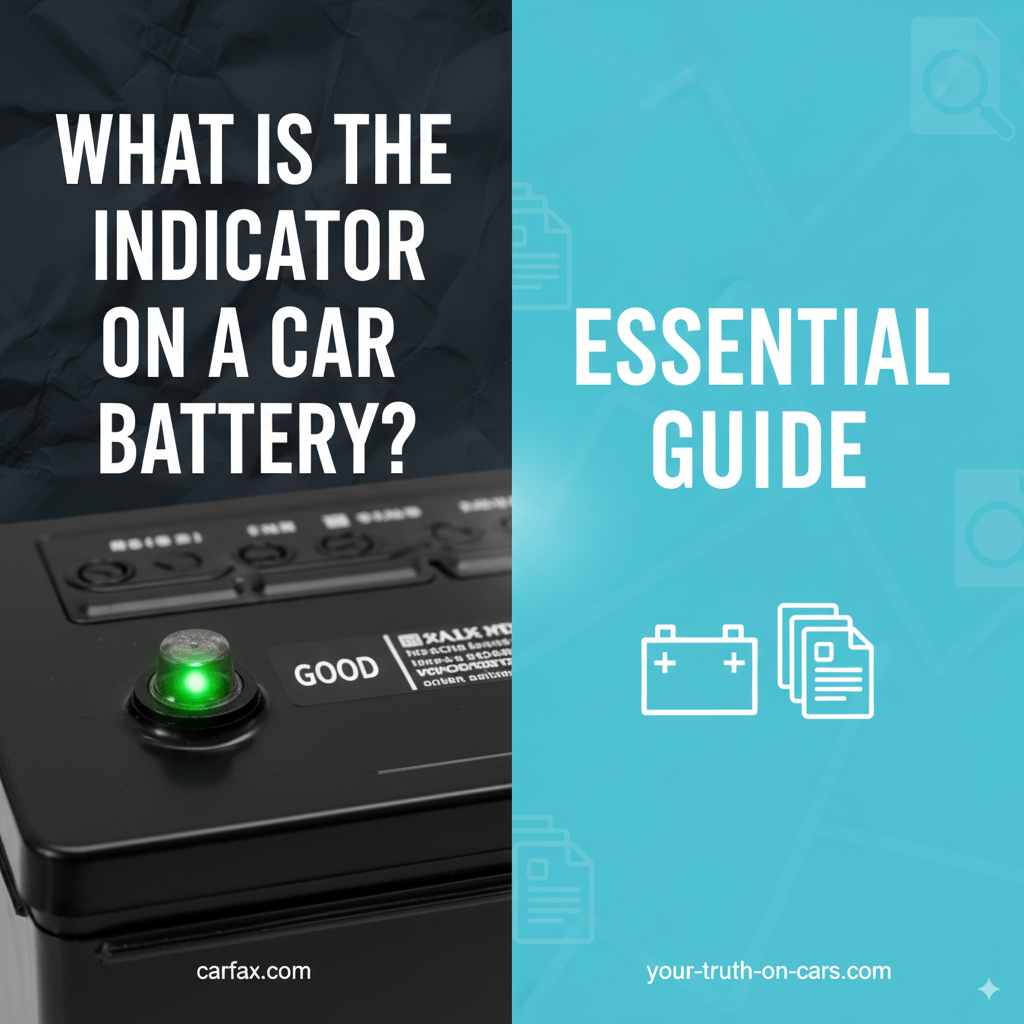
The green indicator on a car battery, often called a “magic eye” or “state-of-charge indicator,” shows the battery’s charge level. Green usually means the battery is sufficiently charged and healthy. However, its color can vary, and other colors might indicate different conditions, so understanding what each color signifies is crucial for knowing your battery’s health.
Ever popped the hood and seen that little colored circle on your car battery? If it’s usually green, you might wonder, “What exactly does that mean for my car?” It’s a common little mystery for many drivers, leaving us a bit unsure if our battery is ready to go or might leave us stranded. Don’t worry, figuring out what that green light signifies is simpler than you might think, and it’s a handy way to keep an eye on your car’s power source. We’ll break down what the green indicator is, what it tells you, and what to do if it’s not looking so green. Let’s bring some clarity to your car’s battery!
Understanding the Car Battery Indicator (“Magic Eye”)
Many modern car batteries come equipped with a built-in indicator, often referred to as a “magic eye” or “state-of-charge indicator.” This small, usually circular window is designed to give you a quick, visual clue about the battery’s condition. It’s not a complete diagnostic tool – it doesn’t tell you if the battery is failing internally or has a short circuit, for example – but it’s a brilliant first step in assessing its state of charge and, to some extent, its overall health.
The concept is straightforward: a specific level of electrolyte within the battery influences the indicator’s color. This electrolyte is a solution of sulfuric acid and water that takes part in the chemical reactions that generate electricity. When the battery is charged and the electrolyte is at the correct level and density, the indicator displays a specific color.
How the Magic Eye Works
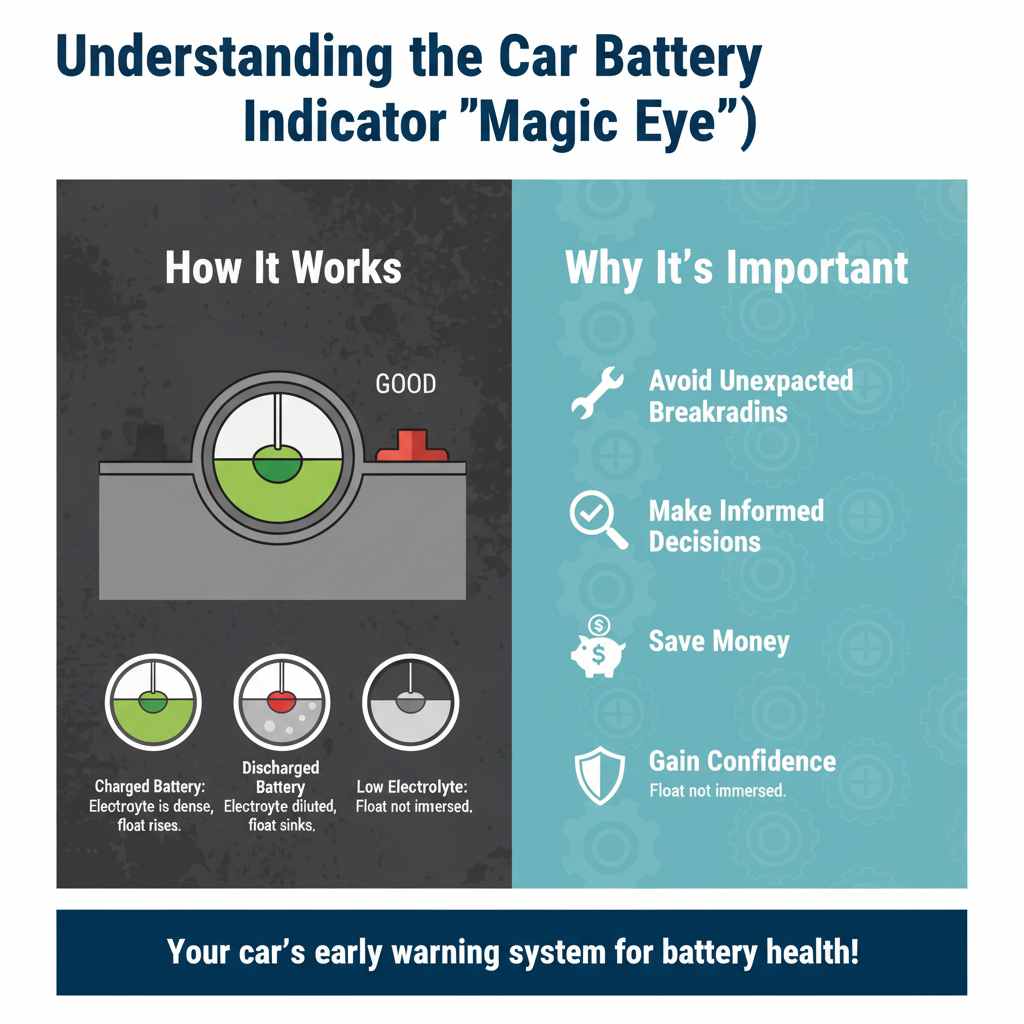
Inside the small window of the battery indicator, there’s a small, colored float or lens. This float is suspended in the electrolyte. Its position and color change depending on the density of the electrolyte, which in turn is related to the battery’s charge level and the water content in the electrolyte. Think of it like a tiny hydrometer built right into the battery.
Here’s a simplified breakdown:
- Charged Battery: When the battery is well-charged, the sulfuric acid is more concentrated in the electrolyte. This higher density causes the float to rise or be positioned in a way that reflects a specific color through the lens.
- Discharged Battery: As the battery discharges, water is produced (in a chemical reaction). This dilutes the electrolyte, making it less dense. The float might sink or move to a position where a different color is visible.
- Low Electrolyte Level: In some batteries, if the electrolyte level drops too low, the indicator might show a different color or no color at all, as the float is no longer fully immersed. This is a critical sign that the battery needs attention, potentially requiring distilled water to be added (in serviceable batteries).
Why is it Important for Car Owners?
Knowing what the indicator means can save you time, money, and a lot of hassle. A quick glance at the battery can tell you if it’s likely to start your car on a cold morning or if it might be on its last legs. This early warning system can help you:
- Avoid Unexpected Breakdowns: You won’t be caught off guard by a dead battery.
- Make Informed Decisions: You can decide if a battery service is needed or if it’s time for a replacement before it fails completely.
- Save Money: By identifying potential issues early, you might be able to address them with simple fixes (like charging the battery) rather than an expensive emergency tow and replacement.
- Gain Confidence: Understanding basic car maintenance makes you a more informed and confident driver.
Decoding the Indicator Colors
While the most common indicator is green representing a good charge, the exact meaning of the colors can vary slightly between battery manufacturers. It’s always a good idea to check the label or manual that comes with your specific battery for the most accurate interpretation. However, here’s a general guide to the colors you’ll most likely see:
The Green Indicator: What It Means
This is the color you want to see! When the “magic eye” is green, it typically signifies that the battery is sufficiently charged and the electrolyte level is adequate for that cell. This means the battery is likely performing as it should and has enough power to start your vehicle and run its electrical systems. It’s a “all good” signal.
- Good Sign: The battery is charged and ready.
- Electrolyte Level: The electrolyte in the indicated cell is at the correct level.
- Ready to Go: You can generally expect your car to start reliably.
Other Indicator Colors and Their Meanings
It’s not just green that signals battery status. Other colors provide important information:
Black or Dark Blue Indicator
When you see black or dark blue in the indicator window, it usually means the battery needs charging. The electrolyte level might be too low in the cell being monitored by the indicator, or the battery’s overall charge is significantly depleted. This doesn’t necessarily mean the battery is bad, but it definitely needs to be recharged soon. If the battery still doesn’t hold a charge after recharging, it might be time to consider a replacement.
White or Yellow Indicator
A white or yellow indicator is often a sign that the electrolyte level is critically low in the cell observed by the indicator. This is a more serious condition than just a discharged battery. If your battery is “serviceable” (meaning you can open the caps to access the cells), you might be able to add distilled water (never tap water or acid) to bring the level back up. However, if your battery is a “maintenance-free” type that doesn’t allow for adding water, a white or yellow indicator often means the battery is permanently damaged and needs replacement.
Important Note: Always refer to your car battery’s manual. Some manufacturers use different color codes, or the indicator might only represent one cell of the battery.
Table: Common Battery Indicator Color Meanings
Here’s a quick reference table for the most common meanings of battery indicator colors. Remember, always check your specific battery’s documentation for absolute certainty.
| Indicator Color | Likely Meaning | Action Recommended |
|---|---|---|
| Green | Battery is charged and electrolyte level is okay. | Normal operation. Keep an eye on it. |
| Black / Dark Blue | Battery needs charging. Electrolyte level might be low. | Charge the battery. If the problem persists, check electrolyte or consider replacement. |
| White / Yellow | Electrolyte level is critically low. | For serviceable batteries, add distilled water to the affected cell. For maintenance-free batteries, replacement is likely needed. |
Factors Affecting the Indicator’s Accuracy
While the magic eye is a useful tool, it’s not always a perfect indicator of battery health. Several factors can influence its reading:
Battery Age and Type
Older batteries may not perform as well, and the indicator might be less reliable. Different battery technologies (like lead-acid, AGM, or Gel) might also have slightly different indicator behaviors. Most indicators are found on standard flooded lead-acid batteries.
Temperature
Extreme temperatures, both hot and cold, can affect battery performance and chemical reactions. A battery’s state of charge might appear different on the indicator in freezing weather compared to a hot summer day, even if its actual capacity is the same.
Charging Habits
Infrequent or short drives can lead to a battery that is never fully recharged, potentially affecting the indicator’s reading over time. Consistent undercharging can lead to sulfation, which degrades battery performance and may affect the indicator.
Battery Maintenance (or Lack Thereof)
For serviceable batteries, neglecting to check and add distilled water can lead to low electrolyte levels. This will impact the indicator, potentially showing a false “low” or “needs charging” state even if the battery has some charge.
Internal Battery Damage
The indicator primarily shows the state of charge and electrolyte level in one specific cell. Internal issues like shorted cells, loose connections within the battery, or plate damage won’t always be reflected by the indicator but will significantly impact the battery’s overall performance.
What to Do If the Indicator Isn’t Green
Seeing a color other than green can be a bit unsettling, but it’s a signal to take action. Here’s a step-by-step approach:
Step 1: Assess the Color and Battery Type
First, identify the color you see (black, dark blue, white, or yellow) and recall the general meanings. Also, determine if you have a serviceable battery (with removable caps over each cell) or a maintenance-free battery.
Step 2: For Black or Dark Blue (Needs Charging or Low Electrolyte)
This is often the easiest to address. Your battery might simply be discharged. There are a few ways to recharge it:
- Drive Your Car: Go for a longer drive (at least 30 minutes, preferably on highways if possible) to allow your car’s alternator ample time to recharge the battery.
- Use a Battery Charger: A dedicated battery charger (available at auto parts stores) can effectively bring your battery back to full charge. Follow the charger’s instructions carefully. You can find great options on sites like BatteryChargers.com which often have helpful buyer’s guides.
- Jump Start: If the battery is completely dead, you might need a jump start from another vehicle. Once started, drive it to allow the alternator to recharge it, and consider using a charger later for a full top-up.
If, after charging, the indicator returns to black/blue, or if the battery continues to die, there might be an issue with the charging system (alternator) or the battery itself is nearing the end of its life.
Step 3: For White or Yellow (Critically Low Electrolyte)
This requires more specific action, especially if you have a serviceable battery:
- Identify the Cell: The indicator is usually linked to one specific cell. Note which cell it is. Sometimes, if other cells are also low, they might appear milky or murky.
- Gather Supplies: You will need a rubber or plastic funnel and a container of distilled water only. Never use tap water, battery acid, or plain water. Tap water contains minerals that can damage the battery.
- Remove Cell Caps: Carefully pry off the caps covering the cells.
- Add Distilled Water: Using the funnel, add distilled water to the low cell(s) until the water level rises to just cover the lead plates or reaches the bottom of the filler neck. Don’t overfill.
- Replace Cell Caps: Securely put the caps back on.
- Charge the Battery: After topping up, it’s a good idea to charge the battery fully. This helps mix the water into the electrolyte properly and ensures optimal performance.
Maintenance-Free Batteries: If you have a sealed, maintenance-free battery and the indicator shows white or yellow, it usually means the battery has suffered permanent damage due to electrolyte loss and will likely need to be replaced. You cannot add water to these batteries.
Safety First: Always wear safety glasses and gloves when working with car batteries, as they contain corrosive sulfuric acid. Ensure good ventilation.
Step 4: Consider the Battery’s Age and Overall Health
Even if you can correct the indicator’s reading, the battery’s age is a significant factor. Most car batteries last between 3 to 5 years. If your battery is older than that, and you’re seeing these issues, it’s probably a sign that it’s time for a replacement, even if you manage to get the indicator back to green temporarily.
You can help determine the battery’s age by looking for a date code sticker on the battery itself. This often consists of a letter (representing the month) and a number (representing the year). For example, ‘C19’ might mean March 2019.
When to Seek Professional Help
While this guide empowers you to understand and handle common battery indicator issues, there are times when professional assistance is best:
- Persistent Problems: If you consistently get non-green indicators despite your efforts or if the battery keeps dying, it’s time for a professional diagnosis.
- Charging System Issues: If you suspect your alternator isn’t charging the battery properly, or if you’re having electrical issues in your car, a mechanic can test your entire charging system.
- Uncertainty: If you’re uncomfortable performing any of the maintenance steps, or if you’re unsure about the diagnosis, it’s always better to let a qualified technician handle it. They have specialized tools to test battery health beyond what the indicator shows.
Professionals can perform conductance testing, which is a more advanced way to assess a battery’s health and capacity. Organizations like the Automotive Aftermarket Suppliers Association (AASA) often provide information on best practices for vehicle maintenance and repair, emphasizing the importance of proper diagnosis.
Battery Maintenance Best Practices
Preventing issues with your battery indicator and ensuring a long battery life involves regular, albeit simple, maintenance:
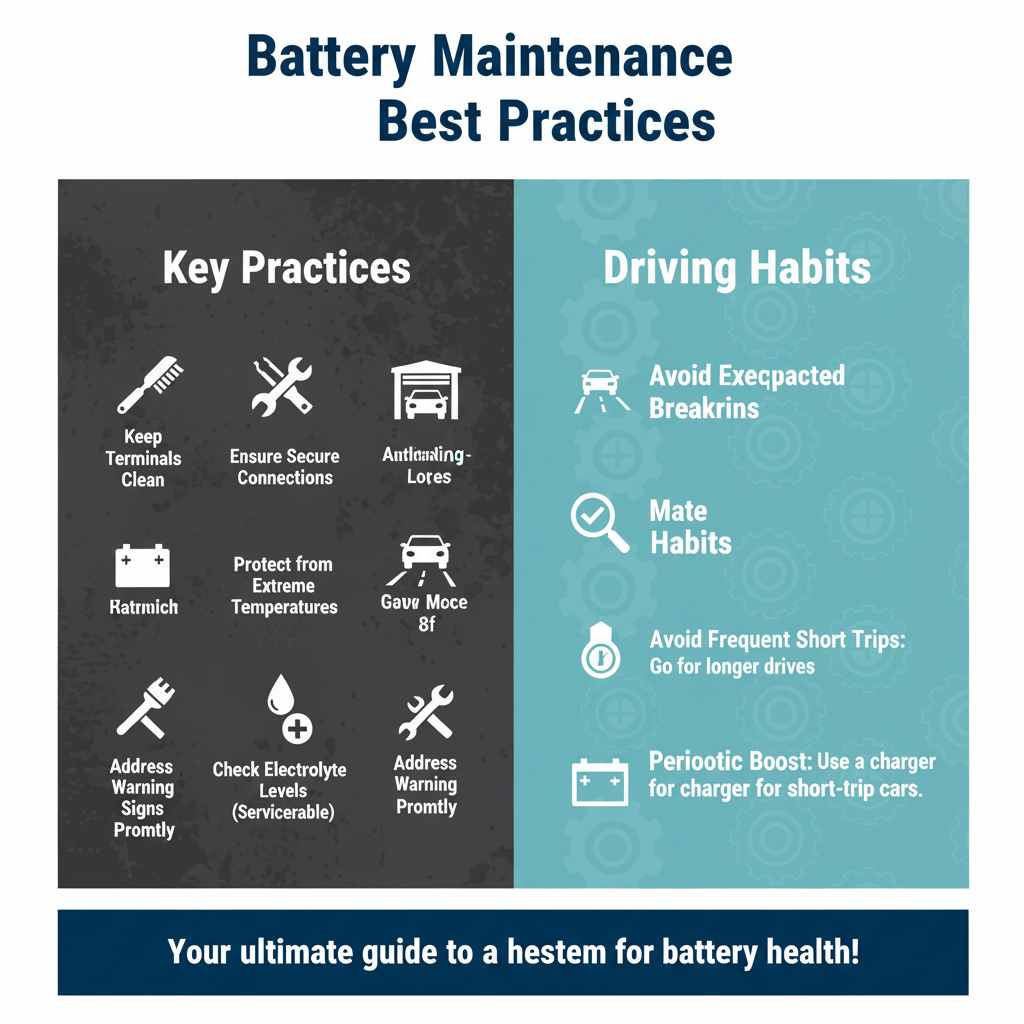
- Keep Terminals Clean: Battery terminals can corrode over time, leading to poor electrical connection. Clean them regularly with a wire brush and a mixture of baking soda and water. Make sure to disconnect the battery before cleaning.
- Ensure Secure Connections: Check that the battery cables are tightly fastened to the terminals. Loose connections can cause starting problems and prevent proper charging.
- Protect from Extreme Temperatures: While you can’t control the weather, try to park your car in a garage or shaded area during extreme heat or cold if possible.
- Regularly Check Electrolyte Levels (Serviceable Batteries): Especially in older vehicles or warmer climates, check the distilled water levels in maintenance-eligible batteries every few months.
- Address Warning Signs Promptly: Don’t ignore slow cranking, dim lights before starting, or strange indicator colors. Addressing these early can save you from future trouble.
- Avoid Frequent Short Trips: If possible, incorporate longer drives into your routine to ensure the battery gets fully charged by the alternator. If most of your driving is short, consider a periodic boost with a battery charger.
FAQ: Your Battery Indicator Questions Answered
Q1: Does the green indicator mean my battery is brand new?
A: Not necessarily. Green means it’s sufficiently charged and the electrolyte level is adequate for that cell. A brand new battery will typically show green, but an older battery that is well-maintained and fully charged can also display green. It’s more about the current state of charge than the battery’s age.
Q2: Can I rely solely on the green indicator to know if my battery is good?
A: The indicator is a good first-level check, but it’s not foolproof. It mainly shows the charge state and electrolyte level of one cell. It doesn’t reveal internal damage like sulfation or weak plates, which can cause a battery to fail even if the indicator appears green. Professional testing is more comprehensive.
Q3: What if my battery indicator has no color or is crystal clear?
A: If the indicator window is clear or shows no distinct color, this usually means the electrolyte level in that specific cell is too low. This is a critical issue, especially for maintenance-free batteries, and often indicates the need for replacement. For serviceable batteries, it means you need to check and potentially add distilled water.
Q4: How often should I check the battery indicator?
A: It’s a quick check, so you can peek at it whenever you open the hood. However, if you’re experiencing any starting issues or have recently had a battery problem, you might want to check it more frequently, perhaps monthly. For routine checks, a couple of times a year is usually sufficient.
Q5: My battery indicator is green, but my car is still slow to start. What’s wrong?
A: This can happen if the battery has enough charge (indicated by green) but has lost its “cranking power” or capacity due to age or internal damage. Another possibility is a problem with your car’s starter motor or a poor connection in the starting circuit. It’s best to have a mechanic test the battery and starter system.