
Why Does My Car Clock Keep Changing Time? (GPS, RDS & Battery Causes)
A car clock that keeps changing time is usually following an automatic source you forgot was on: GPS, the phone, a connected-services account or the radio signal. If it instead goes blank or back to a default after the battery was disturbed, it simply lost power. This guide separates those cases, shows what Chevrolet and GMC, Honda, Ford, Kia and Toyota documents say about each, and gives a symptom table with the safest check and the point where a professional should take over.
Why Does Your Car Clock Keep Changing Time? Start With Who Sets It
Three things can move a car clock. An automatic source can correct the time (the documents we read describe GPS, a paired phone, internet connected services or the audio system). A setting can fight that source, such as time zone or daylight saving. Or power loss can wipe the clock, which looks random but is a reset. Work through them in that order, and change nothing electrical until the settings check is done.
 |
Best Memory Saver for a Battery Swap All-Sun GK504 Automotive Setting Keeper, Vehicle Computer Memory Saver This does not stop a clock that changes by itself. It is for the one cause you can prevent: the clock and presets resetting when the battery is disconnected.
|
As an Amazon Associate we earn from qualifying purchases. Spec-based pick from the listing, not a hands-on test.
The pick above matters only for the power-loss cause. If the clock jumps an hour or wanders between time zones, a memory saver will not help.
GPS-Linked Clock Adjustments
Many modern clocks do not keep their own time at all. They are told what time it is. Kia’s infotainment manual says time is automatically set using GPS, based on the vehicle location, or the network, and lists time zone and daylight saving time as separate settings, each marked as present only if equipped. Honda’s Canadian manual says that on vehicles with navigation the time is automatically set using GPS signals. Ford’s support pages describe a clock set to GPS time on navigation-equipped SYNC 3 cars and an Automatic Time Zone update setting on SYNC 3 and SYNC 4.
That explains much of the odd behavior. The source can be right about the time zone and wrong about daylight saving, because they are separate inputs. A system that follows your position might also jump near a time zone border, but the manuals we read do not describe that case, so it is a plausible reason, not a documented one. Simpler radios may take the time from FM station data (RDS) instead; none of these manuals describes it, so check yours.
What each maker document says about automatic time
| Maker and document | What it says | Setting to look for | Read or dated |
|---|---|---|---|
| Chevrolet and GMC, GM service bulletin 18-NA-347 (2018 Sonic, Trax, GMC Terrain with IOR radio) | Manual changes work only when Auto Update is off; it can stay on, hidden, after OnStar terms are declined | Radio Settings, Time/Date, Auto Update | NHTSA-hosted PDF, versions dated November 2018 to January 2019 |
| Honda, 2026 Pilot and 2024 Accord Hybrid owner’s manuals | The clock is automatically updated through the audio system. To set it by hand, turn Automatic Date and Time off, then use Set Time, with the power mode on | General Settings, System, Date and Time | Honda TechInfo manual pages, read 2026-10-13 |
| Honda, Canadian owner’s manual page | With navigation, time is set using GPS signals; without it, set it by hand if Automatic Date and Time is off | Settings, System, Date and Time | Honda Canada manual page, publication folder dated 2018-09-26 |
| Ford, SYNC support how-to pages | SYNC 3 can set GPS time and has Automatic Time Zone update on navigation cars; SYNC 4 has an update slider. First-generation SYNC with navigation does not implement daylight saving time | Settings, Clock (SYNC 3), Clock Settings (SYNC 4) | Ford Canada support page, undated, read 2026-10-13 |
| Kia, infotainment owner’s manual (ccNC Lite system) | Auto time setting uses GPS or the network. Disable it before changing the time by hand. Time zone and daylight saving time are separate, if equipped | Settings, General, Date/Time | Kia online manual, global English edition, read 2026-10-13 |
| Toyota, Toyota UK article on clock adjustment | Touch systems sync with a phone, Smart Connect models use internet connected services, a few models use GPS. Owners can override the automatic function in Date and Time settings | Settings, General, Date and Time | Toyota UK article dated 8 December 2022, a later 2026 date also shown, UK models only |
Menu names change between model years, and the Toyota row describes UK-market cars, so confirm in your own owner’s manual. The fuse, the menu path and the exact behavior are model-specific.
Manual vs. Automatic Time Settings
Three makers state one rule in different words: you cannot reliably set the clock by hand while the automatic option is on. Honda says to switch Automatic Date and Time off first, Kia says to disable Auto time setting, and GM’s bulletin says manual adjustment only occurs when Auto Update is disabled. If your hand-set time snaps back, the automatic source is overwriting you.
GM’s bulletin adds a detail most pages miss. On the affected 2018 Sonic, Trax and Terrain with the IOR radio, the automatic clock was tied to the OnStar account. If the owner declined the terms, the Auto Update line vanished while the feature stayed on, so Set Time did nothing. GM’s fix was to wake the radio, pull the radio fuse for five minutes, reinstall it, then immediately disable Auto Update and set the clock. It applies only to that radio and that OnStar condition; the full text is on NHTSA’s bulletin file. Do not copy a fuse step onto another model.
Daylight Saving Time and Time Zone Settings
If the clock is exactly one hour off after a time change, treat that as a daylight saving problem, not a fault. Ford’s page for first-generation SYNC with navigation says plainly that the system does not implement daylight saving time and must be adjusted by hand. Kia lists daylight saving time as its own setting where fitted. Toyota UK’s article shows the change dates for the UK, which are the last Sundays of March and October, and notes that owners can override the automatic function.
- One hour off after a clock change: check the daylight saving toggle first, then the time zone.
- Off by a whole number of hours at any time of year: the time zone is wrong or location is being misread.
Electrical Interferences: A Culprit
Power loss is the cause with the most solid documentation. A Honda owner’s manual excerpt hosted on Honda’s TechInfo site says that if the vehicle’s battery is disconnected or goes dead, you will need to set the clock. Another says the audio system disables itself if disconnected from power and then needs a five-digit code. Neither excerpt names the model, and both are older files.
No maker document we read says a weak battery makes a clock drift or jump, so that stays a hypothesis. The practical rule: a blank or defaulted clock points to power loss; a running clock with the wrong time points to settings.
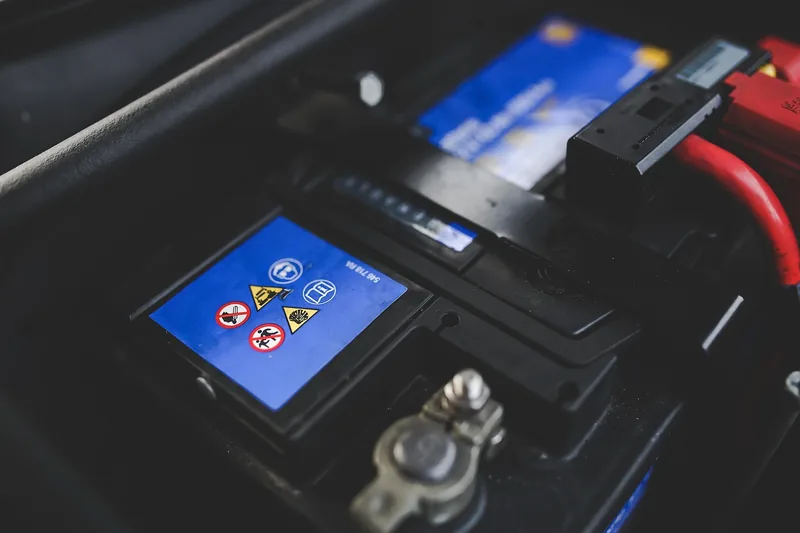
A blown radio or clock fuse can kill the display or memory. Fuse location and rating are model-specific, so use the manual’s fuse chart and never fit a higher rating. A fuse that blows again means a fault: stop and see a technician.
For the battery side of the story, our guide to checking car battery health covers testing, and charging a car battery safely covers the charging side, including jump-start cautions. For Honda owners, what to restore after a Honda battery change lists the steps. If the radio is also locked, see why the radio does not work after a battery change.
Aftermarket Accessories And Time Discrepancies
An aftermarket stereo can keep its own clock that does not follow the car. The manuals read here cover factory systems only, so check the stereo’s own manual for a clock sync or RDS clock option before blaming the car.
Two clocks that disagree are also a clue. Toyota UK says its automatic adjustment covers both the multimedia clock and the clock in the instrument cluster display on the models it lists. On such a car, an instrument cluster time that differs from the screen suggests one of them is not receiving the sync. That is our inference from the article, not a stated Toyota fault description.
Environmental Factors Influencing Time Display
None of the manuals we read says heat or cold changes the time shown. Cold does stress a weak battery, which points back to power loss. If a clock acts up only on the coldest mornings, test the battery first.
Solving the Mystery: Step-by-Step Fixes
- Check the automatic setting: find Auto time, Automatic Date and Time or Auto Update in the clock menu and note whether it is on.
- Check time zone and daylight saving: set both for where you are, then watch the clock after the next start.
- Test the manual route: turn the automatic option off, set the time by hand and see whether it holds for a few days.
- Look at power: if the clock goes blank or defaults at start-up, have the battery tested and the connections inspected.
- Call a professional: take the car in if a fuse blows repeatedly, warning lights appear, the car struggles to start, or you see swollen or leaking battery parts.
Stop and see a professional before doing anything that involves the battery terminals, opening the dash or removing the head unit. Battery work follows your owner’s manual because batteries can vent explosive gas and cause burns. Many dashes also contain airbag (SRS) components and wiring, so do not pry at trim or unplug harnesses behind the radio unless the manual shows how.
Symptom, likely cause, safe check and when to call a pro
| Symptom | Likely cause | Safe check | Pro or dealer |
|---|---|---|---|
| Clock exactly one hour off after a time change | Daylight saving toggle off or not supported | Toggle daylight saving, or set the hour by hand | Not needed |
| Clock shows another time zone | Time zone set wrong or location misread | Set time zone, then switch automatic time off and on | If it repeats, ask a dealer about a software update |
| Hand-set time snaps back | Automatic time source overwriting it | Turn the automatic option off, then set the time | If the Set Time button does nothing, see GM-style bulletins |
| Set Time button does nothing | Auto Update on but hidden (documented on some GM radios) | Check the manual for your radio | Dealer: the GM fix involves a radio fuse and a menu step |
| Clock blank or default at start-up | Power loss to the head unit or battery trouble | Look for a loose terminal only if the manual permits, check the fuse chart | Battery test, repeated fuse failure or no start |
| Cluster and screen show different times | Two clocks, one not syncing | Compare, then set both per the manual | If one cannot be set, a dealer |
| Clock resets only after battery work | Power was disconnected | Reset it, restore presets, check the radio code | Dealer if the radio stays locked |
Which Cars Are Most Prone to Clock Time Changes?
No document we read ranks makes by failure rate, and beyond the GM bulletin above we found no recall or bulletin for a clock that changes time on its own. The pattern is this: cars that set the clock automatically can show a wrong time when the source is wrong, while hand-set clocks fail by losing power. For a Tahoe, Silverado, Equinox, Corolla Cross or any other model, use the manual for your exact year.
Frequently Asked Questions
Why Does My Clock Keep Resetting In My Car?
Usually because it lost power or the automatic time source keeps overwriting your setting. Honda’s manual excerpts say the clock must be set again if the battery is disconnected or goes dead. If the clock holds power but reverts, turn off the automatic time setting and set it by hand.
Why Is The Clock In My Car Losing Time?
A clock that loses minutes is rarely a daylight saving or time zone issue. Check whether you have two clocks, such as the cluster and the screen, and whether an aftermarket stereo keeps its own time. We found no maker document describing slow drift, so a persistent loss is worth a dealer check.
Why Does My Digital Clock Keep Changing Time?
A digital clock that changes by itself is almost always being corrected by GPS, a phone, a connected account or the radio. Kia, Honda, Ford and Toyota documents all describe an automatic option. Switch it off, set the time, and see whether the change stops.
Why Did My Car Clock Reset to 12:00 After a Battery Change?
The clock lost power when the battery was disconnected. Honda’s manual excerpt says you need to set the clock afterward, and some radios also ask for an anti-theft code. A memory saver can keep settings during a swap if your car’s manual and socket allow it.
Can a Bad Alternator Cause the Clock to Change Time?
We found no maker document that links an alternator fault to a changing clock. A failing charging system can leave the battery low, which can cause resets and other electrical symptoms. If you also see a battery warning light or dimming lights, have the charging system tested.
Why does my car clock change an hour when the clocks change?
Because the daylight saving setting or the automatic source is handling the change. Some systems do not apply daylight saving at all: Ford’s page for first-generation SYNC with navigation says it must be adjusted by hand. Check the daylight saving toggle first.
Conclusion
Start with the settings, not the battery: find the automatic time option, the time zone and the daylight saving toggle, and turn automatic off if your hand-set time will not hold. Treat a blank or defaulted clock as power loss, and leave battery and dash work to the owner’s manual or a professional.
Products related to this article
Sponsored / affiliate links. As an Amazon Associate I earn from qualifying purchases. I may earn additional commission from eligible campaigns.