3 Best Car Headrest Dvd Players in 2026
The 3 best car headrest DVD players in 2026 fit your headrest posts, power source, and audio routing. For most families, a wired dual-screen kit is the safest pick. Choose wrong, and you can end up with loose mounts, cable clutter, dead batteries, or sound that only works through the car speakers. This guide ranks three options by fit, audio setup, and install risk, so you can choose the right rear-seat setup for road trips.
Quick picks and top pick


Top pick for most families: Pyle PLHRDVD108KT. It gives two 10.5-inch monitors, IR and FM audio options, and wireless headphones, which makes it the easiest fit for two kids who want a simple shared setup without depending on one screen.
Best portable setup: FANGOR 10.5-inch dual car DVD player. It adds a rechargeable battery for car portability and supports USB and SD playback, so it works well when you want a removable unit with less permanent install work.
Best fixed-install choice: Audiovox AVX10USB. It is a universal-fit 10.1-inch headrest monitor with 1024×600 resolution, DVD playback, and USB support, which makes it the cleanest option for drivers who want a built-in look without a factory replacement headrest.
| Model | Best for | Key spec | Fit risk | Why it ranks here |
|---|---|---|---|---|
| Pyle PLHRDVD108KT | Two kids sharing one setup | Two 10.5-inch monitors; IR/FM transmitters; wireless headphones | Medium | Strong all-around family choice when you want dual-screen playback and flexible audio routing. |
| FANGOR 10.5-inch dual car DVD player | Portable use and easier removal | 5-hour rechargeable battery; USB and SD support up to 32GB in FAT32 | Low to medium | Best for buyers who need a carryable unit and do not want a permanent wiring job. |
| Audiovox AVX10USB | Fixed-look installation | 10.1-inch universal-fit monitor; 1024×600; DVD and USB playback | Medium to high | Best when you want a cleaner, more built-in appearance and can tolerate more install planning. |
Portable headrest DVD player reviews
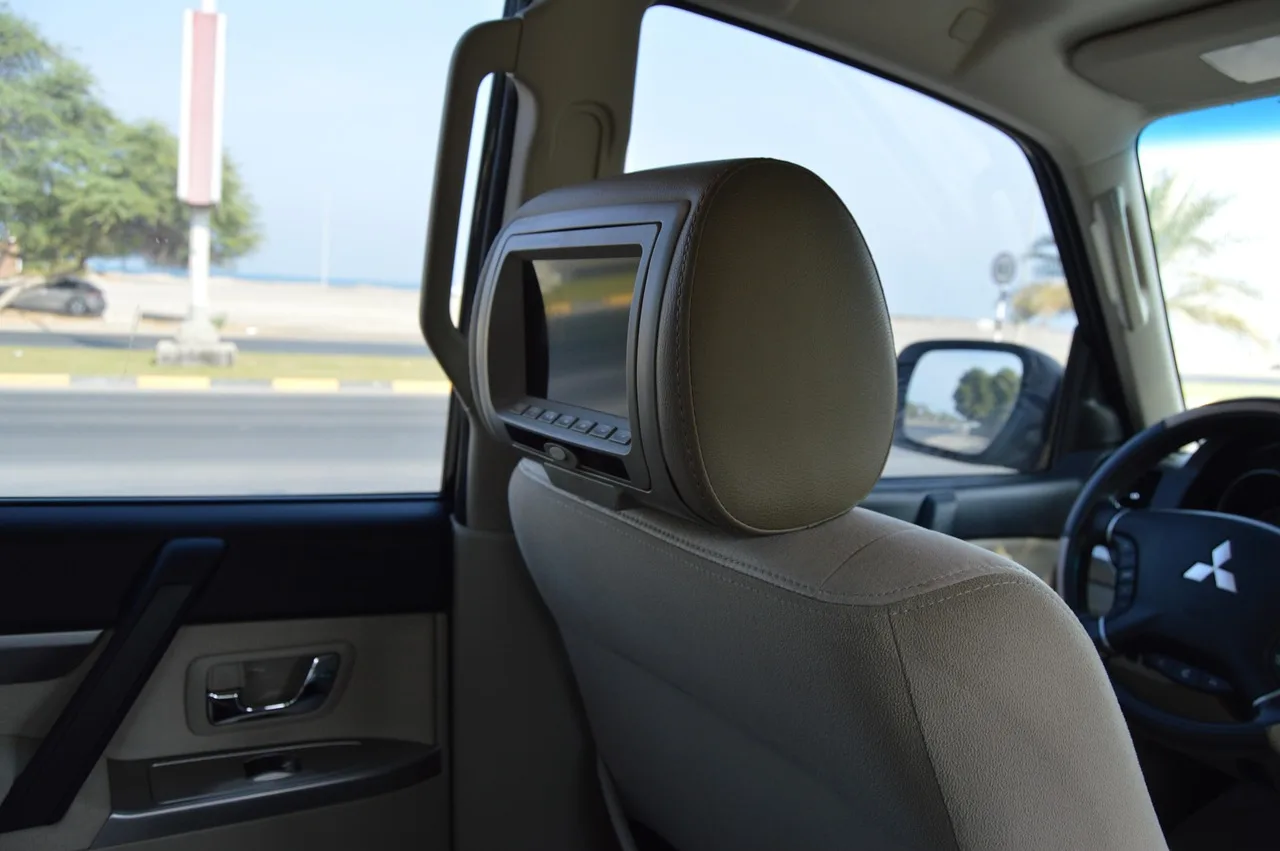
Portable headrest DVD players work best if you want universal fit, strap-on mounting, built-in DVD playback, and easy car portability. They are the least committed option, which helps if you swap vehicles or do not want a replacement headrest or hard wiring. The tradeoff is more visible hardware and more cable management.
FANGOR 10.5-inch dual car DVD player
FANGOR is the strongest portable pick because it combines dual-screen flexibility with a rechargeable lithium battery and support for USB and SD cards up to 32GB in FAT32 format. That makes it useful when you want rear-seat entertainment without relying on the vehicle for every minute of power.
It also avoids the biggest mistake buyers make with portable units: assuming battery life stays the same in every mode. FANGOR is listed with about 5 hours of rechargeable battery runtime, but dual-screen use shortens that. That matters on long stretches, especially if both screens stay on through the same stop.
Picture a 4-year-old in the second row and an 8-year-old in the third row. A portable dual-screen unit lets both kids watch without locking you into a permanent headrest swap, and you can remove the screens later if the family changes vehicles.
Why this pick fits more vehicles
Portable units usually fit more headrests because they use strap-on mounting instead of replacing the headrest itself. That reduces fit risk on vehicles with awkward post spacing or active head restraints. It also helps when seat-integrated airbags or odd seat shapes make a permanent install a poor choice.
That flexibility comes with extra straps, power leads, and storage for the screens when they are not in use. For a buyer who changes vehicles every few years, that tradeoff is usually easier to accept than a fixed install that cannot move with the car.
What the screen and power setup mean
FANGOR’s battery matters more than the screen size. A rechargeable unit around the 5-hour mark can work well for errands, school pickups, and shorter road trips, but you should not expect the same runtime if both screens are active. Plan on charging accessories and cable storage as part of ownership.
Its USB and SD support is also practical only when the files are formatted correctly. The 32GB FAT32 limit is the key detail here. Many buyers miss that and load the wrong file system, then blame the player when the media does not show up.
Who should skip it?
Skip a portable unit if you want a flush, factory-look interior or if the rear-seat setup must stay in the vehicle full time. Portable kits are also a weaker fit when you need integrated wiring, fewer visible cables, or a more permanent resale-friendly install.
They are less ideal when your main goal is to feed audio through the car speakers every time. You can still use an FM transmitter or headphones, but a portable setup usually takes more fiddling than a built-in solution.
Built-in headrest monitor reviews
Built-in headrest monitors make sense when you want a cleaner, more permanent look and are willing to accept harder wiring and a fixed vehicle fit. They can feel closest to a factory installation, but that same permanence is the reason fit checks matter more. If the headrests do not match, the whole plan gets expensive fast.
Audiovox AVX10USB
That combination makes it a practical step up for buyers who want a more integrated look without moving to a full factory replacement headrest.
Its universal-fit label helps, but it does not erase fit risk. Post spacing, headrest shape, and seat design still matter. Active head restraints and seat-airbag interference can also make a simple swap far less simple, especially if the headrest does not sit securely after installation.
Vehicle fit limits to check first
Start with the headrest posts. Measure the spacing and check whether the posts are straight, angled, or oddly spaced. Then look at the seatback itself. If the vehicle uses active head restraints or has airbags near the seatback, a built-in monitor may require a different solution.
A common first-timer mistake is ordering on screen size alone. A 9-inch or 10.1-inch unit can still be a poor fit if the post spacing is wrong. The better question is whether the monitor can sit securely without strain on the seatback or headrest frame.
When a fixed setup makes sense
A fixed setup makes sense when the car will keep the same rear-seat layout for years and the owner wants less visible hardware. It is also a good fit when the family prefers a single, stable system over a removable one that has to be strapped down each time.
For resale, though, permanent modifications can be a mixed bag. A clean install may look better than a loose portable kit, but it also ties the entertainment system to one vehicle. If you change cars often, that permanence can become a drawback.
Dual-screen car DVD player reviews
Dual-screen car DVD players are the best choice when two passengers need either the same movie or different movies. They also give you the clearest split between mirrored viewing and independent viewing. That flexibility has a cost: more cabling and more power use in exchange for fewer arguments in the back seat.
Pyle PLHRDVD108KT
Pyle PLHRDVD108KT is the most complete family pick because it includes two 10.5-inch monitors, IR and FM transmitters, and wireless headphones. Its 1024 x 600 display resolution is solid for this category, and the audio options help you keep the driver out of the soundtrack if needed.
The real advantage is that it covers both private listening and speaker output. IR wireless headphones can keep the audio in the cabin without disturbing the front seats, while the FM transmitter gives you another route if headphones are not the right answer for a given trip.
Same movie or separate movie playback
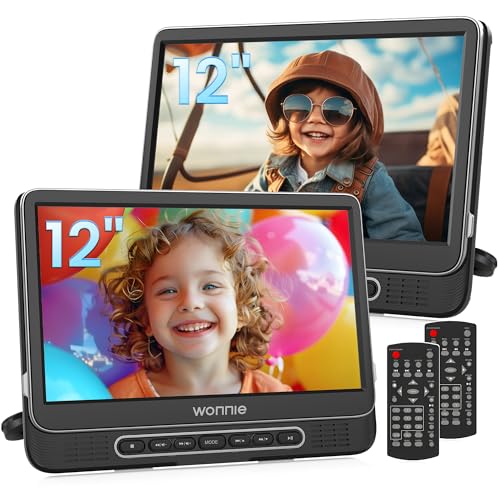
The key dual-screen question is whether both screens mirror one disc or let two passengers watch different movies. WONNIE 12-inch dual car DVD players can play the same movie or two different movies, and that split is useful when kids are not in the mood for the same show. It also means fewer arguments during longer trips.
That said, separate playback adds complexity. More options usually mean more menu steps, more cable management, and more chance of one screen draining faster than the other. If you want the easiest routine, mirrored viewing is simpler. If you need peace in the back seat, independent viewing is often worth it.
Shared audio, independent viewing, and AV sync
Dual-screen systems usually rely on an AV cable sync path so the second screen can follow the first, or split off for separate playback when the hardware allows it. Shared audio works well for one movie. Independent viewing works better for two passengers who want different content and different sound levels.
Suppose one child wants a cartoon while the other wants a movie with dialogue-heavy scenes. A dual-screen setup lets each passenger watch separately, but you need to decide in advance whether audio goes through headphones, FM to the car speakers, or both. That choice affects distraction and ease of use.
Battery and cable tradeoffs
Dual-screen systems almost always raise the power burden. A rechargeable battery that looks adequate for one screen may drain much faster once a second display is active. That is why the 5-hour target matters more as a ceiling than a promise. The more you run both screens, the faster runtime falls.
External power also means more cables in the cabin. Cable routing is not glamorous, but it affects whether the system feels tidy or annoying. Buyers should budget for chargers, extension leads, and cable clips, not only the screens themselves.
3 car headrest dvd decision table
This matrix shows what matters first: fit risk, power source, dual-screen behavior, audio path, file support, and install complexity. Use it as a screening tool before you add accessories or compare display specs.
| Model | Headrest fit risk | Power source | Dual-screen behavior | Audio path | File support | Install complexity | Best use case |
|---|---|---|---|---|---|---|---|
| FANGOR 10.5-inch dual car DVD player | Low to medium; portable mounting lowers permanent fit risk | Rechargeable lithium battery; car power as backup | Can be used as a dual-screen portable setup; battery drains faster with both screens on | Headphones are the cleanest choice; car speakers need an added audio path | USB and SD up to 32GB in FAT32; no Blu-ray support | Low | Families who move the system between vehicles |
| Audiovox AVX10USB | Medium to high; universal fit helps, but headrest geometry still matters | Vehicle-powered fixed install | Single-screen oriented; better for one-seat viewing | Depends on the vehicle install and connected audio path | DVD and USB files | Medium to high | Buyers who want a built-in look and one fixed vehicle |
| Pyle PLHRDVD108KT | Medium; dual-screen cabling increases setup sensitivity | Car power; monitor system depends on vehicle setup | Two passengers can share one movie setup with mirrored viewing | IR wireless headphones and FM transmitter give private or speaker playback | DVD media support; media flexibility depends on source playback | Medium | Two-kid households that want the most flexible rear-seat setup |
Use this matrix this way: choose FANGOR if you want the fewest fit surprises, Audiovox if you want a fixed install, and Pyle if you want the most flexible two-passenger audio and video setup.
How to choose the right setup
Start with fit, then power, then media support. That order matters because a perfect screen spec means nothing if the unit does not sit securely or cannot be powered the way you expect. The best setup is the one that matches your car before it matches your wish list.
Will it fit your headrests?
Check the headrest posts, spacing, and seat shape before ordering. Built-in units need the tightest fit check. Universal-fit models are more forgiving, but they still need enough space to mount securely. Active head restraints and seat-airbag interference are the main failure cases to rule out first.
Which audio path works best?
IR wireless headphones are the cleanest option when you want private audio and less driver distraction. FM transmitters can send sound to the car speakers, which is useful on trips where headphones are not ideal. If the vehicle already has a useful audio setup, verify whether the player can feed it before you buy.
What media files and discs matter?
Do not assume every player reads everything. Many buyers need DVD, DVD+R/RW, DVD-R/RW, CD, VCD, and SVCD support, plus USB or SD playback for family media. For USB and SD, the 32GB FAT32 limit is common on portable units. AVI, VOB, MPEG, JPG, and JPEG support also matters more than glossy resolution claims.
Screen resolution deserves context. 1024×600 is common on better units, while 800×480 and 720×576 still show up on lower-tier models. A 1080p claim does not automatically mean better disc playback, because many players upscale lower-resolution source material instead of showing native 1080p detail.
What is the real ownership cost?
Budget beyond the screen. You may need extra mounting hardware, replacement headphones, charging accessories, cable clips, or longer leads to finish the install cleanly. Those costs often matter more than a small difference in screen size, especially if the vehicle needs a more complex wiring path.
For most families, the safest purchase is the one that solves fit and sound first. A strong display can still be the wrong buy if the mount is shaky, the audio path is awkward, or the battery cannot last the drive.
Frequently asked questions
What is the best car headrest DVD player for kids in 2026?
For most families, the best pick is the Pyle PLHRDVD108KT because it gives two 10.5-inch monitors, wireless headphones, and both IR and FM audio options. That mix handles the most common back-seat problem: two kids who need simple, flexible viewing without a messy setup.
Should I buy a portable or built-in headrest DVD player?
Choose portable if you want easier fit, less permanent install work, and the ability to move the system to another vehicle. Choose built-in if you want a cleaner factory-look setup and expect to keep the same car long term. The right answer depends on permanence, not screen size.
Do headrest DVD players support HDMI input for Fire Stick or game consoles?
Some do, but HDMI input is not standard. Verify it before buying if you want streaming stick, console, phone, or laptop compatibility. Car Care Total notes that modern headrest DVD players can include HDMI input, but that feature is model-specific and easy to miss on a quick spec glance.
How long do rechargeable car DVD player batteries last?
A common target is about 5 hours of standalone battery life, but real runtime drops when both screens run or when brightness and audio use go up. Treat battery claims as a ceiling, not a guarantee. If long trips matter, keep a charging plan in the car.
Can two kids watch different movies on a dual headrest DVD player?
Yes, on models that support it. WONNIE dual car DVD players can play the same movie or two different movies, which is the key feature to look for if the kids do not want mirrored viewing. Separate playback usually adds setup complexity, but it solves the “which movie?” problem.
Will a headrest DVD player fit my car’s headrests?
Maybe, but only after you check the post spacing, headrest shape, and seat design. Universal-fit models reduce risk, yet they do not fix active head restraints, odd post spacing, or seat-airbag interference. If the fit is uncertain, measure first and buy the install hardware second.
Do headrest DVD players support all-region discs and USB files?
Many portable units support DVD, DVD+R/RW, DVD-R/RW, CD, VCD, and SVCD, plus USB media such as JPG, JPEG, MP3, WMA, AVI, VOB, and MPEG files. FANGOR specifically supports USB and SD cards up to 32GB in FAT32 format, but it does not support Blu-ray discs.
Are headrest DVD players better than portable DVD players for cars?
Headrest-style units are usually better when you want a dedicated rear-seat setup, cleaner mounting, and less chance of a player sliding around. Portable DVD players are better when you need maximum flexibility and easy removal. For family road trips, the better choice is the one that matches your install tolerance and vehicle use.
Products related to this article
Sponsored / affiliate links. As an Amazon Associate I earn from qualifying purchases. I may earn additional commission from eligible campaigns.