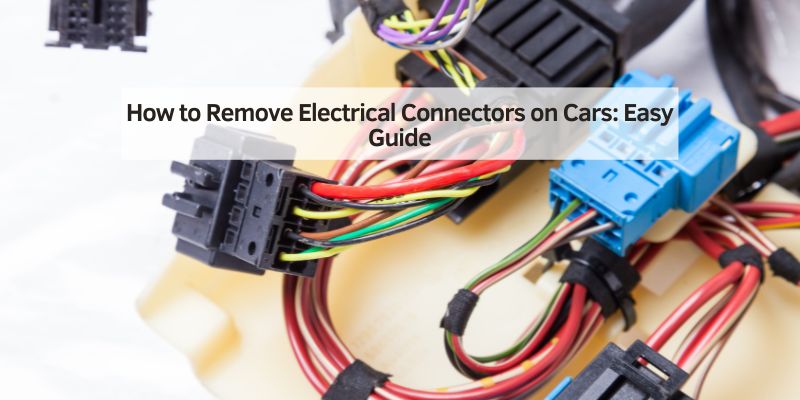
How to Remove Electrical Connectors on Cars: Easy Guide
To remove an electrical connector on a car, release the lock before you pull, and grip the plastic housing, never the wires. Most broken connectors come from pulling first and finding the tab second. This guide covers the release types you will meet (push tab, lever, sliding secondary lock, bolt-on and twist-lock), how Ford and GM connectors fit in, how to free a stuck connector, and when to stop. Two limits come first: do not unplug airbag (SRS) connectors, and do not touch orange hybrid or EV high-voltage cables. Both are shop jobs.
Quick Answer
To remove car electrical connectors: (1) disconnect the negative battery cable and wait the time your manual gives, (2) find every lock, which can be a tab, a lever and a hidden secondary slide, (3) release them while holding the housing, (4) pull straight out. Skip any yellow airbag connector and any orange high-voltage cable.
Preparing Your Workspace
Collect the tools first: a plastic trim tool or pick set, needle-nose pliers to grip (never to pry), a small flashlight or headlamp, and a tray for clips. Plastic tools matter because a metal screwdriver can chip or crack an old plastic tab. Wear safety glasses, and touch bare metal on the car before handling modules to discharge static, since many control-module connectors feed sensitive electronics.
The right tool also depends on the job. A connector pliers or separator set suits tab-style connectors and relays. Pulling a pin out of a connector is a different job that needs a terminal release tool matched to the connector family, as covered further down.
Best Connector Release Tool Kit Pick
|
DISEN 13-Piece Electrical Disconnect Pliers Set for Car Per the listing, the set includes vertical and 60-degree electrical disconnect pliers, a dual-head electrical separator, a trim pry, a panel clip plier, a relay puller and a neon voltage tester.
As an Amazon Associate we earn from qualifying purchases. Price and availability change; check the listing. |
When to Stop: Airbag and High-Voltage Connectors
This is the part most connector guides skip. Two kinds of connector are not DIY, whatever the release type looks like.
Airbag (SRS) connectors
An OEM service procedure filed with NHTSA (investigation PE08-004) says to turn the ignition off, disconnect both battery cables and wait at least 3 minutes before servicing any SRS part. It also says not to use electrical test equipment to check SRS circuits, and not to put foreign objects such as a screwdriver into an airbag module or its harness connectors. The same document refers to the “yellow SRS connectors” under the front seats.
Yellow is a strong hint, not a universal rule, because colors differ between makers. Treat any connector under a seat, in the steering column, in a pillar or at the dash as SRS until the manual says otherwise, and leave it alone. That includes the neon tester found in many connector tool sets: it is not for airbag circuits.
Orange high-voltage cables on hybrids and EVs
Lexus tells its own technicians, in a service bulletin filed with NHTSA, that the hybrid system runs at up to 650 volts, that high-voltage (orange) wiring and connectors must not be touched or removed for routine service, and that the orange service plug must not be touched either. For actual high-voltage work it requires at least 10 minutes after the service plug is disconnected before touching any high-voltage connector, plus insulating gloves. If a connector or cable is orange, stop and book a shop that does hybrid and EV work.
Orange only tells you about high voltage. The ordinary 12-volt connectors on a hybrid, such as lights and most sensors, follow the same rules as any other car, and your owner manual shows which are which.
Disconnecting Battery First
Disconnect the battery before unplugging any connector in a circuit you are not sure is dead. Take the negative cable off first and fold it clear of the terminal. How long to wait afterwards is where most guides repeat one made-up number. Real service documents disagree:
| Source | Wait after disconnecting | Why |
|---|---|---|
| Saab service information (airbag system caution) | More than 20 seconds | The airbag system has a backup power source and may inflate if serviced sooner. |
| Lexus NX 300h airbag sensor procedure (filed with NHTSA) | At least 90 seconds; 6 minutes on models with HDD navigation | Prevents airbag and seat belt pretensioner deployment; the navigation system needs about 6 minutes to save its settings. |
| OEM SRS procedure, NHTSA investigation PE08-004 | At least 3 minutes, both cables off | Stated before any SRS service. |
| Lexus hybrid bulletin (high-voltage work only) | At least 10 minutes after the service plug is removed | Applies to high-voltage connectors, not the 12-volt battery. |
The spread is the point: 20 seconds, 90 seconds and 3 minutes all appear in real manuals. This article used to say 60 seconds, which matches none of them. For a plain non-SRS connector the wait barely matters, but if your work is anywhere near airbag wiring, use your vehicle manual and err long. See our full guide to disconnecting a car battery step by step for the cable-by-cable method, and note that disconnecting the battery can clear stored codes, so read them first if you are diagnosing.
Identifying Connector Types
Look at the connector before you touch it. This table covers the release types you will see, how each one comes apart and what usually goes wrong:
| Connector type | How it looks | How to release | Watch out for |
|---|---|---|---|
| Push tab (lock tab) | A small flexible tab or latch on one or two sides | Press the tab while pulling the housing straight out | Brittle plastic on old or hot connectors snaps instead of flexing |
| Sliding or secondary lock | A small slide, bar or colored piece along the housing | Slide or lift it to the open position first, then release the main tab | The main tab will not move until the secondary lock is open; forcing it breaks the tab |
| Lever or cam lock | A hinged arm or lever that sits flush when closed | Open the lever fully (direction varies), then pull the connector away | Pulling before the lever is fully open breaks it |
| Pull-up lock on the wire side | A second plastic piece that holds the main tab in place | Pull it to the released position while holding the housing | Easy to miss on small sensor connectors |
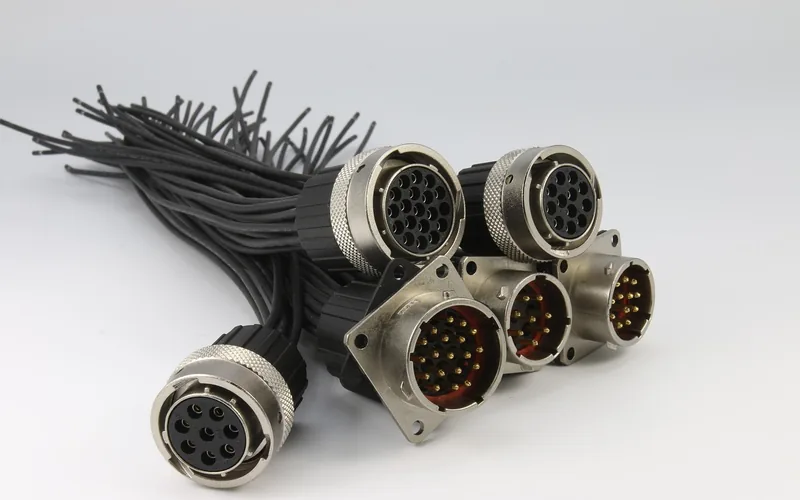
| Twist or bayonet coupling | A round shell with a knurled ring | Turn the ring until it frees, then pull straight | Pulling on the cable instead of turning the ring bends pins |
| Sealed (Weather Pack style) | Rubber seals on each wire, plus a lock on the shell | Release the lock, then pull straight out | Never use force to depin a terminal, per Delphi connector service information |
| Bolt-on or ring terminal | A nut or bolt through a metal terminal | Loosen the nut or bolt with the right wrench | Heavy current: the battery cable comes off first, and a wrench across live terminals can arc |
Removing Push-Tab Connectors
Push-tab connectors are the most common type on passenger vehicles. The tab can be on the top or the side, so check all four sides before you apply any force.
- Hold the connector housing with one hand. Never grip the wires.
- Press the tab with your thumb or a plastic pick.
- With the tab held down, pull the housing straight out. Do not twist.
- If it will not move, rock it very slightly side to side while keeping the tab pressed.
- If it is still stuck, look for a secondary lock before applying more force.
Some connectors have two tabs on opposite sides and both must be pressed at once. A pair of connector pliers helps here by squeezing both sides for you.
Secondary Locks and Two-Step Connectors
A connector that will not release after the tab is pressed usually has a second lock. Delphi connector service information describes the secondary lock on a Weather Pack connector as a part that aids terminal retention and is usually molded to the connector. On other connectors the second lock is a separate colored slide.
One OEM example shows how the two steps work: a Lexus airbag-sensor connector (see the Lexus procedure filed with NHTSA) has a double lock. You hold the white housing lock down and slide the yellow slide toward the wire harness, then press the housing lock a second time and pull the connector off. The same document warns not to put pressure on the wire harness. That connector is an airbag part, so it is cited only to show the two-step pattern, not as a job to try at home.
The practical rule is simple: if one release did not free it, look for a second one. A slide is often a different color from the housing, and sometimes it only moves a few millimeters.
Detaching Bolt-Type Connectors
Bolt-type connectors use a threaded fastener to keep contact pressure high, which is why they appear on battery cables, ground straps and high-current circuits. Use the correct size wrench so you do not round the head. If the bolt is captive, loosen it fully but do not remove it. Lift the connector straight off by the terminal body, not the cable. Check the contact surface for corrosion before refitting.
Handling Fragile Connectors
Connectors that are more than ten years old, sit near hot parts or are very small (sensors and injectors) are the most likely to break. Look for discolored or cracked plastic. Use a plastic tool to spread pressure, and spray a little electrical contact cleaner into the seam if corrosion seems to be holding it. Wait, then rock the connector gently and pull straight. If a connector does break, replacement pigtail connectors are available from auto parts stores, and the damaged section can be cut out and spliced.
How to Disconnect Ford and GM Electrical Connectors
Searchers ask about Ford and GM often, so here is what is safe to say. Both makers use a mix of release types depending on the model and the circuit, so there is no single Ford or GM method. Many engine-bay and module connectors have a lever or a secondary slide. Many sensor and lighting connectors are plain push tabs.
The reliable approach is the same for every make:
- Look at the connector and find every lock, including a secondary slide or lever.
- Open the secondary lock or lever first.
- Press or lift the main tab while holding the housing.
- Pull straight out. If it resists, you missed a lock.
For a model-specific connector, the vehicle factory service manual is the authority on where each lock sits. Our guide to safely disconnecting car electrical connectors adds more detail for general repair work.
Releasing Pins From Inside a Connector
Many searches ask how to take a wire out of a connector. That is depinning, and it needs the connector apart and the right tool. Delphi service information for the Weather Pack family lays out the steps:
- Separate the two connector halves.
- Open the secondary lock.
- Hold the wire and push the terminal to its most forward position.
- Insert the release tool into the mating end of the cavity until it rests on the cavity shoulder.
- Gently pull the wire so the terminal comes out of the back of the connector.
The same document adds the key rule: never use force to remove a terminal. Two points correct what many guides say. First, which end the tool enters depends on the connector family, so a rule like “always push from the back” is wrong for Weather Pack, where the tool goes in from the mating end. Second, a general-purpose pick can damage the cavity or the lock tang, so match the tool to the connector.
Avoiding Common Mistakes
- Pulling on the wires: this can break the crimp inside the connector and cause a fault that comes and goes.
- Twisting the housing: most connectors are meant to pull straight out, and twisting bends pins and cracks the plastic.
- Using a metal screwdriver on a tab: metal chips plastic latches. Use a plastic tool.
- Ignoring the secondary lock: if the tab will not press, or the connector will not move after it does, look for the second lock.
- Probing or unplugging SRS connectors: yellow airbag connectors are off limits for DIY.
- Working in poor light: hidden clips are easy to miss, so use a headlamp.
Reconnecting Electrical Connectors
Before reconnecting, check for bent pins, green or white corrosion and damaged seals. Clean corroded contacts; our guide to cleaning electrical connectors on a car covers what works and what to avoid. A thin film of dielectric grease on rubber seals is common practice, but keep it out of the pin cavities.
Align the connector (most are keyed to fit one way), push it straight in until you feel or hear a definite click, then tug gently to confirm. On lever types, seat the connector first and then close the lever. Close any secondary lock last. Reconnect the battery, positive first and negative last, then check that the circuit works. If you were chasing a short circuit, retest before you drive.
Frequently Asked Questions
How do you release electrical connectors from a car?
Disconnect the negative battery cable, find every lock (a tab, a lever and sometimes a hidden secondary slide), release them while holding the plastic housing, and pull straight out. Never pull on the wires. If the connector will not move, look for a second lock before using more force.
How to remove electrical wire connectors on a car?
Work on the connector housing, not the wires. Release the tab, lever or secondary lock, then pull the housing straight out. To take an individual wire out of a connector, separate the halves, open the secondary lock and use a terminal release tool that matches the connector family. Never use force on a terminal.
How do you remove a pin from an automotive connector?
Separate the connector halves and open the secondary lock. On Weather Pack style connectors, push the terminal to its most forward position, insert the release tool from the mating end until it reaches the cavity shoulder, then gently pull the wire out of the back. Other connector families differ, so check the service information for the tool and direction.
How to disconnect a Chevy or Ford electrical connector?
Both use several release types depending on model and circuit, so look at the connector first. Open any secondary lock or lever, press or lift the main tab, and pull straight out while holding the housing. Use a plastic tool, and check the factory service manual for unusual connectors.
Can I unplug airbag connectors myself?
No. Yellow connectors under seats, in the steering column and around the dash are often airbag (SRS) circuits. An OEM procedure filed with NHTSA says to disconnect both battery cables, wait at least 3 minutes and not use test equipment on SRS circuits. For anything near an airbag, leave it to a shop.
Products related to this article
Sponsored / affiliate links. As an Amazon Associate I earn from qualifying purchases. I may earn additional commission from eligible campaigns.