How to Reset a Car Alarm System: Factory vs. Aftermarket Guide
Most factory car alarms reset the instant you lock and unlock the doors with the key fob, or after a 15-minute battery disconnect — but aftermarket alarms (Viper, Python, Clifford) need a hidden valet switch instead. Skipping the valet switch is why so many owners get stuck with an alarm that won’t disarm. This guide covers both reset methods, the top 3 aftermarket brands, and when a “reset” won’t fix a failing sensor.
Quick Answer
To reset a factory car alarm, lock and unlock the doors with the key fob 2-3 times, or disconnect the negative battery terminal for 15 minutes and reconnect it. Aftermarket alarms (Viper, Python, Clifford) don’t use the battery method — they reset through a hidden valet switch, usually under the dash near the steering column or kick panel.
Factory vs. Aftermarket Car Alarms: How Resetting Differs
Not every car alarm resets the same way, and the fastest way to waste 20 minutes is trying a factory reset trick on an aftermarket alarm (or vice versa). A factory-installed alarm is built into your car’s body control module and almost always clears itself when you cycle the key fob. An aftermarket system — installed after the car left the factory — runs on its own separate control box, and that box has a dedicated reset point called a valet switch.
| Feature | Factory Alarm | Aftermarket Alarm |
|---|---|---|
| How you reset it | Lock/unlock with the key fob, or disconnect the battery 15 min | Hidden valet (override) switch — no battery disconnect needed |
| Where it lives | Built into the body control module (BCM) | Separate control box plus a hidden valet switch wired in by the installer |
| Common brands | Toyota, Ford, GM, Honda factory security systems | Viper, Python, Clifford, Compustar, Prestige |
| If you lose the code | Dealer reprograms the key fob using the VIN | Installer or alarm shop resets it through the wiring harness |
| Can you find it yourself? | Yes — no tools, just the fob or battery | Only if you know where the installer hid the switch (see table below) |
How to Reset a Factory Car Alarm (Universal Steps)
These four steps work on the vast majority of factory-installed systems, including most Toyota, Ford, GM, and Honda security setups. Try them in order — most alarms clear on step 1 or 2, so you rarely need to touch the battery.
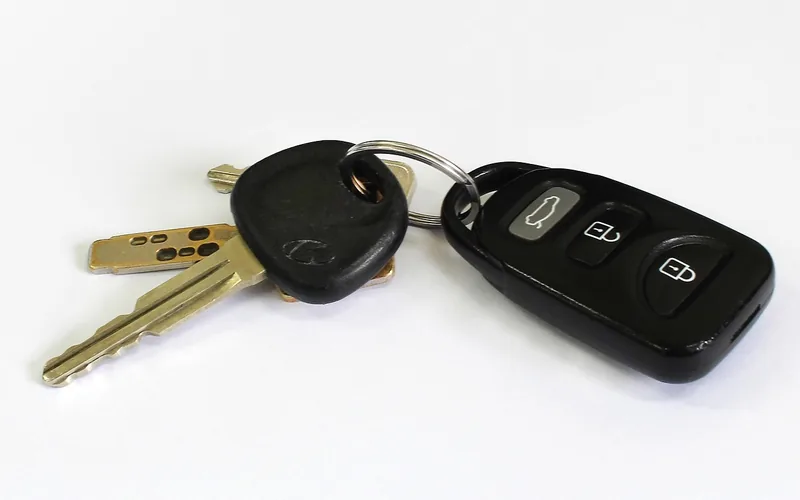
- Try the key fob first: Stand near the car and press the lock button, then the unlock button, 2-3 times in a row. Most factory alarms disarm and reset on this cycle alone.
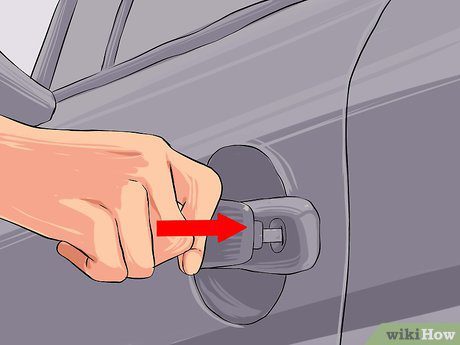
- Start the engine to override it: If the alarm won’t stop with the fob, unlock the door with the physical key blade, get in, and start the engine. A running engine overrides most factory alarm logic.
- Disconnect the battery if it’s still stuck: Turn off the ignition, open the hood, and loosen the negative (black, marked “-”) terminal with a wrench. Pull it clear of the post and wait 15 minutes — this lets the alarm module’s capacitors fully discharge.
- Reconnect and test: Reattach the negative terminal, tighten it, then lock and unlock the car with the fob once. Some radio presets and clock settings will need to be re-entered after this method.
How to Reset an Aftermarket Alarm With the Valet Switch
Aftermarket alarms don’t respond to a battery disconnect the same way factory systems do — disconnecting the battery on some aftermarket setups can actually leave the system in an unpredictable state or trigger an immobilizer lockout. Instead, every aftermarket alarm has a valet (override) switch that the installer wired in during setup, usually tucked out of sight so a parking attendant or mechanic can’t casually disarm the car. Some factory-alarm quirks are brand-specific too — if your Fiat’s alarm won’t stop, for example, it often needs a different fix than the steps below.
| Brand | Typical Valet Switch Location | How to Reset |
|---|---|---|
| Viper | Under the dash, near the driver’s kick panel or steering column | Turn the ignition ON for 5 seconds, turn it OFF, then press and release the valet switch once within 10 seconds |
| Python | Under the dash near the steering column, sometimes behind the fuse block | Turn the key to ON and immediately hold the valet button for 3-5 seconds until the red LED comes on and stays lit |
| Clifford | Under the steering column or inside the driver’s kick panel | With the ignition ON, flip the toggle switch to the opposite position, then turn the ignition OFF to lock in the change |
“The valet switch allows you to temporarily bypass all alarm functions… the location of the valet switch will vary, as it is determined by the installer, with common locations including under the driver’s side dash, in the kick panel, near the steering column, or near the fuse block.”
— VOXX International, aftermarket alarm system manufacturer (owns Python, Prestige, and Pursuit alarm brands)
Best Fix For a Weak Fob Battery
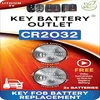
CR2032 Key Fob Battery Replacement 2-Pack
A weak key fob battery is one of the most common reasons a fob won’t disarm or reset an alarm reliably — this universal 2-pack fits most factory remotes.
- Best for: Fobs that only work at close range or need repeated button presses
- Why we picked it: Universal CR2032 fit, fixes the #1 cause of a fob that won’t reset the alarm
- Main drawback: Won’t help if the fob itself has failed electronics, not just a dead battery
Compare more alarm-reset tools
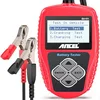 Option 1 ANCEL BA101 12V Digital Car Battery Tester
|
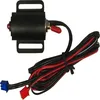 Option 2 Megatronix LED Valet Switch (On/Off Toggle)
|
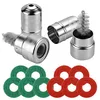 Option 3 Battery Terminal Cleaner Tool Kit
|
As an Amazon Associate we earn from qualifying purchases.
Viper Alarm Reset Steps
Turn the ignition to the ON position and leave it there for 5 seconds, then turn it OFF. Within the next 10 seconds, press and release the valet switch once. The system should chirp or flash to confirm it’s back in normal (non-valet) mode.
Python Alarm Reset Steps
Turn the key to the ON position and immediately press and hold the valet button for 3-5 seconds. A red LED on the dash will turn on and stay lit — that’s your confirmation the system is in valet mode. Repeat the same press-and-hold to exit valet mode and restore full alarm function.
Clifford Alarm Reset Steps
With the ignition ON, flip the valet toggle switch to the opposite position from where it currently sits, then turn the ignition back OFF to lock in the change. If you can’t find the toggle, check under the steering column first, then the driver’s kick panel — both are the most common install spots for Clifford systems.
When “Resetting” Won’t Fix It: Failing Sensors and a Weak Fob Battery
If the alarm keeps re-triggering within minutes of every reset, the problem usually isn’t the alarm module at all — it’s a sensor or a power source feeding it bad information. Resetting a system with a genuinely failing part just buys you a few quiet minutes before it happens again.
- A failing hood, door, or trunk sensor: These pin switches wear out and can tell the alarm a door is open even when it’s fully latched. If one panel triggers the alarm every time regardless of how carefully it’s closed, the switch itself — not the alarm brain — is the part to replace.
- A weak key fob battery: Most fob batteries only last 1-2 years. A dying battery sends a faint or garbled signal that can fail to fully disarm the system, which the alarm reads as an unauthorized entry attempt — swapping the fob battery is a 2-minute fix worth trying first.
- A weak or corroded vehicle battery: Inconsistent voltage to the alarm’s control unit is one of the most common causes of random false alarms, especially in cold weather. Check for a battery that’s dying faster than it should before assuming the alarm module itself is defective.

📊 As many as 95% of car alarm activations are false alarms, and fewer than 1% of people say they would call the police after hearing one (Progressive Insurance survey) — Source: HowStuffWorks. That is exactly why a sensor that keeps falsely tripping needs to be fixed, not just reset over and over.
Signs Your Car Alarm Actually Needs a Reset
A handful of symptoms point specifically to a reset (rather than a repair): the alarm goes off with no obvious trigger and won’t stop with the fob, the remote takes several presses to respond, the alarm indicator light stays on when it shouldn’t, or the siren doesn’t sound at all during a routine test. If any single sensor triggers the alarm every single time a specific door or the trunk is touched, that’s a sensor problem (see above), not something a reset will permanently solve.
How Long Should You Wait Before a Car Alarm Resets Itself?
Left alone, most car alarms will silence themselves after roughly 30 seconds to a few minutes — the exact cutoff is programmed by the manufacturer or installer, not by you. Many U.S. cities also legally cap how long an alarm is allowed to sound before it must auto-silence:
| City | Legal Max Alarm Duration |
|---|---|
| Los Angeles | 5 minutes (LA Municipal Code) |
| New York City | 10 minutes (NYC Noise Code) |
| Seattle | 5 minutes (Seattle Municipal Code) |
If your alarm runs well past these windows without stopping, that’s a sign the auto-shutoff timer itself has failed and the system needs a full reset (or a shop visit) rather than just waiting it out.

Maintaining Your Car Alarm System
Three habits prevent most avoidable alarm problems: check and clean your battery terminals every few months to rule out corrosion-related power drops, test the remote and siren periodically so you catch a dying fob battery before it strands you, and have a professional inspect the system if you’ve ruled out the fob and battery but false alarms keep happening. A tech can pinpoint a failing sensor or wiring fault far faster than trial and error.
Frequently Asked Questions
How do I reset my car alarm?
Lock and unlock the car with the key fob 2-3 times, or start the engine using the physical key blade to override the alarm. If neither works, disconnect the negative battery terminal for 15 minutes, then reconnect it and cycle the fob once more. Aftermarket alarms use a hidden valet switch instead of the battery method.
How do you reset the security system so the car will start?
Disconnect the negative battery terminal for about 15 minutes, reconnect it, then turn the ignition to the “On” position without starting the engine and wait roughly 10 minutes before attempting to start the car. This lets the immobilizer resync with the key fob’s transponder chip. If the car still won’t start, the fob itself may need to be reprogrammed by a dealer.
How do I reboot an alarm system?
Disconnect the alarm’s power supply and any backup battery, wait 30 seconds to a full minute, then reconnect both. Watch for the system to power up and chirp or flash as confirmation. Aftermarket alarms should be rebooted through the valet switch instead, since cutting main power can leave some models in an inconsistent state.
How do I reset an alarm system without a code?
Disconnect the alarm’s main power source, including any backup battery, and wait 10 minutes before reconnecting. This clears the system without requiring a numeric code on most factory setups. If your specific alarm still asks for a code afterward, that code is tied to the vehicle’s immobilizer and has to come from the dealer or manufacturer.
Where is the valet switch located on an aftermarket alarm?
It varies by installer, but the most common spots are under the driver’s side dash, inside the kick panel, near the steering column, or close to the fuse block. Some installers hide it inside the center console or glove compartment. If you can’t find it after checking those spots, the shop that installed the alarm can tell you exactly where they put it.
Why does my car alarm keep going off for no reason?
The most common causes are a weak key fob battery, a weak or corroded vehicle battery, and a worn hood, door, or trunk sensor that falsely reports the panel as open. Studies cited by HowStuffWorks put the false-alarm rate for car alarms as high as 95%, so a repeatedly triggering alarm is far more likely to be a bad sensor than an actual intrusion attempt.
Conclusion
Resetting a car alarm comes down to knowing which type you have: cycle the key fob or disconnect the battery for a factory system, or find the hidden valet switch for an aftermarket one. If the alarm keeps re-triggering right after a reset, stop resetting it and check the fob battery, the vehicle battery, and the door/hood/trunk sensors instead — that’s almost always where the real problem is hiding. Looking to shut the alarm off permanently instead of just resetting it? See our guide on how to disable a car alarm system.
Products related to this article
Sponsored / affiliate links. As an Amazon Associate I earn from qualifying purchases. I may earn additional commission from eligible campaigns.