How To Use Your Car Key To Lock And Unlock Your Car
Your car key fob is designed to lock and unlock your vehicle easily. Press the lock button to secure your car. Press the unlock button to open it. Most fobs also have buttons for the trunk or panic alarm. If your fob stops working, check the battery or try a manual key if your car has one.
Understanding Your Car Key Fob
Your car key fob is a small, handheld device. It lets you control your car’s doors and alarm. It sends a radio signal to your car.
This signal tells the car what to do. There are usually a few buttons on it. The most common ones are for locking and unlocking.
Some fobs have a button to open the trunk or liftgate. Others have a panic button. This button makes your car’s horn honk and lights flash.
It’s for emergencies.
The fob works with a small transmitter inside. This transmitter uses radio waves. Your car has a receiver.
This receiver picks up the signal from the fob. When the correct signal is received, the car performs the action. It’s like a secret code between the fob and your car.
Many modern cars also have a keyless entry system. This means you don’t always need to press a button. You can often just have the fob in your pocket or bag.
Then you can touch the door handle to unlock the car. To lock it, you might touch a specific spot on the handle. This technology is super convenient.
It makes getting in and out of your car faster.
The design of these fobs has changed a lot over the years. Older keys had a metal blade. You’d put it in the ignition and the door.
Modern ones are mostly electronic. They are often called key fobs or remote keyless entry (RKE) devices. Some even have smart key capabilities.
These let you start the car without putting a key in anywhere.
It’s good to know what buttons your specific fob has. Take a look at it. See what symbols are on each button.
Most are pretty standard. A padlock icon usually means lock. An open padlock means unlock.
A trunk icon might look like a car trunk. The panic button is often a red button with a bell or exclamation mark.
The range of your key fob is usually pretty good. You can often lock or unlock your car from a short distance. This is helpful if you’re walking up to your car in a parking lot.
You can unlock it before you get to the door. Or you can lock it as you walk away.
Remember that the fob needs a power source. This is usually a small battery inside. Over time, these batteries can get weak.
When that happens, the fob might not work as well. Or it might stop working altogether. Replacing the battery is often a simple fix.
We’ll talk more about that later.
My Own Fob Fiasco
I remember one time I was in a huge rush. I had a presentation to give across town. I ran out to my car, juggling my laptop bag and a coffee.
I reached for my key fob to unlock the door. I pressed the unlock button. Nothing.
I pressed it again, harder. Still nothing. My heart started to race.
The coffee sloshed. I started to panic a little. My presentation was in twenty minutes!
I tried locking it. Then unlocking again. I even tried pointing it directly at the car.
It was like the fob was completely dead. I could feel sweat starting to form on my forehead. I looked at my watch.
Ten minutes left. I rummaged through my bag, hoping I had my spare key. Nope.
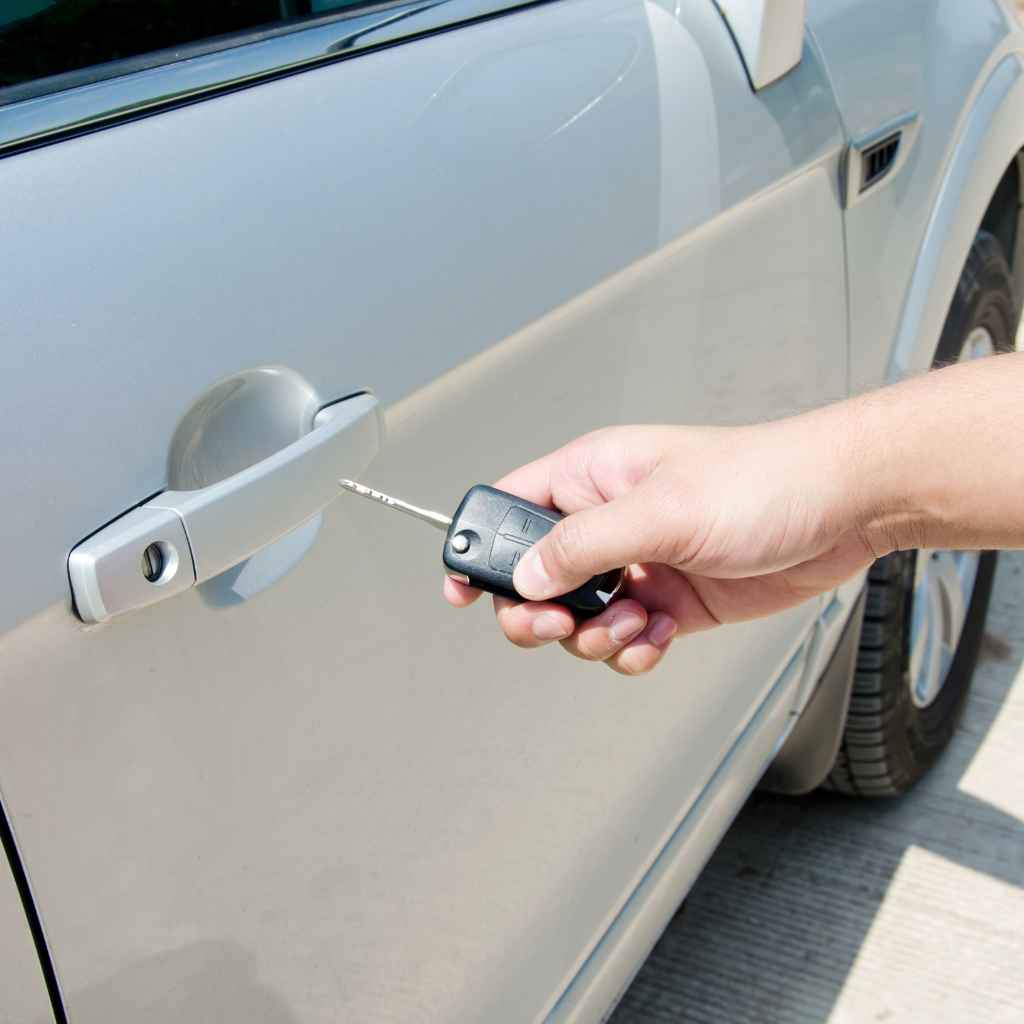
Then I remembered my neighbor had shown me how to use the physical key part of the fob. I popped out the metal key. It felt so old-fashioned.
I slid it into the driver’s side door lock. Click! The car unlocked.
I practically threw my stuff inside and drove off. I felt a huge sense of relief, but I also realized how much I took that little piece of plastic for granted. It was a good reminder that there’s always a backup, even if it’s not the fanciest way.
How to Lock Your Car
Locking your car is usually straightforward. Most key fobs have a lock button. It often has a picture of a locked padlock.
You press this button once. You should hear a beep or a click from your car. The car’s lights might also flash once.
This confirms that the doors are locked. It’s a quick way to know your car is secure.
Some cars also have an auto-lock feature. This means the doors lock automatically after a certain amount of time. This happens if you unlock the car but don’t open any doors.
It’s a safety feature. It prevents the car from being left unlocked accidentally.
On many fobs, if you press and hold the lock button, it might also do other things. For example, it could roll up the windows. This is handy if you forget to close them before leaving.
Check your car’s manual. It will tell you exactly what your fob can do.
It’s important to make sure your car is actually locked. Don’t just rely on the beep. Take a quick second to check the door handle.
Give it a tug. If it’s locked, it won’t open. This little check can save you a lot of worry later.
Especially if you’re in a busy parking lot or a place you’re not familiar with.
If your car has multiple doors, pressing the lock button once usually locks them all. Some systems allow you to lock just the driver’s door first. Then you press it again to lock the rest.
This is a setting you can often change in your car’s computer. It’s all about personal preference and security.
Locking Your Car: Key Steps
Step 1: Locate the lock button on your key fob. It usually has a padlock symbol.
Step 2: Press the lock button once.
Step 3: Listen for a beep or click from your car. Check for a single flash of the car’s lights.
Step 4: Optionally, tug on the driver’s door handle to confirm it’s locked.
Extra Tip: Some fobs can roll up windows when held. Consult your car’s manual.
How to Unlock Your Car
Unlocking your car is just as easy. Find the unlock button on your fob. It often looks like an open padlock.
Press this button once. You should hear a different beep or click from your car. The car’s lights might flash twice.
This tells you the doors are now unlocked.
Many cars are set up to unlock only the driver’s door with the first press. If you want to unlock all doors, you might need to press the unlock button again. Or you might need to press and hold it.
Again, check your car’s manual for its specific settings.
If your car has keyless entry, you might not even need to press the button. Just having the fob near the car could be enough. When you grab the driver’s door handle, it should unlock.
For other doors, you might need to press a button on the handle itself. Or use the fob’s unlock button.
Unlocking is usually pretty instant. You press the button, and the car unlocks. If there’s a delay, it could mean a few things.
The battery in the fob might be weak. Or there could be interference from other radio signals nearby. Large metal objects or buildings can sometimes block the signal.
It’s a good habit to unlock the car when you are close to it. This is especially true if you are carrying a lot of items. You can unlock it as you walk up.
Then you don’t have to juggle items while trying to unlock it. This saves time and hassle.
Unlocking Your Car: The Simple Process
Action: Press the unlock button on your car key fob. This button often shows an open padlock.
Confirmation: Listen for a distinct beep or click from your car. Watch for two flashes of the car’s lights.
All Doors: On many vehicles, a second press unlocks all doors. Some models require a button press to unlock passenger doors.
Keyless Entry: If your car has this, simply approaching the driver’s door with the fob may unlock it.
Common Car Key Fob Problems
It’s not uncommon for car key fobs to have issues. These can range from minor annoyances to complete failures. Understanding these problems can help you fix them faster.
The most frequent culprit is a dead or weak battery. Key fob batteries are small button cells. They don’t last forever.
After a few years, they start to fade. This means the signal might become weak. Or it might stop transmitting altogether.
Signs of a weak battery include shorter range. You might need to be closer to the car for it to work. Sometimes it works on the first try, sometimes not.
Another issue is signal interference. This can happen in areas with many electronic devices. Shopping malls, busy city centers, or places with strong radio signals can cause problems.
The fob’s signal might be drowned out by other signals. This means the car won’t receive the command.
Physical damage is also a cause. Fobs can be dropped, stepped on, or get wet. Even a small crack or loose connection inside can stop it from working.
If the buttons feel sticky or don’t pop back up, there might be internal damage.
Sometimes, the car’s receiver can be the problem. This is less common than fob issues. But it can happen.
The receiver antenna in the car might be damaged or disconnected. Or there could be a fault in the car’s computer system that controls the locks.
Lost or damaged keys are another issue. If you lose your primary fob, you’ll need a spare. If your spare is also lost, you’ll need to get new ones programmed.
This can be expensive.
Finally, sometimes the fob can become “desynchronized” from the car. This is rare, but it happens. The car and the fob lose their connection.
It’s like they are speaking different languages. This usually requires a reset procedure.
Quick Look at Common Fob Issues
Weak Battery: Range decreases, buttons become unresponsive.
Signal Interference: Fob works only when very close or not at all.
Physical Damage: Fob is cracked, buttons sticky, or doesn’t feel right.
Car Receiver Problem: Multiple fobs don’t work, or signal is always blocked.
Lost Key: No key available for the car.
Desynchronization: Fob and car lose their coded link.
Troubleshooting a Car Key Fob That Isn’t Working
When your car key fob stops working, don’t panic. There are several steps you can take to fix it. First, try the simplest solutions.
These often solve the problem.
Check the Battery: This is the most common fix. If your fob has a weak signal or isn’t working at all, the battery is the first thing to suspect. You can usually
Get Closer to the Car: If you’re far away, your fob might not reach. Move closer to the vehicle. Stand right next to the driver’s door.
Try the lock and unlock buttons again. If it works when you’re close, the battery might be weak, or there’s interference.
Check for Interference: Are you near a cell tower, a radio station, or a lot of other cars with active fobs? Try moving away from the source of interference. Sometimes parking in a different spot can help.
If you’re at home, try it inside your garage versus outside.
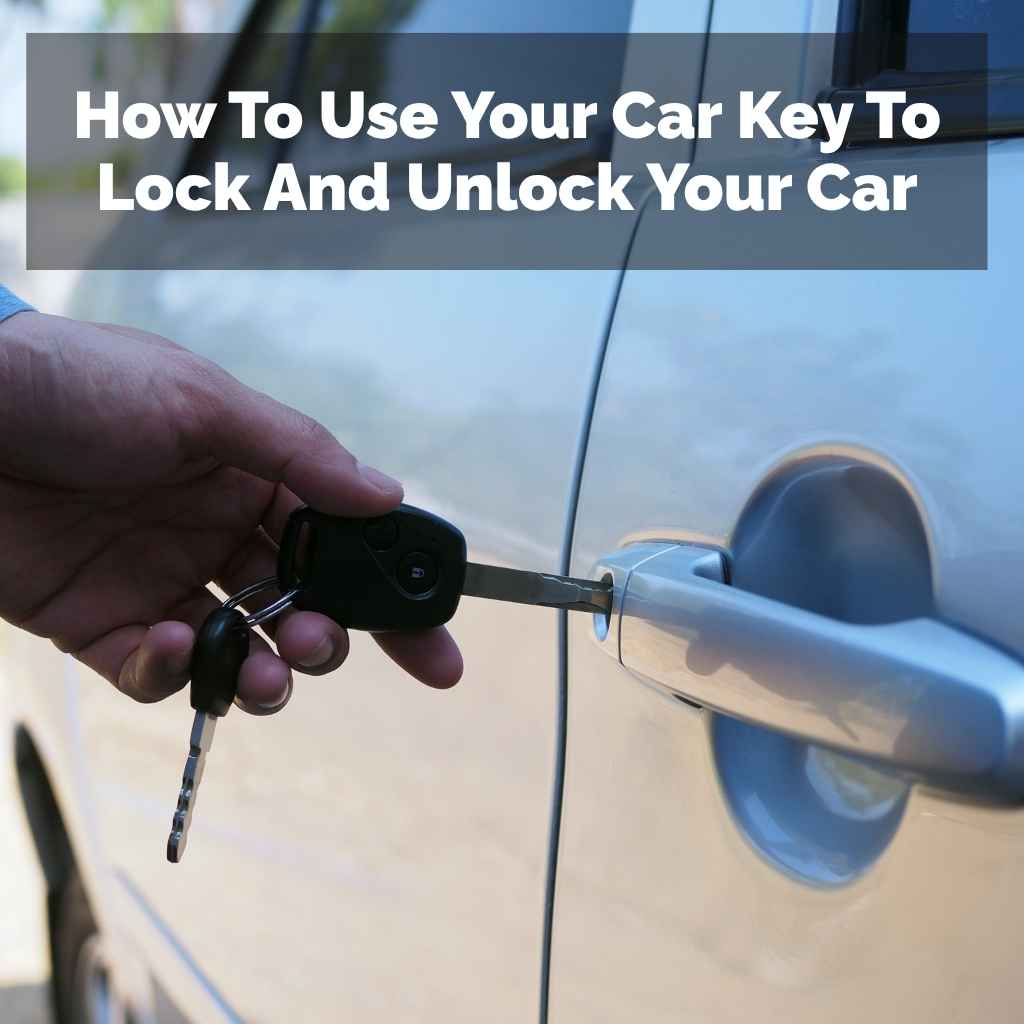
Use the Physical Key: Most car fobs have a hidden metal key inside. You can usually slide a small release on the fob. This pops out the metal key.
You can then use this key to manually unlock your car door. This is a lifesaver if the fob battery is dead. Once inside, you might find a place to put the fob.
This can sometimes power it up or allow you to start the car. Your car manual will show you where this is.
Try the Spare Fob: If you have a spare key fob, try using that one. If the spare works, it confirms the problem is with your primary fob. You might just need to replace the battery in the original fob.
Or you might need to get a new one programmed.
Resynchronize the Fob: Sometimes, the fob loses its sync with the car. This is like it forgets the car’s code. The process to resync varies by car model.
Often, it involves a sequence of turning the ignition on and off. You might also need to press buttons on the fob in a specific order. Your car’s owner’s manual is the best place to find this procedure.
If you can’t find it, a quick online search for your car’s make, model, and year plus “key fob reset” can help.
Inspect the Fob for Damage: Look closely at your fob. Is there any visible damage? Are the buttons stuck?
Is there a crack in the casing? If it looks damaged, it might need repair or replacement. Water damage can be tricky.
If it got wet, try drying it out completely. Remove the battery and let it air dry for a couple of days.
Troubleshooting Checklist
- Battery: Is it new? Is it installed correctly?
- Proximity: Are you close enough to the car?
- Interference: Are there other strong radio signals nearby?
- Physical Key: Can you use the metal key to open the door?
- Spare Fob: Does the backup key work?
- Reset Procedure: Have you tried resyncing the fob with the car?
- Fob Condition: Is there any visible damage to the fob itself?
When to Call a Professional
If you’ve tried all the basic troubleshooting steps and your key fob still isn’t working, it might be time to get expert help. There are a few signs that indicate you need to call a professional.
Multiple Fobs Not Working: If you have tried both your primary and spare fobs, and neither one works, the problem is likely with your car’s receiver system. This is something you can’t fix yourself. A mechanic or automotive locksmith will need to diagnose and repair the car’s electronics.
Damaged Key Fob: If your key fob is physically broken, for instance, if it’s cracked in half or the buttons are missing, it likely needs to be replaced. If the damage is severe, a professional might be able to repair it, but often replacement is the best option.
Lost All Keys: If you have lost all your car keys and fobs, you will need a professional to help. They can create and program new keys for your car. This process involves specialized equipment.
Complex Car Electronics: Modern cars have very sophisticated electronic systems. Trying to fix issues yourself without the right knowledge or tools can sometimes make the problem worse. If you’re unsure about the internal workings of your car, it’s best to let a professional handle it.
Dealerships and Automotive Locksmiths: You have two main options for professional help. Your car dealership can certainly help. They have access to original parts and factory-trained technicians.
However, they can sometimes be more expensive. Automotive locksmiths are another great option. They specialize in car keys and locks.
They can often program new fobs and cut new keys for less than a dealership. They can also come to you, which is very convenient.
When you contact a professional, be ready to provide your car’s make, model, and year. Also, have your VIN (Vehicle Identification Number) handy. This helps them find the correct parts and information for your specific vehicle.
When to Seek Professional Help
Issue: Both key fobs fail to work.
Likely Cause: Problem with the car’s receiver system.
Action: Consult a mechanic or automotive locksmith.
Issue: Key fob is physically broken or damaged.
Likely Cause: Internal or external component failure.
Action: Replacement or repair by a professional.
Issue: All car keys and fobs are lost.
Likely Cause: Complete loss of access.
Action: Professional key cutting and programming.
Car Key Fob Battery Replacement Step-by-Step
Replacing your car key fob battery is a common DIY task. It can save you money and get your fob working again quickly. Here’s a step-by-step guide:
Step 1: Gather Your Supplies
You’ll need a new battery. Check your car’s manual or the old battery to find the correct type. Common types are CR2032 or CR2025.
You might also need a small flathead screwdriver or a plastic pry tool. Sometimes a coin can work.
Step 2: Open the Key Fob
Look for a seam around the edge of the fob. Most fobs have a small notch or groove. Carefully insert your tool into this notch.
Gently twist or pry. You should hear a click as the casing separates. Be patient and don’t force it.
If it’s tough, try a different spot along the seam.
Step 3: Remove the Old Battery
Once the fob is open, you’ll see the battery. It might be held in place by a small clip or just sit in a compartment. Note which way the battery is facing.
It usually has a plus (+) side and a minus (-) side. Use your tool or a fingernail to gently lift the old battery out. Avoid touching the new battery’s contacts with your bare fingers if possible, as oils can affect its performance.
Step 4: Insert the New Battery
Place the new battery into the fob. Make sure it’s facing the correct direction. The positive (+) side is usually marked on the battery and the fob compartment.
Press it down firmly.
Step 5: Close the Key Fob
Align the two halves of the fob casing. Press them together firmly until they snap shut. You might need to apply a bit of pressure.
If there’s a small screw, reinsert it.
Step 6: Test the Fob
Take your newly powered fob to your car. Try locking and unlocking the doors. Check if the other buttons work as well.
If it doesn’t work, double-check that the battery is in correctly and that the fob is fully closed.
Important Note: Some newer fobs might be sealed and not easily opened. If yours looks like this, or if you’re uncomfortable opening it, it’s best to take it to a professional.
DIY Battery Swap Guide
What You Need: Correct battery, small pry tool/screwdriver.
Locate: Find the seam on your fob.
Pry Open: Gently twist or lever to separate the halves.
Note Orientation: See how the old battery sits (+/-).
Install New Battery: Place new battery, ensuring correct polarity.
Snap Shut: Realign and press halves together until they click.
Test: Verify all buttons function correctly.
Car Key Fob Battery Lifespan and Maintenance
The lifespan of a car key fob battery varies a lot. It depends on several factors. These include the battery type, how often you use the fob, and the car’s system.
Generally, a fob battery can last anywhere from two to five years. Some might last longer, while others might need replacing sooner.
Usage Frequency: The more you use your key fob, the faster the battery will drain. If you live in a busy area and lock/unlock your car many times a day, you’ll use more power. If you only use it to lock it up and rarely unlock it, the battery might last longer.
Battery Type and Quality: Higher quality batteries tend to last longer. Also, some fob designs are more power-efficient than others. The size of the battery also plays a role.
Larger batteries generally hold more power.
Environmental Factors: Extreme temperatures can affect battery life. Very hot or very cold weather can cause batteries to drain faster. This is why your fob might seem weaker in the winter or on a very hot summer day.
Car’s System: Some cars have systems that “talk” to the fob more often. This can use up battery power faster. For example, smart key systems that allow for passive entry (walking up to the car and having it unlock) use more power than traditional button-push systems.
Maintenance Tips:
1. Replace Batteries Proactively: Don’t wait for your fob to die completely. If you notice the range is getting shorter or buttons are less responsive, consider replacing the battery.
It’s a small cost for peace of mind.
2. Keep it Dry: Avoid getting your key fob wet. Water damage is one of the most common ways fobs fail.
If it does get wet, remove the battery immediately and let it dry thoroughly.
3. Avoid Accidental Button Presses: If your fob is loose in your pocket or bag, buttons can get pressed unintentionally. This can drain the battery.
Consider a protective case or keeping it separate from other items.
4. Use the Correct Battery: Always use the battery type recommended by your car manufacturer. Using the wrong type can damage the fob or not work properly.
5. Store Sparingly: If you have a spare fob, don’t use it constantly. Using both fobs alternately can help extend the life of each individual battery.
By following these tips, you can help ensure your car key fob battery lasts as long as possible. This saves you from unexpected lockouts or the need for frequent replacements.
Battery Life Factors & Tips
Factors Affecting Lifespan:
- How often you use the fob.
- The type and quality of the battery.
- The design of your car’s keyless entry system.
- Extreme temperatures (hot or cold).
Maintenance Tips:
- Replace batteries before they die completely.
- Protect your fob from moisture and water.
- Prevent accidental button presses.
- Use only the recommended battery type.
- Rotate use with a spare fob if you have one.
Can I Use the Physical Key Part of My Fob?
Yes, absolutely! Your car key fob has a built-in physical key for a reason. It’s a vital backup.
Most modern key fobs have a small release button or slider. Pressing this will allow you to slide out a small metal key blade. This is your emergency key.
Why is it important? Well, as we’ve discussed, key fob batteries die. They can also malfunction or get lost.
In any of these situations, the physical key is your primary way to get into your car. It’s designed to fit into the traditional lock cylinder on the driver’s side door. Some cars might also have a lock cylinder for the trunk or a panel covering the ignition.
Using the physical key is straightforward. Find the lock cylinder on your driver’s door. Insert the metal key.
Turn it as you would a normal house key. You’ll likely turn it towards the rear of the car to unlock. Turn it towards the front to lock.
Sometimes, you have to turn the key and hold it to unlock all doors.
Once you’re inside the car using the physical key, you might still need to start the engine. If the fob battery is dead, the car might not detect the fob inside. Many cars have a specific spot where you can place the dead fob to start the engine.
This is often a hidden slot or area in the center console or near the steering column. Your car’s owner’s manual will show you exactly where this is. It’s usually marked with a key symbol.
Placing the fob there allows the car’s security system to still recognize it.
It’s a good practice to know where your physical key is. And how to access it. Also, make sure the key blade isn’t stuck in the fob.
Test it periodically. This ensures it’s ready for use when you might need it most. Relying solely on the electronic fob can leave you stranded if it fails.
Your Emergency Key
What it is: A metal key blade hidden inside your key fob.
How to access: Look for a release button or slider on the fob.
What it’s for: To manually unlock your car doors when the fob fails.
Starting the car: Some cars have a special spot to place a dead fob to start the engine.
Actionable tip: Test your physical key periodically.
Smart Keys and Keyless Ignition Systems
Many newer cars come equipped with “smart keys” and keyless ignition systems. These offer a high level of convenience. A smart key is a type of key fob.
It allows you to unlock doors and start your car without taking the fob out of your pocket or bag.
How Smart Keys Work: These fobs use a low-frequency radio signal. When you approach your car, the car detects the fob. It sends out a signal.
The fob responds. This two-way communication authenticates you as the owner. If the car recognizes your smart key, it allows you to open the doors.
Often, you just need to touch a sensor on the door handle. For some cars, you need to press a small button on the handle.
Keyless Ignition: With a smart key, you can start the car without a traditional ignition slot. Instead, there’s a “Start/Stop Engine” button. Once you are inside the car with the smart key detected, you press this button to start the engine.
To turn the engine off, you press it again. Some cars require you to press the brake pedal simultaneously.
Advantages: The main advantage is convenience. You don’t have to dig for your keys. You can keep them securely in your pocket or purse.
This is especially helpful when you’re carrying groceries or dealing with children.
Potential Issues: While convenient, smart keys can also have issues. Like regular fobs, their batteries can die. If the smart key battery is dead, you’ll need to use the physical key to get into the car.
Then, you’ll likely need to place the dead fob in a specific spot to start the engine. Signal interference can also affect smart keys, though it’s often less common than with basic fobs.
Security Concerns: There have been reports of “relay attacks” where thieves can amplify the signal from a smart key. They can then use this amplified signal to unlock and start the car. Manufacturers are working on better security measures for these systems.
Many fobs have motion sensors. They go into a low-power sleep mode when not moved for a while. This can help prevent relay attacks.
Keeping your smart key in a signal-blocking pouch when not in use can also add a layer of security.
Understanding how your smart key system works is key to using it effectively and keeping it secure. Always consult your car’s manual for specific instructions on its operation and any security features.
Smart Key Features
Functionality: Unlock doors and start engine without removing fob from pocket.
Detection: Uses low-frequency radio signals for authentication.
Starting: Press “Start/Stop Engine” button (often with brake pedal).
Benefits: High convenience, especially with hands full.
Considerations: Battery life, signal interference, potential for relay attacks.
Can My Car Key Fob Be Reprogrammed?
Yes, your car key fob can absolutely be reprogrammed. This is a common procedure. It’s done for several reasons.
The most frequent is when you get a new key fob. This could be a
Why Reprogramming is Needed: Each car is equipped with a unique security code. The key fob also has a corresponding code. When you program a fob, you are essentially “telling” the car to recognize that specific fob’s code.
This is a security measure. It prevents just anyone with a fob from starting your car.
Who Can Reprogram? Reprogramming usually requires specialized equipment. This is not typically something a car owner can do at home with basic tools. The job is best left to professionals.
These include:
1. Car Dealerships: They have the exact equipment and software for your make and model. They are a reliable option, though often the most expensive.
2. Automotive Locksmiths: Many locksmiths specialize in car keys. They have the tools to program most types of fobs.
They are often more affordable and can provide mobile service, coming to your location.
3. Some Auto Repair Shops: Certain independent repair shops also have the necessary equipment for key fob programming.
What’s Involved: The process usually involves connecting diagnostic equipment to your car’s onboard computer. Then, the technician will initiate a programming sequence. They will likely ask you to bring all your existing fobs.
This is because programming a new fob often erases all old ones. So, you need to bring all the fobs you want to continue using. The technician will then program the new fob (and re-program the old ones) to work with your car.
Cost: The cost to reprogram a key fob can vary widely. It depends on your car’s make and model, and the locksmith or dealership you use. It can range from around $50 to $200 or more.
Buying a blank fob and having it programmed is usually cheaper than buying a pre-programmed one from a dealership.
If you’ve lost a key, need a spare, or have a faulty fob, reprogramming is the solution. It ensures your car remains secure and you have reliable access.
Reprogramming Your Fob
Can it be done? Yes.
Why: To add new fobs,
Who does it: Dealerships, automotive locksmiths, some auto repair shops.
Process: Uses specialized equipment to sync fob codes with car’s computer.
Important: Bring all fobs you want to keep when programming.
Car Locking and Unlocking: Real-World Scenarios
Let’s look at a few common situations where understanding your car key fob is crucial.
Scenario 1: The Busy Parking Lot
You’re at a huge shopping mall on a Saturday. You’ve just finished a long shopping trip. Your hands are full with bags.
You walk towards your car, which is parked quite far away. You press the unlock button on your fob. You hear the satisfying chirp and see the lights flash.
You can then put your bags down momentarily and open the trunk to load everything easily. This is where the range and responsiveness of your fob save you a lot of hassle.
Scenario 2: Bad Weather Arrival
It’s pouring rain. You’re running late for an appointment. You pull up to your house and want to get inside quickly.
You have your laptop bag and an umbrella. You press the lock button on your fob as you walk towards the front door. You see the lights flash to confirm.
You don’t have to worry about leaving your car unlocked in the rain. The quick lock function gives you peace of mind.
Scenario 3: The Dead Battery Surprise
You go to start your car one morning, and nothing happens. The car lights won’t turn on, and the fob doesn’t respond. You remember you haven’t used the physical key in years.
You find it inside the fob. You use it to unlock the driver’s door. Once inside, you find the spot indicated in your manual to place the dead fob.
This allows the car to sense it and start the engine. You can then drive to get a new battery. This scenario highlights the importance of the physical key backup.
Scenario 4: Kids in the Car
You’ve just picked up your kids from school. They are a bit noisy and excited. You want to get them settled quickly.
You press the unlock button as you approach the car. All doors unlock. They can hop in their seats.
You then press the lock button once you’re in the driver’s seat. This prevents them from accidentally opening a door while you’re driving. It’s a small feature that contributes to safety.
Scenario 5: The “Where Did I Park?” Moment
You’re at a large outdoor event, like a concert or a festival. You’ve been walking around all day. Now you can’t remember where you parked your car.
It’s getting dark. You press the panic button on your fob. The car alarm blares, and the lights flash.
This helps you locate your vehicle in a crowded parking lot. It’s a great way to find your car quickly and feel safer.
These scenarios show how integrated car key fobs are into our daily lives. Knowing how to use them and what to do when they have issues is very practical.
Everyday Scenarios
Busy Hands: Use unlock to load groceries, lock to secure car quickly.
Bad Weather: Quick lock gives peace of mind without getting soaked.
Dead Fob: Physical key and backup starting spot are crucial.
Child Safety: Lock doors once kids are buckled in.
Finding Your Car: Panic button is a lifesaver in large lots.
What Does This Mean For You?
Understanding how your car key fob works can save you time and frustration. It’s more than just a piece of plastic. It’s your key to security and convenience.
When it’s normal: It’s normal for your fob to work reliably most of the time. You press a button, and your car responds. You should expect a decent range.
And it should work instantly. It’s also normal for the battery to eventually need replacing. This typically happens every few years.
When to worry: You should worry if your fob stops working altogether. Or if its range becomes very short. If you press the button and nothing happens, even when you’re right next to the car, that’s a concern.
If both your main fob and your spare fob stop working, that’s a bigger issue. It suggests a problem with the car itself.
Simple checks: Always start with the simplest checks. Is the battery dead? Try replacing it.
Is there a lot of interference? Move to a different spot. Can you use the physical key?
This confirms the car’s locks are working mechanically. If you have a spare, try that. These basic steps can solve many problems.
Knowing these details helps you feel more in control. You won’t be left stranded. You’ll be prepared for common issues.
And you’ll know when it’s time to call for professional help. Your car is a big investment. Keeping its access system working smoothly is part of maintaining it.
Your Key Takeaways
Normal Operation: Reliable response, good range, eventual battery replacement.
Warning Signs: Complete failure, very short range, both fobs failing.
First Steps: Check battery, consider interference, try physical key, test spare fob.
Quick Fixes and Tips for Your Car Key
Here are some handy tips to keep your car key fob working well:
- Keep it Clean: Wipe down your fob occasionally with a dry cloth. This removes dirt and grime that can make buttons stick.
- Protect it: Consider buying a silicone or leather cover for your fob. This adds a layer of protection against drops and scratches.
- Know Your Manual: Keep your car’s owner’s manual handy. It has specific information about your fob’s functions and troubleshooting.
- Use a Spare: If you have a spare fob, use it periodically. This helps keep its battery active and ensures it’s still working.
- Be Aware of Battery Indicators: Some cars will show a warning light on the dashboard if the key fob battery is low. Pay attention to these alerts.
- Range Anxiety? If you find yourself needing to be very close for the fob to work, it’s a good sign the battery is weakening. Replace it soon.
- Don’t Force It: If a button feels stuck, don’t jam it. This can damage the internal mechanism. Try cleaning around it or seek professional help.
Frequently Asked Questions About Car Key Fobs
Why won’t my car key fob unlock my car?
There could be several reasons. The most common is a dead or weak battery in the fob. Other possibilities include signal interference from nearby electronics, or the fob becoming desynchronized from your car.
Physical damage to the fob itself can also be the cause. Always check the battery first, and try getting closer to the car.
How often should I replace my car key fob battery?
Car key fob batteries typically last between 2 to 5 years. This can vary greatly depending on the battery quality, how often you use the fob, and the type of key system your car has. It’s a good idea to replace it if you notice the fob’s range decreasing or if buttons become less responsive.
Can I use any battery for my car key fob?
No, you should use the specific battery type recommended by your car manufacturer. These are usually small coin-cell batteries. Check your owner’s manual or look at the old battery itself for the correct model number (e.g., CR2032, CR2025).
Using the wrong type may not work or could even damage the fob.
My car key fob stopped working after I dropped it. What should I do?
If you dropped your fob and it stopped working, it might have suffered physical damage. First, try replacing the battery, as that’s the easiest fix. If that doesn’t work, inspect the fob for any visible cracks or damage.
If it looks broken, you may need to have it repaired or replaced by a professional automotive locksmith or dealership.
What is a smart key and how does it differ from a regular key fob?
A smart key is a type of key fob that allows for keyless entry and ignition. With a smart key, you can unlock your car doors by simply having the fob nearby, often by touching the door handle. You can also start the car by pressing a button, without needing to insert a key.
A regular key fob usually requires you to press buttons to lock or unlock the doors.
How do I find the physical key inside my car key fob?
Most key fobs have a small release mechanism. Look for a small button or slider on the side or back of the fob. Pressing or sliding this will usually allow you to pull out a metal key blade.
Your car’s owner’s manual will show you the exact location and method for releasing the physical key for your specific model.
Conclusion
Your car key fob is a small but mighty tool. It provides security and convenience every day. By understanding how it works, maintaining it properly, and knowing basic troubleshooting steps, you can keep it functioning smoothly.
Don’t be afraid of a dead battery or a little interference. With this knowledge, you’re well-equipped to handle most common key fob issues.
Products related to this article
Sponsored / affiliate links. As an Amazon Associate I earn from qualifying purchases. I may earn additional commission from eligible campaigns.