How To Sync A Volkswagen Key Fob To Your Car (Quick Steps)
Syncing a Volkswagen key fob usually involves a few simple steps like inserting the key, turning it, and pressing buttons. If it doesn’t work, try replacing the fob battery or performing a full reset. Many common issues can be resolved with basic troubleshooting.
Understanding Key Fob Synchronization
Your car key fob is like a tiny remote control. It sends a signal to your car. This signal tells the car to unlock doors, lock doors, or even start the engine.
For this to work, the fob and the car must be in agreement. This agreement is called synchronization. Think of it like two friends needing to speak the same language.
If they don’t, they can’t understand each other.
When you first get a new key fob, or after the car’s battery dies, the fob and car might lose their connection. The car needs to recognize the specific code your fob sends. Synchronization is the process that re-establishes this link.
It’s a security feature. It means only your key fob can operate your specific car.
Modern cars have complex computer systems. The key fob interacts with these systems. Sometimes, these systems get a little confused.
This is why a simple resync can often fix things. It’s like rebooting a computer when it acts strange. You are just resetting the communication channel.
Why Do Key Fobs Lose Sync?
Several things can cause your Volkswagen key fob sync to stop working. The most common reason is a dead battery in the key fob itself. Batteries don’t last forever.
When they get weak, the signal might not be strong enough. The car’s receiver might not pick it up reliably.
Another cause is a dead car battery. When your car’s main battery is disconnected or dies, the car’s computer system resets. It can sometimes forget the sync codes for your key fobs.
This is why after a jump-start or changing the car battery, you might need to resync your fob.
Physical damage to the key fob can also be an issue. If you drop your fob, or it gets wet, the internal components might be damaged. This can prevent it from sending the correct signal.
Even a loose internal connection can cause problems.
Finally, sometimes it’s just a glitch in the car’s computer. These systems are complex. Like any computer, they can have temporary errors.
A full reset or resync procedure can often clear these glitches. It’s helpful to know these common causes.
My Key Fob Story: The Day the Lock Button Died
I remember one chilly Tuesday morning. I was running late for a meeting. I grabbed my keys, walked to my trusty Jetta, and pushed the unlock button on my Volkswagen key fob.
Nothing. I pushed it again. Still nothing.
My heart sank a little. I tried the lock button. No response.
I felt a wave of panic. I imagined being stuck there all day.
I popped the physical key out of the fob. I fumbled with the lock cylinder on the door handle, feeling a bit silly doing it the old-fashioned way. Inside the car, I tried pressing the unlock button on the dashboard.
The car lights flashed, but the doors stayed locked. This was weird. Usually, pressing that button inside would unlock everything.
I sat there for a moment, taking a deep breath. I thought about what could have happened. Was it the cold?
Did I drop it? Then I remembered I had been washing my car a few days ago. Maybe some water got into the fob.
I decided to try a simple fix before calling the dealer. I popped open the fob,
Key Fob Troubleshooting Steps
- Check the battery: This is the first and easiest step.
- Inspect the fob: Look for any obvious damage.
- Test the car’s battery: Make sure your car’s main battery is strong.
- Try a different fob: If you have a spare, test it.
- Perform a resync: Follow specific procedures for your VW model.
How to Sync a Volkswagen Key Fob: Step-by-Step Guide
Getting your Volkswagen key fob to sync with your car is often straightforward. There are a few common methods. The exact steps can vary slightly depending on your VW model year.
It’s always a good idea to check your car’s owner’s manual. But these general steps cover most situations. We will go through the most popular ways.
Method 1: The Basic Synchronization (Most Common for Newer Models)
This method works for many modern Volkswagens. It’s designed to quickly re-establish the link. You don’t need any special tools for this.
Just your key fob and your car.
- Step 1: Get inside your car. Make sure all doors are closed.
- Step 2: Insert the key into the ignition. If you have a push-button start, you might need to hold the fob near the start button.
- Step 3: Turn the key to the ON position. This is the position where the dashboard lights come on, but the engine isn’t running.
- Step 4: Press and hold the LOCK button on your key fob. Keep holding it down.
- Step 5: While still holding the LOCK button, press and hold the UNLOCK button. Hold both for about five to ten seconds.
- Step 6: Release both buttons.
- Step 7: Turn the ignition OFF.
- Step 8: Remove the key from the ignition.
- Step 9: Test the buttons. Try pressing the lock and unlock buttons on your fob.
If this works, you’re good to go! Your fob should now be synced. If it doesn’t work, don’t worry.
We have other methods to try.
Method 2: The “Key in Door Lock” Synchronization (Older Models / Specific Systems)
Some older Volkswagen models or specific security systems use a slightly different procedure. This often involves using the physical key in the driver’s door lock.
- Step 1: Stand by the driver’s side door.
- Step 2: Insert the physical key into the driver’s door lock.
- Step 3: Turn the key to the UNLOCK position and hold it there. Hold it for about five seconds.
- Step 4: While holding the key in the unlock position, press the UNLOCK button on your key fob. Do this for about five to ten seconds.
- Step 5: Release the key fob button and then release the key.
- Step 6: Remove the key from the door lock.
- Step 7: Test your key fob.
This method helps the car’s computer recognize the fob’s signal in a different way. It’s another common fix that works for many owners.
When to Consider a Battery Change
A weak or dead battery is the most frequent culprit. Signs include:
- Limited range: You have to be very close to the car for it to work.
- Intermittent function: Sometimes it works, sometimes it doesn’t.
- No response at all: The buttons do nothing.
Replacing the battery is usually simple. Most VW fobs use a common coin cell battery, like a CR2032. You can find them at most drugstores or electronics stores.
Gently pry open the fob case with a small flathead screwdriver or a coin.
Method 3: The “Full Reset” or “Re-initialization” Procedure
If the above methods don’t work, your car might need a more complete re-initialization. This is like giving the system a fresh start. This procedure often involves cycling the ignition through different stages.
Always ensure you have the correct procedure for your specific VW model.
Here’s a common pattern for a full reset. Note: This is a general guide. Check your owner’s manual for exact steps.
- Step 1: Get inside your car. Close all doors.
- Step 2: Insert the key into the ignition.
- Step 3: Turn the key to the ACCESSORY (ACC) position.
- Step 4: Press and hold the LOCK button on your key fob.
- Step 5: While holding LOCK, press the UNLOCK button three times. Make sure to do this within a few seconds.
- Step 6: Release both buttons.
- Step 7: Turn the ignition to the OFF position.
- Step 8: Remove the key.
- Step 9: Test the key fob.
If your car has a keyless entry system and a push-start button, the procedure will be slightly different. You may need to hold the fob right next to the start button while performing these steps. For instance:
- Step 1: Hold the key fob directly against the start/stop button.
- Step 2: Press the brake pedal.
- Step 3: With the brake pedal pressed, press and hold the LOCK button on the fob.
- Step 4: While holding LOCK, press the UNLOCK button three times.
- Step 5: Release both buttons.
- Step 6: Release the brake pedal.
- Step 7: Remove the fob from the start button.
- Step 8: Test the fob.
These procedures aim to make the car’s receiver “listen” for the fob’s unique signal and then lock onto it. It’s like tuning a radio to a specific station.
Quick Scan Table: Common VW Key Fob Sync Issues
| Problem | Likely Cause | First Step to Try |
|---|---|---|
| No response from fob buttons | Dead fob battery | Replace fob battery |
| Fob only works when very close | Weak fob battery or signal interference | Replace fob battery, test in different location |
| Fob stopped working after car battery change | Car computer reset | Perform basic sync procedure (Method 1 or 2) |
| Some buttons work, others don’t | Physical damage to fob or internal issue | Inspect fob, consider replacement if damaged |
| Fob worked yesterday, not today | Temporary glitch or weak battery | Try Method 1 or 3 for resync |
When to Seek Professional Help
Sometimes, despite your best efforts, the key fob still won’t sync. This is when it’s time to involve a professional. There could be deeper issues that are harder to diagnose at home.
If you’ve tried all the common resync methods and replaced the battery, it’s probably time to call in an expert.
One reason for continued problems is a damaged key fob. If the fob has been dropped multiple times or exposed to significant moisture, its internal electronics might be fried. In such cases, the fob might need to be
Another possibility is an issue with the car’s receiver module. This is the part of the car that listens for the key fob’s signal. If this module is faulty, it won’t be able to communicate with any key fob, no matter how well it’s synced.
Diagnosing and repairing this usually requires specialized tools and expertise.
If you have a very old Volkswagen model, the key fob system might be different. Sometimes, older systems require specific programming tools that only a dealership or a certified mechanic would have. Don’t hesitate to reach out to them if you’re stuck.
They can save you a lot of time and potential frustration.
Infographic: Decoding Key Fob Signals
How it Works (Simplified)
1. You Press a Button
On your key fob.
2. Fob Sends a Signal
A unique radio wave code.
3. Car’s Receiver Hears It
Antenna detects the signal.
4. Car Decodes & Acts
Doors unlock/lock, alarm disarms.
Synchronization ensures your car only responds to YOUR fob’s code.
Understanding Different Volkswagen Key Fob Types
Volkswagen has used various key fob designs and systems over the years. This is important to know because the sync method might differ slightly. Generally, you’ll encounter a few main types:
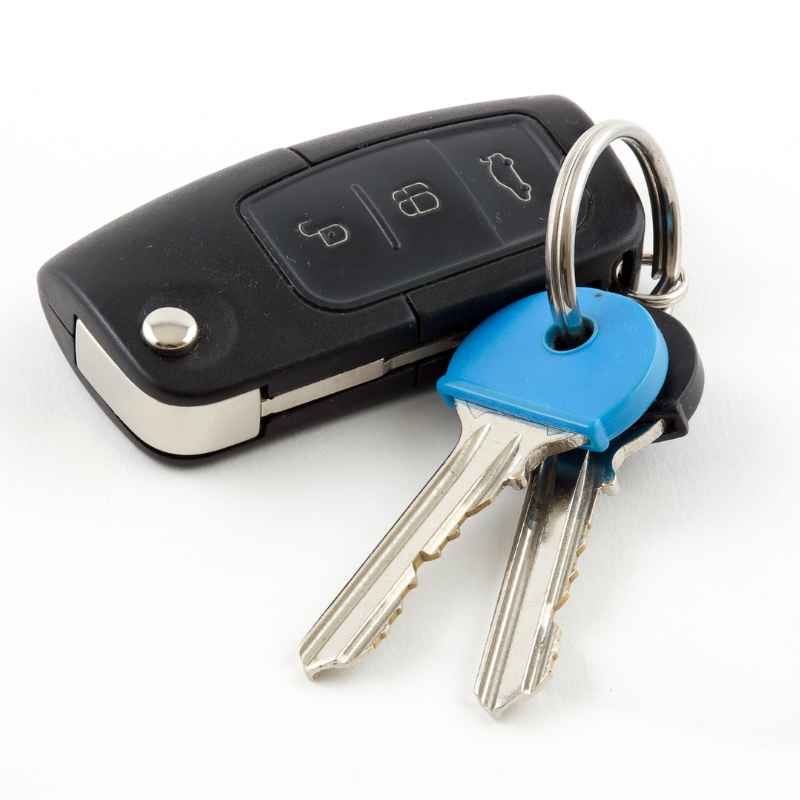
Traditional Key Fobs with Physical Keys: These are the most common. They have separate buttons for lock, unlock, and trunk release. The physical key part is often attached or folds out.
For these, the manual synchronization procedures we discussed usually apply.
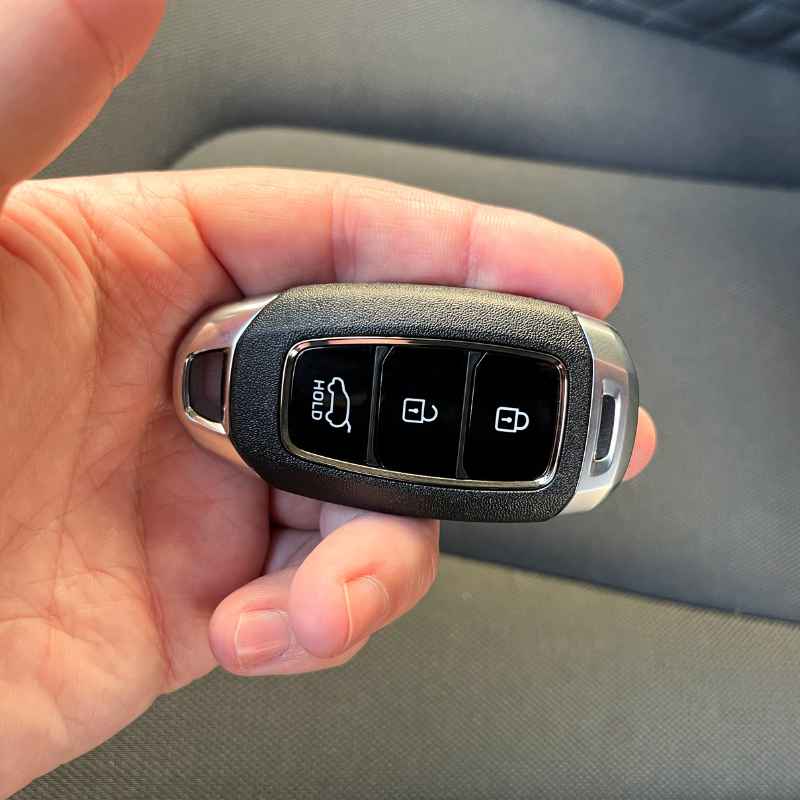
Smart Keys / Keyless Entry Fobs: These fobs allow you to unlock doors by touching a button on the door handle. They also often enable push-button start. If you have this type, the procedures might involve holding the fob closer to the start button or specific sensor areas on the car.
Integrated Key Fobs: Some newer models might have fobs that are more integrated into the car’s digital systems. These can sometimes be re-synced through the car’s infotainment system menu, although manual button presses are still very common. Always refer to your owner’s manual for the precise instructions for your specific fob type.
Knowing which type of fob you have helps you find the most accurate sync instructions. If you’re unsure, taking a picture of your fob and looking it up online with your car’s model year is a great start. You can also often find videos demonstrating the process for specific VW models.
Contrast Matrix: Common Misconceptions vs. Reality
Myth
If my fob stops working, it’s always broken.
Syncing is only for new fobs.
A dead car battery means a new fob is needed.
I must go to the dealership for any key fob issue.
Reality
Often, it’s just a battery or sync issue that can be fixed easily.
Syncing is needed whenever the car’s system resets or loses connection.
Usually, just a resync or battery change is needed for the fob.
Many issues can be solved by owners or local auto locksmiths.
What This Means for You: Practical Takeaways
Knowing how to sync your Volkswagen key fob is a valuable skill. It can save you time and money. Most of the time, a simple resync or battery change will solve the problem.
You don’t need to panic if your fob suddenly stops working.
When it’s normal: It’s normal for a key fob to lose sync after the car’s battery dies or is replaced. It’s also normal for the fob buttons to become less responsive as the battery weakens over time. These are expected maintenance points.
When to worry: If you’ve tried replacing the battery and performed all the recommended sync procedures, and the fob still doesn’t work, then it might be time to worry a little. This suggests a more serious issue with the fob itself or the car’s receiver.
Simple checks: Always start with the simplest things. Check the fob battery. Ensure the car battery has enough power.
Try the different sync methods in order. If you have a spare fob, try using that one. This helps you narrow down the problem quickly.
Understanding these basics empowers you. You can handle many common key fob issues yourself. This gives you confidence and control over your car’s features.
It also helps you avoid unnecessary trips to the mechanic or dealership.
Quick Fixes & Tips for Key Fob Longevity
Beyond just syncing, a few tips can help your Volkswagen key fob last longer and perform better. These are simple habits that prevent common problems.
Protect your fob: Avoid dropping it. If you tend to drop things, consider a protective fob cover. These are usually made of silicone and add a layer of cushioning.
Keep it dry: Water damage is a major killer of electronic devices. Try not to expose your key fob to rain, splashes, or submersion. If it does get wet, dry it thoroughly and let it air out before trying to use it.
Battery care: Replace the battery proactively. If you notice the range decreasing, don’t wait until it stops working completely. Replacing it early prevents the frustration of being locked out.
Spare fobs are your friends: If your car came with two fobs, use both periodically. This ensures both are exercised and their batteries stay somewhat fresh. If one fob fails, you have an immediate backup and time to fix the other.
Cleanliness counts: Sometimes, dirt or debris can get into the buttons, preventing them from making proper contact. A gentle cleaning with a dry cloth or a cotton swab (used carefully) can sometimes help.
These small steps contribute to the overall health and reliability of your key fob. They help ensure it’s ready when you need it.
Frequently Asked Questions About VW Key Fob Synchronization
How do I know if my Volkswagen key fob battery needs replacing?
You’ll usually notice the range of your key fob decrease. It might only work when you are very close to the car. Some newer VWs might even show a warning light on the dashboard or within the car’s display system indicating a low fob battery.
If the buttons stop responding altogether, the battery is the first thing to check.
Can I sync my Volkswagen key fob myself?
Yes, in most cases, you can sync your Volkswagen key fob yourself. The steps are usually simple and involve turning the ignition or using the door locks. We’ve outlined common methods in this guide.
For very specific or complex systems, professional help might be needed, but try the DIY steps first.
What does it mean if my Volkswagen key fob’s lights blink but it doesn’t unlock?
This usually indicates the car’s system is receiving a signal, but there’s a communication breakdown or a security lockout. It could be a synchronization issue. Try the resync procedures.
If it persists, there might be an issue with the car’s door lock actuators or the body control module.
Do I need to sync my key fob after jump-starting my car?
Often, yes. When a car battery dies, the car’s computer systems can reset. This can cause the key fob to lose its sync with the car.
Performing the basic synchronization procedure after a jump-start or battery replacement is a good practice to ensure your fob works correctly.
How many key fobs can a Volkswagen car support?
Volkswagen vehicles can typically support multiple key fobs, usually up to four or eight, depending on the model and year. If you have lost a key fob or need to add a new one, a dealership or automotive locksmith can program additional fobs to your car’s system.
Is it possible to damage my car by trying to sync the key fob incorrectly?
It is highly unlikely that performing the correct synchronization procedures will damage your car. These procedures are designed to re-establish communication. However, avoid pressing buttons randomly or using methods not found in your owner’s manual or from reputable sources, as this could potentially confuse the system.
Conclusion: Getting Your VW Back on Track
It’s totally understandable to feel frustrated when your Volkswagen key fob won’t sync. But as we’ve seen, this is a common issue with often simple solutions. By understanding why it happens and knowing the basic steps to resync your fob, you can often fix it yourself.
Remember to check the battery first. Then try the different synchronization methods. You’ll likely find that your key fob is back to its old self in no time.
This keeps you moving forward.
Products related to this article
Sponsored / affiliate links. As an Amazon Associate I earn from qualifying purchases. I may earn additional commission from eligible campaigns.