How to Set Radio Station Presets in Your Car (Any System)
Setting radio stations in your car means tuning to a frequency, then pressing and holding a numbered preset button — typically 2 to 4 seconds — until you hear a confirmation beep. Skip that hold time and the station will not save, which is why presets seem to “disappear” after a battery disconnect. This guide covers manual tuning, preset buttons, touchscreen menus on newer models, and how SiriusXM presets differ.
Quick Answer
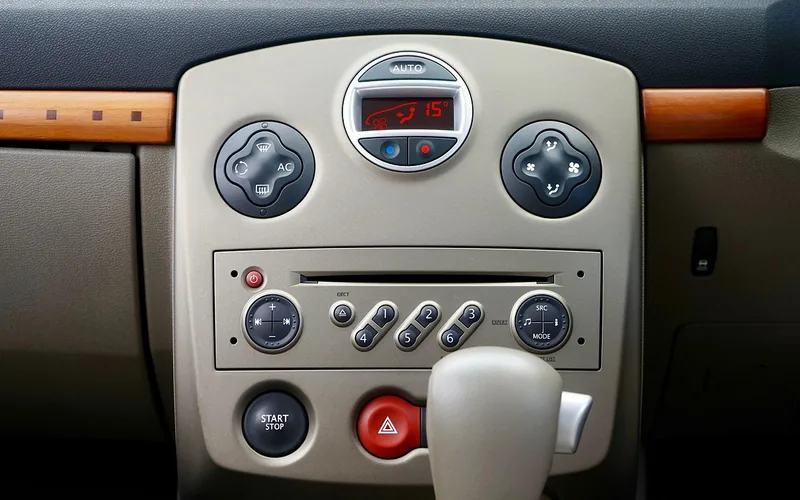
To set radio stations in your car, tune to the station you want using seek, scan, or the manual tuning dial, then press and hold a numbered preset button for about 2 to 4 seconds until you hear a beep or see it flash. On touchscreen infotainment systems, tap and hold the on-screen station icon instead, or use an “Add to Favorites” menu option.
Before You Start: What You Need
- Your car’s key or fob, or the vehicle already running — the stereo needs power, so turn the key to “accessory” (ACC) mode or start the engine
- A few minutes with the car parked, since manual tuning is easier to do without also driving
- Your owner’s manual on hand (or a PDF search for your exact model and year) — the preset-hold time and button layout are not standardized across brands
How to Manually Tune and Save Radio Station Presets (Step-by-Step)
This is the method that works on the widest range of vehicles, from a base-model sedan to an older truck with a simple AM/FM head unit.
- Turn on the radio: Put the key in the “accessory” position or start the engine, then press the power button if the stereo does not turn on automatically.
- Choose AM or FM: Press the “Band” or “AM/FM” button to pick which frequency type you want to tune — some systems also cycle through a separate HD Radio or SiriusXM band here.
- Find a station: Press “Seek” or “Scan” to auto-search for the next clear signal, or turn the tuning knob (or press the arrow buttons) to dial in a specific frequency by hand.
- Confirm the signal is clear: Wait until the audio comes in clean with no static before you save it — saving a weak signal as a preset just locks in the static.
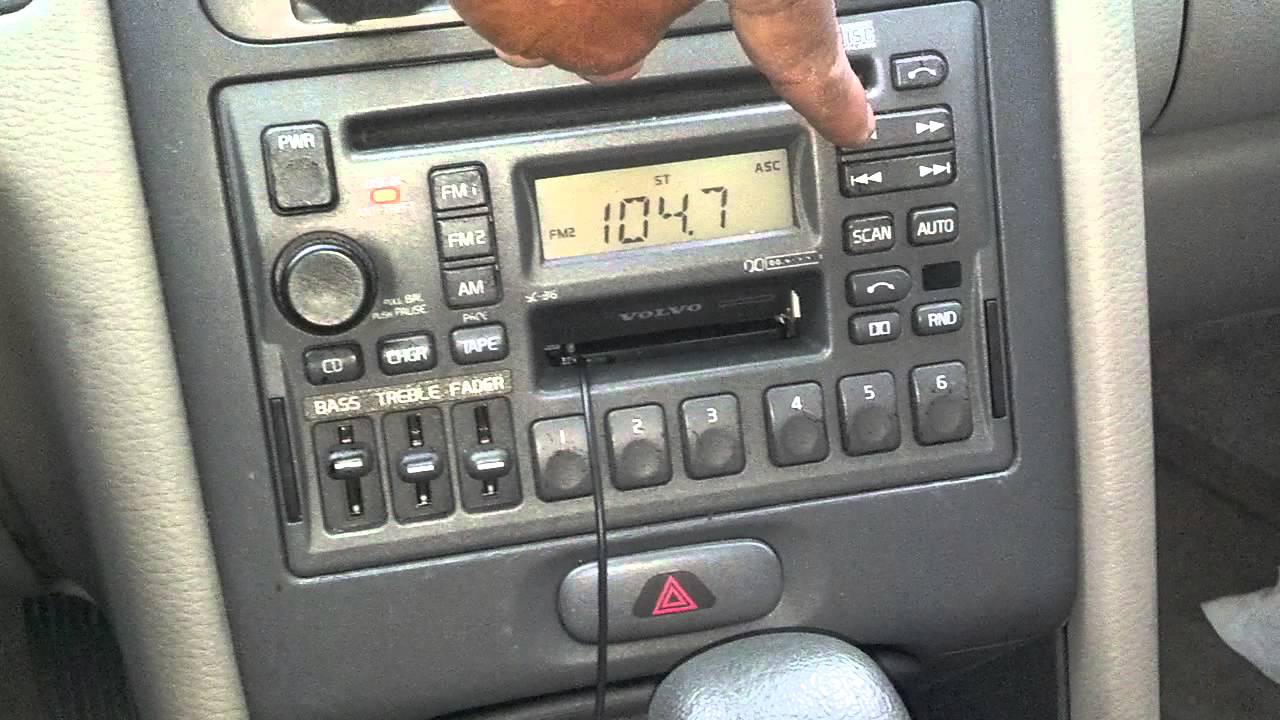
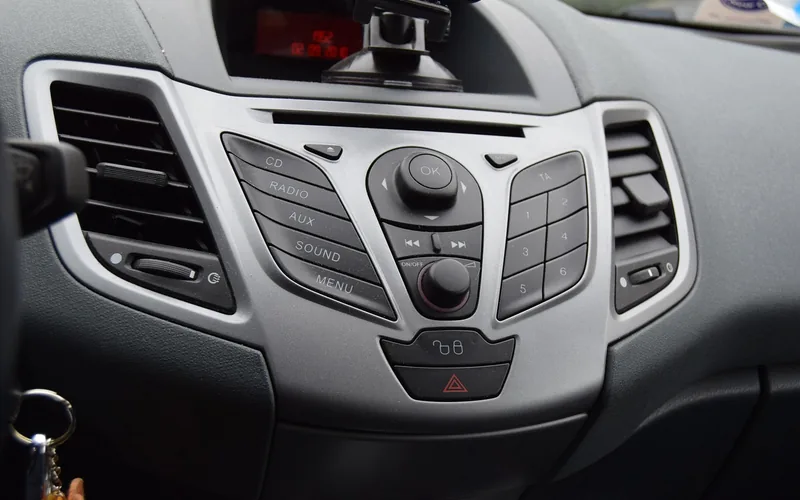
- Press and hold a preset button: Hold the numbered button (1 through 6, or more on some systems) for about 2 to 4 seconds until you hear a beep or see the display flash.
- Repeat for each slot: Tune to your next favorite station and repeat step 5 on a different numbered button until all your presets are filled.
How to Use “Auto Store” or “Scan All” to Save Presets Automatically
Many stereos include an Auto Store, Auto Select, or Scan All feature that skips the manual tune-and-hold process entirely. Activating it — often a press-and-hold on the “Scan” or “AS” button, or a menu option on touchscreen systems — sweeps the entire frequency band and automatically fills your preset slots with the strongest signals available in your current location.
This is the fastest way to fill an empty preset bank, especially when you have driven into a new city and your old presets no longer pick up anything. The tradeoff is that it overwrites every preset you already saved, so use it only when you are starting fresh or genuinely stuck. The exact button combination is not standardized, so check your owner’s manual for tuning-button specifics if Auto Store does not respond the way you expect.
Customizing and Reassigning Your Presets
Reassigning Preset Buttons
Press the preset button you want to change and hold it until the screen flashes or you hear a tone. Tune to the new station, then press the same button again to overwrite it. This works the same way on every preset button, so repeat it for each one you want to update.
Organizing Presets by Frequency
A simple way to keep presets easy to find is to save them in frequency order, lowest to highest. Assign your lowest-frequency favorite to preset 1, then move up the dial and assign each following station to the next preset in sequence. This makes flipping through presets while driving faster, since you already know roughly where each station sits.
Setting Radio Presets on a Touchscreen Infotainment System (Newer Cars)
The steps above assume physical numbered buttons, but that is not universal. On many vehicles built since roughly 2018, physical preset buttons have been replaced by an on-screen radio menu, and the process shifts from press-and-hold to tap-and-hold or a dedicated favorites screen.
To save a preset on a touchscreen: tune to the station, then tap and hold the empty preset icon on the screen, or select “Add to Favorites” from the audio menu. Toyota’s 2025 Camry, for example, uses a dedicated “Add/Edit Radio Favorites” screen where you can drag stations to reorder them — a layout that does not exist on older, button-only models. Because there is no single universal touchscreen layout, the exact menu path depends heavily on your specific make, model, and infotainment software version — if the tap-and-hold method above does not match your dash, check your owner’s manual or the manufacturer’s support site rather than assuming your unit is broken.
📊 NHTSA’s driver-distraction guidelines recommend that any in-vehicle task keep single glances away from the road to 2.0 seconds or less, with total glance time under 12 seconds for the whole task — a physical preset button you can find by feel typically clears that bar more easily than navigating a touchscreen menu. Source: NHTSA Visual-Manual Driver Distraction Guidelines, Federal Register, 2013
Volkswagen’s own leadership has admitted its touchscreen-only control push “did a lot of damage” to the brand — one reason several automakers are now bringing physical buttons back for everyday tasks like radio and climate control.
How SiriusXM and Satellite Radio Presets Work Differently
The process itself is nearly identical to AM/FM: tune to the channel, then press and hold a preset button until it saves. The differences show up around that step. On most factory systems, SiriusXM channels share the exact same preset bank as your AM/FM stations — pressing preset 3 might play a satellite channel one day and an FM station the next, depending on which you saved there most recently.
SiriusXM also has a separate “Favorites” feature, usually marked with a star icon, that is independent of numbered presets — a channel can be a favorite, a preset, both, or neither. If you are setting up satellite presets for the first time, SiriusXM publishes its own step-by-step instructions by radio brand at siriusxm.com/presets. For a full activation walkthrough, see our guides on using SiriusXM in your car and getting satellite radio installed, or our guide on switching your radio over to satellite mode.
| System Type | How You Save a Preset | Best For |
|---|---|---|
| Physical buttons (common on older/budget models) | Tune, then hold the numbered button ~2–4 sec until it beeps | Quick access without looking at the screen |
| Touchscreen infotainment (common since ~2018) | Tap and hold the on-screen preset icon, or use an “Add to Favorites” menu | Newer vehicles with a digital dash; layout varies by brand |
| SiriusXM / satellite | Same tune-and-hold method, but usually shares the same preset bank as AM/FM | Subscribers who want music and talk channels in one preset bank |
Troubleshooting Common Radio Station Problems
Weak or No Signal (Antenna Problems)
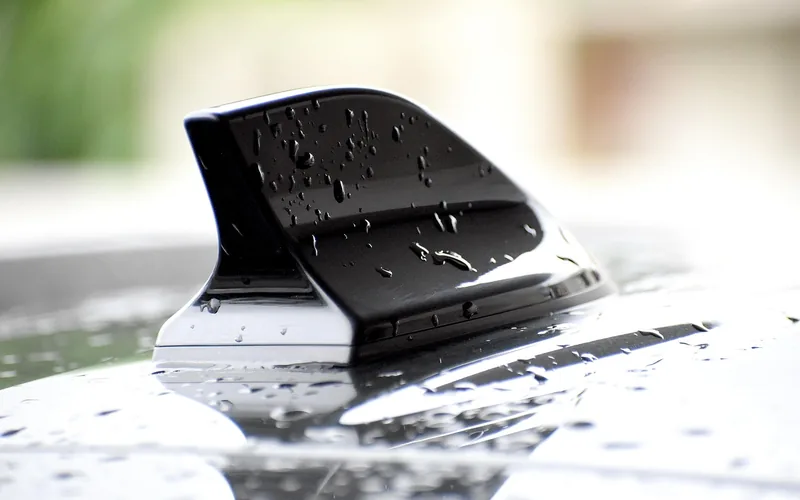
If a station keeps cutting to static, first make sure the antenna is fully extended, or, on a shark-fin or hidden antenna, not damaged or loose at its base. Try a different location, since tall buildings, parking garages, and mountains all block signal — a station that comes in clear at home can vanish entirely downtown. If reception stays weak everywhere, a corroded or failing antenna connection is the most common cause, and an aftermarket signal booster or a full antenna replacement is usually a far cheaper fix than replacing the whole head unit.
Best Car Antenna Signal Booster Pick
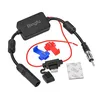
Bingfu Universal Car Stereo FM Radio Antenna Signal Booster Amplifier
A 12V inline amplifier that plugs between your existing antenna and radio to strengthen weak reception without any rewiring.
- Best for: Reviving weak FM reception on almost any factory or aftermarket head unit
- Why we picked it: Simple plug-and-play design that works with the antenna you already have
- Main drawback: Won’t fix a genuinely broken or disconnected antenna, only a weak signal
Compare more antenna signal booster options
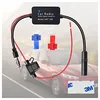 Option 1 12V Car Antenna Booster 25dB (Budget Pick)
|
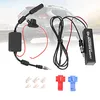 Option 2 Car Antenna Booster with Hidden Antenna
|
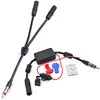 Option 3 Bingfu Car Antenna Signal Booster (Higher-Output)
|
As an Amazon Associate we earn from qualifying purchases.
Resetting the Stereo After Presets Disappear
If every preset you have saved suddenly reverts to nothing, the stereo’s memory has lost power — almost always from a weak or disconnected car battery, a blown fuse, or a fresh battery swap. Turning the stereo off, waiting a minute, and turning it back on clears a simple freeze. For a full factory reset, look for a small recessed reset button on the faceplate (often needs a paperclip or pin) or a “Reset” option inside the settings menu — holding it a few seconds clears corrupted settings, but it also erases every saved preset, so plan to redo the tuning steps above afterward.
Advanced Listening Options: HD Radio and Phone Streaming
HD Radio (Digital Radio) Presets
Many newer stereos support HD Radio, a digital signal broadcast alongside the standard analog signal on the same frequency. HD Radio presets are set the same way as regular ones — tune in the HD sub-channel, usually shown as HD1, HD2, and so on, then hold the preset button — but you may need to turn on an “HD” or “Digital” mode in the audio menu first before those sub-channels appear at all.
Playing Music Through Bluetooth or a Streaming App Instead
If your car has Bluetooth or a USB/AUX port, you can bypass FM/AM presets entirely by connecting your phone and opening a station’s own streaming app, such as iHeartRadio or TuneIn. This uses your phone’s data plan rather than a radio signal, so the antenna and reception issues covered above do not apply — but you will need a strong cellular connection instead.
Frequently Asked Questions
How Do You Set Radio Stations in a Car?
Turn on your car’s radio, then use the tuning knob or seek buttons to find your desired station. Once it comes in clear, press and hold a preset button until you hear a beep. Your station is now saved. Repeat for other stations, or use your screen’s menu instead if your car has a touchscreen system.
Can You Preset Stations in Any Car?
Most cars built in the last few decades allow presetting radio stations, whether through physical numbered buttons or a touchscreen favorites menu. A small number of very basic or very old radios may not support presets at all. Check your car’s manual, or consult the manufacturer or a dealership, if you cannot find a preset option.
Why Can’t I Save Radio Stations?
If stations are not saving, first check that you are holding the preset button long enough — 2 to 4 seconds is typical, and releasing too early cancels the save. Next, check your car’s battery, since a weak or corroded connection can prevent the stereo’s memory from holding new presets at all. If both check out, consult your manual or a professional; a software update or reset may be needed.
How Do I Delete a Preset Radio Station?
Tune to a different station you want in that slot, then press and hold the same preset button to overwrite the old one — there is usually no separate “delete” step, just replacement. This process can vary slightly by car model, so consult your owner’s manual if the button does not respond as expected.
Does Disconnecting the Battery Erase Your Radio Presets?
Yes, on most vehicles. Disconnecting the battery cuts power to the stereo’s memory chip, which typically wipes every saved preset along with the clock. Some newer systems retain settings briefly using a small backup capacitor, but you should expect to redo your presets after any battery replacement or extended disconnection.
Do SiriusXM Presets Work the Same as AM/FM Presets?
The saving process is identical — tune to the channel, then press and hold a preset button. The difference is that SiriusXM channels usually share the same preset bank as AM/FM on factory systems, and SiriusXM also has a separate star-icon “Favorites” feature that works independently of numbered presets.
What Is the “Auto Store” or “Scan All” Button on My Radio?
Auto Store, Auto Select, or Scan All is a feature that automatically sweeps the entire frequency band and fills your preset slots with the strongest signals it finds, skipping the manual tune-and-hold process. It is useful when you are in a new area or starting from a blank preset bank, but it will overwrite any presets you already saved.
Conclusion
Setting radio station presets takes less than a minute once you know your system: tune in a station, then hold the preset button until it beeps, or use your screen’s menu on newer touchscreen dashboards. If presets keep disappearing, start by checking the battery connection and antenna before assuming the stereo itself is broken.
Products related to this article
Sponsored / affiliate links. As an Amazon Associate I earn from qualifying purchases. I may earn additional commission from eligible campaigns.