How to Update Your Car Navigation System for Free
Updating your car navigation system for free ensures you have the latest maps, traffic data, and points of interest, preventing costly errors and frustrating detours. This guide will walk you through the process, making it easy to keep your in-car GPS up-to-date without spending a dime.
Knowing how to perform these updates is crucial for safe and efficient driving, whether you’re navigating familiar routes or exploring new territories. We’ll cover common methods, potential pitfalls, and tips to make the process smooth.
Simply put, updating your car navigation system for free involves identifying your system’s manufacturer, visiting their official website to download the latest map files, and transferring these files to your vehicle’s system, often via USB or SD card. Compatibility checks and following manufacturer instructions are key.
Key Takeaways
- Update your car navigation system by first identifying the exact manufacturer and model.
- Most free updates are available directly from the vehicle manufacturer’s or navigation system provider’s official websites.
- Utilize USB drives or SD cards for transferring map data; ensure they are properly formatted.
- Always consult your vehicle’s owner’s manual for specific instructions related to your navigation system.
- Regular updates improve accuracy, add new roads, and enhance traffic information.
What is a Car Navigation System Update?
A car navigation system update refers to the process of refreshing the software and map data within your vehicle’s built-in GPS. This process is akin to updating the operating system on your smartphone or computer. It ensures that the digital representation of roads, landmarks, and traffic conditions within your car’s system is as current as possible.
These updates are vital because road networks are constantly changing. New roads are built, existing ones are rerouted or improved, and points of interest like businesses and attractions appear and disappear regularly. Without updates, your navigation system might direct you down non-existent roads, miss crucial new routes, or fail to find destinations that have recently opened.
The primary goal of an update is to maintain accuracy and reliability. This translates to fewer missed turns, more efficient route planning, and ultimately, a safer and less stressful driving experience. Manufacturers and third-party providers often release these updates periodically, sometimes quarterly, semi-annually, or annually.
Why Updating Your Navigation System is Essential
Keeping your car’s GPS up-to-date offers a multitude of benefits that go beyond just finding your way from point A to point B. Modern navigation systems integrate with real-time traffic data, speed limits, and even parking availability, all of which rely on accurate, current information.
- Improved Route Accuracy: Access to the latest road layouts, new construction, and temporary detours prevents you from getting lost or sent down incorrect paths.
- Enhanced Traffic Information: Updated systems can provide more precise real-time traffic flow, helping you avoid congestion and save time.
- New Points of Interest (POIs): Discover new restaurants, shops, gas stations, and attractions that have been added since your last update.
- Reduced Risk of Fines: Up-to-date speed limit data helps you stay compliant and avoid unnecessary speeding tickets.
- Better Fuel Efficiency: Optimized routes that avoid heavy traffic and unnecessary stops can contribute to better fuel economy.
- Smoother Driving Experience: Less time spent recalculating routes or dealing with outdated information leads to a more relaxed journey.
How to Find Free Navigation System Updates
The availability of free updates depends largely on your car’s manufacturer and the specific navigation system it uses. Many automakers provide free map updates for a certain period after purchase or offer them through their official portals. Some systems, particularly those integrated with smartphone mirroring technologies like Apple CarPlay or Android Auto, receive updates indirectly through app updates on your phone.
The first step is to identify your vehicle’s navigation system provider. This is often the car manufacturer itself (e.g., Ford, Toyota, BMW) or a dedicated GPS software company that the manufacturer partners with (e.g., Garmin, HERE Technologies, TomTom). Check your vehicle’s owner’s manual, the infotainment system’s settings menu, or the manufacturer’s website for this information.
Locating Your Navigation System Provider
Accurately identifying the source of your navigation system is the most critical step. Without this information, you won’t know where to look for updates. Here’s how to pinpoint the right provider:
- Consult Your Owner’s Manual: This is the most reliable source. Look for sections on “Navigation System,” “GPS,” or “Infotainment.” It should clearly state the brand and model of your navigation software.
- Check the Infotainment System Display: Navigate through your car’s display menus. Often, there’s an “About” or “System Information” section that reveals the software provider. Look for logos or brand names.
- Visit the Manufacturer’s Website: Go to your car brand’s official website. Look for sections like “Owners,” “Support,” “Infotainment,” or “Navigation.” They usually have dedicated pages for navigation updates.
- Contact Your Dealership: If you’re still unsure, your car dealership’s service department can definitively tell you which navigation system you have and how to get updates.
Once you’ve identified the provider, you can proceed to their official website. Be wary of third-party sites claiming to offer free updates, as these can be unreliable or even contain malware.
Step-by-Step: Downloading and Installing Updates
The process for downloading and installing free navigation updates generally follows a similar pattern, regardless of the manufacturer. It typically involves accessing a specific portal, downloading the necessary files, and transferring them to your vehicle.
Before you begin, ensure you have a stable internet connection and the correct storage media (usually a USB drive or SD card). The size of map updates can be substantial, often several gigabytes, so having ample storage is crucial. Also, make sure your vehicle’s battery is fully charged or that the engine is running during the installation process to prevent interruptions.
1. Prepare Your Storage Media
Most manufacturers require you to use a specific type of storage device, typically a high-capacity USB flash drive or an SD card. Check your car manufacturer’s website for recommended specifications, such as minimum storage size (often 32GB or 64GB) and file system format (usually FAT32 or exFAT).
- Formatting: If your USB drive or SD card is not formatted correctly, it might not be recognized by the system or the update tool. Format the drive using your computer’s disk utility. Ensure you back up any existing data on the drive before formatting, as this process erases all content.
- Size Requirements: Map files for entire regions or continents can be very large. Ensure your chosen storage media has enough free space. For example, a full Europe map update might require 20GB or more.
- File System: Using the correct file system (like FAT32 for smaller drives or exFAT for larger ones) is crucial for compatibility across different devices.
2. Download the Update Tool and Map Files
Navigate to the official website for your car’s navigation system. You’ll usually find a dedicated section for updates. Often, you’ll need to download a small utility program provided by the manufacturer.
This tool helps manage the download and preparation of the map files for your specific car model.
After installing the utility, you’ll typically need to insert your prepared USB drive or SD card into your computer. The utility will then guide you through selecting the correct map region for your vehicle (e.g., North America, Europe, Asia). Once selected, the tool will download the map data and install it onto your storage media, preparing it for transfer to your car.
| Common Navigation System Providers & Update Portals |
|---|
| Toyota/Lexus: My.Toyota.com or Lexus.com (often uses Garmin or HERE) |
| Honda: HondaNavigation.com (often uses Garmin or HERE) |
| Ford: SyncUpdaters.com (often uses HERE) |
| BMW: ConnectedDrive Store or dealer website (often uses HERE or TomTom) |
| Volkswagen: VW.com or dealer website (often uses HERE) |
| General Garmin Systems: Garmin.com/express |
This table provides a starting point; always verify the correct portal for your specific vehicle model and year.
3. Install the Update in Your Vehicle
Once the map data is successfully transferred to your USB drive or SD card, safely eject it from your computer. Turn on your car and ensure the ignition is in the “ON” position (engine running is often recommended, but check your manual). Locate the navigation system’s SD card slot or USB port.
from 30 minutes to over an hour, depending on the size of the update and the speed of your vehicle’s system.
It’s crucial not to interrupt this process by turning off the car or removing the storage media. Some systems may require a reboot after the installation is complete.
Common Challenges and Troubleshooting
While the update process is designed to be straightforward, users sometimes encounter issues. Understanding these common challenges and their solutions can save you a lot of frustration.
One of the most frequent problems is the navigation system not recognizing the USB drive or SD card. This is often due to incorrect formatting, insufficient storage space, or a faulty storage device. Another common hiccup is the download tool failing to install the map data correctly onto the media, which can happen if the internet connection drops during the download.
Finally, installation in the vehicle can sometimes stall or fail. This might be caused by a low battery, a corrupted map file, or an incompatible update version for your specific car model. Always double-check compatibility before starting any download or installation.
Troubleshooting Tips
When faced with an update problem, try these troubleshooting steps:
- Reformat and Redownload: If your media isn’t recognized, try reformatting it and downloading the map files again. Use the manufacturer’s recommended format (FAT32 or exFAT).
- Use a Different USB/SD Card: Sometimes, the storage media itself is the issue. Try a different, known-good USB drive or SD card. Ensure it’s from a reputable brand.
- Verify Compatibility: Double-check that the map update you’ve downloaded is specifically for your car’s make, model, and year. Even within the same car model, different trim levels or production years might use different navigation software.
- Check for Software Updates for the Tool: The update utility software itself might have updates available. Ensure you’re using the latest version.
- Stable Power Source: During installation in the car, ensure the engine is running or connect a battery charger to maintain a consistent power supply.
- Contact Support: If all else fails, don’t hesitate to contact your car manufacturer’s customer support or your dealership. They have access to specific diagnostic tools and knowledge bases for your vehicle.
Warning: Never use unofficial sources for navigation updates. Downloading from torrent sites or non-manufacturer websites can lead to corrupted files, malware infections, or even damage to your car’s infotainment system. Stick strictly to official channels.
Alternatives to Manufacturer Updates
While direct manufacturer updates are the most common way to get free map data, there are alternatives for keeping your navigation current, especially for older vehicles or those with unsupported systems.
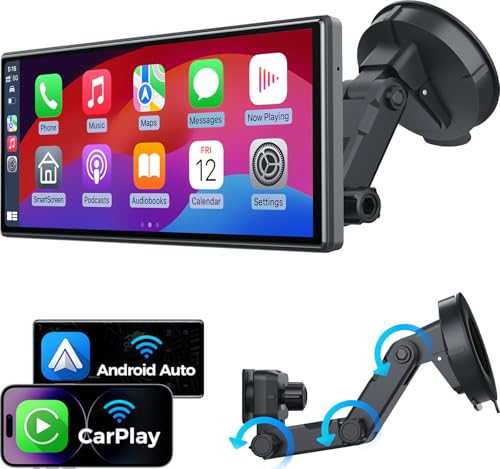
For many cars, especially newer models, integrating your smartphone via Apple CarPlay or Android Auto is a fantastic alternative. These systems mirror popular navigation apps like Google Maps or Waze directly onto your car’s display. Since these apps update automatically through your phone’s app store, you always have the latest maps and traffic information without any manual installation process in the car.
However, if your car’s system doesn’t support CarPlay or Android Auto and you can no longer get free manufacturer updates, you might consider purchasing an update. These can be expensive, so evaluate if the cost is justified by the benefits you’ll gain.
Using Smartphone Integration (CarPlay/Android Auto)
This is arguably the most seamless way to keep your navigation current, provided your vehicle is compatible. If your car has Apple CarPlay or Android Auto functionality, connecting your compatible smartphone allows you to use your favorite navigation apps directly on your car’s screen.
- Seamless Updates: Google Maps, Waze, Apple Maps, and others update automatically when your phone’s app receives an update.
- Real-Time Traffic: These apps excel at providing real-time traffic data, rerouting you dynamically to avoid delays.
- Vast POI Databases: Access to extensive and frequently updated databases of businesses, restaurants, and points of interest.
- Voice Commands: Utilize voice assistants (Siri, Google Assistant) for hands-free destination entry and control.
- Familiar Interface: Use an app you’re already comfortable with, reducing the learning curve.
To use this feature, you’ll typically need a compatible smartphone (iPhone for CarPlay, Android for Android Auto) and a USB cable, or wireless connectivity if supported by your car and phone.
Important: Ensure your smartphone is updated to the latest operating system version to ensure full compatibility with CarPlay and Android Auto. Also, check if your car manufacturer offers specific setup guides for these systems.
When Paid Updates Might Be Necessary
Some vehicle manufacturers limit free updates to a specific period after the car’s purchase, or they might only offer free updates for certain regions or older models. If you have a vehicle that is several years old, or if your manufacturer has ended its free update program, you might find that only paid updates are available through official channels.
In such cases, you need to weigh the cost against the benefits. A paid map update can cost anywhere from $100 to $300, which is a significant investment. Consider how often you rely on your built-in navigation and whether the accuracy and features provided by the latest maps justify the expense.
| Comparison: Free vs. Paid Navigation Updates | ||
|---|---|---|
| Cost | Free | $100 – $300+ |
| Availability | ||
| Frequency | ||
| Process | ||
| Key Benefit |
If paid updates are your only option and you find them too expensive, relying on smartphone navigation apps through CarPlay or Android Auto is the most practical and cost-effective solution.
Tips for Maintaining Your Navigation System
Beyond just performing updates, a few simple practices can help ensure your car’s navigation system functions optimally and reliably for years to come.
Regularly checking for software updates for the navigation system itself, not just the maps, is also important. Manufacturers sometimes release firmware updates that improve the system’s performance, stability, and user interface. These are often found on the same portals where you download map updates.
Tip: Bookmark the official update portal for your vehicle’s navigation system. This will make it easier to check for new updates periodically without having to search each time.
Keeping your vehicle’s electrical system in good condition is also indirectly beneficial for your navigation system. A stable power supply prevents interruptions during updates and ensures the system operates as intended.
- Check for System Software Updates: In addition to map data, look for any available software or firmware updates for the navigation unit itself. These can improve performance and fix bugs.
- Keep Vehicle Battery Healthy: A well-maintained battery ensures consistent power, which is crucial during lengthy update installations.
- Handle Storage Media with Care: USB drives and SD cards can be sensitive. Store them in a safe place when not in use and avoid exposing them to extreme temperatures or magnetic fields.
- Regularly Clean Ports: Dust and debris can accumulate in USB ports and SD card slots. Gently clean them periodically with compressed air to ensure good connection.
- Understand Your System’s Limitations: Be aware of how your specific navigation system works. Some might require specific GPS signal strength for updates, while others might have different requirements for optimal performance.
Frequently Asked Questions
What is the primary benefit of updating my car’s navigation system?
The primary benefit is improved accuracy and reliability. You get the latest road information, including new roads and closures, along with up-to-date traffic data and points of interest, leading to more efficient and safer journeys.
How often should I update my car navigation system?
This varies by manufacturer, but generally, map updates are released annually or semi-annually. It’s advisable to check for updates at least once or twice a year, or whenever you plan a long trip to an unfamiliar area.
Can I update my navigation system using my car’s Wi-Fi?
Some newer vehicles offer over-the-air (OTA) updates via Wi-Fi or a cellular connection. However, this is not universally available. For most systems, manual download and installation via USB or SD card is still the standard method.
What happens if I interrupt the update process?
Interrupting the update process can corrupt the map data, rendering your navigation system unusable or causing it to function erratically. If this happens, you may need to reinstall the entire system or seek professional help from a dealership.
Are there any risks associated with downloading free updates from unofficial websites?
Yes, significant risks exist. Unofficial sources may provide outdated or corrupted maps, install malware on your computer or car system, or even brick your navigation unit. Always use the official manufacturer’s website or associated tools for updates.
Final Thoughts
Keeping your car navigation system updated is a straightforward yet essential task for any driver. By following the steps to identify your system, locate official free updates, and perform the installation correctly, you ensure accurate routing and a more informed driving experience. Don’t overlook the convenience of smartphone integration as a modern alternative.
Regular updates contribute to safer, more efficient, and less stressful journeys, making the effort well worthwhile.
Sponsored / affiliate links. As an Amazon Associate I earn from qualifying purchases. I may earn additional commission from eligible campaigns.
Products related to this article