Car Battery Corrosion: What It Means, Causes and How to Clean It
Car battery corrosion is the white, blue-green or brown crust that builds up on battery posts and cable clamps. It usually comes from hydrogen gas venting from the battery and reacting with the metal around it, and less often from acid seeping out of a cracked case. Per Interstate Batteries, the color mostly tells you which metal is corroding, not whether the battery is good, so the crust is a cue to clean, check the charging system and test the battery.
If the crust keeps coming back within weeks of scrubbing, the cleaning is rarely the problem. This guide covers what each color points to, the causes worth ruling out, a cleaning method that follows owner manuals and battery makers, and when to stop and get help. For the full danger question see is car battery corrosion dangerous.
What Is Car Battery Corrosion?
A flooded lead-acid battery makes hydrogen as it charges. A safety valve vents small amounts when pressure builds, and Interstate Batteries says that hydrogen is odorless, colorless and not toxic to people, yet corrosive to metals. Where it lands on a terminal, the metal turns to powder. A cracked case near a post can leak acid and do the same thing, but Interstate calls hydrogen the more common cause.
| Best Terminal Corrosion Guard Pick | |
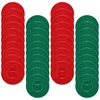 |
40-Pack Battery Terminal Anti-Corrosion Felt Washers
|
| View Our Pick on Amazon | |
As an Amazon Associate we earn from qualifying purchases. This is a spec-based pick from the product listing, not a hands-on test.
Corrosion is not harmless cosmetic dirt. Optima says corrosion can impede current flow, which is why a battery with a heavy crust can crank slowly or fail to start even when the battery itself is fine. See can corrosion cause a car not to start for how that looks in practice.
What the Corrosion Color Tells You
Colors are clues about which metal is corroding. Interstate Batteries gives the metal breakdown below, and the last two columns are our reading of what to do next. Treat the color as a hint rather than a diagnosis.
| Color | Metal involved (per Interstate Batteries) | What it points to | Next step |
|---|---|---|---|
| White or pale gray powder | Corroded lead, zinc or aluminum | Hydrogen venting at a lead post, or acid seepage at the post seal | Clean it, then check the case near the post for a crack or wet spot |
| Blue or green crust | Hydrogen corroding copper, usually wiring or clamps | Copper in the cable end or clamp is being attacked | Clean it, inspect the cable end, and replace a clamp or cable that is pitted or cracked |
| Brown or red-brown | Corroded iron or steel (less common) | Rust on a hold-down, bolt or tray | Clean or replace the hardware and check the tray |
| Wet, sticky or oily residue | Electrolyte, not just powder (our inference) | Possible leak from the case or post seal | Wear eye protection, do not touch bare-handed, and get the battery checked |
A corrected myth: a popular rule says white crust on the positive post means overcharging and crust on the negative post means undercharging. None of the maker pages or owner manuals read for this guide say that. Interstate says the color does not indicate battery or charging-system performance, and that corrosion suggests the battery recently drained and recharged significantly. Test the charging system and the battery rather than reading the post.
Why Does My Battery Keep Corroding?
If it returns quickly, work through these causes in order, cheapest first.
Hydrogen venting from charging and age
Every charge cycle releases some hydrogen, so a battery that is repeatedly drained and recharged, such as one used for short trips or left with a drain, will vent more. Interstate adds that poor airflow lets hydrogen linger.
An overcharging alternator or past high-heat charging
Interstate says heavy corrosion may point to an overcharging alternator or to past high-heat charging. Yuasa’s manual adds that discoloration, warping or a raised case top may mean a battery overheated or was overcharged. With the engine running, Fluke says a good alternator produces about 13.7 to 14.7 volts at the battery, and readings above that can indicate overcharging. See signs of a bad alternator and our battery health test with a multimeter for the exact steps.
A cracked case or seepage at the post
Interstate says acid can contribute if the case is cracked near a terminal. Yuasa describes its sealed post as designed to prevent acid seepage and reduce corrosion. A wet ring around one post, rather than dry powder, is the clue.
Loose, dirty or unprotected connections
Yuasa’s manual tells owners to inspect terminals, clamps and cables for breakage, corrosion or loose connections and to clean them with a wire brush. Bare metal with no protectant gives corrosion an easy start. Interstate says corrosion at the negative terminal in particular may point to a starter problem, so it suggests having the charging system tested.
Age and worn hardware
Interstate says batteries often last five years or longer with regular cleaning. If a battery is old and keeps crusting, a test, not more scrubbing, is the next step. Our guide to what makes terminals corrode fast goes deeper on the chemistry, and this Lincoln battery post question shows a model-specific case.
How Can I Tell If Corrosion Is Causing Problems?
- Slow or clicking starts that improve after the terminals are cleaned and tightened.
- Dim lights or flickering electronics when you crank.
- A battery that tests fine but still will not start the car, pointing at the cable connection rather than the cells.
A multimeter reading with the engine off then on will separate a bad connection from a weak battery. The battery health guide has the voltage chart, so we will not repeat it here. A stalled engine caused by a bad connection is covered in can battery corrosion cause a car to stall.
Battery Acid Safety Before You Touch Anything

- Acid burns. Interstate’s safety data sheet for battery acid lists battery electrolyte as 30 to 40 percent sulfuric acid. For eye contact it says to flush with fresh water for at least 15 minutes and get medical attention. The Hyundai owner manual says to wear eye protection designed for acid splashes and not to let acid touch your eyes, skin or clothing.
- Hydrogen. The Honda owner manual says the battery gives off explosive hydrogen gas in normal operation and that a spark or flame can make it explode with enough force to kill or seriously hurt you. It says to wear protective clothing and a face shield, or have a skilled technician do the work. Hyundai says to keep all flames, sparks and smoking materials away.
- Ventilation. Interstate says to work in a well-ventilated area, outdoors or in an open garage, or to use a fan blowing away from you.
- Lead. Honda says battery posts, terminals and accessories contain lead and lead compounds, and to wash your hands after handling.
- Do not bridge the terminals. Interstate says to remove jewelry and never let a wrench touch the other terminal.
- Stop and get help if the case is cracked, swollen, warped, leaking or hot.
Flagged for human review: this safety section is built from a maker safety data sheet, Honda and Hyundai owner manuals, Yuasa’s technical manual and Interstate Batteries pages. Your own owner manual overrides this page.
How to Clean Battery Corrosion Safely
The steps below stick to what the sources agree on.
- Protect yourself and the car. Put on eye protection and gloves, work in fresh air, and connect a memory saver first if your car needs one. Interstate warns that disconnecting without backup power can erase data in the car’s computers, including adaptive fuel and idle settings.
- Disconnect the negative cable first. Interstate and the Hyundai manual agree: remove the negative cable first and reinstall it last. Interstate says to cover the positive terminal with a cloth or plastic cup so it cannot touch metal.
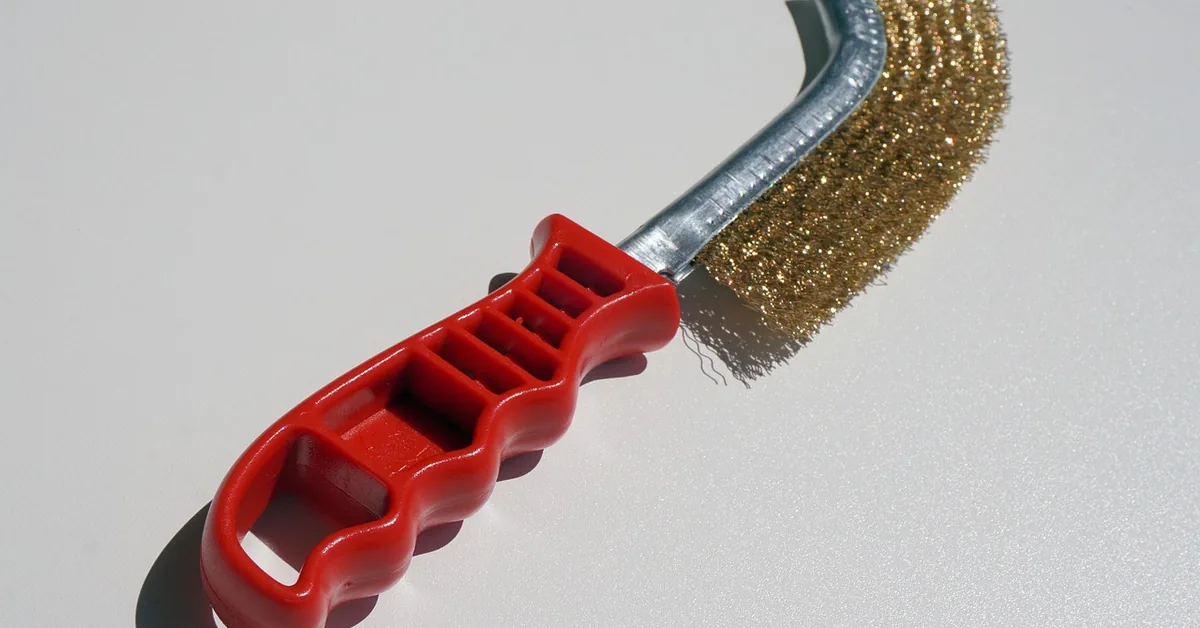
- Neutralize with baking soda and water. Optima gives one tablespoon of baking soda in a cup of hot water for flooded batteries. Yuasa’s spill ratio is 1 pound of baking soda to 1 gallon of water. Brush it on with a wire brush for lead posts and clamps or a plastic brush, and keep it out of the vent caps and cells.
- Scrub, then rinse lightly and dry. Wipe with a damp towel, then dry the posts, clamps and the top of the case thoroughly, as the Honda manual and Interstate both advise.
- Reconnect the positive first, then the negative. Interstate says to connect the red positive terminal first, then the ground. Tighten snugly; Optima lists overtightening and hammering terminals onto posts among the causes of terminal problems.
- Protect the clean metal using one of the options in the prevention section below.
Important: Yuasa says to keep fill-cap plugs finger-tight on conventional batteries so cleaning materials do not enter the cells and neutralize the acid. Interstate also tells owners not to use cola, which can leave a brown, gummy residue.
The current Honda manual page says baking powder, while every other source here says baking soda, so use baking soda. For a deeper cleaning walkthrough see how to clean car battery connections and our best battery terminal cleaners.
Rinse water, rags and brushes
The sources are thin on disposal. The same safety data sheet says not to discharge un-neutralized acid to a sewer and to dispose of waste under local rules, and Interstate says to throw away plastic brushes after use. Soak up the used baking soda solution with towels rather than flushing it down a storm drain, and ask your local household hazardous waste program how to dispose of the rags.
Order to Disconnect and Reconnect, and Cars With Battery Sensors
- Off: negative first, positive second (Interstate; Hyundai manual).
- On: positive first, negative last (Interstate).
- Battery sensor: the Honda manual says a sensor on the negative terminal monitors battery condition. Do not force or pry it, and check your manual before cleaning around it.
- Resets: the Hyundai manual says some items may need to be reset after the battery has been disconnected. Interstate lists rough idle, rough shifting and warning lights among symptoms of lost data.
Our step-by-step disconnect guide and which cable goes on first cover the order in more detail. Manuals can carry model-specific warnings, so if yours mentions a battery management system, follow it.
How to Prevent Battery Corrosion From Coming Back
| Protectant | What the makers say | Notes |
|---|---|---|
| Dielectric grease or terminal grease | Hyundai says to keep terminals clean, tight and coated with petroleum jelly or terminal grease. Honda says to coat the terminals with grease. Yuasa says dielectric grease or clear lacquer helps prevent corrosion. | Interstate says to apply it after reconnecting and not between the post and the clamp. |
| Corrosion preventative spray | Interstate says to apply it to clean terminals to slow new buildup. | Apply after the terminals are cleaned and dried. |
| Felt anti-corrosion washers | None of the maker pages read here mention them; the product listing says they are designed to help prevent terminal corrosion. | A low-cost barrier at the post base. Place them on clean, dry posts. |
| WD-40 | Interstate says it can work on posts but is not ideal because it can attract grime over time. | Skip it if you can use grease or spray. |
For more ideas see how to prevent corrosion on a car battery. Interstate suggests checking and cleaning terminals every six months, and the Honda manual says to check them monthly.
When Should I Replace My Battery?
Corrosion alone does not mean the battery is bad. Interstate says only a battery test reveals weakness, and Optima says corrosion does not mean the battery needs replacing. Replace it when:
- the case is cracked, swollen or warped, or acid is leaking;
- a load or cranking test fails, or it will not hold a charge after a full charge and retest;
- the posts are loose or damaged;
- it is well past the typical five-year mark and corrosion returns right after every cleaning;
- the cable end or clamp is pitted or cracked, in which case replace that part as well.
After a swap, our what to do after replacing a car battery covers resets. The car battery basics hub lists every battery guide on the site.
Can Corrosion Damage Other Parts of My Car?
Yes. Hydrogen and acid can reach nearby metal, so a leaking or heavily venting battery can corrode the tray, hold-down, bolts and cable ends. Clean those along with the posts, and replace badly rusted hardware.
Frequently Asked Questions
Why does my car battery corrode so quickly?
Common causes are hydrogen venting from repeated drain and recharge cycles, an overcharging alternator, a cracked case or seepage at the post, and loose or unprotected connections. Have the charging system and the battery tested if it returns within weeks.
Can I drive my car with battery corrosion?
Light corrosion often still lets the car start, but heavy corrosion can cause slow starts or a no-start because it impedes current flow, per Optima. Clean it soon, and do not drive if the case is cracked, leaking, swollen or hot.
Is battery corrosion dangerous?
Yes. The crust can contain lead compounds, so wear gloves and wash your hands afterward, and the battery gives off explosive hydrogen and contains sulfuric acid. Keep sparks and flames away and wear eye protection.
How often should I check my battery for corrosion?
Interstate Batteries suggests checking and cleaning every six months. The Honda owner manual says to check the terminals monthly.
Can I use household items to clean battery corrosion?
Baking soda and water is the method the makers and owner manuals describe. Interstate says not to use cola because it leaves a gummy residue, and it calls WD-40 usable but not ideal.
What does white powder on a car battery mean?
Per Interstate Batteries, white powder is corroded lead, zinc or aluminum, most often from hydrogen venting. Color does not show whether the battery or charging system is bad, so test both.
Sources, named without links where not linked above: Interstate Batteries (corrosion and disconnect guides), Optima Batteries, Yuasa technical manual, Fluke, and the Honda and Hyundai owner manuals. Always confirm vehicle-specific steps in your own owner manual.
Products related to this article
Sponsored / affiliate links. As an Amazon Associate I earn from qualifying purchases. I may earn additional commission from eligible campaigns.