Best Wireless Rearview Cameras (2026): Range, Power & Specs
A wireless rearview camera sends its video to a monitor by radio, but the word wireless covers only the video link. Garmin’s BC 50 camera is wired to a reverse lamp, Pyle’s PLCM4590WIR camera lists a DC 12V power supply, and AUTO-VOX’s Solar3A Plus runs on a built-in rechargeable battery with solar assist. This page compares those makers’ cameras by what each maker publishes: transmission type, stated range, resolution, viewing angle, power and waterproof rating. It compares maker-stated specifications and is not a hands-on test.
What Is a Wireless Rearview Camera? How It Works
A wireless rearview camera is a camera at the back of the vehicle plus a radio transmitter that sends its picture to a monitor or display. Garmin’s BC 50 kit consists of a transmitter, a camera and a camera mounting bracket, and Garmin states a wireless frequency of 2.4 GHz at 17.5 dBm maximum. Pyle lists 2.4GHz wireless video transmission with a transmitter adapter cable and a receiver adapter cable, and AUTO-VOX lists 2.4GHz digital FHSS (frequency hopping) for its Solar1 Pro 6.
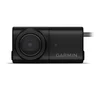 |
Best Maker-Documented Pick Garmin BC 50 with Night Vision Wireless Backup Camera
As an Amazon Associate we earn from qualifying purchases. Spec-based pick from the listing, not a hands-on test. |
Amazon listed the pick above, sold by Amazon.com, at $299.99 when this page was updated on October 25, 2026. Garmin’s suggested retail price at the June 2022 launch was $299.99 for the BC 50 with Night Vision and $199.99 for the standard BC 50.
Wireless vs. Wired Rear Camera: Which Should You Buy?
Garmin’s installation sheet has the BC 50 transmitter connected to a 12 to 24 VDC power source, preferably a reverse lamp. Pyle lists a DC 12V power supply for the PLCM4590WIR camera. AUTO-VOX lists the Solar3A Plus camera at DC 3.7V from its built-in battery and its monitor at DC 5V, USB powered. The table starts with power and lists each maker’s own figures.
| Model | Video link | Camera power (maker) | Where you watch it | Stated range | Waterproof rating |
|---|---|---|---|---|---|
| Garmin BC 50 and BC 50 with Night Vision | 2.4 GHz at 17.5 dBm maximum | Transmitter wired to 12 to 24 VDC, preferably a reverse lamp; 9 to 28 Vdc input; 1 A at 12 Vdc (BC 50), 300 mA at 12 Vdc (Night Vision) | Compatible Garmin navigation device | Approximately 50 ft | IPX67 |
| AUTO-VOX Solar3A Plus (5-inch monitor) | Stable digital wireless signal | Built-in rechargeable battery with solar assist, camera DC 3.7V | 5-inch monitor, DC 5V (USB powered) | Up to 52 ft | IP69K |
| AUTO-VOX Solar1 Pro 6 (6-inch monitor) | 2.4GHz digital FHSS | 5000mAh battery with solar charging | 6-inch monitor, DC 12V | No figure on the maker page | IP69K |
| Pyle PLCM4590WIR | 2.4GHz wireless video | DC 12V power supply | 4.3-inch mirror monitor | Up to 165 ft | IP67 |
These ranges are stated figures, not on-vehicle measurements. Garmin says the transmitter can send video approximately 50 ft (15.24 m) but that the location of the transmitter affects the range.
Pyle’s own page showed the PLCM4590WIR as sold out on October 25, 2026.
Rearview Mirror Camera Systems vs. License-Plate Wireless Cameras
Pyle’s PLCM4590WIR puts its picture on a mirror monitor: a 4.3-inch LCD, 480 x 272 pixels, 350 cd/m2 brightness, designed to replace the existing vehicle mirror assembly, with the camera preferably mounted above the rear license plate. Pyle’s own Q&A says the kit has night vision and scale lines only, with no alert sensor, and that the antenna on the receiver and transmitter is necessary.
Plate-mount cameras attach at the plate. Garmin’s bracket clips onto a license plate or screws to the back of the vehicle with self-tapping panhead screws, and its video appears on a compatible Garmin navigation device; Garmin says up to four compatible wireless cameras can be paired. AUTO-VOX supplies its own monitor with the Solar3A Plus (5-inch) and Solar1 Pro 6 (6-inch), both listed as license plate mounted.

Wireless Rearview Camera Specs Compared: Resolution, Viewing Angle and Night Vision
| Model | Resolution (maker) | Viewing angle (maker) | Night vision (maker) | Recording | Maker-listed price |
|---|---|---|---|---|---|
| Garmin BC 50 | Sharp HD, no pixel count stated | 160-degree field of view | Separate model, BC 50 with Night Vision (NightGlo, up to 20 ft behind the vehicle) | None stated | $199.99 at June 2022 launch; $299.99 for Night Vision model |
| AUTO-VOX Solar3A Plus | 1080P (1920 x 1080) | 110 degrees horizontal | Enhanced night vision with IR support | Memory storage not supported | $139.99 on October 25, 2026 |
| AUTO-VOX Solar1 Pro 6 | 1080P (1920 x 1080) | 120 degrees horizontal | Super night vision, 0.1 lux minimum illumination | microSD 8GB to 64GB, loop recording | $159.99 on October 25, 2026 |
| Pyle PLCM4590WIR | 480 TVL horizontal; 628 x 586 total pixels | 170 degrees (“wide viewing angle”) | 0.2 lux low-light performance | None stated | $141.59 sale (regular $202.27), sold out on October 25, 2026 |
The makers label the angle differently (field of view, horizontal viewing angle, wide viewing angle), so the numbers are not a like-for-like measurement. Resolution is stated differently as well: AUTO-VOX lists 1080P, Pyle lists 480 TVL, and Garmin’s launch announcement describes sharp HD resolution without a pixel count.
Garmin’s launch announcement says NightGlo technology on the BC 50 with Night Vision can illuminate up to 20 feet behind the vehicle. The pick box above is the night-vision model.

How Each Camera Is Installed and Powered
Garmin BC 50: Reverse-Lamp Wiring
Garmin’s BC 50 installation instructions say Garmin strongly recommends having an experienced installer with the proper knowledge of electrical systems install the device, because incorrectly wiring the power cable can result in damage to the vehicle or the battery and can cause bodily injury. Garmin also says not to remove the in-line fuse holder, and lists a 2 A fast-blow transmitter fuse. The sheet’s sequence is:
- Test the camera and transmitter locations before mounting anything permanently. Garmin says that if you do not want to splice into vehicle wiring for the test, you can connect the transmitter and camera to a 12 Vdc battery.
- Clip the bracket onto the license plate, or fasten it to the back of the vehicle with self-tapping panhead screws. When drilling or cutting, Garmin says to check what is on the opposite side of the surface and to wear safety goggles, ear protection and a dust mask.
- Drill a hole for the camera cable to enter the vehicle, feed the cable to the transmitter location, and optionally apply RV sealant around the cable where it enters.
- Secure the transmitter. Garmin says the fuse holder is not waterproof and should not be installed where it is exposed to the elements, and that the camera-to-transmitter connector must be made waterproof if it is exposed.
- Connect the transmitter power cable to a 12 to 24 VDC source, preferably a reverse lamp, using the included solderless wire-splice connector, which suits 16 to 22 AWG wire. If you do not use it, Garmin says to solder and heat-shrink the connections.
Two more points from the sheet. Some vehicles do not provide constant minimum voltage to the reverse lamps, and Garmin says to use an automotive relay when connecting to a source without constant voltage. Connecting to an always-on source such as a running lamp means switching the transmitter’s power manually, and Garmin says the transmitter may drain the vehicle battery if it is left on.
AUTO-VOX: No Wiring or Drilling, per the Maker
The AUTO-VOX Solar3A Plus page describes a 2-minute DIY install with no wiring or drilling, using a screwdriver and an anti-theft screw. The Solar1 Pro 6 page says to mount on the license plate in minutes with no drilling or complicated wiring, and lists its monitor voltage as DC 12V, so check how that monitor gets its power before you buy.
Garmin’s installation sheet for the night-vision model gives the same 12 to 24 VDC reverse-lamp power instruction and the same fuse and relay cautions. Related guides: how to install a 360 camera in a car and the voltage of a car cigarette lighter. This guide gives no steps for airbag or SRS wiring.
How Far Can a Wireless Rear View Camera Really Transmit?
Garmin’s sheet is the most specific on what changes range. It says the transmitter can send video approximately 50 ft (15.24 m), and that the location of the transmitter can affect this range:
- The closer you install the transmitter to the device, the more reliable the signal.
- The signal transmits from the flat front and back surfaces of the transmitter, and the best signal comes when either flat surface points toward the receiver.
- Dense metal or appliances in the path of the transmitter greatly reduce the transmission distance.
- The fewer solid objects between the transmitter and the device, the more reliable the signal.
Garmin’s launch announcement adds that an optional 50-foot extension cable expands the wireless transmission range up to 100 feet, which it presents as suited to longer rigs and vehicle-trailer setups. AUTO-VOX describes frequency-hopping technology on its pages and states 52 ft for the Solar3A Plus; Pyle’s 165 ft figure is the longest stated of the four models.
Waterproof Ratings on These Cameras: IPX67, IP67 and IP69K
The four models list three different ratings. Garmin rates the BC 50 camera and transmitter IEC 60529 IPX67 and explains it in a footnote: the device is protected against ingress of dust and withstands incidental exposure to water of up to 1 m for up to 30 min. Garmin adds that connections and fuses must be waterproofed or stay above the waterline, and that the camera does not transmit underwater. Pyle lists the PLCM4590WIR camera as IP67, waterproof and fog resistant. AUTO-VOX lists IP69K for both models, with an operating range of -4 F to 149 F (-20 C to 65 C), without stating the IP69K test conditions on those pages.
Garmin’s own operating range for the BC 50 is -20 C to 60 C (-4 F to 140 F).
Battery Life and Solar Charging for Plate-Mount Cameras
Only the AUTO-VOX models here run the camera from a battery. For the Solar3A Plus, AUTO-VOX says the 5000mAh battery keeps the camera powered for 3 to 4 months on a single charge, with solar-assisted charging and USB-C when needed. The Solar1 Pro 6 page lists a 5000mAh battery with solar charging. The Solar3A Plus monitor’s display sleep options are 60s, 90s and 120s; the Solar1 Pro 6’s are 60s, 120s and never.
The 3 to 4 month figure is the maker’s claim and AUTO-VOX gives no test conditions for it. Garmin’s BC 50 and Pyle’s PLCM4590WIR have no battery to charge because they take vehicle power.
Does a Backup Camera Replace Checking Your Mirrors?
NHTSA’s 2014 final rule on rear visibility expanded the required field of view to include a 10-foot by 20-foot zone directly behind the vehicle. It applies to passenger vehicles, trucks, buses and low-speed vehicles with a gross vehicle weight rating of 10,000 pounds or less, and full compliance was required on May 1, 2018. NHTSA said it anticipated vehicle makers would use rearview video systems and in-vehicle displays.
NHTSA’s safety data in that rule put average backover crashes at 267 fatalities and 15,000 injuries a year, of which 210 fatalities and 15,000 injuries involved light vehicles at or under 10,000 pounds GVWR. Children under 5 years old accounted for 31 percent of the fatalities and adults 70 and older for 26 percent. NHTSA estimated that systems meeting the rule’s requirements are 28 to 33 percent effective.
Garmin’s installation sheet describes the BC 50 as a device intended to enhance your situational awareness when used properly, and warns that if used improperly you could become distracted by the display.
Related Backup Camera Guides
- Wireless backup cameras for cars
- Wireless backup cameras with night vision
- Best backup cameras for cars
- Rearview mirrors with cameras
- Replacing a rear view camera
- Which cars have a 360 camera
Frequently Asked Questions
How far can a wireless backup camera transmit its signal?
It depends on the model. Garmin says the BC 50 transmitter can send video approximately 50 ft (15.24 m), and that its location and dense metal in the signal path change that. AUTO-VOX states 52 ft for the Solar3A Plus, and Pyle states up to 165 ft for the PLCM4590WIR. Those are maker-stated figures.
Are wireless backup cameras really wireless?
Only the video link is. Garmin’s BC 50 transmitter is connected to a 12 to 24 VDC source, preferably a reverse lamp. Pyle lists a DC 12V power supply for its camera. AUTO-VOX’s Solar3A Plus camera runs from a built-in rechargeable battery with solar assist, and its monitor is listed at DC 5V, USB powered.
How long does the battery last on a wireless backup camera?
AUTO-VOX says the 5000mAh battery in its Solar3A Plus keeps the camera powered for 3 to 4 months on a single charge, with solar-assisted charging and USB-C as backup. That is the maker’s claim, not a measured result. Garmin’s BC 50 and Pyle’s PLCM4590WIR are listed with wired power instead.
Do I need a professional to install a wireless backup camera?
It depends on how the camera is powered. AUTO-VOX describes the Solar3A Plus as a 2-minute install with no wiring or drilling. Garmin’s BC 50 sheet strongly recommends an installer experienced with electrical systems, because wiring the power cable incorrectly can damage the vehicle or battery and cause bodily injury. Follow the install sheet for your model.
Does the federal backup camera rule apply to a camera I add myself?
NHTSA’s 2014 final rule applies to vehicles with a GVWR of 10,000 pounds or less, phased in by manufacture date, with 100 percent of vehicles manufactured on or after May 1, 2018 covered. It requires a field of view that includes a 10-foot by 20-foot zone behind the vehicle. For a camera you add yourself, follow the maker’s install sheet and your vehicle’s documentation.
What This Guide Does Not Cover
- On-vehicle range, lag or battery tests of any camera; all figures are maker-stated.
- Other makers’ cameras, including receiver-compatible cameras for aftermarket stereos.
- Current prices beyond the dated figures shown; check the listing before you buy.
- Airbag, SRS or other vehicle-specific wiring; ask a qualified installer or your vehicle maker.
Sources
Garmin BC 50 installation instructions (August 2022), the Garmin BC 50 specifications page and the Garmin BC 50 series announcement of June 9, 2022; the AUTO-VOX Solar3A Plus and Solar1 Pro 6 product pages; the Pyle PLCM4590WIR product page; and the NHTSA 2014 final rule linked above. All read October 25, 2026.
Products related to this article
Sponsored / affiliate links. As an Amazon Associate I earn from qualifying purchases. I may earn additional commission from eligible campaigns.
 CAMECHO 7 Inch Wireless Backup Camera for Truck, HD 1080P Rear View Camera Monitor, Night Vision 18-LED Reverse Camera, BSD, Back Up Camera System for Car, Pickup, Trailer, RV, Camper, SUVs
 Wireless Backup Rear View Camera - Waterproof License Plate Car Parking Rearview Reverse Safety/Vehicle Monitor System w/ 4.3” Mirror Video LCD, Distance Scale Lines, Night Vision - Pyle PLCM4590WIR