BlueDriver OBD2 Scanner Worth It? Buyer’s Verdict
Yes—BlueDriver is worth it for most DIY owners who keep one or two late-model cars and want a $100-ish scanner with strong code data and live fixes. Skip it if you need bi-directional controls, programming, or deeper Asian and European coverage. Buy it badly, and you end up with a scanner that still will not handle the jobs that send cars to a shop. This guide breaks down who gets value from BlueDriver, where it falls short, and which cheaper alternatives make more sense.
This guide is part of our Car ownership essentials series.
Verdict

For the right owner, the value is real. BlueDriver appears to offer a model in a higher price range, and the brand says there is no subscription fee. That pricing only works if you use the deeper data: Repair Reports, live data, freeze frame, and, on supported vehicles, enhanced diagnostics beyond the check-engine light.
📊 BlueDriver Pro is listed at $139.95 on the brand site. Source: Bluedriver.
Specs at a glance
| Item | BlueDriver Pro |
|---|---|
| Connection | Bluetooth OBD2 dongle paired with a phone app |
| Price | $139.95 on the brand site |
| Subscription | No subscription fee |
| Basic functions | Reads and clears codes |
| Live data | Supported |
| Freeze frame | Supported |
| Smog Check readiness | Supported |
| Mode 6 data | Highlighted as a deeper diagnostic feature |
| Vehicle support | Works with vehicles built after 1996 with an OBD2 port |
| Enhanced diagnostics | Available on supported makes and models; coverage varies by manufacturer, model year, and vehicle support |
BlueDriver says it has sold over 1,100,000 units and claims more than 60,000 customer reviews. It also claims access to 9,000+ diagnostic codes. Those claims matter less than fit. The scanner only pays off if the car, the fault, and the owner’s habits line up with what it can actually read.
Who it is for
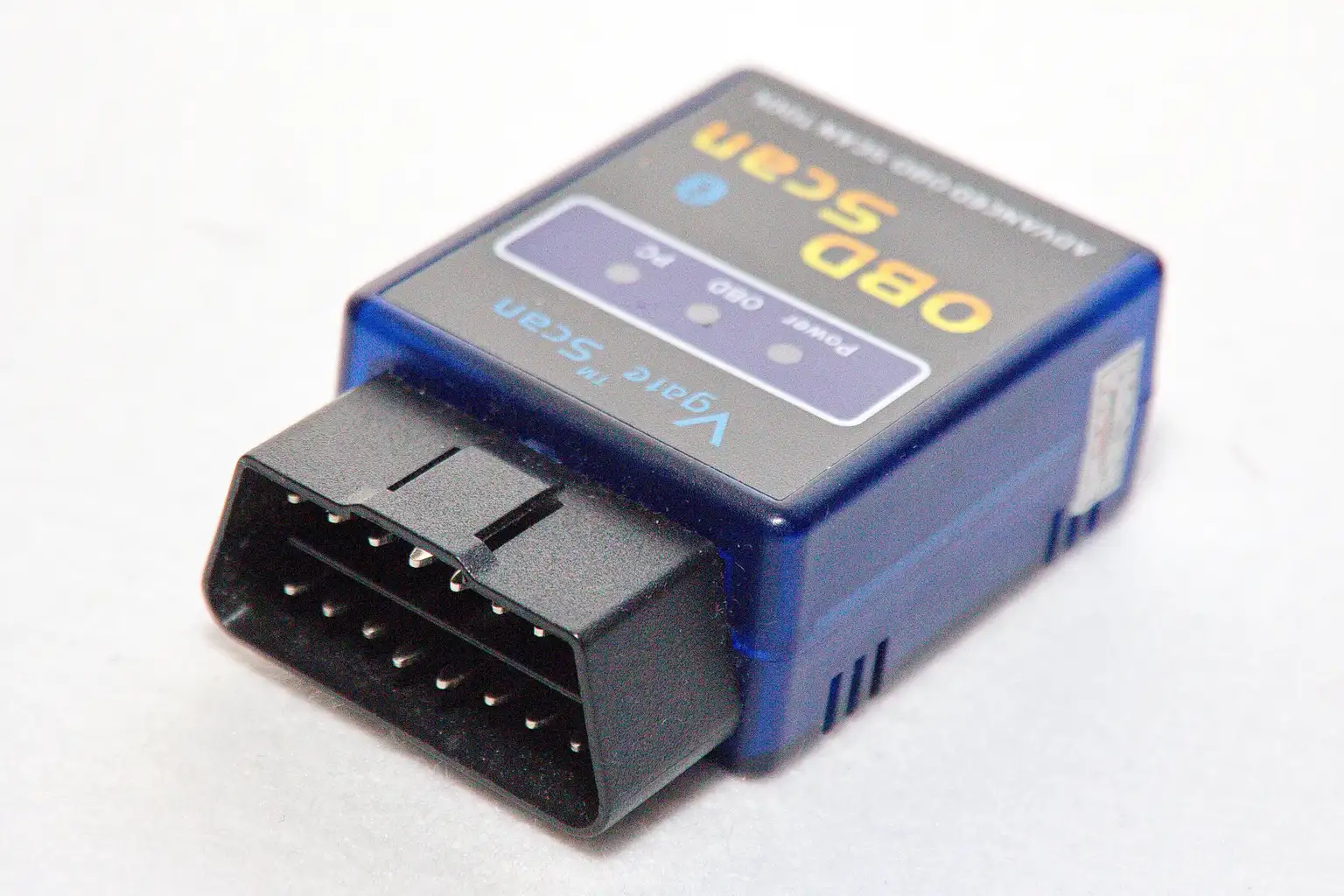
BlueDriver is best for the DIY owner who keeps one or two late-model cars, wants better-than-basic diagnosis, and does not want to pay a shop for every warning light. It also fits someone who checks emissions readiness before inspection, or who wants live sensor data for a stumble, rough idle, or intermittent misfire.
It is weaker for owners who only need to clear a code once every few years, or for people who work on older cars with simple faults and no need for enhanced data. It also misses the mark if the owner expects tablet-style control over modules, relearns, and actuator tests.
Pros and cons
- Pros: stronger code data than a cheap reader, live data, freeze frame, Smog Check readiness, and Repair Reports tied to confirmed fixes.
- Pros: no subscription fee, and supported vehicles can get enhanced diagnostics for areas like ABS, SRS, transmission, and TPMS.
- Cons: phone dependence adds pairing and app-friction risk.
- Cons: it is not true bidirectional control, and coverage is not universal across makes or model years.
What works
BlueDriver’s strongest feature is not the dongle. It is the way the app turns a code into a repair path. Repair Reports are vehicle-specific and tied to confirmed fixes, which is where the value starts to separate from the $25 generic reader that only gives a code and a shrug.
Live data is useful when the fault comes and goes. For a car that runs hot only in traffic, or trims fuel weirdly at cruise, the ability to watch coolant temp, fuel trims, and other sensor streams is often the difference between guessing and narrowing the fault to a sensor, thermostat, air leak, or fuel issue.
Mode 6 data matters on faults that basic code reading barely touches. It can show test results from onboard systems, which helps on borderline failures that never feel obvious from the warning light alone. Freeze frame helps too. It shows the snapshot when the fault set, including RPM, coolant temp, fuel trim, and engine load.
Smog Check readiness monitors are practical, not flashy. Clear codes and you may reset monitors that need drive time to come back. BlueDriver gives you a way to avoid showing up for inspection with an incomplete readiness status. That alone can justify the spend for some owners.
What does not
BlueDriver is not a replacement for a shop-level scan tool. It cannot do true bidirectional control in the way pro tools can. If the job needs actuator commands, module programming, coding, or advanced relearns, this is the wrong tier.
Enhanced diagnostics sound broader than they are. Coverage varies by manufacturer, model year, and vehicle support. One competitor lists GM, Ford, Toyota, Honda, BMW, Mercedes-Benz, Hyundai/Kia, and Volkswagen, and says BlueDriver can read more than basic engine codes, including ABS, airbag, transmission, TPMS, and climate control systems. That helps, but it still is not the same as full coverage on every car.
Bluetooth scanners also have real tradeoffs. They depend on the phone app, and Bluetooth pairing or latency can become the weak point. A cheaper ELM327-style reader may be enough for simple code checks, while a more expensive scan tool makes more sense when the diagnosis is deep, repeated, or tied to several modules.
BlueDriver vs cheaper scanners and pro tools
Compared with a cheap ELM327-style reader, BlueDriver costs more but gives you a lot more context. That matters when the same fault keeps returning, when you need live data, or when you want repair guidance instead of a raw code. If the only job is clearing a check-engine light on a 2008 sedan once a year, the cheaper reader may be the smarter buy.
Compared with a midrange Bluetooth scanner, BlueDriver is the safer first step for a general DIY owner because the app, reports, and support model are built around diagnosis rather than just code display. Compared with a shop-grade scan tool, though, it is limited. If you are doing ABS bleeding, bidirectional module tests, or programming, go higher.
BlueDriver Pro vs BlueDriver Pro Next-Gen
The current lineup makes price a bigger part of the decision. BlueDriver Pro is listed at $139.95 on the brand site, while BlueDriver Pro Next-Gen is listed at $99.95 and the products page shows a $119.95 original price. OBDadvisor puts Next-Gen at about $120 and the original Pro at about $85, while also calling BlueDriver Pro the best value for most buyers. That mix says the buying decision is less about pure hardware and more about which app package and price point you can justify.
Decision matrix: what should you buy instead?
The cheapest tool that actually solves the problem depends on the owner, the car, and how deep the diagnosis needs to go. This is where BlueDriver either becomes the first sensible purchase or becomes expensive overkill.
| Owner type | Vehicle age | Diagnostic need | Cheapest tool that actually solves it | BlueDriver worth it? |
|---|---|---|---|---|
| One-car DIY owner | 2010 and newer | Check-engine light, live data, readiness, intermittent fault | BlueDriver Pro or Next-Gen | Yes, often the first tool worth buying |
| Multi-car household | Mixed, mostly 1996+ | General code reading and occasional deeper diagnosis | BlueDriver if supported vehicles overlap; otherwise a cheaper reader plus one better scanner later | Yes, if several cars are supported |
| Older-car owner | 1996 to mid-2000s | Basic code reading and clearing only | ANCEL AD310-class reader | No, usually overkill |
| Late-model owner with ABS or SRS light | 2012 and newer | Module-level trouble codes on a supported make | BlueDriver if the make is covered; otherwise shop diagnosis | Sometimes, but verify coverage first |
| Owner chasing intermittent rough running | Any 1996+ supported vehicle | Live data, freeze frame, Mode 6 | BlueDriver | Yes |
| Owner needing programming or bidirectional tests | Any | Active commands, relearns, coding | Autel MK808BT PRO or a shop visit | No |
| Owner who only wants battery and charging tests too | Any | OBD2 plus 12V battery testing | ANCEL AD410 PRO | Not the best fit |
This matrix is the real buying filter. If the owner only wants code clearing, BlueDriver is too much money. If the owner wants one scanner to handle common late-model diagnosis without a subscription, BlueDriver is often the sweet spot. If the car needs deep module access, the answer is usually a higher-end tool or a shop bill.
Should you buy it
Buy BlueDriver if you own a supported 1996+ car, plan to keep it, and want one scanner that goes past basic code reading without jumping straight to pro-tool pricing. That is where it is strongest. It is a real value for owners who will use live data, freeze frame, readiness, and the repair database.
Skip it if your needs are basic, if your vehicle support is uncertain, or if you already know you need bidirectional control. For those cases, the cheaper reader or the higher-end scan tool is the cleaner spend. BlueDriver is worth it when diagnosis matters. It is not worth paying for features you will never use.
Alternatives


The ANCEL AD310 is the cheaper answer when you only need to read and clear engine codes on a 1996+ vehicle. Based on the spec sheet and owner feedback, it is a plain universal reader with a sturdy compact design and a simple learning curve. The drawback is obvious: it stops at basic code work, so it cannot replace BlueDriver when live data or deeper diagnosis matters.

The ANCEL AD410 PRO makes more sense than BlueDriver if you want a budget scanner plus a 12V battery tester in one tool. It adds battery and charging-system checks, EVAP testing, and real-time data, which is useful for owners who diagnose starting and charging problems as often as engine faults. The drawback is that it still sits below BlueDriver for app-driven repair guidance and supported-vehicle depth.

The Autel MaxiCOM MK808BT PRO is the jump-up choice when BlueDriver is not enough. It is a bidirectional scanner with advanced service functions and OE-level diagnosis for all available modules, so it fits owners or small shops that need active tests, resets, and deeper control. The drawback is price and complexity; it is a lot of tool for a driver who only needs a solid check-engine scanner.
Frequently asked questions
Is the BlueDriver OBD2 scanner worth it?
Yes, if you want more than a code reader and less than a shop tablet. BlueDriver is worth it for DIY owners who need live data, freeze frame, readiness checks, and repair guidance on a supported late-model car. It is not the best value for simple code clearing only.
Is BlueDriver worth it for a DIY car owner?
For a DIY owner who keeps one or two cars and actually diagnoses problems, yes. The strongest case is intermittent faults, emissions readiness, and supported enhanced diagnostics. If the owner only wants to erase a warning light once in a while, a cheaper reader is enough.
Are OBD scanners worth it?
Yes, because they can save a needless shop visit and speed up the first diagnosis. The catch is choosing the right tier. Cheap readers are worth it for basic code checks, BlueDriver is worth it for deeper DIY work, and pro tools are worth it only when the job needs active control or module-level access.
Does BlueDriver require a subscription?
No. BlueDriver’s no-subscription model is part of its value. That matters because the scanner is often bought once and kept in the glovebox or toolbox. The purchase price is the main cost, which makes the tool easier to justify than scanners that charge ongoing fees for core functions.
Is BlueDriver bidirectional?
No, not in the way pro scan tools are. BlueDriver can read codes, show data, and provide enhanced diagnostics on supported vehicles, but it does not replace a true bidirectional scanner for active tests, programming, or advanced service work. If that is the goal, buy higher.
Does BlueDriver work on all cars?
No. BlueDriver says it works with vehicles built after 1996 with an OBD2 port, but feature coverage still varies by make, model, and year. Basic engine-code functions are broad; enhanced diagnostics are not. Always verify support before buying if the car is an unusual make or older platform.
Products related to this article
Sponsored / affiliate links. As an Amazon Associate I earn from qualifying purchases. I may earn additional commission from eligible campaigns.