Can You Schedule Auto Service at Walmart? Yes, Here’s How to Book (2026)
Yes, you can schedule auto service at Walmart. Walmart says customers can schedule, check in and follow progress through the Walmart app, and customers can also contact their store. This guide is about the how: the booking steps, what to have ready, what happens at drop-off and what to confirm with your own store before you drive over. If you want the list of services itself, see our separate guide on what automotive services Walmart offers.
Book through the Walmart app (Services, then Auto Services) or on Walmart.com, pick your service, store and time slot, and keep your confirmation. Walmart describes oil changes as starting at $27 and tire services as starting at $5 (as of 2026-10-08, confirm with your local store). Walk-ins may also be possible, but confirm with your store.
How to Schedule Auto Service at Walmart
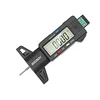
Best Tread Check Pick
|
GODESON Digital Tire Tread Depth Gauge (0-1 inch / 25.4 mm) Check how much tread your tires have left before you book, so you know whether you are asking for a rotation, a repair or new tires.
As an Amazon Associate we earn from qualifying purchases. Price and availability change; check the listing. |
There are two ways to get a vehicle into a Walmart Auto Care Center: book ahead, or walk in. Booking ahead is the better default for anything you plan, because Walmart itself has said that online scheduling has saved customers millions of hours of waiting. In an October 2025 company article, Walmart reported that customers saved over 6.6 million hours scheduling appointments online over two years.
Option 1: Book in the Walmart app
- Open the Walmart app and go to Services, then choose Auto Services.
- Choose the service you want, such as an oil change or tire installation.
- Pick your Walmart location and an open date and time.
- Confirm the booking and screenshot or save the confirmation.
Option 2: Book on Walmart.com
The same scheduling flow is available from the Auto Care Center section of Walmart.com. Choose the service, enter your vehicle details when asked, pick the store and time, and confirm. Menus and button names change from time to time, so if a step above does not match your screen, search for the Auto Care Center scheduling page from the Walmart home page or app.
Option 3: Walk in
Many stores take customers without an appointment, but we could not verify Walmart’s walk-in policy, and what a store can start right away depends on staffing and how busy it is. If your need is urgent, such as a flat tire, walking in or calling the store is reasonable. For planned work, a booked slot removes most of the uncertainty.
Step-by-Step Booking Flow: What Is Confirmed and What Is Not
Walmart pages that describe the booking screens are protected by a bot check and could not be opened for this update, so we split what we could confirm from Walmart’s own corporate articles from what we could not. Read the right-hand column before you rely on a step.
| Step | What you do | Status |
|---|---|---|
| 1 | Open the Walmart app or Walmart.com and go to the auto care scheduling area | Confirmed: Walmart corporate article (Oct 2025) says scheduling, check-in and progress tracking happen in the app |
| 2 | Choose service, location, date and time | Standard booking flow; exact screens vary, so follow what the app shows |
| 3 | Enter vehicle details (year, make, model) | Reported by search listings of Walmart pages, not verified on the page itself |
| 4 | Confirm and save the appointment | Standard; keep the confirmation with you |
| 5 | At your time, park near the auto care center and check in on the app | Confirmed for Walmart’s newer auto care center design (see drop-off section) |
| 6 | Track progress in the app, then collect your keys | Confirmed: Walmart corporate article describes live progress updates in the app |
| 7 | Reschedule or cancel if plans change | Unverified: we could not read Walmart’s policy. Do it as early as possible in the app |
What to Bring: Walmart Appointment Checklist
Walmart does not publish one master checklist that we could open, so this list combines what the booking flow asks for with what makes any tire or oil service go smoothly. Items marked with an asterisk are our recommendation, not a Walmart requirement.
- Your phone with the Walmart app and your appointment confirmation, since check-in and progress updates run through the app.
- Vehicle details: year, make, model and, for oil changes, the oil type your owner’s manual calls for.*
- Your owner’s manual or a photo of the oil and tire specification pages.*
- Your key for every lock: if your wheels use locking lug nuts, bring the locking wheel key.*
- Tire details: the size printed on your current tire sidewall, or your tire order confirmation if you bought online.*
- A note of what you want done, including anything strange such as a vibration, a pulling feeling or a warning light.*

Walmart Auto Care Center Hours: How to Check Yours
Hours vary by store, and we could not open Walmart’s store pages to confirm a standard schedule, so we are not publishing a single set of hours here. The reliable method is to search for your store on Walmart.com or in the app and open its Auto Care Center page. When you book, the app will only show slots the store is actually offering, which makes it the most trustworthy source for your local times (as of 2026-10-08, confirm with your local store).
What Happens at Drop-Off
Walmart has been redesigning some auto care centers around the app. In its October 2025 article, Walmart described the flow this way: pull into a designated spot near the center, check in on the app, hand over keys without a face-to-face exchange, get live progress updates, then pick up your keys when the work is done.

Two cautions. First, the same article said the first of 10 planned redesigned locations opened in Fayetteville, Arkansas in October 2025, so the key-locker experience should not be assumed at every store. Second, Walmart said it operates auto care centers in 2,582 Supercenters, so most stores you visit will be the standard format; ask at the counter or look at the store page. In both cases the booking still starts in the app or on Walmart.com.
Tire Installation Appointments
Tire installation is the service most people book. Walmart describes tire services as starting at $5 (as of 2026-10-08, confirm with your local store), and a 2021 Walmart corporate article said tires bought on Walmart.com could be paired with an installation appointment by choosing pickup at checkout. Search listings of Walmart pages also describe a Book Install option after you buy tires online and an installation time of roughly one hour, but we could not verify those on the page, so treat them as unconfirmed.
Before you book, find out whether you actually need tires. A quick tread check takes a minute, and it tells you whether to ask for new tires, a rotation or just a pressure check. Our guides on how long tires should last and how to rotate tires on a front-wheel-drive car cover what to look for, and the right tire pressure is on your door-jamb sticker and in your owner’s manual, not on the tire sidewall.
Appointment or Walk-In: Which Should You Choose?
| Situation | Better choice | Why |
|---|---|---|
| Planned oil change or tire install | Book in the app | You choose the time instead of guessing at the wait |
| Flat tire or urgent problem | Walk in or call the store | You cannot wait for a slot; the store decides what it can start |
| Need a service Walmart may not offer | Check the app or call first | If the service is not listed in the app, ask the store before driving over |
| Brake, alignment or repair concerns | Use a repair shop | Stop driving and have a professional inspect anything that affects braking or steering |
| Busy day such as a weekend | Book as early as you can | Open slots are limited; what is available is shown only in the app |
Three Mistakes That Waste a Trip
- Assuming the service is listed. The app shows what that store offers. If you do not see it, call before going.
- Arriving without tire details. A tire installation can stall if the store does not have the right size or you cannot say which tires you bought.
- Skipping the check-in. Walmart’s described flow has you check in on the app, so arrive on time and do it from the parking lot.
What to Confirm With Your Local Store
Everything time-sensitive on this page is as of 2026-10-08, confirm with your local store. These are the specific things to verify for your store:
- Today’s hours for the Auto Care Center, which can differ from the main store.
- Whether your service shows in the app for your store and vehicle.
- The current price for the exact service and vehicle you have, since starting prices are not final prices.
- The reschedule and cancel rules shown on your confirmation.
- Whether the store uses the app check-in and key-locker flow or a standard counter drop-off.
Frequently Asked Questions
Can you schedule auto service at Walmart?
Yes. Walmart says scheduling, check-in and progress tracking are available through the Walmart app, and appointments can also be booked through Walmart.com. Walk-ins may also be possible, but confirm with your store.
How do I make an appointment at Walmart Auto Care?
Open the Walmart app, go to Services, choose Auto Services, pick your service, store and time, and confirm. You can also start from the Auto Care Center section of Walmart.com.
Do I need an appointment for a Walmart oil change?
Booking in the app lets you choose a time instead of guessing at the wait, and we could not verify whether walk-in oil changes are accepted at your store. Walmart describes oil changes as starting at $27 (as of 2026-10-08, confirm with your local store).
What should I bring to a Walmart auto care appointment?
Bring your phone with the Walmart app and your confirmation, your vehicle details, your owner’s manual or oil specification, and your locking wheel key if your wheels use locking lug nuts. The manual, key and note of symptoms are our recommendations, not Walmart requirements.
Can I cancel or reschedule a Walmart auto appointment?
We could not verify Walmart’s policy because the page was blocked. Use the reschedule or cancel option on your confirmation as early as possible and check the rules shown there.
What are Walmart Auto Care Center hours?
Hours vary by store. Look up your store on Walmart.com or in the app and open its Auto Care Center page for current hours.
Does every Walmart use the app check-in and key locker?
Not necessarily. Walmart said in October 2025 that the first of 10 planned redesigned locations had opened in Fayetteville, Arkansas, so confirm the drop-off process with your own store.
Conclusion
You can schedule Walmart auto service in the app or on Walmart.com, and the booking flow is short: choose the service, the store and a time, confirm, check in when you arrive and follow progress in the app. Bring your confirmation, vehicle details and tire details, and confirm hours, price and reschedule rules with your own store because they change and vary by location. Measure your tread before a tire appointment so you book the right thing.
Sources read for this update: Walmart corporate article “Drive Into the Future: The Evolution of Auto Care” (October 9, 2025) and Walmart corporate article on tire installation (May 26, 2021). Walmart.com store and help pages were blocked by a bot check and were not read.
Products related to this article
Sponsored / affiliate links. As an Amazon Associate I earn from qualifying purchases. I may earn additional commission from eligible campaigns.