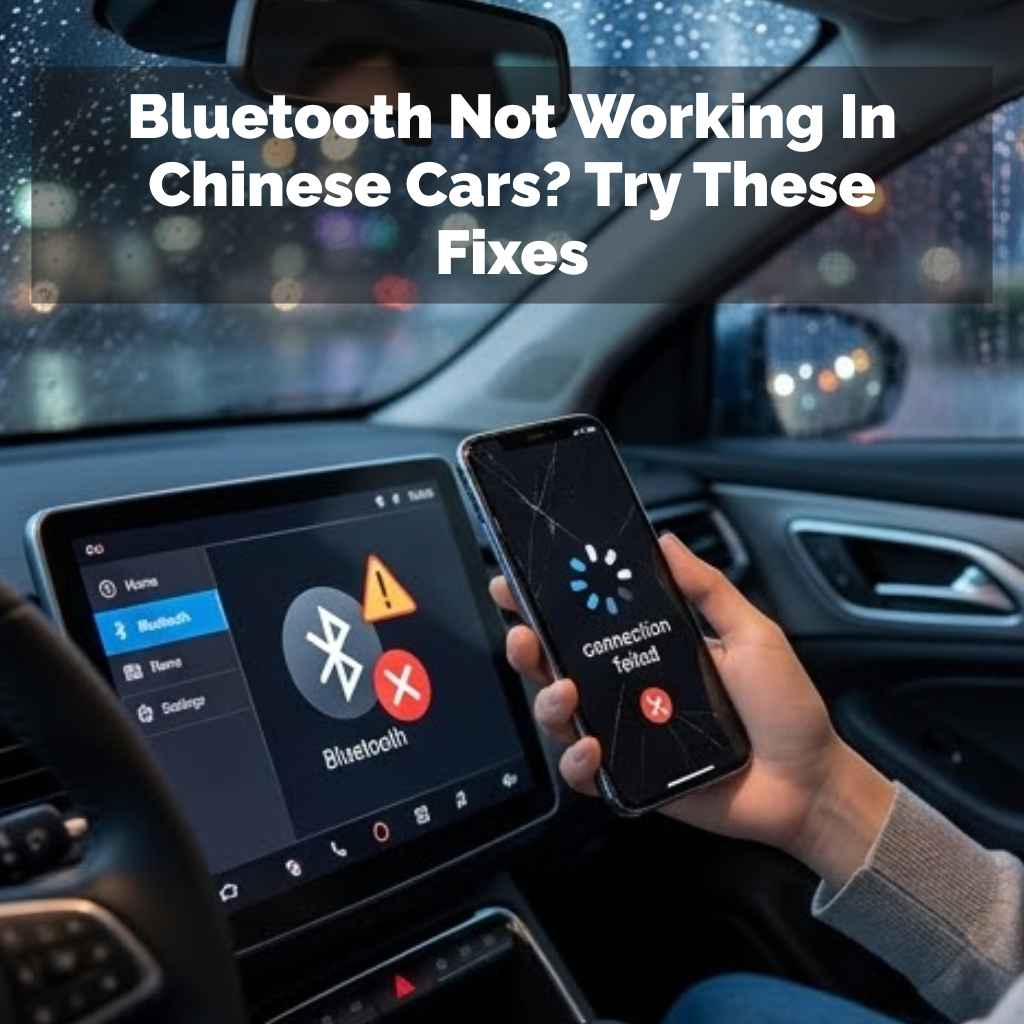
Bluetooth Not Working In Chinese Cars? Try These Fixes
It can be super frustrating when your car’s Bluetooth just won’t connect. You try to play your favorite music or take a call hands-free, and nothing happens. This problem pops up for many drivers, especially those with newer Chinese car models.
You expect seamless connectivity, but sometimes it feels like a puzzle. Don’t worry, though. This guide will help you understand what might be going on and how to fix it.
Getting your car’s Bluetooth to work with your phone can sometimes be tricky. This guide explores common reasons why Bluetooth might not be connecting in Chinese car models and offers practical steps to troubleshoot and resolve these issues, helping you enjoy a connected drive.
Understanding Bluetooth Connection Issues in Cars
Bluetooth is a handy way to link devices. Your phone talks to your car’s system wirelessly. This lets you do things like play music from your phone.
It also lets you make and take calls using the car’s speakers. This system relies on a strong, clear signal between two devices. When that signal breaks, things stop working.
Many factors can affect Bluetooth. Sometimes, it’s a small glitch. Other times, it might be a setting on your phone or in the car.
Older car models might have older Bluetooth versions. Newer phones might use newer versions. These can sometimes have trouble talking to each other.
It’s like speaking different languages.
For Chinese car brands, sometimes the technology is very new. Or the way it’s put into the car is different. This can lead to unique problems.
But most of these issues are fixable with a few steps. Let’s look at why this happens.
Why Your Chinese Car’s Bluetooth Might Be Acting Up
Cars, especially modern ones, have lots of tech. Chinese car manufacturers often pack in the latest gadgets. This is great, but sometimes it means new software or hardware.
This can sometimes create little bugs. Your phone’s Bluetooth might be fine, but the car’s system needs a little help.
One big reason is software. Both your phone and your car have software that runs Bluetooth. If this software is old or has a bug, it causes problems.
Think of it like an app on your phone crashing. It needs an update to work right.
Another reason is interference. Other electronic devices can mess with Bluetooth signals. Things like Wi-Fi routers or even other Bluetooth devices nearby can cause issues.
Your car’s own electronics can sometimes interfere too. This can make the signal weak or lost.
Pairing issues are also common. This is the process of connecting your phone to the car for the first time. If this process doesn’t finish right, the devices won’t remember each other.
Sometimes the car has a limit on how many phones it can remember. If it’s full, it can’t add a new one.
Driver error plays a part, too. We might forget a step. Or accidentally turn off Bluetooth on our phone.
Or the car might need a specific way to start the pairing process. It’s often just a small thing we overlook.
My Own Bluetooth Nightmare in a New Car
I remember buying my first car with a fancy built-in screen. It promised all these cool features, including a great Bluetooth system. I was so excited to stream my podcasts.
I got in the car, ready to go. I tapped the Bluetooth icon. My phone showed it was on.
The car’s screen searched and searched. Nothing.
Panic started to set in. I had a long drive ahead. I tried turning Bluetooth off and on again on my phone.
I restarted the car. Still no luck. I felt so silly.
I had just spent a good chunk of money on this car, and this basic feature didn’t work. I even started to doubt if the car was any good.
After about twenty minutes of fiddling, I almost gave up. Then, I noticed a tiny note in the car’s manual. It said to make sure the car was in park before trying to pair.
I was sitting in a parking lot, not in park! I put the car in park. Then I tried again.
And what do you know? It connected instantly. That simple step made all the difference.
It was a silly mistake, but it taught me to check the basics first.
Common Bluetooth Connection Hurdles
Problem: Phone Not Visible
Your car can’t see your phone at all.
Problem: Pairing Fails
The car and phone start to connect but then stop.
Problem: Connects but No Audio
The devices say they are linked, but music or calls don’t play.
Problem: Random Disconnections
Bluetooth works for a while, then suddenly stops.
Troubleshooting Your Chinese Car’s Bluetooth
Let’s get your Bluetooth working. We’ll start with simple things. These are easy to do and often fix the problem.
1. Check Your Phone’s Settings: Make sure Bluetooth is on. Also, make sure your phone is discoverable.
Some phones turn off discoverability after a while to save power. Your car needs to “see” your phone. So, make sure it’s out in the open, so to speak.
2. Restart Both Devices: Turn Bluetooth off on your phone. Then turn it back on.
Do the same for your car’s infotainment system if possible. Some cars have a reset button or an option in the settings menu. If you can’t reset the car system, just turn the car off completely.
Wait a minute. Then turn it back on. This simple restart often clears temporary glitches.
3. Forget and Re-pair the Device: On your phone, go to Bluetooth settings. Find your car’s name in the list of paired devices.
Tap “Forget” or “Unpair.” Do the same on your car’s system. Find your phone in the list of paired devices. Remove it.
Then, start the pairing process over from scratch. This gives you a fresh connection.
4. Update Software: Check if there are updates for your phone’s operating system. Also, check for updates for your car’s infotainment system.
Car manufacturers often release software updates to fix bugs and improve features. Your car dealer can usually help you with car software updates. Your phone updates usually happen automatically or with a simple prompt.
5. Check the Car Manual: As I learned, the manual is your friend. It often has specific instructions for pairing.
It might mention a special button to press or a specific order of operations. Don’t skip this step. It could save you a lot of time and frustration.
Quick Scan: Pairing Checklist
- Phone Bluetooth: ON and Discoverable
- Car Bluetooth: ON
- Car in Park: Yes (if required)
- Car System Reset: Done
- Phone Removed from Car: Yes
- Car Removed from Phone: Yes
- Re-pairing Process: Started
Advanced Fixes for Stubborn Bluetooth Problems
If the simple steps don’t work, we need to dig a little deeper. These might take a bit more effort but can solve persistent issues.
1. Clear Bluetooth Cache on Phone: On Android phones, you can clear the cache for the Bluetooth app. Go to Settings > Apps.
Find “Bluetooth” or “Bluetooth Share.” Tap Storage. Then tap “Clear cache.” This can fix issues where corrupted data is causing problems. For iPhones, restarting the phone often does a similar job.
2. Check for Interference: Are there a lot of other electronics around your car when you’re trying to pair? Try moving to a different parking spot, away from other cars or buildings with strong Wi-Fi.
Turn off any unnecessary Bluetooth devices nearby. This helps ensure a clean signal.
3. Test Another Phone: If possible, try pairing a different phone with your car. If that phone connects without issues, the problem is likely with your original phone.
If the other phone also fails to connect, the issue is more likely with the car’s system.
4. Reset Infotainment System to Factory Defaults: This is a more drastic step. It will erase all your custom settings, paired devices, and saved destinations in the car.
Look for an option like “Factory Reset” or “Restore Defaults” in your car’s settings menu. Make sure to back up any important data if possible. After the reset, try pairing your phone again from scratch.
5. Check Car’s Maximum Paired Devices: Most car systems can remember several phones. But they have a limit.
If your car’s system is full, it can’t add your phone. You’ll need to go into the car’s Bluetooth settings and delete old, unused phone profiles. This makes space for your current phone.
Myth vs. Reality: Bluetooth Connections
Myth: My car’s Bluetooth is broken forever if it doesn’t connect right away.
Reality: Most Bluetooth issues are temporary and can be fixed with simple troubleshooting steps like restarting or re-pairing.
Myth: My old phone won’t work with my new car’s Bluetooth.
Reality: While older Bluetooth versions might have fewer features, basic connectivity usually works across different versions. Software updates can often bridge compatibility gaps.
Myth: Bluetooth drains my phone battery super fast.
Reality: While Bluetooth uses some battery, modern Bluetooth Low Energy (BLE) technology is very efficient. It only uses significant power when actively transferring data.
Specific Considerations for Chinese Car Brands
Chinese car makers are advancing rapidly. They often integrate advanced technology. Sometimes this means using components or software developed in China.
This can lead to unique quirks.
Software Integration: The infotainment system is often a hub for many functions. Bluetooth is just one part. Sometimes, a bug in another function can affect Bluetooth.
For example, a problem with the navigation system might indirectly cause Bluetooth to drop.
Firmware Updates: These are critical. Because the systems are so integrated, a firmware update for the car’s main computer might include updates for Bluetooth. Always ask your dealer about the latest firmware.
They are the best source for these specific updates. Don’t try to install them yourself unless you have clear instructions.
Regional Differences: Sometimes, car models are designed with slightly different tech for different markets. While most Bluetooth standards are global, there might be minor variations in implementation. This is why checking the manual for your specific model and region is important.
Third-Party Apps: Some Chinese cars might come with pre-installed apps or support for specific apps. These could potentially interfere with standard Bluetooth functions. If you notice the problem started after using a new app, try disabling or removing it.
Newer Technology Adoption: Chinese brands are often quick to adopt new tech like Apple CarPlay or Android Auto wirelessly. If your car supports these, ensure they are configured correctly. Sometimes, a conflict between the standard Bluetooth pairing and these advanced systems can occur.
Status Indicators: What Do They Mean?
Bluetooth Icon Solid Blue: Connected and active.
Bluetooth Icon Flashing Blue: Trying to connect or pair.
No Bluetooth Icon: Bluetooth is off or not available.
Phone Shows Connected, Car Shows Disconnected: Likely a handshake issue. Re-pair devices.
Car Shows Connected, Phone Shows Disconnected: Similar to above. Restart both.
When Is It Time to Call for Help?
You’ve tried all the common fixes. You’ve even tried some of the more advanced ones. Your Bluetooth still isn’t working.
What next?
Contact Your Dealership: This is the most important next step. Your car is likely under warranty. The dealership has tools and knowledge specific to your car model.
They can diagnose deeper hardware or software issues. They can also perform official firmware updates.
Check Online Forums: Look for online communities or forums dedicated to your specific car model. Other owners might have faced the same problem. They may have found a solution or have tips for dealing with the dealership.
Be Specific with Your Problem: When you talk to the dealer, be as precise as possible. Tell them exactly what happens. What steps you’ve already taken.
When the problem started. This helps them diagnose it faster. For instance, “When I try to pair my iPhone 15, it gets stuck on ‘Connecting’ for 2 minutes then says ‘Pairing Failed.'”
Don’t Ignore it: Bluetooth might seem like a minor feature. But if it’s essential for your safety or convenience, don’t let it slide. A working Bluetooth system means you can take calls safely.
It means you can enjoy your music without distraction. It’s part of the modern driving experience.
Your Support Options
- Dealership Service Department: For warranty work and official updates.
- Car Manufacturer’s Customer Support: For general inquiries and technical assistance.
- Online Owner Forums: For community advice and shared experiences.
- Your Phone Manufacturer Support: If you suspect the issue is solely with your phone.
Frequently Asked Questions About Car Bluetooth
Why does my car keep disconnecting from Bluetooth?
Frequent disconnections can happen for several reasons. There might be interference from other devices. Your phone’s battery might be low, causing it to reduce power to Bluetooth.
The car’s system or your phone might need a software update. Also, ensure your phone is not too far from the car’s Bluetooth module.
Can I update my car’s Bluetooth software myself?
Generally, it’s best to have a dealership handle car software updates. These updates often involve complex systems. Incorrect installation can cause more problems.
Always check your car’s manual or consult the dealer before attempting any DIY software updates.
My car can’t find my phone. What should I do?
First, ensure Bluetooth is turned ON on your phone and that it’s set to be discoverable. Then, restart both your phone and your car’s infotainment system. Make sure the car is in park, as some systems only allow pairing in park.
Try searching for the car from your phone’s Bluetooth menu as well.
I can connect to my car’s Bluetooth, but there’s no sound. Why?
This often means the connection is established, but the correct audio profile isn’t selected. On your phone’s Bluetooth settings, tap your car’s name. Ensure that “Media Audio” or “Phone Audio” (or both) are enabled.
Also, check the car’s audio source settings to make sure Bluetooth is selected.
Does Apple CarPlay or Android Auto use the same Bluetooth connection?
For wired connections, Bluetooth might not be heavily involved. However, for wireless Apple CarPlay and Android Auto, Bluetooth is crucial for the initial handshake and maintaining a stable connection. Issues with Bluetooth can therefore affect these systems.
Sometimes, unpairing and re-pairing your phone for CarPlay/Android Auto can resolve Bluetooth glitches.
How many devices can my car’s Bluetooth system remember?
The number varies by car model. Most modern cars can store at least 5-10 devices. However, if the memory is full, new devices cannot be added.
You will need to delete old or unused devices from the car’s paired device list to make room for your current phone.
Conclusion: Enjoying a Connected Drive
Dealing with Bluetooth issues can be a real headache. But by understanding the common causes and following these troubleshooting steps, you can often get your system working again. Remember to start simple and work your way up.
Your car’s manual and your dealership are invaluable resources. A working Bluetooth connection makes your drive safer and more enjoyable. Happy connecting!
Products related to this article
Sponsored / affiliate links. As an Amazon Associate I earn from qualifying purchases. I may earn additional commission from eligible campaigns.