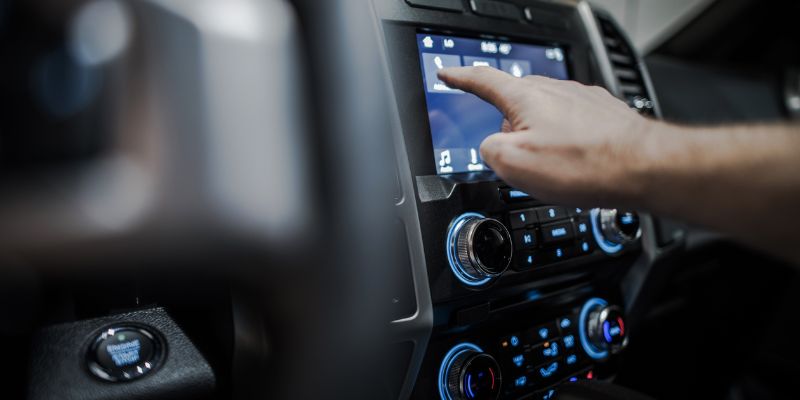
When Did Bluetooth Come Out in Cars? Full History Timeline
Factory-installed Bluetooth reached production cars in 2002, when BMW called its new phone-prep kit the industry’s first vehicle Bluetooth system and Audi built Bluetooth calling into the redesigned A8. Chrysler followed within months, launching its UConnect system as a dealer-installed accessory on 2003-model vehicles before making it a true factory option on the 2004 Chrysler Pacifica. Toyota added Bluetooth hands-free calling to the Prius that same year, and by the mid-2000s most major automakers had followed. Here’s the full year-by-year history, plus how to add Bluetooth to an older car that never got it.
What Is Bluetooth in Cars?
BEST FOR ADDING BLUETOOTH TO AN OLDER CAR
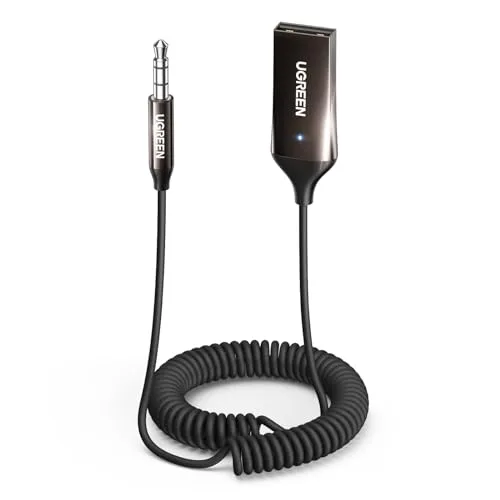 |
UGREEN Bluetooth 6.0 AUX Car Adapter – $9.99 Plugs into any car’s aux port to add wireless calling and music streaming, even on a car built long before Bluetooth was standard.
|
Bluetooth is a short-range wireless radio standard that lets a phone talk directly to a car’s audio system without a cable. Once paired, it carries phone calls, streamed audio, and voice-assistant commands between the two devices automatically every time the car starts. It’s part of a bigger wave of car tech that has reshaped how people drive, from touchscreens to driver-assist features.
The appeal is straightforward: no fumbling with cords, no reaching for a phone at a red light, and no missed calls just because the phone is in a bag. Nearly every new car sold today includes Bluetooth as standard equipment, which is why most drivers already have everything they need to use it.
When Did Bluetooth First Show Up in Cars?
Bluetooth launched as a wireless standard in 1998, developed by a consortium of tech companies including Ericsson, Nokia, and IBM. It took about four years to reach the dashboard. BMW says it became the first automaker to offer a factory Bluetooth phone-prep kit, rolling it out across its model lineup in late 2002 for hands-free calling. That same year, Audi built Bluetooth calling into the redesigned A8, one of the first luxury sedans with the feature straight from the factory.
Chrysler moved almost as fast. The company announced its UConnect hands-free system in October 2001, then launched it in the fall of 2002 as a dealer-installed Mopar accessory on 2003-model Chrysler, Dodge, and Jeep vehicles, a lineup that eventually covered everything from the PT Cruiser to the Grand Cherokee. UConnect became a true factory-installed option on the 2004 Chrysler Pacifica, and Toyota added Bluetooth hands-free calling to the Prius that same year.
By 2007, Bluetooth had spread well past luxury trims and into mainstream mid-size sedans. Streaming music over Bluetooth, rather than just handling calls, became widely usable around 2008, when Ford’s SYNC system, built with Microsoft and rolled out for the 2008 model year, let drivers play music wirelessly straight from a paired phone. From there, Bluetooth became a standard checkbox on nearly every trim level, not just top-of-the-line models.
| Year | Bluetooth Milestone in Cars |
|---|---|
| 1998 | The Bluetooth wireless standard is created |
| 2002 | BMW and Audi introduce factory Bluetooth calling |
| 2003 | Chrysler’s UConnect launches as a dealer-installed accessory |
| 2004 | UConnect becomes factory-standard on the Chrysler Pacifica; Toyota adds it to the Prius |
| 2008 | Ford SYNC brings wireless music streaming to mainstream cars |
Table 1: Key moments when Bluetooth entered cars, based on manufacturer announcements and Bluetooth SIG’s own history archive.
How Does Bluetooth Work in Cars?
Bluetooth connects devices using low-power radio waves over a range of roughly 30 feet. When a phone pairs with a car for the first time, both devices exchange a short digital handshake and remember each other going forward, so every future connection happens automatically as soon as the engine starts.
Once paired, the system prioritizes calls over everything else. Say a phone plays music through the car’s speakers and a call comes in: the audio pauses automatically, the call plays through those same speakers, and the music resumes the moment the call ends.

Why Bluetooth Matters in a Car
Bluetooth changed the way people drive in a few concrete ways:
- Safer hands-free calls: take a call without picking up the phone or looking away from the road.
- No cables: music and podcasts stream wirelessly, so there’s nothing to plug in or untangle.
- One-time setup: pair a phone once, and the car remembers it on every future ride.
It isn’t flawless. Pairing can fail, audio can cut out in areas with heavy interference, and some older factory systems only handle calls, not music. Even so, for most drivers the convenience outweighs the occasional glitch.
How to Use Bluetooth in Your Car: A Step-by-Step Guide
Getting Bluetooth running takes about a minute the first time, then never again:
- Turn on Bluetooth: open the phone’s settings and switch Bluetooth on.
- Open the car’s Bluetooth menu: look for “Pair Device” or “Connect Phone” in the audio system.
- Pair the two: select the car’s name from the phone’s Bluetooth list, and enter a passcode if the screen asks for one.
- Test the connection: play a song or make a short call to confirm audio comes through the car’s speakers.
Pro tip: if pairing fails, turn Bluetooth off and back on on both the phone and the car; that clears most one-off connection glitches. For phone-specific steps, see our guide on how to pair a phone to a car.
| Step | Action | Tip |
|---|---|---|
| 1 | Turn on Bluetooth | Check the phone and car are both on |
| 2 | Find the car’s Bluetooth menu | Look in the audio settings |
| 3 | Pair the devices | Enter a passcode if the screen asks for one |
| 4 | Test the connection | Play a song or make a call |
Table 2: Steps to connect Bluetooth in a car.
Common Mistakes to Avoid
A few habits cause most Bluetooth headaches:
- Skipping the pairing check: confirm the phone is actually connected before driving, not after.
- Running the phone battery down: Bluetooth streaming and calls draw extra power, so keep the phone charged on longer drives.
- Ignoring software updates: an outdated phone OS or infotainment firmware is one of the most common causes of dropped connections.
Pairing while driving is asking for trouble. It takes eyes off the road and often fails anyway because it’s being rushed. Pair the phone before pulling out of the driveway, not after.
Fun Ways to Use Bluetooth in Your Car
Bluetooth isn’t limited to phone calls. A few other ways to use it:
- Stream a road-trip playlist: play a full playlist straight from a phone through the car speakers.
- Queue up a podcast or audiobook: long drives go faster with a good story playing.
- Use spoken navigation: apps like Google Maps or Waze can send turn-by-turn directions through the car’s speakers instead of the phone’s own speaker.
A quick way to try it: build a playlist before a short drive and compare how it sounds through the car’s system versus the phone’s own speaker.
Practical Tips for Better Bluetooth Connections
A few habits make Bluetooth more reliable over time:
- Pair one device at a time: having several previously paired phones compete for the connection is a common cause of mix-ups.
- Check compatibility on older vehicles: a car without built-in Bluetooth can usually be retrofitted with a $15-30 aux or USB adapter that adds the feature.
- Keep both sides updated: newer Bluetooth versions, like 5.0 and above, connect faster and hold a cleaner audio signal than the 2.x-era hardware in early systems.
For a car that predates factory Bluetooth entirely, a small aftermarket adapter is usually the cheapest fix. It plugs into the existing aux port or a USB port and adds wireless calling and streaming without touching the factory stereo.
Comparing Bluetooth Systems: Old vs. New
Not all Bluetooth systems perform the same way. Here’s a quick comparison:
| Feature | Older Systems (2003-2010) | Newer Systems (2015+) |
|---|---|---|
| Call Quality | Okay, sometimes choppy | Clear, reliable |
| Music Streaming | Limited or none | High-quality, seamless |
| Pairing Speed | Slow, manual | Fast, automatic |
Table 3: Comparing old and new Bluetooth systems in cars.
Newer systems outperform older ones on every measure, but even a first-generation Bluetooth setup still handles calls reliably. If a car’s Bluetooth feels dated, a $15-30 adapter can bring 2003-era hardware most of the way up to a modern experience.
Alternatives to Bluetooth
Bluetooth isn’t the only way to get audio from a phone into a car. A few other options:
- Aux cable: a simple wired 3.5mm connection. It’s inexpensive and completely reliable, but it means plugging in every time.
- USB connection: many cars charge the phone and play audio over the same USB cable, sometimes with better sound quality than Bluetooth.
- FM transmitter: a small device that broadcasts a phone’s audio to an open FM frequency, picked up by the car radio. It’s an easy fix for older cars, though sound quality varies with local radio interference.
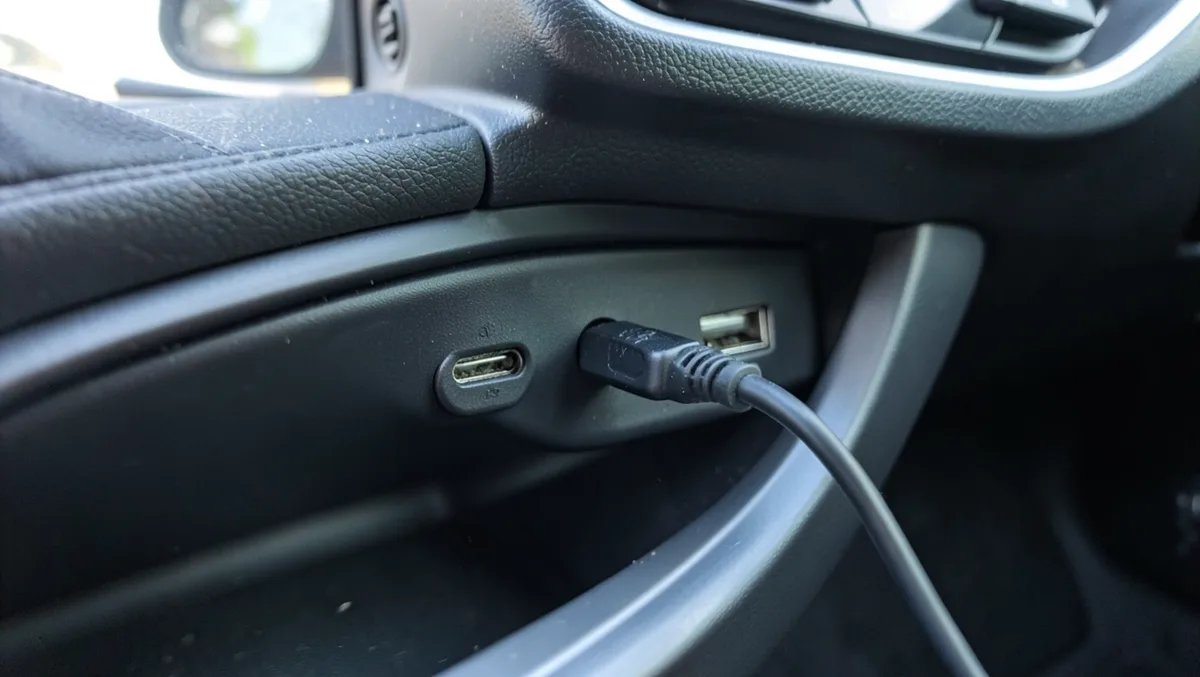
A wired aux or USB connection is generally more reliable than Bluetooth, since there’s no pairing step and no chance of a mid-drive dropout. The tradeoff is convenience: a cable has to be plugged in every time, while Bluetooth connects on its own.
Conclusion
Factory Bluetooth in cars traces back to 2002, when BMW, Audi, and Chrysler each rolled out hands-free calling within months of each other, with Toyota and the rest of the industry following by the mid-2000s. Today it’s standard equipment on nearly every new vehicle, and even cars built before it existed can add the feature with a cheap aftermarket adapter. If a car’s Bluetooth still gives trouble, the fixes above, a fresh pairing, an updated phone, or a $15-30 adapter for older hardware, solve the vast majority of problems.
Frequently Asked Questions
When Did Bluetooth First Appear in Cars?
Bluetooth reached cars in 2002, when BMW introduced what it calls the industry’s first factory Bluetooth phone-prep kit and Audi built Bluetooth calling into the redesigned A8. Chrysler followed with its UConnect system as a 2003-model accessory, a timeline documented on Bluetooth SIG’s own 20-year history archive.
Can Older Cars Use Bluetooth?
Yes. An aftermarket Bluetooth adapter plugs into a car’s aux port or 12V outlet and adds wireless calling and streaming to a vehicle that never had it built in. These typically cost $15-30 and work with almost any car stereo.
Why Does My Bluetooth Keep Disconnecting?
Frequent disconnects are usually caused by a low phone battery, outdated software on the phone or infotainment system, or too many previously paired devices competing for the connection. Updating both devices and clearing old pairings solves most cases.
Is Bluetooth Safe for Driving?
Yes. Bluetooth lets a driver take calls and control music without picking up or looking at a phone, which reduces distraction compared to holding a device. Pair the phone before starting to drive, not while the car is moving.
Can I Stream Music with Bluetooth?
Yes. Nearly every car with Bluetooth built after 2008 supports music streaming, not just calls. Pair the phone, select a playlist or app, and audio plays through the car’s speakers automatically.
What’s the Difference Between Bluetooth Versions?
Newer Bluetooth versions, like 5.0 and above, connect faster, hold a more stable signal, and deliver cleaner audio than older 2.x-era hardware. If a phone and car both support a newer version, updating the phone’s software usually unlocks the better connection quality.
How Do I Add Bluetooth to a Car Without It?
Plug a small aftermarket Bluetooth adapter into the car’s aux port, USB port, or 12V outlet, then pair it with a phone the same way as a factory system. It typically costs $15-30 and adds hands-free calling and audio streaming to any car stereo.
Products related to this article
Sponsored / affiliate links. As an Amazon Associate I earn from qualifying purchases. I may earn additional commission from eligible campaigns.