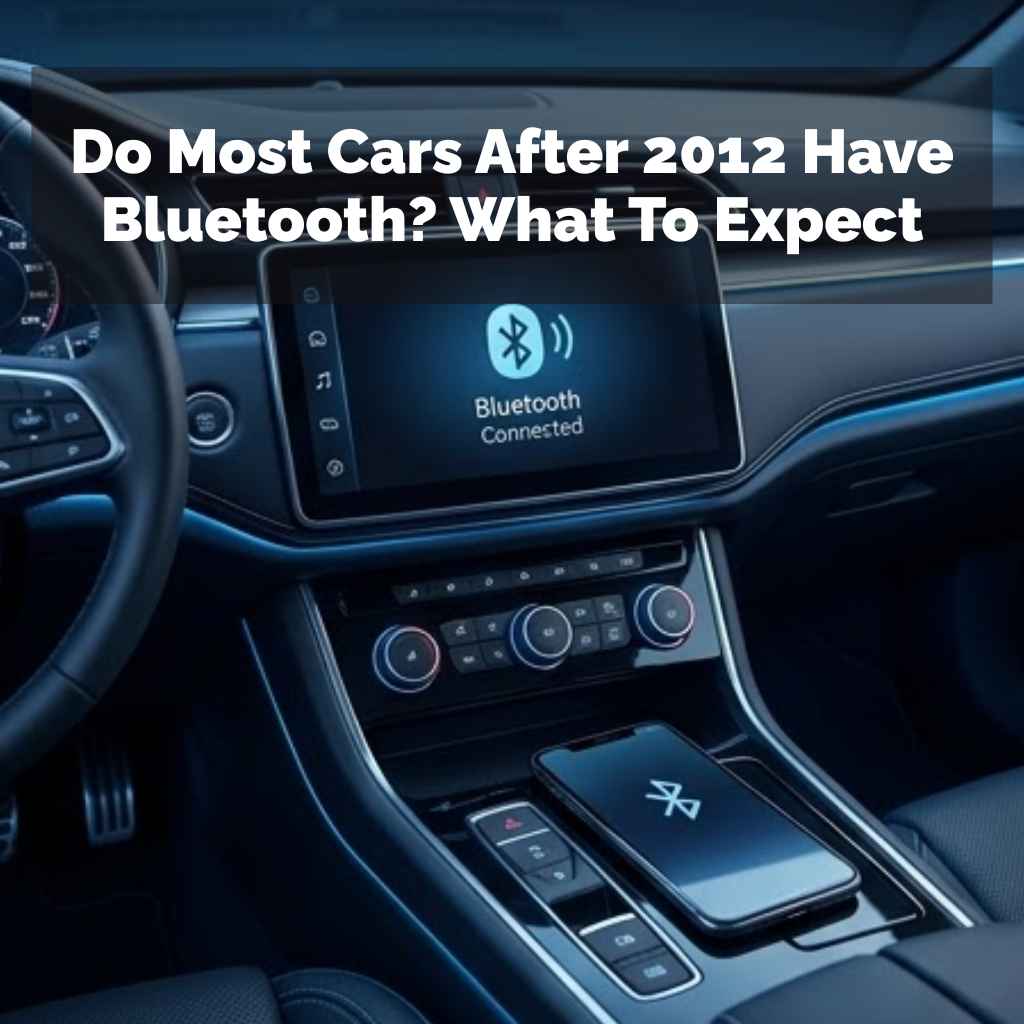
Do Most Cars After 2012 Have Bluetooth? What To Expect
It’s a common question many drivers have these days. You get into a car, maybe not the newest model, but still fairly recent. You look for that familiar symbol, that little blue ‘B’, hoping to easily connect your phone.
Does most cars after 2012 actually come with Bluetooth? It’s a bit more nuanced than a simple yes or no. Let’s dive in and see what you can really expect.
Understanding Car Bluetooth and Your Vehicle
Bluetooth in cars has become a standard feature. It lets you talk on the phone hands-free. It also lets you play music from your phone.
This makes driving safer and more enjoyable. But when did it become common? And what are the different ways it shows up?
Think about it. Just a few years ago, connecting your phone to your car wasn’t a thing. We used cords or just didn’t connect at all.
Now, it feels weird if a car doesn’t have it. So, this question about cars after 2012 having Bluetooth is very practical.
Many drivers assume newer cars all have it. But “after 2012” covers a lot of ground. There are many car brands and models.
Each one has different options. Some cars might have it standard. Others might have it only on higher trim levels.
Some might not have it at all.
Most cars manufactured after 2012 are likely to offer Bluetooth, especially on mid-range to higher trim levels. However, it was not a universal standard across all base models or budget-friendly vehicles in the immediate years following 2012. Compatibility and features can vary significantly by make, model, and specific package.
The main idea is that cars after 2012 definitely started showing more Bluetooth. It was not a guarantee for every single car made that year. The trend was growing fast.
Car makers knew people wanted this. They started putting it in more and more cars.
So, what does this really mean for you? It means you can’t just assume. You have to check.
But the chances are pretty good. Let’s break down what “Bluetooth” can mean in a car context.
The Evolution of In-Car Connectivity
Back in the day, car tech was simple. We had radios. Maybe a CD player.
Then came aux cords. These let you plug in your MP3 player. It was a big step.
But still, you had a wire dangling.
Bluetooth changed the game. It removed the wire. It made things simple and clean.
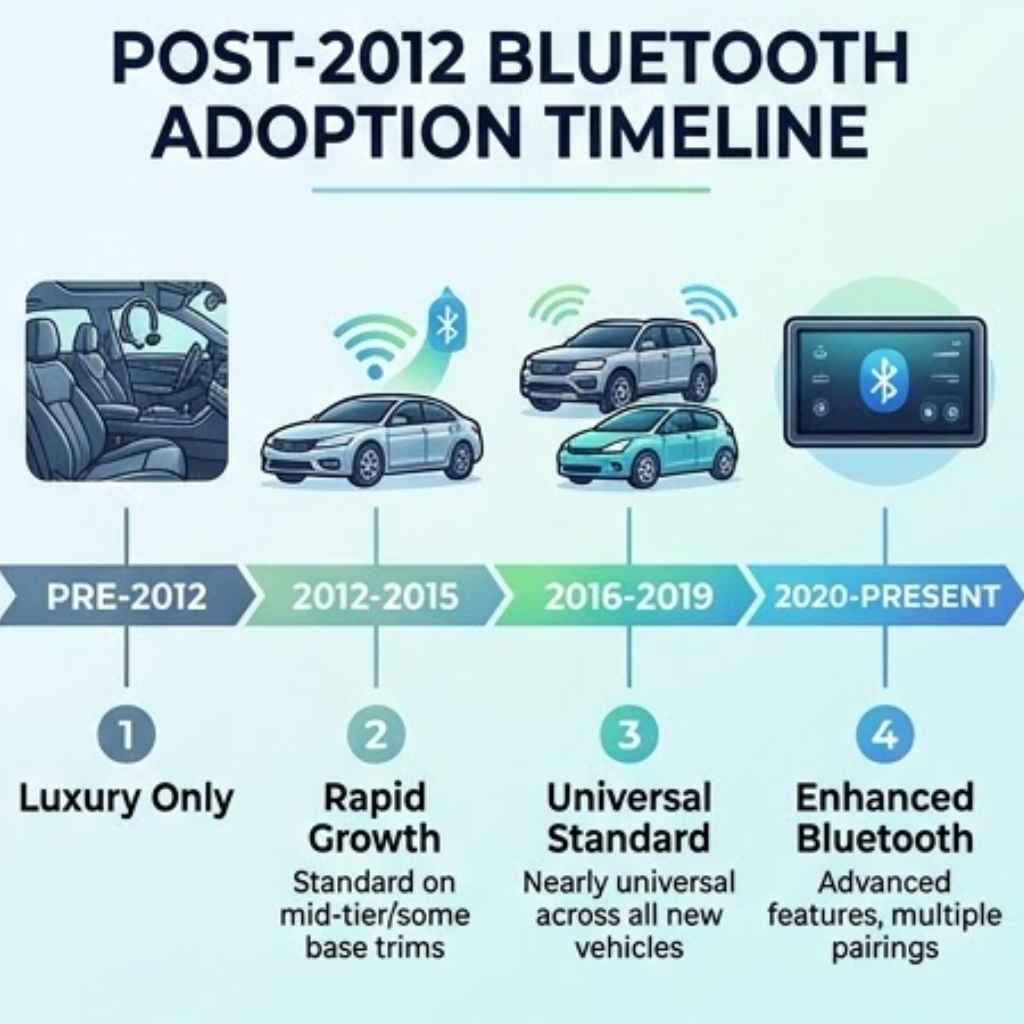
The first cars with Bluetooth were luxury models. They were few and far between. This was in the early to mid-2000s.
It was a cool new gadget for those who could afford it.
As the technology got cheaper, more car makers adopted it. They saw the demand. Safety laws also started pushing for hands-free options.
Talking on the phone while driving became a big concern. Bluetooth was the perfect answer.
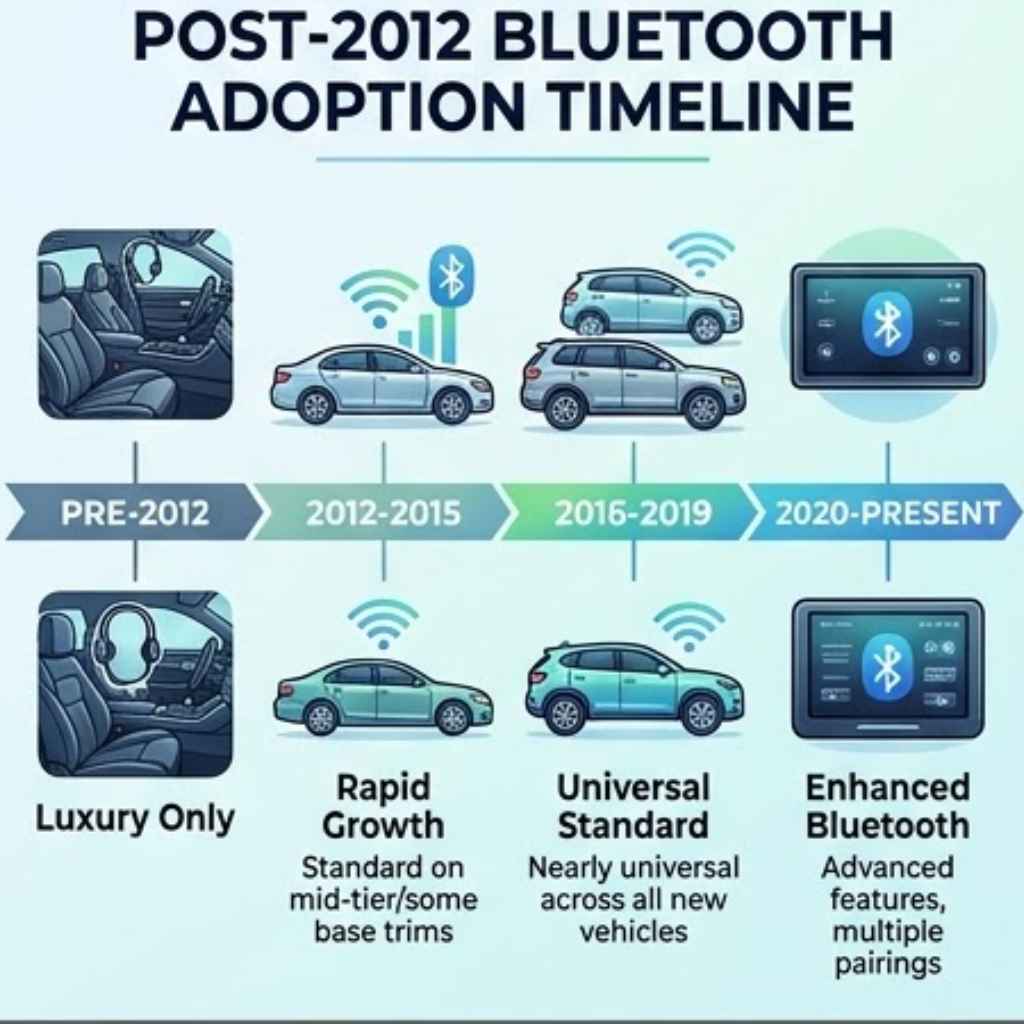
By 2012, Bluetooth was becoming much more common. But it wasn’t everywhere yet. For many cars made in 2012, 2013, or 2014, it might have been an optional upgrade.
Or it was only on the fancy versions. Think of trims like “EX-L” or “Limited.” Not the “LX” or “Base” models.
The years after 2012 saw a huge jump. More cars came standard with it. By 2015 or 2016, it was hard to find a new car without it.
Even base models often had it. So, for cars after 2012, the trend was definitely upward. Most did.
But not all.
I remember my first car with Bluetooth. It was a 2014 sedan. I was so excited.
I paired my phone easily. The sound quality was okay. It was a huge upgrade from fumbling with my phone.
It felt like I was living in the future. Even though it was just a basic hands-free feature.
The technology itself also improved. Early Bluetooth could be clunky. Pairing could be a pain.
But it got better. It became more reliable. This made car makers more confident in including it widely.
Bluetooth Features to Look For
Basic Calling: This is the core function. Lets you make and receive calls using your car’s system and speakers.
Audio Streaming: Play music, podcasts, or audiobooks from your phone. This is often called A2DP (Advanced Audio Distribution Profile).
Contact Sync: Your phone’s contacts show up on the car’s display. You can call people by name or number.
Message Access: Some systems can read text messages aloud or let you send pre-set replies.
Voice Control: Use voice commands to make calls, play music, or get directions.
What “Bluetooth” Actually Means in a Car
When we say “Bluetooth” in a car, it can mean a few things. It’s not always the same. This is where a lot of the confusion comes in for cars after 2012.
Some cars have Bluetooth just for calls. You can pair your phone for phone calls. But you can’t stream music.
This was more common in earlier systems. It was a way to offer the safety feature without the added cost of audio streaming tech.
Most cars made after, say, 2013 or 2014, that had Bluetooth, included audio streaming. This is a much more common setup. You pair your phone once.
Then you can make calls and listen to music or podcasts. The car stereo controls the playback.
Then there’s the interface. How do you control it? Some cars have a simple button on the steering wheel.
Others have a full screen on the dashboard. This screen might show album art. It might let you browse playlists.
The difference is huge.
I recall a friend’s older car. It had Bluetooth, but you had to use the radio buttons to change songs. It was very basic.
My current car, which is a bit newer, shows all my playlists and album art. It’s a different experience entirely.
So, when you check a car, ask about its Bluetooth capabilities. Does it do calls only? Or calls and music?
How is it controlled?
The term “infotainment system” is often used. This is the whole system in your dash. Bluetooth is a part of it.
In newer cars, this system is much more advanced. It integrates with your phone more deeply.
Bluetooth vs. Wired Connections (Post-2012)
Bluetooth:
- Pros: Wireless, convenient for calls and audio streaming, increasingly standard.
- Cons: Can sometimes have connection issues, sound quality may be slightly lower than wired, pairing can be fiddly.
Wired (USB/Aux):
- Pros: Generally more stable connection, often better sound quality, charges phone at the same time (USB).
- Cons: Requires a cable, can be messy, limited to the cable length.
For cars after 2012, both options were common. Many offered both for different needs.
Factors Affecting Bluetooth Availability
So, why wasn’t Bluetooth in every single car after 2012? Several things played a role. It wasn’t just about the year.
It was also about the car itself.
Trim Levels: This is a big one. Car makers use trim levels to offer different features. Base models are for economy.
Higher trims get the bells and whistles. Bluetooth often fell into this category for many years.
Optional Packages: Sometimes, Bluetooth wasn’t standard on any trim. It was part of a package you had to buy. This might be called a “Technology Package” or “Convenience Package.” These packages added cost but brought more features.
Vehicle Type: Luxury cars got advanced tech first. Economy cars got it later. So, a 2012 luxury SUV likely had Bluetooth.
A 2012 basic compact car might not have. For cars after 2012, this gap closed over time but was still present.
Region and Market: Car features can differ by country. What’s standard in Europe might be optional in the U.S. or vice versa.
Most of our discussion here is U.S.-centric.
Aftermarket Installations: Even if a car didn’t come with Bluetooth, you could often add it. Aftermarket head units or adapters could provide Bluetooth functionality. This was a popular solution for older cars.
I once helped a neighbor add an aftermarket stereo to her older Honda. It cost a few hundred dollars. But it gave her Bluetooth for calls and music.
It was a game-changer for her daily commute. This shows that even if the car didn’t have it from the factory, it wasn’t the end of the line.
The key takeaway for cars after 2012 is to check the specific vehicle’s options. Don’t just rely on the year. Look at the sticker price.
Check the car’s manual or the manufacturer’s website for that model year.
How to Check for Bluetooth in Your Car
So, you’ve got a car that’s from 2012 or later. How do you find out for sure if it has Bluetooth? It’s usually pretty straightforward.
Look at the Dashboard and Steering Wheel: Many cars have dedicated buttons. You might see a phone button. Or a button with the Bluetooth symbol.
These are often on the steering wheel or the main console.
Check the Infotainment System Screen: If your car has a screen, navigate through the menus. Look for “Settings,” “Phone,” or “Connectivity.” You should find a Bluetooth option there. If you see a Bluetooth menu, it has the technology.
Consult the Owner’s Manual: This is the most reliable source. Your car’s manual will detail all its features. Look up “Bluetooth” or “Phone” in the index.
It will tell you if it’s equipped and how to use it.
Online Vehicle Specifications: If you know the exact make, model, and year, you can often find its original specifications online. Websites like Edmunds, Kelley Blue Book (KBB), or the manufacturer’s own archives can be very helpful. Search for ” features” or ” original MSRP.”
Trial and Error (Pairing): The most direct way is to try pairing your phone. Go into your phone’s Bluetooth settings. Turn on Bluetooth.
Then, in your car, look for a “pair new device” option. If your car can find your phone, and your phone can find the car, you have Bluetooth.
Let’s walk through a common pairing process for cars after 2012. It usually goes like this:
- On your phone: Go to Settings -> Bluetooth. Make sure Bluetooth is ON.
- In your car: Navigate to the phone or Bluetooth menu. Select “Add Device” or “Pair New Phone.”
- Your car will search for devices. Your phone should appear in the list. Select your car from your phone’s list.
- Your phone and car might display a PIN or code. Confirm they match.
- Once paired, you’ll usually see a confirmation message.
This process is often found in cars from 2012 onward. It’s become quite intuitive over the years.
Quick Bluetooth Check for Cars (2012+)
Look For:
- Steering Wheel Buttons: A phone icon or a dedicated “Phone” button.
- Dashboard Screen: Menu options for “Phone,” “Bluetooth,” or “Connectivity.”
- Center Console: Sometimes a separate Bluetooth module or a USB port that implies connectivity.
If you see any of these, there’s a good chance your cars after 2012 has it. The owner’s manual is your best friend for certainty.
Common Bluetooth Issues and What They Mean
Even when a car has Bluetooth, it’s not always perfect. You might run into a few hiccups. This is true for most tech, really.
Pairing Problems: Sometimes, devices just won’t connect. This can happen if the car’s system is full of paired devices. Or if there’s a software glitch.
Sometimes, restarting both your phone and the car’s system can help. For cars after 2012, this was a common frustration for early adopters.
Audio Stuttering or Dropping: This can be due to interference. Other wireless devices nearby can cause this. Or the Bluetooth signal might be weak between your phone and the car’s receiver.
Sometimes, an old or damaged phone antenna can be the cause.
Poor Sound Quality: Early Bluetooth systems weren’t always high-fidelity. The audio might sound a bit muffled or compressed. This is less common with newer systems that use higher quality codecs.
Contacts Not Syncing: This can be a privacy setting on your phone. You need to give the car permission to access your contacts. Check your phone’s Bluetooth settings for the specific car.
You should see options to allow contact sync.
Voice Commands Not Working Well: The car’s microphone quality matters. Also, background noise can make it hard for the system to understand you. Trying to use voice commands when driving on a noisy highway can be tough.
I remember trying to use voice commands in a car wash. That was a mistake. The noise was so loud, the system just kept saying “I didn’t understand.” So, context matters for voice tech.
If you’re buying a used car with Bluetooth, it’s a good idea to test it thoroughly. Try pairing your phone. Make a test call.
Try streaming some music. This way, you know what you’re getting into.
For cars after 2012, these issues were often fixed with software updates. Car manufacturers sometimes release updates for their infotainment systems. These can improve Bluetooth performance and add new features.
Check your car dealer or manufacturer website for info on updates.
Troubleshooting Tips for Car Bluetooth
Restart Everything: Turn your phone off and on. Turn your car off and on. Wait a minute before trying to reconnect.
Forget and Re-pair: On both your phone and your car’s system, “forget” or “delete” the other device. Then, go through the pairing process again.
Check Permissions: Ensure your phone is allowing Bluetooth access to contacts, calls, and media audio.
Update Software: Check if your phone has the latest operating system. Also, see if your car’s infotainment system can be updated.
Limit Interference: Try to minimize other active Bluetooth devices or strong radio signals nearby.
The Rise of Apple CarPlay and Android Auto
While we’re talking about cars after 2012, it’s important to note the next big wave of connectivity. Bluetooth was just the beginning. Around 2014-2015, Apple CarPlay and Android Auto started appearing.
These systems are much more advanced than basic Bluetooth. They mirror your smartphone’s interface onto your car’s screen. This gives you access to navigation apps (like Google Maps or Waze), music apps, messaging apps, and more.
All through your car’s controls or voice commands.
If your car is from, say, 2015 or later, it might have CarPlay or Android Auto. This is a huge upgrade over just Bluetooth. It makes using your phone in the car seamless.
For cars in the 2012-2014 range, these systems were not yet common. Bluetooth was the primary wireless feature. If you have a car from 2012 and are wondering about its tech, Bluetooth is the main thing to look for.
CarPlay and Android Auto came a bit later.
I recently helped my aunt set up CarPlay in her 2016 Honda. It was so easy. She just plugged in her iPhone with a USB cable.
The screen popped up showing her familiar apps. She said it made her car feel brand new.
So, while many cars after 2012 have Bluetooth, it’s also worth knowing about these newer systems if your car is closer to the present day. They represent the next evolution of in-car tech.
Bluetooth vs. CarPlay/Android Auto
Bluetooth:
- Core Function: Wireless calls and audio streaming.
- Interface: Basic controls, often through car’s stereo buttons.
- Apps: Limited to phone functions and music playback.
- When it appeared: Early 2000s, became common in cars post-2012.
Apple CarPlay / Android Auto:
- Core Function: Mirroring smartphone interface.
- Interface: Full graphical interface on car screen, optimized for driving.
- Apps: Access to many phone apps (maps, music, messaging, etc.).
- When it appeared: Introduced around 2014-2015, became more widespread from 2016 onwards.
For cars after 2012, you are more likely to find Bluetooth than these advanced systems, especially in earlier years of that range.
What This Means for You and Your Car Search
So, to answer the main question: Do most cars after 2012 have Bluetooth? The answer is overwhelmingly yes, but with important caveats.
If you’re buying a car from 2012-2014: Bluetooth is likely present, but probably as an option or on higher trims. You absolutely must check the specific vehicle. Don’t assume.
If you’re buying a car from 2015-2016: Bluetooth is very common, often standard on most models. You might also start seeing Apple CarPlay or Android Auto appear, especially on higher trims.
If you’re buying a car from 2017 onwards: Bluetooth is almost certainly standard. CarPlay and Android Auto are also becoming very common, often standard on many vehicles.
My own experience buying cars over the last decade confirms this trend. My 2014 car had Bluetooth. My current 2019 car has Bluetooth, CarPlay, and Android Auto.
The pace of change was rapid.
If Bluetooth is a must-have for you, and you’re looking at cars from the early part of the “after 2012” window, be diligent. Check the window sticker. Browse the car’s menus.
Consult the manual. Or do your research online before visiting a dealership.
It’s about managing expectations. You might find a great deal on a 2013 model, but it might not have the wireless audio streaming you desire. Or you might find a 2015 model that ticks all the boxes for connectivity.
The good news is that for most drivers, the features Bluetooth provides – hands-free calling and music streaming – are now widely available. The technology has matured, and it’s become a key part of the driving experience for millions.
Quick Fixes and Tips for Bluetooth Users
Here are a few handy tips to make your car’s Bluetooth experience smoother:
- Keep your phone software updated. This often includes improvements to Bluetooth performance.
- Update your car’s infotainment system if possible. Check your manufacturer’s website for recalls or updates.
- Use a USB connection for charging. If your car has USB ports and Bluetooth, use USB for charging your phone while using Bluetooth for audio. This saves your phone’s battery.
- Name your phone clearly. When pairing, give your phone a distinct name. This makes it easier to identify in the car’s list of devices.
- Be aware of Bluetooth limits. Some older systems might only allow one phone to be actively paired at a time.
Frequently Asked Questions About Car Bluetooth
Does a 2012 car definitely have Bluetooth?
Not always. While some 2012 models, especially higher trims or luxury vehicles, came with Bluetooth, it was not standard on all cars that year. It became much more common in the years that followed.
How can I tell if my car has Bluetooth without the manual?
Look for a phone button on your steering wheel or dashboard. Also, check your car’s infotainment screen for a “Phone” or “Bluetooth” menu. You can also try pairing your phone to see if the car is discoverable.
Is Bluetooth in cars safe to use?
Bluetooth is designed to make driving safer by enabling hands-free calling. However, any distraction can be dangerous. It’s best to set up your connection before driving and use voice commands to minimize looking away from the road.
What’s the difference between Bluetooth and an AUX cord?
An AUX cord is a physical wire connection for audio. Bluetooth is a wireless technology for both calls and audio streaming. Bluetooth offers more freedom and less clutter.
Can I add Bluetooth to a car that doesn’t have it?
Yes, you can often add Bluetooth functionality with an aftermarket head unit or a Bluetooth adapter that plugs into your AUX port or lighter socket.
Do all cars after 2015 have Bluetooth?
By 2015, Bluetooth was very common, often standard on many models. While not 100% universal, it’s highly probable that most cars from 2015 onwards will have Bluetooth capability.
Conclusion
The journey of Bluetooth in cars has been rapid. From a luxury perk to a near-essential feature, it’s changed how we interact with our vehicles. For cars after 2012, the answer is that most likely do have Bluetooth, but it’s crucial to check the specific vehicle.
The early years of this range might require more digging, while later years make it a standard expectation. Knowing what to look for will help you find a car that keeps you connected safely and conveniently.
Products related to this article
Sponsored / affiliate links. As an Amazon Associate I earn from qualifying purchases. I may earn additional commission from eligible campaigns.