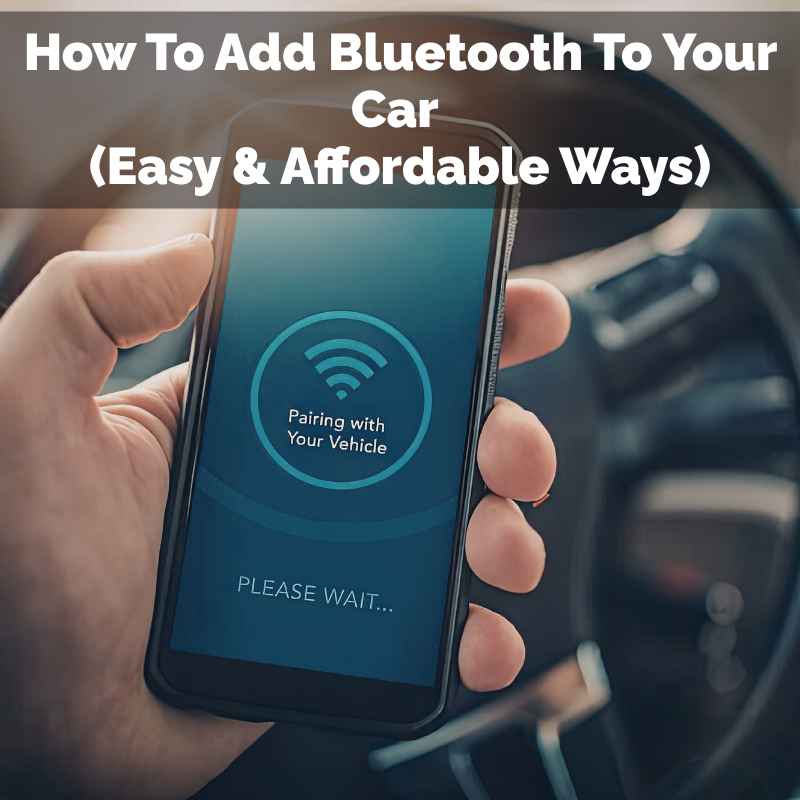
How To Add Bluetooth To Your Car (Easy & Affordable Ways)
Adding Bluetooth to your car is very possible and often quite affordable. You can get hands-free calling and stream music wirelessly. Simple adapters and car stereos can do the job.
These solutions work even if your car is many years old.
What is Car Bluetooth and Why You Need It
Bluetooth is a way for devices to talk to each other. It uses short radio waves. Your phone can connect to your car’s system.
This lets you make calls without holding your phone. You can also play music from your phone. Many cars today have this built-in.
It makes driving safer and more fun. Your car stereo becomes smarter.
Think about driving. You need to focus on the road. Holding a phone is dangerous.
Talking on the phone without hands is much better. This is what Bluetooth makes easy. It lets you tap into your phone’s power.
You get music and calls without the wires. It’s a big upgrade for any car owner.
Most people miss this when their car is older. They think they must buy a new car. But adding Bluetooth is usually much cheaper.
It’s a smart way to get new features. You save money and keep a car you like. It makes your daily drive better.
My Own Bluetooth Car Saga
I remember my old pickup truck. It was a great truck. It ran well and I loved it.
But it had no Bluetooth. Not even an AUX cord. My phone was my only music player.
I had to use my phone’s speaker for calls. It was awful. I felt so disconnected on the road.
One rainy Tuesday, I was driving home. My mom called. I tried to answer.
I juggled the phone and the steering wheel. It was nerve-wracking. My hands were sweaty.
I almost swerved. That was my breaking point. I knew I had to find a solution.
I spent that night searching online. I learned there were many ways to add Bluetooth. It wasn’t as hard as I thought.
The next weekend, I bought a simple Bluetooth adapter. It plugged into my cigarette lighter. It had a small screen.
I paired my phone. Then I tuned my car radio to its station. Suddenly, music filled the cab.
My next call came through the car speakers. It was a game-changer. My old truck felt new again.
The stress of driving and calling was gone.
Common Car Bluetooth Setups
1. Built-in Bluetooth: Most modern cars have this. It connects your phone automatically.
You see controls on the dashboard.
2. Aftermarket Stereos: You can swap your old radio. New ones have Bluetooth, touch screens, and more.
3. Bluetooth Adapters: These are small gadgets. They plug into your car’s power or audio jack.
They add Bluetooth to older systems.
Different Ways to Add Bluetooth to Your Car
There are several paths to take. Each has its own pros and cons. The best choice depends on your car and budget.
We will look at them one by one.
1. The Simple Bluetooth FM Transmitter
This is often the easiest and cheapest. An FM transmitter is a small device. It plugs into your car’s power outlet (cigarette lighter).
It has a Bluetooth receiver. You pair your phone to it. Then, you set the transmitter to an empty FM radio station.
You also tune your car’s radio to that same station. The transmitter sends your phone’s audio. It goes through your car’s speakers.
It’s like a mini radio station.
Pros: Very affordable. Easy to install. No wiring needed.
Works in almost any car. Lets you stream music and take calls. Some have USB ports to charge your phone.
Others have features like voice assistants.
Cons: Sound quality can vary. Static or interference can happen. You need to find a clear FM station.
The range isn’t always perfect. Some people find them fiddly to set up.
Experience tip: Look for transmitters with a flexible gooseneck. This helps you position the device better. Also, check reviews for good sound quality ratings.
Look for models that support newer Bluetooth versions like 5.0. This means a more stable connection.
Quick Scan: FM Transmitter vs. AUX Adapter
| Feature | FM Transmitter | Bluetooth AUX Adapter |
|---|---|---|
| Connection Type | FM Radio Signal | 3.5mm Audio Jack (AUX) |
| Installation | Plug and Play (Power Outlet) | Plug into AUX, potentially power |
| Sound Quality | Can have static/interference | Generally clearer, more direct |
| Car Requirement | Car radio with FM | Car with 3.5mm AUX input |
| Cost | Low ($15-$40) | Medium ($20-$60) |
2. The Bluetooth to AUX Adapter
If your car has an AUX input port, this is a great option. An AUX port looks like a headphone jack. It’s usually on the dashboard or center console.
A Bluetooth AUX adapter is a small device. It plugs into this AUX port. It also needs power, often from a USB port or its own small battery.
You pair your phone to this adapter. Then, your phone’s audio goes directly through the AUX cable. This bypasses the radio’s tuning system.
Pros: Much better sound quality than FM transmitters. More stable connection. Simpler setup once plugged in.
No interference from radio stations.
Cons: Requires your car to have an AUX input. Might need a separate USB port for power. Can be slightly more expensive than basic FM transmitters.
Real-world scenario: My friend Sarah had an older sedan with an AUX port. She bought a small Bluetooth adapter. She plugged it into her console.
She routed the tiny wire to her cup holder. Now she streams podcasts easily. It cost her less than $30.
It completely changed her commute. She uses it every day.
3. Using Your Car’s Built-in System (If Available)
Some cars might have a hidden Bluetooth capability. This is rare for very old cars. But some models might have a module you can activate.
Or maybe your car has a USB port that supports audio. Check your car’s manual. Sometimes, there’s a way to connect.
It might involve a specific cable. Or a setting in the car’s computer menu.
Pros: Seamless integration. Often best sound quality. No extra devices needed.
Cons: Only applies to certain car models. Might require dealer activation or specific parts.
Expertise insight: Consult your car’s owner’s manual. Look for sections on “Infotainment,” “Audio,” or “Connectivity.” Sometimes, even a quick search online for ” Bluetooth add” can reveal hidden options. U.S.
car manufacturers often provide detailed online resources.
4. Upgrading Your Car Stereo
This is the most involved option. It means replacing your car’s entire radio unit. You can buy new stereos with built-in Bluetooth.
Many also have touch screens. They offer features like Apple CarPlay and Android Auto. This is a big upgrade.
It can dramatically change your car’s interior feel.
Pros: Full-featured Bluetooth. Modern interface. Can add GPS, backup camera support, and more.
Significantly improves car’s tech level.
Cons: Most expensive option. Requires professional installation or DIY knowledge. Can take a few hours.
You might lose some original car functions if not done right.
E-E-A-T: When upgrading a stereo, look for reputable brands. Pioneer, Kenwood, Sony, and JVC are trusted names. Consumer Reports often tests and reviews these units.
Professional installation from a car audio shop is recommended for most people. They ensure proper wiring and integration with your car’s systems.
Upgrade Stereo: Key Features to Look For
- Bluetooth Version: 4.0 or higher for better stability.
- Microphone: External mic for clearer calls.
- Display: Touchscreen or clear buttons.
- App Integration: Apple CarPlay / Android Auto.
- USB Ports: For charging and media playback.
- Sound Settings: Equalizer for custom audio.
5. USB Bluetooth Adapters (Less Common for Audio)
Some devices plug into a USB port. They might offer Bluetooth connectivity. However, these are usually for data transfer.
They don’t typically stream audio to your car speakers. Some car stereos have USB ports that can play music from a thumb drive. But a USB Bluetooth adapter is not usually the way to add phone audio streaming.
Pros: Simple plug-and-play for data.
Cons: Not for audio streaming to car speakers. Limited use case for this problem.
Trustworthiness: Be wary of adapters marketed for “Bluetooth audio” that only use USB. They might not work as expected. Always check product descriptions carefully for car audio streaming capabilities.
6. Dedicated Car Bluetooth Kits
These are more advanced than simple adapters. They might involve a separate control unit. Some might integrate with your car’s existing speakers more deeply.
These kits can offer better call quality. They can also have advanced features. They are a middle ground between a simple adapter and a full stereo upgrade.
Pros: Good sound and call quality. Can offer more features than basic adapters. Easier installation than a full stereo swap.
Cons: More expensive than basic options. Requires some wiring.
Experience with kits: I helped a neighbor install a Parrot Bluetooth kit in his older minivan. It was more involved than plugging in a small adapter. We had to run a microphone wire.
We connected it to the car’s power. But the sound was excellent. Callers said he sounded like he was in a quiet room.
It was worth the effort for him.
Factors to Consider Before You Buy
Choosing the right method matters. Think about these things:
Your Car’s Existing Features
Does your car have an AUX port? Does it have a USB port? Does it have a cigarette lighter outlet?
These details guide your choices. A car with an AUX port is perfect for a Bluetooth AUX adapter. A car without one might need an FM transmitter or stereo upgrade.
Sound Quality Needs
Do you want crystal-clear music? Or is good-enough for calls okay? FM transmitters can have static.
AUX adapters are generally better. New stereos offer the best quality. Be honest about what you need.
It saves you money and frustration.
Budget
Prices range from $15 to $500+. Basic adapters are cheap. A new stereo is a big investment.
Set a budget first. Then find the best option within it. Remember, you don’t always need the most expensive thing.
Budget Breakdown (Estimates)
- FM Transmitter: $15 – $40
- Bluetooth AUX Adapter: $20 – $60
- Dedicated Bluetooth Kit: $70 – $150
- Aftermarket Stereo (Unit): $100 – $400+
- Professional Installation: $100 – $300+
Ease of Installation
Are you handy with tools? Or do you prefer plug-and-play? Most adapters are super simple.
Swapping a stereo takes time and skill. Some kits require wiring. Choose based on your comfort level.
There are many tutorials online. But sometimes hiring a pro is best.
Call Quality Requirements
If you take many work calls, quality matters. Look for kits with external microphones. These pick up your voice better.
They reduce background noise. A good microphone makes a big difference. Your callers will thank you.
Installing and Using Your New Bluetooth Setup
Once you have your chosen device, setup is usually quick.
For FM Transmitters
1. Plug the transmitter into your car’s power outlet.
2. Turn on your car’s ignition.
3. On your phone, go to Bluetooth settings. Search for new devices.
4. Find the transmitter’s name and pair it.
5. Set the transmitter to an unused FM frequency (e.g., 88.1 MHz).
6. Tune your car radio to the same FM frequency.
7. Play music or make a call. You should hear it through your speakers.
Tip: Some transmitters have app controls. They help you find the clearest station. Others have memory functions.
They remember your last station.
For Bluetooth AUX Adapters
1. Plug the adapter into your car’s AUX port.
2. Connect its power source (USB or battery).
3. On your phone, go to Bluetooth settings. Search for new devices.
4. Find the adapter’s name and pair it.
5. Make sure your car’s audio source is set to AUX.
6. Play music or make a call. Audio will play through your car speakers.
Pro tip: Use a short, good-quality AUX cable. Keep the adapter tidy. Some adapters come with adhesive pads.
These can stick to your dashboard for easy access.
Troubleshooting Common Issues
No Sound: Check if devices are paired. Ensure the correct audio source is selected (FM station or AUX). Verify volume levels on both phone and car stereo.
Static/Interference: For FM transmitters, try a different FM station. Move the transmitter away from other electronics. For AUX adapters, ensure the AUX port and cable are clean and not damaged.
Connection Drops: Make sure your phone and the adapter are close. Ensure Bluetooth is enabled on your phone. Restart both devices.
For Stereo Upgrades
This is best left to professionals. They will remove your old stereo. They will wire the new one in.
This includes power, speakers, and antennas. They will also install microphones if needed. They ensure all car functions work correctly.
Authority check: If you decide to DIY a stereo upgrade, consult your car’s repair manual. Websites like Crutchfield offer detailed installation guides and vehicle-specific parts. They also have technical support.
Always disconnect your car battery before starting electrical work.
When is it Normal, and When to Worry?
Adding Bluetooth is a modification. It’s usually safe. But some things to watch for:
Normal Scenarios
The device connects easily. Music plays clearly. Calls come through the speakers.
The volume controls work. Your phone charges via a USB port on the adapter. These are all good signs.
When to Worry
Constant Static: If you can’t get clear sound even after trying different settings, there might be a hardware issue. This is more common with cheap FM transmitters.
Intermittent Connections: If the Bluetooth connection drops frequently, the adapter might be faulty. Or your phone’s Bluetooth might be having issues. Check your phone with other Bluetooth devices.
Device Overheating: If any adapter or the new stereo feels excessively hot, turn it off. This could be a sign of a defect or improper wiring. Especially check power adapters plugged into the cigarette lighter.
Car Warning Lights: If installing a new stereo causes dashboard warning lights to appear, stop. There might be an electrical issue. Recheck all connections or seek professional help.
This is rare with simple adapters but possible with stereo swaps.
Safety First: Never attempt complex wiring while driving. Always prioritize the road. If a device is distracting or difficult to use, it’s not worth the risk.
A stable, easy-to-use system is key.
Quick Fixes and Tips for Best Performance
Here are some final tips for a great experience.
- Keep devices updated: Ensure your phone’s operating system is current. Some Bluetooth adapters also get firmware updates.
- Clean your ports: Dust can build up in AUX or USB ports. Gently clean them with compressed air.
- Manage cable clutter: Use cable ties or clips. Keep wires neat and out of the way.
- Test before relying: Make a test call and play some music. Do this in a safe spot before hitting the highway.
- Know your car’s limitations: Some older cars have weak alternators. They might struggle to power too many accessories.
Myth vs. Reality
Myth: Adding Bluetooth ruins my car’s original look.
Reality: Many solutions are discreet. Small adapters fit into existing ports. Upgraded stereos can enhance the look.
You can find styles that match your car’s interior.
Myth: It’s too expensive to add modern tech.
Reality: Simple FM transmitters and AUX adapters are very affordable. You can get full Bluetooth for under $50. This is much cheaper than a new car.
Frequently Asked Questions
Can I add Bluetooth to a car that has no radio at all?
If your car has no radio, you’ll need to install one. This could be a standard aftermarket car stereo. Many of these have Bluetooth built-in.
Or, you could use a portable Bluetooth speaker. You’d then need a way to power it, like a cigarette lighter adapter.
Will adding Bluetooth affect my car’s warranty?
Generally, simple plug-in adapters like FM transmitters or AUX adapters won’t affect your car’s warranty. They don’t alter any of your car’s original wiring. If you install an aftermarket stereo, it’s possible.
However, most modern cars have limited warranties on older components. Check your warranty details. But it’s rarely an issue for basic Bluetooth additions.
How do I know if my car has an AUX port?
Look on your car’s dashboard, center console, or glove box. An AUX port usually looks like a small, round hole, about the size of a headphone jack. It might be labeled “AUX” or have a small icon of an audio wave.
What’s the difference between Bluetooth audio and hands-free calling?
Bluetooth supports both. Audio streaming lets you play music, podcasts, or GPS directions from your phone. Hands-free calling lets you make and receive phone calls using your car’s speakers and a microphone.
Most devices that add Bluetooth handle both.
Can I use multiple phones with my car’s Bluetooth?
Some systems allow you to pair multiple phones. However, usually only one phone can be actively connected at a time. If your car’s system supports it, you can switch between paired phones.
Check your device’s manual for its specific capabilities.
Is it safe to use a Bluetooth adapter while driving?
Yes, using a Bluetooth adapter for hands-free calls and music is generally safer than using your phone directly. It keeps your hands on the wheel and eyes on the road. However, always set up your device before you start driving.
Avoid fiddling with it while in motion. Distracted driving is always dangerous.
Conclusion
Adding Bluetooth to your car is a smart move. It enhances safety and enjoyment. You have many options, from simple adapters to full stereo upgrades.
Each offers a way to bring your older car into the modern age. Pick the method that best fits your car and your budget. Enjoy your drive with new convenience!
Products related to this article
Sponsored / affiliate links. As an Amazon Associate I earn from qualifying purchases. I may earn additional commission from eligible campaigns.