How to Turn Off Car Security Light: Genius Fix
Turning off your car’s security light is usually simple! Most security lights indicate your alarm system is armed or has detected an issue. This guide provides easy, step-by-step fixes for common security light problems, helping you silence that blinking annoyance and drive with peace of mind.
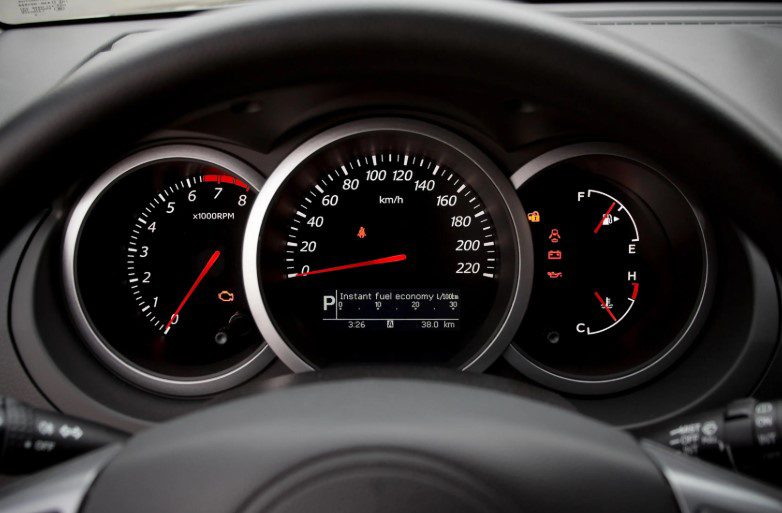
Has that little red light on your dashboard started blinking, making you wonder if your car is about to send out a secret SOS? It’s a common sight – that car security light, often a small red or amber icon that looks like a car with a lock or a key. When it’s on, or worse, blinking, it can cause a bit of worry for many drivers, especially those new to car ownership. You might think it’s a serious warning, but usually, it’s just letting you know your car’s anti-theft system is active. However, when it won’t turn off or is behaving strangely, it can be downright annoying and confusing. Don’t fret! This guide is here to help you understand what that light means and provide simple, practical ways to turn it off and resolve any issues.
Understanding Your Car’s Security Light
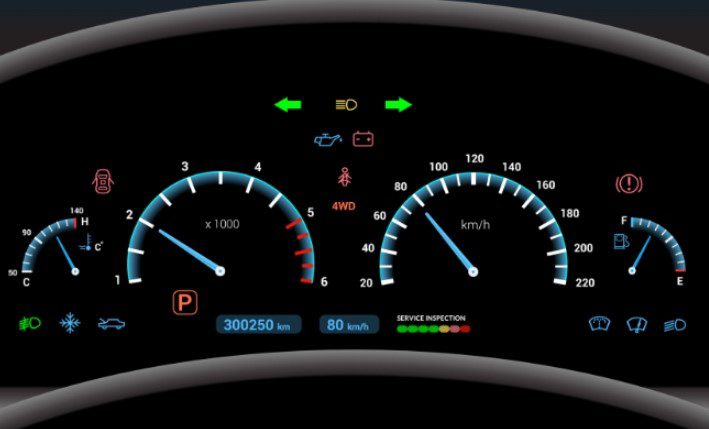
Your car’s security light is a visual cue that your vehicle’s factory-installed or aftermarket alarm system is armed and ready. Think of it as a silent guardian, letting you know that your car is protected against unauthorized entry. When the car is locked, the light typically blinks slowly, indicating the system is active. If the light stays solid, or blinks rapidly, it usually means there’s a fault within the system or an attempt has been made to tamper with it.
Modern vehicles are equipped with sophisticated security systems, often integrated with the car’s computer (ECU). These systems work by immobilizing the engine, activating the car’s horn, and flashing the lights if someone tries to start the car without the correct key or remote fob. The security light is the primary indicator of this system’s status.
Common Reasons for the Security Light to Stay On or Blink
Several factors can cause your car’s security light to behave unusually. Understanding these common culprits is the first step to finding a solution that works for you.
- System Armed: The most common reason is that the alarm system is simply armed. It’s a normal function.
- Low Key Fob Battery: If the battery in your key fob is weak, the car might struggle to recognize it, leading to the security light staying on or the system not disarming properly.
- Key Fob Not Recognized: Similar to a low battery, sometimes the car’s system can lose its connection with the key fob, especially after a battery change in the car itself.
- Faulty Key Transponder: The transponder chip inside your key communicates with the car’s immobilizer. If this chip is damaged, the car won’t start and the security light might stay on.
- Door/Trunk Sensor Issues: If a door, the hood, or the trunk isn’t fully closed or has a faulty sensor, the car might think it’s being tampered with, triggering the security light.
- Aftermarket Alarm Problems: If you have an aftermarket alarm system, it might have its own quirks or installation issues that cause the light to malfunction.
- Electrical System Glitch: Sometimes, a temporary electrical glitch in the car’s computer can cause the security light to stay on.
- Ignition Switch Issues: Problems with the ignition switch can also affect how the car communicates with its security system.
Genius Fixes” to Turn Off Your Car Security Light
Let’s get to the practical solutions. These methods are designed to be easy for anyone to try, helping you tackle the blinking or solid security light with confidence.
1. The Simple Restart (The Universal Fix!)
This is the go-to for many electronic glitches, and your car’s security system is no exception. Sometimes, a simple reset can clear temporary errors causing the light to behave oddly.
- Turn Off the Car: Ensure your car is completely off.
- Remove the Key: Take the key out of the ignition.
- Open and Close Driver’s Door: Open the driver’s door, then close it firmly. This action can help reset some door sensor communication.
- Wait a Few Minutes: Give the car’s computer a moment to go into its sleep mode. Typically, waiting 5-10 minutes is sufficient.
- Restart the Car: Insert the key and try to start the engine normally. See if the light behaves as expected now.
2. Check Your Key Fob
Your key fob is the primary communicator with your car’s security system. Issues here are very common.
Battery Check and Replacement
A dying battery in your key fob can lead to the car not recognizing it consistently. Replacing the battery is a straightforward and often effective fix.
Tools You Might Need:
- Small Phillips head screwdriver
- Flathead screwdriver or a small pry tool
- Replacement battery (check your car’s manual for the correct type, often CR2032 or similar coin cell)
Steps to Replace Key Fob Battery:
- Locate the Seam: Look for the seam where the two halves of your key fob meet.
- Pry Open Gently: Insert a thin flathead screwdriver or pry tool into the seam and gently twist to separate the halves. Some fobs have a small notch or screw.
- Note Battery Orientation: Before removing the old battery, observe which side is facing up.
- Replace the Battery: Remove the old battery and insert the new one, ensuring the positive (+) side is facing the correct way (usually up).
- Snap Fob Back Together: Align the halves and press firmly until they click into place.
- Test: Try unlocking and locking your car. Start the engine to see if the security light issue is resolved.
Reprogramming the Key Fob (If Necessary)
In some cases, especially after replacing the car battery or if the fob lost sync, you might need to reprogram it. The process varies greatly by car make and model. Many manufacturers provide instructions in the owner’s manual. A quick search for “[Your Car Make] [Your Car Model] key fob programming” on a site like YouTube can often yield visual guides.
For some Subaru models, for instance, the process might involve turning the ignition on and off a specific number of times while pressing buttons on the fob. If you’re unsure, this is a good time to consult your manual or a trusted dealership. For many common vehicles, the process often involves a sequence of turning the ignition on and off and locking/unlocking the doors.
3. Check All Doors, Hood, and Trunk
The security system relies on sensors to know if the vehicle is truly secured. An improperly closed door or a faulty sensor can trick the system.
- Physically Inspect: Walk around your car and ensure every door, the hood, and the trunk are fully closed and latched.
- Check for Obstructions: Make sure nothing is preventing a door or the hood from closing completely.
- Listen for the Click: Ensure you hear the latch click when closing.
- Test with Ignition: After confirming everything is shut, try starting the car. Sometimes, simply re-opening and firmly closing the driver’s door can reset things if a sensor was briefly confused.
4. The Fuse Box Approach (Proceed with Caution!)
Your car’s security system is connected to its electrical system via fuses. While this is a more advanced step and should only be attempted if you are comfortable working with car electrical systems, it can be effective.
Warning: Incorrectly removing or replacing fuses can cause other electrical issues. Always refer to your owner’s manual for the correct fuse locations and ratings.
Steps:*
- Locate Fuse Boxes: Cars typically have fuse boxes under the dashboard (driver’s side is common) and sometimes under the hood. Consult your owner’s manual for their exact locations.
- Identify Security System Fuse: Your manual will have a diagram showing which fuse relates to the security system, alarm, or immobilizer.
- Turn Off Car: Ensure the car is completely off.
- Use Fuse Puller: Most cars come with a small plastic tool for pulling fuses. Use this to carefully pull out the identified fuse.
- Wait and Reinsert: Leave the fuse out for about 5-10 minutes. This allows the system to fully reset. Then, reinsert the fuse firmly.
- Test: Start your car to see if the security light issue is resolved.
A helpful resource for automotive fuses and their functions can often be found on sites dedicated to auto electrical systems, detailing diagrams that match fuse box layouts, such as those found on various automotive forums or manufacturer-specific repair sites.
5. Resetting the Battery (The “Hard Reset”)
This is another form of a hard reset that can clear glitches in the car’s computer, including dormant issues with the security system. This is more involved and requires disconnecting the car battery.
Warning: Disconnecting the car battery will reset your car’s clock, radio presets, and potentially other electronic systems. Some newer cars may also require a specific procedure to re-initialize certain components, like power windows or anti-lock brakes, after the battery is reconnected. Consult your owner’s manual.
Tools You’ll Need:
- Wrench or socket set (usually 10mm for battery terminals)
Steps:
- Locate Battery: Open the hood and find the car battery.
- Disconnect Negative Terminal First: Using the appropriate wrench, loosen the nut on the negative (-) terminal clamp and carefully slip the clamp off the battery post. Ensure it doesn’t touch any metal on the car.
- Wait: Leave the negative terminal disconnected for at least 15-30 minutes. This allows the car’s computer (ECU) to discharge any residual power and reset.
- Reconnect Negative Terminal: Place the negative terminal clamp back onto the battery post and tighten the nut securely.
- Start Car: Start your car as usual. Check if the security light is now behaving correctly.
- Re-initialize Systems: If any other systems (like power windows) are not working correctly, you may need to follow your car’s manual for their re-initialization procedures (often involves holding buttons or cycling the ignition).
6. Check for Aftermarket Alarm Issues
If your car has an aftermarket alarm system installed, it might be the source of the problem. These systems can sometimes be temperamental or have specific reset procedures.
- Consult Manual: If you have the manual for your aftermarket alarm, check its troubleshooting section.
- Locate Control Unit: Some systems have a small “brain” or control unit that might have a reset button, though this is less common and often hidden.
- Professional Help: If you suspect an aftermarket alarm is the issue and you can’t identify the cause, it’s best to consult the installer or a reputable car audio/security shop.
For example, many Viper alarm systems have a valet switch or a specific programming sequence to bypass or reset the alarm. Understanding these specific controls is key.
7. When to Seek Professional Help
If you’ve tried the above steps and the security light is still on or blinking abnormally, it’s time to call in the experts. There could be a more complex issue at play that requires specialized diagnostic tools.
- Faulty Immobilizer: The car’s immobilizer system could be malfunctioning.
- Wiring Issues:Damaged or corroded wiring in the security system can cause persistent problems.
- Computer Diagnosis: A mechanic can use an OBD-II scanner to read error codes from your car’s computer, which can pinpoint the exact component causing the security light issue. Resources like the National Highway Traffic Safety Administration (NHTSA) offer information on OBD systems.
- Dealership: For complex factory-integrated systems, a dealership can often provide the most accurate diagnosis and repair.
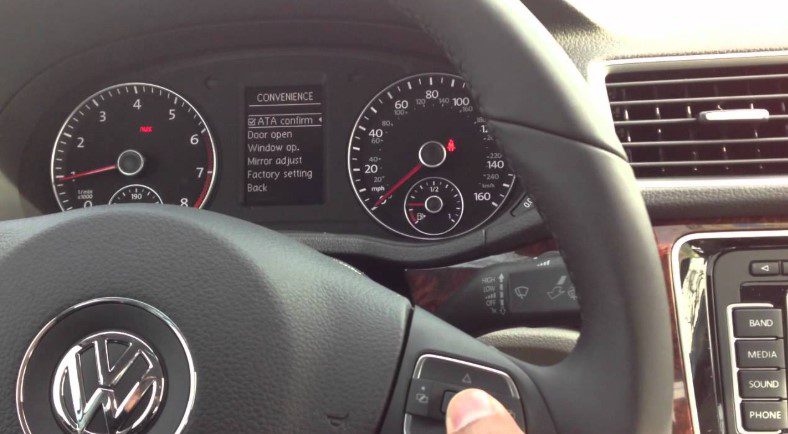
Troubleshooting Table: Security Light Issues and Solutions
Here’s a quick reference guide to common security light symptoms and potential fixes.
| Symptom | Possible Cause | Recommended Fixes |
|---|---|---|
| Light blinks slowly constantly | System armed and functioning normally. | No action needed; this is standard. |
| Light stays solid on when ignition is on | System detects a fault, or key is not recognized. | Restart car, check key fob battery, try spare key, check door/hood closure. |
| Light blinks rapidly or erratically | System malfunction or attempted theft. | Try restarting, check key fob, disconnect/reconnect battery. If persists, seek professional help. |
| Car won’t start, security light is on/blinking | Immobilizer system activated due to unrecognized key. | Ensure correct key is used, check fob battery, try spare key. If persistent, immobilizer or key chip issue likely. |
| Security light comes on randomly with no obvious cause | Intermittent electrical fault or sensor issue. | Check door/hood sensors, check fuses, consider battery reset. If frequent, professional diagnosis is recommended. |
Frequently Asked Questions (FAQ)
Q1: My security light is blinking. Is my car in danger of being stolen?
A: Usually no. A slow, steady blinking light indicates that your car’s anti-theft system is armed and actively protecting your vehicle. This is normal when the car is parked and locked.
Q2: I just replaced my car battery, and now the security light is stuck on. What happened?
A: When the car battery is disconnected, the security system might momentarily lose its place or require re-synchronization with the key fob. Try removing the key, opening and closing the driver’s door, waiting a few minutes, and then starting the car. If that doesn’t work, you might need to reprogram your key fob.
Q3: Can I just ignore the security light if it’s blinking?
A: If the light is blinking slowly, it’s just showing the system is armed. However, if it’s blinking rapidly, staying solid when it shouldn’t, or if the car won’t start because of it, you should address it. Ignoring a persistent fault could lead to situations where your car might not start when you need it.
Q4: How do I know if I have an aftermarket alarm system?
A: Look for extra key fobs that differ from your main car key, keypads on the dashboard or door pillar, or visible aftermarket alarm modules tucked away in the car’s interior. Your car’s owner’s manual will describe the factory system, so if it doesn’t match, it’s likely aftermarket.
Q5: My security light is on, and my car won’t start. What should I do?
A: This usually means the immobilizer system is engaged. Ensure you are using the correct key, check the key fob battery, and try using a spare key if you have one. If these simple checks don’t work, the issue might be with the key transponder, the car’s antenna ring around the ignition, or the immobilizer control unit itself, and you’ll likely need professional diagnosis.
Q6: Is it safe to disconnect the car battery to reset the system?
A: Yes, disconnecting the battery for a period (15-30 minutes) is a safe way to perform a hard reset on many car electronic systems, including the security system. However, be aware that this will reset your clock, radio presets, and potentially other electronic configurations, which you may need to reset afterward according to your owner’s manual.
Conclusion
That blinking car security light doesn’t have to be a mystery or a source of constant worry. By understanding what it signifies and trying these straightforward fixes, you can often resolve common issues yourself, saving time and money. From simple restarts and key fob battery replacements to checking your doors and even performing a battery reset, you’ve got a toolkit of solutions at your fingertips. Remember, if the problem persists or